229
108_en_Chap10a_Autoradio-toyota-tactile-1_ed01-2016
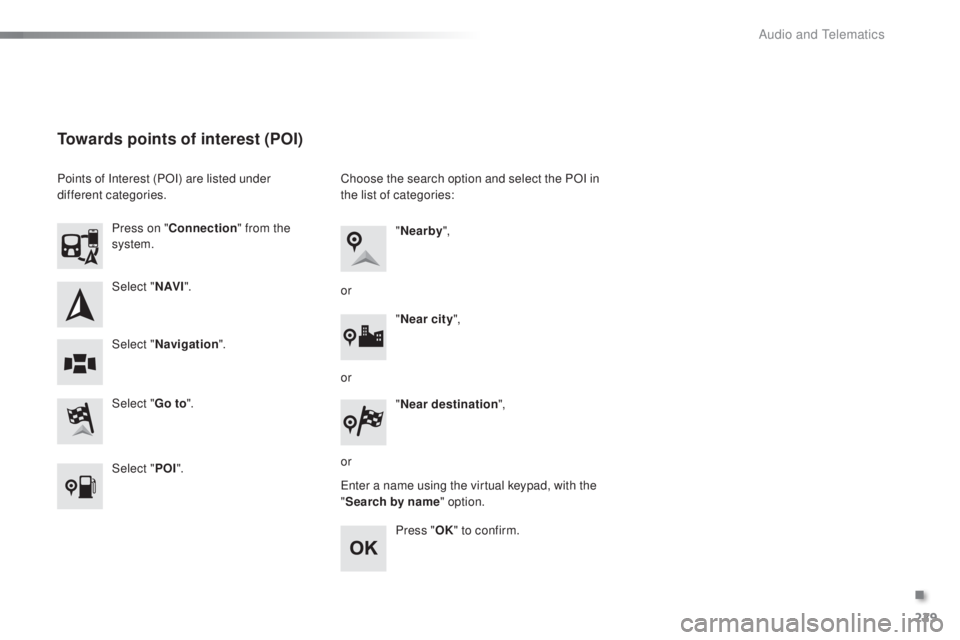
Select "N AV I".
Select "
go t
o".
Press on "
Connection " from the
system.
Select " Navigation ".
towards points of interest (PoI)
Points of Interest (POI) are listed under
different categories.
Select "P
o
I". C
hoose the search option and select the POI in
the list of categories:
en
ter a name using the virtual keypad, with the
" Search by name" option.
Press "
oK"
to confirm.
"
Nearby ",
" Near city ",
or
or
or "
Near destination ",
.
Audio and telematics
9876543210SN
NE4400923212132EW
230
108_en_Chap10a_Autoradio-toyota-tactile-1_ed01-2016
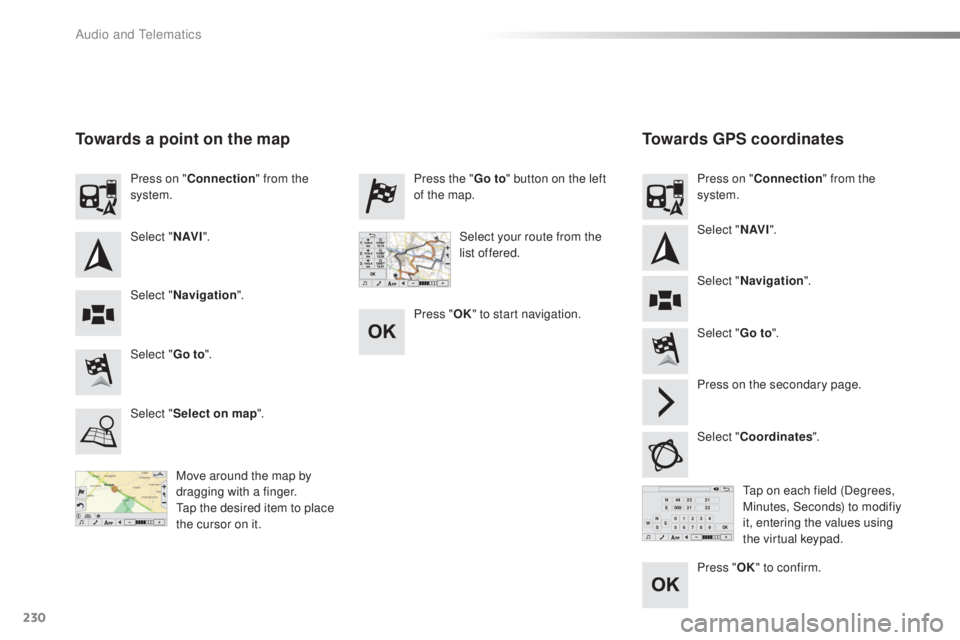
towards gP S coordinatesto
wards a point on the map
Move around the map by
dragging with a finger.
ta
p the desired item to place
the cursor on it.ta p on each field (Degrees,
Minutes, Seconds) to modifiy
it, entering the values using
the virtual keypad.
Select "
go t
o
".
Select "
go t
o
". Press the "
go t
o
" button on the left
of the map.
Press on the secondary page.
Select "Coordinates ".
Select "
Select on map ". Press on "
Connection " from the
system.
Press on "
Connection " from the
system.
Select "Navigation ".
Select " Navigation ".
Select "
N AV I". Select "
N AV I".
Select your route from the
list offered.
Press "
oK " t
o start navigation.
Press "
oK"
to confirm.
Audio and telematics