2016 NISSAN NOTE light
[x] Cancel search: lightPage 1571 of 3641
![NISSAN NOTE 2016 Service Repair Manual EC-444
< DTC/CIRCUIT DIAGNOSIS >[HR16DE]
ELECTRICAL LOAD SIGNAL
ELECTRICAL LOAD SIGNAL
DescriptionINFOID:0000000012431645
The electrical load signal (Headlamp switch signal, rear window defogger switc](/manual-img/5/57363/w960_57363-1570.png "NISSAN NOTE 2016 Service Repair Manual EC-444
< DTC/CIRCUIT DIAGNOSIS >[HR16DE]
ELECTRICAL LOAD SIGNAL
ELECTRICAL LOAD SIGNAL
DescriptionINFOID:0000000012431645
The electrical load signal (Headlamp switch signal, rear window defogger switc")
EC-444
< DTC/CIRCUIT DIAGNOSIS >[HR16DE]
ELECTRICAL LOAD SIGNAL
ELECTRICAL LOAD SIGNAL
DescriptionINFOID:0000000012431645
The electrical load signal (Headlamp switch signal, rear window defogger switch signal, etc.) is transferred to
ECM through the CAN communication line.
Component Function CheckINFOID:0000000012431646
1.CHECK REAR WINDOW DEFOGGER SWITCH FUNCTION
1. Turn ignition switch ON.
2. Select “DATA MONITOR” mode with CONSULT.
3. Select “LOAD SIGNAL” and check indication under the following conditions.
Is the inspection result normal?
YES >> GO TO 2.
NO >> Go to EC-444, "
Diagnosis Procedure".
2.CHECK LIGHTING SWITCH FUNCTION
Check “LOAD SIGNAL” indication under the following conditions.
Is the inspection result normal?
YES >> GO TO 3.
NO >> Go to EC-444, "
Diagnosis Procedure".
3.CHECK HEATER FAN CONTROL SWITCH FUNCTION
Select “HEATER FAN SW” and check indication under the following conditions.
Is the inspection result normal?
YES >> INSPECTION END
NO >> Go to EC-444, "
Diagnosis Procedure".
Diagnosis ProcedureINFOID:0000000012431647
1.INSPECTION START
Confirm the malfunctioning circuit (rear window defogger, headlamp or heater fan). Refer to EC-444, "
Compo-
nent Function Check".
Which circuit is related to the incident?
Rear window defogger>>GO TO 2
Headlamp>>GO TO 3.
Heater fan>>GO TO 4.
2.CHECK REAR WINDOW DEFOGGER SYSTEM
Perform trouble diagnosis of rear window defogger system. Refer to DEF-17, "
Work Flow".
Monitor itemConditionIndication
LOAD SIGNAL Rear window defogger switch ON ON
OFF OFF
Monitor item
ConditionIndication
LOAD SIGNAL Lighting switch ON at 2nd position ON
OFF
OFF
Monitor item ConditionIndication
HEATER FAN SW Heater fan control switch ON ON
OFF OFF
Revision: August 2015
2016 Versa Note
cardiagn.com
Page 1583 of 3641
![NISSAN NOTE 2016 Service Repair Manual EC-456
< DTC/CIRCUIT DIAGNOSIS >[HR16DE]
MALFUNCTION INDICATOR LAMP
MALFUNCTION INDICATOR LAMP
Component Function CheckINFOID:0000000012431658
1.CHECK MIL FUNCTION
1. Turn ignition switch ON.
2. Make](/manual-img/5/57363/w960_57363-1582.png "NISSAN NOTE 2016 Service Repair Manual EC-456
< DTC/CIRCUIT DIAGNOSIS >[HR16DE]
MALFUNCTION INDICATOR LAMP
MALFUNCTION INDICATOR LAMP
Component Function CheckINFOID:0000000012431658
1.CHECK MIL FUNCTION
1. Turn ignition switch ON.
2. Make")
EC-456
< DTC/CIRCUIT DIAGNOSIS >[HR16DE]
MALFUNCTION INDICATOR LAMP
MALFUNCTION INDICATOR LAMP
Component Function CheckINFOID:0000000012431658
1.CHECK MIL FUNCTION
1. Turn ignition switch ON.
2. Make sure that MIL lights up.
Is the inspection result normal?
YES >> INSPECTION END
NO >> Go to EC-456, "
Diagnosis Procedure".
Diagnosis ProcedureINFOID:0000000012431659
1.CHECK DTC
Check that DTC UXXXX is not displayed.
Is DTC detected?
YES >> Perform trouble diagnosis for DTC UXXXX.
NO >> GO TO 2.
2.CHECK COMBINATION METER
Check DTC with combination meter. Refer to MWI-24, "
DTC Index".
Is DTC detected?
YES >> Perform troubleshooting relevant to DTC indicated.
NO >> GO TO 3.
3.CHECK INTERMITTENT INCIDENT
Refer to GI-42, "
Intermittent Incident".
Is the inspection result normal?
YES >> Replace combination meter. Refer to MWI-54, "Removal and Installation".
NO >> Repair or replace harness or connectors.
Revision: August 2015 2016 Versa Note
cardiagn.com
Page 1599 of 3641
![NISSAN NOTE 2016 Service Repair Manual EC-472
< PERIODIC MAINTENANCE >[HR16DE]
IGNITION TIMING
IGNITION TIMING
InspectionINFOID:0000000012431669
1.CHECK IGNITION TIMING
1. Attach timing light (A) to loop wire (1) as shown.
2. Check ignitio](/manual-img/5/57363/w960_57363-1598.png "NISSAN NOTE 2016 Service Repair Manual EC-472
< PERIODIC MAINTENANCE >[HR16DE]
IGNITION TIMING
IGNITION TIMING
InspectionINFOID:0000000012431669
1.CHECK IGNITION TIMING
1. Attach timing light (A) to loop wire (1) as shown.
2. Check ignitio")
EC-472
< PERIODIC MAINTENANCE >[HR16DE]
IGNITION TIMING
IGNITION TIMING
InspectionINFOID:0000000012431669
1.CHECK IGNITION TIMING
1. Attach timing light (A) to loop wire (1) as shown.
2. Check ignition timing.
>> INSPECTION END
ALBIA1075ZZ
1 : Timing indicator
MBIB1331E
Revision: August 2015 2016 Versa Note
cardiagn.com
Page 1605 of 3641
![NISSAN NOTE 2016 Service Repair Manual EC-478
< SERVICE DATA AND SPECIFICATIONS (SDS) [HR16DE]
SERVICE DATA AND SPECIFICATIONS (SDS)
SERVICE DATA AND SPECIFICATIONS (SDS)
SERVICE DATA AND SPECIFICATIONS (SDS)
Idle SpeedINFOID:0000000012431](/manual-img/5/57363/w960_57363-1604.png "NISSAN NOTE 2016 Service Repair Manual EC-478
< SERVICE DATA AND SPECIFICATIONS (SDS) [HR16DE]
SERVICE DATA AND SPECIFICATIONS (SDS)
SERVICE DATA AND SPECIFICATIONS (SDS)
SERVICE DATA AND SPECIFICATIONS (SDS)
Idle SpeedINFOID:0000000012431")
EC-478
< SERVICE DATA AND SPECIFICATIONS (SDS) [HR16DE]
SERVICE DATA AND SPECIFICATIONS (SDS)
SERVICE DATA AND SPECIFICATIONS (SDS)
SERVICE DATA AND SPECIFICATIONS (SDS)
Idle SpeedINFOID:0000000012431675
*: Under the following conditions
• A/C switch: OFF
• Electric load: OFF (Lights, heater fan & rear window defogger)
• Steering wheel: Kept in straight-ahead position
Ignition TimingINFOID:0000000012431676
*: Under the following conditions
• A/C switch: OFF
• Electric load: OFF (Lights, heater fan & rear window defogger)
• Steering wheel: Kept in straight-ahead position
Calculated Load ValueINFOID:0000000012431677
Mass Air Flow SensorINFOID:0000000012431678
*: Engine is warmed up to normal operating temperature and running under no load.Transmission Condition Specification
CVT No load* (in P or N position) 650 ± 50 rpm
M/T No load* (in Neutral position) 650 ± 50 rpm
Transmission ConditionSpecification
CVT No load* (in P or N position) 4 ± 5 °BTDC
M/T No load* (in Neutral position) 10 ± 5°BTDC
Condition Specification (Using CONSULT or GST)
At idle 10 – 35%
At 2,500 rpm 10 – 35%
Supply voltageBattery voltage (11 – 14 V)
Output voltage at idle 0.8 – 1.3 V*
Mass air flow (Using CONSULT or GST) 0.8 – 4.0 g/s at idle*
2.0 – 10.0 g/s at 2,500 rpm*
Revision: August 2015 2016 Versa Note
cardiagn.com
Page 1615 of 3641
![NISSAN NOTE 2016 Service Repair Manual CO-10
< PERIODIC MAINTENANCE >[HR16DE]
ENGINE COOLANT
4. Install the Tool by installing the radiator cap adapter onto the
radiator neck opening. Then attach the gauge body assembly
with the refill tub](/manual-img/5/57363/w960_57363-1614.png "NISSAN NOTE 2016 Service Repair Manual CO-10
< PERIODIC MAINTENANCE >[HR16DE]
ENGINE COOLANT
4. Install the Tool by installing the radiator cap adapter onto the
radiator neck opening. Then attach the gauge body assembly
with the refill tub")
CO-10
< PERIODIC MAINTENANCE >[HR16DE]
ENGINE COOLANT
4. Install the Tool by installing the radiator cap adapter onto the
radiator neck opening. Then attach the gauge body assembly
with the refill tube and the venturi assembly to the radiator cap
adapter.
5. Insert the refill hose into the engine coolant mixture container that is placed at floor level. Make sure the ball valve is in the
closed position.
•Use recommended engine coolant or equivalent.
Refer to MA-11, "
Fluids and Lubricants".
CAUTION:
Do not use any cooling system additives such as radiator
sealer. Additives may clog th e cooling system and cause
damage to the engine, transmission and/or cooling system.
6. Install an air hose to the venturi assembly, the air pressure must be within specification.
CAUTION:
The compressed air supply must be equipped with an air dryer.
7. The vacuum gauge will begin to rise and there will be an audible hissing noise. During this process open the ball valve on the refill hose slightly. Engine coolant wi ll be visible rising in the refill hose. Once the refill
hose is full of engine coolant, close the ball valve. This will purge any air trapped in the refill hose.
8. Continue to draw the vacuum until the gauge reaches 28 inches of vacuum. The gauge may not reach 28 inches in high altitude
locations, use the vacuum specifications based on the altitude
above sea level.
9. When the vacuum gauge has reached the specifi ed amount, disconnect the air hose and wait 20 seconds
to see if the system loses any vacuum. If the vacuum level drops, perform any necessary repairs to the
system and repeat steps 6 - 8 to bring the vacuum to the specified amount. Recheck for any leaks.
10. Place the engine coolant container (with the refill hose inserted) at the same level as the top of the radia- tor. Then open the ball valve on the refill hose so the engine coolant will be drawn up to fill the cooling sys-
tem. The cooling system is full when the vacuum gauge reads zero.
CAUTION:
Do not allow the engine coolant co ntainer to get too low when filling, to avoid air from being drawn
into the cooling system.
11. Remove the Tool from the radiator neck opening.
12. Fill the cooling system reservoir tank to the specified level and install the radiator cap. Run the engine to warm up the cooling system and t op up the system as necessary.
13. Install the front under cover. Refer to EXT-39, "
FRONT UNDER COVER : Removal and Installation".
Tool number : KV991J0070 (J-45695)
Engine coolant capacity
(with reservoir tank)
: Refer to MA-11, "
Fluids and
Lubricants".
Compressed air
supply pressure : 549 - 824 kPa (5.6 - 8.4 kg/cm
2,
80 - 119 psi)LLIA0058E
Altitude above sea level Vacuum gauge reading
0 - 100 m (328 ft) : 28 inches of vacuum
300 m (984 ft) : 27 inches of vacuum
500 m (1,641 ft) : 26 inches of vacuum
1,000 m (3,281 ft) : 24 - 25 inches of vacuum
LLIA0057E
Revision: August 2015 2016 Versa Note
cardiagn.com
Page 1632 of 3641
![NISSAN NOTE 2016 Service Repair Manual LU-2
< PRECAUTION >[HR16DE]
PRECAUTIONS
PRECAUTION
PRECAUTIONS
Precaution for Supplemental Restraint Syst
em (SRS) "AIR BAG" and "SEAT BELT
PRE-TENSIONER"
INFOID:0000000012432194
The Supplemental Res](/manual-img/5/57363/w960_57363-1631.png "NISSAN NOTE 2016 Service Repair Manual LU-2
< PRECAUTION >[HR16DE]
PRECAUTIONS
PRECAUTION
PRECAUTIONS
Precaution for Supplemental Restraint Syst
em (SRS) \"AIR BAG\" and \"SEAT BELT
PRE-TENSIONER\"
INFOID:0000000012432194
The Supplemental Res")
LU-2
< PRECAUTION >[HR16DE]
PRECAUTIONS
PRECAUTION
PRECAUTIONS
Precaution for Supplemental Restraint Syst
em (SRS) "AIR BAG" and "SEAT BELT
PRE-TENSIONER"
INFOID:0000000012432194
The Supplemental Restraint System such as “A IR BAG” and “SEAT BELT PRE-TENSIONER”, used along
with a front seat belt, helps to reduce the risk or severity of injury to the driver and front passenger for certain
types of collision. Information necessary to service the system safely is included in the SR and SB section of
this Service Manual.
WARNING:
• To avoid rendering the SRS inopera tive, which could increase the risk of personal injury or death in
the event of a collision which would result in air bag inflation, all maintenance must be performed by
an authorized NISSAN/INFINITI dealer.
• Improper maintenance, including in correct removal and installation of the SRS, can lead to personal
injury caused by unintent ional activation of the system. For re moval of Spiral Cable and Air Bag
Module, see the SR section.
• Do not use electrical test equipmen t on any circuit related to the SRS unless instructed to in this
Service Manual. SRS wiring harn esses can be identified by yellow and/or orange harnesses or har-
ness connectors.
PRECAUTIONS WHEN USING POWER TOOLS (AIR OR ELECTRIC) AND HAMMERS
WARNING:
• When working near the Airbag Diagnosis Sensor Unit or other Airbag System sensors with the Igni-
tion ON or engine running, DO NOT use air or electri c power tools or strike near the sensor(s) with a
hammer. Heavy vibration could activate the sensor( s) and deploy the air bag(s), possibly causing
serious injury.
• When using air or electric power tools or hammers , always switch the Ignition OFF, disconnect the
battery and wait at least three minutes before performing any service.
Liquid GasketINFOID:0000000012432195
REMOVAL OF LIQUID GASKET SEALING
• After removing the bolts and nuts, separate the mating surface and remove the liquid gasket using Tool (A).
• In areas where the cutter is difficult to use, use a plastic hammer to lightly tap (1) the cutter where the liquid gasket is applied. Use a
plastic hammer to slide (2) the cutter by tapping on the side.
CAUTION:
Do not damage the mating surfaces.
LIQUID GASKET APPLICATION PROCEDURE
1. Using suitable tool (A), remove old liquid gasket adhering to the liquid gasket application surface and the mating surface.
• Remove liquid gasket completely from the groove of the liquidgasket application surface, mounting bolts, and bolt holes.
2. Wipe the liquid gasket application surface and the mating sur- face with white gasoline (lighting and heating use) to remove
adhering moisture, grease and foreign materials.Tool number (A) : KV10111100 (J-37228)
AWBIA1249GB
JPBIA0053ZZ
Revision: August 2015
2016 Versa Note
cardiagn.com
Page 1653 of 3641
EXL-1
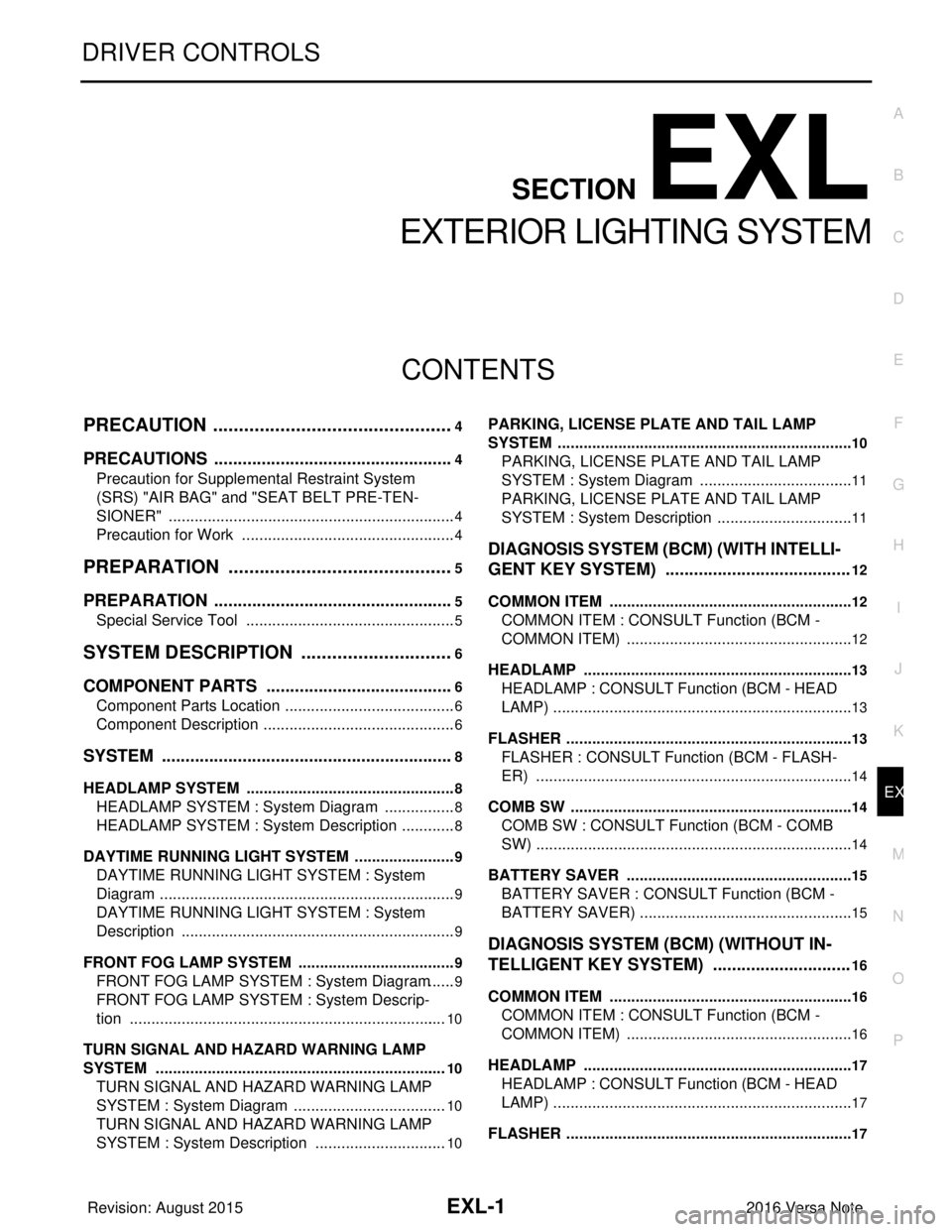
DRIVER CONTROLS
C
DE
F
G H
I
J
K
M
SECTION EXL
A
B
EXL
N
O P
CONTENTS
EXTERIOR LIGHTING SYSTEM
PRECAUTION ....... ........................................4
PRECAUTIONS .............................................. .....4
Precaution for Supplemental Restraint System
(SRS) "AIR BAG" and "SEAT BELT PRE-TEN-
SIONER" ............................................................. ......
4
Precaution for Work ..................................................4
PREPARATION ............................................5
PREPARATION .............................................. .....5
Special Service Tool ........................................... ......5
SYSTEM DESCRIPTION ..............................6
COMPONENT PARTS ................................... .....6
Component Parts Location .................................. ......6
Component Description .............................................6
SYSTEM ..............................................................8
HEADLAMP SYSTEM .................................................8
HEADLAMP SYSTEM : Syst em Diagram .................8
HEADLAMP SYSTEM : System Description ....... ......8
DAYTIME RUNNING LIGHT SYSTEM ........................9
DAYTIME RUNNING LIGHT SYSTEM : System
Diagram ............................................................... ......
9
DAYTIME RUNNING LIGHT SYSTEM : System
Description ................................................................
9
FRONT FOG LAMP SYSTEM .....................................9
FRONT FOG LAMP SYSTEM : System Diagram ......9
FRONT FOG LAMP SYSTEM : System Descrip-
tion ..........................................................................
10
TURN SIGNAL AND HAZARD WARNING LAMP
SYSTEM ................................................................ ....
10
TURN SIGNAL AND HAZARD WARNING LAMP
SYSTEM : System Diagram ....................................
10
TURN SIGNAL AND HAZARD WARNING LAMP
SYSTEM : System Description ...............................
10
PARKING, LICENSE PLATE AND TAIL LAMP
SYSTEM .......................................... ...........................
10
PARKING, LICENSE PLATE AND TAIL LAMP
SYSTEM : System Diagram ................................ ....
11
PARKING, LICENSE PLATE AND TAIL LAMP
SYSTEM : System Description ................................
11
DIAGNOSIS SYSTEM (BCM) (WITH INTELLI-
GENT KEY SYSTEM) .......................................
12
COMMON ITEM ..................................................... ....12
COMMON ITEM : CONSULT Function (BCM -
COMMON ITEM) .....................................................
12
HEADLAMP ........................................................... ....13
HEADLAMP : CONSULT Function (BCM - HEAD
LAMP) ......................................................................
13
FLASHER ............................................................... ....13
FLASHER : CONSULT Function (BCM - FLASH-
ER) ..........................................................................
14
COMB SW .............................................................. ....14
COMB SW : CONSULT Function (BCM - COMB
SW) ..........................................................................
14
BATTERY SAVER ................................................. ....15
BATTERY SAVER : CONSULT Function (BCM -
BATTERY SAVER) ..................................................
15
DIAGNOSIS SYSTEM (BCM) (WITHOUT IN-
TELLIGENT KEY SYSTEM) .............................
16
COMMON ITEM ..................................................... ....16
COMMON ITEM : CONSULT Function (BCM -
COMMON ITEM) .....................................................
16
HEADLAMP ........................................................... ....17
HEADLAMP : CONSULT Function (BCM - HEAD
LAMP) ......................................................................
17
FLASHER ............................................................... ....17
Revision: August 2015 2016 Versa Note
cardiagn.com
Page 1654 of 3641

EXL-2
FLASHER : CONSULT Function (BCM - FLASH-
ER) .........................................................................
17
COMB SW .............................................................. ...18
COMB SW : CONSULT Function (BCM - COMB
SW) .........................................................................
18
BATTERY SAVER ................................................. ...18
BATTERY SAVER : CONSULT Function (BCM -
BATTERY SAVER) .................................................
18
DIAGNOSIS SYSTEM (IPDM E/R) ................. ...20
Diagnosis Description .......................................... ...20
CONSULT Function (IPDM E/R) ............................21
ECU DIAGNOSIS INFORMATION ..............24
BCM, IPDM E/R .............................................. ...24
List of ECU Reference ......................................... ...24
WIRING DIAGRAM .....................................25
HEADLAMP .................................................... ...25
Wiring Diagram - For USA ................................... ...25
Wiring Diagram - For Canada .................................31
DAYTIME LIGHT SYSTEM ............................. ...37
Wiring Diagram .................................................... ...37
FRONT FOG LAMP ...........................................43
Wiring Diagram .................................................... ...43
TURN SIGNAL AND HAZARD WARNING
LAMP SYSTEM .............................................. ...
48
Wiring Diagram .................................................... ...48
PARKING, LICENSE PLATE AND TAIL
LAMPS SYSTEM ............................................ ...
55
Wiring Diagram .................................................... ...55
STOP LAMP ......................................................63
Wiring Diagram .................................................... ...63
BACK-UP LAMP ................................................67
Wiring Diagram .................................................... ...67
BASIC INSPECTION ...................................71
DIAGNOSIS AND REPAIR WORKFLOW ...... ...71
Work Flow ............................................................ ...71
DTC/CIRCUIT DIAGNOSIS ...................... ...74
POWER SUPPLY AND GROUND CIRCUIT .. ...74
BCM (BODY CONTROL SYSTEM) (WITH INTEL-
LIGENT KEY SYSTEM) ..... .......................................
74
BCM (BODY CONTROL S YSTEM) (WITH INTEL-
LIGENT KEY SYSTEM) : Dia gnosis Procedure .....
74
BCM (BODY CONTROL SYST EM) (WITHOUT IN-
TELLIGENT KEY SYSTEM) . ....................................
74
BCM (BODY CONTROL SYSTEM) (WITHOUT
INTELLIGENT KEY SYSTEM) : Diagnosis Proce-
dure ...................................................................... ...
74
IPDM E/R ................................................................ ...75
IPDM E/R : Diagnosis Procedure ............................75
HEADLAMP (HI) CIRCUIT ................................77
Description ........................................................... ...77
Component Function Check ...................................77
Diagnosis Procedure ...............................................77
HEADLAMP (LO) CIRCUIT ...............................79
Description ........................................................... ...79
Component Function Check ...................................79
Diagnosis Procedure ...............................................79
PARKING LAMP CIRCUIT ................................82
Description ........................................................... ...82
Component Function Check ...................................82
Diagnosis Procedure ...............................................82
TURN SIGNAL LAMP CIRCUIT ........................85
Description ........................................................... ...85
Component Function Check ...................................85
Diagnosis Procedure ...............................................85
FRONT FOG LAMP CIRCUIT ...........................88
Component Function Check ................................ ...88
Diagnosis Procedure ...............................................88
Component Inspection ............................................90
SYMPTOM DIAGNOSIS ............................91
EXTERIOR LIGHTING SYSTEM SYMPTOMS ...91
Symptom Table .................................................... ...91
BOTH SIDE HEADLAMPS DO NOT SWITCH
TO HIGH BEAM .................................................
93
Description ........................................................... ...93
Diagnosis Procedure ...............................................93
BOTH SIDE HEADLAMPS (LO) ARE NOT
TURNED ON ......................................................
94
Description ..............................................................94
Diagnosis Procedure ...............................................94
PARKING, LICENSE PLATE AND TAIL
LAMPS ARE NOT TURNED ON .......................
95
Description ........................................................... ...95
Diagnosis Procedure ...............................................95
BOTH SIDE FRONT FOG LAMPS ARE NOT
TURNED ON ......................................................
96
Description ..............................................................96
Diagnosis Procedure ...............................................96
PERIODIC MAINTENANCE .......................97
HEADLAMP AIMING ADJUSTMENT ............ ...97
Inspection ............................................................. ...97
Aiming Adjustment Procedure ................................98
Revision: August 2015 2016 Versa Note
cardiagn.com