Page 98 of 565
#
Press button 1repeatedly until the indica‐
to r lamp in the button lights up.
The front passenger seat is selected. #
Adjust the front passenger seat using the
buttons in the door control panel on the driv‐
er's side. Ad
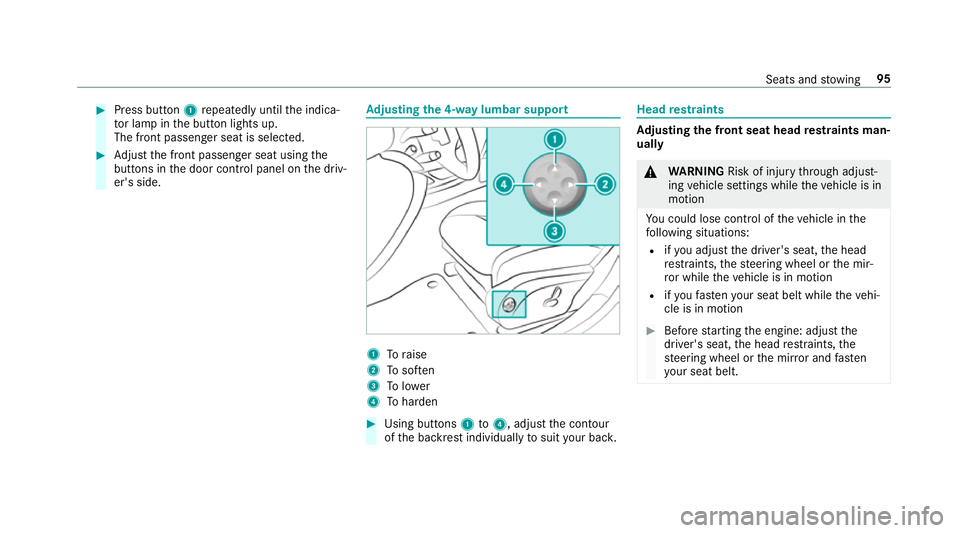
justing the 4-w aylumbar support 1
Toraise
2 Tosof ten
3 Tolower
4 Toharden #
Using buttons 1to4 , adjust the conto ur
of the backrest individually tosuit your bac k. Head
restra ints Ad
justing the front seat head restra ints man‐
ually &
WARNING Risk of inju rythro ugh adjust‐
ing vehicle settings while theve hicle is in
motion
Yo u could lose cont rol of theve hicle in the
fo llowing situations:
R ifyo u adjust the driver's seat, the head
re stra ints, thesteering wheel or the mir‐
ro r while theve hicle is in motion
R ifyo ufast enyour seat belt while theve hi‐
cle is in motion #
Before starting the engine: adjust the
driver's seat, the head restra ints, the
st eering wheel or the mir ror and fasten
yo ur seat belt. Seats and
stowing 95
Page 103 of 565
Selecting
the massage prog ramme for the
front seats Multimedia sy
stem:
, Vehicle .
a Seats #
Select Driver's seat orFront-passenger area. #
Select Massage. #
Select a massage programme.
The massage programme runs for appro x‐
ima tely 9to 15 minutes, depending on the
setting. #
Toset the massage intensity: switch High
intensity onO or off ª. Re
setting seat and massa gesettings Multimedia sy
stem:
, Vehicle .
a Seats .
Reset #
Select YesorNo.
Depending on whe ther the settings forth e driver
or front passenger seat are selected, only the
selected seat can be reset. Switching
the seat heater on/off &
WARNING Risk of bu rns due torepeat‐
edly switching on the seat heater
Re peatedly switching on the seat heater can
cause the seat cushion and seat backrest
padding tobecome very hot.
The health of persons with limited temp era‐
ture sensitivity or a limited ability toreact to
exc essively high temp eratures may be af fec‐
te d or they may even suf fer burn-like injuries. #
Do not repeatedly switch on the seat
heater. #
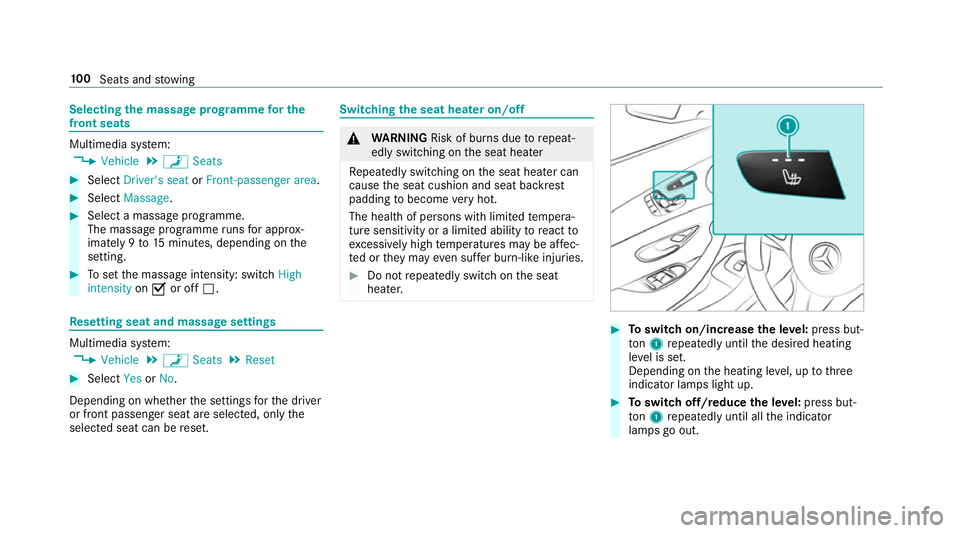
Toswitch on/increase the le vel:press but‐
to n1 repeatedly until the desired heating
le ve l is set.
Depending on the heating le vel, up tothree
indicator lamps light up. #
Toswitch off/reduce the le vel:press but‐
to n1 repeatedly until all the indicator
lamps go out. 100
Seats and stowing
Page 104 of 565
%
The seat heater automatically switches down
from theth re e heating le vels af ter cer tain
periods of time: 8, 10and 20 minutes until
th e seat heater is switched off. Setting
the panel heating Multimedia sy
stem:
, Vehicle .
î Vehicle set-
tings .
Panel heating
When the seat heater is switched on, the armr‐
ests in theve hicle as well as the cent reconsole
can be hea ted using this function.
Setting options #
Select Front and rear, Front only,Rear only
or Off . Switching
the seat ventilation on/off Re
quiremen t:
R powe r supp lyswitched on #
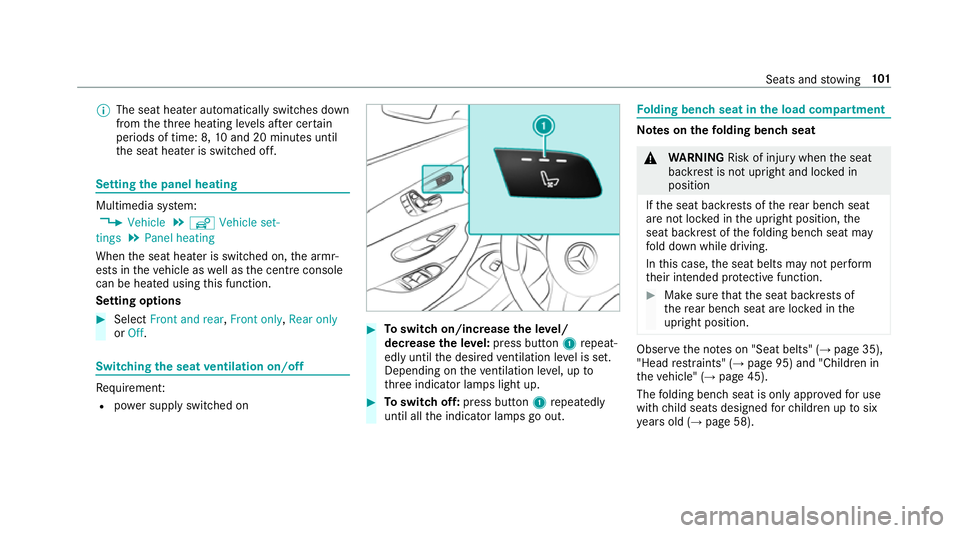
Toswitch on/increase the le vel/
decrease the le vel:press button 1repeat‐
edly until the desired ventilation le vel is set.
Depending on theve ntilation le vel, up to
th re e indicator lamps light up. #
Toswitch off: press button 1repeatedly
until all the indicator lamps go out. Fo
lding bench seat in the load compa rtment Note
s onthefo lding bench seat &
WARNING Risk of inju rywhen the seat
backrest is not upright and loc ked in
position
If th e seat backrests of there ar ben chseat
are not loc ked in the upright position, the
seat backrest of thefo lding bench seat may
fo ld down while driving.
In this case, the seat belts may not per form
th eir intended pr otective function. #
Make sure that the seat backrests of
th ere ar ben chseat are loc ked in the
upright position. Obser
vethe no tes on "Seat belts" (→ page 35),
"Head restra ints" (→ page 95) and "Children in
th eve hicle" (→ page 45).
The folding bench seat is only appr ovedfo r use
with child seats designed forch ildren up tosix
ye ars old (→ page 58). Seats and
stowing 101
Page 121 of 565
#
Safety net with load compartment
enlar gement: guidethe saf ety net up bytab
1 and hook it into eyelets 2. Overview of
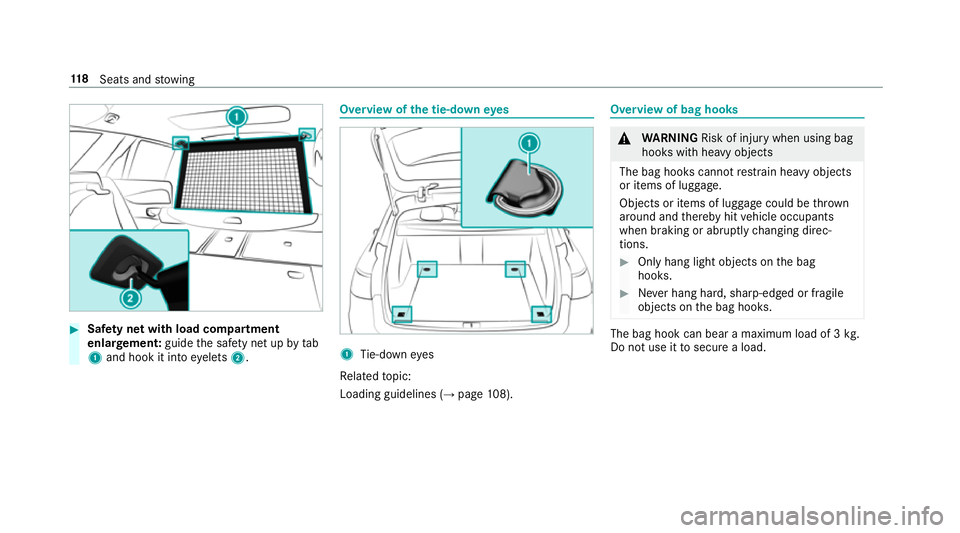
the tie-down eyes 1
Tie-down eyes
Re lated topic:
Loading guidelines (→ page108). Overview of bag hoo
ks &
WARNING Risk of inju rywhen using bag
hooks with heavy objects
The bag hooks cannot restra in heavy objects
or items of luggage.
Objects or items of luggage could be thrown
around and thereby hit vehicle occupants
when braking or abruptly changing direc‐
tions. #
Onlyhang light objects on the bag
hooks. #
Never hang hard, sharp-edged or fragile
objects on the bag hooks. The bag hook can bear a maximum load of 3
kg.
Do not use it tosecure a load. 11 8
Seats and stowing
Page 129 of 565
Using
the cigar ette lighter &
WARNING ‑ Risk of fire and injury from
th e hot cigar ette lighter
Yo u can burn yourself if youto uch the hot
heating element or the soc ket of the ciga‐
re tte lighter.
In addition, flammable materials may ignite
if:
R you drop the hot cigar ette lighter
R ach ild holds the hot cigar ette lighter to
objects, forex ample #
Alw ays hold the cigar ette lighter bythe
knob. #
Alw ays make sure that the cigar ette
lighter is out of reach of children. #
Never lea vechildren unat tended in the
ve hicle. #
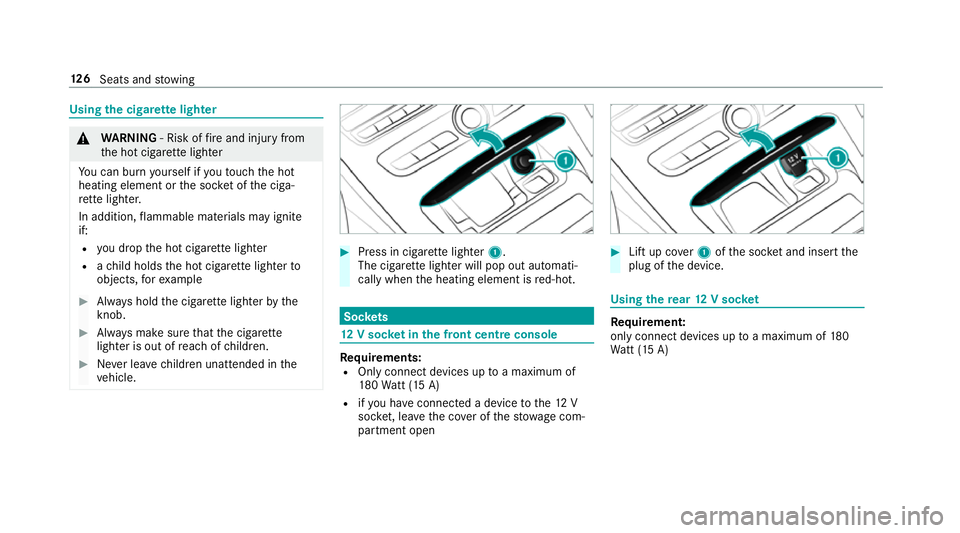
Press in cigar ette lighter 1.
The cigar ette lighter will pop out automati‐
cally when the heating element is red-hot. Soc
kets 12
V so cket inthe front centre console Re
quirements:
R Only connect devices up toa maximum of
18 0Wa tt (15 A)
R ifyo u ha veconnected a device tothe12 V
soc ket, le aveth e co ver of thestow age com‐
partment open #
Lift up co ver1 ofthe soc ket and insert the
plug of the device. Using
there ar 12 V so cket Re
quirement:
only connect devices up toa maximum of 180
Wa tt (15 A) 12 6
Seats and stowing
Page 131 of 565
#
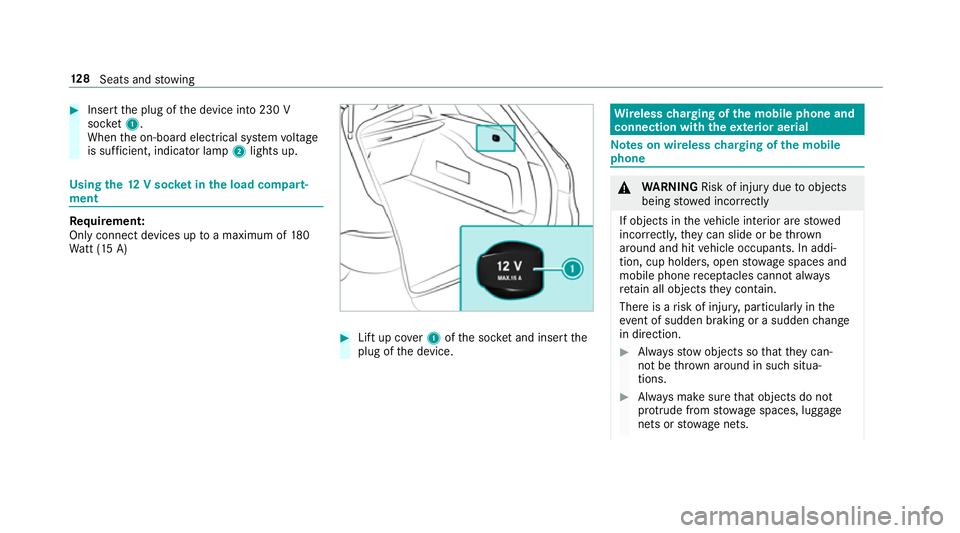
Insert the plug of the device into 230 V
soc ket1.
When the on-board electrical sy stem voltage
is suf ficient, indicator la mp2lights up. Using
the12 V so cket inthe load compa rt‐
ment Re
quirement:
Only connect devices up toa maximum of 180
Wa tt (15 A) #
Lift up co ver1 ofthe soc ket and insert the
plug of the device. Wire
lesscharging of the mobile phone and
connection with theex terior aerial Note
s on wireless charging of the mobile
phone &
WARNING Risk of inju rydue toobjects
being stowed inco rrectly
If objects in theve hicle interior are stowed
incor rectly, they can slide or be thrown
around and hit vehicle occupants. In addi‐
tion, cup holders, open stowage spaces and
mobile phone recep tacles cannot al ways
re tain all objects they contain.
The reis a risk of injur y,particularly in the
ev ent of sudden braking or a sudden change
in direction. #
Alw aysstow objects so that they can‐
not be throw n around in su chsitua‐
tions. #
Alw ays make sure that objects do not
pr otru de from stowage spaces, luggage
nets or stowage nets. 12 8
Seats and stowing
Page 135 of 565
#
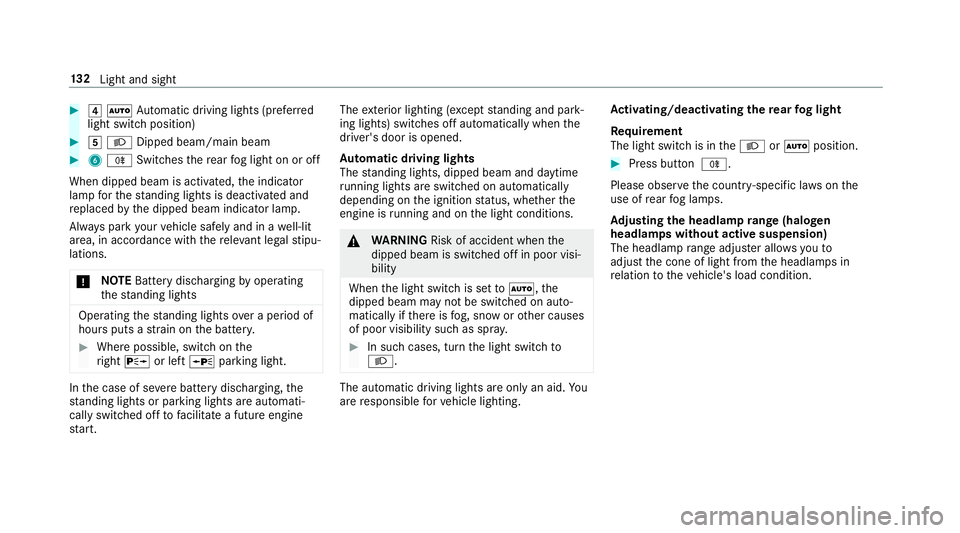
4 Ã Automatic driving lights (prefer red
light switch position) #
5 L Dipped beam/main beam #
6 R Switches there ar fog light on or off
When dipped beam is activated, the indicator
lamp forth est anding lights is deactivated and
re placed bythe dipped beam indicator lamp.
Alw ays park your vehicle safely and in a well-lit
area, in accordance with there leva nt le galst ipu‐
lations.
* NO
TEBattery discharging byoperating
th est anding lights Operating
thest anding lights over a period of
hours puts a stra in on the batter y. #
Where possible, switch on the
ri ght X or left Wparking light. In
the case of se vere battery discharging, the
st anding lights or parking lights are automati‐
cally swit ched off tofacilitate a futu reengine
st art. The
exterior lighting (e xcept standing and park‐
ing lights) swit ches off automatically when the
driver's door is opened.
Au tomatic driving lights
The standing lights, dipped beam and daytime
ru nning lights are switched on au tomatical ly
depending on the ignition status, whe ther the
engine is running and on the light conditions. &
WARNING Risk of accident when the
dipped beam is switched off in poor visi‐
bility
When the light switch is set toà ,the
dipped beam may not be switched on auto‐
matically if there is fog, snow or other causes
of poor visibility such as spr ay. #
In such cases, turn the light switch to
L . The automatic driving lights are only an aid.
Yo u
are responsible forve hicle lighting. Ac
tivating/deactivating the rear fog light
Re quirement
The light switch is in theL orà position. #
Press button R.
Please obser vethe count ry-specific la wsonthe
use of rear fog lamps.
Ad justing the headlamp range (halogen
headla mps without active suspension)
The headlamp range adjus ter allows youto
adjust the cone of light from the headlamps in
re lation totheve hicle's load condition. 13 2
Light and sight
Page 137 of 565
#
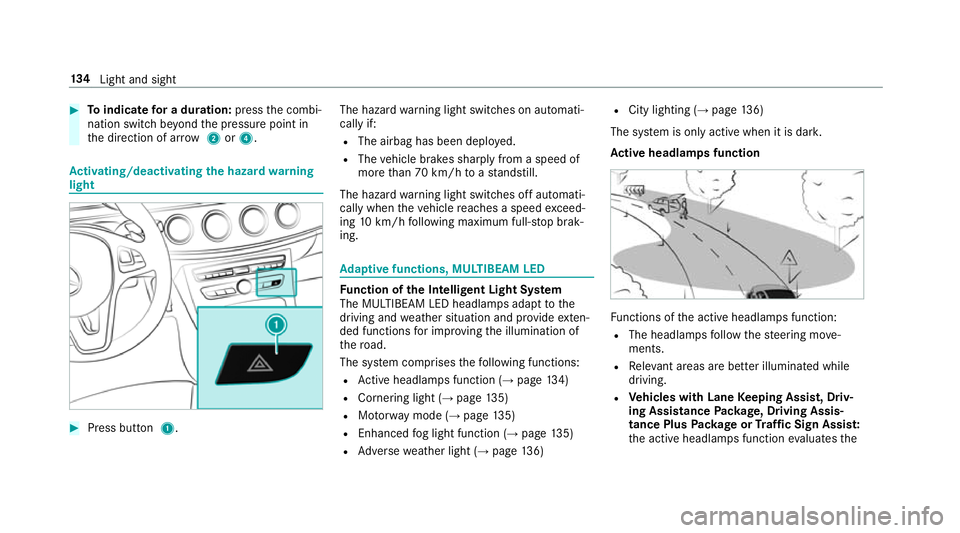
Toindicate for a duration: pressthe combi‐
nation switch be yond the pressure point in
th e direction of ar row2or4. Ac
tivating/deactivating the hazard warning
light #
Press button 1. The hazard
warning light switches on automati‐
cally if:
R The airbag has been deplo yed.
R The vehicle brakes sharply from a speed of
more than 70 km/h toast andstill.
The hazard warning light switches off automati‐
cally when theve hicle reaches a speed exceed‐
ing 10km/h following maximum full-s top brak‐
ing. Ad
aptive functions, MULTIBEAM LED Fu
nction of the Intelligent Light Sy stem
The MULTIBEAM LED headlamps adapt tothe
driving and weather situation and pr ovide exten‐
ded functions for impr oving the illumination of
th ero ad.
The sy stem comprises thefo llowing functions:
R Active headla mps function (→ page134)
R Cornering light (→ page135)
R Motorw ay mode (→ page135)
R Enhanced fog light function (→ page135)
R Adversewe ather light (→ page136) R
City lighting (→ page136)
The sy stem is only active when it is dar k.
Ac tive headlamps function Fu
nctions of the active headlamps function:
R The headlamps follow thesteering mo ve‐
ments.
R Releva nt areas are better illumina ted while
driving.
R Vehicles with Lane Keeping Assist, Driv‐
ing Assistance Package, Driving Assis‐
tance Plus Package or Traf fic Sign Assis t:
th e active headlamps function evaluates the 134
Light and sight