Page 9 of 587
WARNINGS AND CAUTIONS
This Owner ’s Manual containsWARNINGSagainst
operating procedures that could result in a collision or
bodily injury. It also contains CAUTIONSagainst proce-
dures that could result in damage to your vehicle. If you
do not read this entire Owner ’s Manual, you may miss
important information. Observe all Warnings and Cau-
tions.
VEHICLE MODIFICATIONS/ALTERATIONS
WARNING!
Any modifications or alterations to this vehicle could
seriously affect its roadworthiness and safety and
may lead to a collision resulting in serious injury or
death.
ROLLOVER WARNING
Utility vehicles have a significantly higher rollover rate
than other types of vehicles. This vehicle has a higher
ground clearance and a higher center of gravity than
many passenger vehicles. It is capable of performing
better in a wide variety of off-road applications. Driven
in an unsafe manner, all vehicles can go out of control.
Because of the higher center of gravity, if this vehicle is
out of control it may roll over while some other vehicles
may not.
Do not attempt sharp turns, abrupt maneuvers, or other
unsafe driving actions that can cause loss of vehicle
control. Failure to operate this vehicle safely may result
in a collision, rollover of the vehicle, and severe or fatal
injury. Drive carefully.1
INTRODUCTION 7
Page 11 of 587
CUSTOMER ASSISTANCE
CONTENTS
�SUGGESTIONS FOR OBTAINING SERVICE FOR
YOUR VEHICLE ........................10
▫ Prepare For The Appointment .............10
▫ Prepare A List .........................10
▫ Be Reasonable With Requests ..............10
� IF YOU NEED ASSISTANCE ...............10
▫ FIAT Customer Center ...................11
▫ FIAT Canada Customer Center .............11
▫ Customer Assistance For The Hearing Or Speech
Impaired (TDD/TTY) ....................11
▫ Service Contract .......................12 �
WARRANTY INFORMATION ..............13
� REPORTING SAFETY DEFECTS .............13
▫
In The 50 United States And Washington, D.C. . . .13
▫ In Canada ...........................14
� PUBLICATION ORDER FORMS .............14
� DEPARTMENT OF TRANSPORTATION UNIFORM
TIRE QUALITY GRADES .................15
▫ Treadwear ...........................16
▫ Traction Grades ........................16
▫ Temperature Grades ....................17
2
Page 17 of 587
problems the first time, using step-by-step troubleshoot-
ing and drivability procedures, proven diagnostic tests
and a complete list of all tools and equipment.
Owner’s Manuals
These Owner’s Manuals have been prepared with the
assistance of service and engineering specialists to ac-
quaint you with specific FCA US LLC vehicles. Included
are starting, operating, emergency and maintenance pro-
cedures as well as specifications, capabilities and safety
tips.
Call toll free at:
•1-800-890-4038 (U.S.)
• 1-800-387-1143 (Canada) Or
Visit us on the Worldwide Web at:
•
www.techauthority.com
DEPARTMENT OF TRANSPORTATION UNIFORM
TIRE QUALITY GRADES
The following tire grading categories were established by
the National Highway Traffic Safety Administration. The
specific grade rating assigned by the tire’s manufacturer
in each category is shown on the sidewall of the tires on
your vehicle.
All passenger vehicle tires must conform to Federal
safety requirements in addition to these grades.
2
CUSTOMER ASSISTANCE 15
Page 18 of 587
Treadwear
The Treadwear grade is a comparative rating, based on
the wear rate of the tire when tested under controlled
conditions on a specified government test course. For
example, a tire graded 150 would wear one and one-half
times as well on the government course as a tire graded
100. The relative performance of tires depends upon the
actual conditions of their use, however, and may depart
significantly from the norm due to variations in driving
habits, service practices, and differences in road charac-
teristics and climate.
Traction Grades
The Traction grades, from highest to lowest, are AA, A, B,
and C. These grades represent the tire’s ability to stop on
wet pavement, as measured under controlled conditions
on specified government test surfaces of asphalt and
concrete. A tire marked C may have poor traction perfor-
mance.
WARNING!
The traction grade assigned to this tire is based on
straight-ahead braking traction tests, and does not
include acceleration, cornering, hydroplaning, or
peak traction characteristics.
16 CUSTOMER ASSISTANCE
Page 19 of 587
Temperature Grades
The temperature grades are A (the highest), B, and C,
representing the tire’s resistance to the generation of heat
and its ability to dissipate heat, when tested under
controlled conditions on a specified indoor laboratory
test wheel. Sustained high temperature can cause the
material of the tire to degenerate and reduce tire life, and
excessive temperature can lead to sudden tire failure. The
grade C corresponds to a level of performance, which all
passenger vehicle tires must meet under the Federal
Motor Vehicle Safety Standard No. 109. Grades B and A
represent higher levels of performance on the laboratory
test wheel, than the minimum required by law.
WARNING!
The temperature grade for this tire is established for
a tire that is properly inflated and not overloaded.
Excessive speed, under-inflation, or excessive load-
ing, either separately or in combination, can cause
heat buildup and possible tire failure.2
CUSTOMER ASSISTANCE 17
Page 48 of 587

To Exit Remote Start Mode Without Driving The
Vehicle
Push and release the REMOTE START button one time or
allow the engine to run for the entire 15-minute cycle.
NOTE:To avoid unintentional shutdowns, the system
will disable the one time push of the REMOTE START
button for two seconds after receiving a valid Remote
Start request.
To Exit Remote Start Mode And Drive The Vehicle
Before the end of 15-minute cycle, push and release the
UNLOCK button on the RKE transmitter to unlock the
doors and disarm the Vehicle Security Alarm (if
equipped). Then, prior to the end of the 15-minute cycle,
push and release the START/STOP button. NOTE:
For vehicles equipped with the Keyless Enter-
N-Go feature, the message “Remote Start Active — Push
Start Button” will display in the Electronic Vehicle Infor-
mation Center (EVIC) or the Driver Information Dispay
(DID) until you push the START button.
Remote Start Comfort Systems — If Equipped
When Remote Start is activated, the heated steering
wheel and driver heated seat features will automatically
turn on in cold weather. These features will stay on
through the duration of Remote Start or until the ignition
switch is cycled to the MAR/RUN position.
NOTE: The Remote Start Comfort System can be acti-
vated and deactivated through the Uconnect Settings. For
more information on Remote Start Comfort System op-
eration, refer to “Uconnect Settings” in “Multimedia.”
46 GETTING TO KNOW YOUR VEHICLE
Page 145 of 587
Displacement Load Floor
To position the load from the lower to the upper position,
proceed as follows:
1. Grasp the load floor handle and lift up the load floor.
2. Correctly place the load floor on the side panel guidesand on the rear cross member.
Access To Tire Service Kit Or Spare Tire
To access the Tire Service Kit or spare tire and container
carrier, proceed as follows:
1. Grasp the load floor handle and remove the floor.
2. Pull the tab and lift up on the carpet.
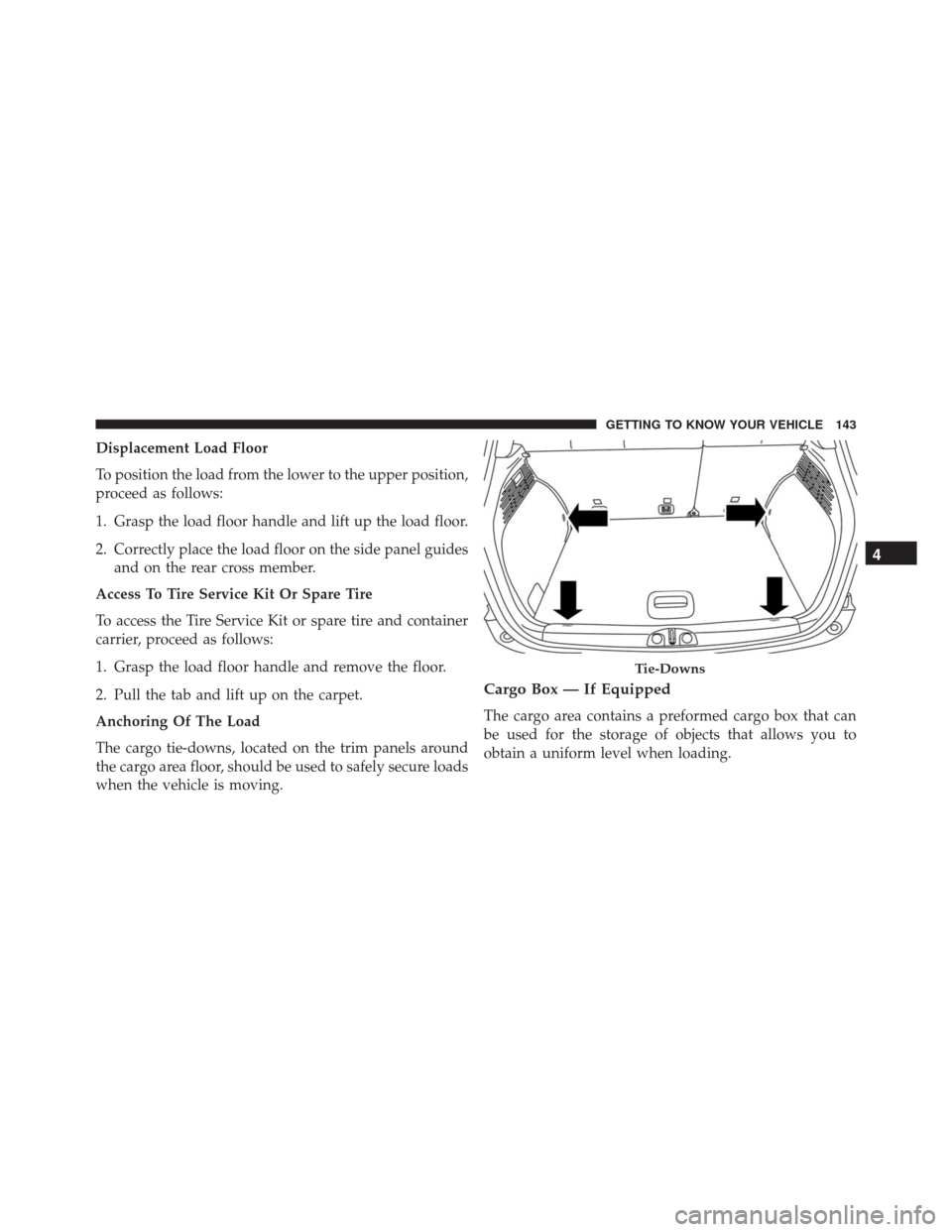
Anchoring Of The Load
The cargo tie-downs, located on the trim panels around
the cargo area floor, should be used to safely secure loads
when the vehicle is moving.
Cargo Box — If Equipped
The cargo area contains a preformed cargo box that can
be used for the storage of objects that allows you to
obtain a uniform level when loading.
Tie-Downs
4
GETTING TO KNOW YOUR VEHICLE 143
Page 168 of 587
•Drive Mode Selector
– Auto Mode
– Sport Mode
– Traction/All Weather Mode
• Vehicle Info
– Tire Pressure
– Oil Temperature
– Battery Voltage
• Driver Assist
– Lane Departure Warning
• Audio
• Navigation
• Messages
• Settings
– Display – Units
– Clock & Date
– Security
– Safety & Assistance
– Lights
– Doors & Locks
Trip
This EVIC menu item allows you to view and select
information about the
�Trip computer�:
• Speedometer
– View and change the speedometer scale from MPH to km/h (km/h to MPH).
• Instantaneous info
– View and change the distance (miles or km)
– View and change the instantaneous consumption (mpg, or l/ 100km or km/l)
166 GETTING TO KNOW YOUR INSTRUMENT CLUSTER