2016 BMW M4 gearbox
[x] Cancel search: gearboxPage 74 of 228
Reverse gear
Engage this position only when the vehicle is
stationary.
To overcome the resistance of the selector
lever move in a dynamic movement towards
the left and engage the reverse gear.
M double clutch
transmission with Drivelogic
General The M double clutch transmission with Drive‐
logic is an automated manual gearbox with two
clutches and partial gears, by which the gears
are changed without interrupting traction.
It is operated using the selector lever or two
paddles on the steering wheel.
Functions▷Drive mode or sequential mode.▷Various drive programs, Drivelogic.▷Shift Lights, see page 96▷Automatic downshift and protection
against shifting even in sequential mode.▷Launch Control.▷Low Speed Assistant.
Selector lever, selector lever position
Overview
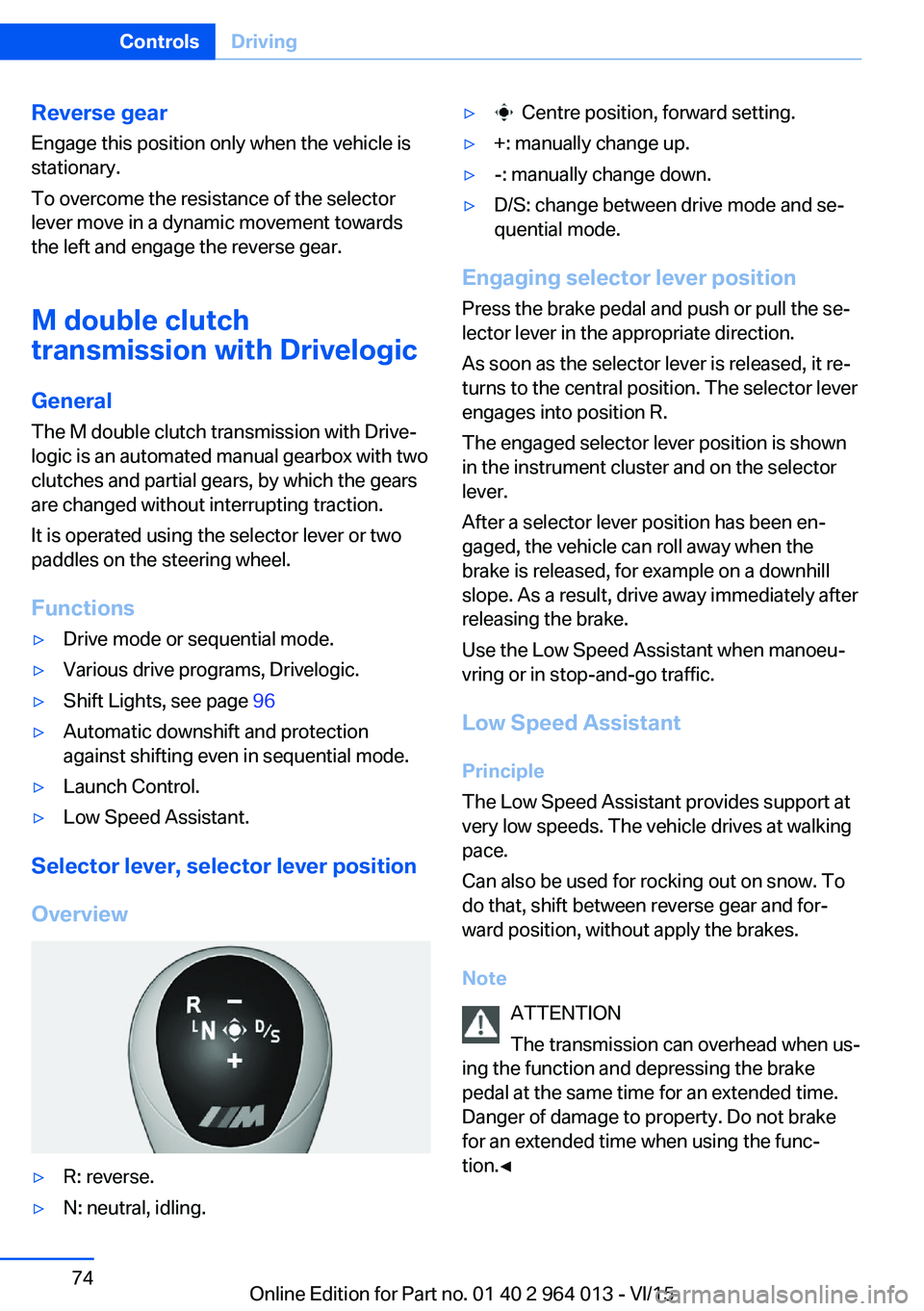
▷R: reverse.▷N: neutral, idling.▷ Centre position, forward setting.▷+: manually change up.▷-: manually change down.▷D/S: change between drive mode and se‐
quential mode.
Engaging selector lever position
Press the brake pedal and push or pull the se‐
lector lever in the appropriate direction.
As soon as the selector lever is released, it re‐
turns to the central position. The selector lever
engages into position R.
The engaged selector lever position is shown
in the instrument cluster and on the selector
lever.
After a selector lever position has been en‐
gaged, the vehicle can roll away when the
brake is released, for example on a downhill
slope. As a result, drive away immediately after
releasing the brake.
Use the Low Speed Assistant when manoeu‐
vring or in stop-and-go traffic.
Low Speed Assistant
Principle
The Low Speed Assistant provides support at
very low speeds. The vehicle drives at walking
pace.
Can also be used for rocking out on snow. To
do that, shift between reverse gear and for‐
ward position, without apply the brakes.
Note ATTENTION
The transmission can overhead when us‐
ing the function and depressing the brake
pedal at the same time for an extended time.
Danger of damage to property. Do not brake
for an extended time when using the func‐
tion.◀
Seite 74ControlsDriving74
Online Edition for Part no. 01 40 2 964 013 - VI/15
Page 77 of 228
5.Turn the Controller until the desired set‐
ting is reached and press the Controller.▷"D"Drive Mode.▷"S"Sequential mode.6."Gear position"7.Turn the Controller until the desired set‐
ting is reached and press the Controller.8.Set other drive programs as necessary.
Setting is immediately accepted with ac‐
tive M Drive.
To activate the desired M Drive with the selec‐
ted settings, press the corresponding button
on the steering wheel:
▷▷
WARNING
Depending on the settings, DSC may
only be available to a limited extent or not at all.
Danger of accident or damage to property. Ob‐
serve the settings for DSC in M Drive and react
actively if necessary. Adjust the driving style
and react if necessary.◀
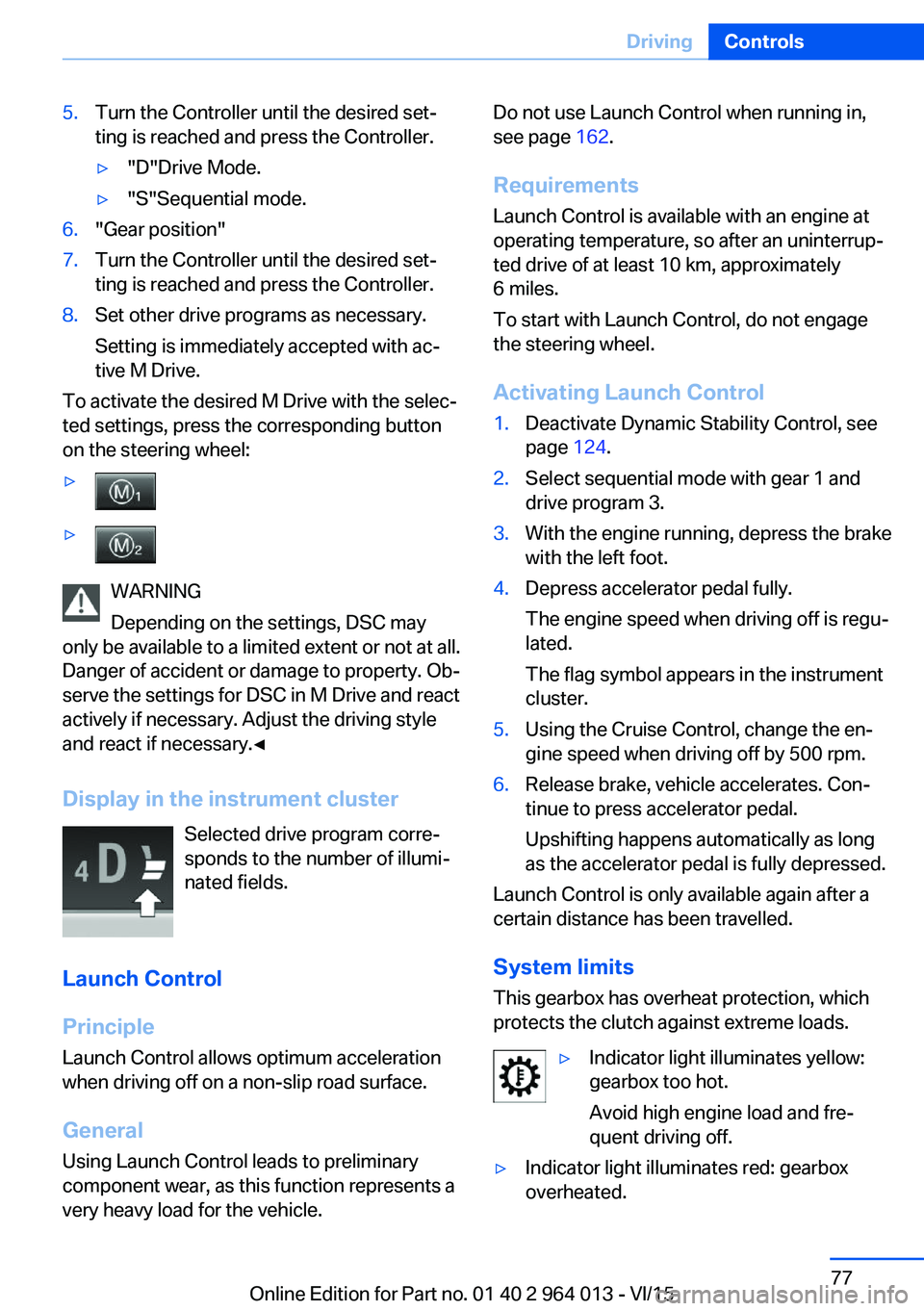
Display in the instrument cluster Selected drive program corre‐
sponds to the number of illumi‐
nated fields.
Launch Control
Principle
Launch Control allows optimum acceleration
when driving off on a non-slip road surface.
General
Using Launch Control leads to preliminary component wear, as this function represents a
very heavy load for the vehicle.
Do not use Launch Control when running in,
see page 162.
Requirements
Launch Control is available with an engine at
operating temperature, so after an uninterrup‐
ted drive of at least 10 km, approximately
6 miles.
To start with Launch Control, do not engage
the steering wheel.
Activating Launch Control1.Deactivate Dynamic Stability Control, see
page 124.2.Select sequential mode with gear 1 and
drive program 3.3.With the engine running, depress the brake
with the left foot.4.Depress accelerator pedal fully.
The engine speed when driving off is regu‐
lated.
The flag symbol appears in the instrument
cluster.5.Using the Cruise Control, change the en‐
gine speed when driving off by 500 rpm.6.Release brake, vehicle accelerates. Con‐
tinue to press accelerator pedal.
Upshifting happens automatically as long
as the accelerator pedal is fully depressed.
Launch Control is only available again after a
certain distance has been travelled.
System limits
This gearbox has overheat protection, which
protects the clutch against extreme loads.
▷Indicator light illuminates yellow:
gearbox too hot.
Avoid high engine load and fre‐
quent driving off.▷Indicator light illuminates red: gearbox
overheated.Seite 77DrivingControls77
Online Edition for Part no. 01 40 2 964 013 - VI/15
Page 78 of 228
Moderate continued driving possible. Stop
at the next opportunity, stop the engine
and allow the gearbox to cool.
Avoid frequent, heavy driving off and on up‐
ward inclines, do not hold the vehicle by
slightly giving gas with sliding clutch, other‐
wise the gearbox may overheat.
In traffic queues or at very low speeds, use the
Low Speed Assistant, see page 74.
M Engine Dynamics Control
Principle The M Engine Dynamics Control affects the
response of the vehicle to movements of the
accelerator pedal.
Programs Possibilities for adjusting the responsiveness:
▷"Efficient": efficient, comfortable. Mini‐
mised consumption
Ideal, for example, in city traffic or on snow▷"Sport": sporty, dynamic.▷"Sport Plus": spontaneous, direct. Maxi‐
mum dynamics
Selecting program
Via M Drive On the Control Display:
1."Settings"2."M Drive 1" or "M Drive 2"3. Select the symbol.4.Select the desired channel.
Setting is immediately accepted with ac‐
tive M Drive.
To activate the desired M Drive with the selec‐
ted settings, press the corresponding button
on the steering wheel:
▷▷
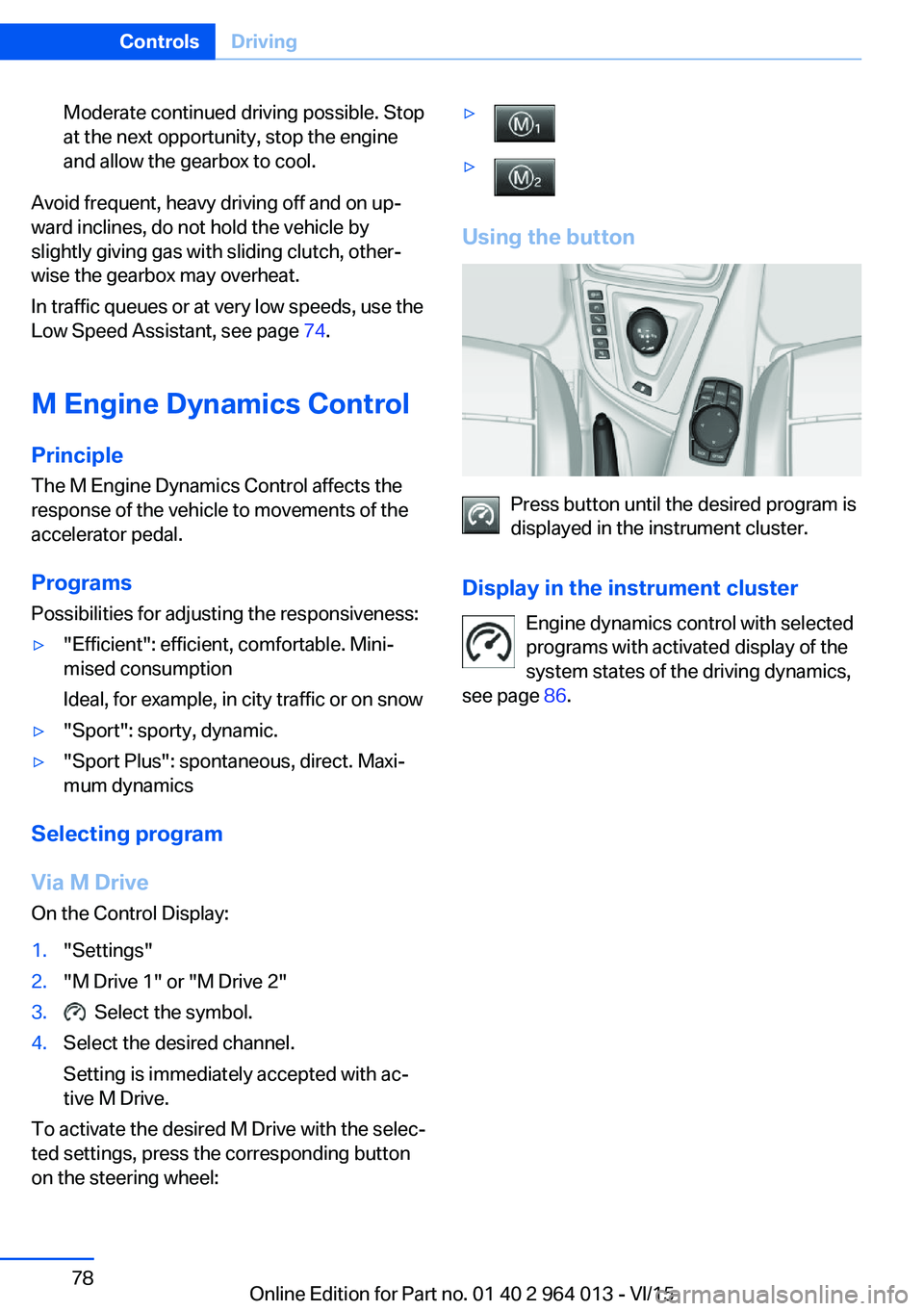
Using the button
Press button until the desired program is
displayed in the instrument cluster.
Display in the instrument cluster Engine dynamics control with selected
programs with activated display of the
system states of the driving dynamics,
see page 86.
Seite 78ControlsDriving78
Online Edition for Part no. 01 40 2 964 013 - VI/15
Page 88 of 228

On the Control Display:1."Vehicle information"2."Vehicle status"3.Call up "Options".4."Last Teleservice Call"
Service history
General Have maintenance work carried out by a Serv‐
ice Partner or a qualified specialist workshop.
Performed maintenance work is recorded in
the vehicle data, see page 191.
The maintenance visits entered can be shown
on the Control Display. Operation is available
as soon as a maintenance visit has been en‐
tered in the vehicle data.
Displaying service history
On the Control Display:
1."Vehicle information"2."Vehicle status"3. "Service requirements"4. "Service history"
Maintenance visits carried out are shown.5.Select an entry to display more detailed in‐
formation.
Symbols
Sym‐
bolsDescriptionGreen: maintenance has been car‐
ried out on time.Yellow: maintenance has been car‐
ried out with a delay.Maintenance has not been carried
out.Shift point indicator
Principle The system recommends the most efficient
gear for the current driving situation.
General
The shift point indicator is active in sequential
mode of the M double clutch transmission and
the manual gearbox.
Information on up or downshifting are dis‐
played on the instrument cluster.
For vehicles without shift point indicator, the
gear engaged is shown.
DisplaysSymbolDescriptionShift up into most efficient gear.Shift down into most efficient gear.
Speed Limit Information with
No Passing Information
Principle
Speed Limit Information Speed Limit Information shows the currently
detected speed limit in the instrument cluster.
The camera in the area of the interior rear-view mirror detects traffic signs at the edge of the
road as well as variable overhead sign posts. Traffic signs with additional symbols, for exam‐
ple, when wet, are also compared with data in‐
ternal to the vehicle, for example the rain sen‐
sor, and displayed, depending on the situation.
The system considers the information saved in
the navigation system and also displays the
Seite 88ControlsDisplays88
Online Edition for Part no. 01 40 2 964 013 - VI/15
Page 113 of 228

collision. The vehicle can be braked at low
speed until it comes to a stop.
Manual gearbox: When brakes are engaged
until it comes to a stop, the engine may shut
off.
There will only be brake intervention if Dy‐
namic Stability Control, DSC is activated and
M Dynamic Mode MDM is not activated.
Braking can be discontinued either by pressing
the accelerator pedal or by actively moving the
steering wheel.
Detection of objects can be restricted. Limita‐
tions of the detection range and functional re‐
strictions are to be considered.
System limits
Detection range
The detection ability of the system is limited.
For this reason, system responses may be
missing or delayed.
It is possible that the following are not detec‐
ted:▷Slow-moving vehicle when approaching at
high speed.▷Vehicles suddenly cutting in or decelerat‐
ing heavily.▷Vehicles with unusual rear view.▷Two-wheeled vehicles ahead.
Restrictions of the function
The function can be restricted, for example in
the following situations:
▷In thick fog, rain, spray or snowfall.▷On sharp bends.▷When restricting or deactivating vehicle
stability control systems, for example DSC
OFF.▷If the field of view of the camera in the mir‐
ror is soiled or covered.▷Up to 10 seconds after starting the engine
using the start/stop button.▷During the calibration process of the cam‐
era immediately after the vehicle is sup‐
plied.▷When there is sustained glare effect due to
light opposite, for example the sun low in
the sky.
Sensitivity of the warnings
The greater the sensitivity of the warning set‐
tings, for example warning time, the more
warnings will be displayed. As a result, there
may be an increased number of incorrect
warnings.
Person warning with city
braking function
Principle The system can help to avoid accidents with
pedestrians.
The system warns of the possible risk of colli‐
sion with pedestrians in the urban speed area
and also contains a braking function.
The system is controlled by the camera in the
area of the rear-view mirror.
General
The system warns with sufficient brightness
from approx. 10 km/h, approx. 6 mph up to ap‐
prox. 60 km/h, approx. 35 mph of any risk of
collision with pedestrians and supports this by
briefly applying the brakes before a collision.
Here, persons are taken into account if they
are located within the detection range of the
system.
Seite 113SecurityControls113
Online Edition for Part no. 01 40 2 964 013 - VI/15
Page 115 of 228

Warning with braking function
Display
If there is a risk of collision with a detected per‐
son, a warning symbol is shown in the instru‐
ment cluster and in the head-up display.
Red symbol is displayed and an acous‐
tic warning sounds.
Take action yourself immediately, by braking
or swerving.
Brake intervention
The warning requires to take action yourself.
Maximum braking force is used during a warn‐
ing. In order for braking force support to be
used, it is necessary for the brake to be
pressed sufficiently quickly and powerfully. In
addition, the system may also support with a
small amount of braking if there is the risk of a
collision. The vehicle can be braked at low
speed until it comes to a stop.
Manual gearbox: When brakes are engaged
until it comes to a stop, the engine may shut
off.
There will only be brake intervention if Dy‐
namic Stability Control, DSC is activated and
M Dynamic Mode MDM is not activated.
Braking can be discontinued either by pressing
the accelerator pedal or by actively moving the
steering wheel.
Detection of objects can be restricted. Limita‐
tions of the detection range and functional re‐
strictions are to be considered.
System limits
Detection range
The detection capacity of the camera is limi‐
ted.
This is why it can occur that no warnings are
issued or they are issued late.
It is possible that the following are not detec‐
ted:▷Partially concealed pedestrians.▷Pedestrians who are not detected as such
because of the viewing angle or contour.▷Pedestrians outside the detection range.▷Pedestrians under a height of approxi‐
mately 80 cm, 32 in.
Restrictions of the function
The function may be restricted or not available
in the following situations, for example:
The function may be available on a limited ba‐
sis in the following situations, for example:
▷In thick fog, rain, spray or snowfall.▷On sharp bends.▷When deactivating vehicle stability control
systems, for example DSC OFF.▷If the field of view of the camera and/or the
windscreen is dirty or covered.▷Up to 10 seconds after starting the engine
using the start/stop button.▷During the calibration process of the cam‐
era immediately after the vehicle is sup‐
plied.▷When there is sustained glare effect due to
light opposite, for example the sun low in
the sky.▷In the dark.
Lane departure warning
Principle This system warns if the vehicle leaves the
lane, when the vehicle is on roads with lane
markings and travelling above a given speed.
Depending on country version, this speed is
between 55 km/h, approximately 35 mph and
70 km/h, approximately 45 mph.
When switching on the system below this
speed, a message is displayed in the instru‐
ment cluster.
Seite 115SecurityControls115
Online Edition for Part no. 01 40 2 964 013 - VI/15
Page 162 of 228
Driving precautionsVehicle equipmentThis chapter describes all standard, national
and special equipment provided in the model
series. Equipment not available in the vehicle is
therefore also described, for example the se‐
lected special equipment or national version.
This also applies to safety-relevant functions
and systems. Comply with the relevant na‐
tional regulations when using the correspond‐
ing functions and systems.
Running in General
Moving parts need a certain time to achieve
maximum operating efficiency as a unit.
The following information helps to achieve
maximum service life and efficiency of the ve‐
hicle.
Do not use Launch Control, see page 77, when
running in.
Engine, gearbox and differential
Up to 2000 km, 1200 miles Drive with alternating revolutions and speeds,
but do not exceed 5500 rpm and 170 km/h, ap‐ proximately 106 mph.
In principle, avoid full load or kick-down.
At 2000 km, 1200 miles
Have maintenance conduct a drive-in service.
From 2000 km, approximately
1200 miles to 5000 km, approximately
3100 miles
Revolutions and vehicle speed can gradually
be increased to a continuous speed of
220 km/h, approximately 137 mph.The maximum speed of 250 km/h, approxi‐
mately 155 mph is only to be used briefly, for
example when overtaking.
Tyres New tyres do not achieve their full road
grip immediately, for production reasons.
During the first 300 km, 200 miles, drive mod‐
erately.
Brake system
Brake pads and discs of the M compound
brakes only achieve a favourable wear and
contact pattern after approximately 500 km,
approximately 300 miles. Drive moderately
during this running-in period.
Brake discs and pads of the M carbon ceramic
brakes only achieve a favourable wear and
contact pattern after approx. 1000 km, approx.
600 miles. Drive moderately during this run‐
ning-in period.
Clutch
The clutch only begins to function optimally at
approximately 500 km, approximately
300 miles. Engage the clutch gently during this
running-in period.
After fitting new parts The same running-in procedures should be
observed if any of the components mentioned
above have to be renewed in the course of the
vehicle's operating life.Seite 162Driving hintsDriving precautions162
Online Edition for Part no. 01 40 2 964 013 - VI/15
Page 164 of 228
Applying the brakes fully is the most effective
way of braking in situations in which this is
necessary.
The vehicle can be steered. Any obstacles can
be avoided with steering wheel movements
that are as calm as possible.
A pulsing of the brake pedal shows that ABS is
regulating.
In certain braking situations, the perforated
brake disks can cause functional noise. How‐
ever, this has no effect on the efficiency and
operational safety of the brakes.
Objects in the range of movement of
the pedals and in the footwell
WARNING
Objects in the driver's footwell can re‐
strict the pedal travel, or block a pedal that has
been pressed. Danger of accidents. Stow
items in the vehicle so that they are secure and
cannot get into the driver's footwell. Only use
floor mats that have been categorised as ap‐
propriate for the vehicle and that can be fas‐
tened accordingly. Do not use any loose floor
mats, and do not place several floor mats on
top of one another. Make sure that there is suf‐
ficient space for the pedals. Ensure that the
floor mats are securely reattached after having
been removed, for example for cleaning.◀
Wet roads
In damp weather, if road grit has been spread
or there is heavy rain, apply the brakes lightly
every few kilometres/miles.
In doing so, do not obstruct other road users.
The resulting heat dries the brake discs and
pads.
The braking force will be available immediately
if needed.Downhill gradients
WARNING
Even slight, continuous pressure on the
brake pedal can cause overheating, brake pad
wear or even brake system failure. Danger of
accidents. Avoid excessive loads on the
brake.◀
WARNING
When idling or with the engine switched
off, safety-relevant functions are restricted or
no longer available, for example the braking ef‐
fect of the engine or power assistance for the
braking force and steering. Danger of acci‐
dents. Do not drive at idle speed or with the
engine switched off.◀
When driving on long or steep downhill
stretches, use the gear in which the least brak‐
ing is required. Otherwise the brake system
can overheat and braking action is reduced.
Manual gearbox:
The braking effect can be additionally in‐
creased by shifting down, even into first gear, if
applicable.
M double clutch transmission:
The braking action of the engine can be boos‐
ted further by shifting down in sequential
mode, see page 75.
Corrosion of the brake disc Corrosion of the brake discs and contamina‐
tion of the brake pads increase with the
following circumstances:▷Low mileage.▷Extended periods when the vehicle is not
used.▷Infrequent use of the brakes.
Corrosion occurs when the minimum pressure
that must be exerted by the pads during brake
applications to clean the discs is not reached.
Seite 164Driving hintsDriving precautions164
Online Edition for Part no. 01 40 2 964 013 - VI/15