2015 Peugeot 208 stop start
[x] Cancel search: stop startPage 74 of 341
72
208_en_Chap04_confort_ed01-2015
Demist - defrost
These markings on the control panel
indicate the control positions for
rapid demisting or defrosting of the
windscreen and side windows.
Manual air conditioning
With Stop & Start, when demisting has
been activated, the STOP mode is not
available.
Dual-zone digital air conditioning
Auto - Visibility programme
Switching on
Windscreen
Operation
F Press the "A /C " button again;
the indicator lamp in the button
goes off. F
Press the "visibility" button
again or on "AUTO" ; the
indicator lamp in the button goes
off and the indicator lamp in the
"AUTO" button comes on.
Switching on
F Put the air flow, temperature
and distribution controls to the
dedicated marked position. F
Press the " visibility" button to
demist or defrost the windscreen
and side windows as quickly as
possible.
Switching off
The system automatically manages the air
conditioning, air flow and air intake, and
provides optimum distribution towards the
windscreen and side windows.
Switching off
The system reverts to the previous settings.
F
Press the "A /C " button for air
conditioning; the indicator lamp
in the button comes on.
Comfort
Page 111 of 341
109
208_en_Chap05_conduite_ed01-2015
Never drive with the parking brake
applied - Risk of overheating and
damage to the braking system!
Do not park or run the engine when
stationary in areas where inflammable
substances and materials (dry grass,
dead leaves...) might come into contact
with the hot exhaust system - Risk of
fire!
Never leave a vehicle unsupervised
with the engine running. If you have
to leave your vehicle with the engine
running, apply the parking brake
and put the gearbox into neutral or
position N or P, depending on the type
of gearbox.
Driving recommendations
Observe the driving regulations and remain
vigilant whatever the traffic conditions.
Pay close attention to the traffic and keep your
hands on the wheel so that you are ready to
react at any time to any eventuality.
On a long journey, a break every two hours is
strongly recommended.
In difficult weather, drive smoothly, anticipate
the need to brake and increase the distance
from other vehicles. If you are obliged to drive through water:Important!
Driving on flooded
roads
- check that the depth of water does not
exceed 15 cm, taking account of waves
that might be generated by other users,
- deactivate the Stop & Start system,
- drive as slowly as possible without
stalling. In all cases, do not exceed 6 mph
(10 km/h),
- do not stop and do not switch off the
engine.
We strongly advise against driving on flooded
roads, as this could cause serious damage
to the engine or gearbox, as well as to the
electrical systems of your vehicle.
On leaving the flooded road, as soon as
circumstances allow, make several light brake
applications to dry the brake discs and pads.
If in doubt on the state of your vehicle, contact
a PEUGEOT dealer or a qualified workshop.
5
Driving
Page 116 of 341
114
208_en_Chap05_conduite_ed01-2015
Stopping - Moving off on a slope
Do not uses the accelerator to hold the vehicle,
but apply the parking brake.You can change from position A to M
and from M to A at any time.
Stopping - Parking
Place the lever at N and apply the parking
brake.
Manual mode
Operation
Manual mode for sequential gear changing.F Push the lever for ward to
change up.
F Pull the lever back to change down.
F
Move the selector lever to M .
Automated mode
Operation
Automated mode for gear changing without
action by the driver.
Moving off
Lever at position N.
F Press the brake pedal firmly.
F Release the brake pedal and
press the accelerator pedal
progressively.
- If N is flashing in the instrument panel,
move the lever to position A then to
position N .
- If the message "Foot on the brake" is
displayed, press firmly on the brake pedal.
F
Start the engine.
F Place the lever at A or R .
The A , R or N position of the lever is indicated
in the display.
If the engine does not start:
Steering mounted paddles
F
Press the back of the "+" paddle to
change up.
F Press the back of the "-" paddle to change
down.
The gear engaged is indicated in the display.
Driving
Page 119 of 341
117
208_en_Chap05_conduite_ed01-2015
Advice
F Select position D for automatic
changing of the four gears.
The gearbox then operates in auto-adaptive
mode, without action by the driver. It
continuously selects the most suitable gear for
the driving style, the relief of the road and the
load in the vehicle.
For maximum acceleration, without touching
the gear lever, press the accelerator pedal fully
down (kick down). The gearbox changes down
automatically or holds the gear engaged up to
maximum engine speed.
When braking, the gearbox changes down
automatically to provide effective engine
braking.
When you take your foot off the accelerator
pedal quickly, the gearbox does not change up,
for your improved safety.Manual mode
Operation
Manual mode for sequential gear changing.
F Move the gear lever to M .
F Push the lever for ward to
change up.
F Pull the lever back to change down.
Steering mounted paddles
F Press the back of the "+" paddle to
change up.
F Press the back of the "-" paddle to change
down.
The gear engaged is displayed in the screen.
The steering mounted paddles cannot be used
to move to position N or R .
Invalid value
This symbol is displayed if a gear
is not properly engaged (selector
between two positions). When the engine is at idle, if position R
,
D or M is selected with the brakes
released, the vehicle moves on its own
without pressing the accelerator.
Never leave children unsupervised
inside the vehicle when the engine is
running.
Apply the parking brake and select
position P if carrying out a maintenance
operation with the engine running.
Never select position N when the
vehicle is moving.
Never select positions P or R unless the
vehicle is at a complete stop.
You can change from A to M and M to A
at any time. If position N is engaged by mistake
when moving, take your foot off
the accelerator pedal, then engage
position
D to accelerate.
When the ambient temperature is
below -23°C, the engine should be
left running at idle for four minutes
after starting, to ensure the correct
operation and durability of the engine
and gearbox.
5
Driving
Page 124 of 341
122
208_en_Chap05_conduite_ed01-2015
Park Assist
For entry into a parking space (parallel
parking) the system does not detect
spaces which are clearly much smaller
or larger than the size of the vehicle.
This "parking assistance" system
is activated automatically during
manoeuvres; it is therefore possible
that a symbol comes on in the screen,
accompanied by an audible signal,
without affecting the manoeuvre.The selection of the type of manoeuvre
(entering or exiting a parallel parking
space) prevents a change to STOP
mode of Stop & Start.
In STOP mode, this selection restarts
the engine.
The Park Assist system cannot in any
circumstances replace the need for
vigilance on the part of the driver.
The driver must remain in control of
their vehicle ensuring that the space
remains clear during the manoeuvre.
In some circumstances, the sensors
may not detect small obstacles located
in their blind spots. During a manoeuvre the steering wheel
turns quickly: do not hold the steering
wheel, do not place your hand between
the spokes of the steering wheel and
take care with loose and bulky clothing,
scarves, handbags... There is a risk of
injury.
The driver can take back control of the steering
at any time.
Changing tyre sizes (out-size tyres,
winter tyres, ...) can inter fere with
the correct operation of the parking
assistance system. The system provides assistance in entering and
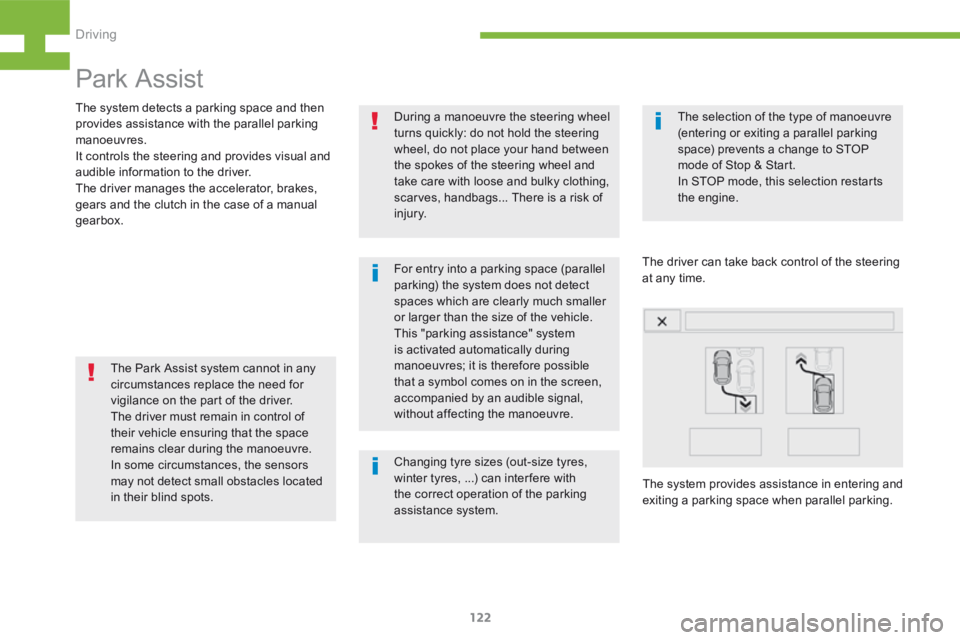
exiting a parking space when parallel parking.
The system detects a parking space and then
provides assistance with the parallel parking
manoeuvres.
It controls the steering and provides visual and
audible information to the driver.
The driver manages the accelerator, brakes,
gears and the clutch in the case of a manual
gearbox.
Driving
Page 127 of 341
125
208_en_Chap05_conduite_ed01-2015
In bad weather and in winter, ensure
that the sensors are not covered by
road dirt, ice or snow.
In the event of a fault, have the system
checked by a PEUGEOT dealer or a
qualified workshop.
If the system is deactivated during a
manoeuvre, the drive should reactivate
it manually to repeat the measurement. If the lateral distance between your vehicle
and the space is too great, the system may
not be able to measure the space.
Anything projecting beyond the envelope
of the vehicle (long or wide load) is not
taken into account by the Park Assist
system during a manoeuvre.
Deactivation
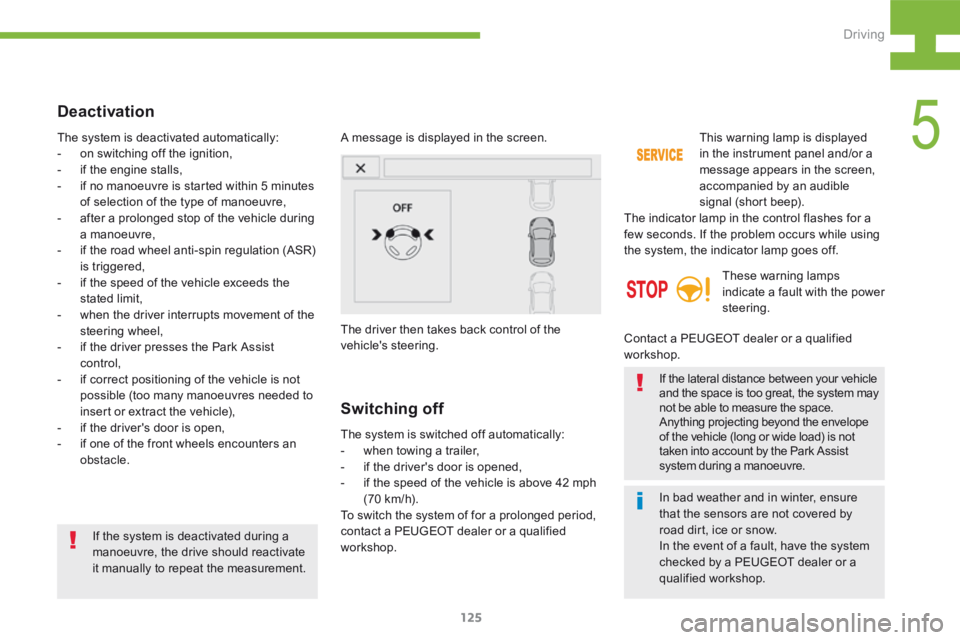
A message is displayed in the screen.
The driver then takes back control of the
vehicle's steering.
The system is deactivated automatically:
-
on switching off the ignition,
- if the engine stalls,
- if no manoeuvre is started within 5 minutes
of selection of the type of manoeuvre,
- after a prolonged stop of the vehicle during
a manoeuvre,
- if the road wheel anti-spin regulation (ASR)
is triggered,
- if the speed of the vehicle exceeds the
stated limit,
- when the driver interrupts movement of the
steering wheel,
- if the driver presses the Park Assist
control,
- if correct positioning of the vehicle is not
possible (too many manoeuvres needed to
insert or extract the vehicle),
- if the driver's door is open,
- if one of the front wheels encounters an
obstacle.
Switching off
The system is switched off automatically:
- when towing a trailer,
- if the driver's door is opened,
- if the speed of the vehicle is above 42 mph
(70 km/h).
To switch the system of for a prolonged period,
contact a PEUGEOT dealer or a qualified
workshop. This warning lamp is displayed
in the instrument panel and/or a
message appears in the screen,
accompanied by an audible
signal (short beep).
The indicator lamp in the control flashes for a
few seconds. If the problem occurs while using
the system, the indicator lamp goes off.
These warning lamps
indicate a fault with the power
steering.
Contact a PEUGEOT dealer or a qualified
workshop.
5
Driving
Page 141 of 341
139
208_en_Chap05_conduite_ed01-2015
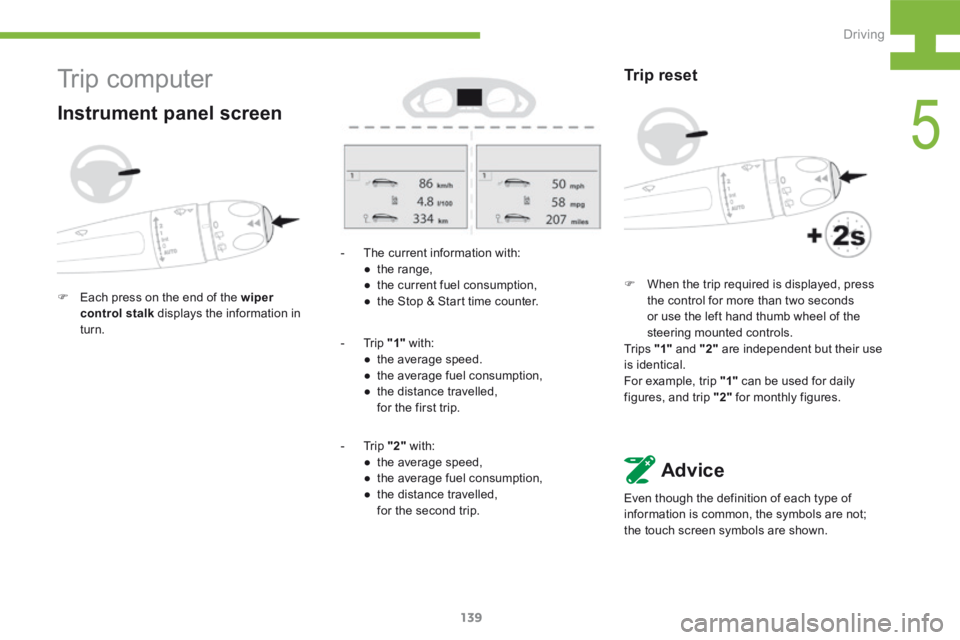
- The current information with:
● the range,
● the current fuel consumption,
● the Stop & Start time counter.
- Trip "1" with:
● the average speed.
● the average fuel consumption,
● the distance travelled,
for the first trip.
- Trip "2" with:
● the average speed,
● the average fuel consumption,
● the distance travelled,
for the second trip.
Trip reset
F When the trip required is displayed, press
the control for more than two seconds
or use the left hand thumb wheel of the
steering mounted controls.
Tr i p s "1" and "2" are independent but their use
is identical.
For example, trip "1" can be used for daily
figures, and trip "2" for monthly figures.
Advice
Even though the definition of each type of
information is common, the symbols are not;
the touch screen symbols are shown.
Tr i p c o m p u t e r
Instrument panel screen
F Each press on the end of the wiper
control stalk displays the information in
turn.
5
Driving
Page 142 of 341
140
208_en_Chap05_conduite_ed01-2015
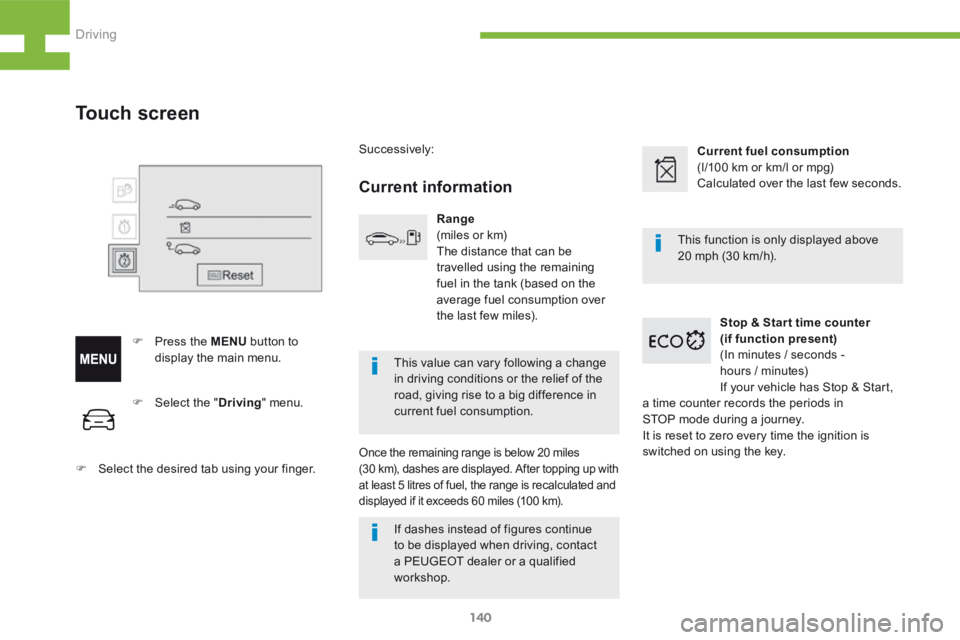
F Select the " Driving" menu.
F Select the desired tab using your finger.
Touch screen
F Press the MENU button to
display the main menu. Successively:
Current information
Range
(miles or km)
The distance that can be
travelled using the remaining
fuel in the tank (based on the
average fuel consumption over
the last few miles).
Once the remaining range is below 20 miles
(30 km), dashes are displayed. After topping up with
at least 5 litres of fuel, the range is recalculated and
displayed if it exceeds 60 miles (100 km).
Current fuel consumption
(l/100 km or km/l or mpg)
Calculated over the last few seconds.
Stop & Star t time counter
(if function present)
(In minutes / seconds -
hours / minutes)
If your vehicle has Stop & Start,
a time counter records the periods in
STOP mode during a journey.
It is reset to zero every time the ignition is
switched on using the key. This function is only displayed above
20 mph (30 km/h).
This value can vary following a change
in driving conditions or the relief of the
road, giving rise to a big difference in
current fuel consumption.
If dashes instead of figures continue
to be displayed when driving, contact
a PEUGEOT dealer or a qualified
workshop.
Driving