2015 MERCEDES-BENZ GLC SUV battery
[x] Cancel search: batteryPage 296 of 497
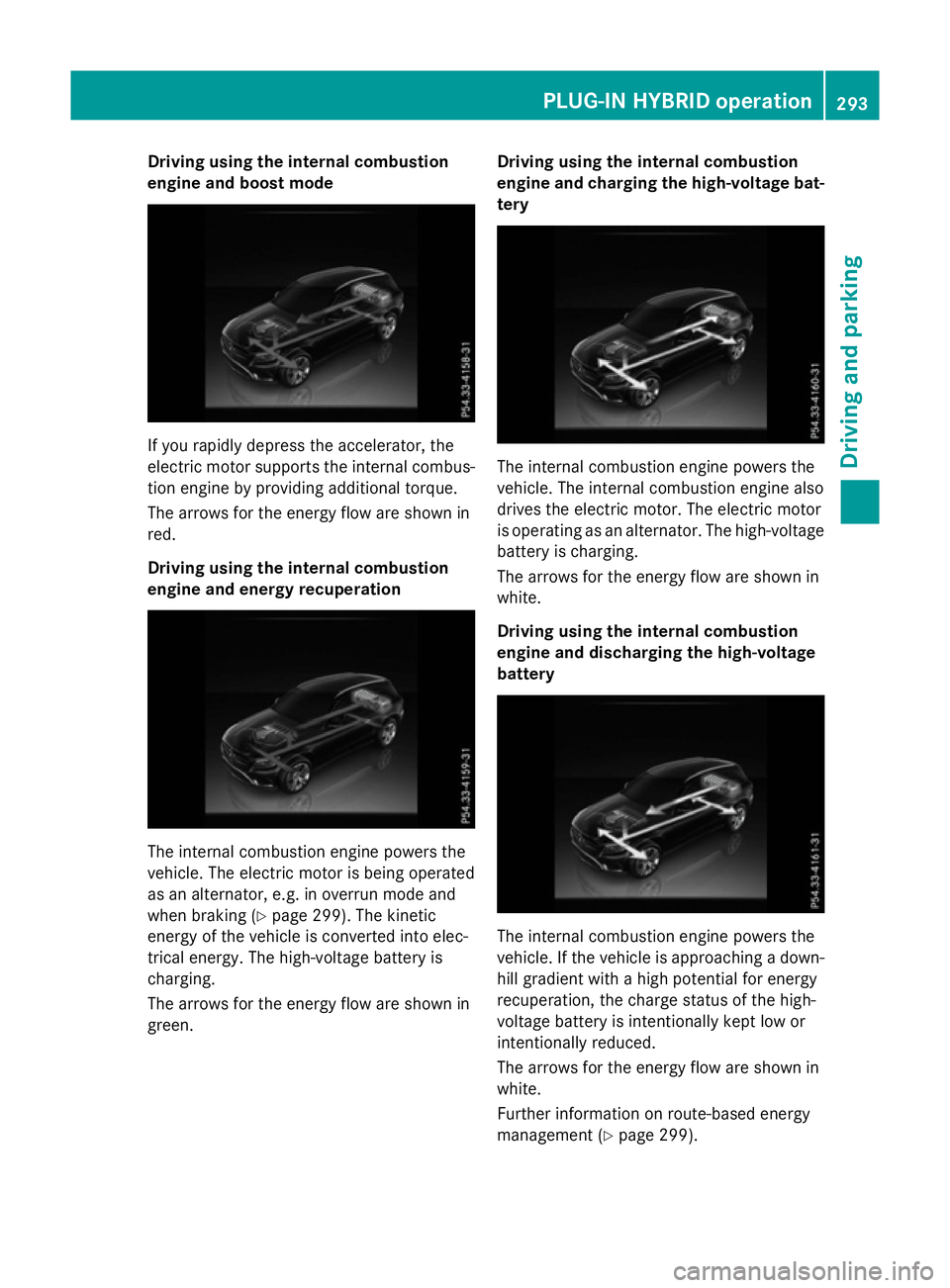
Driving using the internal combustion
engine and boost mode If you rapidly depress the accelerator, the
electric motor supports the internal combus-
tion engine by providing additional torque.
The arrows for the energy flow are shown in
red.
Driving using the internal combustion
engine and energy recuperation The internal combustion engine powers the
vehicle. The electric motor is being operated
as an alternator, e.g. in overrun mode and
when braking (Y page 299). The kinetic
energy of the vehicle is converted into elec-
trical energy. The high-voltage battery is
charging.
The arrows for the energy flow are shown in
green. Driving using the internal combustion
engine and charging the high-voltage bat-
tery The internal combustion engine powers the
vehicle. The internal combustion engine also
drives the electric motor. The electric motor
is operating as an alternator. The high-voltage battery is charging.
The arrows for the energy flow are shown in
white.
Driving using the internal combustion
engine and discharging the high-voltage
battery The internal combustion engine powers the
vehicle. If the vehicle is approaching a down-
hill gradient with a high potential for energy
recuperation, the charge status of the high-
voltage battery is intentionally kept low or
intentionally reduced.
The arrows for the energy flow are shown in
white.
Further information on route-based energy
management (Y page 299). PLUG
‑IN HYBRID operation
293Driving and parking Z
Page 297 of 497
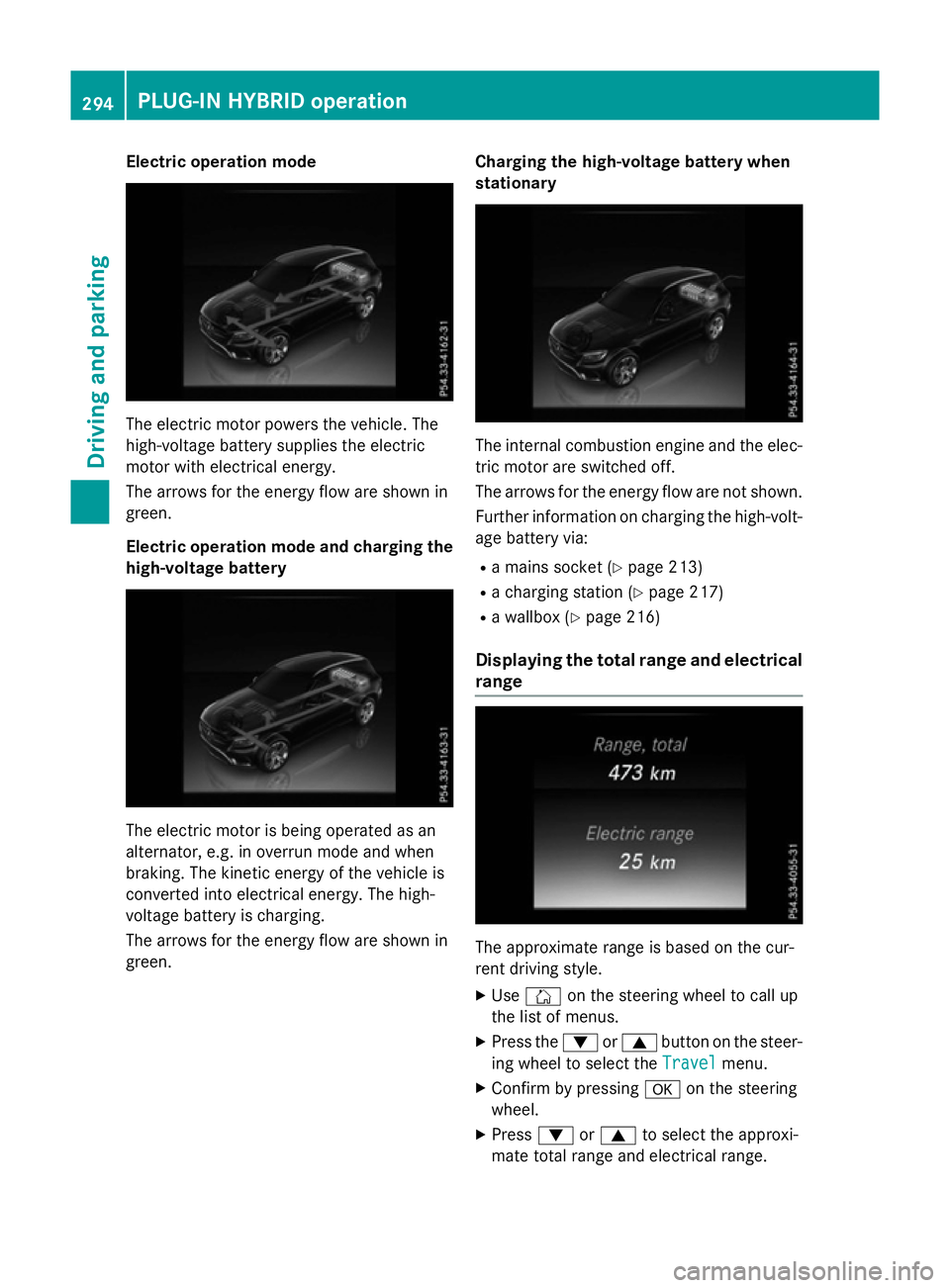
Electric operation mode
The electric motor powers the vehicle. The
high-voltage battery supplies the electric
motor with electrical energy.
The arrows for the energy flow are shown in
green.
Electric operation mode and charging the
high-voltage battery The electric motor is being operated as an
alternator, e.g. in overrun mode and when
braking. The kinetic energy of the vehicle is
converted into electrical energy. The high-
voltage battery is charging.
The arrows for the energy flow are shown in
green. Charging the high-voltage battery when
stationary The internal combustion engine and the elec-
tric motor are switched off.
The arrows for the energy flow are not shown.
Further information on charging the high-volt-
age battery via:
R a mains socket (Y page 213)
R a charging station (Y page 217)
R a wallbox (Y page 216)
Displaying the total range and electrical range The approximate range is based on the cur-
rent driving style.
X Use Ñ on the steering wheel to call up
the list of menus.
X Press the :or9 button on the steer-
ing wheel to select the Travel Travelmenu.
X Confirm by pressing aon the steering
wheel.
X Press :or9 to select the approxi-
mate total range and electrical range. 294
PLUG‑
IN HYBRID operationDriving and parking
Page 301 of 497
engine by providing additional torque when
the accelerator is depressed rapidly.
Overrun mode or braking
There are three possible operating modes
when the hybrid vehicle is decelerating:
R When coasting and decelerating, energy
recuperation is already taking place
(Y page 287). The electric motor functions
as an alternator and stores the recuperated energy in the high-voltage battery.
R When braking gently, the electric motor
increases the deceleration of the vehicle.
Energy recuperation is increased
(Y page 287). The electric motor functions
as an alternator and stores the recuperated energy in the high-voltage battery.
R During heavy braking, the service brake is
also used to slow down the vehicle. Both
systems work together.
Driving in the city
Energy is recuperated during frequent decel-
eration and stopping in city traffic.
The vehicle can be driven by the electric
motor alone up to a speed of approximately
140 km/h.
The vehicle is driven by the electric motor
alone only when all conditions for the auto-
matic engine switch-off are fulfilled.
Further information on the automatic engine
switch-off (Y page 298).
Driving on inter-urban roads
The following phases are possible when driv-
ing on inter-urban roads:
R rapid acceleration (boost mode)
R constant energy consumption
R energy recuperation
R electric operation mode
Depending on the characteristics of the
route, there may be a lot of recuperated
energy available. This reduces consumption
and emissions. Driving on the motorway
When driving on a motorway, the decrease in
wasted power has a particularly positive
effect on fuel consumption and emissions.
If the driver removes his foot from the accel-
erator pedal in drive program Eand a speed of
160 km/h is not exceeded, the combustion
engine is automatically switched off.
Further information on the automatic engine
switch-off (Y page 298).
ECO start/stop function General notes
The ECO start/stop function switches the
internal combustion engine off automatically
when the vehicle stops moving and at high
speeds (Y page 299).
All vehicle systems remain active, e.g. the
automatic climate control.
The ECO start/stop function is only available in drive programs Cand E. Electric-only oper-
ation is only possible in drive programs Cand
E. Additional information for drive programs
(Y page 295).
Automatic engine switch-off
The internal combustion engine is switched
off automatically if:
R the driver removes his foot from the accel-
erator in drive program Eand a speed of
160 km/h is not exceeded (Y page 299)
R the internal combustion engine has
reached its operating temperature
R the driver's seat belt is fastened and the
driver's door is closed
R the driver only slightly depresses the accel-
erator pedal in order to, for example, main- tain the current speed for a limited distance
R the bonnet is closed and engaged properly
R the high-voltage battery is charged suffi-
ciently
R no malfunctions are present in the hybrid
drive system 298
PLUG‑IN HYBRID operationDriving and parking
Page 302 of 497
The internal combustion engine will not be
switched off automatically, if:
R the self-diagnosis function of the engine
control unit is still active
R there is a malfunction in the hybrid drive
system
R the climate control of the vehicle requires it
R the high-voltage battery is being charged
(Y page 292)
R automatic emissions tests are running
Automatic engine start
The internal combustion engine, which has
been automatically switched-off, starts auto-
matically in certain situations, when:
R the power demand from the driver via the
accelerator pedal is greater than the elec-
tric motor alone can provide
R the driver switches to drive program Sor M
R the charge level of the high-voltage battery
has reached the lower limit
R the settings of the automatic climate con-
trol require it, e.g. at external temperatures
above 30 †
Overrun mode
In overrun mode, the combustion engine is
switched off and is disconnected from the
drive train. The electric motor:
R generates low thrust, which corresponds to
the overrun mode of an active combustion
engine
R functions as an alternator and produces the
necessary energy for the auxiliary consum- ers and charges the high-voltage battery
Overrun mode is available in drive program E
below 160 km/h.
In drive program E, after the accelerator pedal
has been released the coasting characteris-
tics of the vehicle are adapted to the traffic
conditions. Further information about the
haptic accelerator pedal (Y page 297).Route-based energy management For route-based energy management, the
system factors in information about the
expected route when route guidance is
active.
The information on the route is provided by
COMAND Online and includes the following:
R road categories
R speed limitations
R data on downhill gradients
The use of electric energy is automatically
optimally distributed from the beginning to
the end of the journey, using information
about the route. The distribution is pre-emp-
tive and takes into consideration:
R the sections of the journey ahead
R the energy consumption on the whole route
The charge status of the high-voltage battery
is thus systematically controlled. In addition,
the control function takes into account that:
R the fuel savings through the use of electri-
cal energy can vary, depending on the route
(e.g. urban, interurban or motorway)
R the use of electrical energy is held available
in particular for electric operation (e.g.
urban routes)
The vehicle thus automatically selects the
optimum driving mode for the respective sec- tion of the route.
Route-based energy management is available
under the following conditions:
R drive program Eis selected
R HYBRID driving mode is selected
R active route guidance is activated
R suitable map data is available
When route-based energy management is in
operation, the area in front of the vehicle is
shown as green in the multifunction display. PLUG‑IN HYBRID operation
299Driving and parking Z
Page 310 of 497
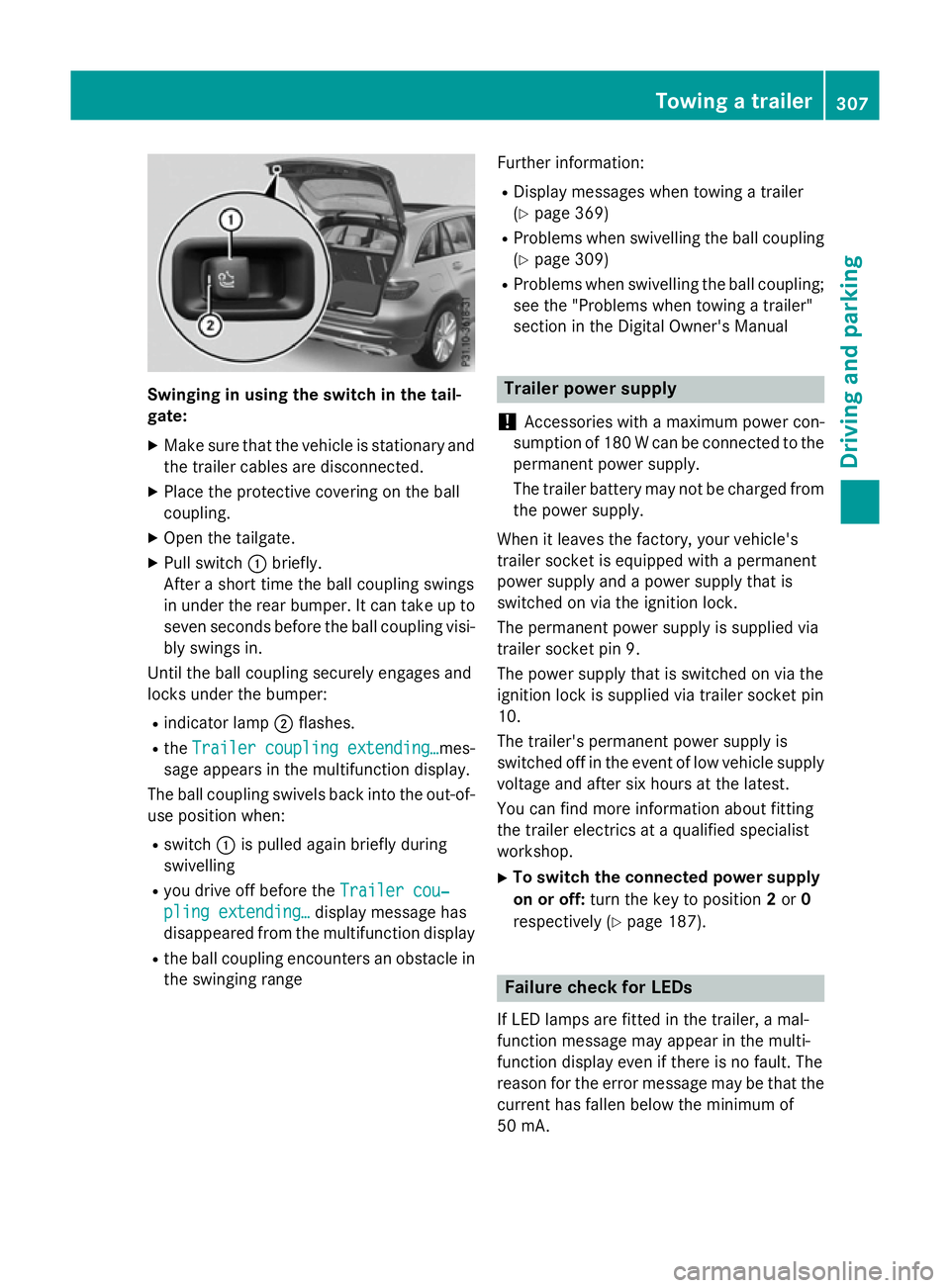
Swinging in using the switch in the tail-
gate:
X Make sure that the vehicle is stationary and
the trailer cables are disconnected.
X Place the protective covering on the ball
coupling.
X Open the tailgate.
X Pull switch :briefly.
After a short time the ball coupling swings
in under the rear bumper. It can take up to
seven seconds before the ball coupling visi- bly swings in.
Until the ball coupling securely engages and
locks under the bumper:
R indicator lamp ;flashes.
R the Trailer coupling extending…
Trailer coupling extending… mes-
sage appears in the multifunction display.
The ball coupling swivels back into the out-of- use position when:
R switch :is pulled again briefly during
swivelling
R you drive off before the Trailer cou‐ Trailer cou‐
pling extending…
pling extending… display message has
disappeared from the multifunction display
R the ball coupling encounters an obstacle in
the swinging range Further information:
R Display messages when towing a trailer
(Y page 369)
R Problems when swivelling the ball coupling
(Y page 309)
R Problems when swivelling the ball coupling;
see the "Problems when towing a trailer"
section in the Digital Owner's Manual Trailer power supply
! Accessories with a maximum power con-
sumption of 180 W can be connected to the
permanent power supply.
The trailer battery may not be charged from the power supply.
When it leaves the factory, your vehicle's
trailer socket is equipped with a permanent
power supply and a power supply that is
switched on via the ignition lock.
The permanent power supply is supplied via
trailer socket pin 9.
The power supply that is switched on via the
ignition lock is supplied via trailer socket pin
10.
The trailer's permanent power supply is
switched off in the event of low vehicle supply
voltage and after six hours at the latest.
You can find more information about fitting
the trailer electrics at a qualified specialist
workshop.
X To switch the connected power supply
on or off: turn the key to position 2or 0
respectively (Y page 187). Failure check for LEDs
If LED lamps are fitted in the trailer, a mal-
function message may appear in the multi-
function display even if there is no fault. The
reason for the error message may be that the
current has fallen below the minimum of
50 mA. Towing a trailer
307Driving and parking Z
Page 321 of 497
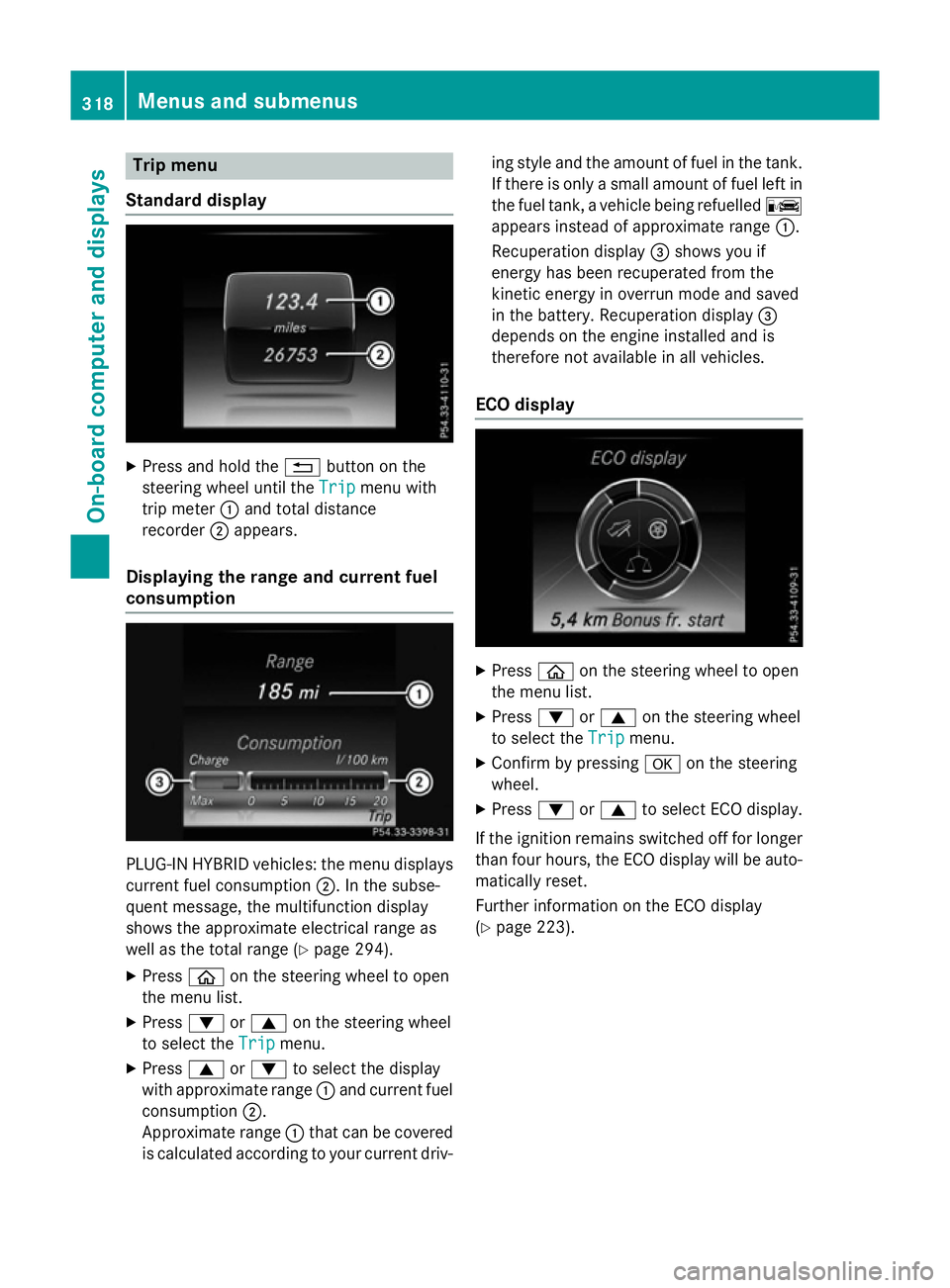
Trip menu
Standard display X
Press and hold the %button on the
steering wheel until the Trip
Tripmenu with
trip meter :and total distance
recorder ;appears.
Displaying the range and current fuel
consumption PLUG-IN HYBRID vehicles: the menu displays
current fuel consumption ;. In the subse-
quent message, the multifunction display
shows the approximate electrical range as
well as the total range (Y page 294).
X Press òon the steering wheel to open
the menu list.
X Press :or9 on the steering wheel
to select the Trip
Trip menu.
X Press 9or: to select the display
with approximate range :and current fuel
consumption ;.
Approximate range :that can be covered
is calculated according to your current driv- ing style and the amount of fuel in the tank.
If there is only a small amount of fuel left in
the fuel tank, a vehicle being refuelled C
appears instead of approximate range :.
Recuperation display =shows you if
energy has been recuperated from the
kinetic energy in overrun mode and saved
in the battery. Recuperation display =
depends on the engine installed and is
therefore not available in all vehicles.
ECO display X
Press òon the steering wheel to open
the menu list.
X Press :or9 on the steering wheel
to select the Trip Tripmenu.
X Confirm by pressing aon the steering
wheel.
X Press :or9 to select ECO display.
If the ignition remains switched off for longer than four hours, the ECO display will be auto-
matically reset.
Further information on the ECO display
(Y page 223). 318
Menus and submenusOn-board computer and displays
Page 332 of 497
For further information about Active Blind
Spot Assist, see (Y page 280).
Setting ATTENTION ASSIST X Press òon the steering wheel to open
the menu list.
X Press the :or9 button on the steer-
ing wheel to select the Settings
Settingsmenu.
X Confirm by pressing aon the steering
wheel.
X Use : or9 to select the Assis‐
Assis‐
tance
tance submenu.
X Press ato confirm.
X Press :or9 to select ATTENTION
ATTENTION
ASSIST
ASSIST.
X Press ato confirm.
X Press :or9 to select Deactiva‐
Deactiva‐
ted
ted, Standard
Standard orSensitive
Sensitive.
X Press the abutton to confirm the selec-
tion.
When ATTENTION ASSIST is deactivated,
the é symbol appears in the Assis‐
Assis‐
tance graphic tance graphic menu in the multifunction
display.
For further information about ATTENTION
ASSIST; see (Y page 272).
Setting Lane Keeping Assist
X Press òon the steering wheel to open
the menu list.
X Press :or9 on the steering wheel
to select the Settings
Settingsmenu.
X Confirm by pressing aon the steering
wheel.
X Press :or9 to select the Assis‐
Assis‐
tance
tance submenu.
X Press ato confirm.
X Select Lane Keeping Assist
Lane Keeping Assist with:
or 9.
X Press ato confirm.
The current selection, Standard
Standard orAdap‐
Adap‐
tive
tive , appears.
X To change the setting: pressaagain. For further information about Lane Keeping
Assist; see (Y
page 279).
Further information about Active Lane Keep-
ing Assist (Y page 283).
HYBRID submenu (PLUG-IN HYBRID
vehicles) Setting the maximum charge current
Using the
Max. charge current Max. charge current function,
you can limit the charge current value at
which the high-voltage battery should be
charged.
If there are no charge current settings on the charging cable, set the maximum charge cur-
rent in the on-board computer.
If there are charge current settings on the
charging cable, set the maximum charge cur- rent on the charging cable (Y page 214).
X Press òon the steering wheel to open
the menu list.
X Press :or9 on the steering wheel
to select the Settings
Settings menu.
X Confirm by pressing aon the steering
wheel.
X Use : or9 to select the Hybrid
Hybrid
submenu.
X Press ato confirm.
X Using :or9, select the Max. Max.
charge current
charge current function.
You will see the selected setting.
X Press the abutton to save the setting.
Before charging the high-voltage battery,
check the maximum permissible charge cur-
rent for the relevant power socket.
The maximum charge current values in the
on-board computer may deviate from the
charging cable values.
Further information on charging the high-volt-
age battery (PLUG-IN HYBRID vehicles)
(Y page 211). Menus and submenus
329On-board computer and displays Z
Page 333 of 497
Setting the departure time
With the "Departure time" function you can
R climatise the vehicle interior before depar-
ture. Further information on pre-entry cli-
mate control (Y page 176).
R charge the high-voltage battery at mini-
mum cost at intelligent charging stations.
The vehicle will calculate an optimized
charging plan. The charging process starts
when the electricity is at the best price
possible. As a result the high-voltage bat-
tery is charged with more affordable elec-
tricity.
Please note that the high-voltage battery
may not be completely charged before your
departure. The necessary charge time may
not be sufficient depending on the charge
status of the high-voltage battery and the
set departure time.
Please use the setting "Set no departure time
and charge immediately" if you would like to
briefly charge the high-voltage battery.
The charging process will immediately begin
if you load the high-voltage battery at stand-
ard charging stations and have previously set
a departure time.
X Press òon the steering wheel to open
the menu list.
X Press :or9 on the steering wheel
to select the Settings
Settings menu.
X Confirm by pressing aon the steering
wheel.
X Use : or9 to select the Hybrid
Hybrid
submenu.
X Press ato confirm.
X Using :or9, select the Depar‐ Depar‐
ture time
ture time function.
You will see the selected setting.
X Press the abutton to save the setting.
X To set no departure time and charge
immediately: press:or9 to select
No preselection
No preselection.
X Press ato confirm.
or X
To set a departure time: press:or
9 A A,B
Bor C
Cto select the desired preset.
X Press ato confirm the selection.
X Press :or9 to set the hours.
X Press ato confirm.
X Press :or9 to set the minutes.
X Press ato confirm.
If the selector lever is shifted to position P
and the charging cable connector is plug-
ged in, the multifunction display will show
the complete charging prediction after a
few moments.
Further information on charging the high-volt-
age battery (PLUG-IN HYBRID vehicles)
(Y page 211).
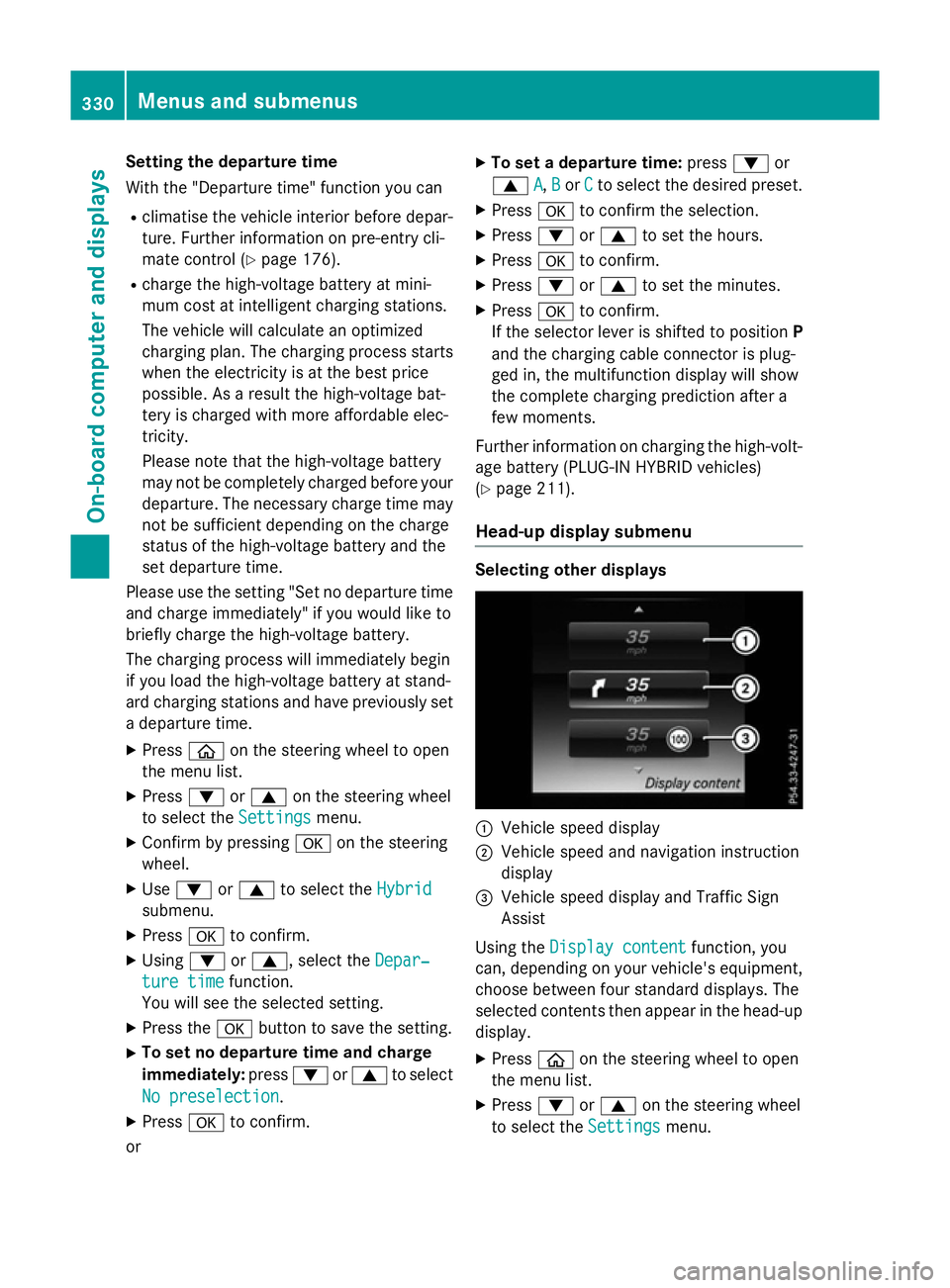
Head-up display submenu Selecting other displays
:
Vehicle speed display
; Vehicle speed and navigation instruction
display
= Vehicle speed display and Traffic Sign
Assist
Using the Display content
Display content function, you
can, depending on your vehicle's equipment,
choose between four standard displays. The
selected contents then appear in the head-up
display.
X Press òon the steering wheel to open
the menu list.
X Press :or9 on the steering wheel
to select the Settings Settingsmenu. 330
Menus and submenusOn-board computer and displays