2015 MERCEDES-BENZ E-CLASS CABRIOLET phone
[x] Cancel search: phonePage 56 of 349

PASSENGER AIR BAG OFF indicator lamp
:
shows you whether the front-passenger front
airbag is disabled.
X Turn the key to position 1or 2in the ignition
lock or, on vehicles with KEYLESS-GO, press
the Start/Stop button once or twice.
The system carries out a self-diagnosis.
The PASSENGER AIR BAG OFF indicator lamp
must light up for approximately six seconds.
If, after the system self-test, the
PASSENGER AIR BAG OFF indicator lamp:
R lights up , the front-passenger front airbag is
disabled. It will then not be deployed in the
event of an accident.
R is not lit , the sensor system did not detect a
child restraint system with transponder for
automatic child seat recognition. If, in the
case of an accident, all deployment criteria
are met, the front-passenger front airbag is
deployed. G
WARNING
Electronic devices on the front-passenger
seat can affect the function of the automatic
child seat recognition, for example:
R laptop
R mobile phone
R transponder cards such as ski passes or
access passes
The front-passenger front airbag could deploy unintentionally or not function as intended
during an accident. This poses an increased
risk of injury or even fatal injury.
Do not place any of the devices mentioned
above or similar devices on the front-
passenger seat. Be aware of the status of the front-passenger front airbag both before and
during the journey. Child restraint system on the front-
passenger seat
General notes Accident statistics show that children secured
in the rear seats are safer than children secured
in the front seats. For this reason, Mercedes- Benz strongly advises that you fit a child
restraint system on a rear seat.
Vehicles with automatic child seat recognition
on the co-driver's seat: if it is absolutely neces-
sary to fit a child restraint system to the co-driv- er's seat, always observe the notes on "Auto-
matic child seat recognition on the co-driver's
seat" (Y page 53).
You can thus avoid the risks that could arise as
a result of:
R a child restraint system that is not detected
by the automatic child seat recognition's sen-
sor system
R the unintentional disabling of the co-driver's
front airbag
R the unsuitable positioning of the child
restraint system, e.g. too close to the dash-
board. Please observe the warning notice on the co-
driver's sun visor, see the illustration. G
WARNING
If you secure a child in a child restraint system on the front-passenger seat and the
PASSENGER AIR BAG OFF indicator lamp is
off, the front-passenger front airbag can
deploy in the event of an accident. The child
could be struck by the airbag. This poses an
increased risk of injury or even fatal injury.
Make sure that the front-passenger front air-
bag has been disabled. The PASSENGER AIR-BAG OFF indicator lamp must be lit.
NEVER use a rearward-facing child restraint on a seat protected by an ACTIVE AIRBAG in front of
it, DEATH or SERIOUS INJURY to the CHILD can
occur. Children in the vehicle
53Safety Z
Page 58 of 349
Problems with automatic child seat recognition
Problem
Possible causes/consequences and
M
MSolutions The PASSENGER AIR
BAG OFF indicator lamp
on the centre console is
lit. A special Mercedes-Benz child restraint system with a transponder for
automatic child seat recognition has been fitted to the front-
passenger seat. The front-passenger front airbag has therefore been
disabled as desired. G
WARNING
There is no child restraint system fitted to the front-passenger seat.
Automatic child seat recognition is malfunctioning, for example due to
electronic devices on the front-passenger seat.
There is a risk of injury.
X Remove electronic equipment from the front-passenger seat, e.g.:
R laptop
R mobile phone
R a card with a transponder, such as a ski pass or access pass
If the PASSENGER AIR BAG OFF indicator lamp remains lit, the front- passenger seat may not be used.
X Consult a qualified specialist workshop. When you switch the
ignition on, the
6
restraint system warning lamp lights up and/or
the PASSENGER AIR
BAG OFF indicator lamp
does not light up briefly. G
WARNING
Automatic child seat recognition is malfunctioning.
Do not install a child restraint system on the front-passenger seat.
It is recommended that you fit the child restraint system to a suitable rear seat.
X Consult a qualified specialist workshop.
X Please also refer to the notes about the restraint system warning
lamp (Y page 235). Suitable positioning of the child
restraint system
Introduction Only child restraint systems which are approved
in accordance with the ECE standard ECE R44
are permitted for use in the vehicle.
For certain child restraint systems in weight cat-
egories II or III, this can mean that the area of
use is restricted. The maximum size setting of
the child restraint system is not possible due to possible contact with the roof.
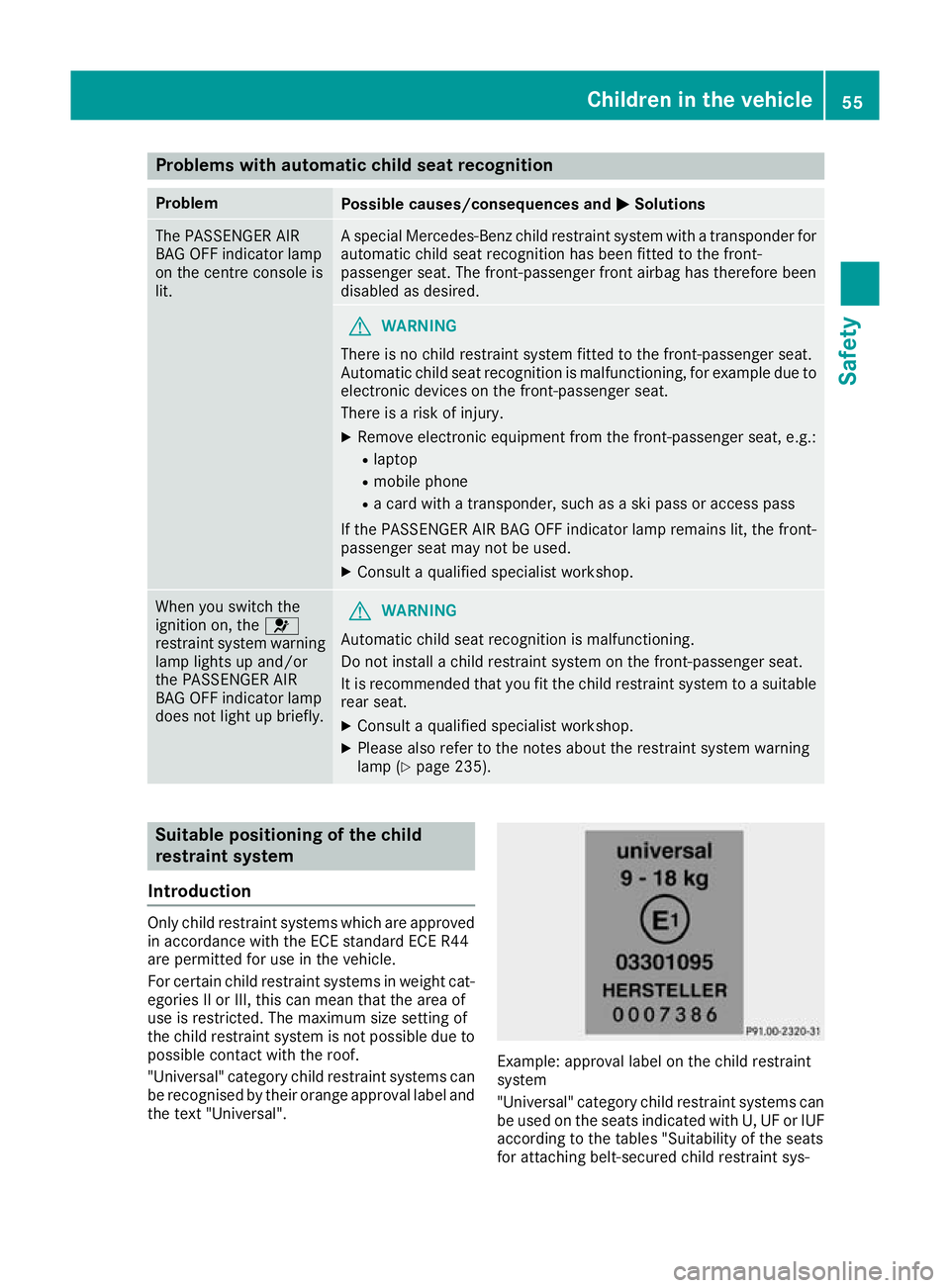
"Universal" category child restraint systems can
be recognised by their orange approval label and the text "Universal". Example: approval label on the child restraint
system
"Universal" category child restraint systems can
be used on the seats indicated with U, UF or IUF according to the tables "Suitability of the seats
for attaching belt-secured child restraint sys- Children in the vehicle
55Safety Z
Page 77 of 349

Key
Important safety notes
United Kingdom only: G
WARNING
When the double locks are activated, the
doors can no longer be opened from the
inside. People in the vehicle can no longer get out, e.g. in hazardous situations. There is a
risk of injury.
Therefore, do not leave any people unsuper-
vised in the vehicle, particularly children, eld-
erly people or people in need of special assis-
tance. Do not activate the double lock when
people are in the vehicle.
If the vehicle has been locked from the outside, the double lock function is activated as stand-
ard. It is then not possible to open the doors
from inside the vehicle. You can deactivate the
double lock function by deactivating the interior
motion sensor (Y page 73). The doors can then
be opened from the inside after the vehicle has
been locked from the outside. The anti-theft
alarm system is triggered if the door is opened
from the inside. Switch off the alarm
(Y page 71).
All countries: G
WARNING
If children are left unsupervised in the vehicle, they could:
R open doors, thereby endangering other per-
sons or road users
R get out and be struck by oncoming traffic
R operate vehicle equipment and become
trapped, for example
In addition, the children could also set the
vehicle in motion, for example, if they:
R release the parking brake
R shift the automatic transmission out of park
position P or shift manual transmission into
neutral
R start the engine
There is a risk of an accident and injury. When leaving the vehicle, always take the key
with you and lock the vehicle. Never leave
children and animals unattended in the vehi-
cle. Keep the keys out of the reach of children. G
WARNING
If you attach heavy or large objects to the key, the key could be unintentionally turned in the
ignition lock. This could cause the engine to
be switched off. There is a risk of an accident.
Do not attach any heavy or large objects to the
key. Remove any bulky keyrings before insert-
ing the key into the ignition lock.
! Keep the key away from strong magnetic
fields. Otherwise, the remote control function could be affected.
Strong magnetic fields can occur in the vicin-
ity of powerful electrical installations.
Do not keep the key: R with electronic devices, e.g. a mobile phone
or another key
R with metallic objects, e.g. coins or metal film
R inside metallic objects, e.g. a metal case
This can affect the key's functionality. Key functions
:
& Locks the vehicle
; F Unlocks the boot lid
= % Unlocks the vehicle
X To unlock centrally: press the%button.
If you do not open the vehicle within approx-
imately 40 seconds of unlocking:
R the vehicle locks again
R protection against theft is reactivated 74
KeyOpening and closing
Page 142 of 349

Where possible, avoid spinning the drive
wheels when pulling away on slippery roads.
You could otherwise damage the drive train.
Key positions
Key g
To remove the key
1 Power supply for some consumers, such as
the windscreen wipers
2 Ignition (power supply for all consumers)
and drive position
3 To start the vehicle
i If the key does not belong to the vehicle, it
can still be turned in the ignition lock. How-
ever, the ignition will not be switched on. The
engine cannot be started.
KEYLESS-GO General notes
Vehicles with KEYLESS-GO are equipped with
keys featuring an integrated KEYLESS-GO func-
tion and a detachable Start/Stop button.
The Start/Stop button must be inserted in the
ignition lock and the key must be in the vehicle.
When you insert the Start/Stop button into the ignition lock, the system needs approximately
two seconds recognition time. You can then use
the Start/Stop button.
Pressing the Start/Stop button several times in succession corresponds to the different key
positions in the ignition lock. This is only the
case if you are not depressing the brake pedal.
If you depress the brake pedal and press the
Start/Stop button, the engine starts immedi-
ately. A check which periodically establishes a radio
connection between the vehicle and the key
determines whether a valid key is in the vehicle.
This occurs, for example, when starting the
engine.
To start the vehicle without actively using the
key:
R the Start/Stop button must be inserted in the
ignition lock
R the key must be in the vehicle
R the vehicle must not be locked with the key or
KEYLESS-GO (Y page 75)
Do not keep the KEYLESS-GO key:
R with electronic devices, e.g. a mobile phone
or another key
R with metallic objects, e.g. coins or metal film
R inside metallic objects, e.g. a metal case
This can affect the functionality of KEYLESS-GO.
If you lock the vehicle with the key's remote
control or with KEYLESS-GO, after a short time:
R you will not be able to switch on the ignition
with the Start/Stop button
R you will not be able to start the engine with the
Start/Stop button until the vehicle is
unlocked again
If you lock the vehicle centrally using the button
on the front door (Y page 81), you can continue
to start the engine with the Start/Stop button.
The engine can be switched off while the vehicle is in motion by pressing and holding the Start/
Stop button for three seconds. This function
operates independently of the ECO start/stop
automatic engine switch-off function.
Key positions with KEYLESS-GO :
Start/Stop button
; Ignition lock Driving
139Driving and parking Z
Page 217 of 349
Under normal operating conditions and with the
specified coolant level, the coolant temperature
may rise to 120 †.
At high outside temperatures and when driving
uphill, the coolant temperature may rise to the
end of the scale. Operating the on-board computer
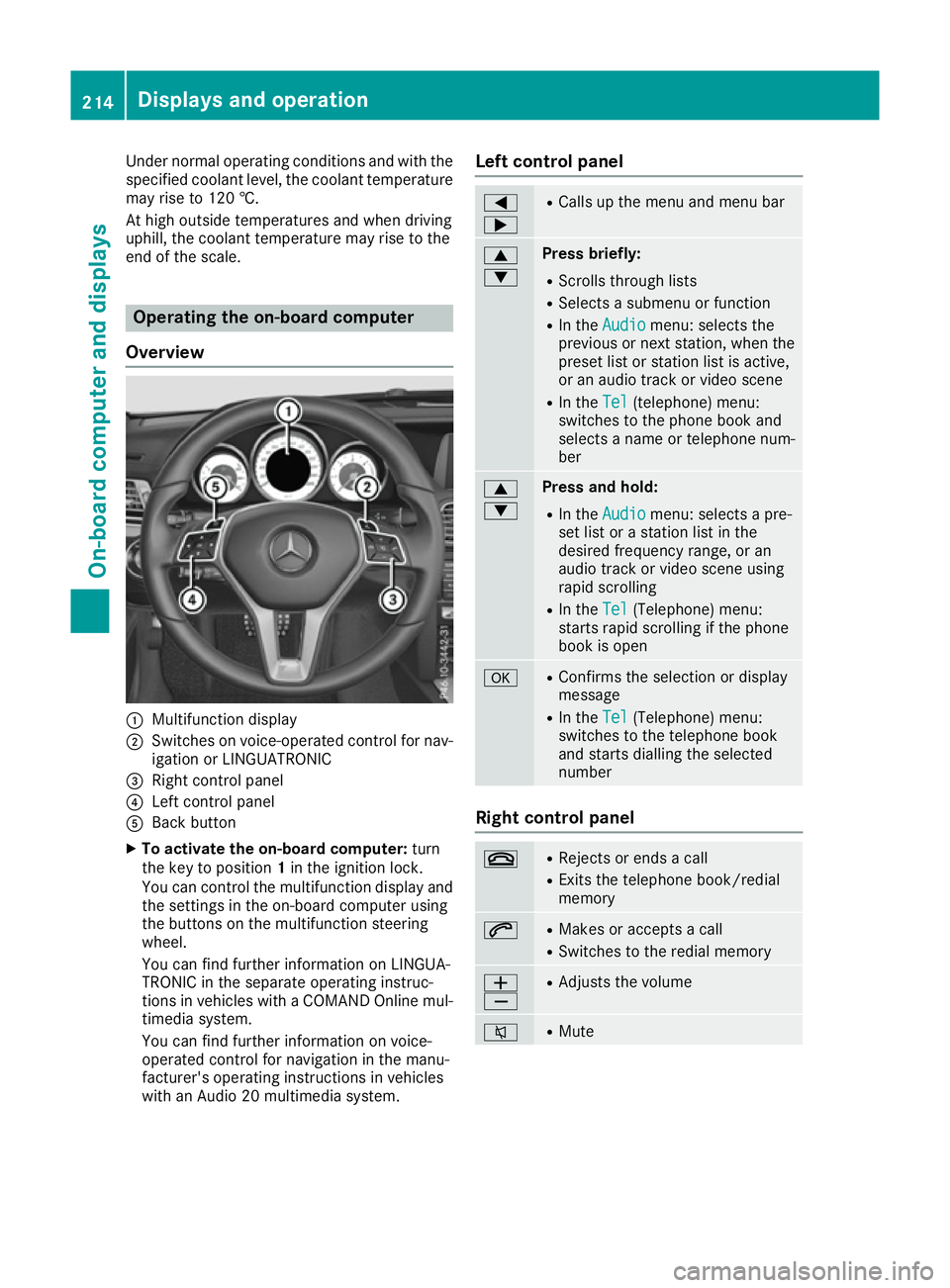
Overview :
Multifunction display
; Switches on voice-operated control for nav-
igation or LINGUATRONIC
= Right control panel
? Left control panel
A Back button
X To activate the on-board computer: turn
the key to position 1in the ignition lock.
You can control the multifunction display and the settings in the on-board computer using
the buttons on the multifunction steering
wheel.
You can find further information on LINGUA-
TRONIC in the separate operating instruc-
tions in vehicles with a COMAND Online mul-
timedia system.
You can find further information on voice-
operated control for navigation in the manu-
facturer's operating instructions in vehicles
with an Audio 20 multimedia system. Left control panel =
; R
Calls up the menu and menu bar 9
: Press briefly:
R Scrolls through lists
R Selects a submenu or function
R In the Audio Audio menu: selects the
previous or next station, when the preset list or station list is active,
or an audio track or video scene
R In the Tel Tel(telephone) menu:
switches to the phone book and
selects a name or telephone num-
ber 9
: Press and hold:
R
In the Audio Audio menu: selects a pre-
set list or a station list in the
desired frequency range, or an
audio track or video scene using
rapid scrolling
R In the Tel Tel(Telephone) menu:
starts rapid scrolling if the phone
book is open a R
Confirms the selection or display
message
R In the Tel Tel(Telephone) menu:
switches to the telephone book
and starts dialling the selected
number Right control panel
~ R
Rejects or ends a call
R Exits the telephone book/redial
memory 6 R
Makes or accepts a call
R Switches to the redial memory W
X R
Adjusts the volume 8 R
Mute 214
Displays and operationOn-board computer and displays
Page 218 of 349
Back button
% Press briefly:
R Back
R Switches off voice-operated con-
trol for navigation or LINGUA-
TRONIC
R Hides display messages or calls up
the last Trip Tripmenu function used
R Exits the telephone book/redial
memory % Press and hold:
R
Calls up the standard display in the
Trip
Trip menu Multifunction display
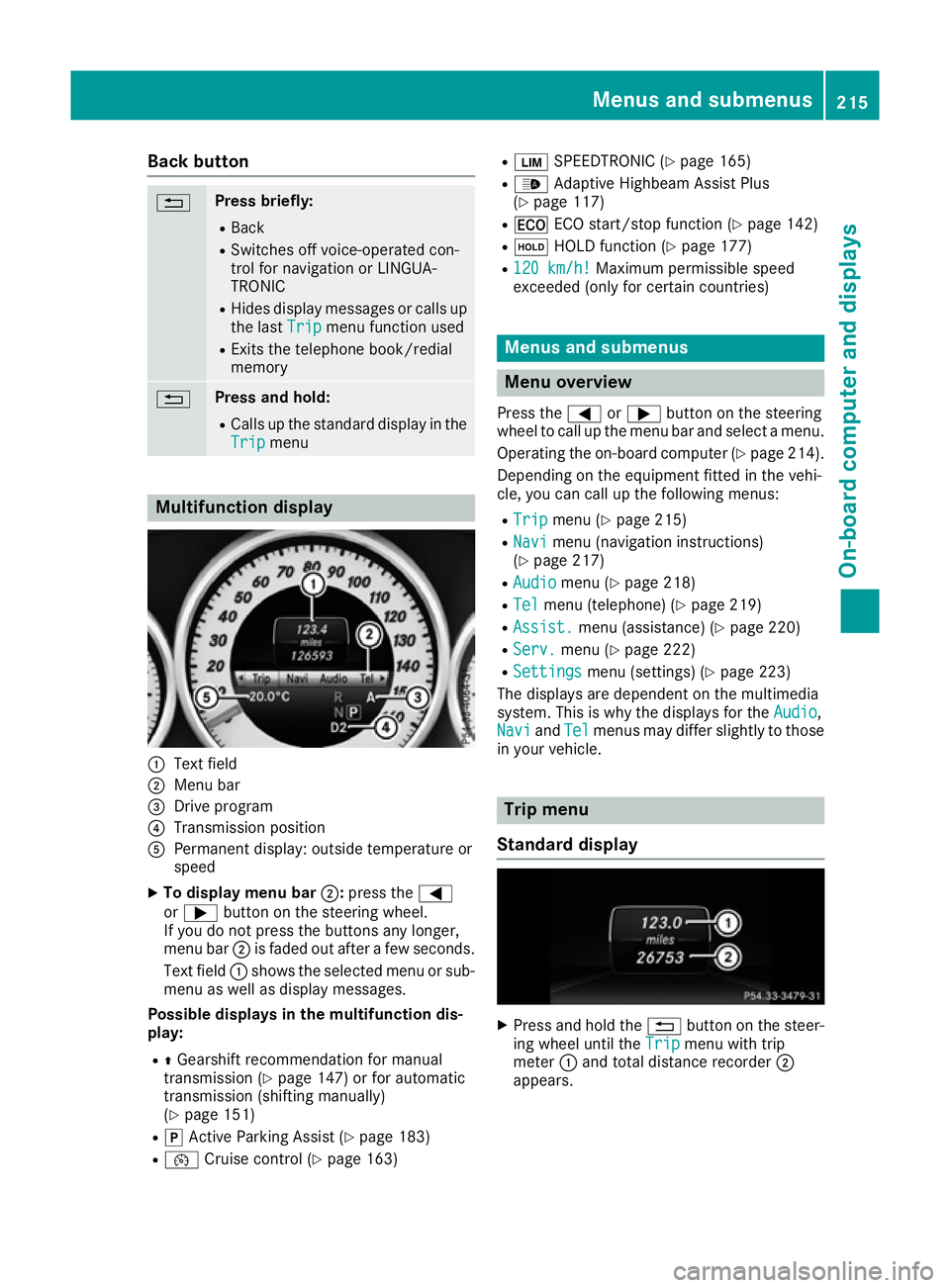
:
Text field
; Menu bar
= Drive program
? Transmission position
A Permanent display: outside temperature or
speed
X To display menu bar ;:press the =
or ; button on the steering wheel.
If you do not press the buttons any longer,
menu bar ;is faded out after a few seconds.
Text field :shows the selected menu or sub-
menu as well as display messages.
Possible displays in the multifunction dis-
play:
R ZGearshift recommendation for manual
transmission (Y page 147) or for automatic
transmission (shifting manually)
(Y page 151)
R j Active Parking Assist (Y page 183)
R ¯ Cruise control (Y page 163) R
È SPEEDTRONIC (Y page 165)
R _ Adaptive Highbeam Assist Plus
(Y page 117)
R ¤ ECO start/stop function (Y page 142)
R ë HOLD function (Y page 177)
R 120 km/h! 120 km/h! Maximum permissible speed
exceeded (only for certain countries) Menus and submenus
Menu overview
Press the =or; button on the steering
wheel to call up the menu bar and select a menu.
Operating the on-board computer (Y page 214).
Depending on the equipment fitted in the vehi-
cle, you can call up the following menus:
R Trip Trip menu (Y page 215)
R Navi
Navi menu (navigation instructions)
(Y page 217)
R Audio
Audio menu (Y page 218)
R Tel
Tel menu (telephone) (Y page 219)
R Assist.
Assist. menu (assistance) (Y page 220)
R Serv.
Serv. menu (Y page 222)
R Settings
Settings menu (settings) (Y page 223)
The displays are dependent on the multimedia
system. This is why the displays for the Audio Audio,
Navi
Navi andTel
Tel menus may differ slightly to those
in your vehicle. Trip menu
Standard display X
Press and hold the %button on the steer-
ing wheel until the Trip
Tripmenu with trip
meter :and total distance recorder ;
appears. Menus and submenus
215On-board computer and displays Z
Page 222 of 349
X
Switch on the multimedia system and select
video DVD (see the separate operating
instructions).
X Press the =or; button on the steering
wheel to select the Audio Audiomenu.
X To select the next or previous scene:
briefly press the
9or: button.
X To select a scene from the scene list
(rapid scrolling): press and hold the 9
or : button until desired scene :
appears.
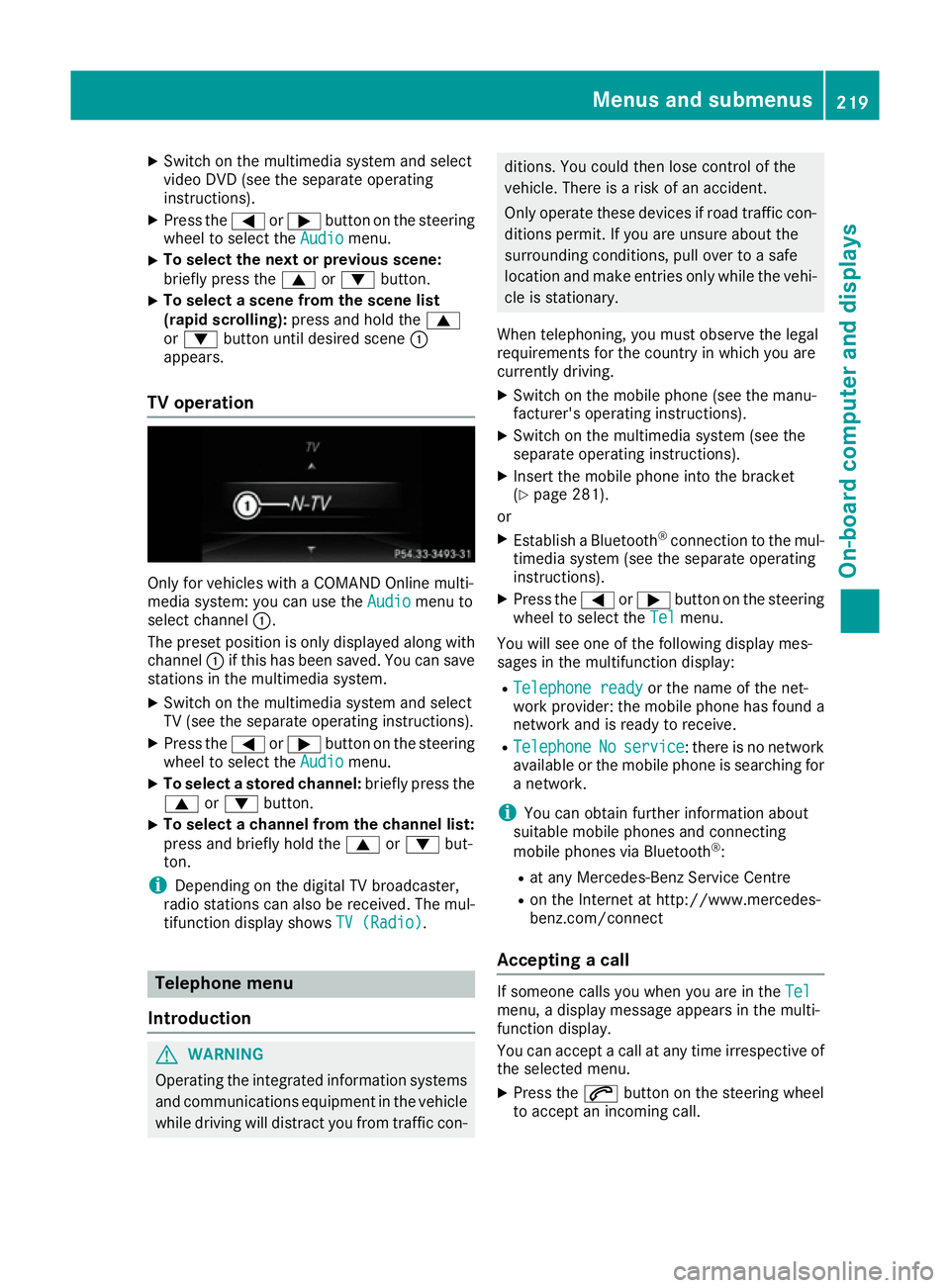
TV operation Only for vehicles with a COMAND Online multi-
media system: you can use the Audio Audiomenu to
select channel :.
The preset position is only displayed along with
channel :if this has been saved. You can save
stations in the multimedia system.
X Switch on the multimedia system and select
TV (see the separate operating instructions).
X Press the =or; button on the steering
wheel to select the Audio
Audio menu.
X To select a stored channel: briefly press the
9 or: button.
X To select a channel from the channel list:
press and briefly hold the
9or: but-
ton.
i Depending on the digital TV broadcaster,
radio stations can also be received. The mul-
tifunction display shows TV (Radio) TV (Radio).Telephone menu
Introduction G
WARNING
Operating the integrated information systems and communications equipment in the vehicle
while driving will distract you from traffic con- ditions. You could then lose control of the
vehicle. There is a risk of an accident.
Only operate these devices if road traffic con-
ditions permit. If you are unsure about the
surrounding conditions, pull over to a safe
location and make entries only while the vehi-
cle is stationary.
When telephoning, you must observe the legal
requirements for the country in which you are
currently driving. X Switch on the mobile phone (see the manu-
facturer's operating instructions).
X Switch on the multimedia system (see the
separate operating instructions).
X Insert the mobile phone into the bracket
(Y page 281).
or
X Establish a Bluetooth ®
connection to the mul-
timedia system (see the separate operating
instructions).
X Press the =or; button on the steering
wheel to select the Tel Telmenu.
You will see one of the following display mes-
sages in the multifunction display:
R Telephone ready
Telephone ready or the name of the net-
work provider: the mobile phone has found a network and is ready to receive.
R Telephone
Telephone No
Noservice
service : there is no network
available or the mobile phone is searching for
a network.
i You can obtain further information about
suitable mobile phones and connecting
mobile phones via Bluetooth ®
:
R at any Mercedes-Benz Service Centre
R on the Internet at http://www.mercedes-
benz.com/connect
Accepting a call If someone calls you when you are in the
Tel Tel
menu, a display message appears in the multi-
function display.
You can accept a call at any time irrespective of
the selected menu.
X Press the 6button on the steering wheel
to accept an incoming call. Menus and submenus
219On-board computer and displays Z
Page 223 of 349
Rejecting or ending a call
X
Press the ~button on the steering wheel
to reject or end an incoming call.
Selecting an entry in the phone book X
Press the =or; button on the steering
wheel to select the Tel
Tel menu.
X Press the 9,:ora button to
switch to the phone book.
X Authorise access to the phone book on the
phone.
X Press the 9or: button to select the
desired name.
or
X To start rapid scrolling: press and hold:
or 9 for longer than one second.
The names in the phone book are displayed
quickly one after the other.
Rapid scrolling stops when you release the
button or reach the end of the list.
X If only one telephone number is stored for
a name: press the 6ora button to
start dialling.
or
X If there is more than one number for a
particular name: press the6ora
button to display the numbers.
X Press the 9or: button to select the
number you want to dial.
X Press the 6ora button to start dial-
ling.
or
X To exit the telephone book: press the~
or % button.
Redialling The on-board computer saves the last names or
numbers dialled in the redial memory.
X Press the =or; button on the steering
wheel to select the Tel
Tel menu.
X Press the 6button to switch to the redial
memory.
X Press the 9or: button to select the
desired name or number. X
Press the 6ora button to start dial-
ling.
or X To exit the redial memory: press the~
or % button. Assistance menu
Introduction Depending on the equipment fitted in the vehi-
cle, you have the following options in the
Assist. Assist. menu:
R Showing the assistance graphic
(Y page 220)
R Activating/deactivating the Traffic Sign
Assist display (Y page 221)
R Deactivating/activating ESP ®
(Y page 221)
R Activating/deactivating Steering Assist and
Stop&Go Pilot of DISTRONIC PLUS
(Y page 222)
R Activating/deactivating PRE-SAFE ®
Brake
(Y page 221)
R Activating/deactivating COLLISION PREVEN-
TION ASSIST PLUS (Y page 221)
R Activating/deactivating ATTENTION ASSIST
(Y page 222)
R Activating/deactivating Blind Spot Assist or
Active Blind Spot Assist (Y page 222)
R Activating/deactivating Lane Keeping Assist
or Active Lane Keeping Assist (Y page 222)
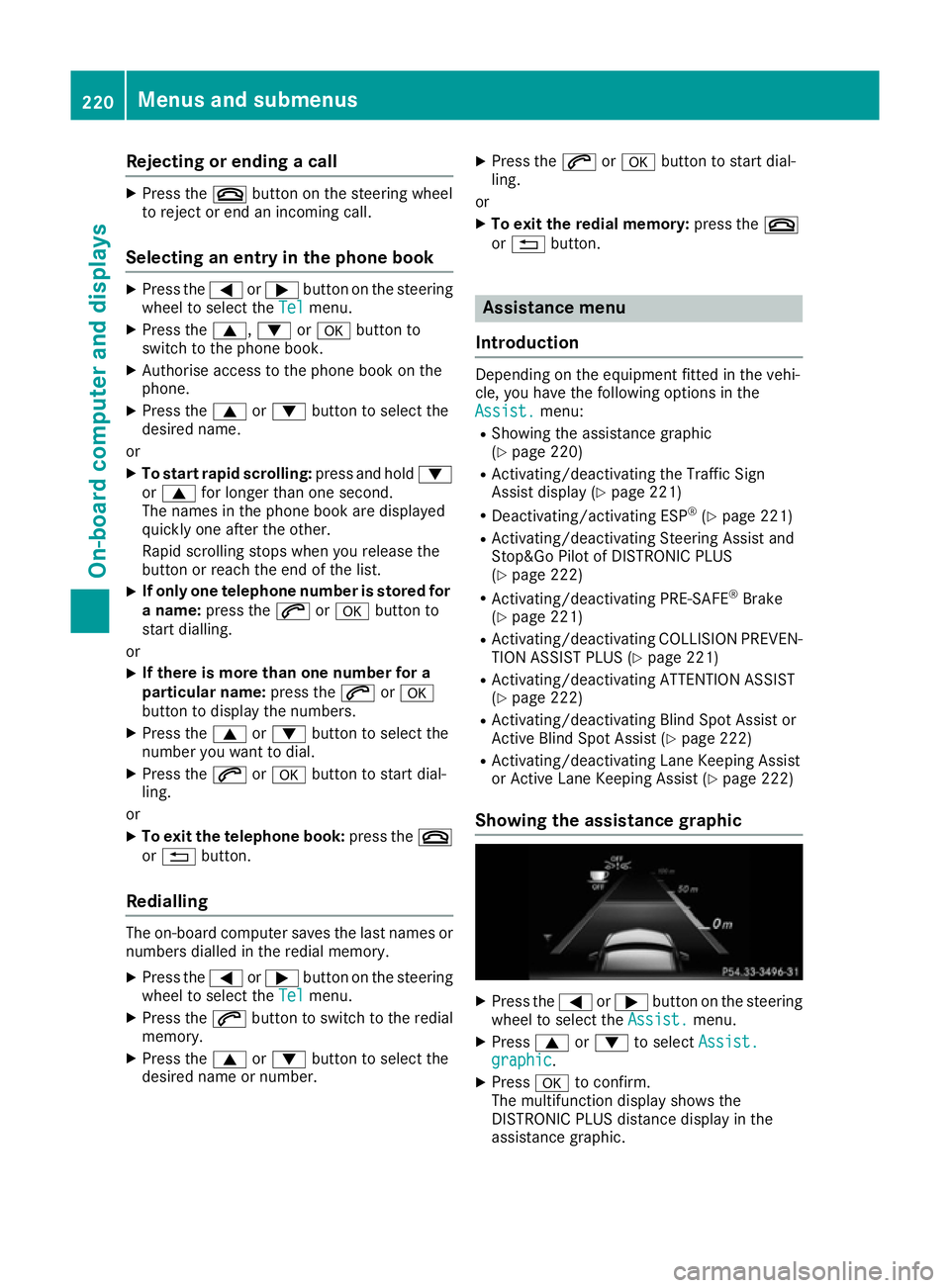
Showing the assistance graphic X
Press the =or; button on the steering
wheel to select the Assist. Assist.menu.
X Press 9or: to select Assist.
Assist.
graphic
graphic.
X Press ato confirm.
The multifunction display shows the
DISTRONIC PLUS distance display in the
assistance graphic. 220
Menus and submenusOn-board computer and displays