2015 FORD MUSTANG See manual
[x] Cancel search: See manualPage 126 of 441
3. With the key in this position, press the
brake pedal (automatic transmission)
or clutch pedal (manual transmission),
then the START button to switch the
ignition on and start your vehicle.
Fast Restart
The fast restart feature allows you to
restart the engine within 20 seconds of
switching it off, even if a valid key is not
present.
Within 20 seconds of switching the engine
off, press the brake pedal (automatic
transmission) or clutch pedal (manual
transmission) and press the button. After
20 seconds have expired, you can no
longer restart the engine without the key
present inside your vehicle.
Once the engine has started, it remains
running until you press the button, even if
the system does not detect a valid key. If
you open and close a door while the engine
is running, the system searches for a valid
key. You cannot restart the engine if the
system does not detect a valid key within
20 seconds.
Failure to Start
If you cannot start the engine after three
attempts, wait 10 seconds and follow this
procedure:
1. If your vehicle is equipped with an automatic transmission, fully press the
brake pedal. If your vehicle is equipped
with a manual transmission, fully press
the clutch pedal and apply the
handbrake.
2. Move the transmission selector lever to park (P) (automatic transmission)
or neutral (manual transmission).
3. Fully press the accelerator pedal and hold it there.
4. Start the engine. Automatic Engine Shutdown
Your vehicle is equipped with a feature that
automatically shuts down the engine if it
has been idling for an extended period. The
ignition also turns off in order to save
battery power. Before the engine shuts
down, a message appears in the
information display showing a timer
counting down from 30 seconds. If you do
not intervene within 30 seconds, the engine
shuts down. Another message appears in
the information display to inform you that
the engine has shut down in order to save
fuel. Start your vehicle as you normally do.
Automatic Engine Shutdown Override
Note:
You cannot permanently switch off
the automatic engine shutdown feature.
When you switch it off temporarily, it turns
on at the next ignition cycle.
You can stop the engine shutdown, or reset
the timer, at any point before the
30-second countdown has expired by
doing any of the following:
• You can reset the timer by interacting
with your vehicle (such as pressing the
brake pedal or accelerator pedal).
• You can temporarily switch off the
shutdown feature any time the ignition
is on (for the current ignition cycle
only). Use the information display to
do so. See Information Displays
(page 83).
• During the countdown before engine
shutdown, you are prompted to press
OK or RESET (depending on your type
of information display) to temporarily
switch the feature off (for the current
ignition cycle only).
Stopping the Engine When Your
Vehicle is Stationary
1. Move the transmission selector lever to park (P) (automatic transmission)
or neutral (manual transmission).
123
Mustang (), enUSA, First Printing Starting and Stopping the Engine
Page 140 of 441
With your vehicle in drive (D), the paddle
shifters provide temporary manual control.
They allow you the ability to shift gears
quickly, without taking your hands off the
steering wheel.
You can achieve extensive manual control
by moving the gearshift lever to the sport
(S) position.
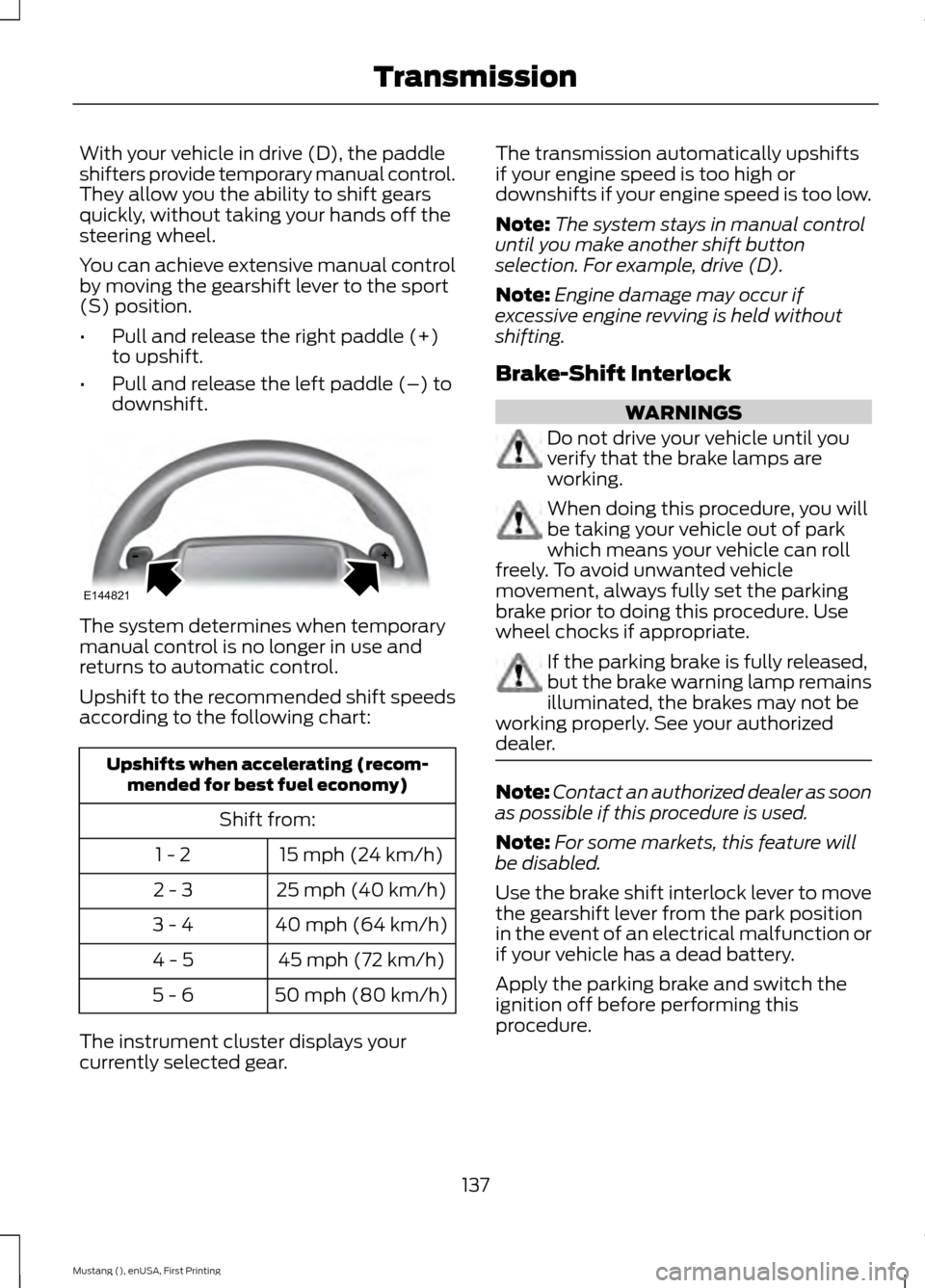
•
Pull and release the right paddle (+)
to upshift.
• Pull and release the left paddle (–) to
downshift. The system determines when temporary
manual control is no longer in use and
returns to automatic control.
Upshift to the recommended shift speeds
according to the following chart:
Upshifts when accelerating (recom-
mended for best fuel economy)
Shift from:15 mph (24 km/h)
1 - 2
25 mph (40 km/h)
2 - 3
40 mph (64 km/h)
3 - 4
45 mph (72 km/h)
4 - 5
50 mph (80 km/h)
5 - 6
The instrument cluster displays your
currently selected gear. The transmission automatically upshifts
if your engine speed is too high or
downshifts if your engine speed is too low.
Note:
The system stays in manual control
until you make another shift button
selection. For example, drive (D).
Note: Engine damage may occur if
excessive engine revving is held without
shifting.
Brake-Shift Interlock WARNINGS
Do not drive your vehicle until you
verify that the brake lamps are
working.
When doing this procedure, you will
be taking your vehicle out of park
which means your vehicle can roll
freely. To avoid unwanted vehicle
movement, always fully set the parking
brake prior to doing this procedure. Use
wheel chocks if appropriate. If the parking brake is fully released,
but the brake warning lamp remains
illuminated, the brakes may not be
working properly. See your authorized
dealer. Note:
Contact an authorized dealer as soon
as possible if this procedure is used.
Note: For some markets, this feature will
be disabled.
Use the brake shift interlock lever to move
the gearshift lever from the park position
in the event of an electrical malfunction or
if your vehicle has a dead battery.
Apply the parking brake and switch the
ignition off before performing this
procedure.
137
Mustang (), enUSA, First Printing TransmissionE144821
Page 144 of 441

WARNINGS
Always set the parking brake fully
and make sure that the transmission
is securely latched in park (P)
(automatic transmission) or first gear (1)
(manual transmission). To set the parking brake, pull the parking
brake handle up as far as possible.
To release the parking brake:
1. Press and hold the button located at
the end of the parking brake handle.
2. Pull the handle up slightly, then push the handle down.
HILL START ASSIST WARNINGS
The system does not replace the
parking brake. When you leave your
vehicle, always apply the parking
brake and shift the transmission into park
(P) for automatic transmission or first gear
for manual transmission. You must remain in your vehicle once
you have activated the system.
During all times, you are responsible
for controlling your vehicle,
supervising the system and
intervening, if required. If the engine is revved excessively, or
if a malfunction is detected, the
system will be deactivated.
The system makes it easier to pull away
when your vehicle is on a slope without the
need to use the parking brake. When the system is active, your vehicle will
remain stationary on the slope for two to
three seconds after you release the brake
pedal. This allows you time to move your
foot from the brake to the accelerator
pedal. The brakes are released
automatically once the engine has
developed sufficient drive to prevent your
vehicle from rolling down the slope. This
is an advantage when pulling away on a
slope, for example from a car park ramp,
traffic lights or when reversing uphill into
a parking space.
The system will activate automatically on
any slope that will cause significant vehicle
rollback. For vehicles with a manual
transmission, you can switch this feature
off using the information display. See
Information Displays (page 83). The
system will remain on or off depending on
how it was last set.
Using Hill Start Assist
1. Press the brake pedal to bring your vehicle to a complete standstill. Keep
the brake pedal pressed.
2. If the sensors detect that your vehicle is on a slope, the system will activate
automatically.
3. When you remove your foot from the brake pedal, your vehicle will remain
on the slope without rolling away for
about two or three seconds. This hold
time will automatically be extended if
you are in the process of driving off.
4. Drive off in the normal manner. The brakes will release automatically.
141
Mustang (), enUSA, First Printing Brakes
Page 145 of 441
PRINCIPLE OF OPERATION
The traction control system helps avoid
drive wheel spin and loss of traction.
If your vehicle begins to slide, the system
applies the brakes to individual wheels
and, when needed, reduces engine power
at the same time. If the wheels spin when
accelerating on slippery or loose surfaces,
the system reduces engine power in order
to increase traction.
USING TRACTION CONTROL
In certain situations (for example, stuck in
snow or mud), you can turn the traction
control off. This may be beneficial as this
allows the wheels to spin with full engine
power.
Turn the traction control system off by
toggling the stability control switch. Your
vehicle may have restrictions regarding this
feature. See Principle of Operation
(page 50). Locate the switch at the lower
center of the instrument panel. System Indicator Lights and
Messages WARNING
If a failure has been detected within
the traction control system, the
stability control light will illuminate
steadily. Verify that the traction control
system was not manually disabled using
the stability control button. If the stability
control light still illuminates steadily, have
the system serviced by an authorized
dealer immediately. Operating your vehicle
with traction control disabled could lead
to an increased risk of loss of vehicle
control, vehicle rollover, personal injury and
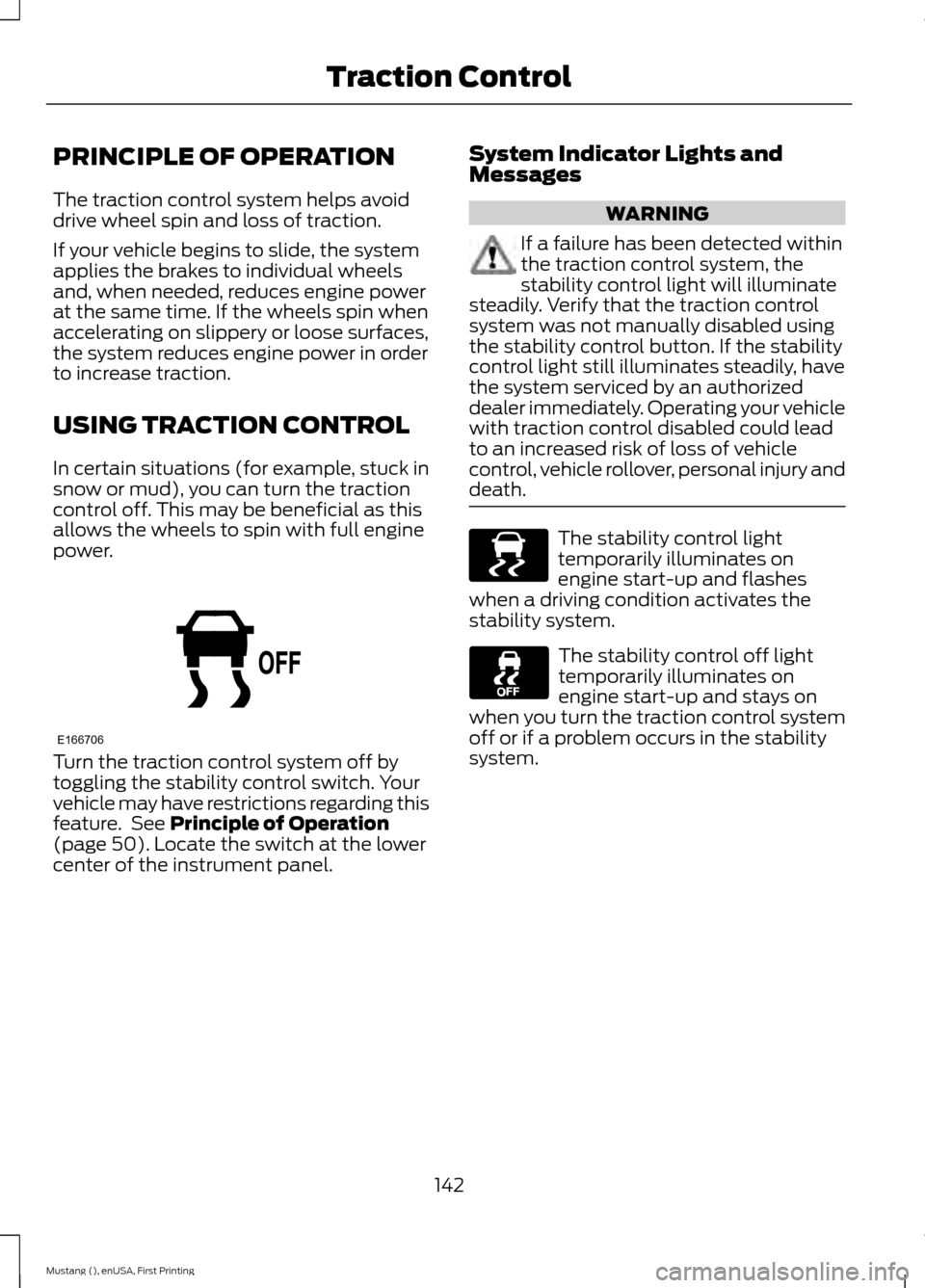
death. The stability control light
temporarily illuminates on
engine start-up and flashes
when a driving condition activates the
stability system. The stability control off light
temporarily illuminates on
engine start-up and stays on
when you turn the traction control system
off or if a problem occurs in the stability
system.
142
Mustang (), enUSA, First Printing Traction ControlE166706 E138639
Page 146 of 441

PRINCIPLE OF OPERATION
WARNINGS
Vehicle modifications involving
braking system, aftermarket roof
racks, suspension, steering system,
tire construction and wheel and tire size
may change the handling characteristics
of the vehicle and may adversely affect
the performance of the AdvanceTrac
system. In addition, installing any stereo
loudspeakers may interfere with and
adversely affect the AdvanceTrac system.
Install any aftermarket stereo loudspeaker
as far as possible from the front center
console, the tunnel, and the front seats in
order to minimize the risk of interfering with
the AdvanceTrac sensors. Reducing the
effectiveness of the AdvanceTrac system
could lead to an increased risk of loss of
vehicle control, vehicle rollover, personal
injury and death. Remember that even advanced
technology cannot defy the laws of
physics. It’
s always possible to lose
control of a vehicle due to inappropriate
driver input for the conditions. Aggressive
driving on any road condition can cause
you to lose control of your vehicle
increasing the risk of personal injury or
property damage. Activation of the
AdvanceTrac system is an indication that
at least some of the tires have exceeded
their ability to grip the road; this could
reduce the operator ’s ability to control the
vehicle potentially resulting in a loss of
vehicle control, vehicle rollover, personal
injury and death. If your AdvanceTrac
system activates, SLOW DOWN. If a failure has been detected within
the traction control system, the
stability control light will illuminate
steadily. Verify that the traction control
system was not manually disabled using
the stability control button. If the stability
control light still illuminates steadily, have WARNINGS
the system serviced by an authorized
dealer immediately. Operating your vehicle
with traction control disabled could lead
to an increased risk of loss of vehicle
control, vehicle rollover, personal injury and
death. The stability control light
temporarily illuminates on
engine start-up and flashes
when a driving condition activates the
stability system. The stability control off light
temporarily illuminates on
engine start-up, and stays on
when you turn the traction control system
off or select alternative stability control
modes.
The AdvanceTrac Control system helps
you keep control of your vehicle when on
a slippery surface. The electronic stability
control portion of the system helps avoid
skids and lateral slides. The traction
control system helps avoid drive wheel
spin and loss of traction. See Using
Traction Control (page 142).
143
Mustang (), enUSA, First Printing Stability ControlE138639
Page 154 of 441
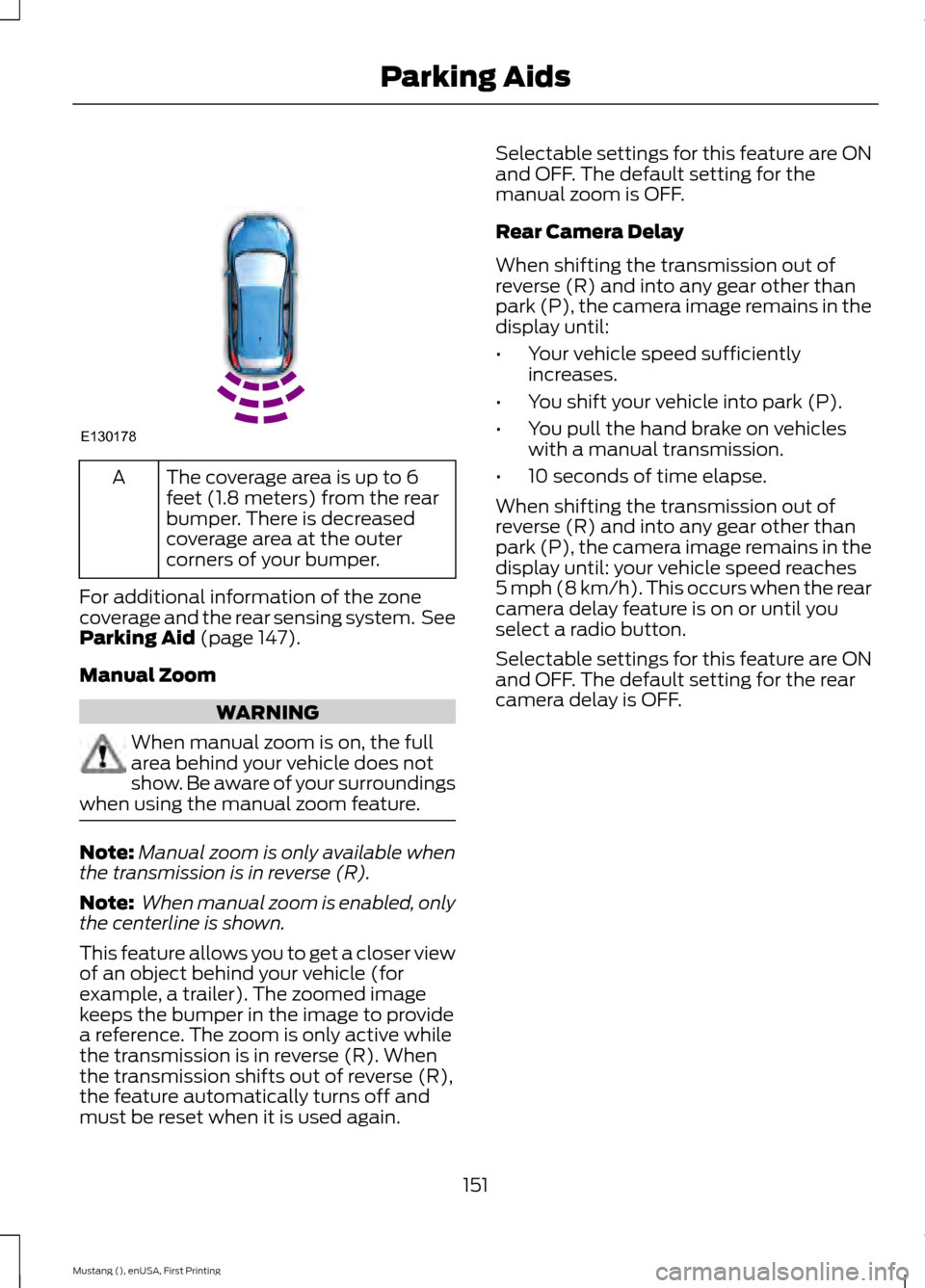
The coverage area is up to 6
feet (1.8 meters) from the rear
bumper. There is decreased
coverage area at the outer
corners of your bumper.
A
For additional information of the zone
coverage and the rear sensing system. See
Parking Aid (page 147).
Manual Zoom WARNING
When manual zoom is on, the full
area behind your vehicle does not
show. Be aware of your surroundings
when using the manual zoom feature. Note:
Manual zoom is only available when
the transmission is in reverse (R).
Note: When manual zoom is enabled, only
the centerline is shown.
This feature allows you to get a closer view
of an object behind your vehicle (for
example, a trailer). The zoomed image
keeps the bumper in the image to provide
a reference. The zoom is only active while
the transmission is in reverse (R). When
the transmission shifts out of reverse (R),
the feature automatically turns off and
must be reset when it is used again. Selectable settings for this feature are ON
and OFF. The default setting for the
manual zoom is OFF.
Rear Camera Delay
When shifting the transmission out of
reverse (R) and into any gear other than
park (P), the camera image remains in the
display until:
•
Your vehicle speed sufficiently
increases.
• You shift your vehicle into park (P).
• You pull the hand brake on vehicles
with a manual transmission.
• 10 seconds of time elapse.
When shifting the transmission out of
reverse (R) and into any gear other than
park (P), the camera image remains in the
display until: your vehicle speed reaches
5 mph (8 km/h). This occurs when the rear
camera delay feature is on or until you
select a radio button.
Selectable settings for this feature are ON
and OFF. The default setting for the rear
camera delay is OFF.
151
Mustang (), enUSA, First Printing Parking AidsE130178
Page 166 of 441
All other system faults will display only
with a message in the information display.
See Information Messages (page 91).
Switching the Systems Off and On
You can temporarily switch off one or both
systems in the information display. See
General Information
(page 83). When
you switch off the Blind Spot Information
System, you will not receive alerts and the
information display will display a system
off message.
Note: The cross traffic alert system always
turns on whenever the ignition is switched
on. However, the Blind Spot Information
System will remember the last selected on
or off setting.
You cannot switch one or both systems
off when MyKey is used.
See Principle of
Operation (page 50).
You can also have one or both systems
switched off permanently at an authorized
dealer. Once switched off, only an
authorized dealer can switch the system
back on.
STEERING
Electric Power Steering WARNINGS
The electric power steering system
has diagnostic checks that
continuously monitor the system to
ensure proper operation. When a system
error is detected a steering message will
appear in the information display. The electric power steering system
has diagnostic checks that
continuously monitor the system to
ensure proper operation of the electronic
system. When an electronic error is
detected, a message will be displayed in
the information display. If this happens,
stop the vehicle in a safe place, and turn WARNINGS
off the engine. After at least 10 seconds,
reset the system by restarting the engine,
and watch the information display for a
steering message. If a steering message
returns, or returns while driving, take the
vehicle to your dealer to have it checked. Obtain immediate service if a system
error is detected. You may not notice
any difference in the feel of your
steering, but a serious condition may exist.
Failure to do so may result in loss of
steering control. Your vehicle has an electric power steering
system. There is no fluid reservoir to check
or fill.
If your vehicle loses electrical power while
you are driving (or if you switch the ignition
off), you can steer your vehicle manually,
but it takes more effort. Extreme
continuous steering may increase the effort
it takes for you to steer. This occurs to
prevent internal overheating and
permanent damage to your steering
system. If this should occur, you will neither
lose the ability to steer your vehicle
manually nor will it cause permanent
damage. Typical steering and driving
maneuvers allows the system to cool and
steering assist to return to normal.
Steering Tips
If the steering wanders or pulls, check for:
•
An improperly inflated tire.
• Uneven tire wear.
• Loose or worn suspension
components.
• Loose or worn steering components.
• Improper vehicle alignment.
A high crown in the road or high crosswinds
may also make the steering seem to
wander or pull.
163
Mustang (), enUSA, First Printing Driving Aids
Page 184 of 441
ESSENTIAL TOWING CHECKS
Follow these guidelines for safe towing:
•
Do not tow a trailer until you drive your
vehicle at least 1000 miles (1600
kilometers).
• Consult your local motor vehicle laws
for towing a trailer.
• See the instructions included with
towing accessories for the proper
installation and adjustment
specifications.
• Service your vehicle more frequently if
you tow a trailer. See your scheduled
maintenance information.
• If you use a rental trailer, follow the
instructions the rental agency gives
you.
You can find information on load
specification terms found on the tire label
and Safety Compliance label as well as
instructions on calculating your vehicle's
load in the Load Carrying chapter. See
Load Limit (page 168).
Remember to account for the trailer
tongue weight as part of your vehicle load
when calculating the total vehicle weight.
Hitches
Do not use a hitch that either clamps onto
the bumper or attaches to the axle.
Distribute the trailer load so 10-15% of the
total trailer weight is on the tongue.
Safety Chains
Note: Never attach safety chains to the
bumper.
Always connect the safety chains to the
hook retainers of your vehicle hitch.
To connect the safety chains, cross them
under the trailer tongue and allow enough
slack for turning tight corners. Do not allow
the chains to drag on the ground. Trailer Brakes WARNING
Do not connect a trailer's hydraulic
brake system directly to your
vehicle's brake system. Your vehicle
may not have enough braking power and
your chances of having a collision greatly
increase. Electric brakes and manual, automatic or
surge-type trailer brakes are safe if you
install them properly and adjust them to
the manufacturer's specifications. The
trailer brakes must meet local and federal
regulations.
The rating for the tow vehicle's braking
system operation is at the gross vehicle
weight rating, not the gross combined
weight rating.
Trailer Lamps
WARNING
Never connect any trailer lamp wiring
to the vehicle's tail lamp wiring; this
may damage the electrical system
resulting in fire. Contact your authorized
dealer as soon as possible for assistance
in proper trailer tow wiring installation.
Additional electrical equipment may be
required. Trailer lamps are required on most towed
vehicles. Make sure all running lights, brake
lights, direction indicators and hazard lights
are working.
Before Towing a Trailer
Practice turning, stopping and backing up
to get the feel of your vehicle-trailer
combination before starting on a trip.
When turning, make wider turns so the
trailer wheels clear curbs and other
obstacles.
181
Mustang (), enUSA, First Printing Towing