Page 71 of 429
2. Next, inform Uconnect® Care that your vehicle has
been stolen. Uconnect® Care can be reached by calling
855-792-4241. The Uconnect® Care Agent will ask for
the stolen vehicle report number (as issued by your
local law enforcement).
If you have downloaded the Uconnect® Access App,
you can push the “Operator” button on your smart-
phone and select “Uconnect® Care” to make the call.
3. Uconnect® Care will authenticate that you are the
owner of the vehicle and contact the law enforcement
with whom you filed the stolen vehicle report.
4. Uconnect® Care will work with your local law en-
forcement to track and attempt to recover the vehicle.
You will be contacted by law enforcement if your
vehicle is recovered. While the investigation is ongo-
ing, you should also contact your insurance company
to inform it of the situation.
Requirements
•Vehicle must be properly equipped with the
Uconnect® Access System.
•Vehicle must be in range of a usable and authorized
cellular signal.
•Vehicle must be registered with Uconnect® Access and
have an active subscription that includes the appli-
cable feature or App.
Disclaimers
•No security system is invincible, and vehicle thieves
may develop ways to prevent your vehicle from being
located.
70 ALL ABOUT Uconnect® ACCESS
Page 80 of 429

FAQs
1.How do I know if I have a good signal strength?
There is a signal strength indicator on the Apps button
of the radio touchscreen.
2.What do I do if the WiFi Hotspot connection drops
while I’m driving?The connection will be automatic
when you enter an area with cellular coverage. Factors
affecting the performance of WiFi Hotspot include:
cellular network signal strength and quality, time of
day, number of channels used by the service provider,
type of connection, number of client using WiFi
Hotspot, client device.
3.What is the factory default security setting?WPA2/
WPA
4.What if I want to create a custom password for my
connection?Select either WPA2/WPA or the WEP
setting and create a pass phrase by pressing Apps >
All Apps > WiFi Hotspot > View/Edit Pass phrase.
5.I do not see the connection on my wireless laptop or
phone, what should I do?Refer to your device’s
owner ’s manual for specific information related to
your device.
6.Are there any data constraints with WiFi Hotspot?
WiFi Hotspot must be purchased in either one day, one
week or one month durations.
2
ALL ABOUT Uconnect® ACCESS 79
Page 94 of 429

9.What are “Timer Constraints” or criteria that needs
to be met to show performance data?
•0-60 MPH or 0-100 kph ET reached within 10 seconds
•Distance of 1/4 mile and 1/8 mile
•Brake timer when traveling > 30 MPH
•A braking event goes beyond 30 seconds
10.How many Timers are stored on the radio and for
how long?Performance timers are maintained as
long as you drive the vehicle. You can save the
statistics at any time.
11.Do all Timer measurements give a “Best”, “Last”
and Current” value?They all do except for Braking
which will not provide a “Best” measurement.
Voice Texting
Add Free-Form Voice Texts To Your Voice Text Reply Feature
Description
This Voice Texting enhances the Voice Text Reply feature
built into your Uconnect® Access 8.4A and 8.4AN radio.
While Voice Text Reply provides 18 pre-defined messages
you can send, Voice Texting lets you create and send
nearly any message you want. Just speak your message
as if you were talking to the recipient, and the Uconnect®
Access voice-texting technology will convert your voice
into a text message.
Voice Texting and Voice Text Reply features are compatible
with many newer Android and Blackberry phones. Before
using, determine if your phone has been tested to support
Bluetooth® “Message Access Profile (MAP)” at
UconnectPhone.com. iPhone® and some other smart-
phones do not currently support Bluetooth® MAP. En-
sure MAP is ON and incoming message notification is
enabled.
2
ALL ABOUT Uconnect® ACCESS 93
Page 95 of 429

How It Works
Set Up Your Phone To Work With Voice Texting
After pairing your phone to the vehicle using Bluetooth®
(seeUconnectPhone.com), push the “phone” button on
the menu bar of the radio to see the main Phone screen.
A minute or so after a compatible MAP enabled phone
has been Bluetooth® connected to the vehicle; the “mes-
saging” button on the touchscreen will change from gray
to white. This is an indicator that Voice Texting will work
with your phone. Outgoing voice texts may not be
possible. The phone may allow incoming texts only.
Determine if your phone has been tested to support
Bluetooth® “Message Access Profile” (MAP) - at
UconnectPhone.com. (Your phone may support Voice
Texting even if not found on this website. Check with
your phone manufacturer to see if it supports MAP
protocol.)
NOTE:If phone supports MAP, then ensure MAP is on
and incoming message notification is enabled, (see
UconnectPhone.comfor phone specific instructions).
Follow the steps below to see if your phone can set up to
work with Voice Texting.
94 ALL ABOUT Uconnect® ACCESS
Page 96 of 429

Generic Phone Setup Instructions (your phone’s setup
process may be similar):
1. On phone select “Settings” (or the equivalent on your
phone)
2. Select Wireless/Bluetooth® settings
3. Ensure Bluetooth® is on (box checked)
4. Select Bluetooth® settings
5. Select Advanced setting
6. Ensure Message Access service is on (box checked)
7. Select Message Access settings
8. Check the box for SMS
9. Press the back button twice to return to the Bluetooth®
settings screen
10. Check the box for Discoverable
If a Bluetooth® authorization window appears showing
your phone requesting permissions, check the box for
Always and press Accept.
Sending A New Text Message From Radio
1. Pushon the steering wheel.
2. Say“Send text message.”
3. The system will respond “Say the phone number or
the full name and the phone type of the contact that
you want to send a message to.”
4. Dictate message (“I will be home at eight.”)
5. When finished dictating, wait for prompt and say
“Send.”
2
ALL ABOUT Uconnect® ACCESS 95
Page 97 of 429
Dictate A Free-Form Reply To A Message From Radio
(Voice Text Reply)
1. Say“Reply to message n”
n = the number of the message
OR
Press “Reply” after viewing message
OR
Push the phone button and say“Reply.”
2. The system will say “Please say the message you want
to send.” (“I will be home at eight.”)
3. Say the message you want to send up to 160 characters
of text.
4. The system will repeat the message you dictated and
state available commands. If your message was too
long, the system will respond with “Your message was
too long. Your message was truncated.” Say “Send,” or
“Start Over” or “Continue.”
5. Say“Continue”
OR
Say“Start over”
OR
Say“Repeat”
OR
Say“Send”
OR
Say“Cancel.”
96 ALL ABOUT Uconnect® ACCESS
Page 98 of 429
To Reply To A Message With A Pre-Formatted Re-
sponse (Voice Text Reply)
NOTE:This function only operates while the vehicle is
not in motion.
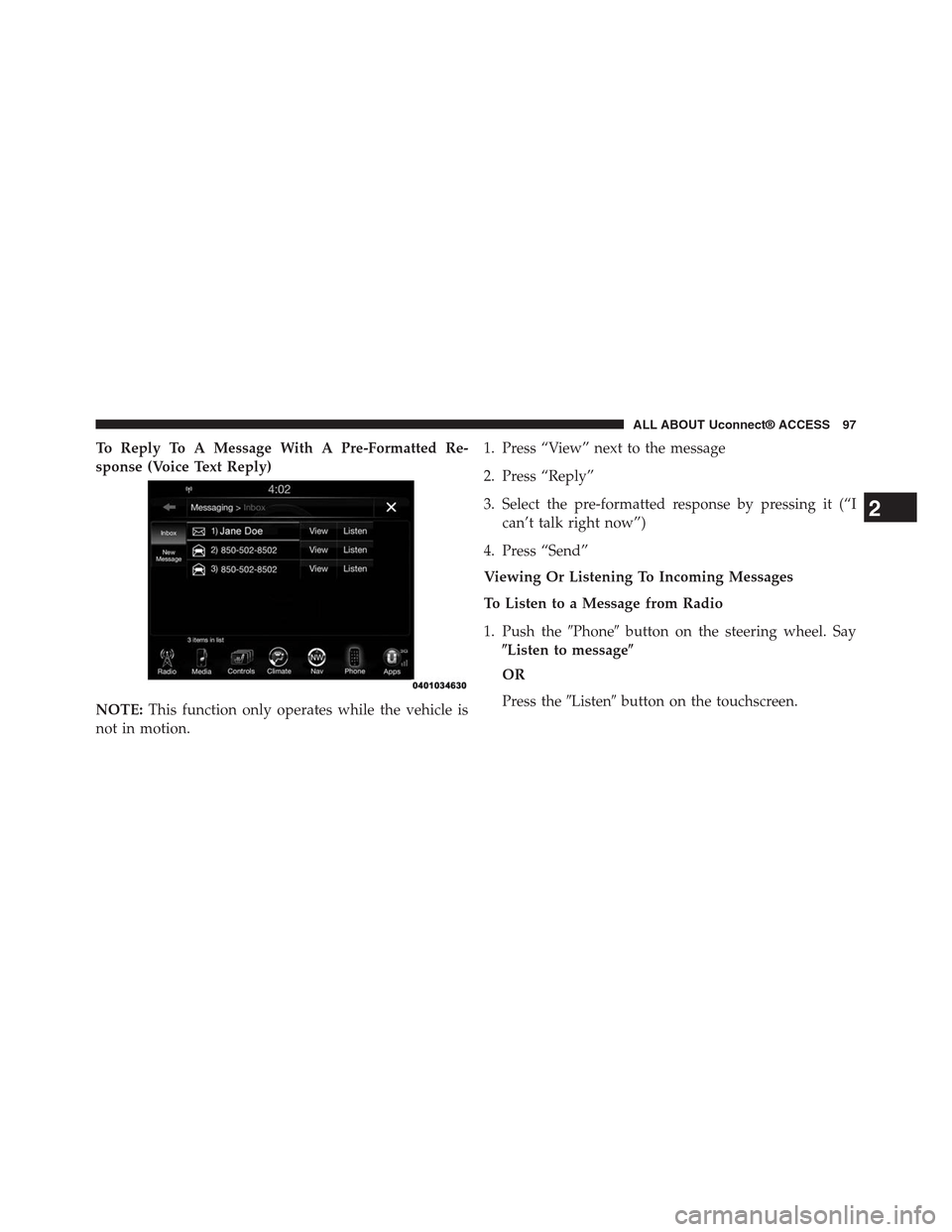
1. Press “View” next to the message
2. Press “Reply”
3. Select the pre-formatted response by pressing it (“I
can’t talk right now”)
4. Press “Send”
Viewing Or Listening To Incoming Messages
To Listen to a Message from Radio
1. Push the#Phone#button on the steering wheel. Say
$Listen to message$
OR
Press the#Listen#button on the touchscreen.
2
ALL ABOUT Uconnect® ACCESS 97
Page 99 of 429
Viewing Your Messages
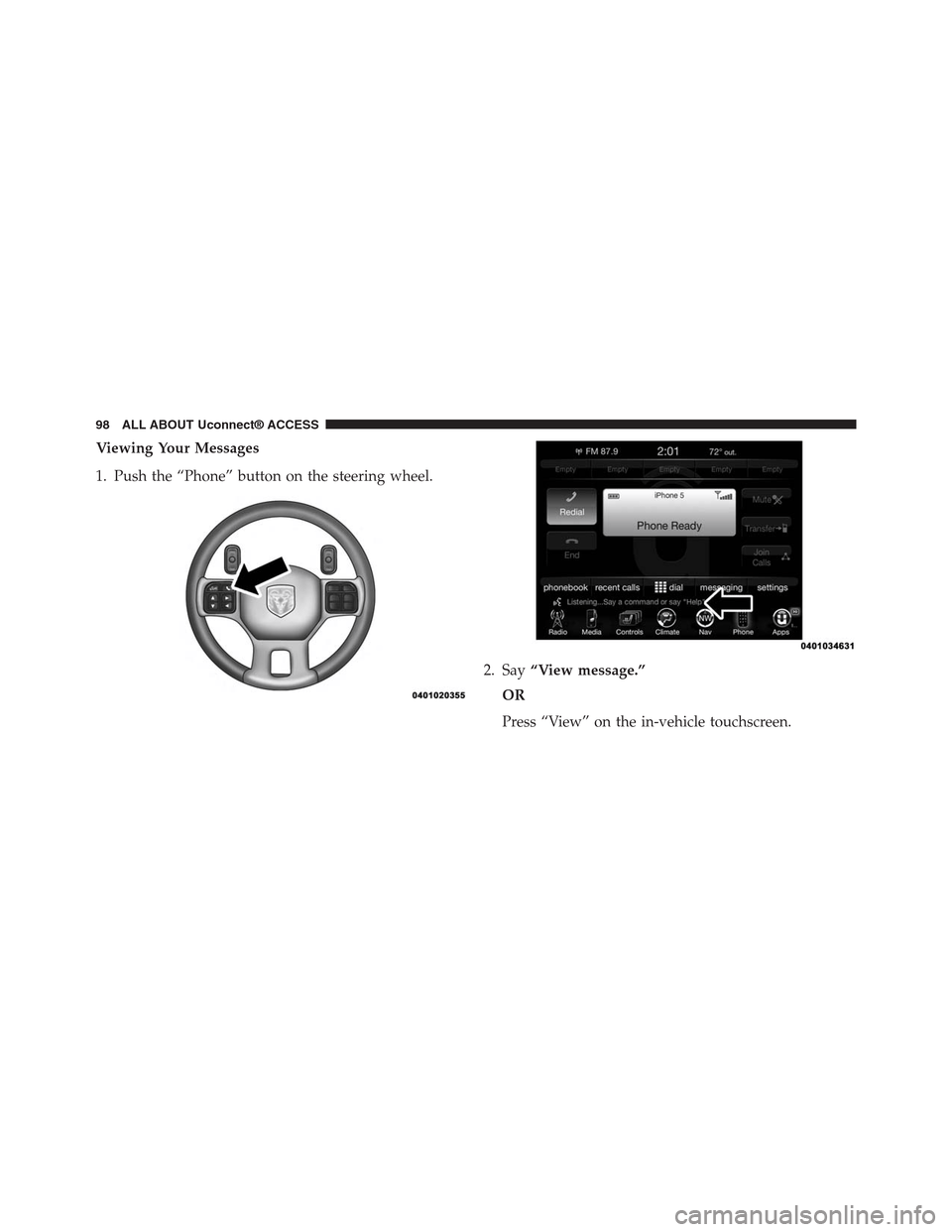
1. Push the “Phone” button on the steering wheel.
2. Say“View message.”
OR
Press “View” on the in-vehicle touchscreen.
98 ALL ABOUT Uconnect® ACCESS