2015 AUDI TT ROADSTER remote control
[x] Cancel search: remote controlPage 42 of 244
40 Opening and closing
-Remember -you can still open or close
the power windows for about ten mi
nutes after the ignition is switched off.
Only when either of the front doors are
opened are the power windows sw itched
off.
- Be careful when closing the windows.
Check to see that no one is in the way, or
serious injury could result!
- Always remove the ignition key whenever
you leave your vehicle .
- If you lock your vehicle from the outside,
no one, especially children, should re
ma in in the vehicle.
- Do not stick anything on the w indows or
the windsh ield that may interfere with
the driver's field of vision.
(D Tips
-When the doors are opened, the w in
dows are automat ically lowered 10 mm .
- The windows can still be opened and
closed for about ten m inutes after the
ignition has been turned off. The power
windows are not shut off until one of the
fron t doors is opened.
Convenience close/open feature
You can close or open the windows from out
side when you lock or unlock your car with the
key.
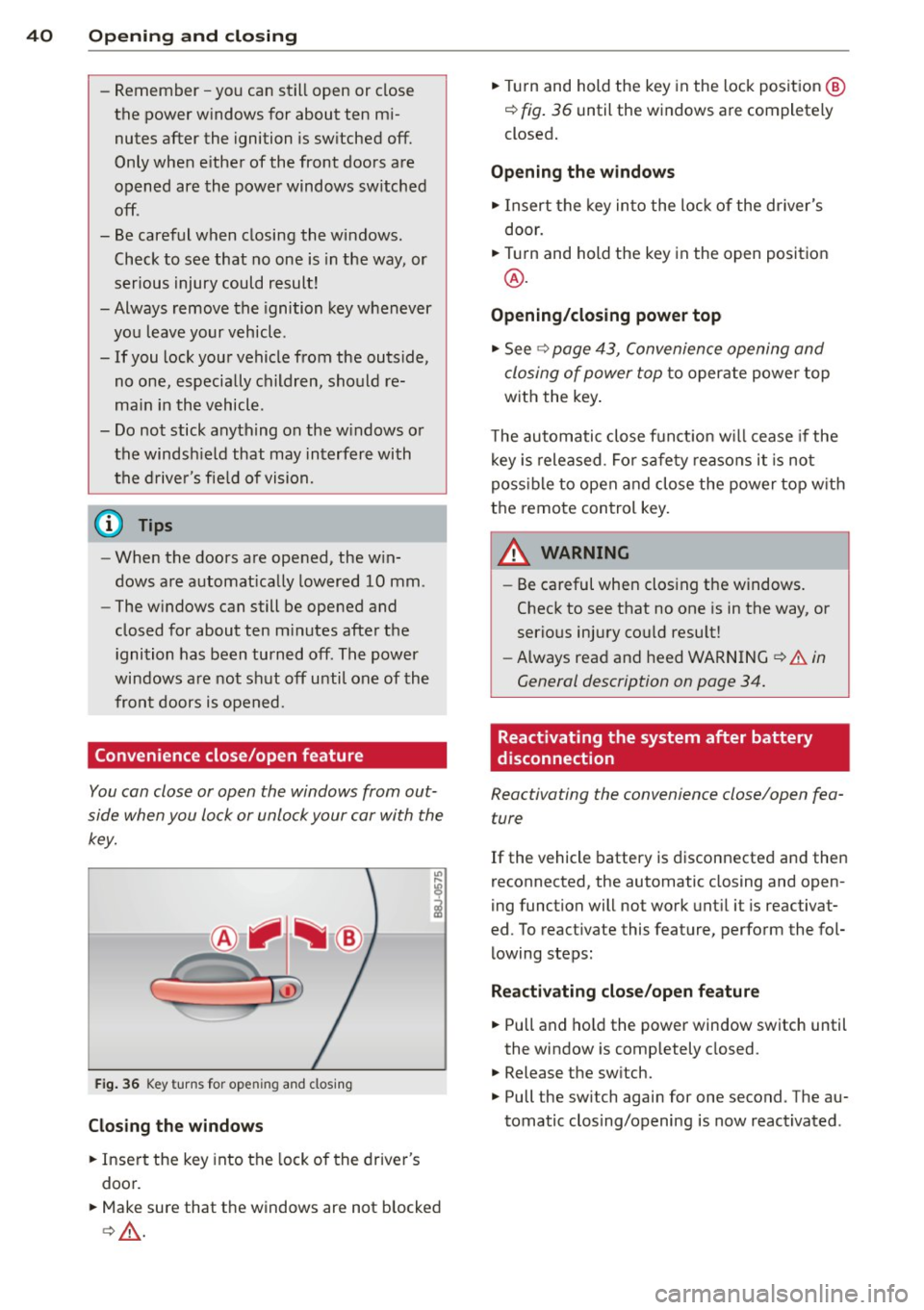
F ig. 36 Key turns for open ing and closing
Closing the windows
• Insert the key into the lock of the driver's
door.
• Make sure that the windows are not blocked
c> & .
• Tu rn and hold the key in the lock position @
¢ fig. 36 until the windows are completely
closed.
Opening the windows
• Insert the key into the lock of the driver's
door.
• Turn and hold the key in the open position
@.
Opening/closing power top
• See c> page 43, Convenience opening and
closing of power top
to operate power top
with the key.
T he automatic close funct io n w ill cease if the
key is released. Fo r sa fety reasons it is not
poss ible to open and close the power top w ith
the remote control key.
A WARNING
-
- Be careful when clos ing the windows.
Check to see that no one is in the way, or
serious injury cou ld resu lt!
- Always read and heed WARNING
~.&. in
General description on page
34.
Reactivating the system after battery
disconnection
Reactivating the convenience close/open fea
ture
If the vehicle battery is disconnected and then
reconnected, the automatic closing and open
ing function will not work until it is reactivat
ed. To react ivate this feature, perform the fol
lowing steps:
Reactivating close/open feature
• Pull and hold the power window switch until
the window is completely closed.
• Release the sw itch.
• Pull the sw itch again for one second . The au
tomatic clos ing/opening is now reactivated .
Page 46 of 244
44 Convertible top
Convenience opening
.,. Press the unlock but ton m on the remote
control key to unlock the vehicle.
.,. Turn the key in the driver door
once to posi
tion @~
fig. 42.
.,. Within two seconds turn the key a second
t ime and hold it in t his position until the
power top has completely retracted.
Convenience clos ing
.,. Turn the key in the dr iver door once to posi
tion @
~fig. 42.
.,. Within two seconds turn the key a second
time and hold it in this position until the
power top has completely closed .
Opening or clos ing motion stops
immediately
as soon as you re lease the key. For safety rea
sons, it is not possible to activate the
conven
ience feature with the remote control.
A WARNING
When opening and closing the powe r top
make sure to keep yourself a nd others
clear of all moving parts. Risk of injury!
Wind Deflector
The wind deflector reduces turbulence in the
passenger compartment and makes driving
more comfortable.
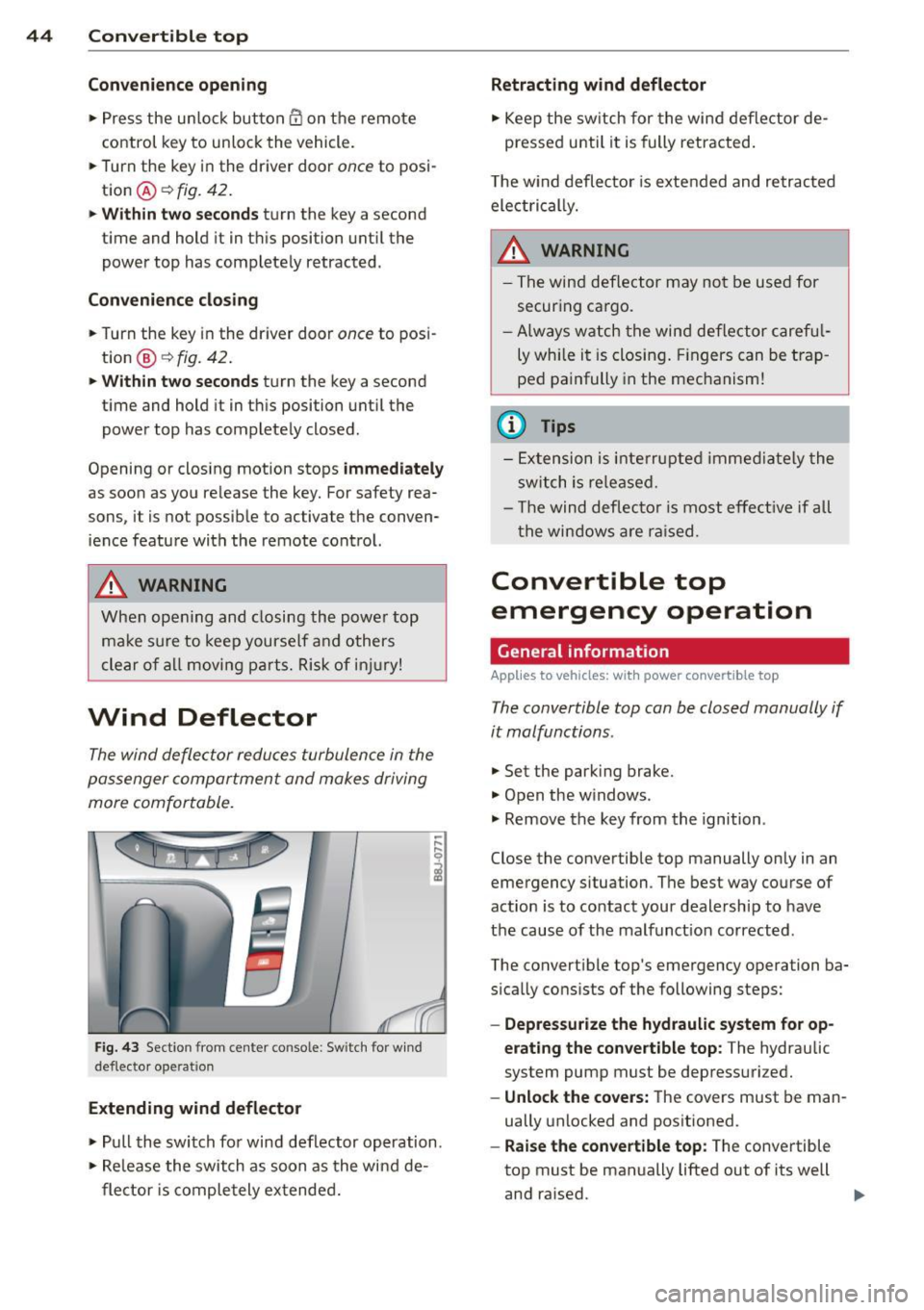
F ig. 43 Section from center console: Sw itch for w ind
deflecto r operation
Extending wind deflector
.. ,... ,... 0
i
.,. Pull the switch for wind deflector operation.
.,. Re lease the switch as soon as the wind de-
flector is completely extended.
Retracting wind deflector
.,. Keep the switch for the wind deflector de
pressed unti l it is fully retracted .
T he w ind deflector is extended and retracted
electrical ly .
A WARNING
- The wind deflector may not be used for
secur ing ca rgo.
-Al ways watch the wind deflector careful
ly while it is closing. Fingers can be trap
ped painfully in the mechanism!
(D Tips
-Extension is interrupted immediately the
switch is released.
- Th e wind deflector is most effective if all
th e windows are raised.
Convertible top
emergency operation
General information
Applies to vehicles: with power convertible top
-
The convertible top con be closed manually if
it malfunctions.
.,. Set the park ing brake.
.,. Open the w indows.
.,. Remove the key from the ignition .
Close the convertible top manually only in an
emergency situation. The best way course of
action is to contact your dealership to have
the cause of the malfunct ion corrected.
The convert ible top's emergency operation ba
s ically consists of the following steps:
- Oepressurize the hydraulic system for op
erating the convertible top :
The hydraulic
system pump must be depressurized.
- Unlock the covers: The covers must be man
ually unlocked and positioned .
-Raise the convertible top: The convertible
top must be manually lifted out of its well
and ra ised. ..,.
Page 60 of 244
58 Clear vision
-To help prevent damage to the wiper
arms or oth er components, do not at
tempt to move the wipers by hand.
@ Tips
- Commercial hot waxes applied by auto
matic car washes aff ect the cleanability
of the glass surface .
- The front wiper blades are different
lengths; the blade on the driver's side is
longer .
Digital compass
Activating or deactivating the compass
Applies to vehicles: with digital compass
Fig. 65 Inside re ar view mirro r: di gital compass ac ti
va ted
• To activate or deactivate , hold the@
¢ fig. 65 button down until the red display
appears or disappears.
The digital compass only works with the igni
tion turned on . The directions are displayed as
initials:
N (North), NE (Northeast) , E (East),
SE (Southeast) , S (South), SW (Southwest),
W (West), NW (Northwest).
The compass has to be recalibrated if the dis
play is wrong or inaccurate
¢ page 58.
(j) Tips
-To avoid inaccurate directions, do not al
low any remote controls, electrical sys
tems, or metal parts close to the mirror.
- The correct magnetic deflection zone
must be set in order to display the direc
tions correctly.
Setting the magnetic deflection zone
Applies to vehicles: with digital compass
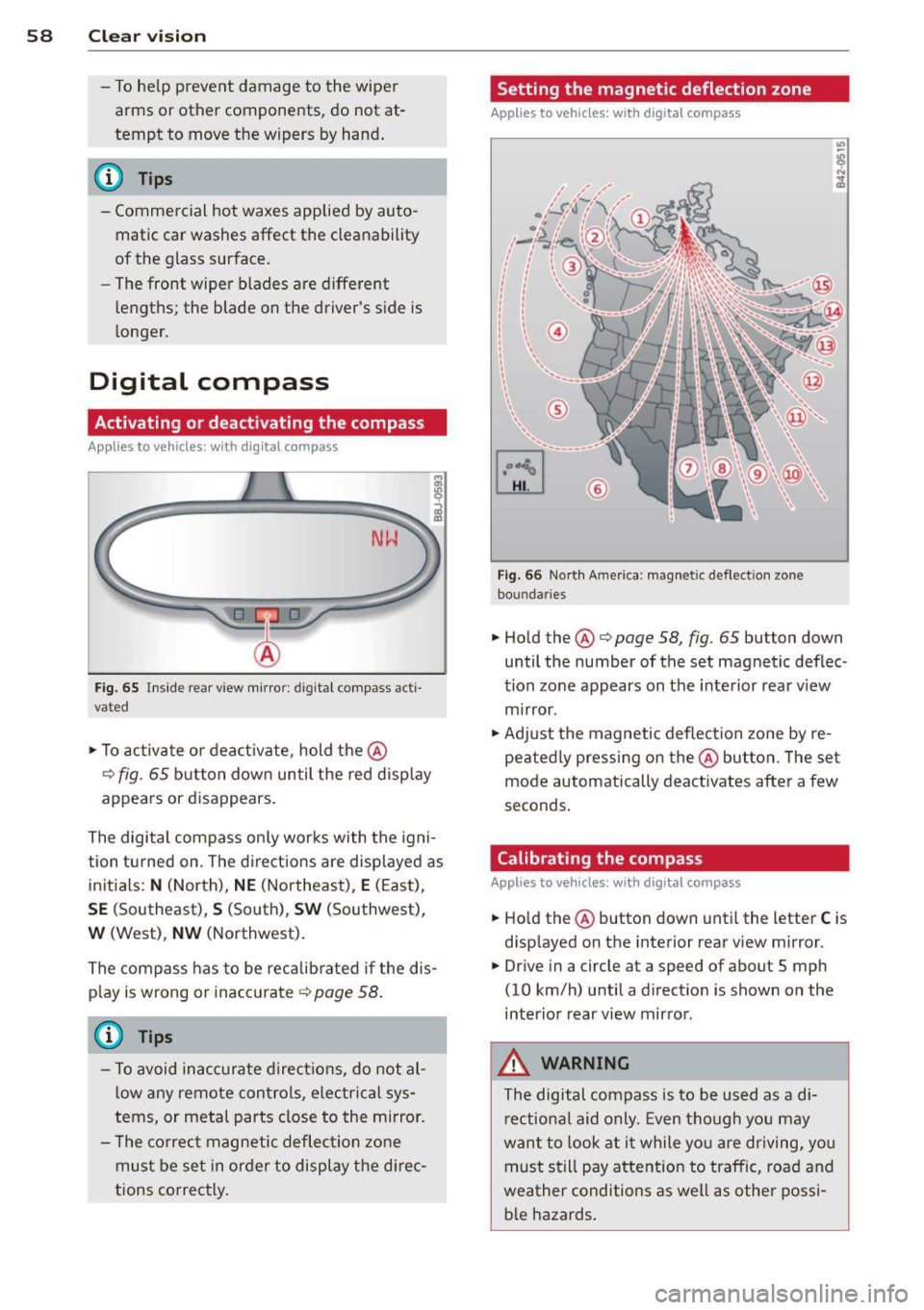
Fig. 66 North A meri ca : magn etic defle ction zo ne
bo undaries
• Hold the@¢ page 58, fig. 65 button down
until the number of the set magnetic deflec
tion zone appears on the interior rear view
mirror .
• Adjust the magnetic deflection zone by re
peatedly pressing on the@button. The set
mode automatically deactivates after a few
seconds.
Calibrating the compass
Applies to vehicles: with digital compass
• Hold the @button down until the letter C is
displayed on the interior rear view mirror .
• Drive in a circle at a speed of about S mph
(10 km/h) until a direction is shown on the
interior rear view mirror.
_&. WARNING
The digital compass is to be used as a di
rectional aid only. Even though you may
want to look at it while you are driving, you
must still pay attention to traffic, road and
weather conditions as well as other possi
ble hazards.
-
Page 90 of 244
88 Homelin k
Homelink
Universal remote
control
General information
The Homelink universal remote control can
be programmed with hand-held transmitters
from existing equipment .
You must first program the Homelink trans
mitter before you can use the system
~ page 88 , Programming the Homelink
transmitter.
In order to program the Homelink transmit
ter for devices utilizing rolling code, a second
person on a ladder who can safely reach the
garage door opener motor is recommended.
It is also necessary to locate the "learn" but
ton on your garag e door open er motor . Refer
to the ope rating instructions for the opener ,
as the location and color of this bu tton may
vary by manufacturer .
You can still use the original remote control
for the device at any time.
A WARNING
-
- Never use the Homelink transmitter
with any garage door opener that does
have not the safety stop and reverse fea
ture as required by federal safety stand
ards. This includes any garage door open
er model manufactured before April 1,
1982.
- A garage door opener which cannot de
tect an object, signaling the door to stop
and reverse does not meet current feder
al safety standards. Using a garage door
opener without these features increases
risk of serious injury or death.
- For safety reasons never release the
parking brake or start the engine while
anyone is standing in front of the vehicle.
- A garage door or an estate gate may
sometimes be set in motion when the
Homelink remote control is being pro
grammed. If the device is repeatedly ac- tivated, this can overstrain motor and
damage its electrical components - an
overheated motor
is a fire hazard!
- To avoid possible injuries or property
damage, please always make absolutely
certain that no persons or objects are lo
cated in the range of motion of any
equipment being operated.
(!) Tips
- If you would like more information on
Homelink, where to purchase the Home
Link compatible products, or would like
to purchase the Homelink Home Light
ing Package, please call toll-free :
1-800-355-3515.
- For Declaration of Compliance to United
States FCC and Industry Canada regula
tions ~
page 228.
Programming the Homelink transmitter
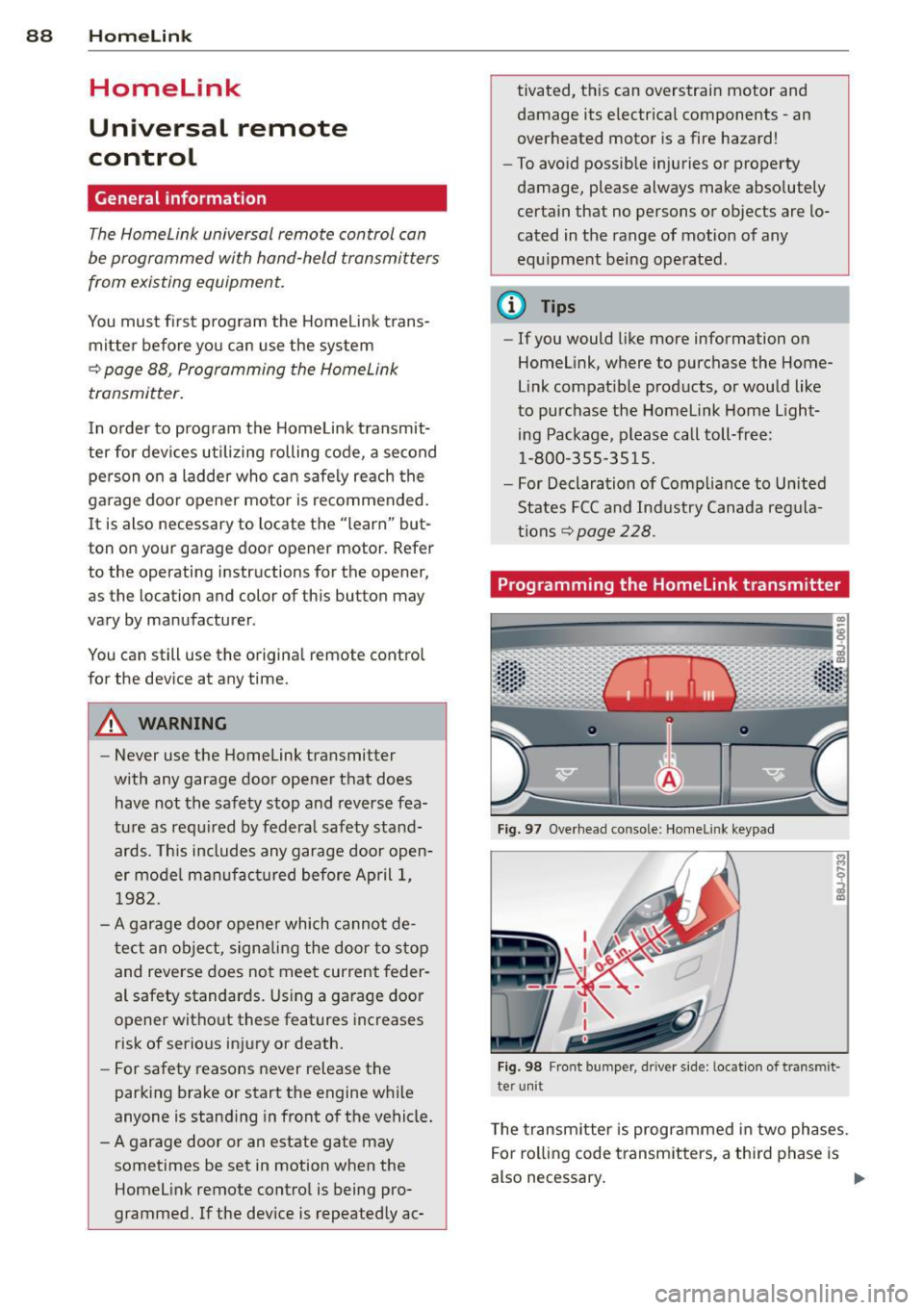
Fig. 97 Overhead co nsole: Homelink keypad
Fig. 98 Front bumper , driver side: lo catio n of tra n smi t
te r unit
The transmitter is programmed in two phases.
For rolling code transmitters, a third phase is
also necessary.
ll-
Page 91 of 244
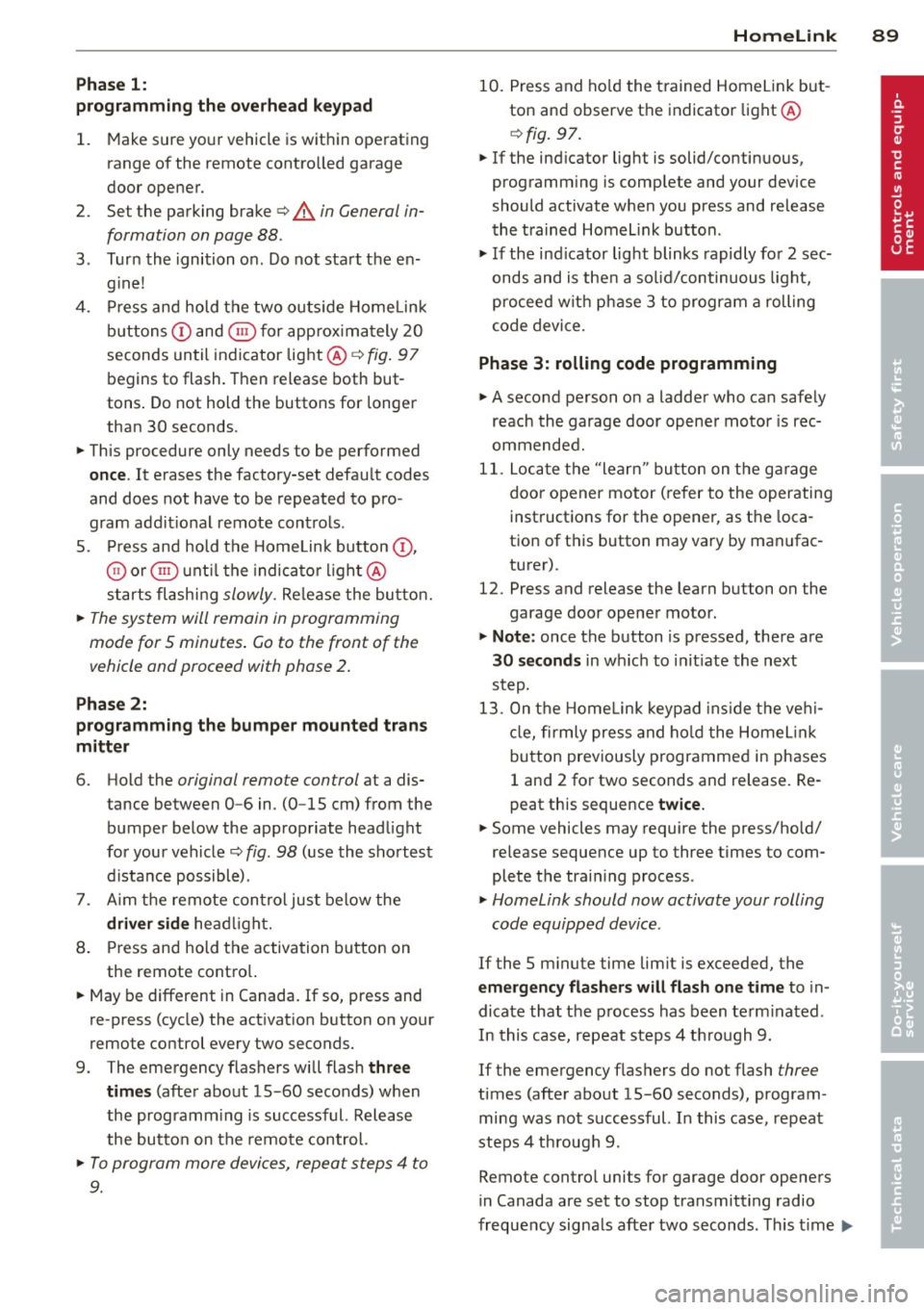
Phase 1:
p rogramming th e overh ead keypad
1. Make sure yo ur vehicle is wit hin ope rating
range of the remote contro lled garage
door opener .
2. Set the parking brake
q A in General in
formation on page 88 .
3. Tur n the ignition on . Do not sta rt the en
g ine!
4. P ress and hold the two o utside Home Link
b uttons
(D and @for app rox ima tely 20
seconds until indicator light @
q fig . 97
begins to flash. Then release both but
tons . Do not hold the buttons for longer
than 30 seconds.
.,. This procedure only needs to be performed
once . It erases the factory-set defau lt codes
and does not have to be repeated to pro
gram add it ional remote controls .
S. Pr ess and hold t he Home link button (D ,
® or@ unt il the indicato r ligh t@
starts flashing
slowly . Release the bu tton.
.,. The system will remain in programming
mode for 5 minutes . Co to the front of the
vehicle and proceed with phase 2 .
Phase 2:
programming the bumper mounted trans
mitter
6. Hold the original remote control at a dis
tance between 0 -6 in . (0 -15 cm) from the
bumper below the appropriate head light
for your vehicle
q fig . 98 (use th e sho rtest
d istance possible) .
7. A im t he remote con trol jus t be low the
driver side head ligh t.
8 . Pr ess and hold the activa tion button on
the remote cont ro l.
.,. May be different in Canada.
If so, press and
re -press (cycle) the act ivat ion button on your
remote control every two seconds.
9 . The emergency flashers will flash
three
time s
(after about 15 -60 seconds) when
the prog ramm ing is successful. Release
the butto n on the re m ote control.
.,. To program more devi ces, repeat steps 4 to
9.
Homelink 89
10. Press and ho ld the t rained Home link b ut
ton and observe t he indicator light @
qfig. 97.
.,. If the ind icator light is solid/contin uous,
programm ing is comp lete and your device
should activate w hen you press and release
t he t ra ined Homel ink button .
.,. If the ind icator light blinks rapidly fo r 2 sec
onds and is t hen a so lid/continuous light,
p roceed w it h phase 3 to progr am a roll ing
code device.
Phase 3: rolling code programming
.,. A second pe rson o n a ladde r who can safely
reach th e garage door opene r motor is rec
ommended .
11. Loc ate t he "lea rn" bu tton on t he g arage
doo r opener motor ( re fer to the operating
inst ruct ions for the opener, as t he loca
t ion of t his button may va ry by man ufac
turer) .
12 . Press and release the learn b utton on the
garage door opener motor .
.,. Note : once the b utton is p ressed, there are
30 seconds in w hich to initiate the next
step.
13 . On t he Home link keypad ins ide t he ve hi
cl e, firmly press and hold t he Home link
bu tton prev iously progr ammed in phases
1 and 2 fo r two seconds and release . R e
peat this seque nce
twice.
.,. Some vehicles may require the press/ho ld/
re lease sequence up to three t imes to com
plete t he trai ning process .
.,. Homelink should now activate your rolling
code equipped device .
If the S minute time limit is exceeded , the
emergency flashers will flash one time to in
dicate that the p rocess has been te rm ina ted .
In this case, repeat steps 4 t hrough 9.
If the emergency flashers do not flash
three
times (afte r about lS -60 seconds) , program
ming was not successful. In this case, repeat
steps 4 through 9 .
Remote contro l units for garage door openers
in Canada are set to stop transmitting radio
fr eque ncy signa ls afte r two seconds . This t ime
Ill-
Page 92 of 244
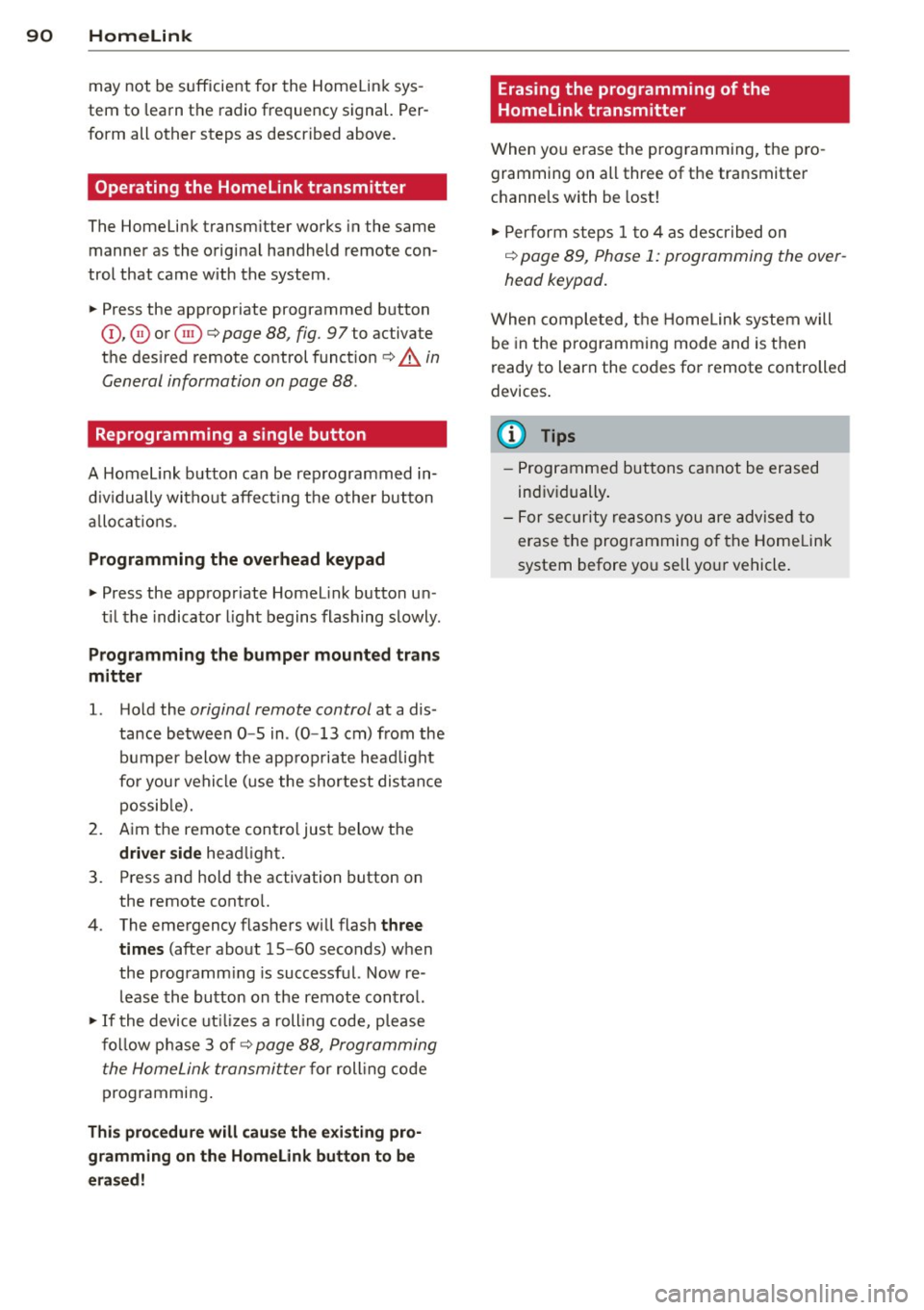
90 Homelink
may not be s ufficient for the Homelin k sys
tem to learn t he radio frequency signal. Per
form all other steps as described above.
Operating the Homelink transmitter
The Homelink transm itter works in the same
manner as the orig inal handheld remote con
trol that came with the system .
.. Press the appropriate prog rammed button
Q) ,@ or @ ¢ page 88, fig . 97 to activate
the des ired remote control functio n ¢ .&.
in
General information on page
88 .
Reprogramming a single button
A Homel ink button can be rep rogrammed in
d iv idually wi tho ut affec ting t he o ther bu tton
a llo cat io ns.
Programming the overhead keypad
.. Press the appropriate Homel ink button u n-
t il the indicato r light begins flashing slowly .
Programming the bumper mounted trans
mitter
1. Hold the original remote control at a dis
tance between
0 -5 in . (0 -13 cm) from the
bumper below the app ropriate head light
fo r you r vehicle (use the shortest distance
possib le).
2. A im the remote control just below the
driver side head light.
3. P ress and hold the activation button on
the remote contro l.
4 . The emergency flashers will flash
three
tim es
(after about 15 -60 seconds) when
the programm ing is successful. Now re
lease the bu tton on the remote control.
.. If the device ut ilizes a roll ing code, p lease
fo llow p hase 3 of¢
page 88, Programming
the HomeLink transmitter
f or roll ing code
programming .
This procedure will cau se the exi sting pro
gramming on the Homelink button to be
e ra sed! Erasing the programming of the
Homelink transmitter
When you e
rase the prog ramming, the p ro
gramming on all three of the transmitte r
c h anne ls with be lost!
.. Per form steps 1 to 4 as described on
¢ page 89, Phase 1: programming the over
head keypad .
When completed, the Home link system will
be in the prog ramming mode and is then
ready to learn the codes for remote controlled
devices .
(D Tips
- Programmed buttons cannot be erased
individually .
- F or se curity reasons you are advise d to
erase the programming of the Homelink
system before yo u sell yo ur vehicle .
Page 230 of 244
228 Consumer Information
Technical Modifications
Our guidelines must be complied with when technical modifications are made .
Always consult an authorized Audi dealer be
fore starting work on any modifications.
This will help ensure that vehicle function,
performance and safety are not impaired
¢ &. .
Attempting to work on electronic components
and the software used with them can cause
malfunctions. Because of the way electronic
components are interconnected with each
other, such malfunctions can also have an ad
verse affect on other systems that are not di
rectly involved. This means that you risk both
a substantial reduction in the operational
safety of your vehicle and an increased wear of
ve hicle parts ¢
A:,..
Author ized Audi dealers will perform th is
wo rk in a professiona l and competent manner
or, in special cases, refer you to a professional
company that specializes in such modifica
tions .
A WARNING
Improper repairs and modifications can
change the way vehicle systems work and
cause damage to the veh icle and serious
personal injury.
If emergency repairs must be performed
elsewhere, have the vehicle examined by
an authorized Audi dealership as soon as
possible.
Declaration of Compliance, Telecommu
nication or Electronic Systems
-
Radio Frequency Devices and Radiocommuni
cation Equipment User Manual Notice.
The manufacturer is not responsible for any
radio or TV interference caused by unauthor
ized modifications to th is equ ipment.
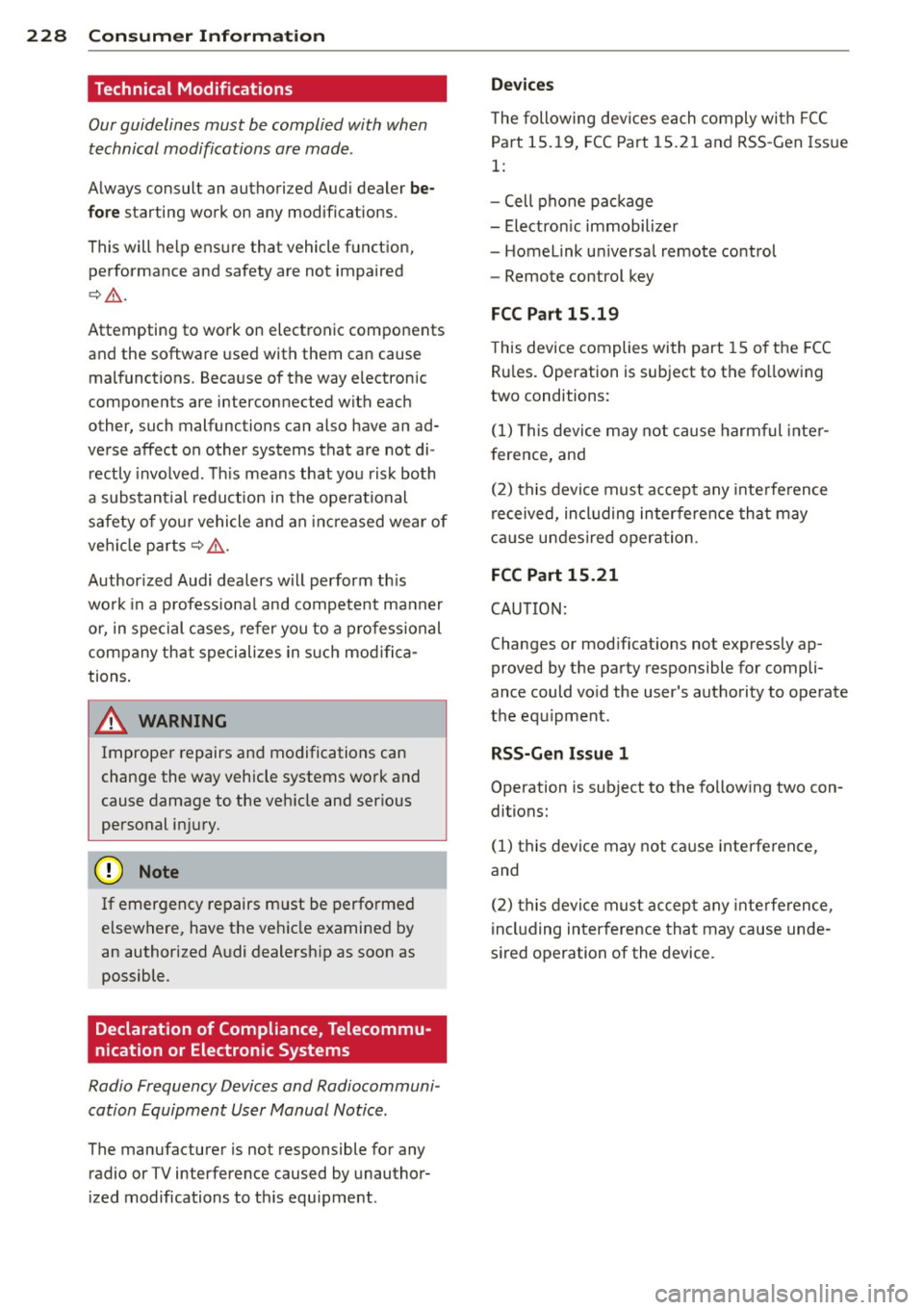
Devices
T he following devices each comply with FCC
Part 15.19, FCC Part 15.21 and RSS-Gen Issue
1:
- Cell phone package
- Electron ic immobilizer
- Homelink universal remote control
- Remote control key
FCC Part 15.19
This device complies with part 15 of the FCC
Rules . Operation is subject to the fo llowing
two conditions:
(1) This device may not cause harmful inter
f erence, and
(2) this device must accept any interference
received, including interference that may
cause undesired operation.
FCC Part 15.21
CAUTION:
Changes or modifications not expressly ap
proved by the party responsible for compli
ance could vo id the user's authority to operate
the equipment.
RSS-Gen Issue 1
Operation is subject to the following two con
ditions:
(1) this device may not ca use interference,
and
(2) this device must accept any interference,
including interference that may cause unde
s ired operation of the device.
Page 233 of 244
_______________________________ ___:I~n ~d ~e:.::x 231
Temperature ... ... .... ... .. .. .. .... 68
Venti lation ..... .. .... ... .. .. .. .... 67
C lock ..... ................... .. ....
11
Clutch overheating . . . . . . . . . . . . . . . . . . . 86
Cold tire inflat ion pressure ... .. .. .. .. .
184
Com ing home .............. ... ... ... 49
Compass m irror . ....... ... .. .. .. .. .. 58
Comp lian ce .. ............. .. .. .. ... 228
Consumer Info rmat ion . . . . . . . . . . . 98, 225
Contact ing NH TSA . ..... ... .. .. .. .. .. 98
Controls Cleaning . .. .. ........... .. .. .. ...
156
Controls and d isp lays ....... .. .. .. .. .. . 8
Convenience close/open feat ure
Powe r top . . . . . . . . . . . . . . . . . . . . . . . . .
43
Windows . ..... ...... ... .. .. .. .... 40
Conve rtible c hild safety sea ts .. .. .. .. .
134
Convertible locking retractor
Activating . . . . . . . . . . . . . . . . . . . . . . . .
139
Deactivating ................ .... .. 139
Using to secure a ch ild safety seat 137, 139
Convertible top . ........... .. .. .. .. .. 41
Au tomatic convertible top .. .. .. .. .. .. 43
Emergency operation ........... .... . 44
Ge ne ral i nfo rmation .......... ... ...
41
manual conve rtib le top .. ... . .. ... ... 42
War ning/ indic to r l igh ts .... .. .. .. .. ..
1 7
W ind deflecto r ........... .... .. .. .. 44
Cooling system . . . . . . . . . . . . . . . . . . . . .
1 71
Expansion ta nk ... ... ... .. .. .. .. .. . 172
Cornering light ............ .... .. .. .. 49
Cruise control . . . . . . . . . . . . . . . . . . . . . . . 77
Changing spee d . . . . . . . . . . . . . . . . . . . . 7 8
Presetting your speed . . . . . . . . . . . . . . . 78
Sw itching
off .... ..... ... .. .. .. .... 78
Sw itching on . . . . . . . . . . . . . . . . . . . . . . . 77
War ning/ indicator lights ... .. .. .. .. ..
21
Cup holder . . . . . . . . . . . . . . . . . . . . . . . . . . 63
Current fuel m ileage
23
D
Damping
refer to Audi magnetic ride ... .. .. .. .. 79
D ata recorder . ..... .... ... .. .. .. ... 14 1
Date display . . . . . . . . . . . . . . . . . . . . . . . . 11
Daytime running lights .... .. .. .. .. .. .. 48
Decla rat ion of compliance
Ce ll phone package .. ... .... ... .. .. 228
E lectronic immob ilizer .. ..... ... .. .. 228
Homelink universal remote control . .. 228
Remo te contro l key ... ............. 228
Decorative deca ls
Cleaning . ... .... ... .. .. ..... ... ..
156
Decorative pa rts/tr im
Cleaning .. .. .. .. .... .............
156
def
What does this mea n when it appears in
the tr ip odometer display? ...........
12
Defective light bulb warning . ....... .. . 20
Defrost ing the w indows . .... ..... .. .. . 70
Determ ining correct load limit ........
189
Digital clock . . . . . . . . . . . . . . . . . . . . . . . . 11
D . · l 1g1ta compass . . . . . . . . . . . . . . . . . . . . . 58
Dimens ions . .. .. .. .... ............. 223
D imming the rearview m irror .. ... .. .. . 53
D ipst ick
Reading the d ipst ick properly ........
169
Displays
Cleaning
156
Distance ... .. .. .... . ... ...... ... .. . 23
Driver informat io n system
Boost ........ .. .. ... ....... ...... 26
E ngine oi l tempera ture .. ..... .. .. .. . 26
Menu but to n .. .. ... ..... ..... .. .. . 25
Menu disp lay . . . . . . . . . . . . . . . . . . . . . . 24
Open door or front lid warning ... .. .. . 22
Outsid e temperature disp lay . . . . . . . . . . 22
Serv ice inte rval display . . . . . . . . . . . . . . 28
Se tting ... .. .. .. .... ...... ....... . 25
Sound system display ... .... ... .. .. .
22
T' np compute r .. .. .. ................ 23
Dr iver seat
refer to Seating position . ..... .. .. .. . 92
Drivi ng
Run -flat t ires . ..... . .. .. ..... ... .. 20 2
Drivi ng safely ...... ........... ......
91
Driving throug h wate r .. .. .. .. ... .. .. 150
D upli cate key . .. .. .... ... .... ...... . 32
Dus t fil ter . . . . . . . . . . . . . . . . . . . . . . . . . . 68
•
•