2015 AUDI TT ROADSTER ignition
[x] Cancel search: ignitionPage 19 of 244

Instrument s and warnin g/indic ator ligh ts 17
-L Engine cooling system
A malfunction in the engine cooling system
must be repaired as soon as possible.
When the. symbol in the display flashes,
then either the eng ine coolant
temperature is
too high, or the coolant
level is too low . In ad
d ition to the symbol, the following message
a lso appears in the display:
S witc h off engin e and ch eck c ool ant l evel
~ Pull off the road and stop the vehicle.
~ Turnoff the engine.
~ Check coolant level ¢ page 172.
~ Add coolant if necessary¢ page 172.
~ Conti nue driving only after the eng ine cool
ant warn ing/ indicator l ight goes out .
~ Contact you r authorized Audi dea le r fo r as-
s istance if necessary.
If the engine coolant level is correct, then the radiator fan may be the cause of the malf unc
tion .
If the generator warning/ind icator light
should also illuminate¢
page 16, then the
fan belt may be damaged .
A WARNING
-If your veh icle should break down for
mechanical or other reasons, park at a
safe distance from moving traffic, turn
off the engine and turn on the hazard
warning lights
¢ page 51, Emergency
flasher.
-
- Never open the hood if you see or hear
steam or coolant escaping from the en gine compartment - you risk being scald
ed . Wait until you can no longer see or
hear steam or coo lant escaping.
- The engine compartment of any veh icle
is a dangerous area. Before you perform
any work in the engine compartment,
turn
off the engi ne and allow it to cool.
Follow the wa rning sticke rs.
(D Note
Do not continue driving if the. symbo l
illuminates . There is a malfunct ion in the engine cooling system
-you could damage
your engine.
~ Electro-mechanical power assist
If the indicator light i lluminates while you are
driv ing, there is a malfunction in the electro
mechan ica l steer ing. If the indicator light is
showing £~ ). there may be a reduction in pow
er steeri ng assist . If the indicator light is
showing ., there may be a total loss of pow
er steeri ng assist. The steer ing must be in
spected immed iately by a qualified wo rkshop
Q & . With the engine not running (e.g. when
the car is being towed), there is a lso no power
assist available .
A WARNING
-
If there is a malf u nction, the indicator
light for the electro-mechanical power as
sist illuminates. Seek professional assis
tance.
~ Convertible top
The warning/indicator light monitors the con
vertible top function.
The l!1 warning/indicator light illuminates
when you switch on the ignition for about 2
seconds as a check and then goes out. The
warning/indicator light has the following
funct ions:
- The light illuminates when the folding top opens or closes.
- It flashes if one of the conditions for auto
matically lowering or ra is ing the convertible
top is not met and the switch to actuate the
convert ible top is pressed.
- The light illuminates when the convert ible
top is opened or closed
incompletely.
!;.! ~ Electronic Stabilization Control
(ESC)
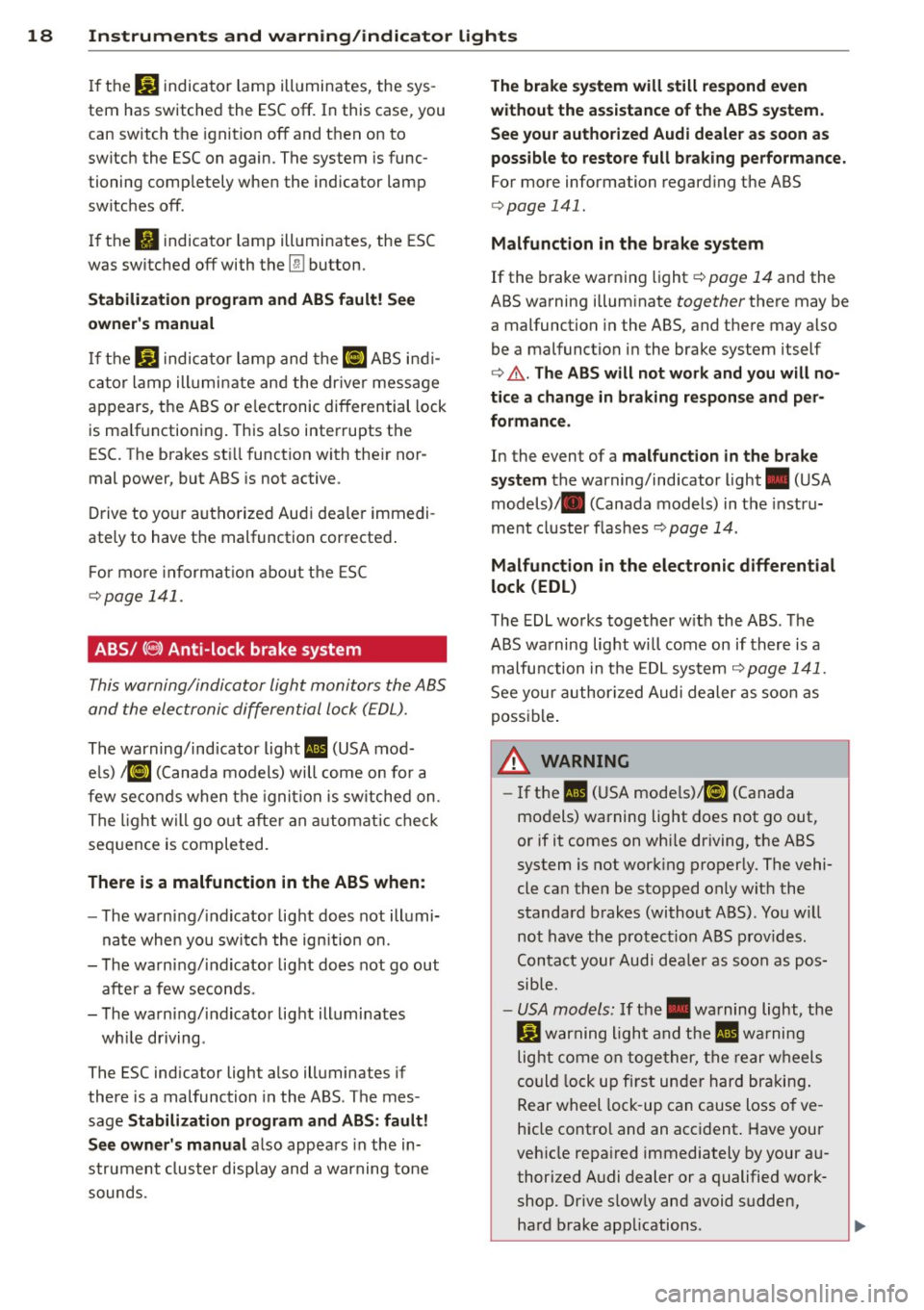
If the GJ ind icator lamp b lin ks wh ile d riving,
the ESC or ASR (Anti-Slip Reg ulation) is active-
ly reg ulating .
IJI,-
Page 20 of 244
18 Instruments and warning/indicator lights
If the J.J.) indicator lamp illuminates, the sys
tem has switched the ESC
off. In this case, you
can switch the ignition
off and then on to
switch the ESC on again. The system is func
tioning completely when the indicator lamp
switches
off .
If the II indicator lamp illuminates, the ESC
was switched
off with the [!I button.
Stabilization program and ABS fault! See
owner 's manual
If the DJ indicator lamp and the riJ ABS indi
cator lamp illuminate and the driver message
appears, the ABS or e lectronic differential lock
is ma lfunctioning. This also interrupts the
ESC. The brakes st ill function with their nor
mal power, but ABS is not active.
Drive to your authorized Audi dea ler immedi
ately to have the malfunction corrected .
For more informat ion about the ESC
<=>page 141.
ABS/ (8 ) Anti-lock brake system
This warning/indicator light monitors the ABS
and the electronic differential lock (EDL).
The warning/indicator light 1111 (USA mod-
e ls)
;riJ (Canada models) will come on for a
few seconds when the ignition is switched on .
The light will go o ut after an automatic check
sequence is completed.
There is a malfunction in the ABS when:
-The warning/indicator light does not illumi
nate when you switch the ign ition on.
- The warning/indicator light does not go out
after a few seconds .
- The warning/indicator light illuminates
wh ile driving .
The ESC indicator light also illuminates if
there is a malfunction in the ABS . The mes
sage
Stabilization program and ABS: fault!
See owner's manual
also appears in the in
strument cluster display and a warning tone
sounds .
The brake system will still respond even
without the assistance of the ABS system.
See your authorized Audi dealer as soon as
possible to restore full braking performance.
For more information regarding the ABS
<=>page 141.
Malfunction in the brake system
If the brake warning light r=> page 14 and the
ABS warning illuminate
together there may be
a malfunction in the ABS, and there may also
be a malfunction in the brake system itself
r=> &.. The ABS will not work and you will no
tice a change in braking response and per
formance.
In the event of a malfunction in the brake
system
the warning/ind icator light . (USA
models)/ . (Canada models) in the instru
ment cluster flashes
r=> page 14 .
Malfunction in the electronic differential
lock (EDL)
The EDL works together w ith the ABS . The
ABS warning light wi ll come on if there is a
malfunction in the EDL system
r=> page 141.
See your authorized Audi dealer as soon as
possible .
_& WARNING
-If the Ill (USA models)/11] (Canada
models) warning light does not go out,
or if it comes on whi le driving, the ABS
system is not work ing properly. The vehi
cle can then be stopped only wit h the
standard brakes (without ABS). You w ill
not have the protect ion ABS provides.
Contact your Audi dea le r as soon as pos
sible.
- USA models: If the . warning light, the
G1 warning light and the 1111 warning
light come on together, the rear wheels
could lock up fi rst under hard braking .
Rear wheel lock -up can cause loss o f ve
hicle control and an accident. Have your
vehicle repaired immediately by your au
thorized Audi dealer or a qualified work
shop. Drive s low ly and avoid sudden,
hard brake applications. ..,.
Page 21 of 244

Instrument s and warnin g/indic ator ligh ts 19
- Canada models:
If the brake warn ing
light ., the
J;.J warning light and the
ABS warning light
riJ come on together,
the rear wheels could lock up first under
hard braking. Rear wheel lock-up can
cause loss of vehicle control and an acci
dent. Have you r vehicle repaired immed i
a tely by your au thorized A udi dealer or a
qualified workshop . Dr ive slowly and
avoid sudden, hard brake applications.
( 0 ) Worn brake pads
llJ Check brake pad s!
If the war ning light illum inates, immediately
contact your au thori zed A udi dealer or quali
fied workshop to have all brake pads inspect
ed . On USA models the warning light
llJ
comes on together with the warning light •.
Both sets of brake pads on an axle must al
ways be rep laced at the same time.
A WARNING
Dr iv ing with bad brakes can cause a coll i
sion and serious personal injury .
-If the warning light llJ and the warning
light
. ll with the message Brake pads!
comes on in the inst rument cluste r dis
play, immediately contact your author
ized Audi dea le r or q ualified wor kshop to
have all br ake pads checked or rep laced if
necessary.
EPC Electronic power control
This warning/indicator light monitors the
electronic power control .
The [m warning/ind icator lig ht ( Electronic
P owe r Control) illuminates when you switch
on the igni tion as a fu nction check .
@ Tips
If this wa rning/i ndicator light ill uminates
while you are dr iving, then the re is a mal
fu nction in the engine elec tron ics. Have
1) .: USA mode ls onl y
the malfunct ion corrected as soon as pos
sible by your authorized A udi dealer or
q ualified works hop.
~ Malfunction Indicator Lamp (MIL)
The Ma lfunction Indicator Lamp (MIL) is part
of the On-Board Diagnostic (OBD II) system .
The symbol
II lights up when the ignition is
turned on and will turn off after the eng ine
has started and has settled at constant id le
speed . This indi cates that the M IL is work ing
properly.
The wa rning lig ht illuminates when the re is a
malfu nction in the eng ine electron ic system .
Contact your a uthorized Audi dea le r and have
t h e mal func tion cor rected.
An improperly closed fuel filler cap may also
cause the MIL light to illuminate
~ page 162.
For more information ~ page 30 .
!?') Engine speed limitation
App lies to veh icles : w it h eng ine speed limitatio n
(II Do not e xceed ma x. engine speed of
XXXX rpm
The (Pl symbol illuminates when there is an
engine con trol malfunct io n. The indicator
li ght
[mi n the instrum ent cluster also illum i
nates. The engi ne speed is limited to the
speed displayed in the d river i nformat ion sys
tem. Keep in mind that the engine speed w ill
not exceed the val ue d isplayed in the driver in
format ion system, for example when down
shifting.
Please go to an authorized A udi dealer or oth
er qualified wo rkshop to have the malfunct ion
repaired .
~ .. Checking the engine oil level
II Please add max . 1 qt of engine oil!
Page 23 of 244

Instruments and warning/indicator lights 21
When this symbo l ml illuminates, it means
that Adaptive Light is defective. Go to a quali
f ied workshop to have the headlights or the
control unit for the Adaptive Light repaired.
(j__ o Light/rain sensor defective
App lies to vehicles: with a utomat ic headlights
If the symbol illuminates, the light sensor has
fa iled. For safety reasons, the low beams are
turned on permanently with the switch in
AU
TO .
Howeve r, you can continue to turn the
lights on and off using the lig ht switch . In the
case of a defect in the rain senso r, the w ind
shie ld wiper lever functions are sti ll available.
Have the light/rain sensor checked as soon as
possible at an authorized Audi dealer .
; Audi magnetic ride
Applies to vehicles: with Audi magnetic ride
The indicator light monitors vehicle damping .
The indicato r light R ill uminates when the
i gnit io n is switched on as a function check .
(D Tips
If the indicator lamp illum inates while you
are driving, there is a malfunct ion in the
veh icle damping. The chassis should be in
spected immediately by an authorized
Audi dea ler .
-::}. Rear spoiler
The warning/indicator light monitors the
electrically retractable rear spoiler.
The warning/indicator light 1,1 has the fol
l owing functions:
- It comes on for about 3 seconds as a func
t ion check when the ignition is sw itched on.
- It comes on if there is a malfunction in the
electrically retractable rear spoiler.
Addit ional information about the electrically
retractable rear spoiler<=>
page 143.
¢ Q Turn signals
The indicator light blinks when you use either
turn signal .
Whenever you use the left. or the right B
turn signal, the indicator light blinks. When
you use the emergency flasher, both indicator lights flash.
If one of the turn signa l light bulbs burn out,
the turn signal will blink twice as fast as nor
mal.
Additional information on the turn s ignals
<=> page 50.
CRUISE/ 0" Cruise control
The . (USA models)/ . (Canada models)
warning/indicator light illuminates when the
cruise control is activated .
Page 26 of 244
24 Driver information system
the calculation of the current trip informa
t ion. If the trip is interrupted for
more than 2
hours
the memory is reset automatica lly.
Total -trip memory (Trip computer 2)
Unlike the sing le-trip memory, the total-trip
memory is not reset automatically. This per
mits you to evaluate your dr iving data for the
entire period between manual resets.
Efficiency program*
The effic ien cy program can help you to use
less fuel
~ page 2 7.
Operation
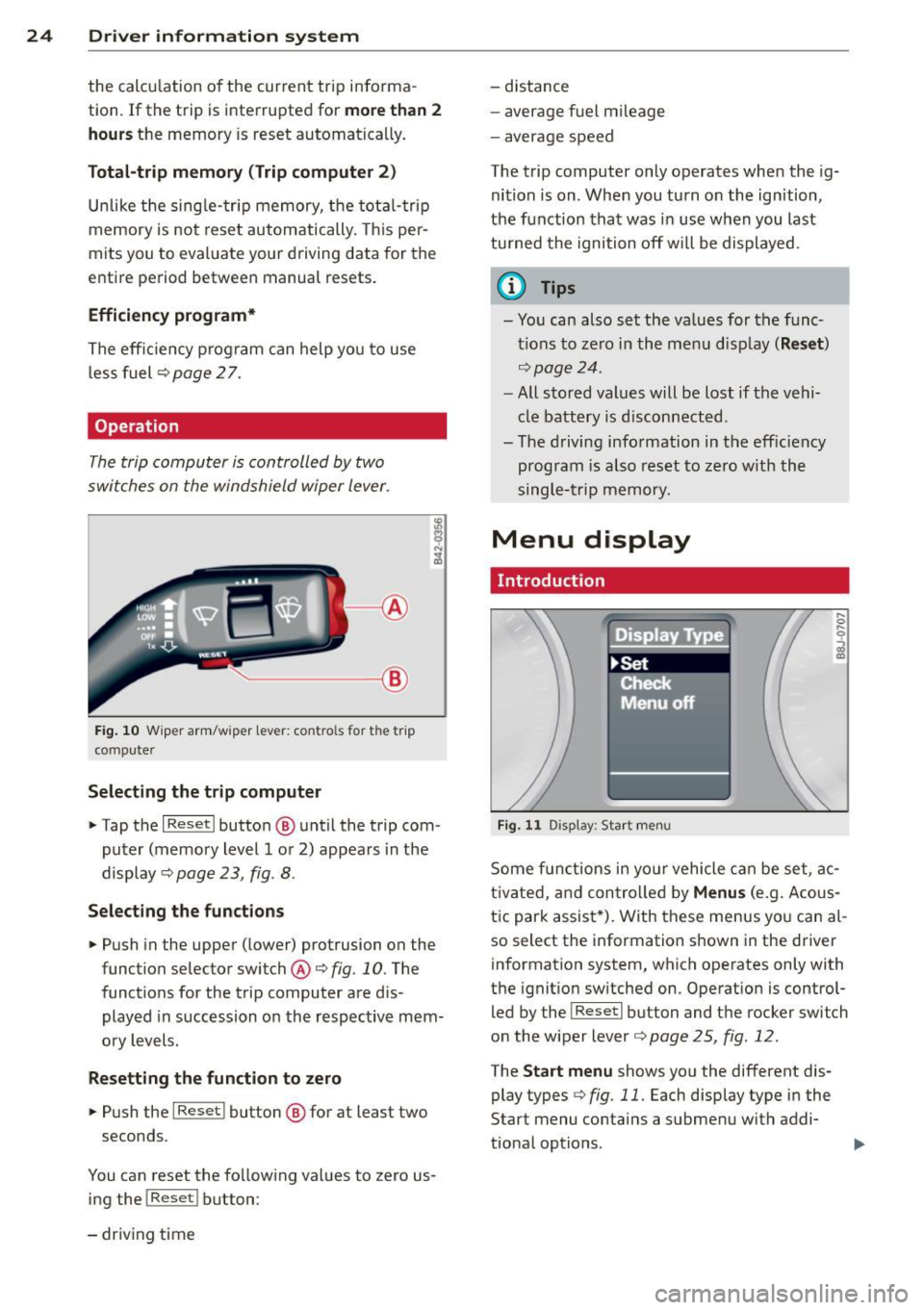
The trip computer is controlled by two
switches on the windshield wiper lever.
-----------< @
Fig. 10 W iper arm/w iper lever: con tro ls for t he trip
compute r
Selecting the trip computer
"Tap the I Reset I button @ until the trip com
puter (memory level 1 or 2) appears in the
display ¢
page 23, fig . 8.
Selecting the functions
" Push in the upper (lower) protrusion on the
function selector switch @
q fig. 10. The
functions for the trip computer are d is
played in succession on the respective mem
ory levels.
Resetting the function to zero
" Push the I Reset I button @ for at least two
seconds.
You can reset the fo llowing values to zero us
ing the
I Reset I button :
- driving time -
distance
- average f uel mileage
- average speed
The t rip computer only operates when the ig
nition is on. When you turn on the ignition,
the function that was in use when you last
turned the ignition off will be displayed .
(D Tips
-You can also set the values for the func
tions to zero in the menu display
(Reset )
qpage24 .
-All stored values will be lost if the vehi
cle battery is disconnected .
- The driving information in the efficiency
program is a lso reset to zero with the
single-trip memory.
Menu display
Introduction
Display Type
•set
iF'Cf t -,,., ==
Menu off
Fig. 11 D isplay: Sta rt men u
Some funct ions in yo ur vehicle can be set , ac
t ivated, and controlled by
Menus (e.g. Acous
tic park assist *). With these menus you can al
so select the information shown in the driver
information system, which operates only with
the ignition switched on. Operation is control
led by the
! Reset I button and the rocker switch
on the wiper lever
q page 25, fig . 12.
The Start menu shows you the different dis
play types
q fig . 11 . Each display type in the
Start menu contains a submenu with addi
tional options .
Page 28 of 244
26 Driver information system
When you have selected the Computer menu
and activated it by pressing the
I Reset! but
ton, two computer levels appear (computer 1
and computer 2). Now you have to select the
level you want using the rocker switch and ac
tivate it w ith the
! Reset I button .
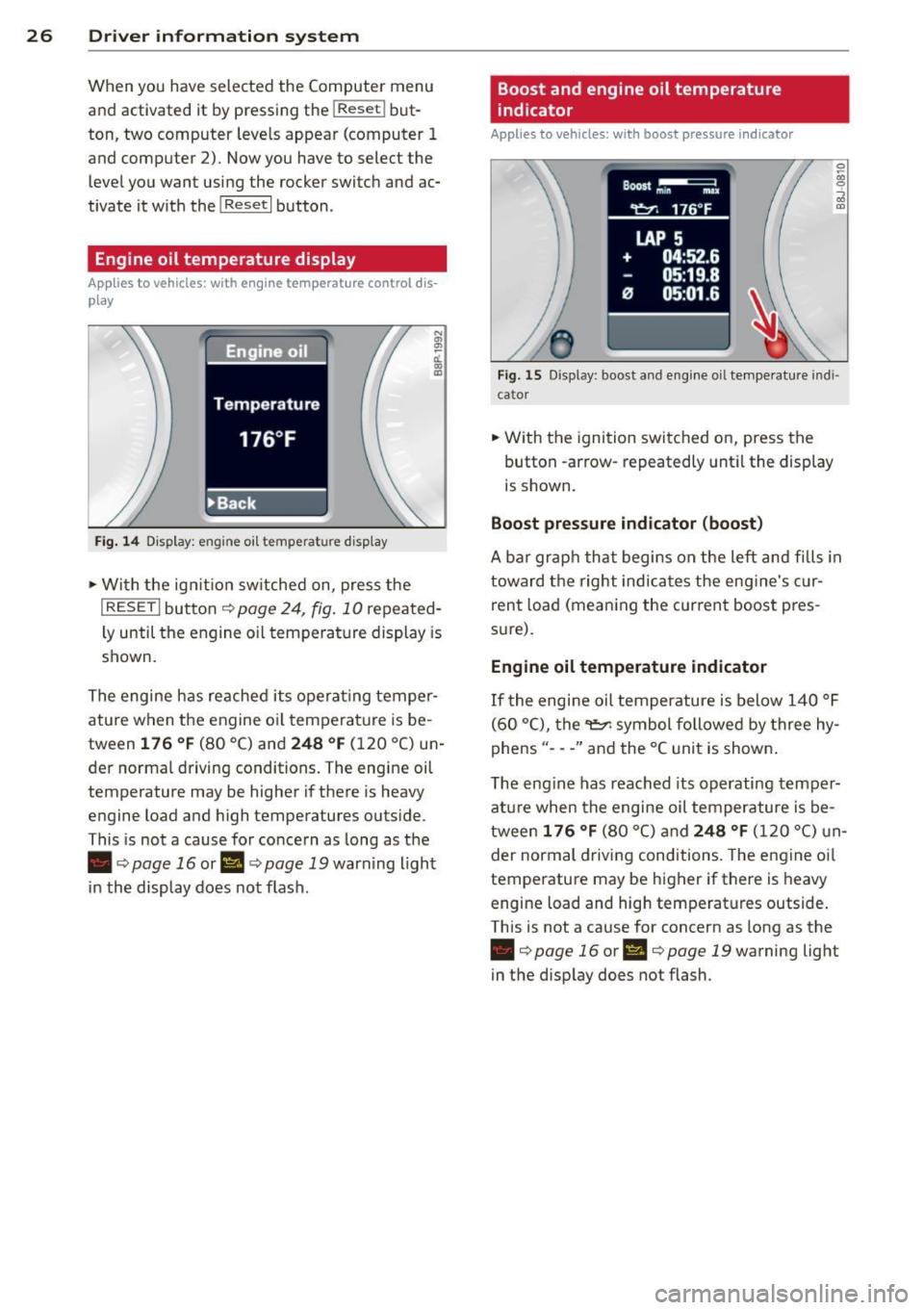
Engine oil temperature display
Applies to vehicles: with engine temperature control dis
play
Engine oil
Temperature
176 °F
•Back
Fig. 14 Display: engine o il temperature d isp lay
• With the ign ition sw itched on, press the
N
"' l!! a'.. 0) (D
I RESET I button¢ page 24, fig. 10 repeated
ly until the engine oil temperature display is
shown.
The engine has reached its operating temper
ature when the engine oil temperature is be
tween
176 °F (80 °C) and 248 °F (120 °C) un
der normal driving conditions. The engine oil
temperature may be higher if there is heavy
engine load and high temperatures outside.
This is not a cause for concern as long as the
• ¢
page 16 or Ill¢ page 19 warn ing light
in the display does not flash.
Boost and engine oil temperature
indicator
Applies to vehicles: with boost pressure indicator
0 /xi 0
;;i OJ
Fig. 15 Display: boost and engine oi l temperature indi·
ca tor
• With the ignition switched on, press the
button -arrow· repeatedly until the display
is shown.
Boost pressure indicator (boost)
A bar graph that begins on the left and fills in
toward the right indicates the eng ine's c ur
rent load (meaning the current boost pres
s ur e).
Engine oil temperature indicator
If the engine oil temperature is below 140 °F
(60 °C), the
"t::?1 symbol followed by three hy
phens"- --" and the °C unit is shown .
The engine has reached its operating temper
ature when the engine oil temperature is be
tween
176 °F (80 °() and 248 °F (120 °() un
der normal driving conditions. The engine oil
temperature may be higher if there is heavy
engine load and high temperatures outside.
This is not a cause for concern as long as the
• ¢page 16 orl'I c::;,page 19 warning light
in the display does not flash.
Page 30 of 244

28 Driver information system
-The fuel economy messages are not dis
played in every instance, but rather in in
terva ls over a period of ti me.
Service interval display
The service interval display reminds you when
your nex t service is due.
Fig. 19 Sect ion of instrument cluster: Serv ice in terva l
d isp lay
The schedule for the next oil change or inspec
tion is calculated automatically and displayed
accordingly. The display works in two stages :
Service reminder
30 days before the next service is due, a serv
ice reminder appears in the display when you
turn on the ignition.
After about
5 seconds the display switches
back to normal. The distance and time re
maining are updated each time the ignition is
turned on until the date due for service is
reached.
Service due
When the due date for service is reached , the
message
Service due! appears in the instru
ment cluster immediately after you turn on
the ignition. Additionally, a warning tone
sounds . After about
5 seconds the display
switches back to normal.
Calling up the service schedules
If or when an oil change or inspection is due,
can be shown in the instrument cluster by se
lecting the serv ice interval display. Select
Check > Service > Oil change or Service by us
ing the
! R ES ET I button and the rocker switch
c> page 25 , fig . 12.
Resetting the service interval display
Your authorized Audi dealer will reset the cor
responding service schedule after performing
the appropriate service on your veh icle. You
also have the possibility to reset the oil
change schedule after having performed an
o il change according to Audi specifications.
- Switch the ignition on.
- Pull the knob
c> fig. 19. The message. Serv-
ice due!
appears.
- Pull the knob until the display
Oil change in
-----mi (km)---day s appears . If the I RESET I
button is not pulled within 5 seconds, the
disp lay reset mode closes.
(D Note
If you disconnect the battery terminals, no
ca lculations can be made for the service
interval display during this time and no
service reminder will appear. Remember
that observing the proper service intervals
i s vitally important to extending the life of
your vehicle, particularly the engine, and
maintain ing its value . Even if the mileage
driven is low, the maximum period of one
year from one service to the next must not
be exceeded.
'
(D Tips
-Do not reset the display between oil
changes, otherwise the display w ill be in
correct.
- Th e information in the Service Reminder
remains stored even when the vehicle
battery is disconnected.
Lap timer
I ntrod ucti on
App lies to vehicles: wit h lap timer
You can record and evaluate lap times with
the lap timer in the display c>page
29,
fig. 21. The time is measured in minutes, sec
onds and
1/10 seconds. The hours are also
shown when the lap t ime exceeds
60 min utes .
T he maximum individual measurement is 99
hours. ..,.
Page 31 of 244
A WARNING
Please devote your fu ll attent ion to driv
ing. As th e driver, you have complete re
sponsibility for safety in traffic. Only use
the funct ions in such a way that you always
ma in ta in complete control over your veh i
cle i n all t raff ic sit uat ions .
{D) Tips
When the lap t imer stopwatch is running,
you can call up the t rip computer info rma
tion wi th the
I RESET I b utton .
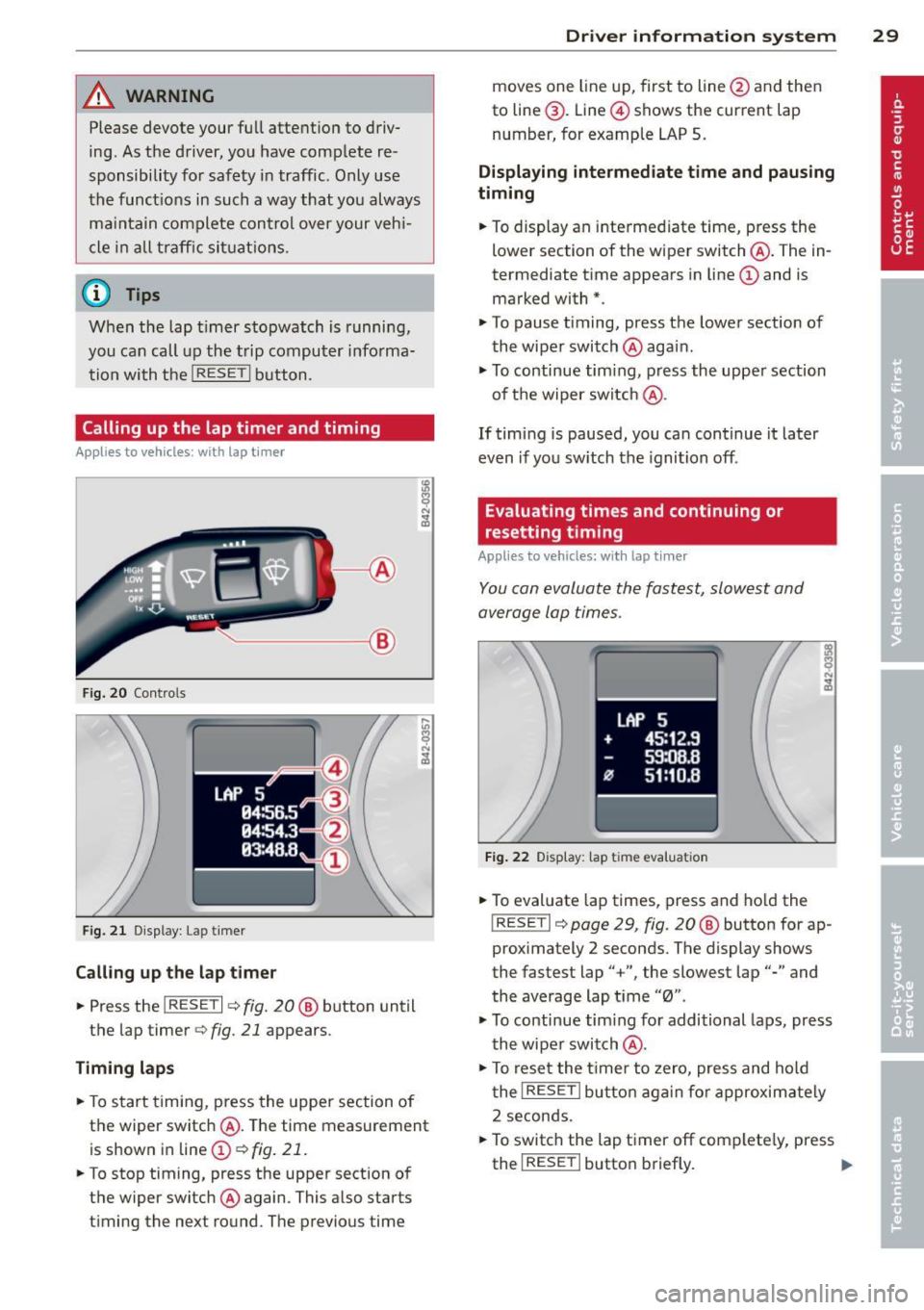
Calling up the lap timer and timing
Appl ies to vehicles: with lap timer
------- @
Fig. 20 Contro ls
F ig. 2 1 Display : Lap t imer
Call ing up the l ap t imer
.. Press the I RESET I c:> fig. 20@ button until
the lap timer
c:> fig. 21 appears .
Timing lap s
.. To start timing , press the upper section of
the wiper switch @. T he time measurement
is shown in line@
c:> fig. 21 .
.. To stop timing, press the upper section of
the wiper switch @again. This also starts
timing the next round . The previous time
Dr iver in formation system 29
moves one line up, first to line @and then
to line @. Line @ shows the current lap
number, for example LAP 5 .
Displaying intermediate time and paus ing
timing
.. To display an inte rmediate time, press the
lower section of the wiper switch @. The in
termediate t ime appears in line@and is
marked with* .
.. To pause t iming, press the lower section of
the wiper switch @again .
.. To continue tim ing , press the upper section
of t he wiper switch @.
If tim ing is paused, you ca n continue it later
even if you sw itch the ignition off.
Evaluating times and continuing or
resetting timing
Applies to vehicles: with lap tim er
You can evaluate the fastest, slowest and
average lap times .
LAP 5
+ 45:12 .9
59:08 .B
flJ 51:10 .B
F ig . 2 2 D isplay : lap tim e evalua tion
.. To evaluate lap times, press and ho ld the
! RESETI c:> page 29 , fig. 20 @ button for ap
proximately 2 seconds . The display shows
the fastest lap" +", the slowest lap"-" and
the average lap t i me "0" .
.,. To continue tim ing fo r additional laps, press
t h e wiper switch @.
.. To rese t the t ime r to zero, pres s and hold
t he
I RESE T I button aga in fo r approxima tely
2 seconds .
.. To switch the lap timer off complete ly, press
the
I RESE T I button briefly. II-