2015 AUDI TT ROADSTER overheating
[x] Cancel search: overheatingPage 88 of 244
86 Transmis sion
& WARNING ,-
- Always adapt your driving to the traffic
flow.
- Only use Launch Control when road and
traffic conditions allow it and other driv
ers will not be endangered or annoyed by
your driving and the acceleration of the
vehicle .
- Make sure that ESC remains enabled.
With the ESC disabled, the vehicle could
brake away, particularly on a slick and
slippery road - risk of skidding!
- Once acce lerat ion is finished, switch ASR
on again by briefly pushing the ESC but
ton.
(j) Tips
- The transmission temperature may in
crease significantly after using the Launch Control Program. If that hap
pens, the program may not be available
for a few minutes.
It will be available
again after a cool-down period.
- When accelerating using the Launch
Control program, all vehicle parts are
subject to heavy loads . This can result in
increased wear.
Back-up program
In the event of a system malfunction, there is
a back-up program.
In the event of system malfunction, the auto
matic transmission switches to the fail-safe
mode. Al l of the selector lever position dis
plays for the automatic transmission are high
lighted with a light background in the instru
ment cluster display . In some cases you can
not use reverse gear any more.
If the transmission switches to fail-safe mode, you should take the vehicle to an au
thorized Audi dealership as soon as possible
to have the condition corrected .
Clutch is overheating
• Clutch is overheating! Please stop vehi
cle!
If the symbols are illum inated, the clutch is
overheating and could be damaged if you con
t inu e to drive. Stop the vehicle and allow the
transmission to cool with the se lector lever in
the P position while the engine runs at idle. If
the warning does not turn off, do not continue driving. See your authorized Audi dealer or
qualified repair facility for assistance. Other
wise serious transmission damage could re
sult . Once the indicator light has turned off,
drive to your authorized Audi dealer or quali
fied repa ir facility immed iately to have the
malfunction corrected .
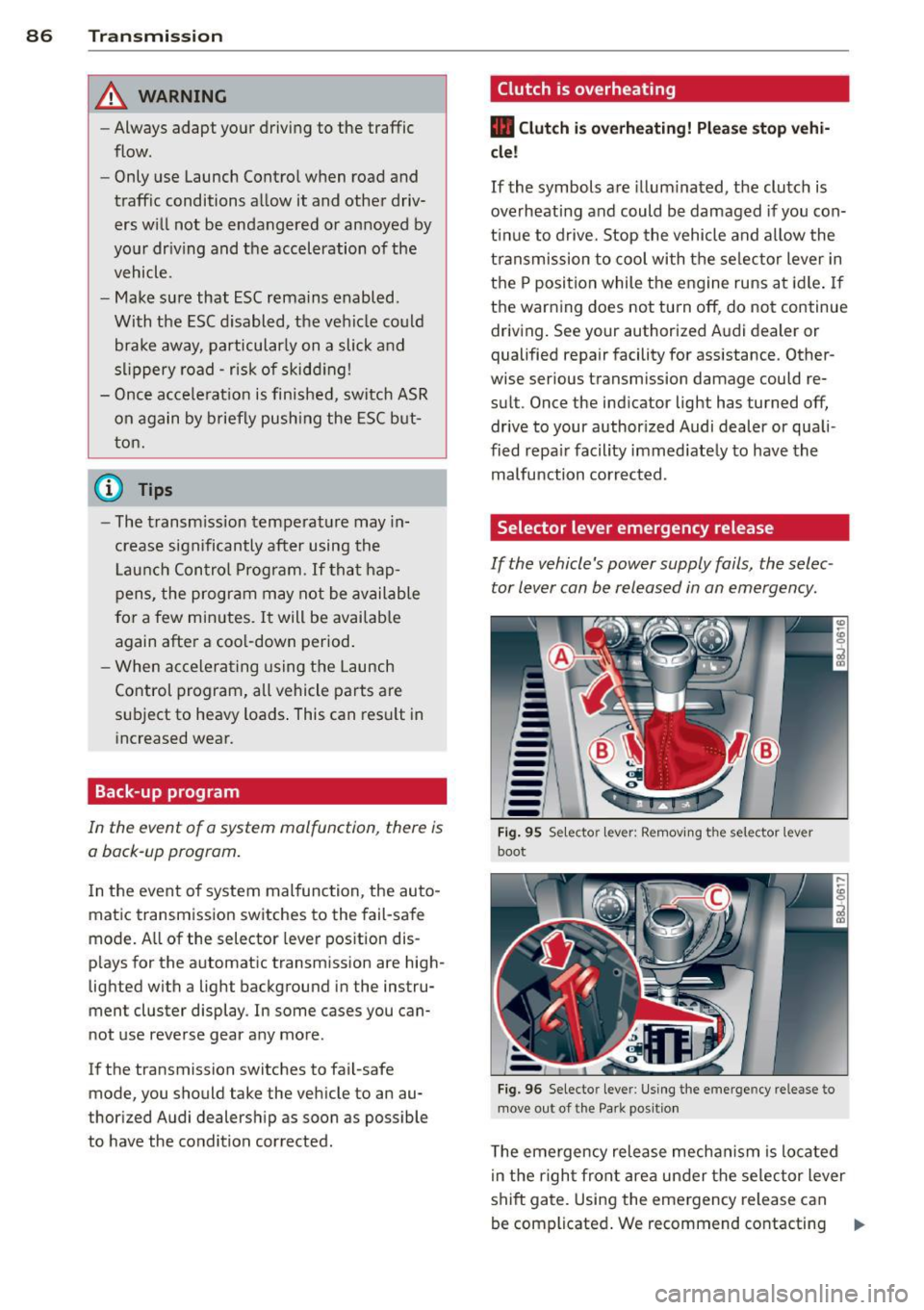
Selector lever emergency release
If the vehicle's power supply fails, the selec
tor lever can be released in an emergency.
--
-
-
-
-
---Fig. 95 Selecto r lev er: Remov ing the selector le ver
boot
Fig. 96 Selecto r lever : Using the emerge ncy release to
move out of the Park positio n
The emergency release mechanism is located
i n the right front area under the selector lever
shift gate. Using the emergency release can
be complicated. We recommend contacting ..,_
Page 144 of 244
142 Intelligent technology
switched on all the time. In certain situations
when you need less traction, you can switch
off ESC by pressing the button
l!l . Be sure to
switch ESC on again when you no longer need
less traction.
Anti -toc k brak ing system (ABS)
ABS prevents the wheels from lock ing up
when braking . The vehicle can still be steered
even during hard brak ing . Apply steady pres
sure to the brake pedal. Do not pump the ped
al. A puls ing in the brake pedal ind icates that
the system is he lp ing you to brake the vehicle .
Brake assist sy stem
The brake assist system can decrease braking
d istance. It increases braking power when the
driver presse s the brake pedal quickly in emer
gency si tuations. You must press and hold the
brake peda l until the situation is over .
Anti-slip regulation (ASR)
ASR reduces engine power when the drive
wheels begin to spin and adapts the force to the road conditions . This makes it easier to
start, accelerate and drive up hills.
E lectronic differential lock (EDL )
The ED L brakes wheels that are spinning and
transfers the drive power to the other drive
wheel or whee ls if the vehicle is equipped with
all-wheel drive*. This function is available up
to about 60 mph (100 km/h) .
In extreme cases, EDL a utomatica lly switches
off to help keep the brake on the braked whee l
from overheating. EDL will switch on aga in au
tomatically when conditions have returned to normal.
A WARNING
- ESC, ABS, ASR and ED L can not ove rcome
t h e laws of phy sics. This is espe cial ly im
por tant on slip pery or wet ro ads .
If th e
sys tems begin a ct in g to stab ilize your ve
hicle, you shou ld imme diately change
yo ur speed to match the road and traffic
condit ions. Do not let the inc reased safe
ty provided by these systems tempt you to take risks. Do
ing so w ill increase the
risk of a loss of veh icle control, co llision
and serious pe rsonal injuries .
- Always adapt your speed to road, traffic
and weather conditions. The risk of los
ing control of t he vehicle increases when
driving too fast, espec ially through
curves and on slippe ry or wet roads, and
wh en dr iv ing too clos e to vehicl es u p
ahead. ESC, A BS, the brake ass ist sys
tem, ED L and ASR cannot p reven t coll i
si ons .
- Always acceler ate wi th sp ecial c are on
even, smoo th s urfaces such as those th at
are wet or covered with ice and snow .
The drive wheels can spin even with
these assistance systems that cannot al ways he lp to reduce the risk of loss of ve
h icle co ntrol.
(D Tips
- ABS an d ASR only wo rk correct ly when
all four whee ls are equipped with identi
cal tires . D ifferent tire si zes can lead to a
reduction in engine powe r.
- Yo u may hear noises when the systems
descr ibed are working.
- If the ind icator light Ii) or II (USA
mode ls)/ Ei] (Canada models) appears,
there may be a malfunction
¢ page 18,
¢ page 17.
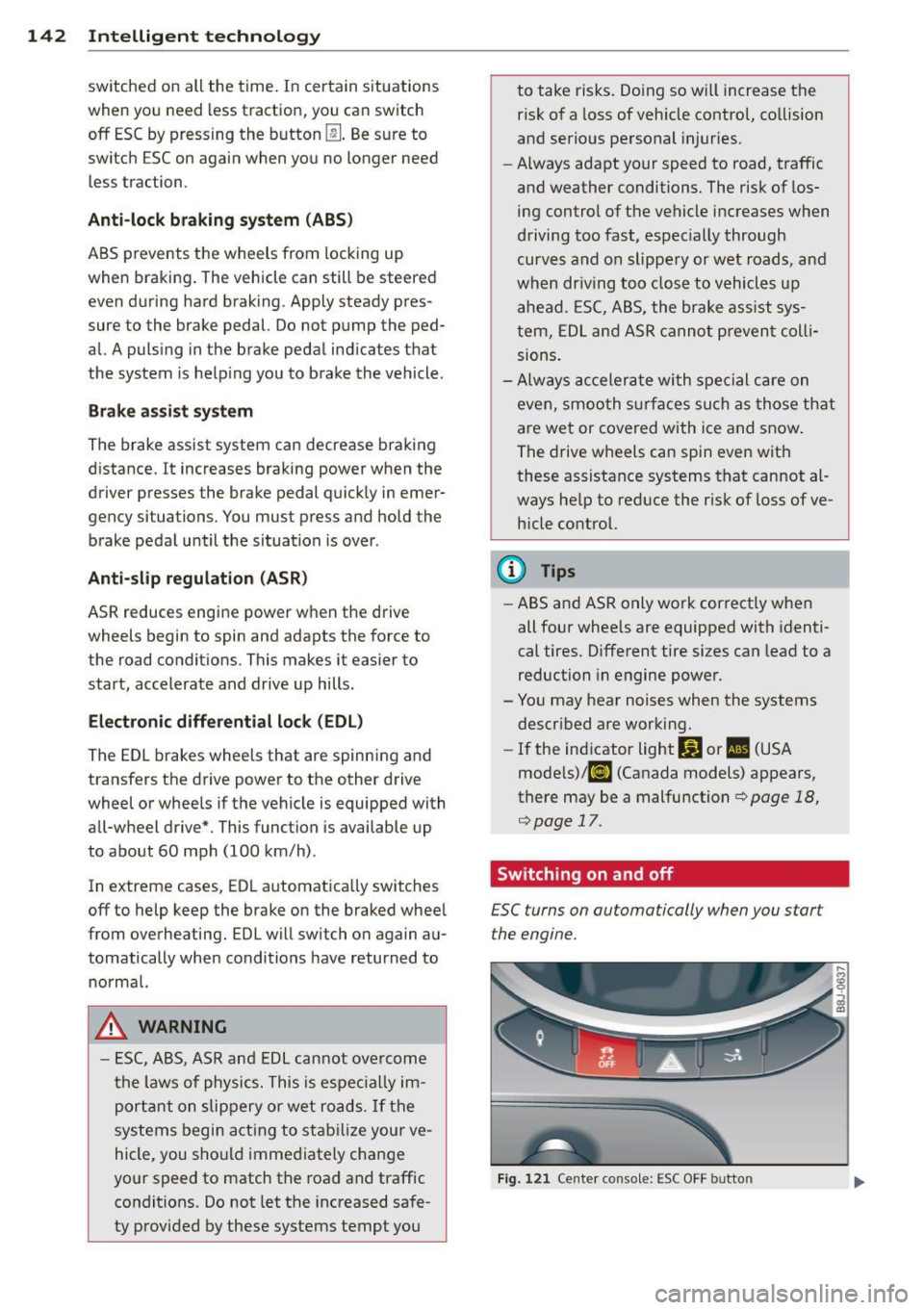
Switching on and off
£SC turns on automatically when you start
the engine.
Fig . 12 1 Ce nte r conso le: ESC OFF b utto n
Page 153 of 244
the exhaust system and this could cause
the catalytic converter to overheat.
- Do not turn off the ignition while the ve
hicle is moving .
- Do not continue to operate yo ur vehicle
under these conditions, as otherwise fuel
can reach the cata lytic converter. This
could result in overheating of the con
verter, requ iring its replacement.
- To assure efficient operation of the Emis
sion Control System:
- Have your veh icle ma inta ined properly
and in acco rdance with the service rec
ommendations in your Warranty
&
Ma intenan ce booklet.
- Lac k of proper maintenance as well as
improper use of the vehicle will impa ir
t he funct ion of the emission control
system and cou ld lead to damage.
@ For the sake of the environment
Even when the Emission Contro l System is
operating p roperly, the exhaust gas can
have a s ulfu r- like exhaust gas smell under
some operating states. This depends on
the s ulfur content of the fue l being used.
Using a different brand of fuel may help,
or filling the tank w ith lead-free super
grade gasoline .
Shutting down vehicle
If you would like your veh icle to remain inop
erat ive for a longer period of time, contact an
Aud i or other specialized deale r. T hey can ad
vise you on necessary precautions e.g . corro
sion prevention, ma intenance and storage.
Pay attention to add itiona l information con
cerning the battery . Re fer to~
page 175.
Dri vin g and en vironm ent 151
Operate your vehicle
economically and
minimize pollution
General
Your personal style of driving will determine
the economy of your vehicle, as well as ex
haust and noise levels.
Fuel economy, environmenta l impact, and
wear on your eng ine, brakes and tires largely
depend on three factors:
- your personal d riving s tyle
- operati ng conditions
- technical limitat ions
If you ant ic ipate what you need to do next and
drive economically, you can easily cut you r
fuel consumpt io n by 1O-lS percent . T his sec
tion w ill give you some tips on how you can
help the env ironment and your po cketbook.
@ Tips
The consumption estimates as published
by ENVIRONME NTAL PROT ECTI ON AGENCY
( E PA) a nd Tra nsp o rt Canada may no t corre
spond to your actual consump tion on the
r oad, which will va ry depending upon vehi
cle load and speed, road and weather con
ditions, trip length, etc.
Drive smoothly and keep a lookout
ahead
Vehicles use the most fuel when they are ac
celerating.
Avoid unnecessary acce lerating and braking .
Vehicles use the most f ue l when they are ac
ce le rat ing. If you ant icipate what is going to
happen next, you will need to brake less and,
thus, acce lerate less . Let the vehicle coast
whenever possible - for examp le when you see
that the next traff ic light is red.
•
•
Page 173 of 244

@ For the sake of the environment
-Before changing your oil, first make sure
you know where you can properly dispose
of the used o il.
- Always dispose of used engine oil proper
l y. Do not dump it on garden soi l, wood
ed areas, into open streams or down
sewage dra ins.
- Recycle used engine oil by taking it to a
used engine oil collection facility in your
area, or contact a service station .
Engine cooling system
Coolant
The engine coolant performs two functions: it
keeps the engine from overheating and it pro tects the engine from freezing in the winter.
The cooling system is sea led and generally re
q uir es lit tle atten tion .
The cooling system has been filled at the fac
tory with a pe rmanent coo lant which does not
need to be c hanged. The coolant consists of a
mixture o f spec ial ly conditioned water and the
manuf acturer 's glyco l-basedcoolan t addi -
tiv e G13 antifreeze with ant icorros ion addi
tives (50% for USA models ; 60% for Canadian
mod els) . This mixture both assures the neces
sary
frost protection and p rotects metal com
ponents in the engine's coo ling system from
corrosion and scaling . It a lso raises the boil
i ng point of the coolant .
Do not reduce the concentration o f the coo l
ant in the summer by adding plain water.
The
proportion of coolant add it ive must be at
l e a st 50 % but not mor e than 60 %
to main
tain antifreeze protection and coo ling efficien
cy .
If the coolant frost protect io n is too low,
the coolant cou ld free ze and dam age the veh i
cle heating and eng ine cooling system.
For yea r-round driving, antifreeze is added at
the fac to ry for tempera tures down to:
-- 31°F( -35°C)USA
- -40 °F ( -40 °C) Canada.
Checkin g and fillin g 171
If you must add coo lant, use a mixture of wa
ter and coolant additive . Mix ing the coo lant
additive with distilled water is recommended.
_& WARNING
Before you c heck anything in the engine
compartment, always read and heed a ll
WARNINGS
c> .& in Working in the engine
comportment on page 164.
Q) Note
- Before winter sets in, have the coo lant
checked to see if the coolant additive in
your vehicle is sufficient to meet the cli mate condi tions. This is especi ally impor
tan t if you live i n a region wher e th e win
ter is ex treme ly co ld . If necessary, i n
crease t he p ropo rtion of coo lant add itive
to 60% .
- Whe n ad ding coolant additive t o yo ur
c ooling sys tem, reme mbe r:
- We recommend using on ly coolant ad
d itive G12++ or G13 for your vehicle .
This coolant additive is availab le at au
thor ized Audi dealers . O ther types of
a ntifreeze can s ignifica ntly reduc e cor
rosion prote ction. The result ing cor ro
sion can cau se a loss o f coolan t and se
rio us engine d amage .
- Do not add any ty pe of rad iator leak seal
a nt to yo ur vehicle 's engine c oolant .
A dd ing radia tor repair fl uid may adverse
ly affect the f unction and pe rformance of
your coolin g system and co uld resu lt in
damage not covered by your New Ve hicle
L imited Warranty.
-
•
•
Page 174 of 244

172 Checking and filling
Checking the engine coolant level
The engine coolant level can be checked with
a quick glance.
F ig. 132 Eng ine compartme nt: cover on the coo lant
expansion tank
Before you check anything in the engine com
partment,
a lway s read and he ed a ll WARN
ING S o .A in Working in the engine compart
ment on page 164.
., Park your vehicle on a level surface.
., Switch the ign ition
off .
., Read the coolant level at the coolant expan
sion tank
opage 166, fig . 128. With a cold
engi ne, it must be above the "min" mark.
With a hot engine, it can be a l ittle above
the indicated range.
The location of the coolant expans ion tank
can be seen in the engine compartment illus
tration
o page 166.
To obtain an accurate read ing, the eng ine
must be sw itched
off.
The expans ion tank in your vehicle is equipped
with an electric coolant level sensor.
When the coolant level is too low, the warning
light in the Auto-Check System
opage 17will
illum inate until you add coolant and the level
has been restored to normal. Even thoug h
there is an electric coolant level sensor, we
still recommend you check the coolant leve l
from time to t ime.
Coolant lo ss
Coolant loss may indicate a leak in the cooling
system. In the event of coolant loss, the cool
ing system should be inspected immediately by your authorized Audi dea
ler .
It is not
enough merely to add coo lant .
In a
seal ed system, losses can occu r on ly if
the boi ling po int o f the coo lan t is exceeded as
a res ult of overheating.
(D Note
Do n ot add any type o f radiator leak se al
ant to your veh icle's engine coo lant. Add
i ng radiator repa ir fl uid may adverse ly af
fect the functio n and performance of you r
cooling system and could result in damage
not cove red by your New Veh icle l imited
Warranty.
Adding coolant
Be very careful when adding engine coolant.
Before you check anyth ing in the engine com
partment,
a lways read and heed all WARN
INGS o .A in Working in the engine compart
ment on page 164.
Req uirement: There m ust be a res idual
amount of coo lant in the expansio n tank
o (D .
., Tur n off the engi ne .
., le t t he eng ine cool down.
., Place a thick rag ove r the coolant expansion
tank
o page 172, fig. 132 and carefully
twist the cap counter-clockwise o _A .
., Add coolant m ixed in the correct ratio
o page 171, Coolant up to the MAX mark
ing.
.. Make sure that the flu id level remains sta-
b le. Add more coo lant if necessary.
., Twi st the cap o n aga in
tightly.
Replacement engine coo lant must conform to
exact spec ificat ions
o page 171, Coolant .
We recommend using only coolant addit ive
Gl2++, Gl3 or in an emergency Gl2+. Do
not
use a different add itive . In an emergency use
plain water until you can get the co rrect addi
t ive and can resto re the correct ratio. This
sho uld be done as soon as poss ib le.
Page 233 of 244
_______________________________ ___:I~n ~d ~e:.::x 231
Temperature ... ... .... ... .. .. .. .... 68
Venti lation ..... .. .... ... .. .. .. .... 67
C lock ..... ................... .. ....
11
Clutch overheating . . . . . . . . . . . . . . . . . . . 86
Cold tire inflat ion pressure ... .. .. .. .. .
184
Com ing home .............. ... ... ... 49
Compass m irror . ....... ... .. .. .. .. .. 58
Comp lian ce .. ............. .. .. .. ... 228
Consumer Info rmat ion . . . . . . . . . . . 98, 225
Contact ing NH TSA . ..... ... .. .. .. .. .. 98
Controls Cleaning . .. .. ........... .. .. .. ...
156
Controls and d isp lays ....... .. .. .. .. .. . 8
Convenience close/open feat ure
Powe r top . . . . . . . . . . . . . . . . . . . . . . . . .
43
Windows . ..... ...... ... .. .. .. .... 40
Conve rtible c hild safety sea ts .. .. .. .. .
134
Convertible locking retractor
Activating . . . . . . . . . . . . . . . . . . . . . . . .
139
Deactivating ................ .... .. 139
Using to secure a ch ild safety seat 137, 139
Convertible top . ........... .. .. .. .. .. 41
Au tomatic convertible top .. .. .. .. .. .. 43
Emergency operation ........... .... . 44
Ge ne ral i nfo rmation .......... ... ...
41
manual conve rtib le top .. ... . .. ... ... 42
War ning/ indic to r l igh ts .... .. .. .. .. ..
1 7
W ind deflecto r ........... .... .. .. .. 44
Cooling system . . . . . . . . . . . . . . . . . . . . .
1 71
Expansion ta nk ... ... ... .. .. .. .. .. . 172
Cornering light ............ .... .. .. .. 49
Cruise control . . . . . . . . . . . . . . . . . . . . . . . 77
Changing spee d . . . . . . . . . . . . . . . . . . . . 7 8
Presetting your speed . . . . . . . . . . . . . . . 78
Sw itching
off .... ..... ... .. .. .. .... 78
Sw itching on . . . . . . . . . . . . . . . . . . . . . . . 77
War ning/ indicator lights ... .. .. .. .. ..
21
Cup holder . . . . . . . . . . . . . . . . . . . . . . . . . . 63
Current fuel m ileage
23
D
Damping
refer to Audi magnetic ride ... .. .. .. .. 79
D ata recorder . ..... .... ... .. .. .. ... 14 1
Date display . . . . . . . . . . . . . . . . . . . . . . . . 11
Daytime running lights .... .. .. .. .. .. .. 48
Decla rat ion of compliance
Ce ll phone package .. ... .... ... .. .. 228
E lectronic immob ilizer .. ..... ... .. .. 228
Homelink universal remote control . .. 228
Remo te contro l key ... ............. 228
Decorative deca ls
Cleaning . ... .... ... .. .. ..... ... ..
156
Decorative pa rts/tr im
Cleaning .. .. .. .. .... .............
156
def
What does this mea n when it appears in
the tr ip odometer display? ...........
12
Defective light bulb warning . ....... .. . 20
Defrost ing the w indows . .... ..... .. .. . 70
Determ ining correct load limit ........
189
Digital clock . . . . . . . . . . . . . . . . . . . . . . . . 11
D . · l 1g1ta compass . . . . . . . . . . . . . . . . . . . . . 58
Dimens ions . .. .. .. .... ............. 223
D imming the rearview m irror .. ... .. .. . 53
D ipst ick
Reading the d ipst ick properly ........
169
Displays
Cleaning
156
Distance ... .. .. .... . ... ...... ... .. . 23
Driver informat io n system
Boost ........ .. .. ... ....... ...... 26
E ngine oi l tempera ture .. ..... .. .. .. . 26
Menu but to n .. .. ... ..... ..... .. .. . 25
Menu disp lay . . . . . . . . . . . . . . . . . . . . . . 24
Open door or front lid warning ... .. .. . 22
Outsid e temperature disp lay . . . . . . . . . . 22
Serv ice inte rval display . . . . . . . . . . . . . . 28
Se tting ... .. .. .. .... ...... ....... . 25
Sound system display ... .... ... .. .. .
22
T' np compute r .. .. .. ................ 23
Dr iver seat
refer to Seating position . ..... .. .. .. . 92
Drivi ng
Run -flat t ires . ..... . .. .. ..... ... .. 20 2
Drivi ng safely ...... ........... ......
91
Driving throug h wate r .. .. .. .. ... .. .. 150
D upli cate key . .. .. .... ... .... ...... . 32
Dus t fil ter . . . . . . . . . . . . . . . . . . . . . . . . . . 68
•
•