2014 VAUXHALL MOVANO_B ESP
[x] Cancel search: ESPPage 85 of 201
Instruments and controls83Information displaysDriver Information Centre
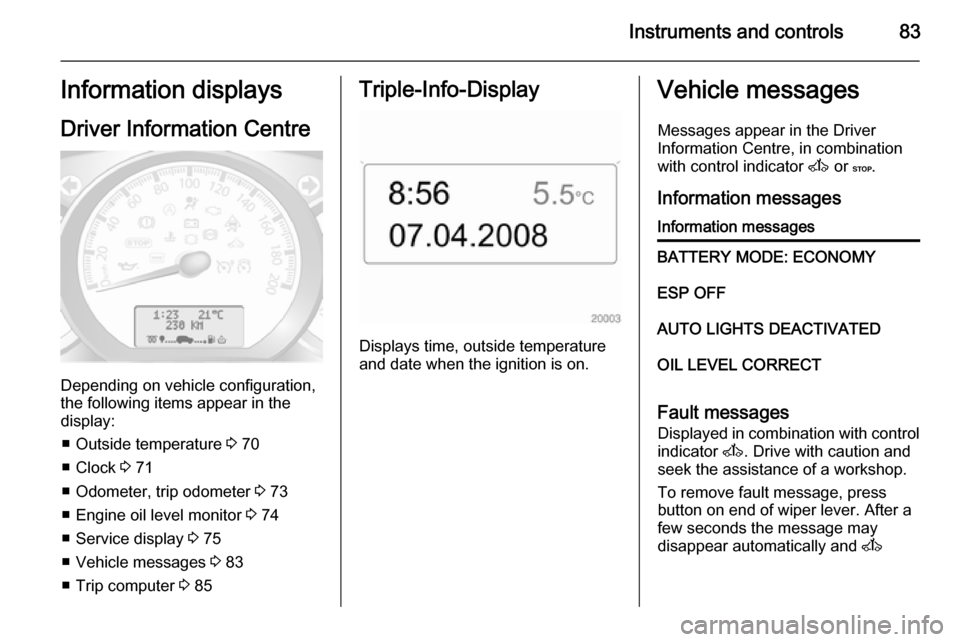
Depending on vehicle configuration,
the following items appear in the
display:
■ Outside temperature 3 70
■ Clock 3 71
■ Odometer, trip odometer 3 73
■ Engine oil level monitor 3 74
■ Service display 3 75
■ Vehicle messages 3 83
■ Trip computer 3 85
Triple-Info-Display
Displays time, outside temperature
and date when the ignition is on.
Vehicle messages
Messages appear in the Driver
Information Centre, in combination
with control indicator A or C.
Information messagesInformation messagesBATTERY MODE: ECONOMYESP OFFAUTO LIGHTS DEACTIVATEDOIL LEVEL CORRECT
Fault messages Displayed in combination with control
indicator A. Drive with caution and
seek the assistance of a workshop.
To remove fault message, press
button on end of wiper lever. After a
few seconds the message may
disappear automatically and A
Page 86 of 201

84Instruments and controls
remains illuminated. The fault will
then be stored in the on board
system.Fault messagesCHECK ESPCHECK FUEL FILTERCHECK GEARBOXCHECK AUTO LIGHTS
Warning messages
These may appear with control
indicator C or in combination with
other warning messages, control
indicators or an audible warning. Stop
engine immediately and seek the
assistance of a workshop.
Warning messagesINJECTION FAULTENGINE OVERHEATINGGEARBOX OVERHEATING
Warning chimes
When starting the engine or
whilst driving
Only one warning chime will sound at
a time.
The warning chime regarding
unfastened seat belts has priority
over any other warning chime.
■ If seat belt is not fastened.
■ If a certain speed is exceeded with the parking brake applied.
■ If the parking assist detects an object.
■ If the vehicle has manual transmission automated and the
clutch temperature is too high.
■ If the vehicle speed briefly exceeds
a set limit.
■ During closing of the power sliding door.
■ If the sliding door is open and the parking brake is released.
■ During activation and deactivation of alarm monitoring of vehicle
inclination.
When the vehicle is parked and/ or the driver's door is opened ■ When the key is in the ignition switch.
■ With exterior lights on.
■ If the vehicle has manual transmission automated; neutral is
not selected or the foot brake has
not been depressed. A
corresponding message appears in the Driver Information Centre.
Page 100 of 201

98Climate control
During operation, power from the
vehicle battery is used. For short
journey times, check the vehicle
battery regularly and recharge if
necessary.
To ensure efficient performance, the
low level air vents in the rear
passenger compartment must not be
obstructed.9 Warning
Do not operate the system when
refuelling, when dust or
combustible vapours are present
or in enclosed spaces (e.g.
garage).
Setting the time and day
Press button Ö until the time display
flashes.
If the vehicle battery supply has been
interrupted prior to its use press the
m or n button briefly to make the
time display flash.
Adjust the time using the m or n
buttons.
The time is set when the displayed
time stops flashing.
The display for the day will then flash: adjust the day using the m or n
buttons.
The day is set when the display stops
flashing.
The display will remain illuminated for approx. 15 seconds after the ignition
is switched off.
Operating the rear compartment
additional heating Press button Y to operate heating. Y
will appear in the display to indicate
that the heating is operating.
Changing the period for which
heating is operating With the heating switched off ( Y
extinguished in display), press m
button for briefly until the period for
which heating is provided flashes in
the display.
Use the m or n buttons to adjust
the heating duration. The duration is
set when the display extinguishes.Programming the heating mode
It is possible to store up to three
programmes which allow the heating
to be switched on.
Press P button the appropriate
number of times to select the desired
stored programme.
Press the m or n buttons briefly;
the programming time flashes in the
display.
Using the m or n buttons adjust to
the desired time, then, as soon as the
time display stops flashing, adjust the day using the m or n buttons.
The time and day are set when the
display stops flashing.
Recalling a programming mode To activate a stored programme,
press P button the appropriate
number of times until the
corresponding number appears on
the display.
Page 107 of 201

Climate control105Air conditioning regular
operation In order to ensure continuously
efficient performance, cooling must
be operated for a few minutes once a
month, irrespective of the weather
and time of year. Operation with
cooling is not possible when outside
temperature is too low.
Service For optimal cooling performance, it is
recommended that the climate control system be checked annually, starting three years after initial vehicle
registration, including:
■ Functionality and pressure test
■ Heating functionality
■ Leakage check
■ Check of drive belts
■ Cleaning of condenser and evaporator drainage
■ Performance check
Page 118 of 201
116Driving and operating
Rocking the vehicleRocking the vehicle is only
permissible if the vehicle is stuck in
sand, mud, snow or a hole.Move the
selector lever between R and A/M (or
between + and -) in a repeat pattern,
while applying light pressure to the
accelerator pedal.Do not race the
engine and avoid sudden
acceleration.
Parking
Apply the parking brake.The most recently engaged gear (see
transmission display) remains
engaged.With N, no gear is engaged.
When the ignition is switched off, the
transmission no longer responds to
movement of the selector lever.
If the ignition is not switched off, or the
parking brake has not been applied, a warning chime will sound upon
opening the driver's door.
Manual mode If a higher gear is selected when the
engine speed is too low, or a lower
gear when the speed is too high, theshift is not executed. This prevents
the engine from running at too low or
too high an engine speed.
If engine speed is too low, the
transmission automatically shifts to a
lower gear.
If engine speed is too high, the
transmission only switches to a higher gear via kickdown.
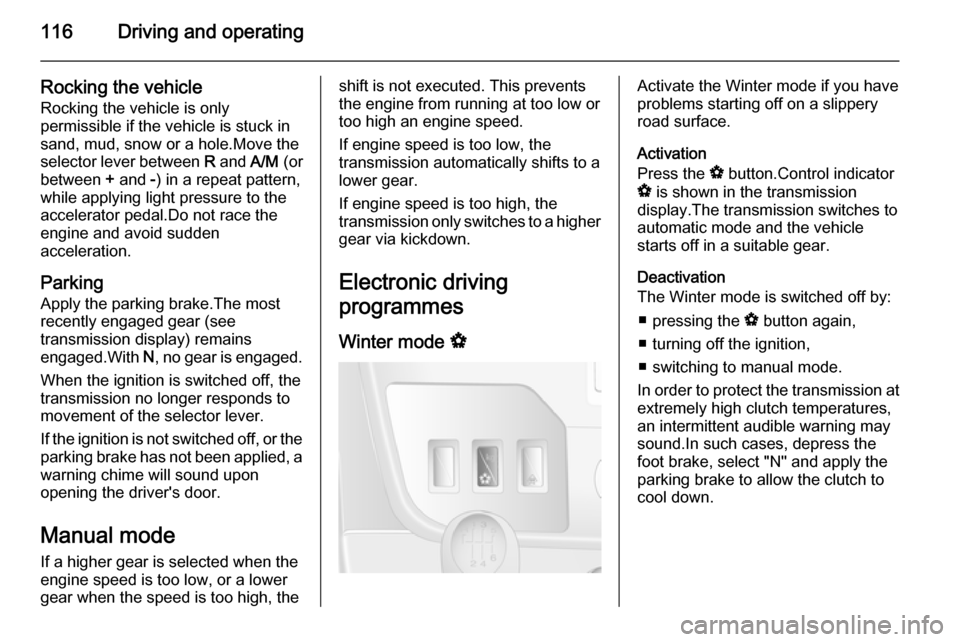
Electronic driving
programmes
Winter mode VActivate the Winter mode if you have
problems starting off on a slippery
road surface.
Activation
Press the V button.Control indicator
V is shown in the transmission
display.The transmission switches to
automatic mode and the vehicle
starts off in a suitable gear.
Deactivation
The Winter mode is switched off by:
■ pressing the V button again,
■ turning off the ignition,
■ switching to manual mode.
In order to protect the transmission at extremely high clutch temperatures,
an intermittent audible warning may
sound.In such cases, depress the
foot brake, select "N" and apply the
parking brake to allow the clutch to
cool down.
Page 120 of 201

118Driving and operatingBrakes
The brake system comprises two
independent brake circuits.
If a brake circuit fails, the vehicle can
still be braked using the other brake
circuit. However, braking effect is
achieved only when you depress the
brake pedal firmly. You need to use
considerably more force for this. The
braking distance is extended. Seek
the assistance of a workshop before
continuing your journey.
When the engine is not running, the
support of the brake servo unit
disappears once the brake pedal has been depressed once or twice.
Braking effect is not reduced, but
braking requires significantly greater
force. It is especially important to bear this in mind when being towed.
Control indicator R 3 79.
If the brake pads wear to a
predetermined point, the braking
system will require inspection. Seek
the assistance of a workshop.
Control indicator F 3 80.Antilock brake system
Antilock brake system (ABS)
prevents the wheels from locking.
ABS starts to regulate brake pressure as soon as a wheel shows a tendency to lock. The vehicle remains
steerable, even during hard braking.
ABS control is made apparent
through a pulse in the brake pedal
and the noise of the regulation
process.
For optimum braking, keep the brake
pedal fully depressed throughout the
braking process, despite the fact that
the pedal is pulsating. Do not reduce
the pressure on the pedal.
Control indicator u 3 80.
Fault
If control indicators u and A
illuminate with the messages CHECK
ABS and CHECK ESP in the Driver
Information Centre, there is a fault in the ABS. The brake system remains
operational but without ABS
regulation.9 Warning
If there is a fault in the ABS, the
wheels may be liable to lock due
to braking that is heavier than
normal. The advantages of ABS are no longer available. During
hard braking, the vehicle can no longer be steered and may
swerve.
If control indicators u, A , R and
C illuminate, the ABS and ESP are
deactivated and the message
BRAKING FAULT is shown in the
Driver Information Centre. Seek the
assistance of a workshop.
Have the cause of the fault remedied
by a workshop.
Page 121 of 201
Driving and operating119Parking brake
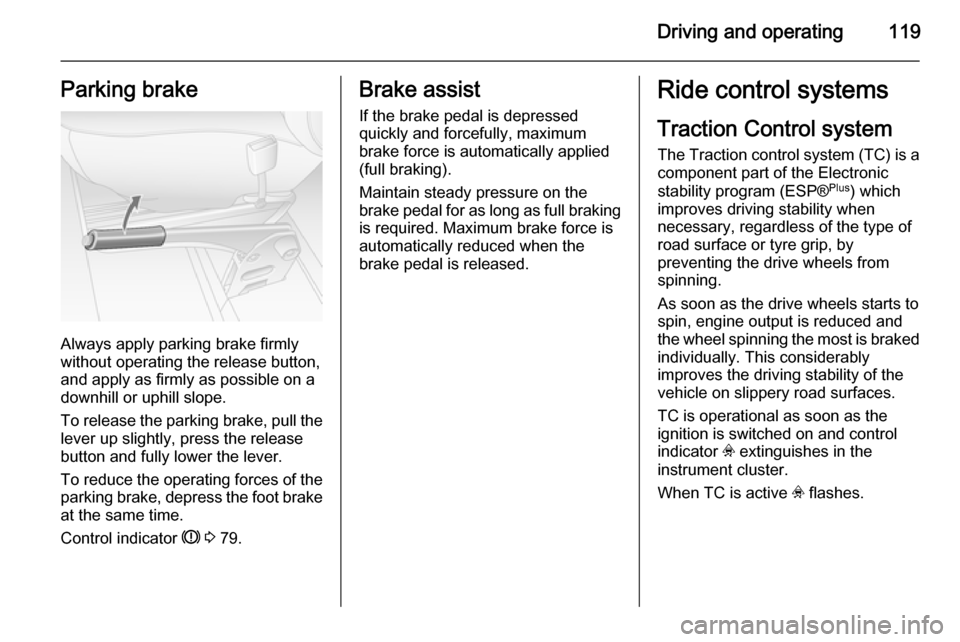
Always apply parking brake firmly
without operating the release button,
and apply as firmly as possible on a
downhill or uphill slope.
To release the parking brake, pull the lever up slightly, press the release
button and fully lower the lever.
To reduce the operating forces of the
parking brake, depress the foot brake
at the same time.
Control indicator R 3 79.
Brake assist
If the brake pedal is depressed
quickly and forcefully, maximum
brake force is automatically applied
(full braking).
Maintain steady pressure on the
brake pedal for as long as full braking
is required. Maximum brake force is
automatically reduced when the
brake pedal is released.Ride control systems
Traction Control system
The Traction control system (TC) is a
component part of the Electronic
stability program (ESP® Plus
) which
improves driving stability when
necessary, regardless of the type of
road surface or tyre grip, by
preventing the drive wheels from
spinning.
As soon as the drive wheels starts to spin, engine output is reduced and
the wheel spinning the most is braked individually. This considerably
improves the driving stability of the
vehicle on slippery road surfaces.
TC is operational as soon as the
ignition is switched on and control
indicator v extinguishes in the
instrument cluster.
When TC is active v flashes.
Page 122 of 201
120Driving and operating9Warning
Do not let this special safety
feature tempt you into taking risks
when driving.
Adapt speed to the road
conditions.
Control indicator v 3 80.
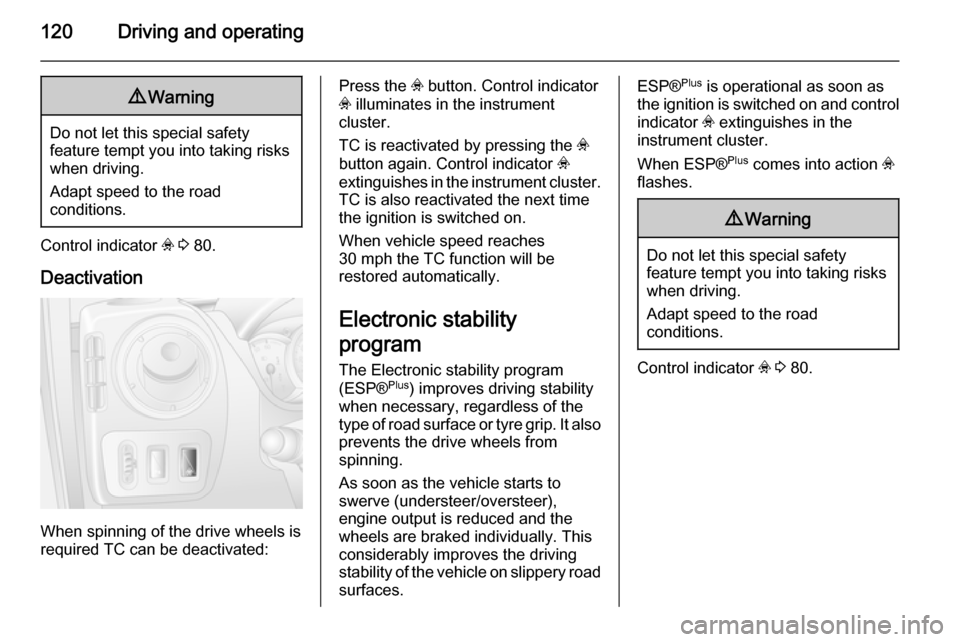
Deactivation
When spinning of the drive wheels is
required TC can be deactivated:
Press the v button. Control indicator
v illuminates in the instrument
cluster.
TC is reactivated by pressing the v
button again. Control indicator v
extinguishes in the instrument cluster. TC is also reactivated the next time
the ignition is switched on.
When vehicle speed reaches
30 mph the TC function will be
restored automatically.
Electronic stability
program
The Electronic stability program
(ESP® Plus
) improves driving stability
when necessary, regardless of the type of road surface or tyre grip. It also prevents the drive wheels from
spinning.
As soon as the vehicle starts to
swerve (understeer/oversteer),
engine output is reduced and the wheels are braked individually. This
considerably improves the driving stability of the vehicle on slippery road surfaces.ESP® Plus
is operational as soon as
the ignition is switched on and control
indicator v extinguishes in the
instrument cluster.
When ESP® Plus
comes into action v
flashes.9 Warning
Do not let this special safety
feature tempt you into taking risks
when driving.
Adapt speed to the road
conditions.
Control indicator v 3 80.