2014 VAUXHALL MOVANO_B ESP
[x] Cancel search: ESPPage 123 of 201
Driving and operating121
Deactivation
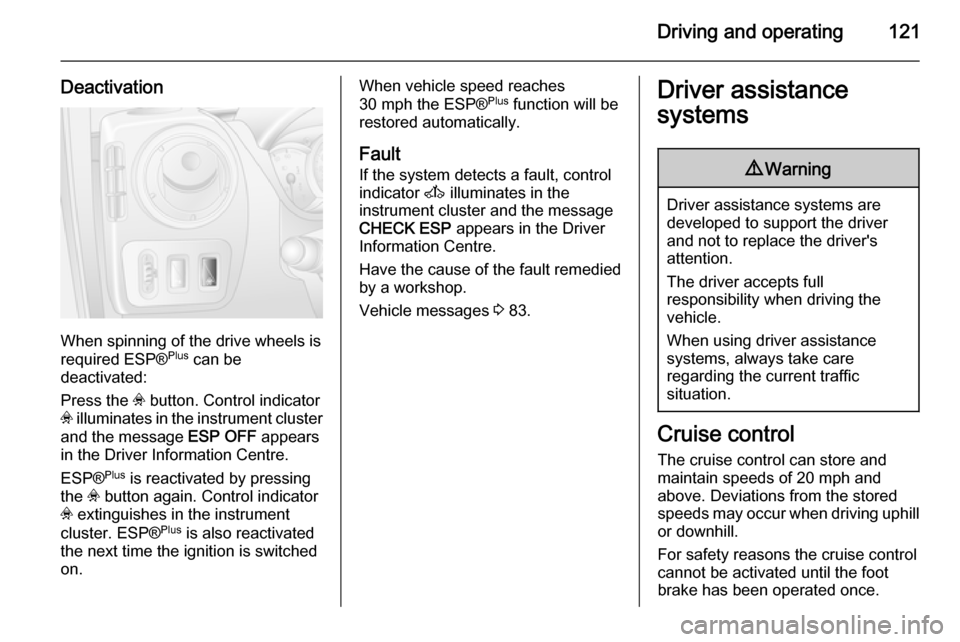
When spinning of the drive wheels is
required ESP® Plus
can be
deactivated:
Press the v button. Control indicator
v illuminates in the instrument cluster
and the message ESP OFF appears
in the Driver Information Centre.
ESP® Plus
is reactivated by pressing
the v button again. Control indicator
v extinguishes in the instrument
cluster. ESP® Plus
is also reactivated
the next time the ignition is switched on.
When vehicle speed reaches
30 mph the ESP® Plus
function will be
restored automatically.
Fault
If the system detects a fault, control
indicator A illuminates in the
instrument cluster and the message
CHECK ESP appears in the Driver
Information Centre.
Have the cause of the fault remedied
by a workshop.
Vehicle messages 3 83.Driver assistance
systems9 Warning
Driver assistance systems are
developed to support the driver
and not to replace the driver's
attention.
The driver accepts full
responsibility when driving the
vehicle.
When using driver assistance
systems, always take care
regarding the current traffic
situation.
Cruise control
The cruise control can store and
maintain speeds of 20 mph and
above. Deviations from the stored speeds may occur when driving uphill or downhill.
For safety reasons the cruise control cannot be activated until the foot
brake has been operated once.
Page 124 of 201
122Driving and operating
Do not use the cruise control if it is notadvisable to maintain a constant
speed.
With manual transmission
automated, only activate cruise
control in automatic mode.
Control indicators m and U 3 82.
Activation
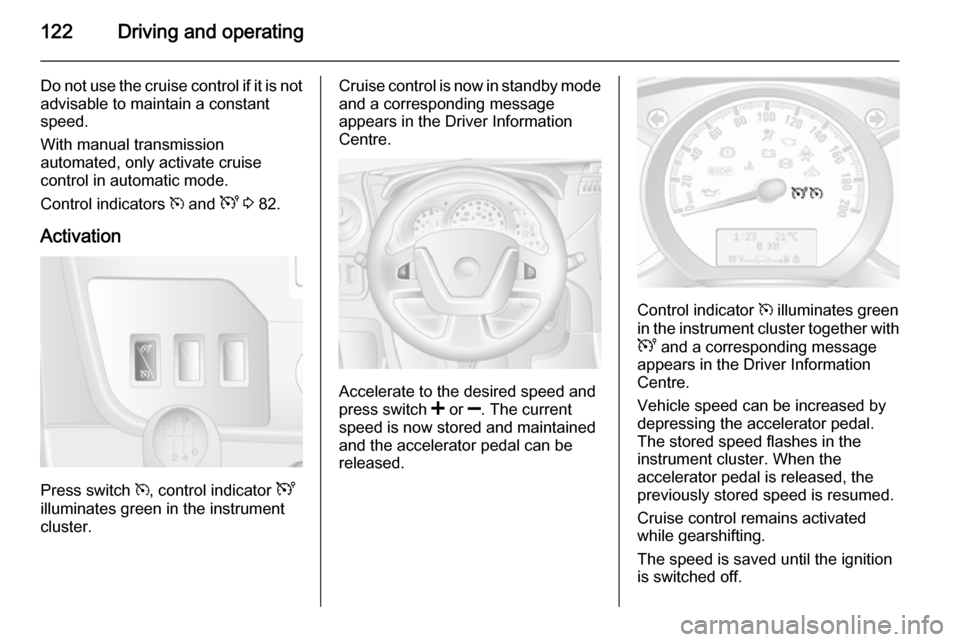
Press switch m, control indicator U
illuminates green in the instrument
cluster.
Cruise control is now in standby mode
and a corresponding message
appears in the Driver Information
Centre.
Accelerate to the desired speed and
press switch < or ]. The current
speed is now stored and maintained
and the accelerator pedal can be released.
Control indicator m illuminates green
in the instrument cluster together with
U and a corresponding message
appears in the Driver Information
Centre.
Vehicle speed can be increased by
depressing the accelerator pedal. The stored speed flashes in the
instrument cluster. When the
accelerator pedal is released, the previously stored speed is resumed.
Cruise control remains activated
while gearshifting.
The speed is saved until the ignition
is switched off.
Page 125 of 201

Driving and operating123
Increase speedWith cruise control active, the vehicle
speed can be increased continuously or in small increments by holding
down or tapping switch < repeatedly.
When the switch is released the
current speed is stored and
maintained.
Alternatively, accelerate to the
desired speed and store by pressing
switch <.
Reduce speed
With cruise control active, the vehicle speed can be decreased
continuously or in small increments
by holding down or tapping switch ]
repeatedly.
When the switch is released the
current speed is stored and
maintained.
Deactivation
Press switch §: cruise control is
deactivated and the green control
indicator m extinguishes in the
instrument cluster.Automatic deactivation:
■ Vehicle speed drops below 20 mph,
■ The brake pedal is depressed,
■ The clutch pedal is depressed,
■ Selector lever in N.
The speed is stored and a
corresponding message appears in
the Driver Information Centre.
Resume stored speed
Press switch R at a speed above
20 mph.
If the stored speed is much higher
than the current speed, the vehicle
will accelerate powerfully until the stored speed is obtained.
Deleting the stored speed Press switch m: Green control
indicators U and m extinguish in the
instrument cluster.
Cruise control speed limiter
The speed limiter prevents the
vehicle exceeding a preset maximum speed above 20 mph.Activation
Press switch U, control indicator U
illuminates yellow in the instrument
cluster.
Cruise control speed limiter function
is now in standby mode and a
corresponding message appears in
the Driver Information Centre.
Accelerate to the desired speed and
press switch < or ]. The current
speed is recorded.
The vehicle can be driven normally
but it will not be possible to exceed the programmed speed limit except in an
emergency.
Page 126 of 201
124Driving and operating
Where the limit speed cannot be
maintained, e.g. when driving on a steep decline, the limit speed will
flash in the Driver Information Centre.
Increase limit speed
The limit speed can be increased
continuously or in small increments
by holding down or tapping switch <
repeatedly.
Reduce limit speed
The limit speed can be decreased
continuously or in small increments
by holding down or tapping switch ]
repeatedly.
Exceeding the limit speed
In the event of an emergency it is
possible to exceed the limit speed by
depressing the accelerator pedal
firmly beyond the point of resistance.
The limit speed will flash in the Driver Information Centre during this period.
Release the accelerator pedal and
the speed limiter function is
reactivated once a speed lower than
the limit speed is obtained.Deactivation
Press switch §: speed limiter is
deactivated and the vehicle can be
driven normally.
The limit speed is stored and a
corresponding message appears in
the Driver Information Centre.
Reactivation
Press switch R. The speed limiter
function is reactivated.
Deleting the limit speed
Press switch U.
Yellow control indicator U
extinguishes in the instrument cluster.
Parking assist
The parking assist makes reverse
parking easier by measuring the
distance between the rear of the
vehicle and obstacles. It is the driver,
however, who bears full responsibility for the parking manoeuvre.
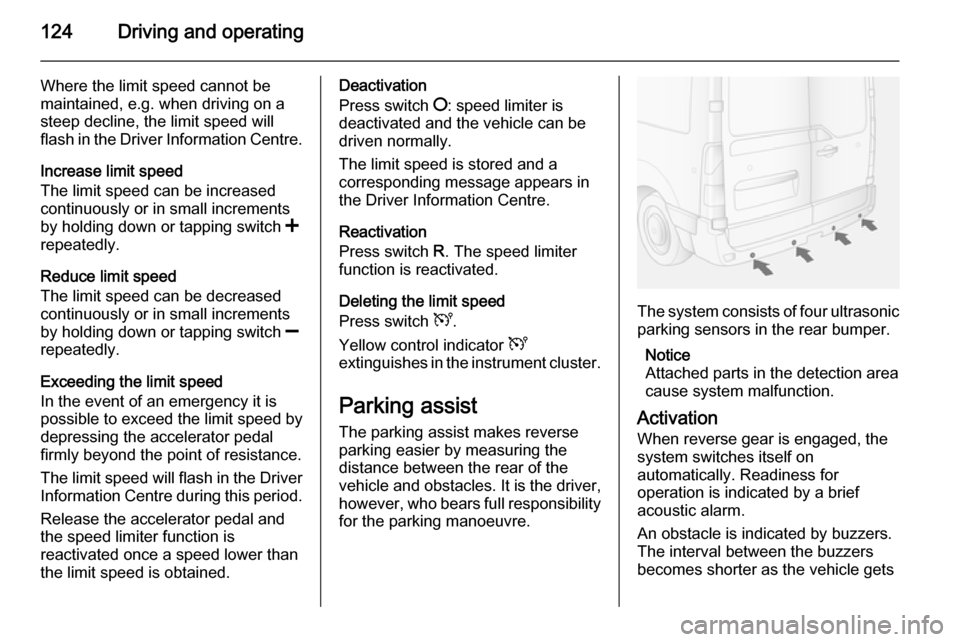
The system consists of four ultrasonic
parking sensors in the rear bumper.
Notice
Attached parts in the detection area
cause system malfunction.
Activation
When reverse gear is engaged, the
system switches itself on
automatically. Readiness for
operation is indicated by a brief
acoustic alarm.
An obstacle is indicated by buzzers.
The interval between the buzzers
becomes shorter as the vehicle gets
Page 128 of 201

126Driving and operating
FaultIf the system detects an operatingfault, a continuous acoustic alarm will sound for approx. 5 seconds when
selecting reverse gear. Consult a
workshop to have the cause of the
fault remedied.Caution
When reversing, the area should
be free from obstacles which could impact on the underside of the
vehicle.
Impact to the rear axle, which may
not be visible, could lead to
uncharacteristic changes in the
vehicle handling. In the event of
such an impact, consult a
workshop.
Rear view camera
The camera is typically installed
under the number plate moulding with a display monitor fitted to the driver's
sun visor.
Functionality
The rear view camera system
enables the driver to view the rear of
the vehicle in the display monitor
whilst reversing.
The system can be activated or
deactivated by selecting the
Start/Stop button located on the right-
hand side of the display monitor.
The remaining buttons on the monitor enable the user to select source
AV1 or AV2 and adjust the brightness
and contrast of the display monitor.
To achieve the optimum visibility, the
rear view camera must not be
obscured by dirt, snow or ice.9 Warning
The system is intended as a
reversing aid and does not replace
driver vision.
Do not let this feature tempt you
into take risks when reversing.
Failure to use proper care when
reversing may result in damage to
the vehicle, injury, or death.
Always check the outside,
rearview mirrors and glance over
your shoulder before reversing.
The driver assistance systems do not relieve the driver from full
responsibility for vehicle
operation.
Page 131 of 201

Driving and operating129Trailer hitch
General information
Only use towing equipment that has
been approved for your vehicle.
Entrust fitting of towing equipment at
a later date to a workshop. It may be
necessary to make changes that
affect the cooling system, heat
shields or other equipment.
Driving characteristics and
towing tips In the case of trailers with brakes,
attach the breakaway stopping cable.
Before attaching a trailer, lubricate
the coupling ball. However, do not do
so if a stabiliser, which acts on the
coupling ball, is being used to reduce snaking movements. For trailers with
low driving stability the use of a
stabiliser is recommended.
A maximum speed of 50 mph must
not be exceeded, even in countries
where higher speeds are permitted.If the trailer starts snaking, drive more
slowly, do not attempt to correct the
steering and brake sharply if
necessary.
When driving downhill, drive in the
same gear as if driving uphill and
drive at a similar speed.
Adjust tyre pressure to the value
specified for full load 3 189.
Trailer towing Trailer loads
The permissible trailer loads are
vehicle-dependent and engine-
dependent maximum values which
must not be exceeded. The actual trailer load is the difference between
the actual gross weight of the trailer
and the actual coupling socket load
with the trailer coupled.
The permissible trailer loads are
specified in the vehicle documents. In general, they are valid for gradients
up to max. 12 %.
The permitted trailer load applies up to the specified incline and up to an
altitude of 1000 metres above sealevel. Since engine power decreases
as altitude increases due to the air
becoming thinner, therefore reducing
climbing ability, the permissible gross
train weight also decreases by 10 %
for every 1000 metres of additional
altitude. The gross train weight does
not have to be reduced when driving
on roads with slight inclines (less than
8 %, e.g. motorways).
The permissible gross train weight
must not be exceeded. This weight is
specified on the identification plate
3 171.
Vertical coupling load
The vertical coupling load is the load
exerted by the trailer on the coupling
ball. It can be varied by changing the
weight distribution when loading the
trailer.
The maximum permissible vertical
coupling load is specified on the
towing equipment identification plate
and in the vehicle documents. Always aim for the maximum load, especially
in the case of heavy trailers. The
vertical coupling load should never
fall below 25 kg.
Page 136 of 201

134Vehicle care
Pull the safety catch, located slightly
left of centre, and open the bonnet.
Secure the bonnet support.
Closing
Before closing the bonnet, press the
support into the holder.
Lower the bonnet and allow it to drop into the catch.Check that the bonnet
is engaged.
Engine oil
Check the engine oil level manually
on a regular basis to prevent damage
to the engine.
Ensure that the correct specification
of oil is used. Recommended fluids
and lubricants 3 168.
Check with the vehicle on a level
surface. The engine must be at
operating temperature and switched
off for at least 10 minutes.
Pull out the dipstick, wipe it clean,
insert it to the stop on the handle, pull
out and read the engine oil level.Caution
It is the owner's responsibility to
maintain the proper level of an
appropriate quality oil in the
engine.
When the engine oil level has
dropped to the MIN mark, top up
engine oil.
Caution
Do not allow the engine oil level to drop below the minimum level!
Page 150 of 201

148Vehicle careElectrical systemFuses
Data on the replacement fuse must
match the data on the defective fuse.
There are two fuse boxes in the
vehicle:
■ on the left-hand side of the instrument panel, behind the trim
panel.
■ in the engine compartment located below the coolant expansion tank.
Before replacing a fuse, turn off the
respective switch and the ignition.
A blown fuse can be recognised by its melted wire. Do not replace the fuse
until the cause of the fault has been
remedied.
It is advisable to carry a full set of
fuses. Consult a workshop.
Some functions are protected by
several fuses.
Fuses may also be inserted without
existence of a function.
Fuse extractor