Page 587 of 872
587
3-6. Using the interior lights
3
Interior features
SIENNA_OM_OM45483U_(U)
■
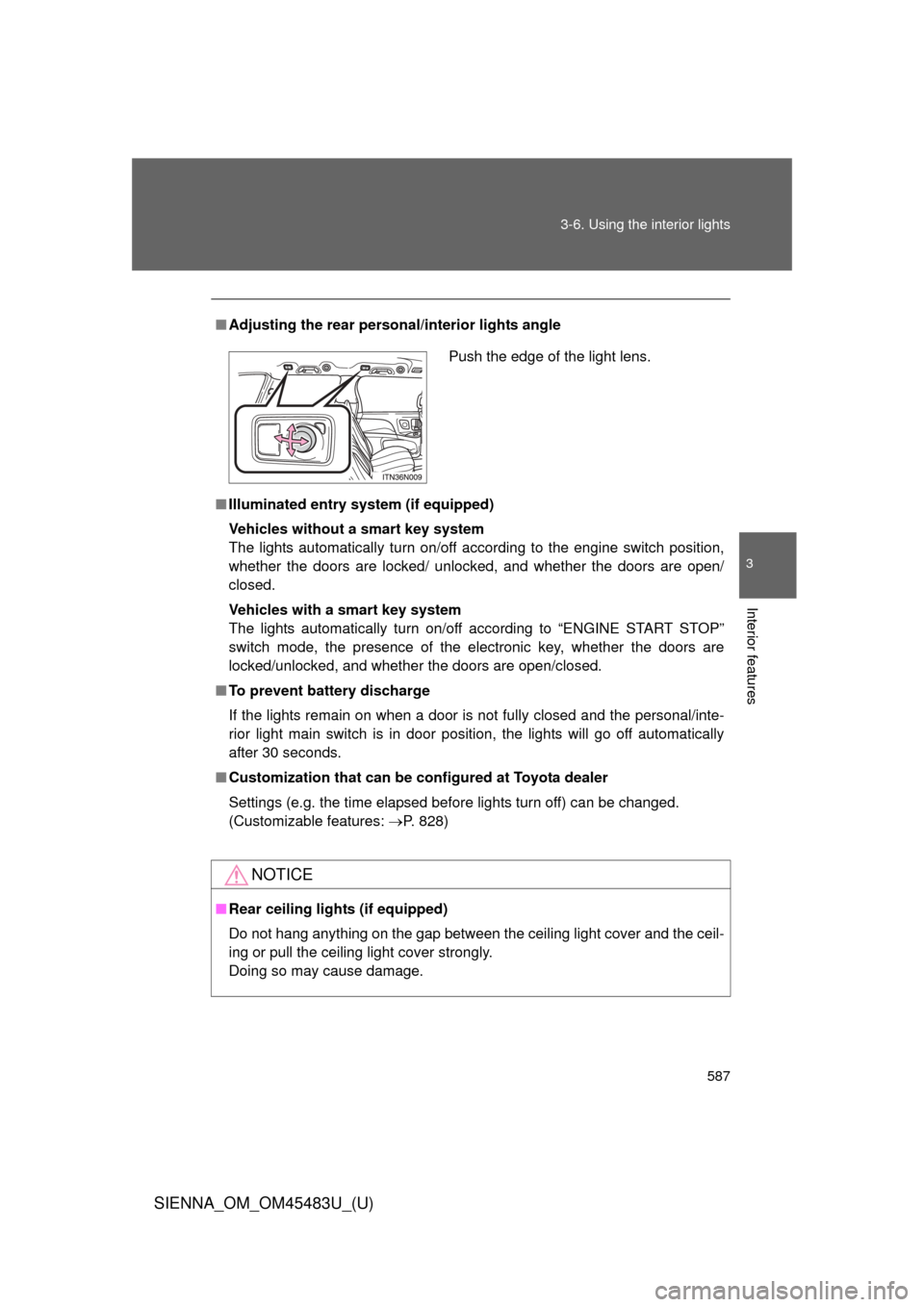
Adjusting the rear person al/interior lights angle
■ Illuminated entry system (if equipped)
Vehicles without a smart key system
The lights automatically turn on/off according to the engine switch position,
whether the doors are locked/ unlocked, and whether the doors are open/
closed.
Vehicles with a smart key system
The lights automatically turn on/off according to “ENGINE START STOP”
switch mode, the presence of the electronic key, whether the doors are
locked/unlocked, and whether the doors are open/closed.
■ To prevent battery discharge
If the lights remain on when a door is not fully closed and the personal/inte-
rior light main switch is in door position, the lights will go off automatically
after 30 seconds.
■ Customization that can be co nfigured at Toyota dealer
Settings (e.g. the time elapsed before lights turn off) can be changed.
(Customizable features: P. 828)
NOTICE
■Rear ceiling lights (if equipped)
Do not hang anything on the gap between the ceiling light cover and the ceil-
ing or pull the ceiling light cover strongly.
Doing so may cause damage.
Push the edge of the light lens.
Page 590 of 872
590 3-7. Using the storage features
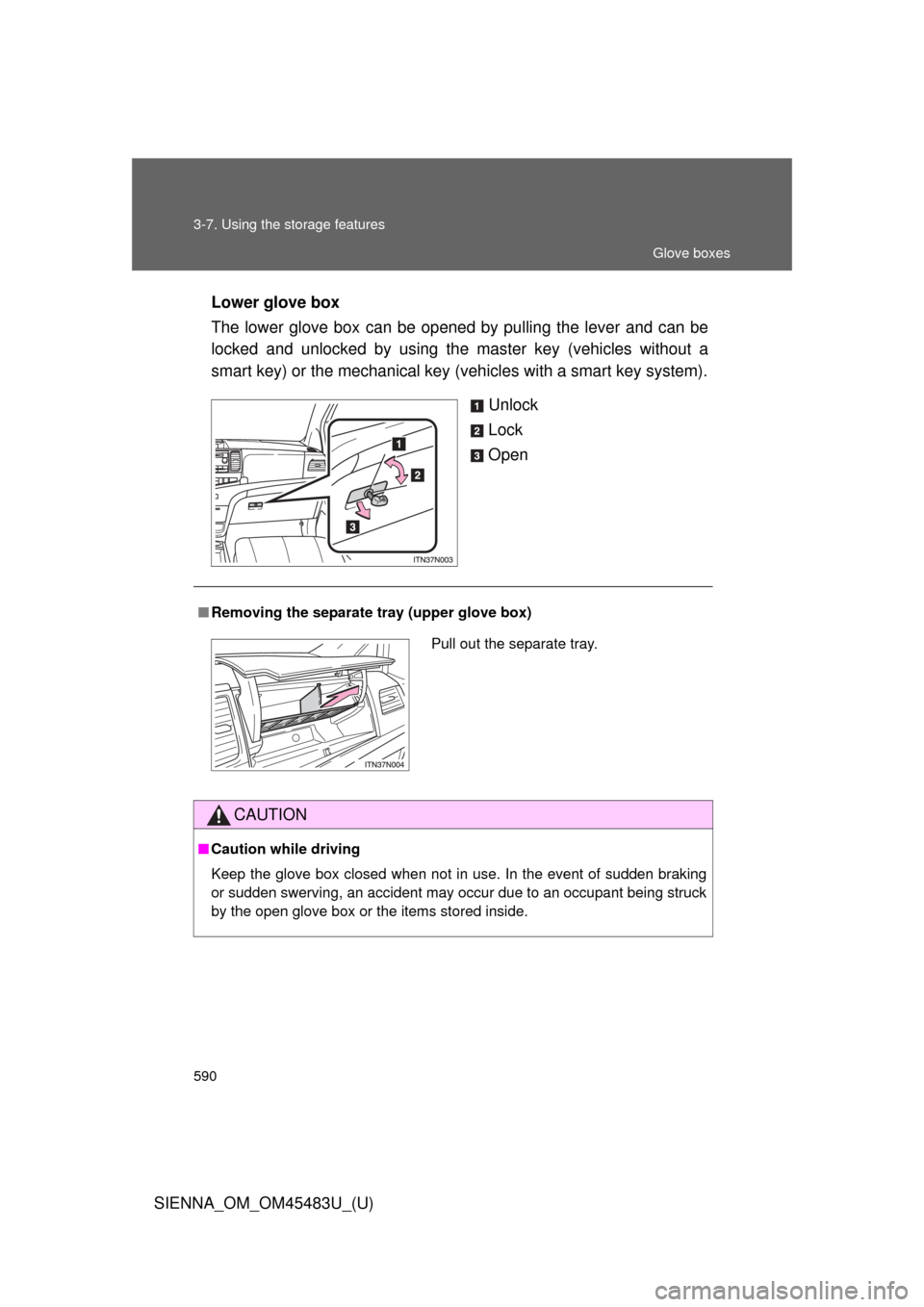
SIENNA_OM_OM45483U_(U)Lower glove box
The lower glove box can be opened by pulling the lever and can be
locked and unlocked by using the
master key (vehicles without a
smart key) or the mechanical key (vehicles with a smart key system).
Unlock
Lock
Open
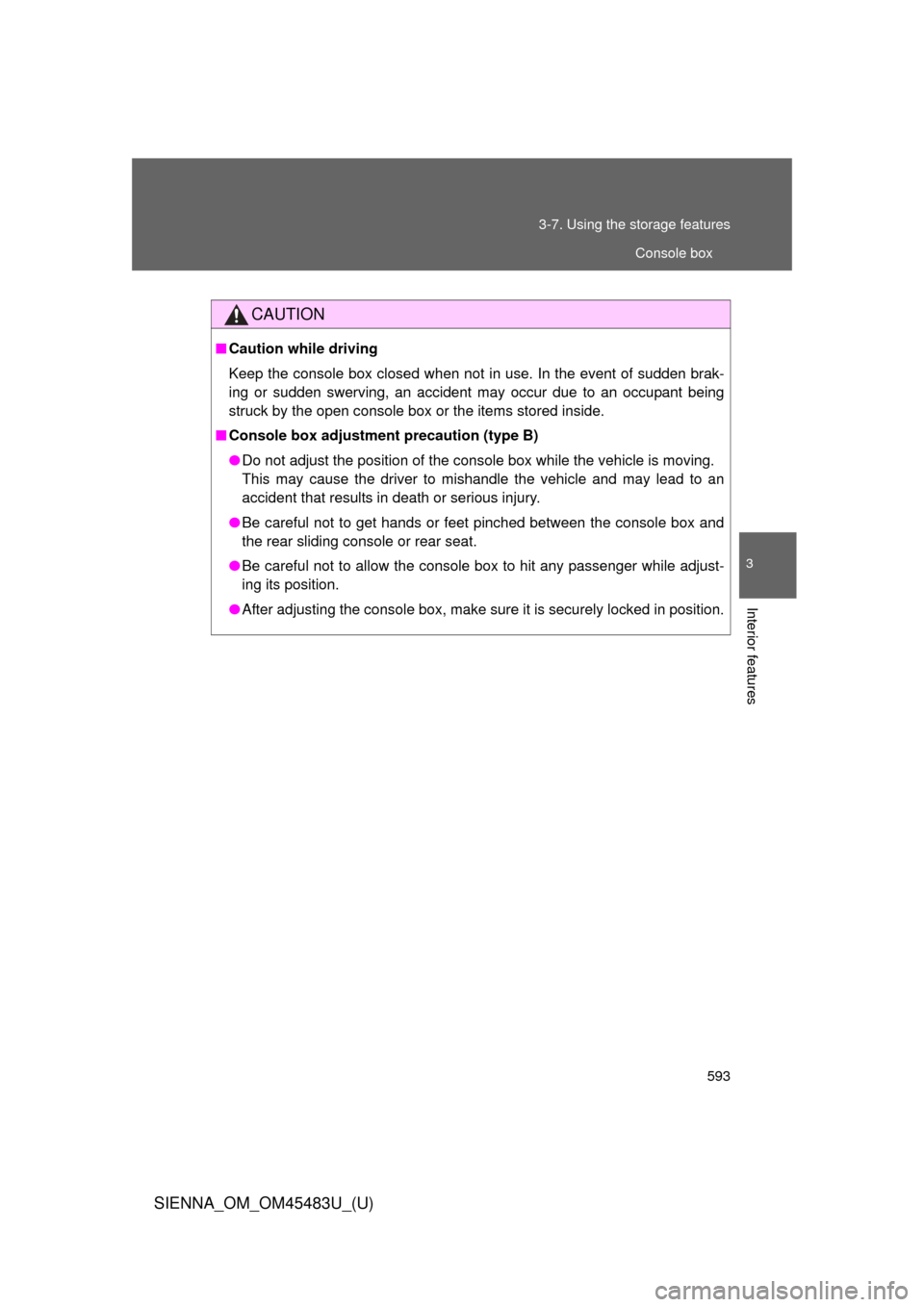
■Removing the separate tray (upper glove box)
CAUTION
■Caution while driving
Keep the glove box closed when not in use. In the event of sudden braking
or sudden swerving, an accident may occur due to an occupant being struck
by the open glove box or the items stored inside.
Pull out the separate tray.
Glove boxes
Page 593 of 872
593
3-7. Using the
storage features
3
Interior features
SIENNA_OM_OM45483U_(U)
CAUTION
■Caution while driving
Keep the console box closed when not in use. In the event of sudden brak-
ing or sudden swerving, an accident may occur due to an occupant being
struck by the open console box or the items stored inside.
■ Console box adjustment precaution (type B)
●Do not adjust the position of the console box while the vehicle is moving.
This may cause the driver to mishandle the vehicle and may lead to an
accident that results in death or serious injury.
● Be careful not to get hands or feet pinched between the console box and
the rear sliding console or rear seat.
● Be careful not to allow the console box to hit any passenger while adjust-
ing its position.
● After adjusting the console box, make sure it is securely locked in position.
Console box
Page 608 of 872
608
3-8. Other interior features
SIENNA_OM_OM45483U_(U)
Clock
: If equipped
■The clock is displayed when
Vehicles without a smart key system
The engine switch is in the “ACC” or “ON” position.
Vehicles with a smart key system
The “ENGINE START STOP” switch is in ACCESSORY or IGNITION ON
mode.
■ When disconnecting and reco nnecting battery terminals
The time display will automatically be set to 1:00.
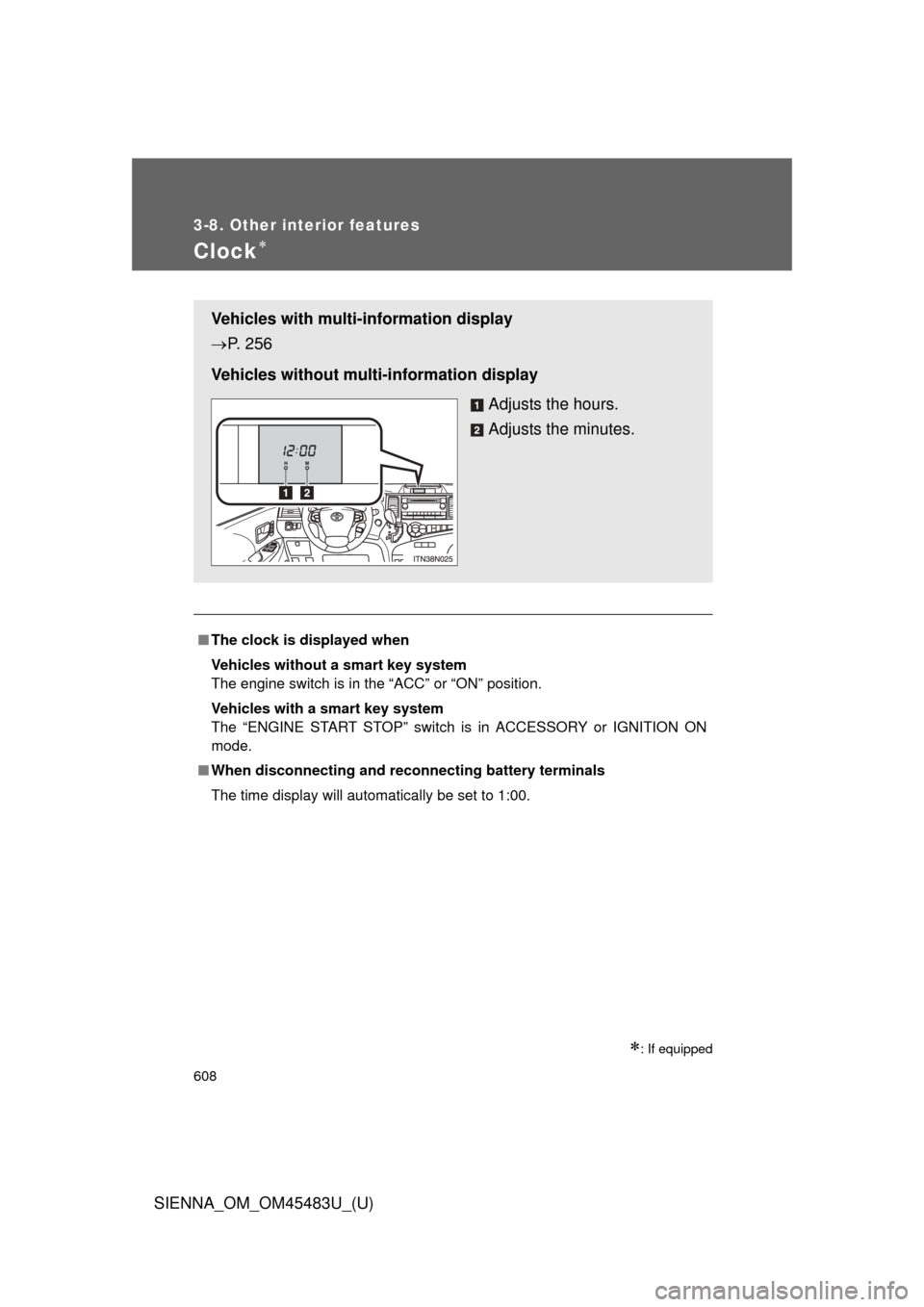
Vehicles with multi-information display
P. 256
Vehicles without multi-information display Adjusts the hours.
Adjusts the minutes.
Page 609 of 872
609
3-8. Other interior features
3
Interior features
SIENNA_OM_OM45483U_(U)
Conversation mirror
: If equipped
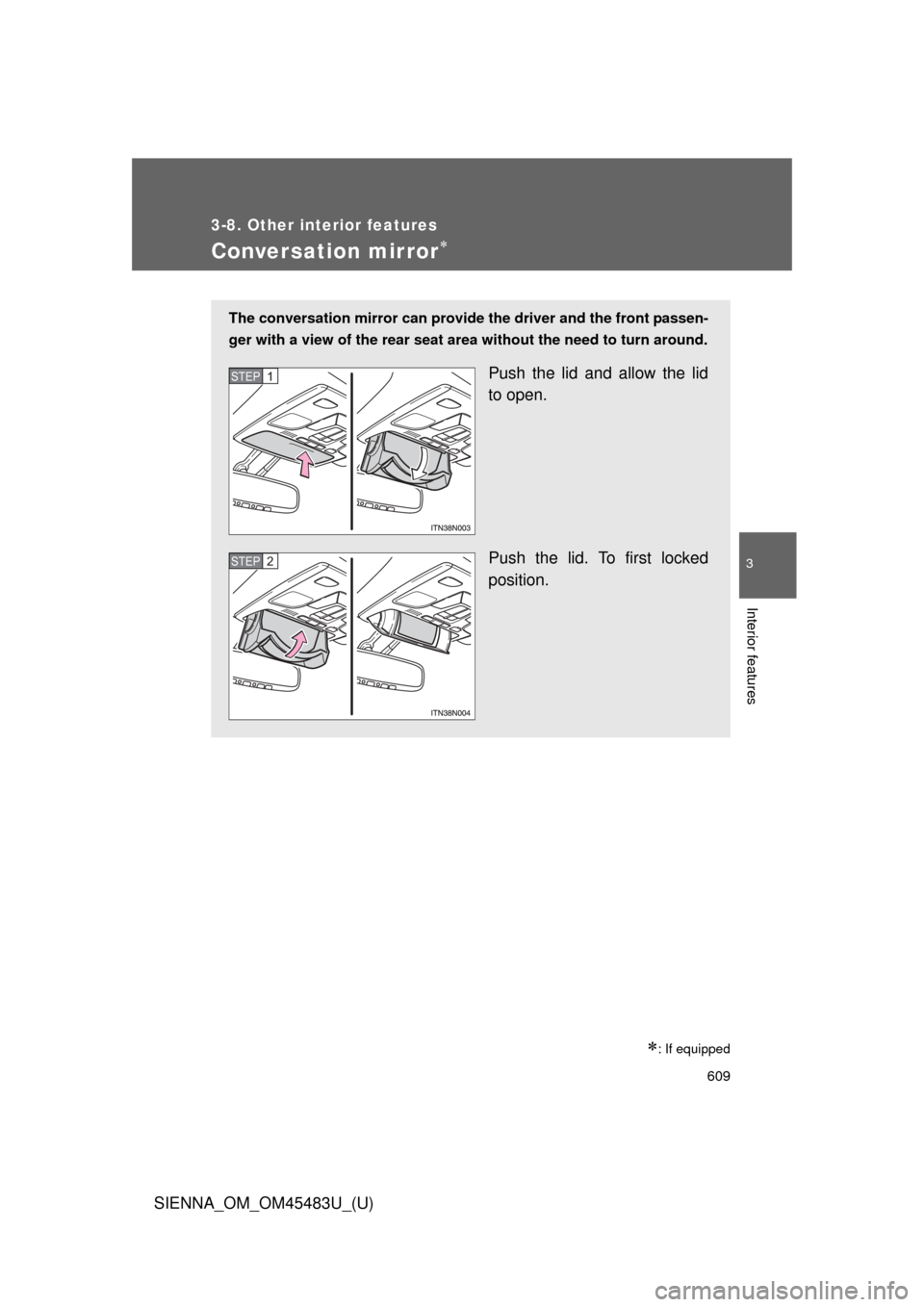
The conversation mirror can provide the driver and the front passen-
ger with a view of the rear seat area without the need to turn around.
Push the lid and allow the lid
to open.
Push the lid. To first locked
position.STEP1
STEP2
Page 626 of 872
626
3-8. Other interior features
SIENNA_OM_OM45483U_(U)
Garage door opener
The garage door opener (HomeLink® Universal Transceiver) is manufac-
tured under license from HomeLink®.
Programming the HomeLink® (for U.S.A. owners)
The HomeLink
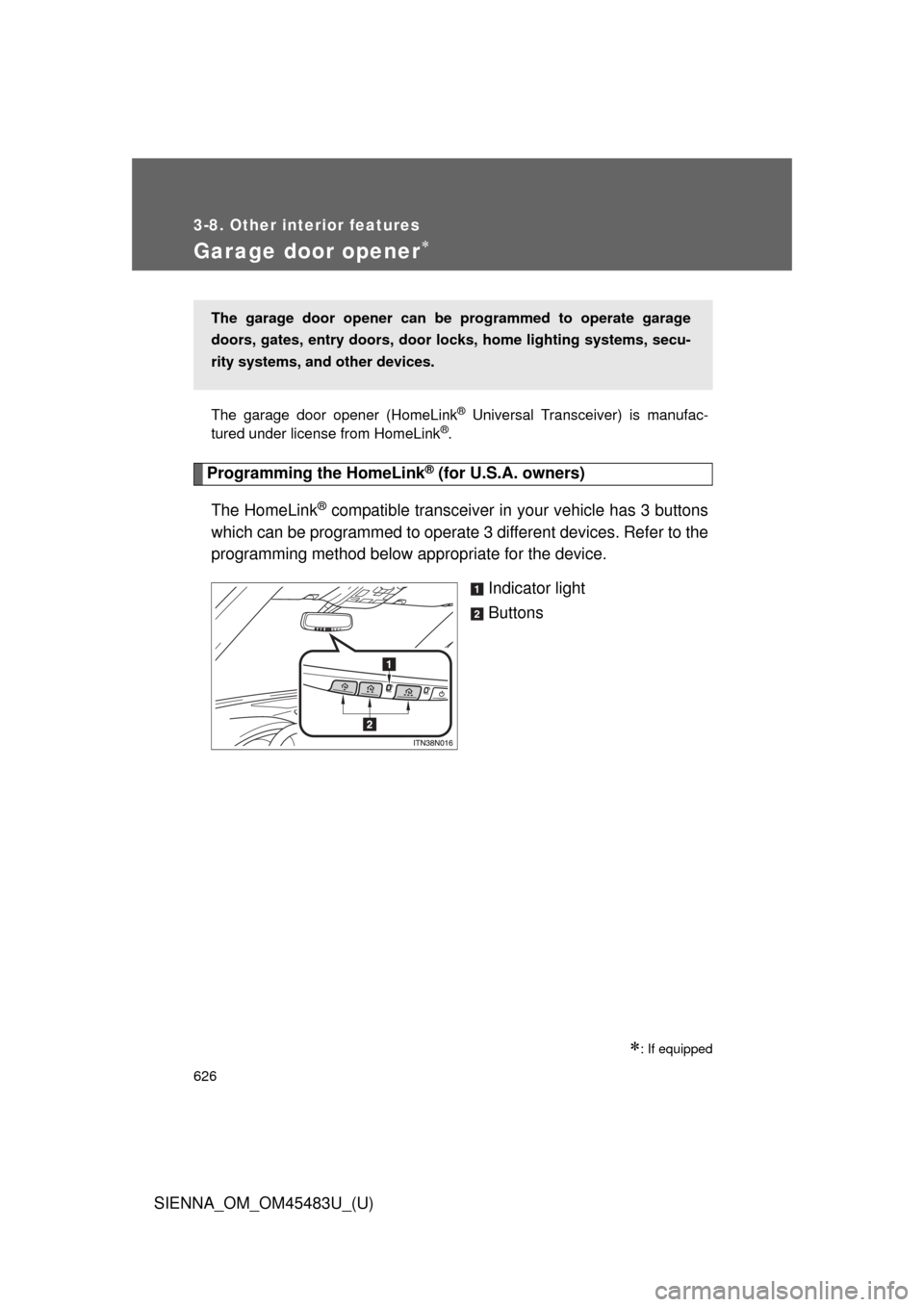
® compatible transceiver in your vehicle has 3 buttons
which can be programmed to operate 3 different devices. Refer to the
programming method below appropriate for the device.
Indicator light
Buttons
: If equipped
The garage door opener can be programmed to operate garage
doors, gates, entry doors, door locks, hom e lighting systems, secu-
rity systems, and other devices.
Page 630 of 872
630 3-8. Other interior features
SIENNA_OM_OM45483U_(U)■
Programming an entry gate (f or U.S.A. owners)/Programming
all devices in the Canadian market
Place your transmitter 1 to 3 in. (25 to 75 mm) away from the
surface of the HomeLink
®.
Keep the indicator light on the HomeLink® in view while programming.
Press and hold the selected HomeLink® button.
Repeatedly press and release (cycle) the device’s remote
control button for two seconds each until step 4 is complete.
When the indicator light on the HomeLink
® compatible trans-
ceiver starts to flashing rapidly, release the buttons.
Test the operation of the HomeLink
® by pressing the newly
programmed button. Check to se e if the gate/device operates
correctly.
Repeat the steps above to program another device for each of
the remaining HomeLink
® buttons.
■ Programming other devices
To program other devices such as home security systems, home
door locks or lighting, contact your authorized Toyota dealer for
assistance.
■ Reprogramming a button
The individual HomeLink
® buttons cannot be erased but can be
reprogrammed. To reprogram a button, follow the programming
instructions.
STEP1
STEP2
STEP3
STEP4
STEP5
STEP6
Page 636 of 872
636 3-8. Other interior features
SIENNA_OM_OM45483U_(U)■
Deviation calibration
Stop the vehicle where it is safe to drive in a circle.
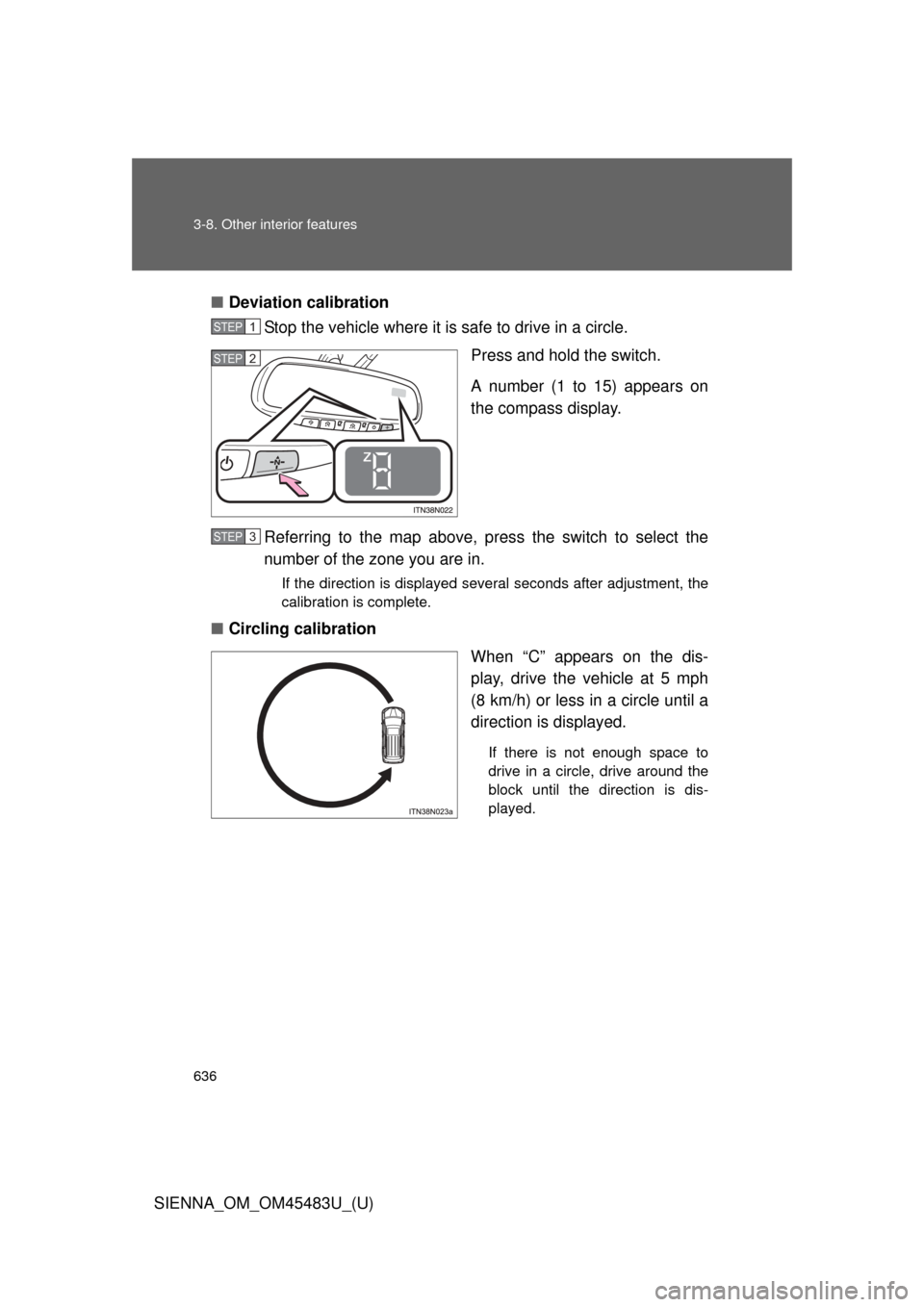
Press and hold the switch.
A number (1 to 15) appears on
the compass display.
Referring to the map above, pres s the switch to select the
number of the zone you are in.
If the direction is displayed several seconds after adjustment, the
calibration is complete.
■ Circling calibration
When “C” appears on the dis-
play, drive the vehicle at 5 mph
(8 km/h) or less in a circle until a
direction is displayed.
If there is not enough space to
drive in a circle, drive around the
block until the direction is dis-
played.
STEP1
STEP2
STEP3