Page 597 of 872
597
3-7. Using the
storage features
3
Interior features
SIENNA_OM_OM45483U_(U)
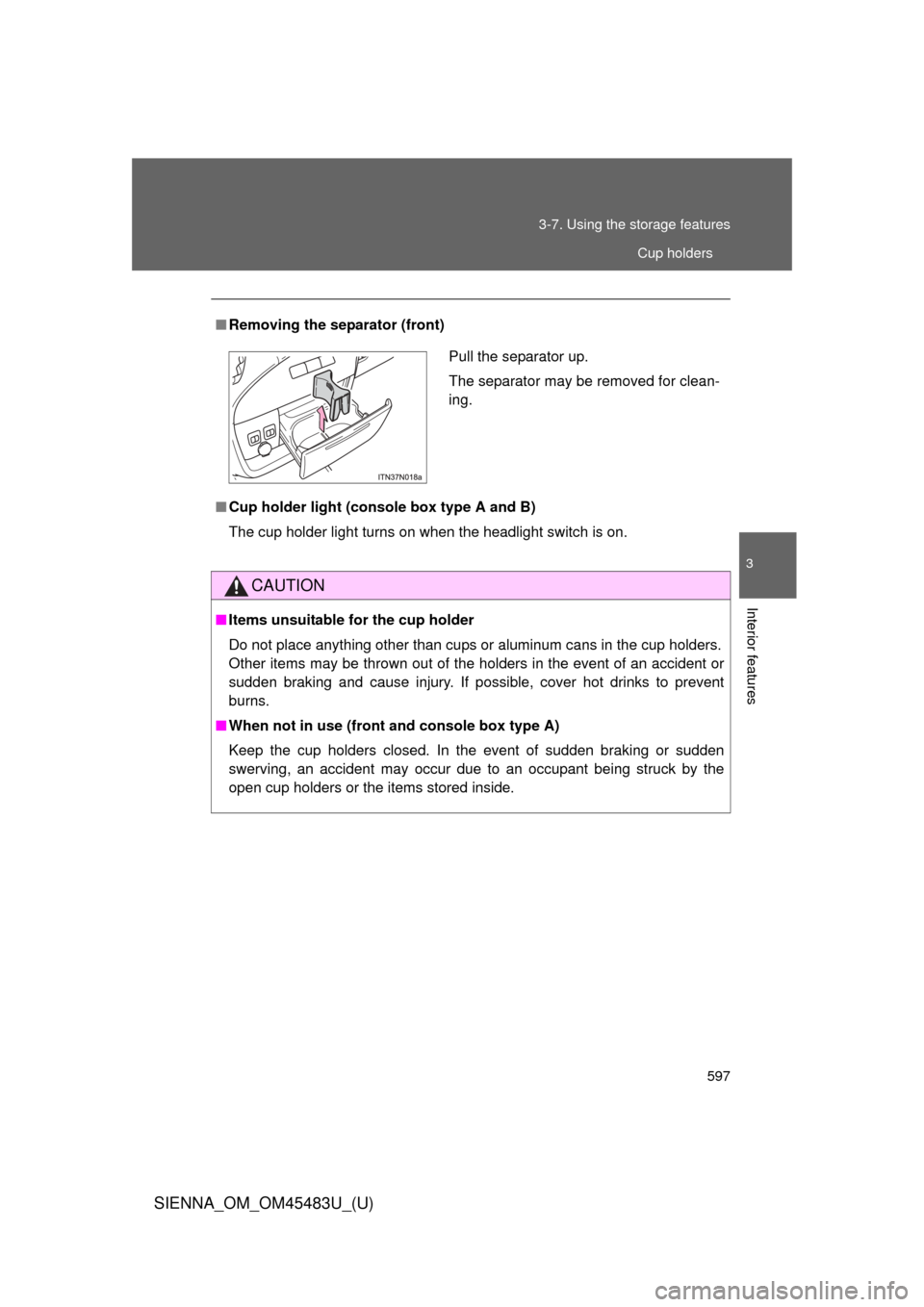
■Removing the separator (front)
■ Cup holder light (console box type A and B)
The cup holder light turns on when the headlight switch is on.
CAUTION
■Items unsuitable for the cup holder
Do not place anything other than cups or aluminum cans in the cup holders.
Other items may be thrown out of the holders in the event of an accident or
sudden braking and cause injury. If possible, cover hot drinks to prevent
burns.
■ When not in use (front and console box type A)
Keep the cup holders closed. In the event of sudden braking or sudden
swerving, an accident may occur due to an occupant being struck by the
open cup holders or the items stored inside.
Pull the separator up.
The separator may be removed for clean-
ing.
Cup holders
Page 607 of 872
607
3-8. Other interior features
3
Interior features
SIENNA_OM_OM45483U_(U)
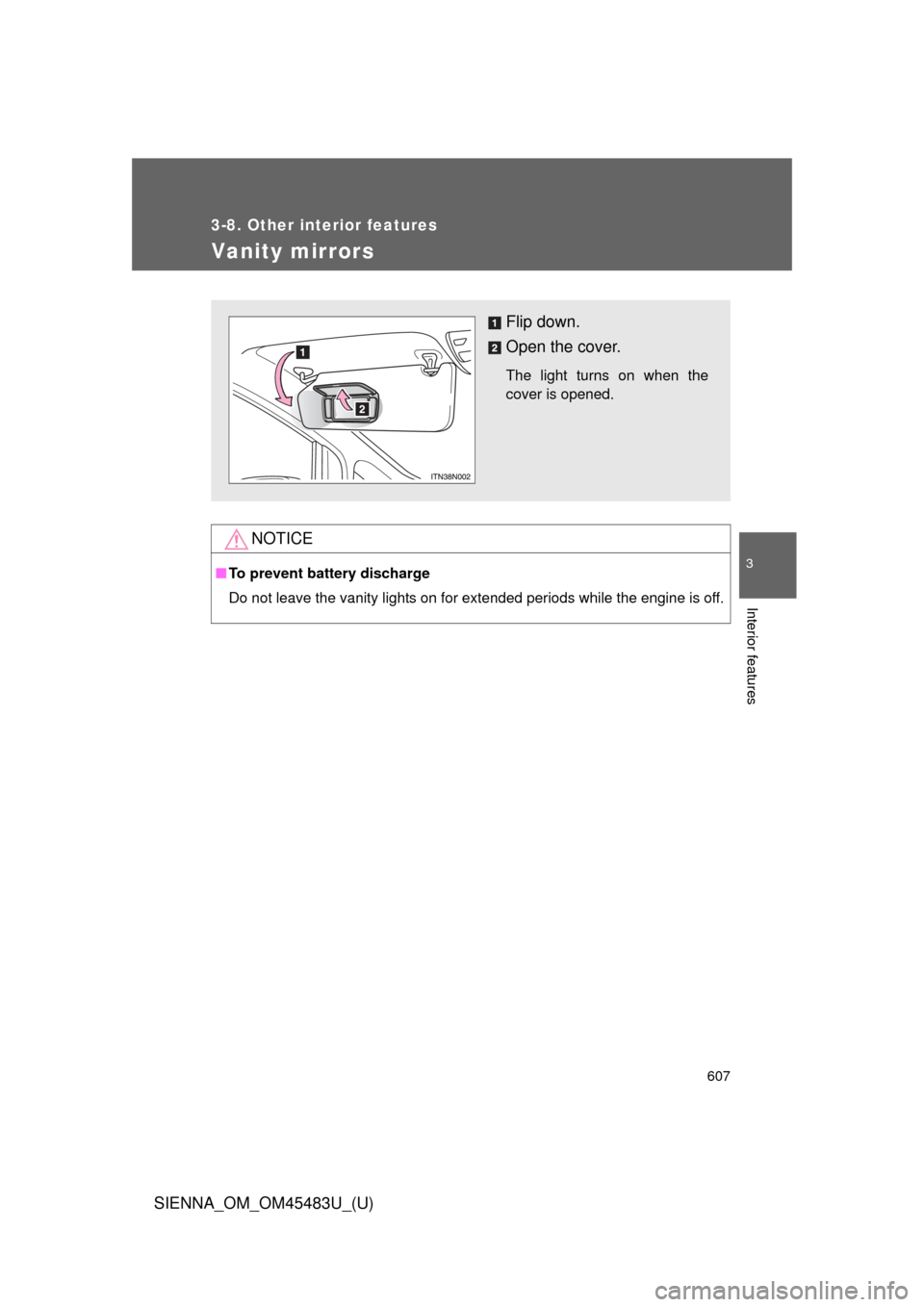
Vanity mirrors
NOTICE
■To prevent battery discharge
Do not leave the vanity lights on for extended periods while the engine is off.
Flip down.
Open the cover.
The light turns on when the
cover is opened.
Page 614 of 872
614
3-8. Other interior features
SIENNA_OM_OM45483U_(U)
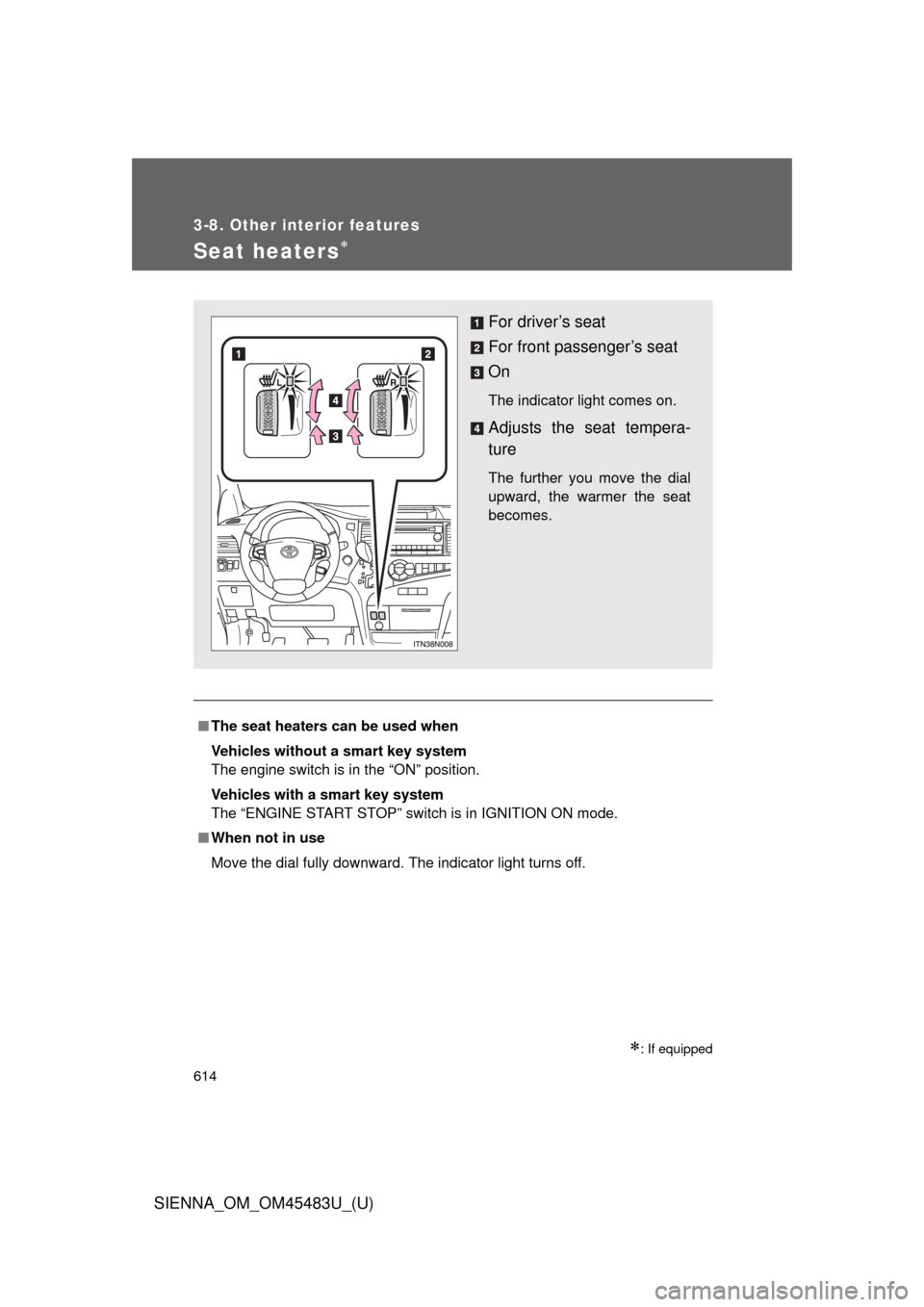
Seat heaters
: If equipped
■The seat heaters can be used when
Vehicles without a smart key system
The engine switch is in the “ON” position.
Vehicles with a smart key system
The “ENGINE START STOP” switch is in IGNITION ON mode.
■ When not in use
Move the dial fully downward. The indicator light turns off.
For driver’s seat
For front passenger’s seat
On
The indicator light comes on.
Adjusts the seat tempera-
ture
The further you move the dial
upward, the warmer the seat
becomes.
Page 619 of 872
619
3-8. Other interior features
3
Interior features
SIENNA_OM_OM45483U_(U)
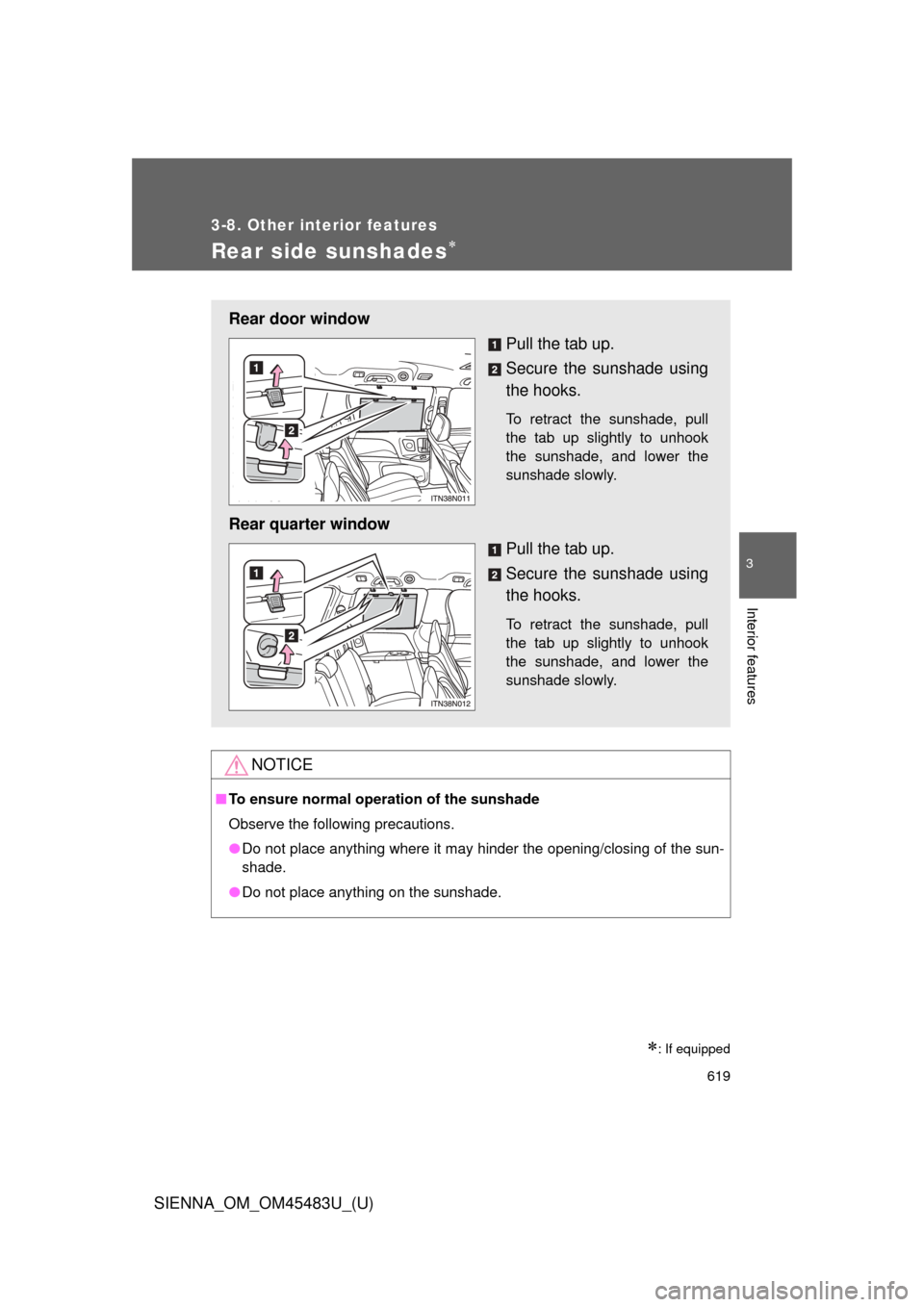
Rear side sunshades
: If equipped
NOTICE
■To ensure normal operation of the sunshade
Observe the following precautions.
●Do not place anything where it may hinder the opening/closing of the sun-
shade.
● Do not place anything on the sunshade.
Rear door window
Pull the tab up.
Secure the sunshade using
the hooks.
To retract the sunshade, pull
the tab up slightly to unhook
the sunshade, and lower the
sunshade slowly.
Rear quarter windowPull the tab up.
Secure the sunshade using
the hooks.
To retract the sunshade, pull
the tab up slightly to unhook
the sunshade, and lower the
sunshade slowly.
Page 626 of 872
626
3-8. Other interior features
SIENNA_OM_OM45483U_(U)
Garage door opener
The garage door opener (HomeLink® Universal Transceiver) is manufac-
tured under license from HomeLink®.
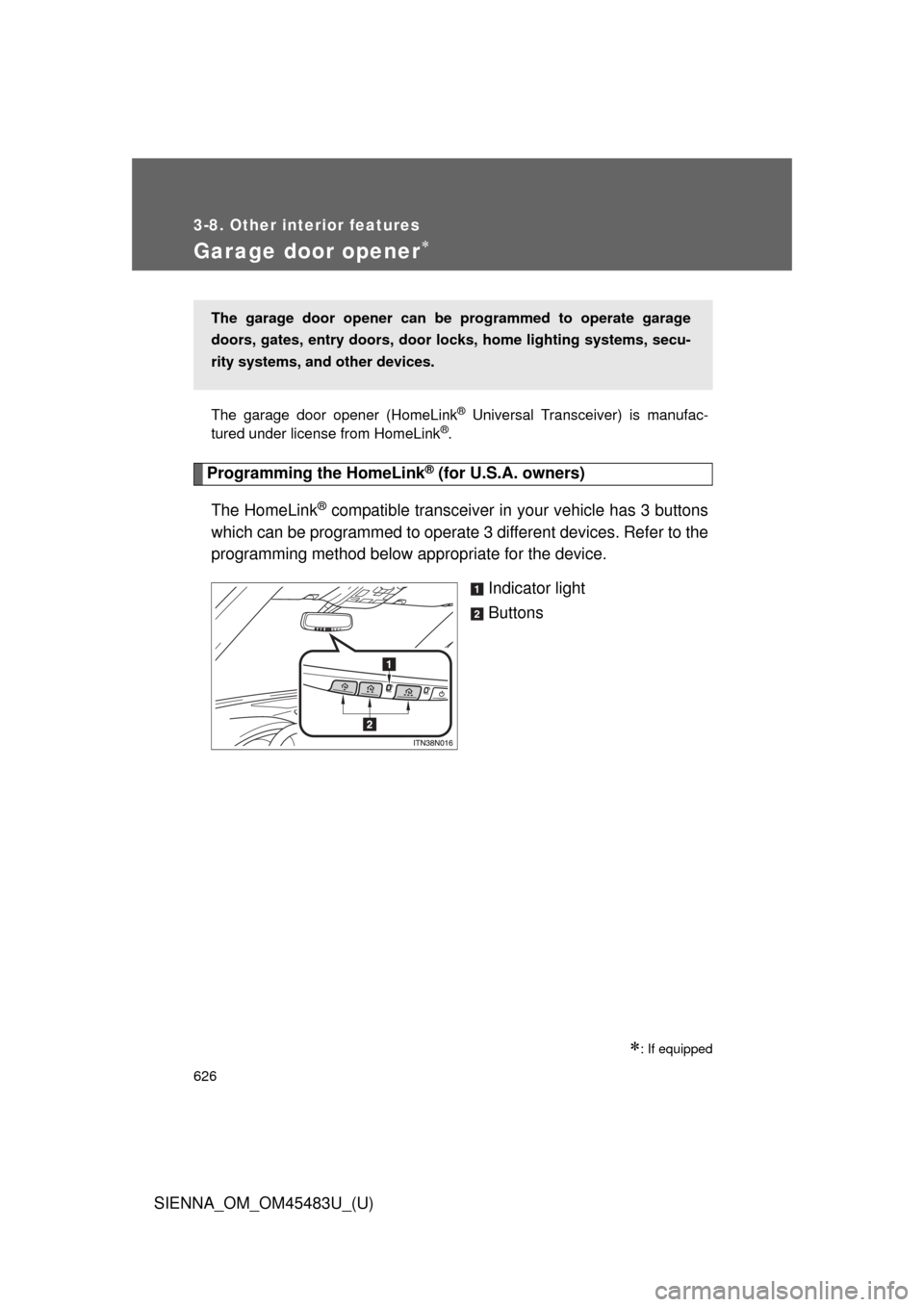
Programming the HomeLink® (for U.S.A. owners)
The HomeLink
® compatible transceiver in your vehicle has 3 buttons
which can be programmed to operate 3 different devices. Refer to the
programming method below appropriate for the device.
Indicator light
Buttons
: If equipped
The garage door opener can be programmed to operate garage
doors, gates, entry doors, door locks, hom e lighting systems, secu-
rity systems, and other devices.
Page 627 of 872
627
3-8. Other interior features
3
Interior features
SIENNA_OM_OM45483U_(U)
■
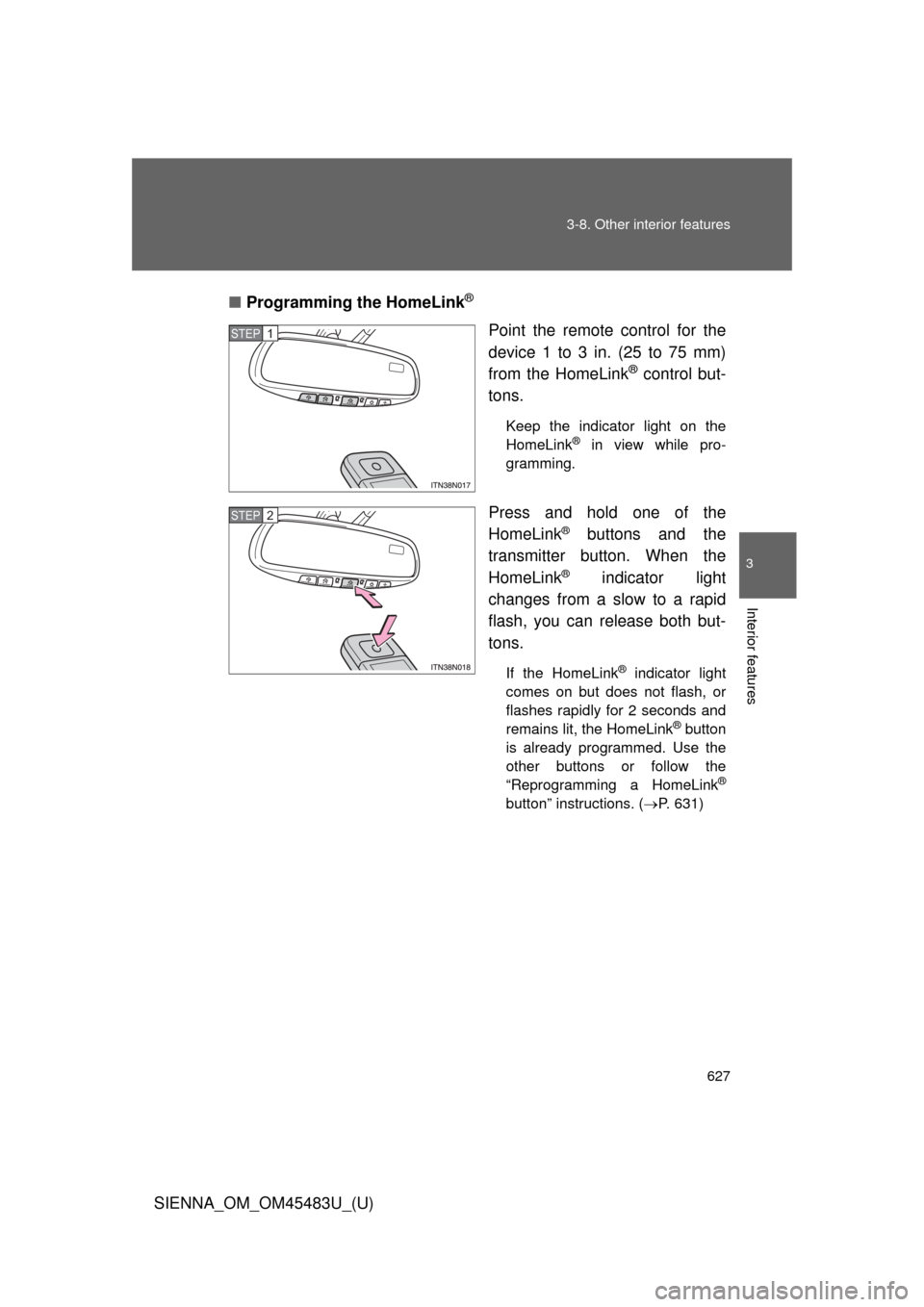
Programming the HomeLink
®
Point the remote control for the
device 1 to 3 in. (25 to 75 mm)
from the HomeLink
® control but-
tons.
Keep the indicator light on the
HomeLink® in view while pro-
gramming.
Press and hold one of the
HomeLink
® buttons and the
transmitter button. When the
HomeLink
® indicator light
changes from a slow to a rapid
flash, you can release both but-
tons.
If the HomeLink® indicator light
comes on but does not flash, or
flashes rapidly for 2 seconds and
remains lit, the HomeLink
® button
is already programmed. Use the
other buttons or follow the
“Reprogramming a HomeLink
®
button” instructions. ( P. 631)
STEP1
STEP2
Page 628 of 872
628 3-8. Other interior features
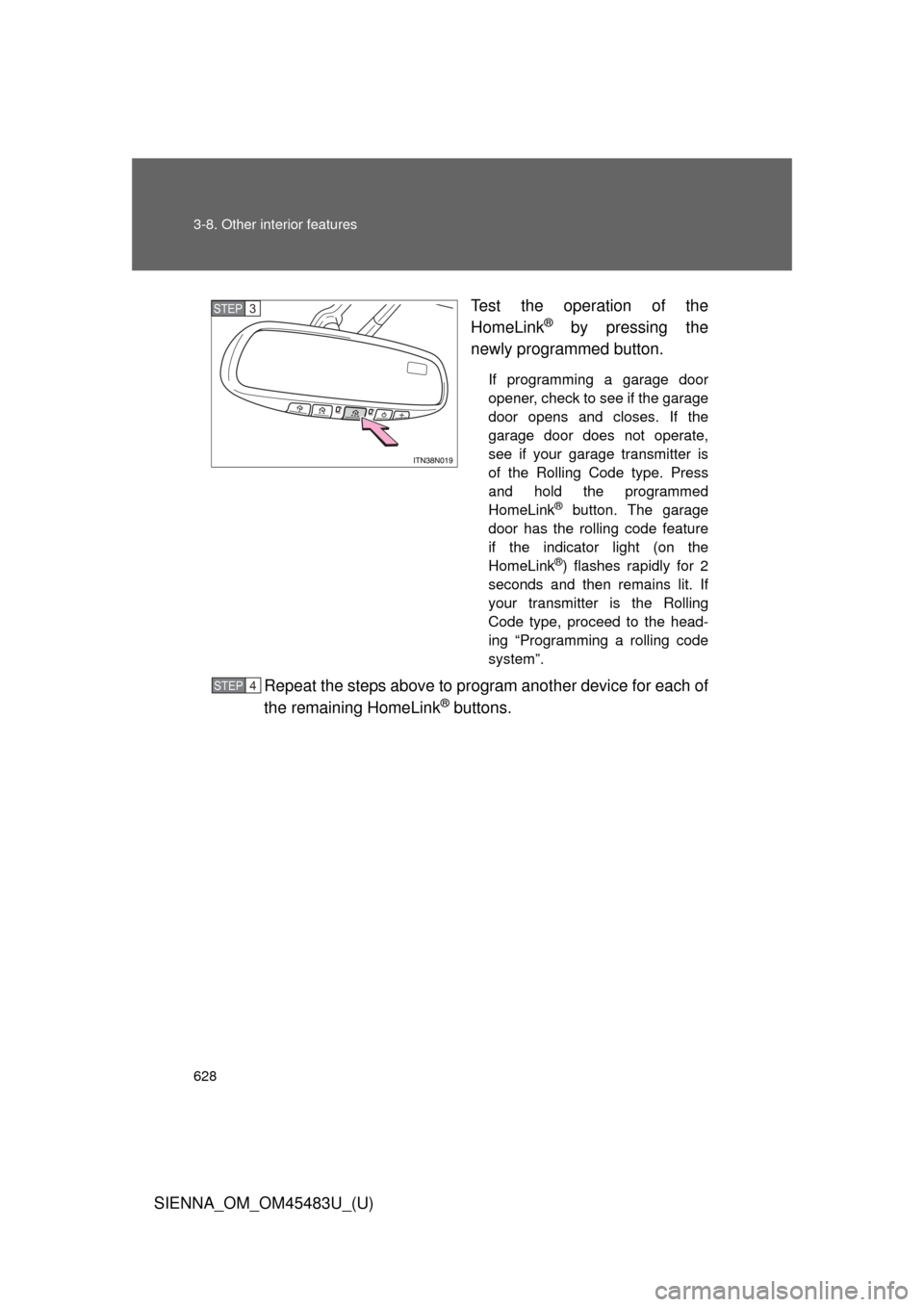
SIENNA_OM_OM45483U_(U)Test the operation of the
HomeLink
® by pressing the
newly programmed button.
If programming a garage door
opener, check to see if the garage
door opens and closes. If the
garage door does not operate,
see if your garage transmitter is
of the Rolling Code type. Press
and hold the programmed
HomeLink
® button. The garage
door has the rolling code feature
if the indicator light (on the
HomeLink
®) flashes rapidly for 2
seconds and then remains lit. If
your transmitter is the Rolling
Code type, proceed to the head-
ing “Programming a rolling code
system”.
Repeat the steps above to program another device for each of
the remaining HomeLink
® buttons.
STEP3
STEP4
Page 630 of 872
630 3-8. Other interior features
SIENNA_OM_OM45483U_(U)■
Programming an entry gate (f or U.S.A. owners)/Programming
all devices in the Canadian market
Place your transmitter 1 to 3 in. (25 to 75 mm) away from the
surface of the HomeLink
®.
Keep the indicator light on the HomeLink® in view while programming.
Press and hold the selected HomeLink® button.
Repeatedly press and release (cycle) the device’s remote
control button for two seconds each until step 4 is complete.
When the indicator light on the HomeLink
® compatible trans-
ceiver starts to flashing rapidly, release the buttons.
Test the operation of the HomeLink
® by pressing the newly
programmed button. Check to se e if the gate/device operates
correctly.
Repeat the steps above to program another device for each of
the remaining HomeLink
® buttons.
■ Programming other devices
To program other devices such as home security systems, home
door locks or lighting, contact your authorized Toyota dealer for
assistance.
■ Reprogramming a button
The individual HomeLink
® buttons cannot be erased but can be
reprogrammed. To reprogram a button, follow the programming
instructions.
STEP1
STEP2
STEP3
STEP4
STEP5
STEP6