Page 387 of 872
387
2-5. Driving information
2
When driving
SIENNA_OM_OM45483U_(U)
■
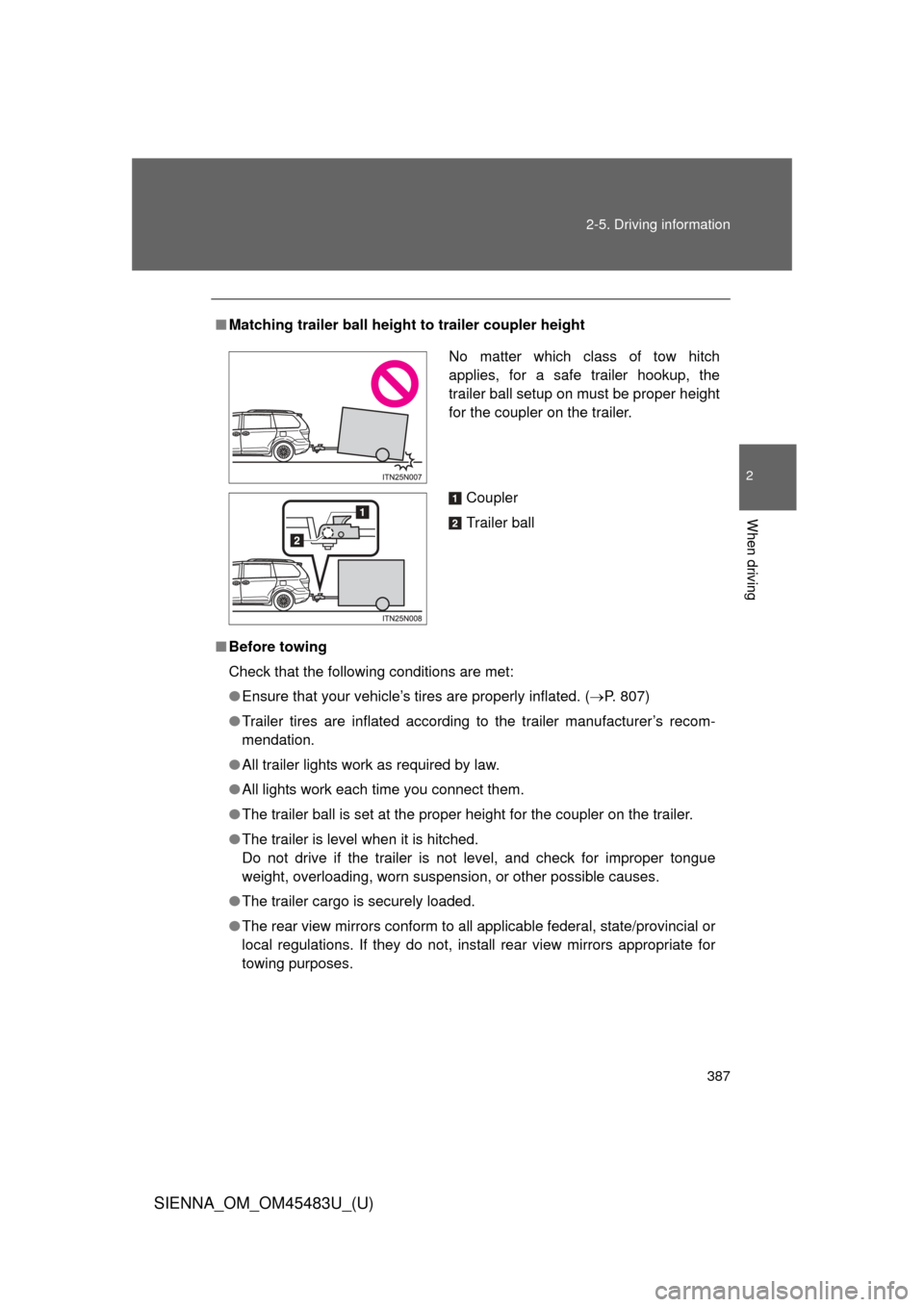
Matching trailer ball height to trailer coupler height
■ Before towing
Check that the following conditions are met:
●Ensure that your vehicle’s tires are properly inflated. ( P. 807)
● Trailer tires are inflated according to the trailer manufacturer’s recom-
mendation.
● All trailer lights work as required by law.
● All lights work each time you connect them.
● The trailer ball is set at the proper height for the coupler on the trai\
ler.
● The trailer is level when it is hitched.
Do not drive if the trailer is not level, and check for improper tongue
weight, overloading, worn suspension, or other possible causes.
● The trailer cargo is securely loaded.
● The rear view mirrors conform to all applicable federal, state/provincial or
local regulations. If they do not, instal l rear view mirrors appropriate for
towing purposes.
No matter which class of tow hitch
applies, for a safe trailer hookup, the
trailer ball setup on must be proper height
for the coupler on the trailer.
Coupler
Trailer ball
Page 392 of 872
392 2-5. Driving information
SIENNA_OM_OM45483U_(U)
CAUTION
■When towing a trailer
Toyota recommends trailers with brakes that conform to any applicable fed-
eral and state/provincial regulations.
●If the gross trailer weight exceeds unbraked TWR, trailer brakes are
required. Toyota recommends trailers with brakes that conform to all appli-
cable federal and state/provincial regulations.
● Never tap into your vehicle’s hydraulic system, as this will lower the vehi-
cle’s braking effectiveness.
● Never tow a trailer without using a safety chain securely attached to both
the trailer and the vehicle. If damage occurs to the coupling unit or hitch
ball, there is danger of the trailer wandering into another lane.
NOTICE
■When installing a trailer hitch
Use only the position recommended by your Toyota dealer. Do not install the
trailer hitch on the bumper; this may cause body damage.
■ Do not directly splice trailer lights
Do not directly splice trailer lights. Directly splicing trailer lights may damage
your vehicle’s electrical system and cause a malfunction.
Page 395 of 872
Interior features3
395
SIENNA_OM_OM45483U_(U)
3-5. Using the hands-free phone system (for cellular phone)
Hands-free phone system (for cellular phone)
features .......................... 545
Using the hands-free phone system (for cellular
phone)............................ 550
Making a phone call ......... 559
Setting a cellular phone ... 564
Security and system setup .............................. 569
Using the phone book ...... 574
3-6. Using the interior lights Interior lights list ............... 582
• Personal/interior light main switch ............................. 583
• Personal/interior lights ... 584
• Personal lights ............... 586
• Rear ceiling lights .......... 586 3-7. Using the storage features
List of storage features .... 588
• Glove boxes ................... 589
• Console box ................... 591
• Overhead console .......... 594
• Cup holders ................... 595
• Bottle holders ................. 598
• Door pockets .................. 600
• Auxiliary boxes ............... 601
3-8. Other interior features Sun visors ........................ 606
Vanity mirrors ................... 607
Clock ................................ 608
Conversation mirror ......... 609
Power outlets ................... 610
Seat heaters..................... 614
Armrests........................... 616
Assist grips....................... 618
Rear side sunshades ....... 619
Grocery bag hooks........... 620
Floor mat .......................... 622
Luggage compartment features .......................... 624
Garage door opener......... 626
Compass .......................... 634
Safety Connect ................ 639
Page 402 of 872
402 3-1. Using the air conditioning system and defogger
SIENNA_OM_OM45483U_(U)
■Using the system in recirculated air mode
The windows will fog up more easily if the recirculated air mode is used for
an extended period.
■ When
is selected for the air outlets used
For your driving comfort, air flowing to the feet may be warmer than air flow-
ing to the upper body depending on the temperature setting.
■ When the indicator light on flashes
Press
and turn off the air conditioning system before turning it on once
more. There may be a problem in the ai r conditioning system if the indicator
light continues to flash. Turn the air conditioning system off and have it
inspected by your Toyota dealer.
■ Air conditioning odors
●During use, various odors from inside and outside the vehicle may enter
into and accumulate in the air conditioning system. This may then cause
odor to be emitted from the vents.
● To reduce potential odors from occurring:
It is recommended that the air conditioning system be set to outside air
mode prior to turning the vehicle off.
Page 413 of 872
413
3-1. Using the air conditioning system
and defogger
3
Interior features
SIENNA_OM_OM45483U_(U)
■When the “A/C ON” in the mu lti-information display flashes
Press
and turn off the air conditioning system before turning it on
once more. There may be a problem in the air conditioning system if the indi-
cator light continues to flash. Turn the air conditioning system off and have it
inspected by your Toyota dealer.
■ Air conditioning odors
●During use, various odors from inside and outside the vehicle may enter
into and accumulate in the air conditioning system. This may then cause
odor to be emitted from the vents.
● To reduce potential odors from occurring:
• It is recommended that the air conditioning system be set to outside air
mode prior to turning the vehicle off.
• The start timing of the blower may be delayed for a short period of time immediately after the air conditioning system is started in automatic
mode.
CAUTION
■ To prevent the windshield from fogging up
Do not use during cool air operation in extremely humid weather. The
difference between the temperature of the outside air and that of the wind-
shield can cause the outer surface of the windshield to fog up, blocking your
vision.
NOTICE
■To prevent battery discharge
Do not leave the air conditioning system on longer than necessary when the
engine is stopped.
Page 446 of 872
446 3-2. Using the audio system
SIENNA_OM_OM45483U_(U)
NOTICE
■Player precautions
Failure to follow the precautions below may result in damage to the CDs or
the player itself.
●Do not insert anything other than CDs into the CD slot.
● Do not apply oil to the CD player.
● Store CDs away from direct sunlight.
● Never try to disassemble any part of the player.
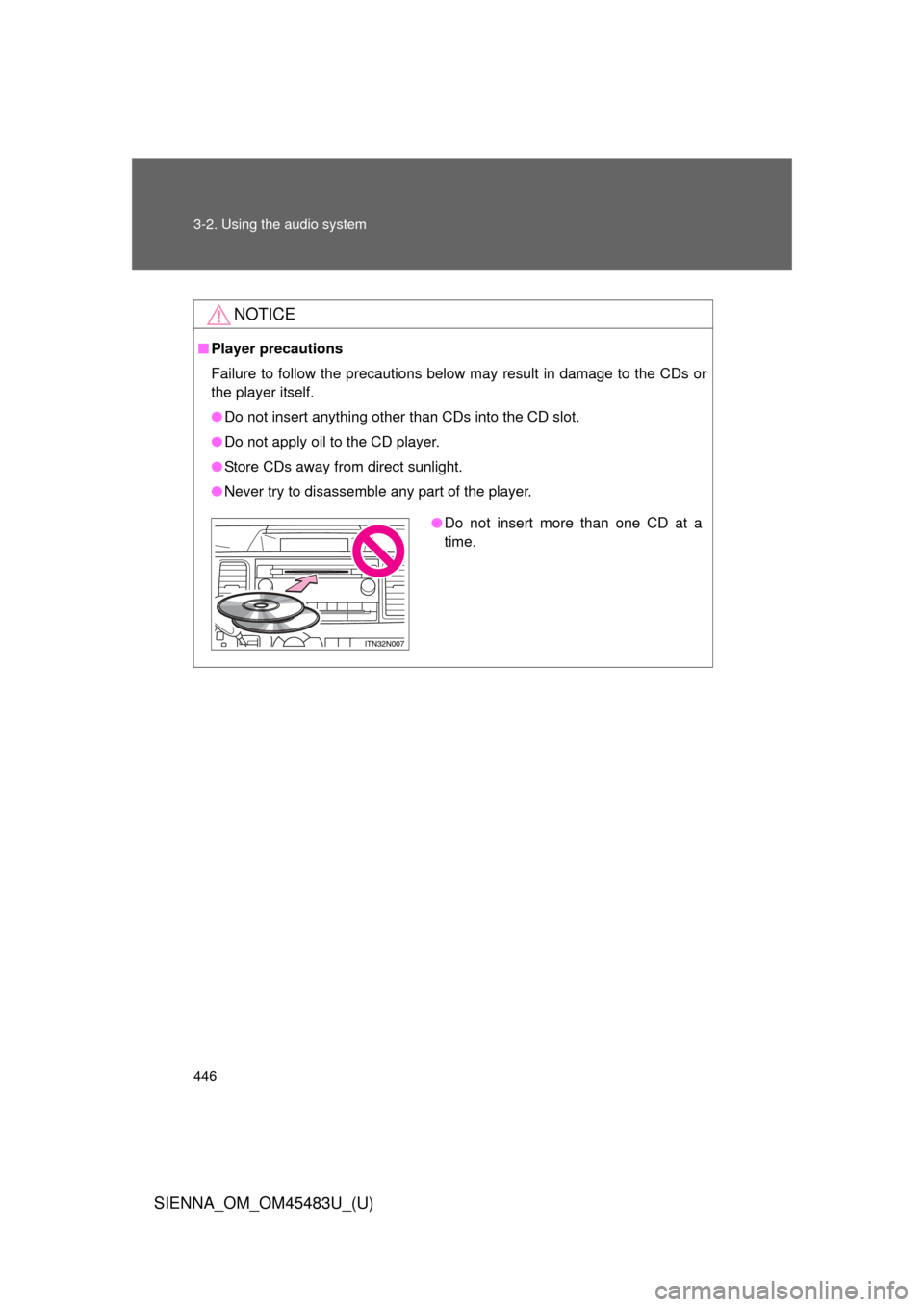
●Do not insert more than one CD at a
time.
Page 506 of 872
506 3-4. Using the rear audio system
SIENNA_OM_OM45483U_(U)
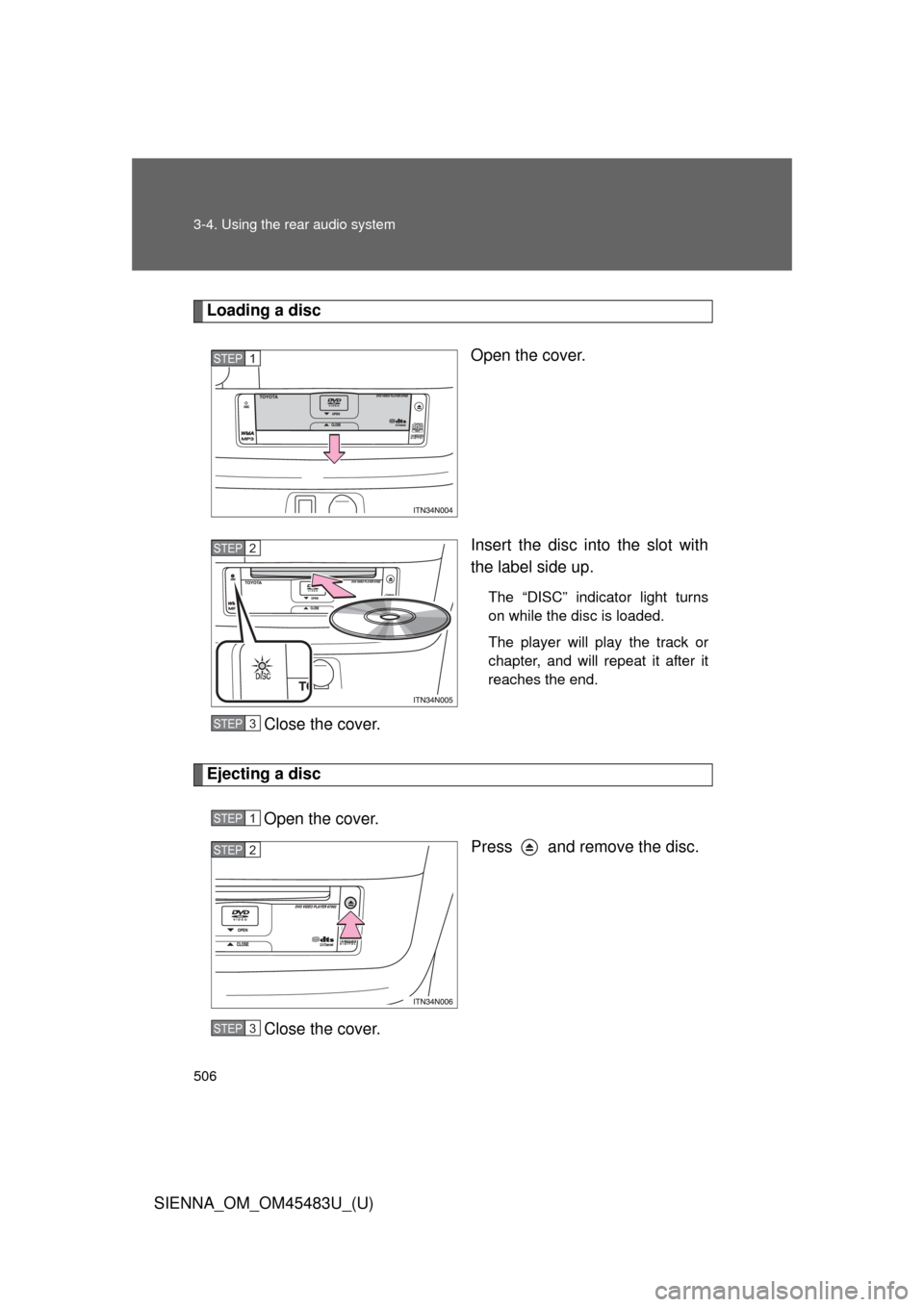
Loading a discOpen the cover.
Insert the disc into the slot with
the label side up.
The “DISC” indicator light turns
on while the disc is loaded.
The player will play the track or
chapter, and will repeat it after it
reaches the end.
Close the cover.
Ejecting a discOpen the cover. Press and remove the disc.
Close the cover.
STEP1
STEP2
STEP3
STEP1
STEP2
STEP3
Page 518 of 872
518 3-4. Using the rear audio system
SIENNA_OM_OM45483U_(U)
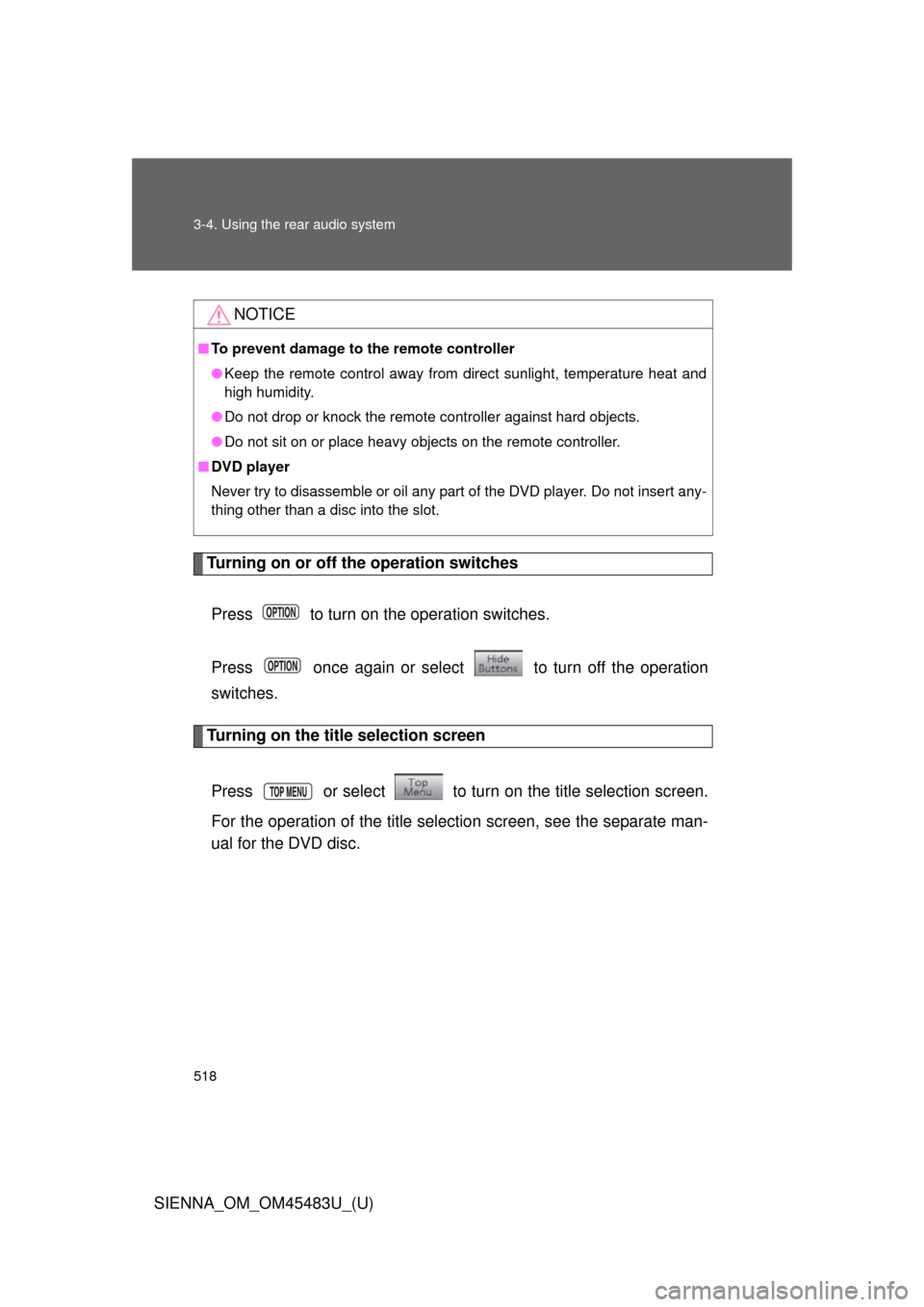
Turning on or off the operation switchesPress to turn on the operation switches.
Press once again or select to turn off the operation
switches.
Turning on the title selection screen
Press or select to turn on the title selection screen.
For the operation of the title selection screen, see the separate man-
ual for the DVD disc.
NOTICE
■ To prevent damage to the remote controller
●Keep the remote control away from direct sunlight, temperature heat and
high humidity.
● Do not drop or knock the remote controller against hard objects.
● Do not sit on or place heavy objects on the remote controller.
■ DVD player
Never try to disassemble or oil any part of the DVD player. Do not insert any-
thing other than a disc into the slot.