Page 341 of 872
341
2-4. Using other
driving systems
2
When driving
SIENNA_OM_OM45483U_(U)
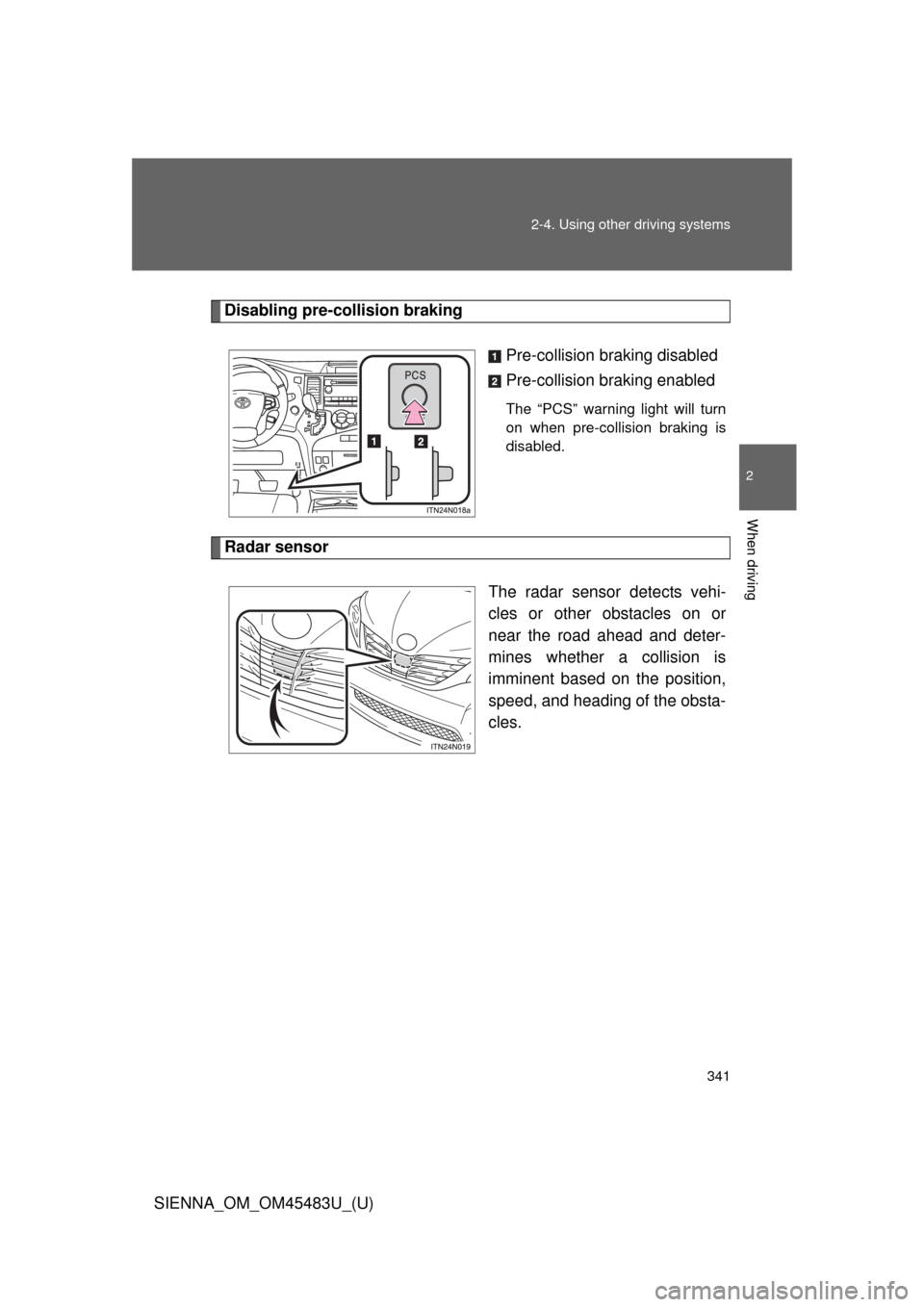
Disabling pre-collision braking
Pre-collision braking disabled
Pre-collision braking enabled
The “PCS” warning light will turn
on when pre-collision braking is
disabled.
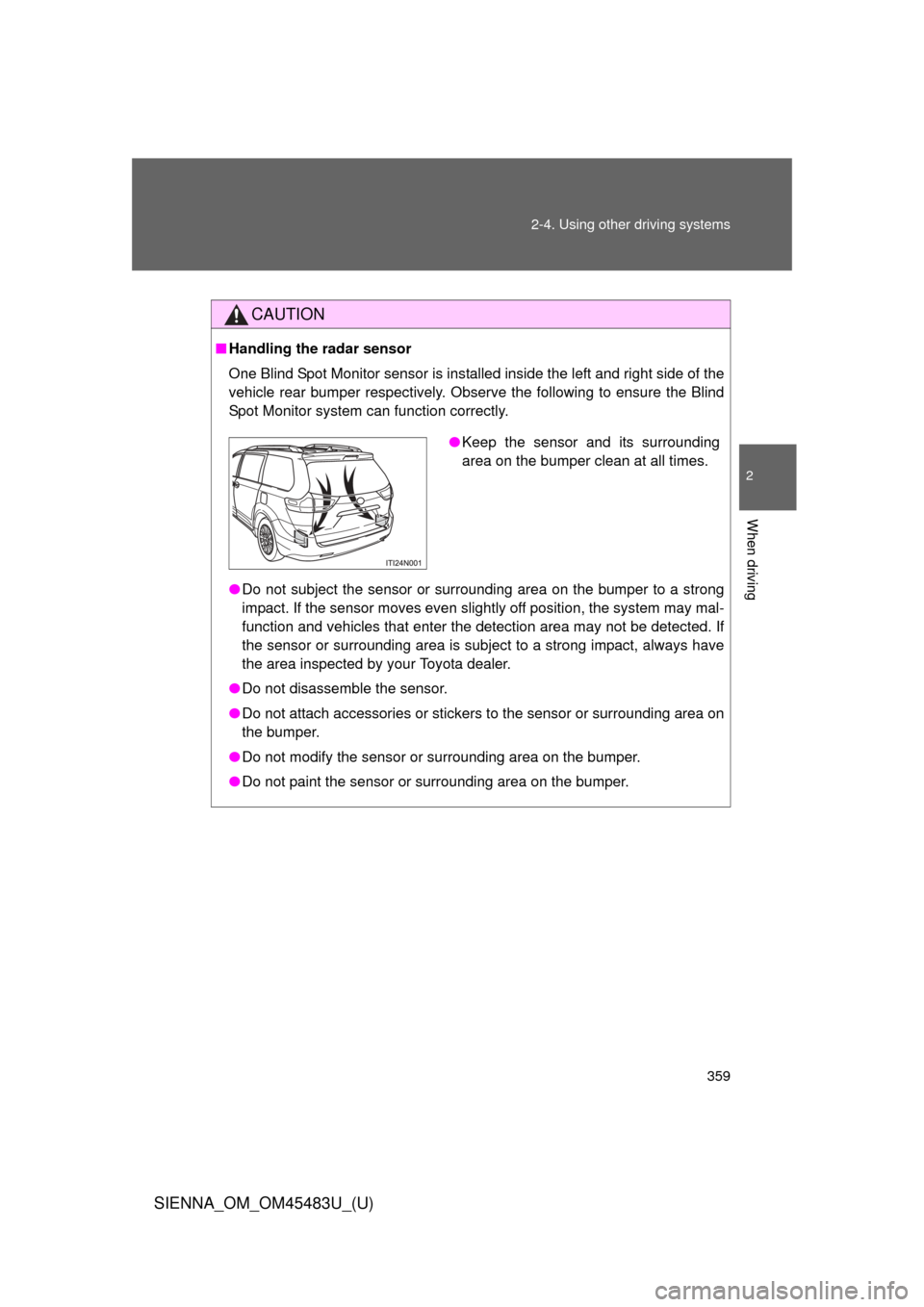
Radar sensorThe radar sensor detects vehi-
cles or other obstacles on or
near the road ahead and deter-
mines whether a collision is
imminent based on the position,
speed, and heading of the obsta-
cles.
Page 344 of 872
344 2-4. Using other driving systems
SIENNA_OM_OM45483U_(U)
■Situations in which the pre-collis ion system does not function properly
The system may not function effectively in situations such as the following:
● On roads with sharp bends or uneven surfaces
● If a vehicle suddenly moves in front of your vehicle, such as at an inter-
section
● If a vehicle suddenly cuts in front of your vehicle, such as when overtak-
ing
● In inclement weather such as heavy rain, fog, snow or sand storms
● When your vehicle is skidding such as the VSC system off
● When an extreme change in vehicle height occurs
● When the axis of the radar is out of adjustment
■ Automatic cancelation of the pre-collision system
When a malfunction occurs due to sensor contamination, etc. that results in
the sensors being unable to detect obstacles, the pre-collision system will be
automatically disabled. In this case, the system will not activate even if there
is a collision possibility.
■ When there is a malfunction in the system
Warning lights and warning messages will turn on or flash. ( P. 743)
Page 347 of 872
347
2-4. Using other
driving systems
2
When driving
SIENNA_OM_OM45483U_(U)
CAUTION
■When the sensor may not be corr ectly detecting the vehicle ahead
Apply the brakes as necessary in any of the following situations.
● When water or snow thrown up by the surrounding vehicles hinders the
functioning of the sensor
● When your vehicle is pointing upwards (caused by a heavy load in the lug-
gage compartment etc.)
● Vehicles that cut in suddenly
● Vehicles with small rear ends (trailers with no load on board etc.)
● Motorcycles traveling in the same lane
■ Handling the radar sensor
Observe the following to ensure the pre-collision system can function effec-
tively:
●Keep the sensor and front grille clean at all times.
Clean the sensor and front grille with a soft cloth so you do not mark or
damage them.
● Do not subject the sensor or surrounding area to a strong impact.
If the sensor moves even slightly off position, the system may become
inaccurate or malfunction. If the sensor or surrounding area is subject to a
strong impact, always have the area inspected and adjusted by your Toy-
ota dealer.
● Do not disassemble the sensor.
● Do not attach accessories or stickers to the sensor, grille or surrounding
area.
● Do not modify or paint the sensor and grille cover.
Page 357 of 872
357
2-4. Using other
driving systems
2
When driving
SIENNA_OM_OM45483U_(U)
■The outside rear view mirror indicators visibility
When under strong sunlight, the outside rear view mirror indicator may be
difficult to see.
■ When there is a malfunction in the Blind Spot Monitor system
If a system malfunction is detected due to any of the following reasons,
warning lights will turn on: ( P. 744)
● There is a malfunction with the sensors
● The sensors have become dirty
● The outside temperature is extremely high or low
● The sensor voltage has become abnormal
■ Certification for the Blind Spot Monitor system
For vehicles sold in the U.S.A.
FCC ID: OAYSRR2A
This device complies with part 15 of the FCC Rules. Operation is subject to
the following two conditions:
(1) This device may not cause harmful interference, and
(2) this device must accept any interference received, including interference
that may cause undesired operation.
FCC WARNING
Changes or modifications not expressly approved by the party responsible
for compliance could void the user’s authority to operate the equipment.
For vehicles sold in Canada
Applicable law: Canada 310
This device complies with Industry Canada licence-exempt RSS stan-
dard(s). Operation is subject to the following two conditions: (1) this device
may not cause interference, and (2) this device must accept any interfer-
ence, including interference that may cause undesired operation of the
device.
Frequency bands: 24.05-24.25 GHz
Output power: less than 20 milliwatts
Page 359 of 872
359
2-4. Using other
driving systems
2
When driving
SIENNA_OM_OM45483U_(U)
CAUTION
■Handling the radar sensor
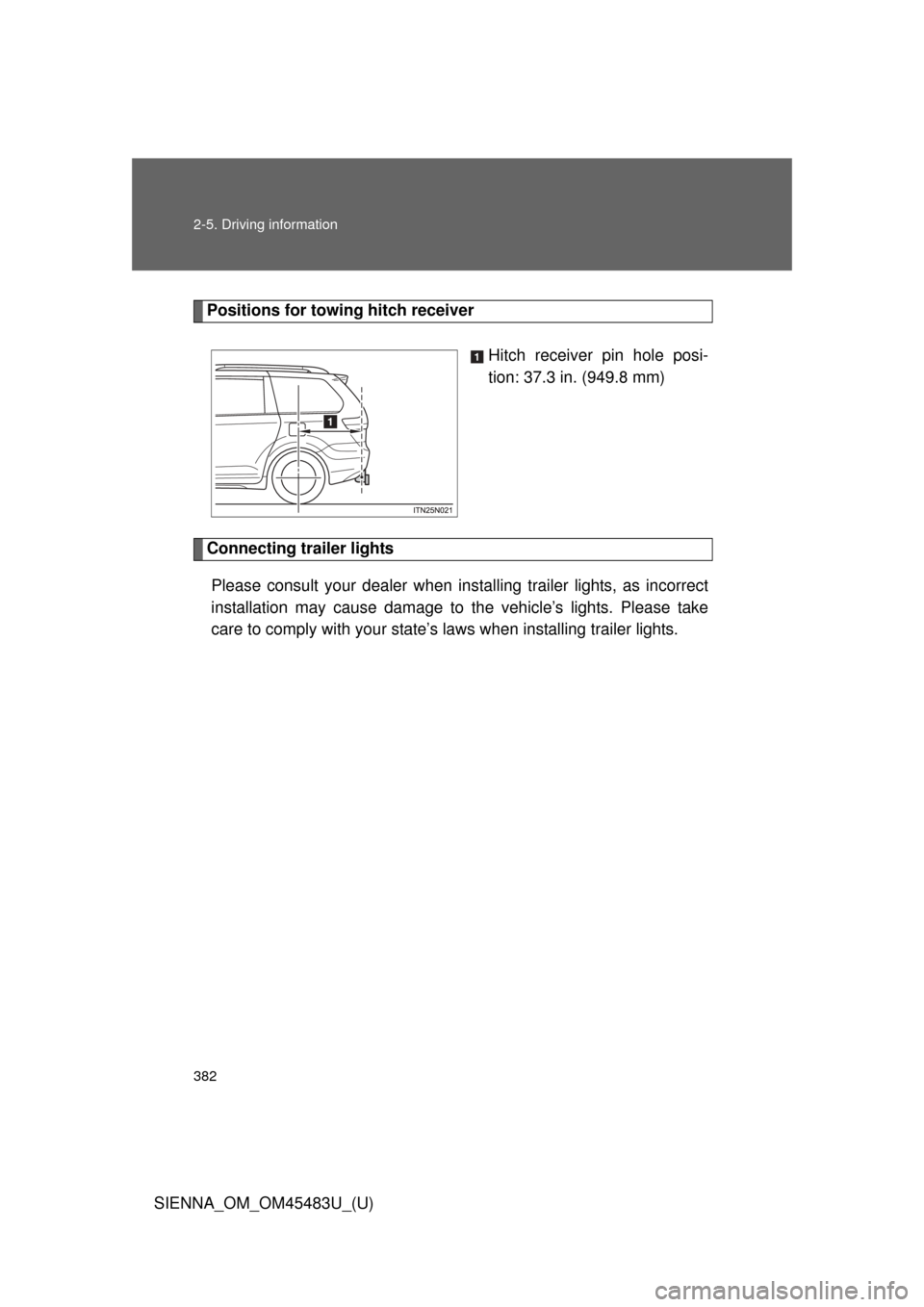
One Blind Spot Monitor sensor is installed inside the left and right side of the
vehicle rear bumper respectively. Observe the following to ensure the Blind
Spot Monitor system can function correctly.
●Do not subject the sensor or surrounding area on the bumper to a strong
impact. If the sensor moves even slightly off position, the system may mal-
function and vehicles that enter the detection area may not be detected. If
the sensor or surrounding area is subject to a strong impact, always have
the area inspected by your Toyota dealer.
● Do not disassemble the sensor.
● Do not attach accessories or stickers to the sensor or surrounding area on
the bumper.
● Do not modify the sensor or surrounding area on the bumper.
● Do not paint the sensor or surrounding area on the bumper.
●Keep the sensor and its surrounding
area on the bumper clean at all times.
Page 380 of 872
380 2-5. Driving information
SIENNA_OM_OM45483U_(U)
HitchTrailer hitch assemblies have different weight capacities. Toyota rec-
ommends the use of Toyota hitch/brac ket for your vehicle. For details,
contact your Toyota dealer.
● If you wish to install a trailer hitch, contact your Toyota dealer.
● Use only a hitch that c onforms to the gross trailer weight require-
ment of your vehicle.
● Follow the directions supplied by the hitch manufacturer.
● Lubricate the hitch ball with a light coating of grease.
● Remove the trailer hitch whenever you are not towing a trailer.
After removing the hitch, seal any mounting hole in the vehicle
body to prevent entry of any substances into the vehicle.
Page 382 of 872
382 2-5. Driving information
SIENNA_OM_OM45483U_(U)
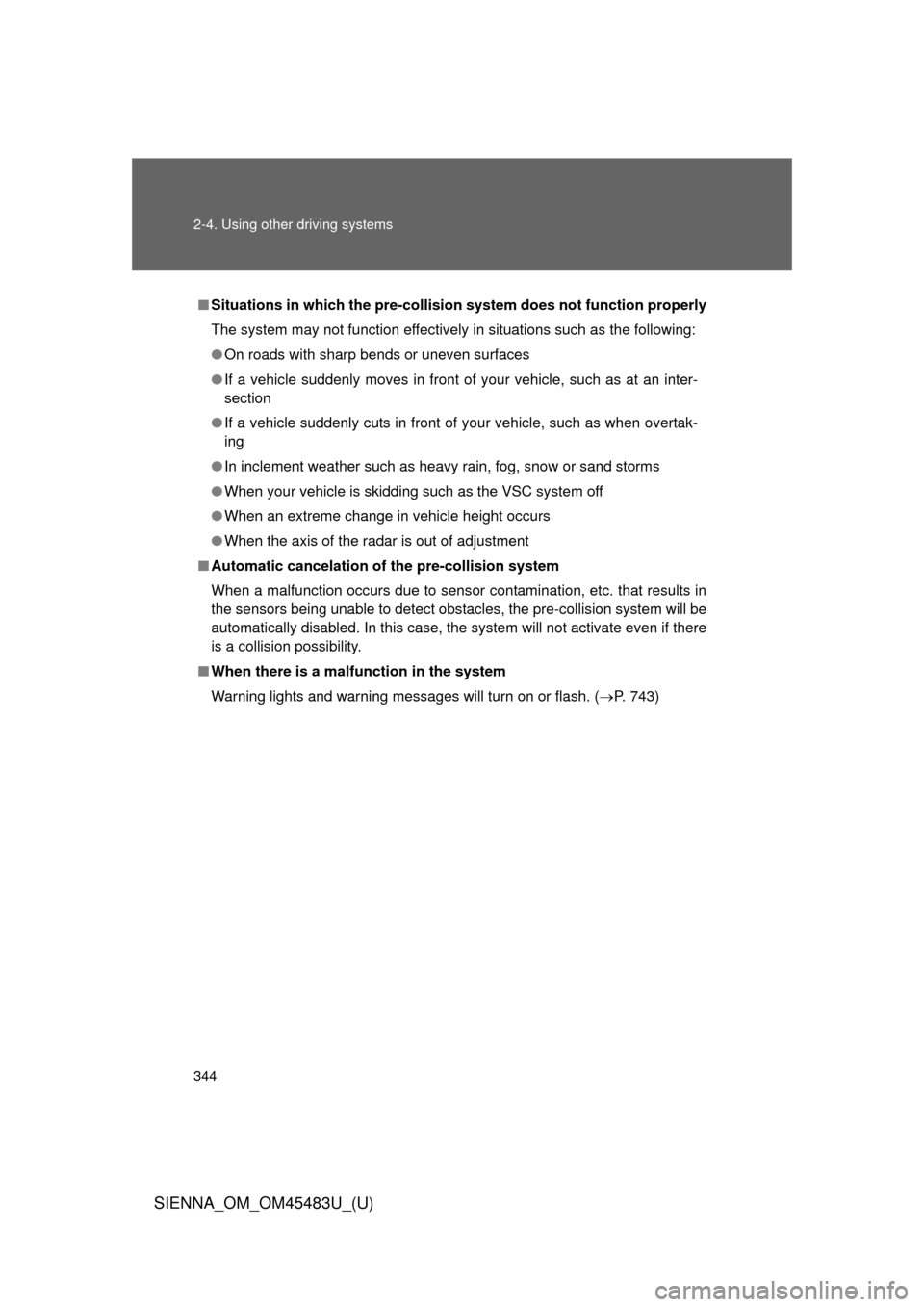
Positions for towing hitch receiverHitch receiver pin hole posi-
tion: 37.3 in. (949.8 mm)
Connecting trailer lightsPlease consult your dealer when inst alling trailer lights, as incorrect
installation may cause damage to the vehicle’s lights. Please take
care to comply with your state’ s laws when installing trailer lights.
Page 383 of 872

383
2-5. Driving information
2
When driving
SIENNA_OM_OM45483U_(U)
Trailer towing tips
Your vehicle will handle differently when towing a trailer. Help to avoid
an accident, death or serious injury, keep the following in mind when
towing:
● Speed limits for towing a trailer vary by state or province. Do not
exceed the posted towing speed limit.
● Toyota recommends that the vehicle-trailer speed limit is 65 mph
(104 km/h) on a flat, straight, dry road. Do not exceed this limit, the
posted towing speed limit or the speed limit for your trailer as set
forth in your trailer owner’s man ual, whichever is lowest. Instability
of the towing vehicle-trailer combin ation (trailer sway) increases as
speed increases. Exceeding speed limits may cause loss of con-
trol.
● Before starting out, check the trailer lights, tires and the vehicle-
trailer connections. Recheck after driving a short distance.
● Practice turning, stopping and reve rsing with the trailer attached in
an area away from traffic until you become accustomed to the feel
of the vehicle-trailer combination.