2014 SUBARU TRIBECA battery
[x] Cancel search: batteryPage 165 of 426
3-32Instruments and controls
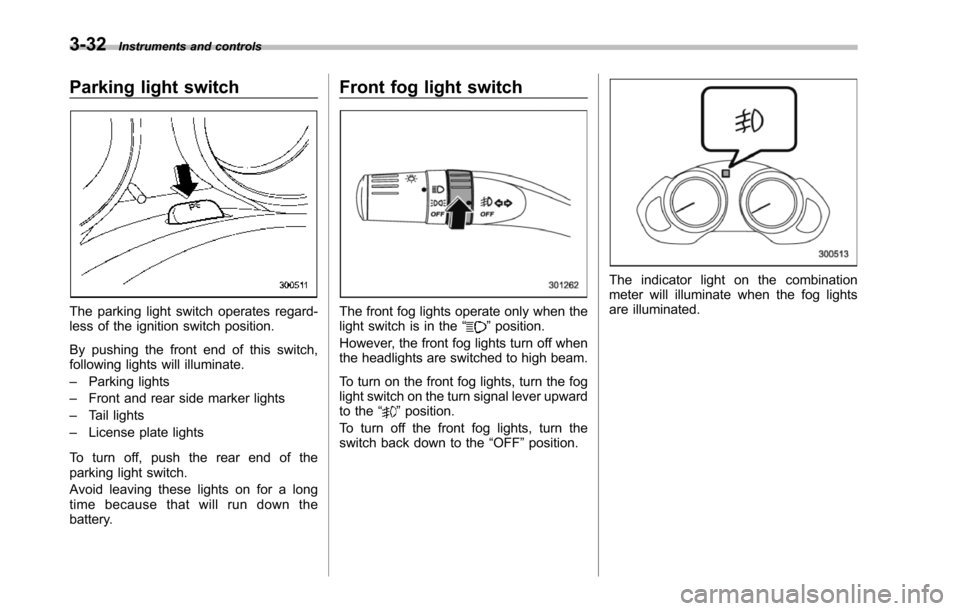
Parking light switch
The parking light switch operates regard-less of the ignition switch position.
By pushing the front end of this switch,following lights will illuminate.
–Parking lights
–Front and rear side marker lights
–Tail lights
–License plate lights
To turn off, push the rear end of theparking lightswitch.
Avoid leaving these lights on for a longtime because that will run down thebattery.
Front fog light switch
The front fog lights operate only when thelight switch is in the“”position.
However, the front fog lights turn off whenthe headlights are switched to high beam.
To turn on the front fog lights, turn the foglight switchon the turn signal lever upwardto the“”position.
To turn off the front fog lights, turn theswitch back down to the“OFF”position.
The indicator light on the combinationmeter will illuminate when the fog lightsare illuminated.
Page 169 of 426
3-36Instruments and controls
speed is low; shorter when the vehiclespeed is high).
When you subsequently move the selectlever of the automatic transmission to the“R”position, the rear wiper will switch tocontinuous operation. When you move theselect lever from the“R”position to someother position, the rear wiper will return tointermittent operation.
!Washer
To wash the rear window while the rearwiperis operating, turn the knob on theend of the wiper control lever upward tothe“”position. The washer fluid spraysuntil you release the knob.
To wash the rear window when the rearwiper is not in use, turn the knob on theend of the wiper control lever downward tothe“”position. The washer fluid spraysand the wiper operates until you releasetheknob.
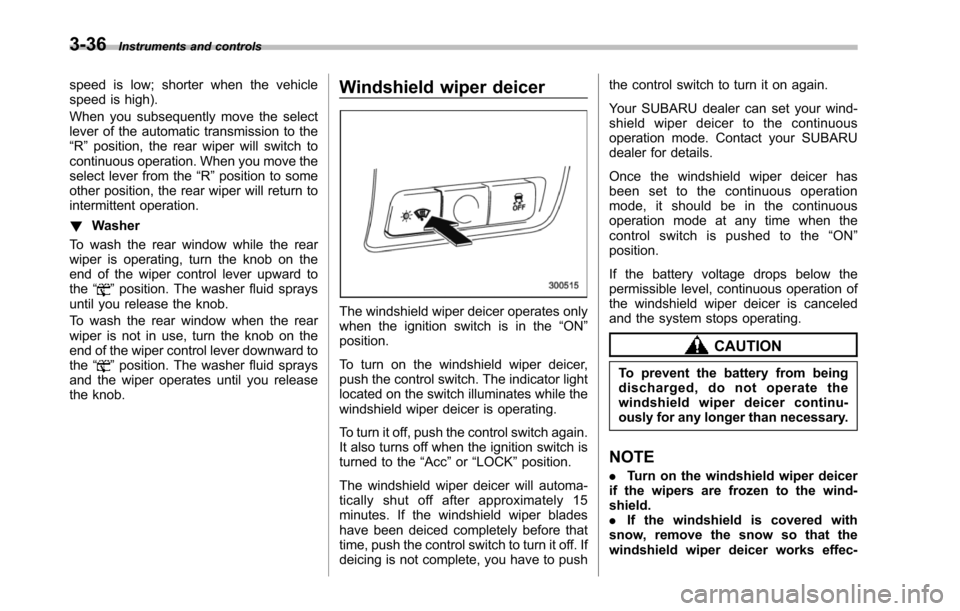
Windshield wiper deicer
The windshield wiper deicer operates onlywhen the ignition switch is in the“ON”position.
To turn on the windshield wiper deicer,push the control switch. The indicator lightlocated on the switch illuminates while thewindshield wiper deicer is operating.
To turn it off, push the control switch again.It also turns off when the ignition switch isturned to the“Acc”or“LOCK”position.
The windshield wiper deicer will automa-tically shut off after approximately 15minutes. If the windshield wiper bladeshave been deiced completely before thattime, push the control switch to turn it off. Ifdeicing is not complete, you have to push
the control switch to turn it on again.
Your SUBARU dealer can set your wind-shield wiper deicer to the continuousoperation mode. Contact your SUBARUdealer for details.
Once the windshield wiper deicer hasbeen set to the continuous operationmode, it should be in the continuousoperation mode at any time when thecontrol switch is pushed to the“ON”position.
If the battery voltage drops below thepermissible level, continuous operation ofthe windshield wiper deicer is canceledand the system stops operating.
CAUTION
To prevent the battery from beingdischarged, do not operate thewindshield wiper deicer continu-ously for any longer than necessary.
NOTE
.Turn on the windshield wiper deicerif the wipers are frozen to the wind-shield..If the windshield is covered withsnow, remove the snow so that thewindshield wiper deicer works effec-
Page 170 of 426
tively..While the windshield wiper deicer isin the continuous operation mode, ifthe vehicle speed remains at 9 mph (15km/h) or less for 15 minutes, the wind-shield wiper deicer automatically stopsoperating.
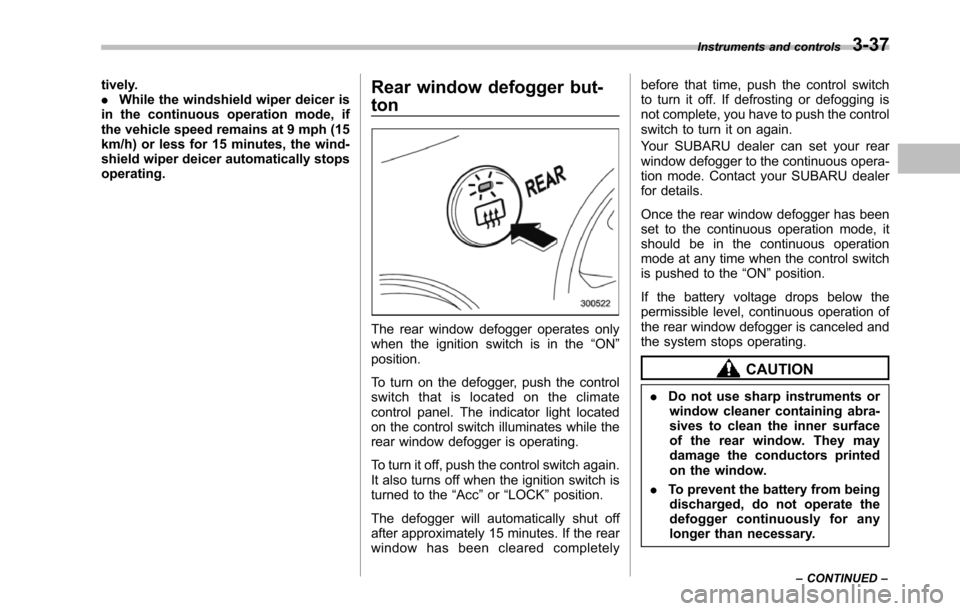
Rear window defogger but-
ton
The rear window defogger operates onlywhen the ignition switch is in the“ON”position.
To turn on the defogger, push the controlswitch that is located on the climatecontrol panel. The indicator light locatedon the control switch illuminates while therear window defogger is operating.
To turn it off, push the control switch again.It also turns off when the ignition switch isturned to the“Acc”or“LOCK”position.
The defogger will automatically shut offafter approximately 15 minutes. If the rearwindow has been cleared completely
before that time, push the control switchto turn it off. If defrosting or defogging isnot complete, you have to push the controlswitch to turn it on again.
Your SUBARU dealer can set your rearwindow defogger to the continuous opera-tion mode. Contact your SUBARU dealerfor details.
Once the rear window defogger has beenset to the continuous operation mode, itshould be in the continuous operationmode at any time when the control switchis pushed to the“ON”position.
If the battery voltage drops below thepermissible level, continuous operation oftherear window defogger is canceled andthe system stops operating.
CAUTION
.Do not use sharp instruments orwindow cleaner containing abra-sives to clean the inner surfaceof the rear window. They maydamage the conductors printedon the window.
.To prevent the battery from beingdischarged, do not operate thedefogger continuously for anylonger than necessary.
Instruments and controls3-37
–CONTINUED–
Page 176 of 426
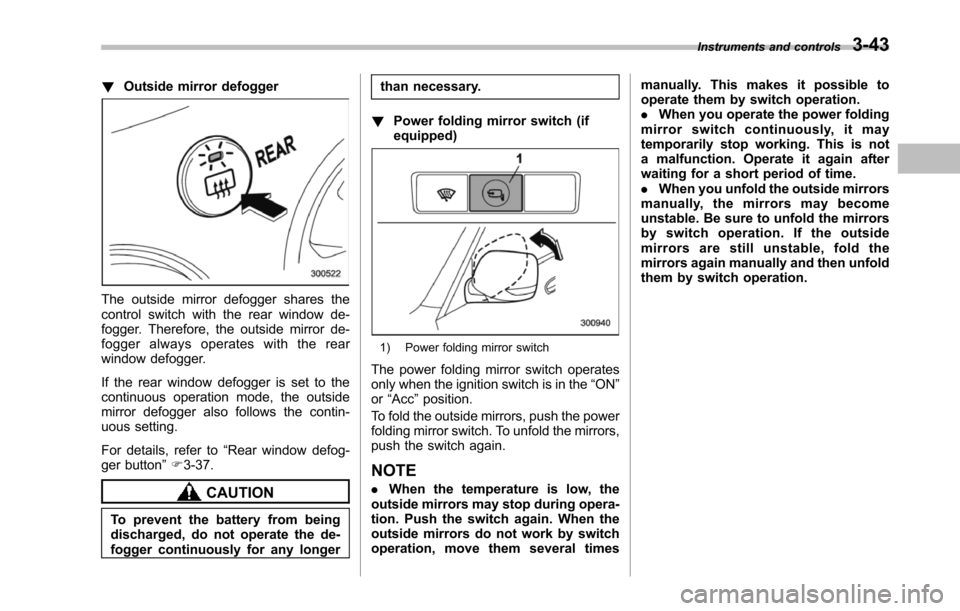
!Outside mirror defogger
The outside mirror defogger shares thecontrol switch with the rear window de-fogger. Therefore, the outside mirror de-fogger always operates with the rearwindow defogger.
If the rear window defogger is set to thecontinuous operation mode, the outsidemirror defogger also follows the contin-uous setting.
For details, refer to“Rear window defog-ger button”F3-37.
CAUTION
To prevent the battery from beingdischarged, do not operate the de-fogger continuously for any longer
than necessary.
!Power folding mirror switch (ifequipped)
1) Power folding mirror switch
The power folding mirror switch operatesonly when the ignition switch is in the“ON”or“Acc”position.
To fold the outside mirrors, push the powerfolding mirror switch. To unfold the mirrors,push the switch again.
NOTE
.When the temperature is low, theoutside mirrorsmay stop during opera-tion. Push the switch again. When theoutside mirrors do not work by switchoperation, move them several times
manually. This makes it possible tooperate them by switch operation..When you operate the power foldingmirror switch continuously, it maytemporarily stop working. This is nota malfunction. Operate it again afterwaiting for a short period of time..When you unfold the outside mirrorsmanually, the mirrors may becomeunstable. Be sure to unfold the mirrorsby switch operation. If the outsidemirrors are still unstable, fold themirrors again manually and then unfoldthem by switch operation.
Instruments and controls3-43
Page 198 of 426
NOTE
While you are holding down either sideof the“TUNE TRACK”button, thetuning frequency will not stop chan-ging even if the frequency of a recei-vable station is reached.
!Seek tuning
If you press the“”or“”side of the“SEEK FLDR”button (7), the radio willautomatically search for a receivablestation and stop at the first one it finds.This function may not be available, how-ever, when radio signals are weak. In suchasituation,performmanualtuningtoselect the desired station.
!Automatic tuning (SCAN)
Press the“SCAN”button (8) to change theradio to the SCAN mode. In this mode, theradio scans through the radio band until astation is found. The radio will stop at thestation for 5 seconds while displaying thefrequency, after which scanning will con-tinue until the entire band has beenscanned from the low end to the highend. Press the“SCAN”button again tocancel the SCAN mode and to stop on anydisplayed frequency.
Press the“”or“”side of the“SEEKFLDR”button (7) again to cancel the scanmode and to stop on any displayed
frequency.
When the“SCAN”button is pressed forautomatic tuning, stations are scanned inthe direction of low frequencies to highfrequencies only.
Automatic tuning may not function prop-erly if the station reception is weakened bydistancefrom the station or proximity totall buildings and hills.
!Selecting preset stations
Presetting a station with a preset button(10) allows you to select that station in asingle operation. Up to six, AM, FM1 andFM2 stations each may be preset.
!How to preset stations
1. Press the“FM AM”button (2) to selectFM1, FM2, or AM reception.
2. Press the“SCAN”button (8) or tunethe radio manually until the desired stationfrequencyis displayed.
3. Press and hold one of the presetbuttons (10) to store the frequency. If thebutton is pressed briefly, the precedingselection will remain in memory.
NOTE
.If the connection between the radioand battery is broken for any reasonsuch as vehicle maintenance or radioremoval, all stations stored in the
preset buttons are cleared. If thisoccurs, it is necessary to reset thepreset buttons..If a cell phone is placed near theradio, it may cause the radio to emitnoise when it receives calls. This noisedoes not indicate a radio malfunction.
!Satellite radio mode (if equipped)
To receive satellite radio, it is necessary toinstall the SUBARU genuine satellitereceiver (optional part) and to enter intoa contract with a satellite radio networkservice such as“Sirius XMTMsatelliteradio”(for U.S.A. only)or“Sirius satelliteradio”(for Canada only). For details,please contact your SUBARU dealer.
!Sirius satellite radio (for Canadaonly)
Sirius satellite radio is a recent innovationthat allows the listener to experiencedigital sound quality and to have a greatervariety of channels.
Use of satellite radio (Sirius) requires atuner, antenna and a service contract. Fordetails, please contact your SUBARUdealer or visit Sirius Satellite Radio atwww.sirius.ca or call 1-888-539-7474 formore information. Sirius, the Sirius doglogo, channel names and logos are trade-marks of SIRIUS Satellite Radio Inc.
Audio5-7
–CONTINUED–
Page 200 of 426
buttons (10) to store the channel. If thebutton is pressed briefly, the precedingselection will remain in memory.
NOTE
If the connection between the radio andbattery is broken for any reason suchas vehicle maintenance or radio re-moval, all channels stored in the presetbuttons are cleared. If this occurs, it isnecessary to reset the preset buttons.
!Display selection
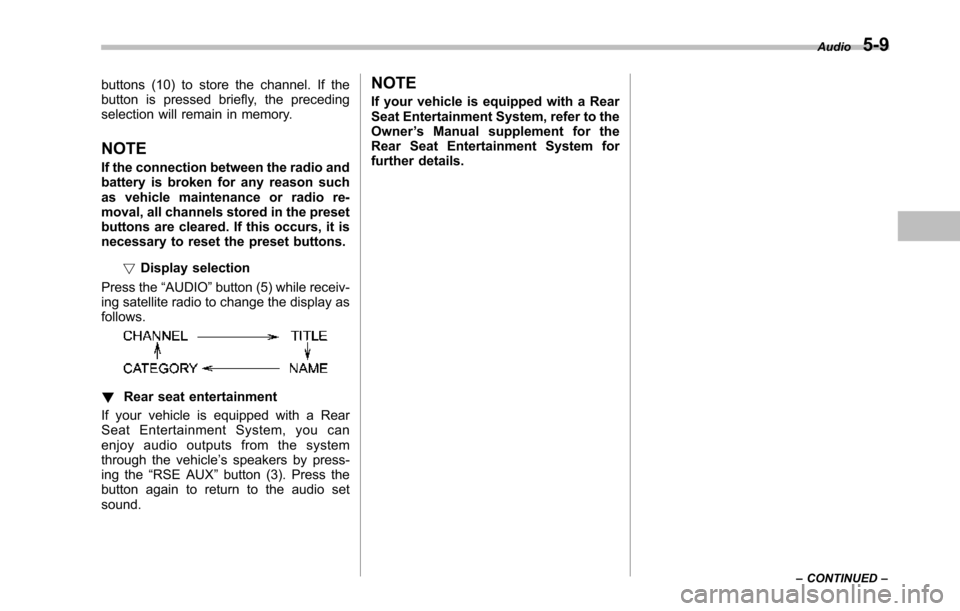
Press the“AUDIO”button (5) while receiv-ing satellite radio to change the display asfollows.
!Rear seat entertainment
If your vehicle is equipped with a RearSeat Entertainment System, you canenjoy audio outputs from the systemthrough the vehicle’s speakers by press-ing the“RSE AUX”button (3). Press thebutton again to return to the audio setsound.
NOTE
If your vehicle is equipped with a RearSeat Entertainment System, refer to theOwner’s Manual supplement for theRear Seat Entertainment System forfurther details.
Audio5-9
–CONTINUED–
Page 209 of 426
5-18Audio
NOTE
While you are holding down either sideof the TUNE/TRACK button, the tuningfrequency will not stop changing evenif the frequency of a receivable stationis reached.
!Seek tuning (SEEK)
If you press the“”or“”side of the“SEEK FLDR”button (7), the radio willautomatically search for a receivablestation and stop at the first one it finds.This function may not be available, how-ever, when radio signals are weak. In suchasituation,performmanualtuningtoselect the desired station.
!Scan tuning (SCAN)
Press the“SCAN”button (8) to change theradio to the SCAN mode. In this mode, theradio scans through the radio band until astationis found. The radio will stop at thestation for 5 seconds while displaying thefrequency, after which scanning will con-tinue until the entire band has beenscannedfrom the low end to the highend. Press the“SCAN”buttonagain tocancel the SCAN mode and to stop on anydisplayed frequency.
Press the“”or“”side of the“SEEKFLDR”button (7) again to cancel the scanmode and to stop on any displayed
frequency.
When the“SCAN”button is pressed forautomatic tuning, stations are scanned inthe direction of low frequencies to highfrequencies only.
Automatic tuning may not function prop-erly if the station reception is weakened bydistance from the station or proximity totall buildings and hills.
!Selecting preset stations
Presetting a station with a preset buttonallows you to select that station in a singleoperation. Up to six AM, FM1 and FM2stations each may be preset.
!How to preset stations
1. Press the“FM AM”button (2) to selectFM1, FM2 or AM reception.
2. Press the“SCAN”button (8) or tunethe radio manually until the desired stationfrequency is displayed.
3. Press and hold one of the presetbuttons to store the frequency. If thebutton is pressed briefly, the precedingselection will remain in memory.
NOTE
.If the connection between the radioand battery is broken for any reasonsuch as vehicle maintenance or radioremoval, all stations stored in the
preset buttons are cleared. If thisoccurs, it is necessary to reset thepreset buttons..If a cell phone is placed near theradio, it may cause the radio to emitnoise when it receives calls. This noisedoes not indicate a radio malfunction.
!Satellite radio mode (if equipped)
To receive satellite radio, it is necessary toinstall the SUBARU genuine satellitereceiver (optional part) and to enter intoa contract with a satellite radio networkservice such as“Sirius XMTMsatelliteradio”(for U.S.A. only) or“Sirius satelliteradio”(for Canada only). For details,please contact your SUBARU dealer.
!Sirius satellite radio (for Canadaonly)
Refer to“Sirius satellite radio (for Canadaonly)”F5-7.
!Sirius XMTMSatellite Radio Acti-vation (for U.S.A. only)
Refer to“Sirius XMTMSatellite RadioActivation (for U.S.A. only)”F5-8.
!Satellite radio reception
Refer to“Satellite radio reception”F5-8.
Page 210 of 426
!Displaying satellite radio ID oftuner
When you activate satellite radio, youshould have your satellite radio tuner IDready because each tuner is identified byits unique satellite radio tuner ID.
The satellite radio ID will be needed whenyou activate satellite radio and receivesatellite radio customer support.
The satellite radio ID can be found on theaudio display by tuning the channel to“0”.
Turn the“TUNE/TRACK”button (4) toselect the satellite radio channel.
!Band selection button
Push the“SAT”button (1) when the radiois off to turn on the radio.
Push the“SAT”button when the radio ison to select SAT1, SAT2 or SAT3 recep-tion.
!Channel selection
Press“”of the“TUNE TRACK”button(4) to select the next channel and press“”of the button to select the previouschannel.
Keep pressing“”of the button tochange to the next channel continuouslyand keep pressing“”of the button tochange to the previous channel continu-ously.
!Category selection
Press“”or“”of the“SEEK FLDR”button (7) to display the current category.Press“”again to select the nextcategory, and press“”again to selectthe previous category.
!Channel scan
Press the“SCAN”button (8) to change theradio to the SCAN mode. In this mode, theradio scans through the channels until astation is found. The radio will stop at thestation for 5 seconds while displaying thechannel number, after which scanning willcontinue until the entire channel has beenscanned from the low end to the high end.
Also during the category selection, chan-nel scan can be performed in that cate-gory.
Press the“SCAN”button again to cancelthe SCAN mode and to stop on anydisplayed channel.
!Selecting preset channels
Presetting a channel with a preset button(10) allows you to select that channel in asingle operation. Up to six, SAT1, SAT2and SAT3 channels each may be preset.
!How to preset channels
1. Press the“SAT”button (1) to selectSAT1, SAT2 and SAT3 reception.
2. Press the“SCAN”button (8) or the“TUNE TRACK”button (4) to select thechannel.
3. Press and hold one of the presetbuttons (10) to store the channel. If thebutton is pressed briefly, the precedingselection will remain in memory.
NOTE
If the connection between the radio andbattery is broken for any reason suchas vehicle maintenance or radio re-moval, all channels stored in the presetbuttons are cleared. If this occurs, it isnecessary to reset the preset buttons.
!Display selection
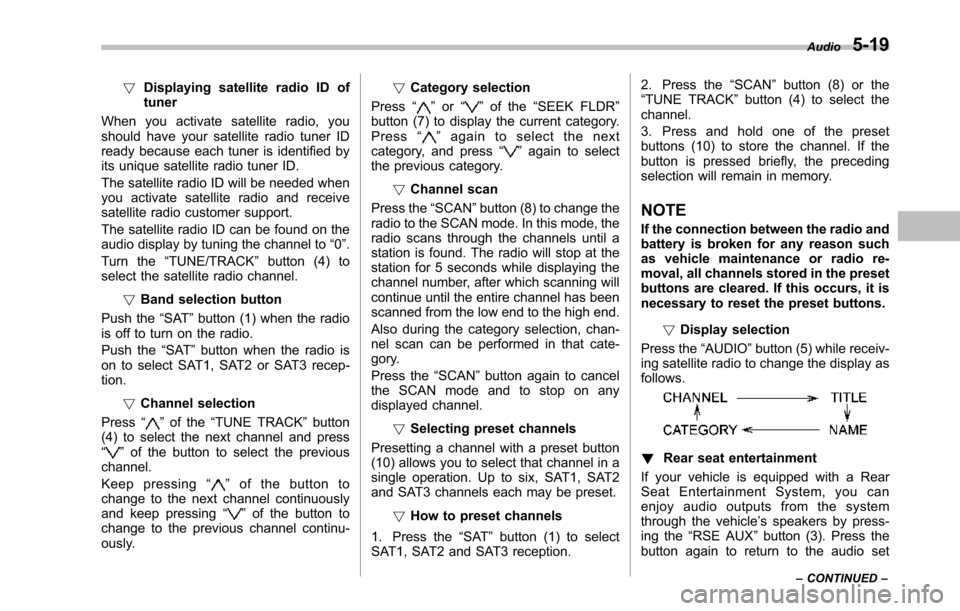
Press the“AUDIO”button (5) while receiv-ing satellite radio to change the display asfollows.
!Rear seat entertainment
If your vehicle is equipped with a RearSeat Entertainment System, you canenjoy audio outputs from the systemthrough the vehicle’s speakers by press-ing the“RSE AUX”button (3). Press thebutton again to return to the audio set
Audio5-19
–CONTINUED–