2014 SUBARU TRIBECA light
[x] Cancel search: lightPage 272 of 426
is important that winter tires be usedwhen driving on snow-covered or icyroads. (All four wheels should be fittedwith tires of the same size and brand).
.It is always important to reducespeed when approaching a corner,even if the vehicle is equipped withVehicle Dynamics Control.
.All four wheels should be fitted withtires of the same size, type, and brand;furthermore, the amount of wearshouldbe the same for all four tires. Ifthese precautions are not observedand non-matching tires are used, it isquite possible that the Vehicle Dy-namics Control system will be unableto operate correctly as intended.
.Always turn off the engine beforereplacing a tire as failure to do so mayrender the Vehicle Dynamics Controlsystem unable to operate correctly.
&Vehicle Dynamics Control
system monitor
Refer to the following sections.
.“Ve h i c l e D y n a m i c s C o n t r o l w a r n i n glight (U.S.-spec models and Canada-spec. models)/Vehicle Dynamics Controloperation indicator light (all models)”F3-18
.“Traction Control system OFF indicatorlight (U.S.-spec models and Canada-spec. models)”F3-19
.“Ve h i c l e D y n a m i c s C o n t r o l w a r n i n glight (Latin America-spec. models)/Trac-tion Control OFF indicator light (LatinAmerica-spec. models)”F3-19
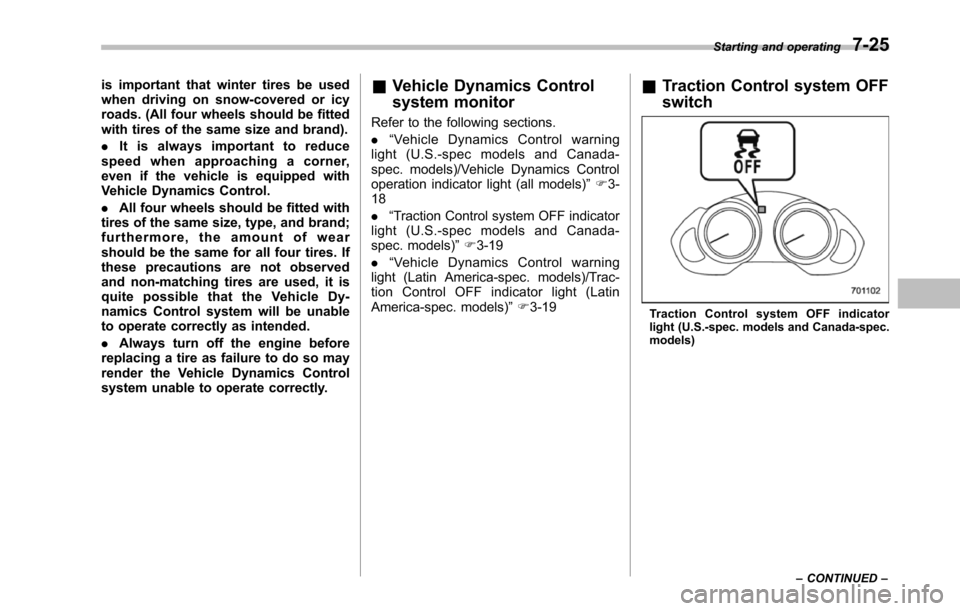
&Traction Control system OFF
switch
Tract io n Cont rol sy stem OFF indic atorlight (U.S.-spec. models and Canada-spec.models)
Starting and operating7-25
–CONTINUED–
Page 273 of 426
7-26Starting and operating
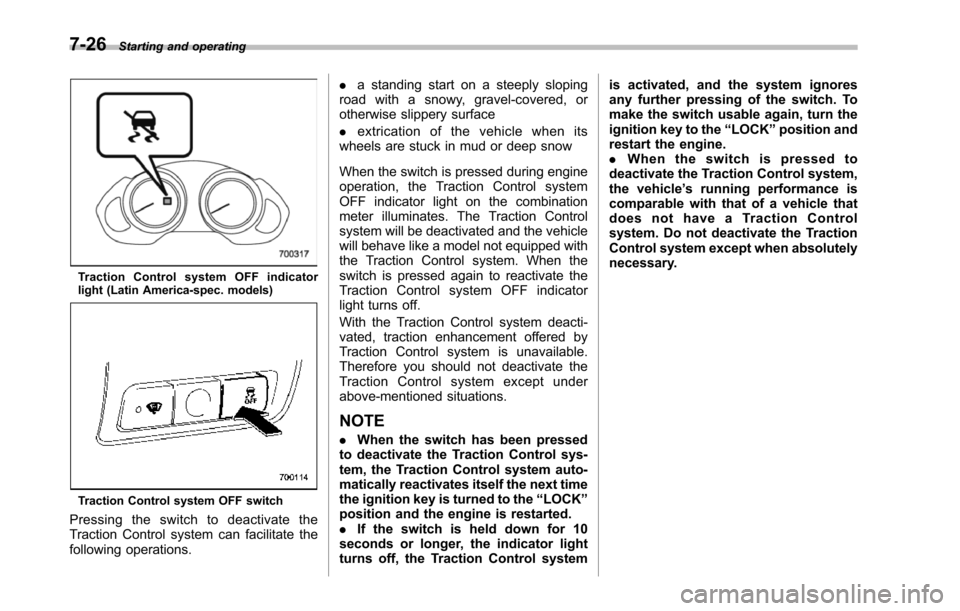
Tr a c t i o n C on t r o l s y s t e m O F F i nd i c a t o rlight (Latin America-spec. models)
Traction Control system OFF switch
Pressing the switch to deactivate theTraction Control system can facilitate thefollowing operations.
.a standing start on a steeply slopingroad with a snowy, gravel-covered, orotherwise slippery surface
.extrication of the vehicle when itswheels are stuck in mud or deep snow
When the switch is pressed during engineoperation, the Traction Control systemOFF indicator light on the combinationmeter illuminates. The Traction Controlsystem willbe deactivated and the vehiclewill behave like a model not equipped withthe Traction Control system. When theswitch is pressed again to reactivate theTraction Control system OFF indicatorlight turns off.
With the Traction Control system deacti-vated, traction enhancement offered byTraction Control system is unavailable.Therefore you should not deactivate theTraction Control system except underabove-mentioned situations.
NOTE
.When the switch has been pressedto deactivate the Traction Control sys-tem, the Traction Control system auto-matically reactivates itself the next timethe ignition key is turned to the“LOCK”position and the engine is restarted..If the switch is held down for 10seconds or longer, the indicator lightturns off,the Traction Control system
is activated, and the system ignoresany further pressing of the switch. Tomake the switch usable again, turn theignition key to the“LOCK”position andrestart the engine..When the switch is pressed todeactivate the Traction Control system,the vehicle’s running performance iscomparable with that of a vehicle thatdoes not have a Traction Controlsystem. Do not deactivate the TractionControl system except when absolutelynecessary.
Page 274 of 426

Tire pressure monitoring
system (TPMS)
The tire pressure monitoring system pro-vides the driver with a warning messageby sending a signal from a sensor that isinstalled in each wheel when tire pressureis severely low.
The tire pressure monitoring system willactivate only when the vehicle is driven atspeeds above 20 mph (32 km/h). Also,this system may not react immediately to asudden drop in tire pressure (for example,a blow-out caused by running over asharp object).
WARNING
If the low tire pressure warning lightilluminates while driving, neverbrake suddenly and keep drivingstraight ahead while gradually redu-cing speed. Then slowly pull off theroad to a safe place. Otherwise anaccident involving serious vehicledamage and serious personal injurycould occur.
Check the pressure for all four tiresand adjust the pressure to the COLDtire pressure shown on the tireplacard on the door pillar on thedriver’s side.
Even when the vehicle is driven avery short distance, the tires getwarm and their pressures increaseaccordingly. Be sure to let the tirescool thoroughly before adjustingtheir pressures to the standardvalues shown on the tire placard.Refer to“Tires and wheels”F11-21.The tire pressure monitoring systemdoes not function when the vehicleis stationary. After adjusting the tirepressures, increase the vehiclespeed to at least 20 mph (32 km/h)to start the TPMS re-checking of thetire inflation pressures. If the tirepressures are now above the severe
low pressure threshold, the low tirepressure warning light should turnoff a few minutes later.
If this light still illuminates whiledriving after adjusting the tire pres-sure, a tire may have significantdamage and a fast leak that causesthe tire to lose air rapidly. If you havea flat tire, replace it with a spare tireas soon as possible.
When a spare tire is mounted or awheel rim is replaced without theoriginal pressure sensor/transmitterbeing transferred, the low tire pres-sure warning light will illuminatesteadily after blinking for approxi-mately one minute. This indicatesthe TPMS is unable to monitor allfour road wheels. Contact yourSUBARU dealeras soon as possiblefor tire and sensor replacement and/or system resetting.
Do not inject any tire liquid oraerosol tire sealant into the tires,as this may cause a malfunction ofthe tire pressure sensors. If the lightilluminates steadily after blinking forapproximately one minute, promptlycontact a SUBARU dealer to havethe system inspected.
Starting and operating7-27
–CONTINUED–
Page 276 of 426
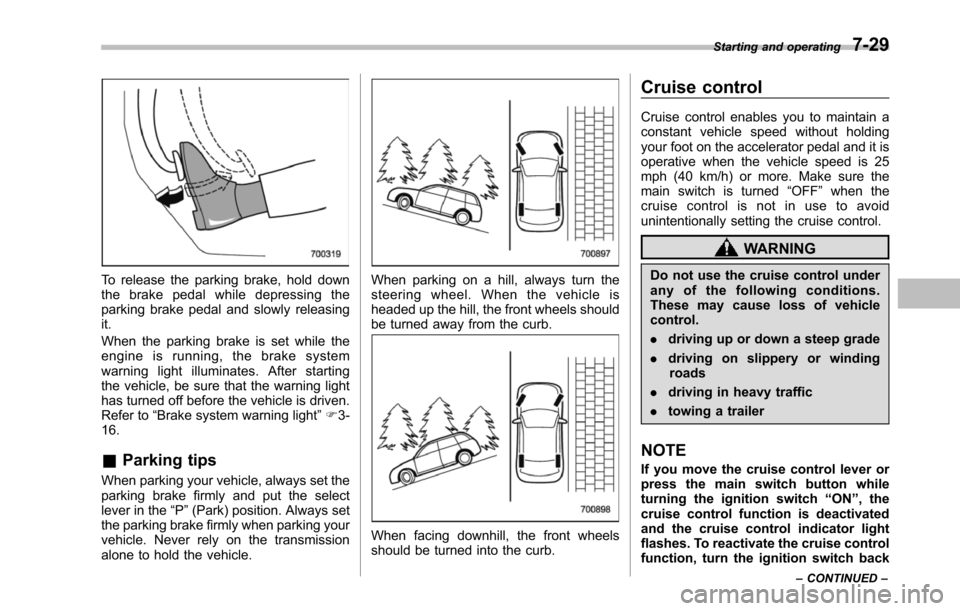
To release the parking brake, hold downthe brake pedal while depressing theparkingbrake pedal and slowly releasingit.
When the parking brake is set while theengine is running, the brake systemwarning light illuminates. After startingthe vehicle, be sure that the warning lighthas turned off before the vehicle is driven.Refer to“Brake system warning light”F3-16.
&Parking tips
When parking your vehicle, always set theparking brake firmly and put the selectlever in the“P”(Park) position. Always setthe parking brake firmly when parking yourvehicle. Never rely on the transmissionalone to hold the vehicle.
When parking on a hill, always turn thesteering wheel. When the vehicle isheadedup the hill, the front wheels shouldbe turned away from the curb.
When facing downhill, the front wheelsshould be turned into the curb.
Cruise control
Cruise control enables you to maintain aconstant vehicle speed without holdingyour foot on the accelerator pedal and it isoperative when the vehicle speed is 25mph (40 km/h) or more. Make sure themain switch is turned“OFF”whenthecruise control is not in use to avoidunintentionally setting the cruise control.
WARNING
Do not use the cruise control underany of the following conditions.These may cause loss of vehiclecontrol.
.driving up or down a steep grade
.driving on slippery or windingroads
.driving in heavy traffic
.towing a trailer
NOTE
If you move the cruise control lever orpress the main switch button whileturning the ignition switch“ON”, thecruise control function is deactivatedand the cruise control indicator lightflashes.To reactivate the cruise controlfunction, turn the ignition switch back
Starting and operating7-29
–CONTINUED–
Page 277 of 426
7-30Starting and operating
to the“Acc”or“LOCK”position, andthen turn it again to the“ON”position.
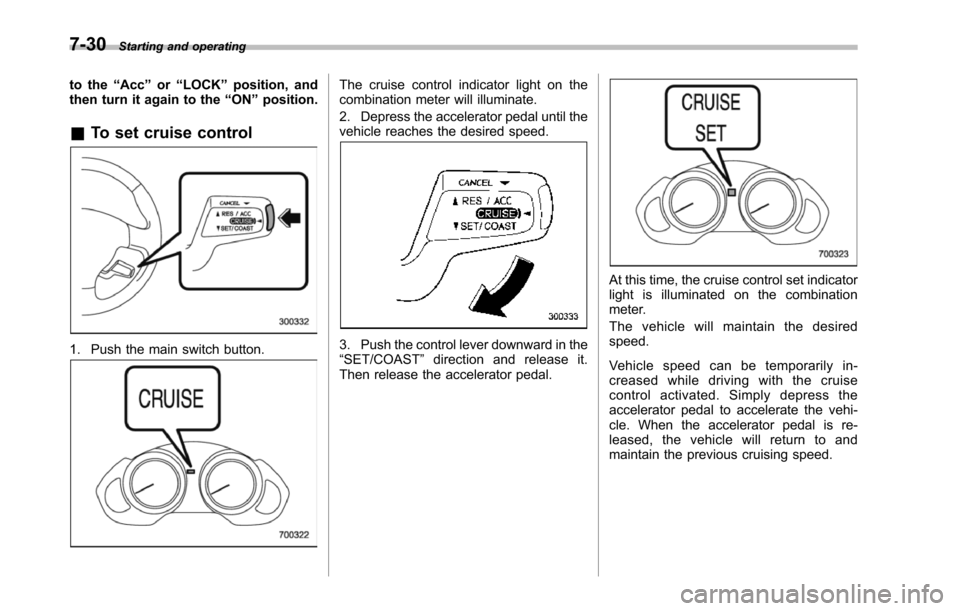
&To set cruise control
1. Push the main switch button.
The cruise control indicator light on thecombination meter will illuminate.
2. Depress the accelerator pedal until thevehicle reaches the desired speed.
3. Push the control lever downward in the“SET/COAST”direction and release it.Then release the accelerator pedal.
At this time, the cruise control set indicatorlight is illuminated on the combinationmeter.
The vehicle will maintain the desiredspeed.
Vehicle speed can be temporarily in-creased while driving with the cruisecontrol activated. Simply depress theaccelerator pedal to accelerate the vehi-cle. When the accelerator pedal is re-leased, the vehicle will return to andmaintain the previous cruising speed.
Page 278 of 426
&To temporarily cancel the
cruise control
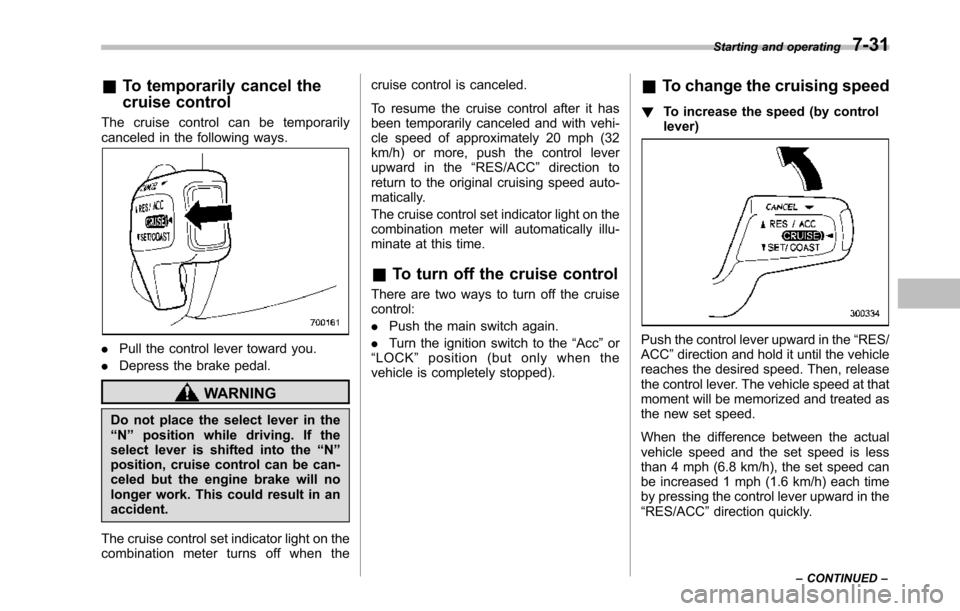
The cruise control can be temporarilycanceled in the following ways.
.Pull the control lever toward you.
.Depressthe brake pedal.
WARNING
Do not place the select lever in the“N”position while driving. If theselect lever is shifted into the“N”position, cruise control can be can-celed but the engine brake will nolonger work. This could result in anaccident.
The cruise control set indicator light on thecombination meter turns off when the
cruise control is canceled.
To resume the cruise control after it hasbeen temporarily canceled and with vehi-cle speed of approximately 20 mph (32km/h) or more, push the control leverupward in the“RES/ACC”direction toreturn to the original cruising speed auto-matically.
The cruise control set indicator light on thecombination meter will automatically illu-minate at this time.
&To turn off the cruise control
There are two ways to turn off the cruisecontrol:
.Push the main switch again.
.Turn the ignition switch to the“Acc”or“LOCK”position (but only when thevehicle is completely stopped).
&To change the cruising speed
!To increase the speed (by controllever)
Push the control lever upward in the“RES/ACC”direction and hold it until the vehiclereaches the desired speed. Then, releasethe control lever. The vehicle speed at thatmoment will be memorized and treated asthe new set speed.
When the difference between the actualvehicle speed and the set speed is lessthan 4 mph (6.8 km/h), the set speed canbe increased 1 mph (1.6 km/h) each timeby pressing the control lever upward in the“RES/ACC”direction quickly.
Starting and operating7-31
–CONTINUED–
Page 279 of 426
7-32Starting and operating
!To increase the speed (by accel-erator pedal)
1. Depress the accelerator pedal toaccelerate the vehicle to the desiredspeed.
2. Push the control lever downward in the“SET/COAST”direction once. Now thedesired speed is set and the vehicle willkeep running at that speed without de-pressing the accelerator pedal.
NOTE
If the difference between the actualvehicle speed when the control leveris pushed downward and the speed lasttime you set is less than 4 mph (6.8km/h), the vehicle speed will be low-ered by 1 mph (1.6 km/h). This occursbecause the cruise control system unitregards this lever operation as thatintended to decrease the vehiclespeed.
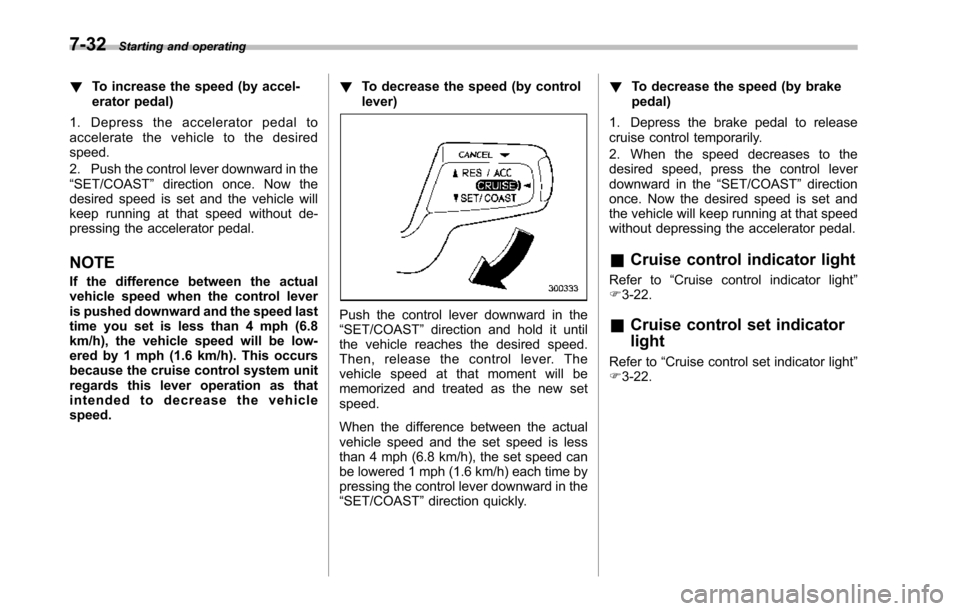
!To decrease the speed (by controllever)
Push the control lever downward in the“SET/COAST”direction and hold it untilthe vehicle reaches the desired speed.Then, release the control lever. Thevehicle speed at that moment will bememorized and treated as the new setspeed.
When the difference between the actualvehicle speed and the set speed is lessthan 4 mph (6.8 km/h), the set speed canbe lowered 1 mph (1.6 km/h) each time bypressing the control lever downward in the“SET/COAST”direction quickly.
!To decrease the speed (by brakepedal)
1. Depress the brake pedal to releasecruise control temporarily.
2. When the speed decreases to thedesired speed, press the control leverdownward in the“SET/COAST”directiononce. Now the desired speed is set andthe vehicle will keep running at that speedwithout depressing the accelerator pedal.
&Cruise control indicator light
Refer to“Cruise control indicator light”F3-22.
&Cruise control set indicator
light
Refer to“Cruise control set indicator light”F3-22.
Page 286 of 426
depth of the water and the bottom of thestream bed for firmness and ensure thatthe bed of the stream is flat. Drive slowlyand completely through the stream. Thewater should be shallow enough that itdoes not reach the vehicle’s undercar-riage. Water entering the engine air intakeor the exhaust pipe or water splashingonto electrical parts may damage yourvehicle and may cause it to stall. Neverattempt to drive through rushing water;regardless of its depth, it can wash awaythe ground from under your tires, resultingin possible loss of traction and evenvehicle rollover.
.Always check your brakes for effec-tiveness immediately after driving in sand,mud or water. Do this by driving slowlyand stepping on the brake pedal. Repeatthat process several times to dry out thebrake discsand brake pads.
.Do not drive or park over or nearflammable materials such as dry grass orfallen leaves,as they may burn easily. Theexhaust system is very hot while theengine is running and right after enginestops. This could create a fire hazard.
.After driving through tall grass, mud,rocks, sand, rivers, etc., check that thereis no grass, bush, paper, rags, stones,sand, etc. adhering to or trapped on theunderbody. Clear off any such matter from
the underbody. If the vehicle is used withthese materials trapped or adhering to theunderbody, a mechanical breakdown orfire could occur.
.Secure all cargo carried inside thevehicle and make certain that it is notpiled higher than the seatbacks. Duringsudden stops or jolts, unsecured cargocould be thrown around in the vehicle andcause injury. Do not pile heavy loads onthe roof. Those loads raise the vehicle’scenter of gravity and make it more proneto tip over.
.If you must rock the vehicle to free itfrom sand or mud, depress the acceleratorpedal slightly andmove the select leverback and forth between“D”and“R”repeatedly. Do not race the engine. Forthe best possible traction, avoid spinningthe wheels when trying to free the vehicle.
.When the road surface is extremelyslippery, you can obtain better traction bystarting the vehicle with the transmissionin 2nd than 1st.
.Never equip your vehicle with tireslarger than thosespecified in this manual.
.Wash the vehicle’s underbody after off-road driving. Suspension components areparticularly prone to dirt buildup, so theyneed to be washed thoroughly.
.Frequent driving of an AWD modelunder hard-driving conditions such as
rough roads or off roads will necessitatemore frequent replacement of engine oil,brake fluid and transmission oil than thatspecified in the maintenance scheduledescribed in the“Warranty and Mainte-nance Booklet”.
Remember that damage done to yourSUBARU while operating it off-road andnot using common sense precautionssuch as those listed above is not eligiblefor warranty coverage.
Driving tips8-7