2014 SUBARU TRIBECA light
[x] Cancel search: lightPage 174 of 426
&Type C inside mirror (if
equipped)
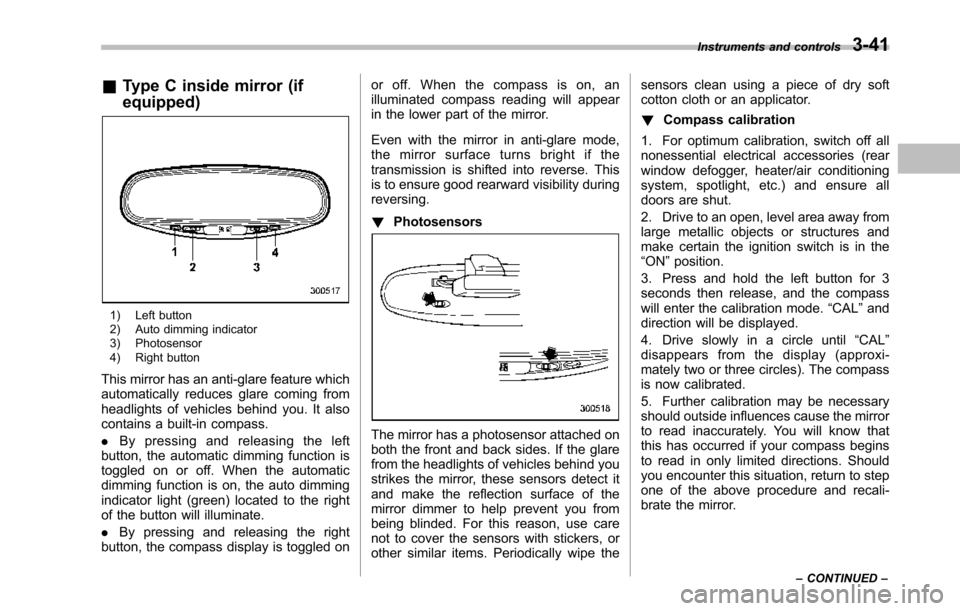
1) Left button2) Auto dimming indicator3) Photosensor4) Right button
This mirror has an anti-glare feature whichautomatically reduces glare coming fromheadlights of vehicles behind you. It alsocontains a built-in compass.
.By pressing and releasing the leftbutton, the automatic dimming function istoggled on or off. When the automaticdimming function is on, the auto dimmingindicator light (green) located to the rightof the button will illuminate.
.By pressing and releasing the rightbutton, the compass display is toggled on
or off. When the compass is on, anilluminated compass reading will appearin the lower part of the mirror.
Even with the mirror in anti-glare mode,the mirror surface turns bright if thetransmission is shifted into reverse. Thisis to ensure good rearward visibility duringreversing.
!Photosensors
The mirror has a photosensor attached onboth the front and back sides. If the glarefrom the headlights of vehicles behind youstrikes the mirror, these sensors detect itand make the reflection surface of themirror dimmer to help prevent you frombeing blinded. For this reason, use carenot to cover the sensors with stickers, orother similar items. Periodically wipe the
sensors clean using a piece of dry softcotton cloth or an applicator.
!Compass calibration
1. For optimum calibration, switch off allnonessential electrical accessories (rearwindow defogger, heater/air conditioningsystem, spotlight, etc.) and ensure alldoors are shut.
2. Drive to an open, level area away fromlarge metallic objects or structures andmake certain the ignition switch is in the“ON”position.
3. Press and hold the left button for 3seconds then release, and the compasswill enter the calibration mode.“CAL”anddirection will be displayed.
4. Drive slowly in a circle until“CAL”disappears from the display (approxi-mately two or three circles). The compassis now calibrated.
5. Further calibration may be necessaryshould outside influences cause the mirrorto read inaccurately. You will know thatthis has occurred if your compass beginsto read in only limited directions. Shouldyou encounter this situation, return to stepone of the above procedure and recali-brate the mirror.
Instruments and controls3-41
–CONTINUED–
Page 178 of 426
Ventilator.............................................................. 4-2Airflow................................................................ 4-2Ventilator............................................................ 4-4
Automatic climate control system..................... 4-5Control panel...................................................... 4-5Rear air conditioner............................................. 4-9Temperature sensors........................................... 4-9
Operating tips for heater and airconditioner....................................................... 4-10Cleaning ventilator grille..................................... 4-10Efficient cooling after parking in directsunlight........................................................... 4-10
Lubrication oil circulation in the refrigerantcircuit.............................................................. 4-10Checking air conditioning system before summerseason............................................................ 4-10Cooling and dehumidifying in high humidity andlow temperature weather conditions................. 4-10Air conditioner compressor shut-off when engineis heavily loaded.............................................. 4-11Refrigerant for your climate control system ........ 4-11
Air filtration system........................................... 4-11Replacing the air filter........................................ 4-11
Climate control
4
Page 182 of 426
Automatic climate control
system
NOTE
.Operate the automatic climate con-trol system when the engine is running..The blower fan rotates at a lowspeed when the engine coolant tem-perature is low.
Forefficient defogging or dehumidify-ing in cold weather, press the“A/C”button..The vehicle has a rear air condi-tioner. The fan speed of the rear airconditioner can be adjusted, but otheradjustments (outlet air temperature, airdistribution, etc.)are not possible forthe rear air conditioner. For details,refer to“Rear air conditioner”F4-9.
The automatic climate control systemautomatically controls outlet air tempera-ture, fan speed, airflow distribution, airinlet control, and air conditioner compres-sor operation. It activates when the“AUTO”button is pressed, and is used tomaintain a constant, comfortable climatewithin the passenger compartment.
The temperature can be set within a rangeof 65 to 858F (18 to 328C).
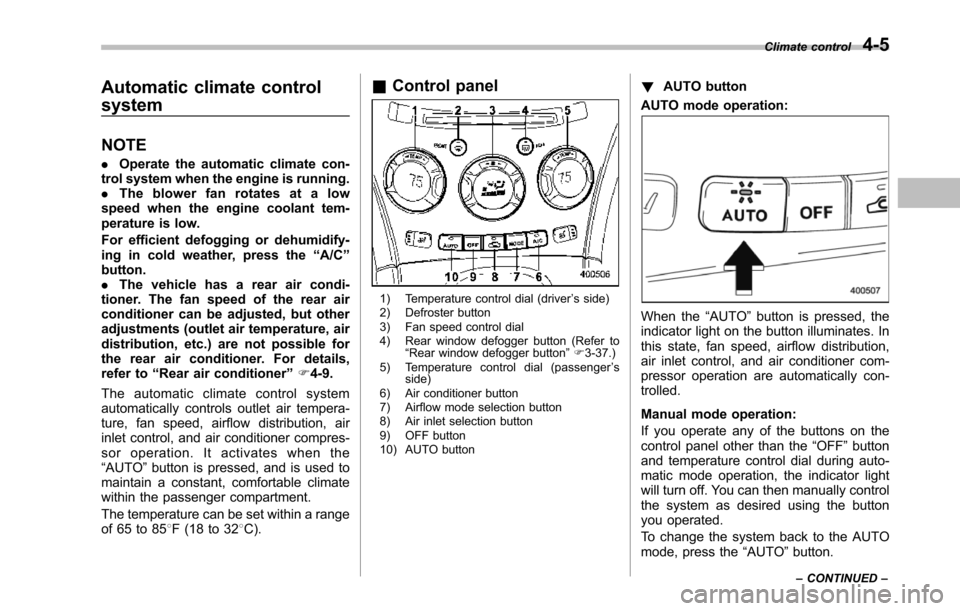
&Control panel
1) Temperature control dial (driver’s side)2) Defroster button3) Fan speed control dial4) Rear window defogger button (Refer to“Rearwindow defogger button”F3-37.)5) Temperature control dial (passenger’sside)6) Air conditioner button7) Airflow mode selection button8) Air inlet selection button9) OFF button10) AUTO button
!AUTO button
AUTO mode operation:
When the“AUTO”button is pressed, theindicator light on the button illuminates. Inthis state, fan speed, airflow distribution,air inlet control, and air conditioner com-pressor operation are automatically con-trolled.
Manual mode operation:
If you operate any of the buttons on thecontrol panel other than the“OFF”buttonand temperature control dial during auto-matic mode operation, the indicator lightwill turn off. You can then manually controlthe system as desired using the buttonyou operated.
To change the system back to the AUTOmode, press the“AUTO”button.
Climate control4-5
–CONTINUED–
Page 184 of 426
!–Defroster button
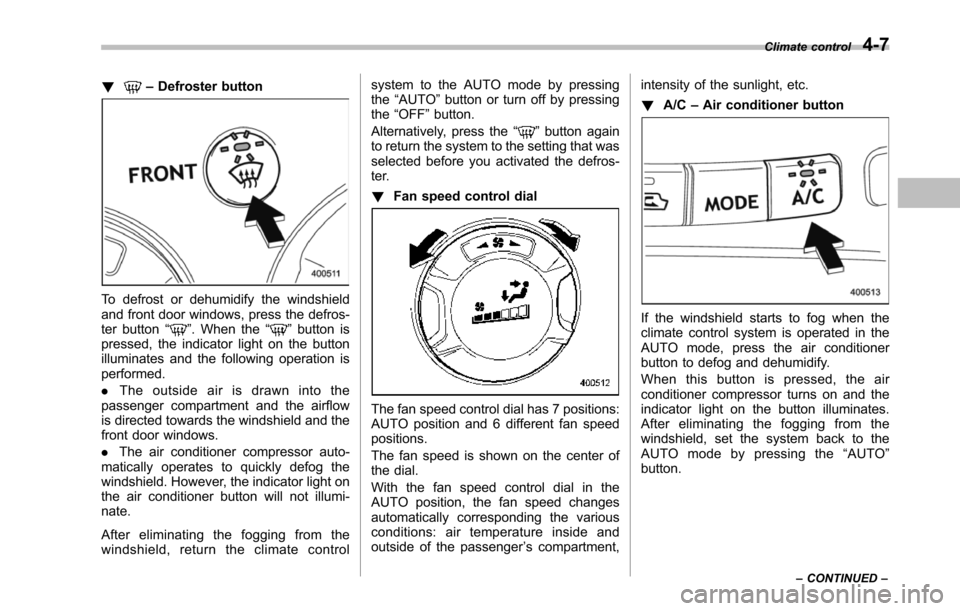
To defrost or dehumidify the windshieldand front door windows, press the defros-ter button“”. When the“”button ispressed, the indicator light on the buttonilluminates and the following operation isperformed.
.The outside air is drawn into thepassenger compartment and the airflowis directed towards the windshield and thefront door windows.
.The air conditioner compressor auto-matically operates to quickly defog thewindshield. However, the indicator light onthe air conditioner button will not illumi-nate.
After eliminating the fogging from thewindshield, return the climate control
system to the AUTO mode by pressingthe“AUTO”button or turn off by pressingthe“OFF”button.
Alternatively, press the“”button againto return the system to the setting that wasselected before you activated the defros-ter.
!Fan speed control dial
The fan speed control dial has 7 positions:AUTO positionand 6 different fan speedpositions.
The fan speed is shown on the center ofthe dial.
With the fan speed control dial in theAUTO position, the fan speed changesautomatically corresponding the variousconditions: air temperature inside andoutside of the passenger’s compartment,
intensity of the sunlight, etc.
!A/C–Air conditioner button
If the windshield starts to fog when theclimate control system is operated in theAUTO mode, press the air conditionerbutton to defog and dehumidify.
When this button is pressed, the airconditioner compressor turns on and theindicator light on the button illuminates.After eliminating the fogging from thewindshield, set the system back to theAUTO mode by pressing the“AUTO”button.
Climate control4-7
–CONTINUED–
Page 185 of 426
4-8Climate control
NOTE
For efficient defogging or dehumidify-ing in cold weather, turn on the airconditioner. However, if the ambienttemperature decreases to approxi-mately 328F(08C), the air conditionercompressor may stop operating.
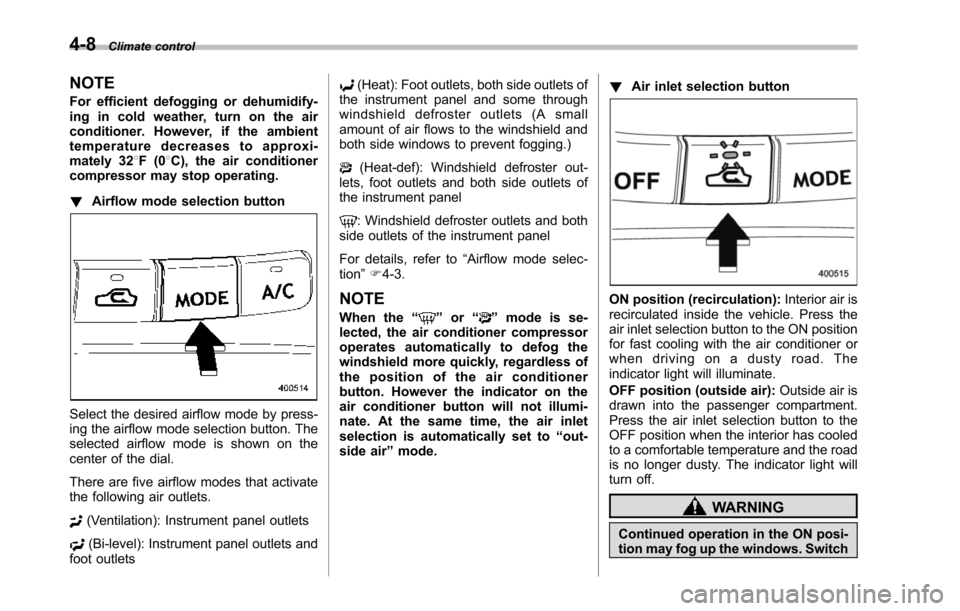
!Airflow mode selection button
Select the desired airflow mode by press-ing the airflow mode selection button. Theselected airflow mode is shown on thecenter of the dial.
There are five airflow modes that activatethe following air outlets.
(Ventilation): Instrument panel outlets
(Bi-level): Instrument panel outlets andfoot outlets
(Heat): Foot outlets, both side outlets ofthe instrument panel and some throughwindshield defroster outlets (A smallamount of air flows to the windshield andboth side windows to prevent fogging.)
(Heat-def): Windshield defroster out-lets, foot outlets and both side outlets ofthe instrument panel
: Windshield defroster outlets and bothside outletsof the instrument panel
For details, refer to“Airflow mode selec-tion”F4-3.
NOTE
When the“”or“”mode is se-lected, the air conditioner compressoroperates automatically to defog thewindshield more quickly, regardless ofthe position of the air conditionerbutton. However the indicator on theair conditioner button will not illumi-nate. At the same time, the air inletselection is automatically set to“out-side air”mode.
!Air inlet selection button
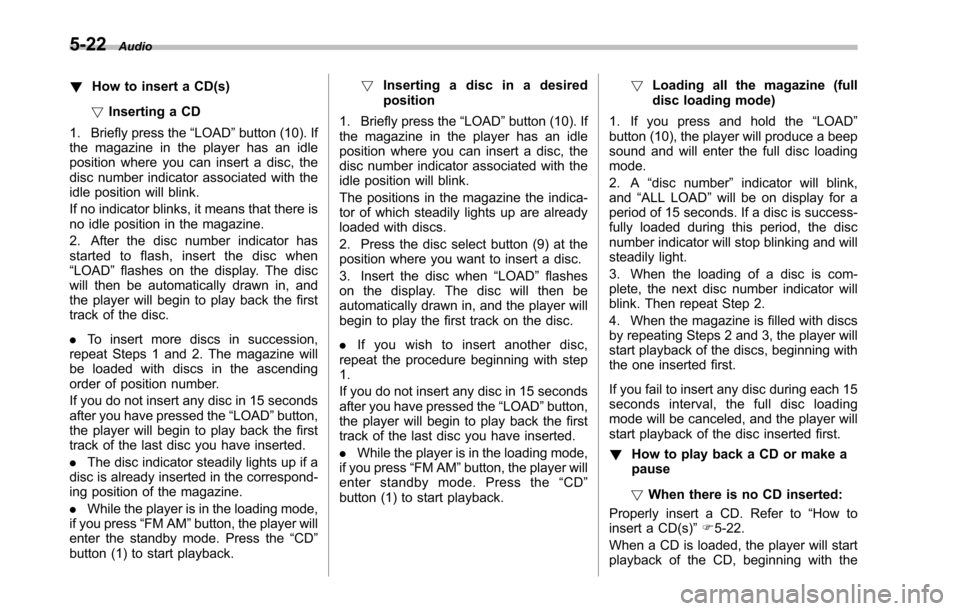
ON position (recirculation):Interior air isrecirculated inside the vehicle. Press theair inlet selection button to the ON positionfor fast cooling with the air conditioner orwhen driving on a dusty road. Theindicator light will illuminate.
OFF position (outside air):Outside air isdrawninto the passenger compartment.Press the air inlet selection button to theOFF position when the interior has cooledto a comfortable temperature and the roadis no longer dusty. The indicator light willturn off.
WARNING
Continued operation in the ON posi-tion may fog up the windows. Switch
Page 187 of 426
4-10Climate control
–Do not cover the sensors.
The sensors are located as follows.
–Solar sensor: beside windshielddefroster grille
–Interior air temperature sensor: on theside of the driver-side part of the centerpanel
–Outside temperature sensor: behindfront grille
Operating tips for heater and
air conditioner
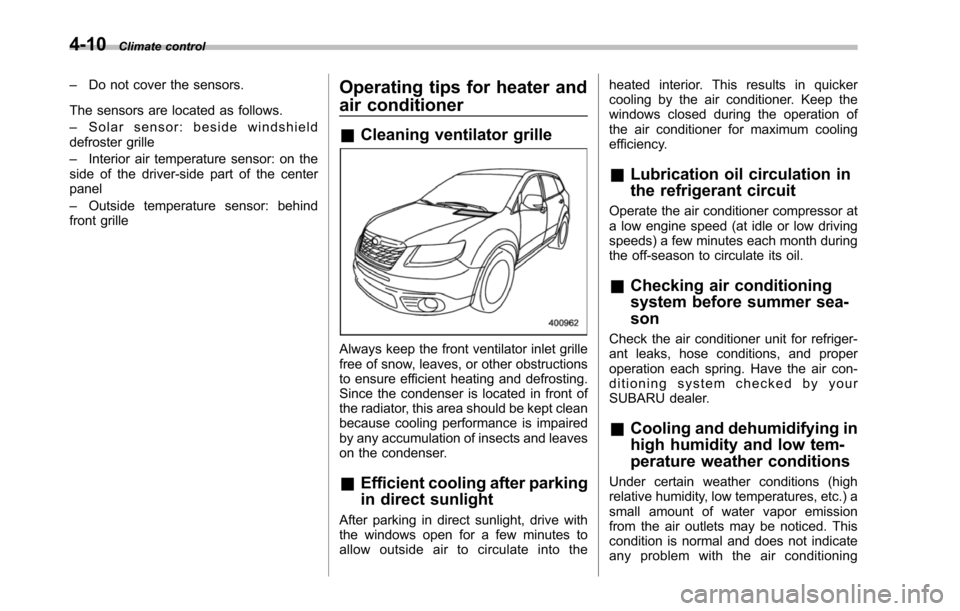
&Cleaning ventilator grille
Always keep the front ventilator inlet grillefree of snow, leaves, or other obstructionsto ensure efficient heating and defrosting.Since the condenser is located in front ofthe radiator, this area should be kept cleanbecause cooling performance is impairedby any accumulation of insects and leaveson the condenser.
&Efficient cooling after parking
in direct sunlight
After parking in direct sunlight, drive withthe windows open for a few minutes toallow outside air to circulate into the
heated interior. This results in quickercooling by the air conditioner. Keep thewindows closed during the operation ofthe air conditioner for maximum coolingefficiency.
&Lubrication oil circulation in
the refrigerant circuit
Operate the air conditioner compressor ata low engine speed (at idle or low drivingspeeds) a few minutes each month duringthe off-season to circulate its oil.
&Checking air conditioning
system before summer sea-
son
Check the air conditioner unit for refriger-ant leaks,hose conditions, and properoperation each spring. Have the air con-ditioning system checked by yourSUBARU dealer.
&Cooling and dehumidifying in
high humidity and low tem-
perature weather conditions
Under certain weather conditions (highrelative humidity, low temperatures, etc.) asmall amount of water vapor emissionfrom the air outlets may be noticed. Thiscondition is normal and does not indicateany problem with the air conditioning
Page 213 of 426
5-22Audio
!How to insert a CD(s)
!Inserting a CD
1. Briefly press the“LOAD”button (10). Ifthe magazine in the player has an idleposition where you can insert a disc, thedisc number indicator associated with theidle position will blink.
If no indicator blinks, it means that there isno idle position in the magazine.
2. After the disc number indicator hasstarted to flash, insert the disc when“LOAD”flashes on the display. The discwill then be automatically drawn in, andthe player will begin to play back the firsttrack of the disc.
.To insert more discs in succession,repeatSteps 1 and 2. The magazine willbe loaded with discs in the ascendingorder of position number.
If you do not insert any disc in 15 secondsafter you have pressed the“LOAD”button,the player willbegin to play back the firsttrack of the last disc you have inserted.
.The disc indicator steadily lights up if adisc is already inserted in the correspond-ing position of the magazine.
.While the player is in the loading mode,if you press“FM AM”button, the player willenter the standby mode. Press the“CD”button (1) to start playback.
!Inserting a disc in a desiredposition
1. Briefly press the“LOAD”button (10). Ifthe magazine in the player has an idleposition where you can insert a disc, thedisc number indicator associated with theidle position will blink.
The positions in the magazine the indica-tor of which steadily lights up are alreadyloaded with discs.
2. Press the disc select button (9) at theposition where you want to insert a disc.
3. Insert the disc when“LOAD”flasheson the display. The disc will then beautomatically drawn in, and the player willbegin to play the first track on the disc.
.If you wish to insert another disc,repeat the procedure beginning with step1.
If you do not insert any disc in 15 secondsafter you have pressed the“LOAD”button,the player will begin to play back the firsttrack of the last disc you have inserted.
.While the player is in the loading mode,if you press“FM AM”button, the player willenter standby mode. Press the“CD”button (1) to start playback.
!Loading all the magazine (fulldisc loading mode)
1. If you press and hold the“LOAD”button (10), the player will produce a beepsound and will enter the full disc loadingmode.
2. A“disc number”indicator will blink,and“ALL LOAD”will be on display for aperiod of 15 seconds. If a disc is success-fully loaded during this period, the discnumber indicator will stop blinking and willsteadily light.
3. When the loading of a disc is com-plete, the next disc number indicator willblink. Then repeat Step 2.
4. When the magazine is filled with discsby repeating Steps 2 and 3, the player willstart playback of the discs, beginning withthe one inserted first.
If you fail to insert any disc during each 15seconds interval, the full disc loadingmode will be canceled, and the player willstart playback of the disc inserted first.
!How to play back a CD or make apause
!When there is no CD inserted:
Properly insert a CD. Refer to“How toinsert a CD(s)”F5-22.
When a CD is loaded, the player will startplayback of the CD, beginning with the
Page 221 of 426
5-30Audio
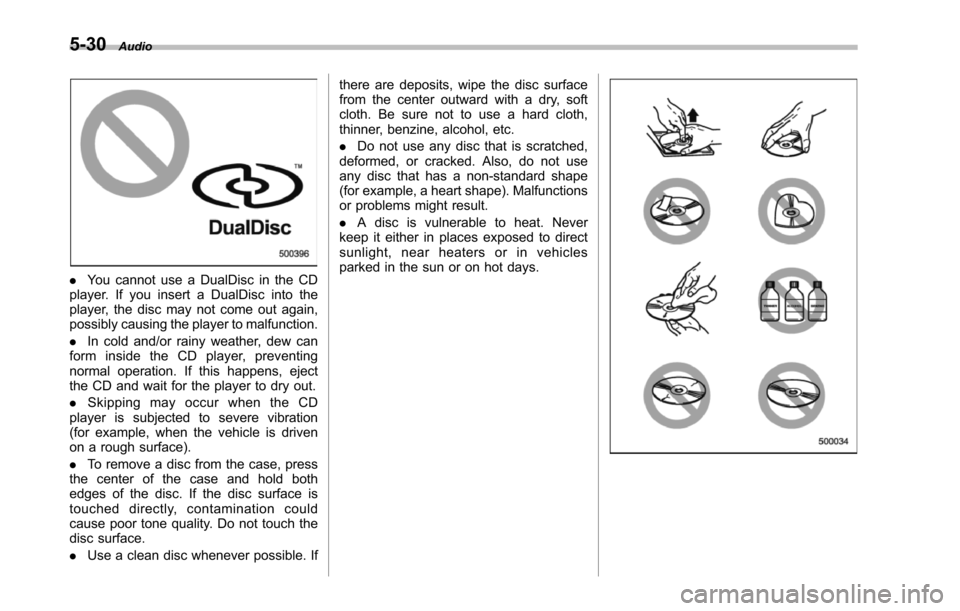
.You cannot use a DualDisc in the CDplayer. If you insert a DualDisc into theplayer, the disc may not come out again,possibly causing the player to malfunction.
.In cold and/or rainy weather, dew canform inside the CD player, preventingnormal operation. If this happens, ejectthe CD and wait for the player to dry out.
.Skipping may occur when the CDplayer is subjected to severe vibration(for example, when the vehicle is drivenon a rough surface).
.To remove a disc from the case, pressthe center of the case and hold bothedges of the disc. If the disc surface istouched directly, contamination couldcause poor tone quality. Do not touch thedisc surface.
.Use a clean disc whenever possible. If
there are deposits, wipe the disc surfacefrom the center outward with a dry, softcloth. Be sure not to use a hard cloth,thinner, benzine, alcohol, etc.
.Do not use any disc that is scratched,deformed, or cracked. Also, do not useany disc that has a non-standard shape(for example, a heart shape). Malfunctionsor problems might result.
.A disc is vulnerable to heat. Neverkeep it either in places exposed to directsunlight, near heaters or in vehiclesparked in the sun or on hot days.