2014 NISSAN QUEST ECO mode
[x] Cancel search: ECO modePage 166 of 482
The door windows can be opened or closed by
turning the mechanical key in a door lock. (See
“Doors” (P.3-5).)
Opening/closing power sliding door (if
so equipped)
To open/close the sliding door, push the power
sliding door button
*3or*4on the Intelligent
Key for about 1 second. The power sliding door
will automatically open/close.
If the power sliding door button
*3or*4is
pushed while the sliding door is being opened or
closed, the sliding door will reverse.
Opening/closing lift gate (if so equipped)
To open/close the lift gate, push the power lift
gatebutton*5on the Intelligent Key for
more than 1 second.
The lift gate will automatically open/close.
The hazard indicator flashes 4 times and the
outside chime sounds for approximately 3
seconds.
If the power lift gate
button*5is pushed
while the lift gate is being opened or closed, the
lift gate will reverse.
Using panic alarm
If you are near your vehicle and feel threatened,
you can activate the alarm according to the
following procedure to call attention.
1. Push the PANIC
button*6for more
than 1 second.
2. The theft warning alarm will sound and the headlights will flash for 25 seconds.
3. The panic alarm stops under either of the following conditions.
.It has run for 25 seconds, or.Any of the buttons is pushed. (Note: thePANICbutton*6should be
pushed for more than 1 second.)
Setting hazard indicator and horn mode
This vehicle is set in hazard indicator and horn
mode when you first receive the vehicle.
In hazard indicator and horn mode, when the
LOCK
button*1is pushed, the hazard
indicator flashes twice and the horn chirps once.
When the UNLOCK
button*2is pushed,
the hazard indicator flashes once.
If horns are not necessary, the system can be
switched to the hazard indicator mode.
In hazard indicator mode, when the LOCK
button*1is pushed, the hazard indicator
flashes twice. When the UNLOCKbutton
*2is pushed, neither the hazard indicator nor
the horn operates.
Pre-driving checks and adjustments3-23
Page 167 of 482
3-24Pre-driving checks and adjustments
Hazard indicator and horn mode:
DOOR LOCKDOOR UNLOCK
Intelligent Key system
(Using door handle or lift gate request switch) HAZARD -
twice
OUTSIDE CHIME - twiceHAZARD -
once
OUTSIDE CHIME - once
Remote keyless entry system (Using
orbutton) HAZARD -
twice
HORN - once HAZARD -
once
HORN - none
Hazard indicator mode:
DOOR LOCK DOOR UNLOCK
Intelligent Key system
(Using door handle or lift gate request switch) HAZARD -
twice
OUTSIDE CHIME - none HAZARD - none
OUTSIDE CHIME - none
Remote keyless entry system (Using
orbutton) HAZARD -
twice
HORN - none HAZARD - none
HORN - none
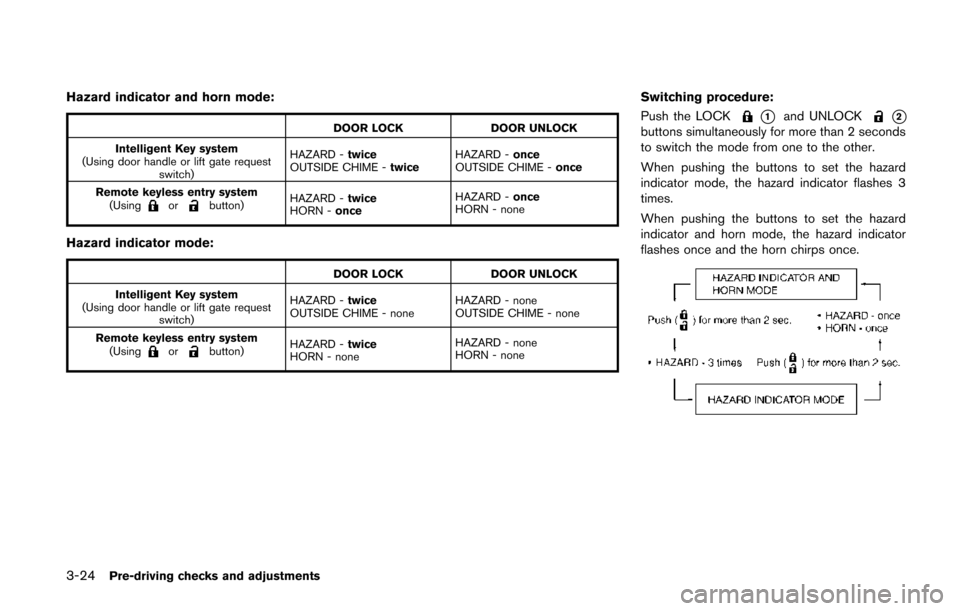
Switching procedure:
Push the LOCK
*1and UNLOCK*2buttons simultaneously for more than 2 seconds
to switch the mode from one to the other.
When pushing the buttons to set the hazard
indicator mode, the hazard indicator flashes 3
times.
When pushing the buttons to set the hazard
indicator and horn mode, the hazard indicator
flashes once and the horn chirps once.
Page 171 of 482
3-28Pre-driving checks and adjustments
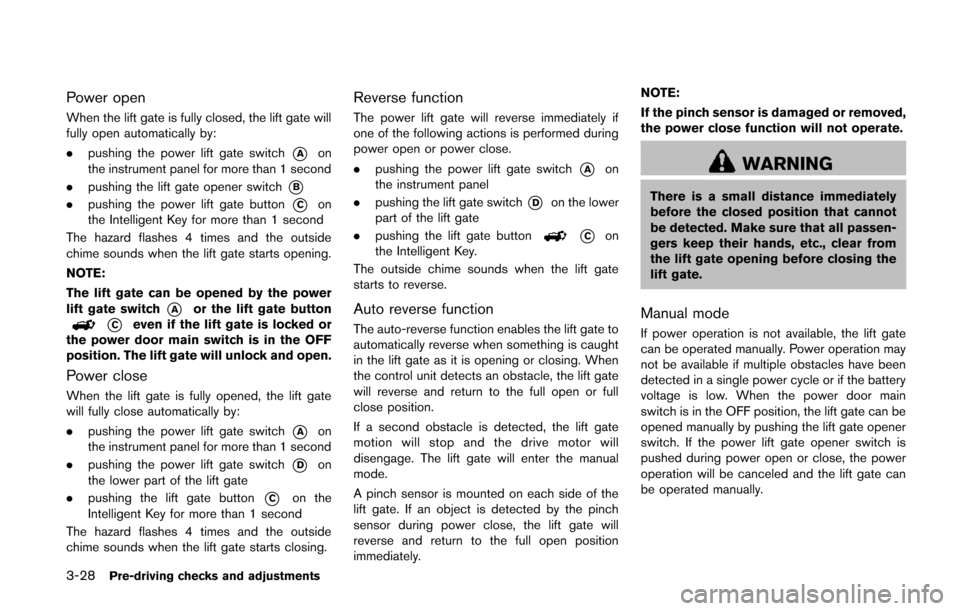
Power open
When the lift gate is fully closed, the lift gate will
fully open automatically by:
.pushing the power lift gate switch
*Aon
the instrument panel for more than 1 second
. pushing the lift gate opener switch
*B
.pushing the power lift gate button*Con
the Intelligent Key for more than 1 second
The hazard flashes 4 times and the outside
chime sounds when the lift gate starts opening.
NOTE:
The lift gate can be opened by the power
lift gate switch
*Aor the lift gate button
*Ceven if the lift gate is locked or
the power door main switch is in the OFF
position. The lift gate will unlock and open.
Power close
When the lift gate is fully opened, the lift gate
will fully close automatically by:
. pushing the power lift gate switch
*Aon
the instrument panel for more than 1 second
. pushing the power lift gate switch
*Don
the lower part of the lift gate
. pushing the lift gate button
*Con the
Intelligent Key for more than 1 second
The hazard flashes 4 times and the outside
chime sounds when the lift gate starts closing.
Reverse function
The power lift gate will reverse immediately if
one of the following actions is performed during
power open or power close.
. pushing the power lift gate switch
*Aon
the instrument panel
. pushing the lift gate switch
*Don the lower
part of the lift gate
. pushing the lift gate button
*Con
the Intelligent Key.
The outside chime sounds when the lift gate
starts to reverse.
Auto reverse function
The auto-reverse function enables the lift gate to
automatically reverse when something is caught
in the lift gate as it is opening or closing. When
the control unit detects an obstacle, the lift gate
will reverse and return to the full open or full
close position.
If a second obstacle is detected, the lift gate
motion will stop and the drive motor will
disengage. The lift gate will enter the manual
mode.
A pinch sensor is mounted on each side of the
lift gate. If an object is detected by the pinch
sensor during power close, the lift gate will
reverse and return to the full open position
immediately. NOTE:
If the pinch sensor is damaged or removed,
the power close function will not operate.
WARNING
There is a small distance immediately
before the closed position that cannot
be detected. Make sure that all passen-
gers keep their hands, etc., clear from
the lift gate opening before closing the
lift gate.
Manual mode
If power operation is not available, the lift gate
can be operated manually. Power operation may
not be available if multiple obstacles have been
detected in a single power cycle or if the battery
voltage is low. When the power door main
switch is in the OFF position, the lift gate can be
opened manually by pushing the lift gate opener
switch. If the power lift gate opener switch is
pushed during power open or close, the power
operation will be canceled and the lift gate can
be operated manually.
Page 180 of 482
The automatic drive positioner system has two
features:
.Entry/exit function
. Memory storage
ENTRY/EXIT FUNCTION
This system is designed so that the driver’s seat
will automatically move when the shift lever is in
the P (Park) position. This allows the driver to
get into and out of the driver’s seat more easily.
The driver’s seat will slide backward when the
driver’s door is opened with the ignition switch
in the LOCK position.
The driver’s seat will return to the previous
positions when the ignition switch is pushed to
the ACC position.
The driver’s seat will not return to the previous
positions if the seat adjusting switch is operated
when the seat is at the exit position.
Cancel or activate entry/exit function
The shift lever must be in the P (Park) position
with the ignition switch in the OFF position.
The entry/exit function can be activated or
canceled by pressing and holding the SET
switch for more than 10 seconds.
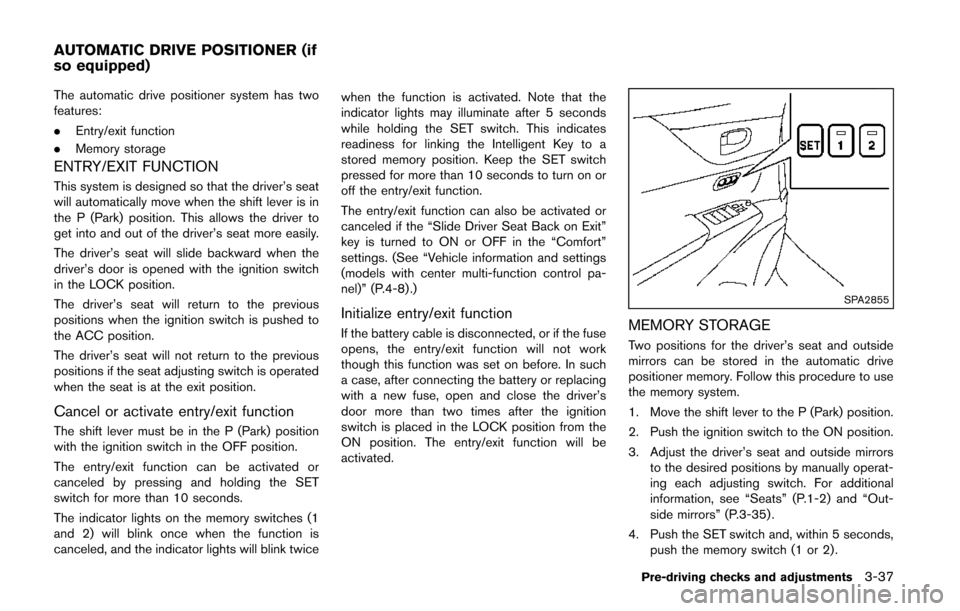
The indicator lights on the memory switches (1
and 2) will blink once when the function is
canceled, and the indicator lights will blink twice when the function is activated. Note that the
indicator lights may illuminate after 5 seconds
while holding the SET switch. This indicates
readiness for linking the Intelligent Key to a
stored memory position. Keep the SET switch
pressed for more than 10 seconds to turn on or
off the entry/exit function.
The entry/exit function can also be activated or
canceled if the “Slide Driver Seat Back on Exit”
key is turned to ON or OFF in the “Comfort”
settings. (See “Vehicle information and settings
(models with center multi-function control pa-
nel)” (P.4-8) .)
Initialize entry/exit function
If the battery cable is disconnected, or if the fuse
opens, the entry/exit function will not work
though this function was set on before. In such
a case, after connecting the battery or replacing
with a new fuse, open and close the driver’s
door more than two times after the ignition
switch is placed in the LOCK position from the
ON position. The entry/exit function will be
activated.
SPA2855
MEMORY STORAGE
Two positions for the driver’s seat and outside
mirrors can be stored in the automatic drive
positioner memory. Follow this procedure to use
the memory system.
1. Move the shift lever to the P (Park) position.
2. Push the ignition switch to the ON position.
3. Adjust the driver’s seat and outside mirrors
to the desired positions by manually operat-
ing each adjusting switch. For additional
information, see “Seats” (P.1-2) and “Out-
side mirrors” (P.3-35) .
4. Push the SET switch and, within 5 seconds, push the memory switch (1 or 2) .
Pre-driving checks and adjustments3-37
AUTOMATIC DRIVE POSITIONER (if
so equipped)
Page 184 of 482

4 Monitor, heater, air conditioner, audio, phoneand voice recognition systems
Safety note ........................................................................\
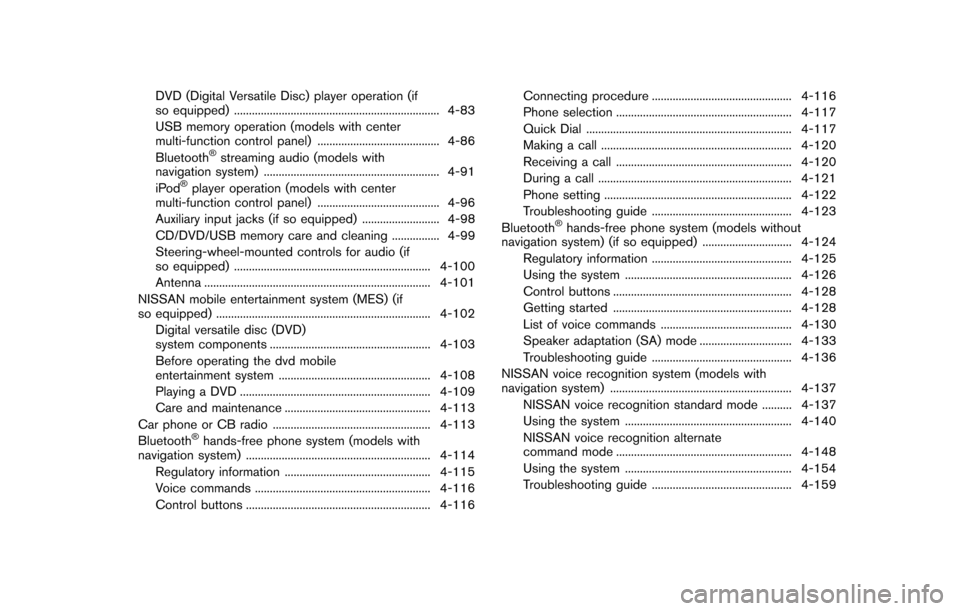
.......... 4-3
Center multi-function control panel (if so equipped) ...... 4-3
How to use multi-function controller .............................. 4-5
How to use touch screen (models with
navigation system) .............................................................. 4-5
Menu options (models with navigation system) .......... 4-7
How to select menus on the screen .............................. 4-8
Vehicle information and settings (models with center
multi-function control panel) .................................................. 4-8 How to use STATUS button ............................................. 4-8
How to use brightness control and display
ON/OFF button ................................................................... 4-8
How to use DISP button (models without
navigation system) .............................................................. 4-8
How to use ECON button (models without
navigation system) .............................................................. 4-9
How to use INFO button .................................................. 4-9
How to use SETTING button ....................................... 4-13
Rearview monitor (if so equipped) .................................... 4-23
How to read the displayed lines .................................. 4-23
How to park with predictive course lines (if
so equipped) ..................................................................... 4-24
Difference between predictive and
actual distances ................................................................ 4-26
Predictive course line settings (if so equipped) ...... 4-28
How to adjust the screen .............................................. 4-28 Operating tips ................................................................. 4-29
Around ViewTMMonitor (if so equipped) ........................ 4-29
How to switch the display ........................................... 4-31
How to see each view .................................................. 4-32
Difference between predictive and
actual distances ............................................................. 4-36
How to adjust the screen ............................................ 4-38
Operating tips ................................................................. 4-38
Ventilators ........................................................................\
........ 4-38 Center ventilators ........................................................... 4-38
Side ventilators ............................................................... 4-39
Rear ventilators ............................................................... 4-39
Heater and air conditioner .................................................. 4-39
Operating tips (for automatic air conditioner) ........ 4-40
Manual air conditioner .................................................. 4-41
Automatic air conditioner ............................................. 4-46
Servicing air conditioner .............................................. 4-52
In-cabin microfilter ......................................................... 4-53
Audio system ........................................................................\
.. 4-53
Audio operation precautions ....................................... 4-53
FM-AM radio with Compact Disc (CD) player ....... 4-67
FM-AM-SAT radio with Compact Disc (CD) player
(Type A) ........................................................................\
.... 4-71
FM-AM-SAT radio with compact disc (CD) player
(Type B) ........................................................................\
.... 4-79
Page 185 of 482
DVD (Digital Versatile Disc) player operation (if
so equipped) ..................................................................... 4-83
USB memory operation (models with center
multi-function control panel) ......................................... 4-86
Bluetooth
®streaming audio (models with
navigation system) ........................................................... 4-91
iPod
®player operation (models with center
multi-function control panel) ......................................... 4-96
Auxiliary input jacks (if so equipped) .......................... 4-98
CD/DVD/USB memory care and cleaning ................ 4-99
Steering-wheel-mounted controls for audio (if
so equipped) .................................................................. 4-100
Antenna ........................................................................\
.... 4-101
NISSAN mobile entertainment system (MES) (if
so equipped) ........................................................................\
4-102 Digital versatile disc (DVD)
system components ...................................................... 4-103
Before operating the dvd mobile
entertainment system ................................................... 4-108
Playing a DVD ................................................................ 4-109
Care and maintenance ................................................. 4-113
Car phone or CB radio ..................................................... 4-113
Bluetooth
®hands-free phone system (models with
navigation system) .............................................................. 4-114
Regulatory information ................................................. 4-115
Voice commands ........................................................... 4-116
Control buttons .............................................................. 4-116 Connecting procedure ............................................... 4-116
Phone selection ........................................................... 4-117
Quick Dial ..................................................................... 4-117
Making a call ................................................................ 4-120
Receiving a call ........................................................... 4-120
During a call ................................................................. 4-121
Phone setting ............................................................... 4-122
Troubleshooting guide ............................................... 4-123
Bluetooth
®hands-free phone system (models without
navigation system) (if so equipped) .............................. 4-124
Regulatory information ............................................... 4-125
Using the system ........................................................ 4-126
Control buttons ............................................................ 4-128
Getting started ............................................................ 4-128
List of voice commands ............................................ 4-130
Speaker adaptation (SA) mode ............................... 4-133
Troubleshooting guide ............................................... 4-136
NISSAN voice recognition system (models with
navigation system) ............................................................. 4-137 NISSAN voice recognition standard mode .......... 4-137
Using the system ........................................................ 4-140
NISSAN voice recognition alternate
command mode ........................................................... 4-148
Using the system ........................................................ 4-154
Troubleshooting guide ............................................... 4-159
Page 186 of 482
WARNING
.Do not disassemble or modify this
system. If you do, it may result in
accidents, fire, or electric shock.
. Do not use this system if you notice
any abnormality, such as a frozen
screen or lack of sound. Continued
use of the system may result in
accident, fire or electric shock.
. In case you notice any foreign
object in the system hardware, spill
liquid on it, or notice smoke or smell
coming from it, stop using the
system immediately and contact
your nearest NISSAN dealer. Ignor-
ing such conditions may lead to
accidents, fire, or electric shock.
. Park the vehicle in a safe location
and apply the parking brake to view
the images on the front center dis-
play screen.
Do not attempt to operate the system in
extreme temperature conditions [below
− 48F( −208 C) and above 1588 F (708C)].
Operating this system under these condi-
tions may result in system malfunctions.
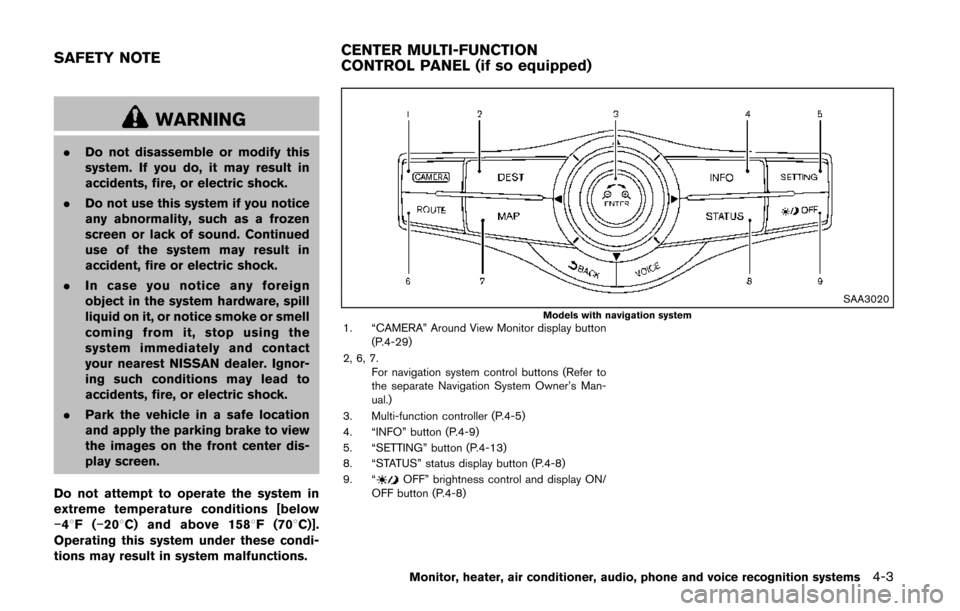
SAA3020Models with navigation system1. “CAMERA” Around View Monitor display button (P.4-29)
2, 6, 7. For navigation system control buttons (Refer to
the separate Navigation System Owner’s Man-
ual.)
3. Multi-function controller (P.4-5)
4. “INFO” button (P.4-9)
5. “SETTING” button (P.4-13)
8. “STATUS” status display button (P.4-8)
9. “
OFF” brightness control and display ON/
OFF button (P.4-8)
Monitor, heater, air conditioner, audio, phone and voice recognition systems4-3
SAFETY NOTE CENTER MULTI-FUNCTION
CONTROL PANEL (if so equipped)
Page 187 of 482
4-4Monitor, heater, air conditioner, audio, phone and voice recognition systems
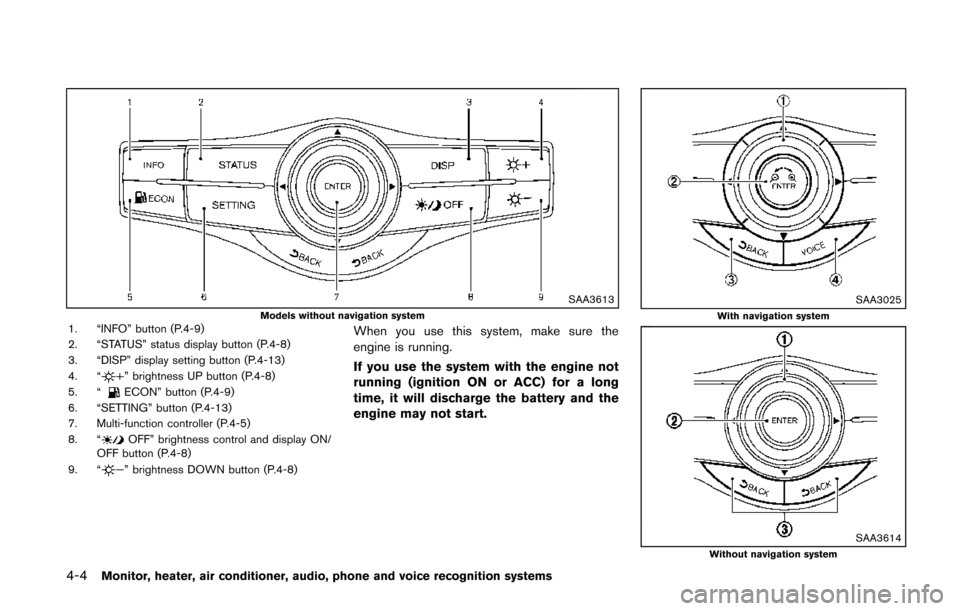
SAA3613Models without navigation system1. “INFO” button (P.4-9)
2. “STATUS” status display button (P.4-8)
3. “DISP” display setting button (P.4-13)
4. “
” brightness UP button (P.4-8)
5. “ECON” button (P.4-9)
6. “SETTING” button (P.4-13)
7. Multi-function controller (P.4-5)
8. “
OFF” brightness control and display ON/
OFF button (P.4-8)
9. “
” brightness DOWN button (P.4-8)
When you use this system, make sure the
engine is running.
If you use the system with the engine not
running (ignition ON or ACC) for a long
time, it will discharge the battery and the
engine may not start.
SAA3025With navigation system
SAA3614Without navigation system