Page 97 of 402
2-22Instruments and controls
SETUP FUNCTION
While in the Drive mode, the following items can
be set up by pressing the SETUP button.
.Display Brightness
. Button Brightness
. Clock Time Setting
. Select Language
. Select Units
. Auto Interior Illumination
. Selective Door unlock
. Auto Headlight Sensitivity (if so equipped)
. CLIMATE ECO
NOTE:
. The SETUP function cannot be ad-
justed while driving.
. When the battery is disconnected, the
SETUP memory is erased and reverts to
the default settings. If necessary, reset
the SETUP memory after reconnecting
the battery.
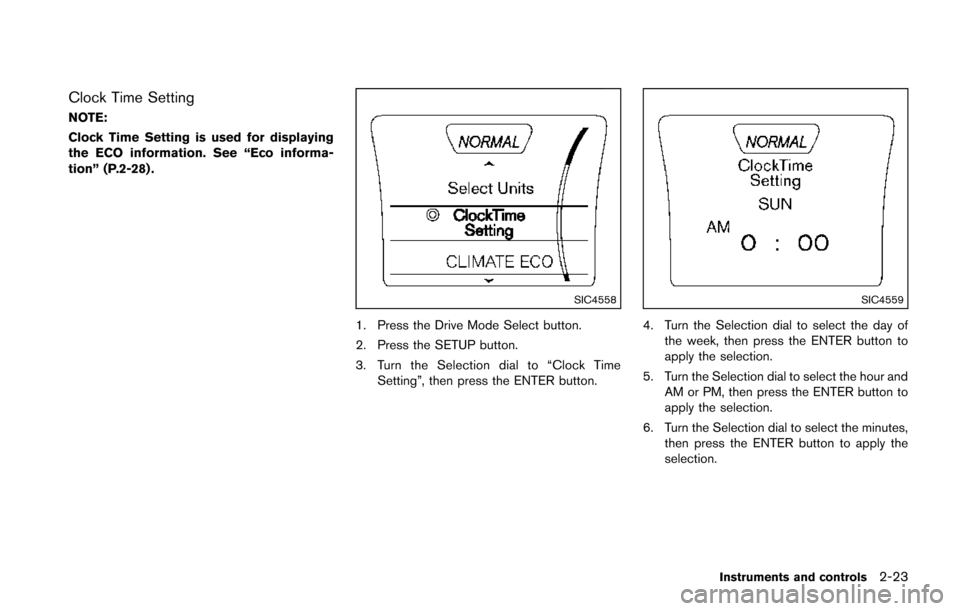
SIC4617
Setting Display Brightness and Button
Brightness
1. Press the Drive Mode Select button.
2. Press the SETUP button.
3. Turn the Selection dial to “Display Bright-
ness” or “Button Brightness” then press the
ENTER button.
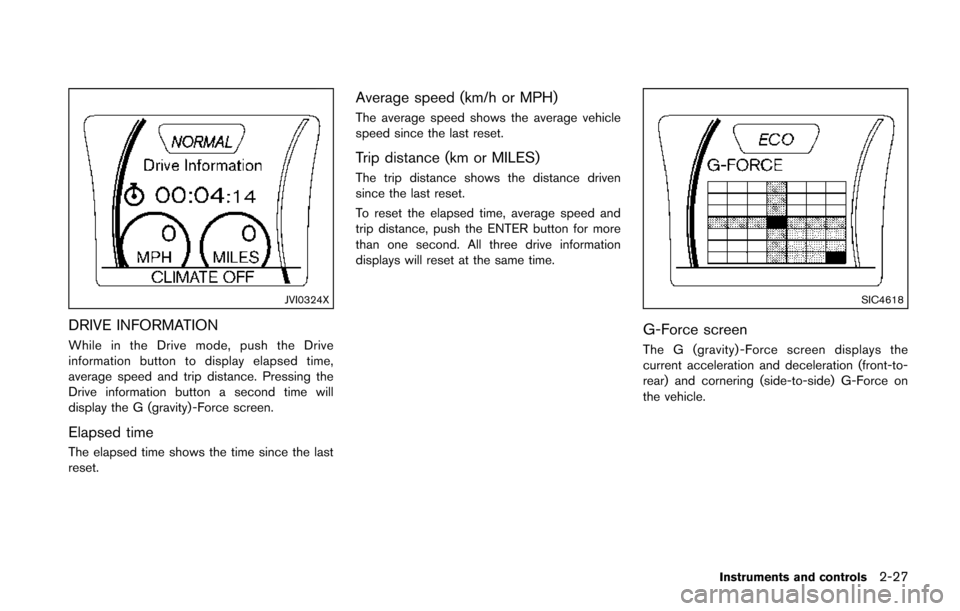
SIC4557
4. Turn the Selection dial to + to increasebrightness or to −to decrease brightness,
then press the ENTER button to apply the
selection.
Display Brightness and Button Brightness can
be manually adjusted during the day (when the
headlight switch is off) or at night (when the
headlight switch is on) .
When the bar is at the minimum or maximum
brightness level, the brightness level is the same
as the daytime level (headlight switch is on) or
nighttime level (headlight switch off) .
Page 98 of 402
Clock Time Setting
NOTE:
Clock Time Setting is used for displaying
the ECO information. See “Eco informa-
tion” (P.2-28) .
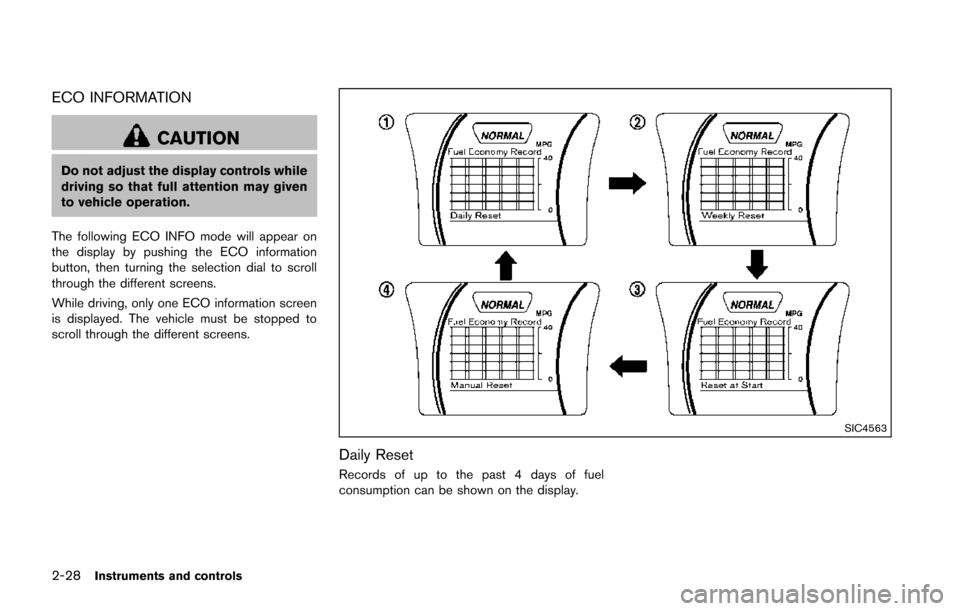
SIC4558
1. Press the Drive Mode Select button.
2. Press the SETUP button.
3. Turn the Selection dial to “Clock TimeSetting”, then press the ENTER button.
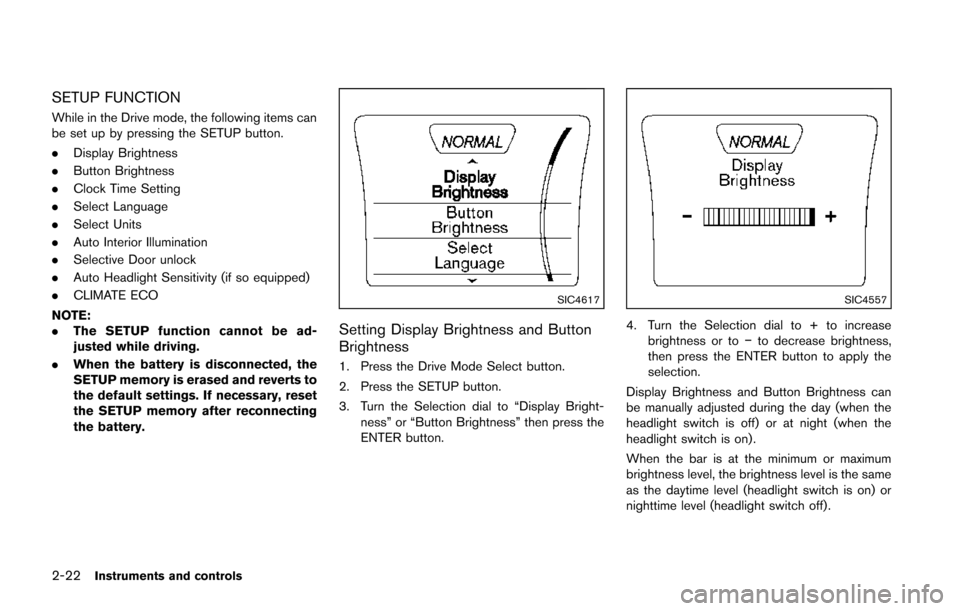
SIC4559
4. Turn the Selection dial to select the day of
the week, then press the ENTER button to
apply the selection.
5. Turn the Selection dial to select the hour and AM or PM, then press the ENTER button to
apply the selection.
6. Turn the Selection dial to select the minutes, then press the ENTER button to apply the
selection.
Instruments and controls2-23
Page 102 of 402
JVI0324X
DRIVE INFORMATION
While in the Drive mode, push the Drive
information button to display elapsed time,
average speed and trip distance. Pressing the
Drive information button a second time will
display the G (gravity) -Force screen.
Elapsed time
The elapsed time shows the time since the last
reset.
Average speed (km/h or MPH)
The average speed shows the average vehicle
speed since the last reset.
Trip distance (km or MILES)
The trip distance shows the distance driven
since the last reset.
To reset the elapsed time, average speed and
trip distance, push the ENTER button for more
than one second. All three drive information
displays will reset at the same time.
SIC4618
G-Force screen
The G (gravity) -Force screen displays the
current acceleration and deceleration (front-to-
rear) and cornering (side-to-side) G-Force on
the vehicle.
Instruments and controls2-27
Page 103 of 402
2-28Instruments and controls
ECO INFORMATION
CAUTION
Do not adjust the display controls while
driving so that full attention may given
to vehicle operation.
The following ECO INFO mode will appear on
the display by pushing the ECO information
button, then turning the selection dial to scroll
through the different screens.
While driving, only one ECO information screen
is displayed. The vehicle must be stopped to
scroll through the different screens.
SIC4563
Daily Reset
Records of up to the past 4 days of fuel
consumption can be shown on the display.
Page 105 of 402
2-30Instruments and controls
SIC2045
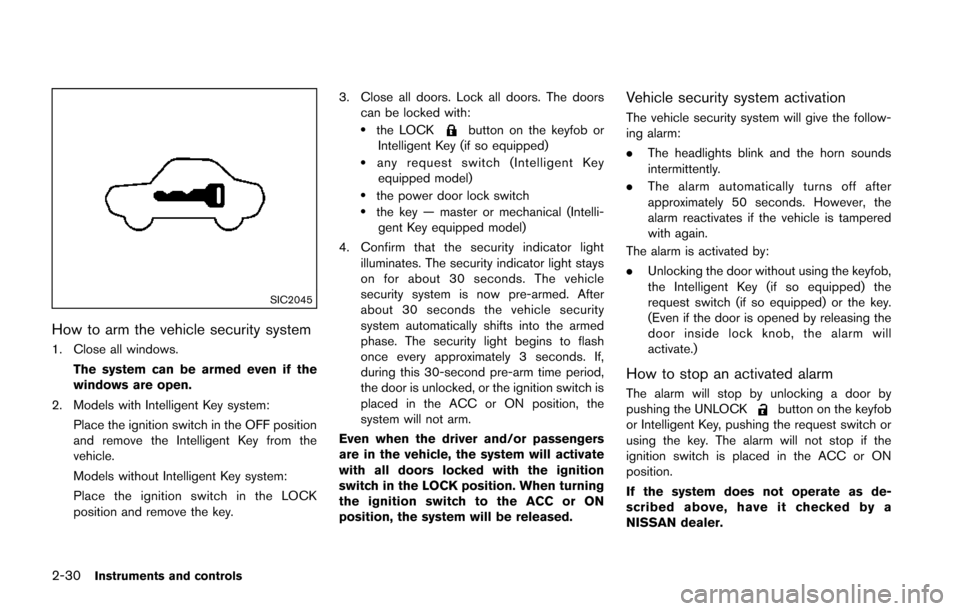
How to arm the vehicle security system
1. Close all windows.The system can be armed even if the
windows are open.
2. Models with Intelligent Key system: Place the ignition switch in the OFF position
and remove the Intelligent Key from the
vehicle.
Models without Intelligent Key system:
Place the ignition switch in the LOCK
position and remove the key. 3. Close all doors. Lock all doors. The doors
can be locked with:
.the LOCKbutton on the keyfob or
Intelligent Key (if so equipped)
.any request switch (Intelligent Key equipped model)
.the power door lock switch.the key — master or mechanical (Intelli- gent Key equipped model)
4. Confirm that the security indicator light illuminates. The security indicator light stays
on for about 30 seconds. The vehicle
security system is now pre-armed. After
about 30 seconds the vehicle security
system automatically shifts into the armed
phase. The security light begins to flash
once every approximately 3 seconds. If,
during this 30-second pre-arm time period,
the door is unlocked, or the ignition switch is
placed in the ACC or ON position, the
system will not arm.
Even when the driver and/or passengers
are in the vehicle, the system will activate
with all doors locked with the ignition
switch in the LOCK position. When turning
the ignition switch to the ACC or ON
position, the system will be released.
Vehicle security system activation
The vehicle security system will give the follow-
ing alarm:
. The headlights blink and the horn sounds
intermittently.
. The alarm automatically turns off after
approximately 50 seconds. However, the
alarm reactivates if the vehicle is tampered
with again.
The alarm is activated by:
. Unlocking the door without using the keyfob,
the Intelligent Key (if so equipped) the
request switch (if so equipped) or the key.
(Even if the door is opened by releasing the
door inside lock knob, the alarm will
activate.)
How to stop an activated alarm
The alarm will stop by unlocking a door by
pushing the UNLOCKbutton on the keyfob
or Intelligent Key, pushing the request switch or
using the key. The alarm will not stop if the
ignition switch is placed in the ACC or ON
position.
If the system does not operate as de-
scribed above, have it checked by a
NISSAN dealer.
Page 111 of 402
2-36Instruments and controls
SIC3669
Autolight system (if so equipped)
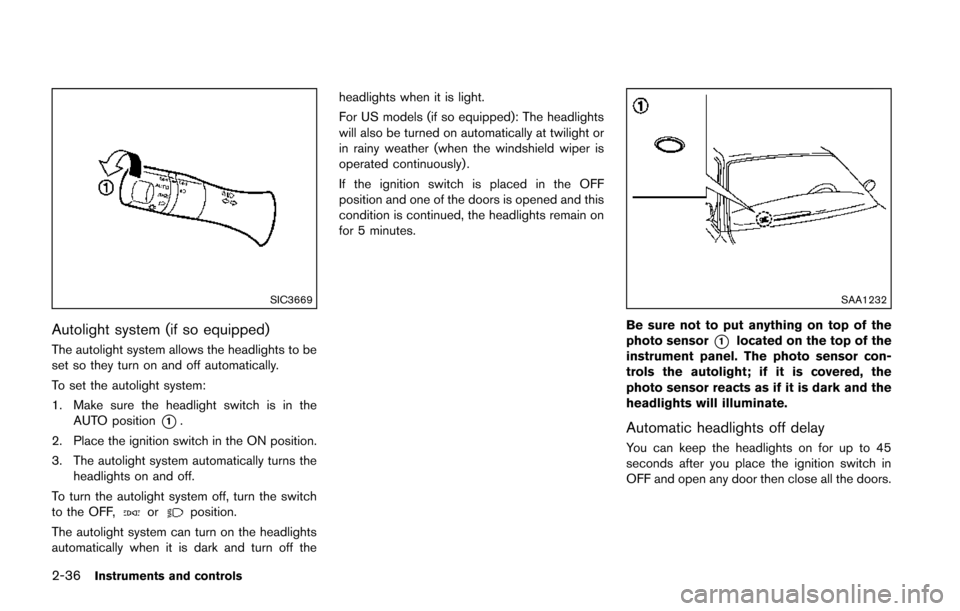
The autolight system allows the headlights to be
set so they turn on and off automatically.
To set the autolight system:
1. Make sure the headlight switch is in theAUTO position
*1.
2. Place the ignition switch in the ON position.
3. The autolight system automatically turns the headlights on and off.
To turn the autolight system off, turn the switch
to the OFF,
orposition.
The autolight system can turn on the headlights
automatically when it is dark and turn off the headlights when it is light.
For US models (if so equipped): The headlights
will also be turned on automatically at twilight or
in rainy weather (when the windshield wiper is
operated continuously) .
If the ignition switch is placed in the OFF
position and one of the doors is opened and this
condition is continued, the headlights remain on
for 5 minutes.
SAA1232
Be sure not to put anything on top of the
photo sensor
*1located on the top of the
instrument panel. The photo sensor con-
trols the autolight; if it is covered, the
photo sensor reacts as if it is dark and the
headlights will illuminate.
Automatic headlights off delay
You can keep the headlights on for up to 45
seconds after you place the ignition switch in
OFF and open any door then close all the doors.
Page 116 of 402
The heater is controlled by a thermostat,
automatically turning the heater on and off.
The indicator light will remain on as long as
the switch is on.
When the vehicle’s interior is warmed, or
before you leave the vehicle, be sure to turn
off the switch.The digital clock (in the audio unit) displays time
when the ignition switch is in the ACC or ON
position. The clock ON or OFF mode can be
selected. For details of the digital clock in the
NAVIGATION SYSTEM, refer to “Clock” (P.4-8) .
If the power supply is disconnected, the
clock will not indicate the correct time.
Readjust the time.
SIC4131
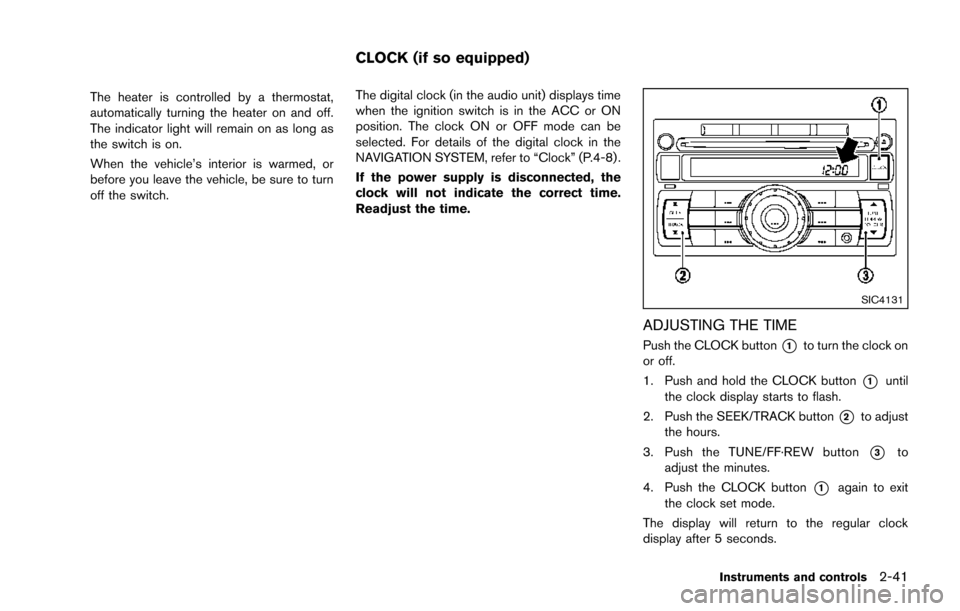
ADJUSTING THE TIME
Push the CLOCK button*1to turn the clock on
or off.
1. Push and hold the CLOCK button
*1until
the clock display starts to flash.
2. Push the SEEK/TRACK button
*2to adjust
the hours.
3. Push the TUNE/FF·REW button
*3to
adjust the minutes.
4. Push the CLOCK button
*1again to exit
the clock set mode.
The display will return to the regular clock
display after 5 seconds.
Instruments and controls2-41
CLOCK (if so equipped)
Page 125 of 402
2-50Instruments and controls
SIC4572
MAP LIGHTS (if so equipped)
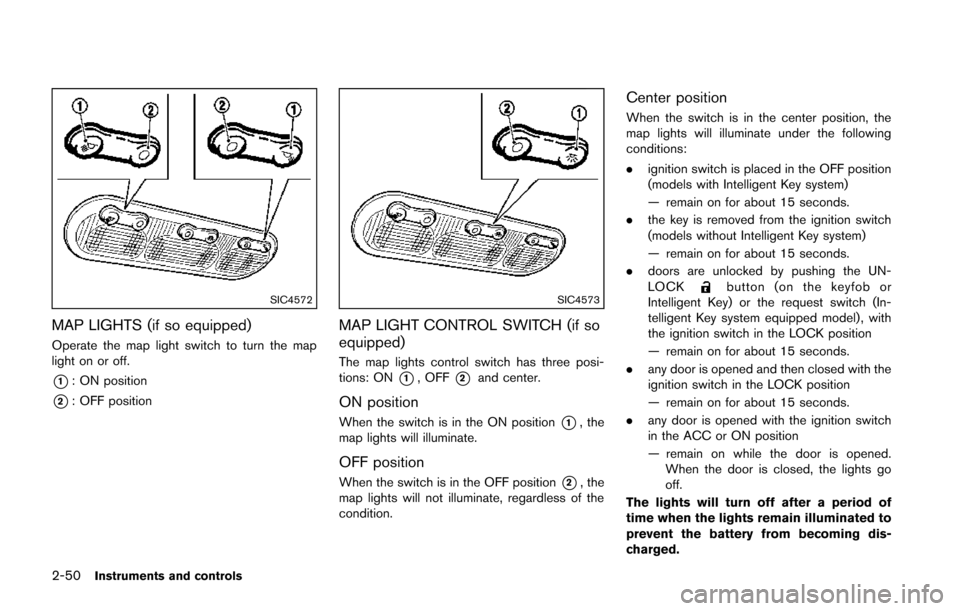
Operate the map light switch to turn the map
light on or off.
*1: ON position
*2: OFF position
SIC4573
MAP LIGHT CONTROL SWITCH (if so
equipped)
The map lights control switch has three posi-
tions: ON
*1, OFF*2and center.
ON position
When the switch is in the ON position*1, the
map lights will illuminate.
OFF position
When the switch is in the OFF position*2, the
map lights will not illuminate, regardless of the
condition.
Center position
When the switch is in the center position, the
map lights will illuminate under the following
conditions:
. ignition switch is placed in the OFF position
(models with Intelligent Key system)
— remain on for about 15 seconds.
. the key is removed from the ignition switch
(models without Intelligent Key system)
— remain on for about 15 seconds.
. doors are unlocked by pushing the UN-
LOCK
button (on the keyfob or
Intelligent Key) or the request switch (In-
telligent Key system equipped model) , with
the ignition switch in the LOCK position
— remain on for about 15 seconds.
. any door is opened and then closed with the
ignition switch in the LOCK position
— remain on for about 15 seconds.
. any door is opened with the ignition switch
in the ACC or ON position
— remain on while the door is opened.
When the door is closed, the lights go
off.
The lights will turn off after a period of
time when the lights remain illuminated to
prevent the battery from becoming dis-
charged.