2014 NISSAN JUKE ECO mode
[x] Cancel search: ECO modePage 81 of 402
2-6Instruments and controls
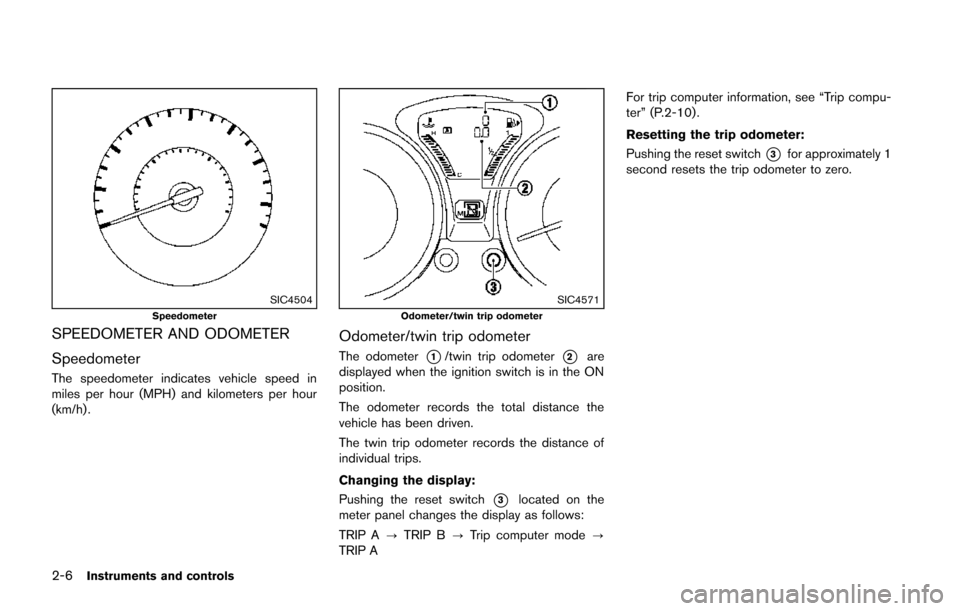
SIC4504Speedometer
SPEEDOMETER AND ODOMETER
Speedometer
The speedometer indicates vehicle speed in
miles per hour (MPH) and kilometers per hour
(km/h) .
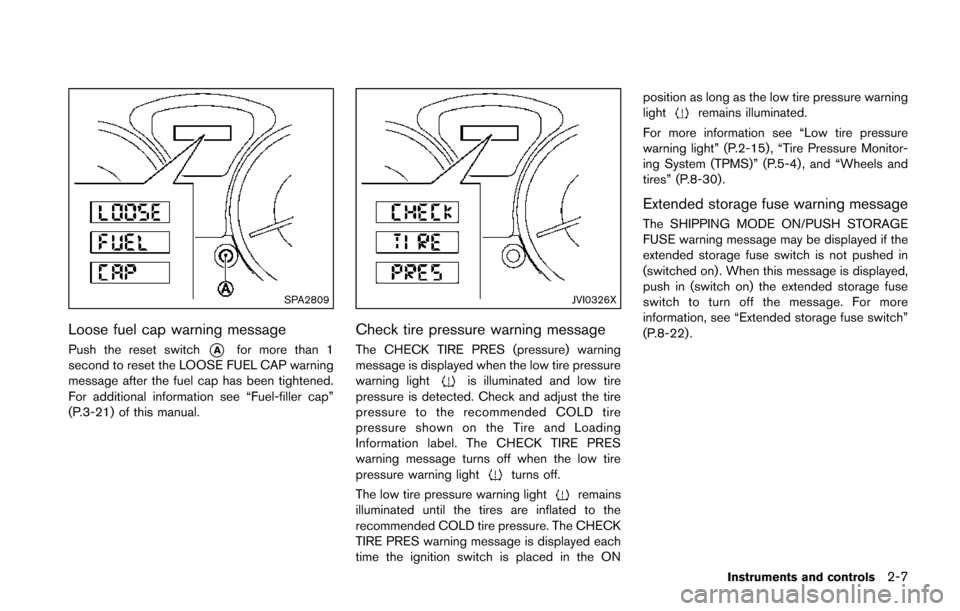
SIC4571Odometer/twin trip odometer
Odometer/twin trip odometer
The odometer*1/twin trip odometer*2are
displayed when the ignition switch is in the ON
position.
The odometer records the total distance the
vehicle has been driven.
The twin trip odometer records the distance of
individual trips.
Changing the display:
Pushing the reset switch
*3located on the
meter panel changes the display as follows:
TRIP A ?TRIP B ?Trip computer mode ?
TRIP A For trip computer information, see “Trip compu-
ter” (P.2-10) .
Resetting the trip odometer:
Pushing the reset switch
*3for approximately 1
second resets the trip odometer to zero.
Page 82 of 402
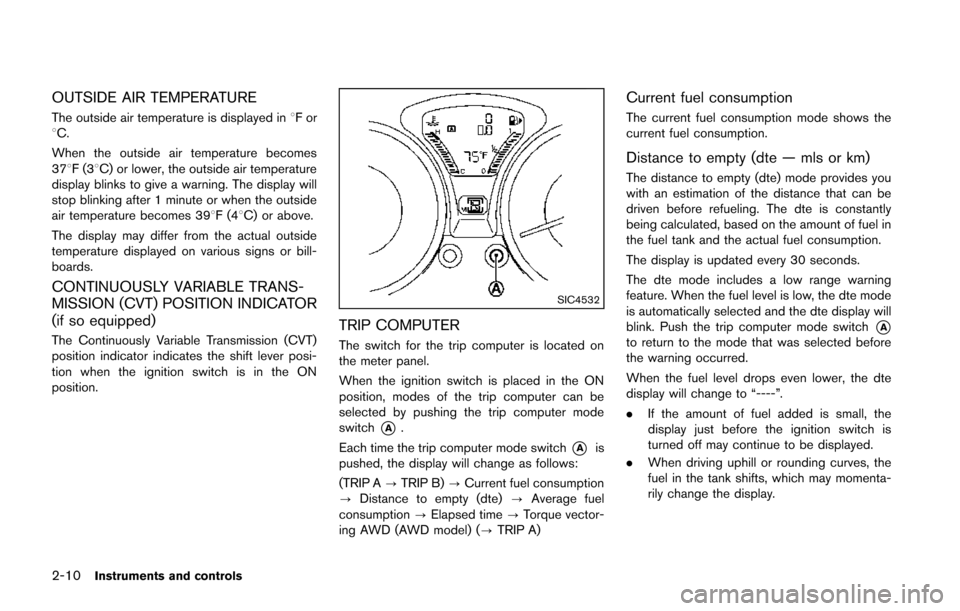
SPA2809
Loose fuel cap warning message
Push the reset switch*Afor more than 1
second to reset the LOOSE FUEL CAP warning
message after the fuel cap has been tightened.
For additional information see “Fuel-filler cap”
(P.3-21) of this manual.
JVI0326X
Check tire pressure warning message
The CHECK TIRE PRES (pressure) warning
message is displayed when the low tire pressure
warning light
is illuminated and low tire
pressure is detected. Check and adjust the tire
pressure to the recommended COLD tire
pressure shown on the Tire and Loading
Information label. The CHECK TIRE PRES
warning message turns off when the low tire
pressure warning light
turns off.
The low tire pressure warning light
remains
illuminated until the tires are inflated to the
recommended COLD tire pressure. The CHECK
TIRE PRES warning message is displayed each
time the ignition switch is placed in the ON position as long as the low tire pressure warning
light
remains illuminated.
For more information see “Low tire pressure
warning light” (P.2-15) , “Tire Pressure Monitor-
ing System (TPMS)” (P.5-4) , and “Wheels and
tires” (P.8-30).
Extended storage fuse warning message
The SHIPPING MODE ON/PUSH STORAGE
FUSE warning message may be displayed if the
extended storage fuse switch is not pushed in
(switched on) . When this message is displayed,
push in (switch on) the extended storage fuse
switch to turn off the message. For more
information, see “Extended storage fuse switch”
(P.8-22) .
Instruments and controls2-7
Page 85 of 402
2-10Instruments and controls
OUTSIDE AIR TEMPERATURE
The outside air temperature is displayed in8For
8C.
When the outside air temperature becomes
378F(3 8C) or lower, the outside air temperature
display blinks to give a warning. The display will
stop blinking after 1 minute or when the outside
air temperature becomes 398F(4 8C) or above.
The display may differ from the actual outside
temperature displayed on various signs or bill-
boards.
CONTINUOUSLY VARIABLE TRANS-
MISSION (CVT) POSITION INDICATOR
(if so equipped)
The Continuously Variable Transmission (CVT)
position indicator indicates the shift lever posi-
tion when the ignition switch is in the ON
position.
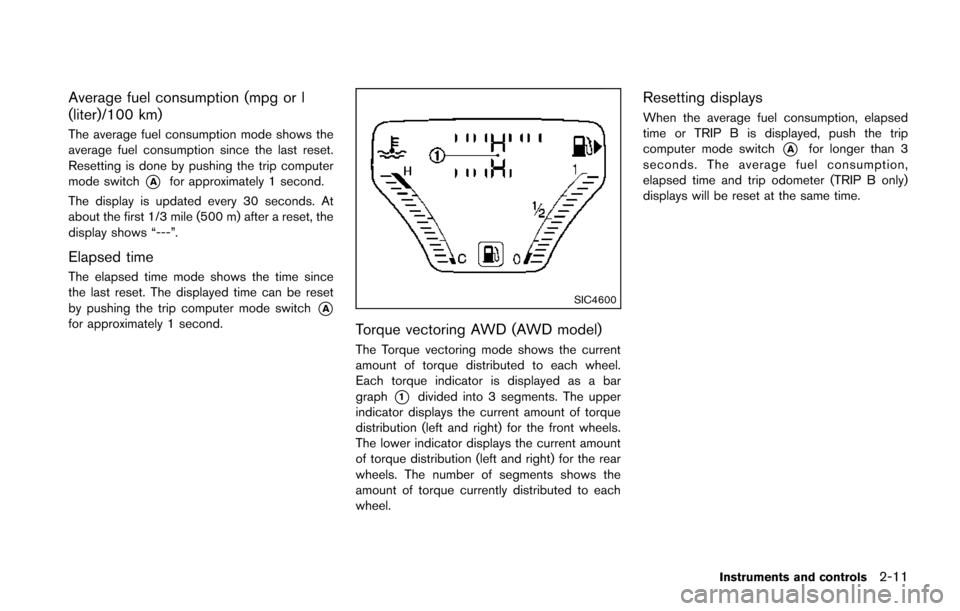
SIC4532
TRIP COMPUTER
The switch for the trip computer is located on
the meter panel.
When the ignition switch is placed in the ON
position, modes of the trip computer can be
selected by pushing the trip computer mode
switch
*A.
Each time the trip computer mode switch
*Ais
pushed, the display will change as follows:
(TRIP A ?TRIP B) ?Current fuel consumption
? Distance to empty (dte) ?Average fuel
consumption ?Elapsed time ?Torque vector-
ing AWD (AWD model) (? TRIP A)
Current fuel consumption
The current fuel consumption mode shows the
current fuel consumption.
Distance to empty (dte — mls or km)
The distance to empty (dte) mode provides you
with an estimation of the distance that can be
driven before refueling. The dte is constantly
being calculated, based on the amount of fuel in
the fuel tank and the actual fuel consumption.
The display is updated every 30 seconds.
The dte mode includes a low range warning
feature. When the fuel level is low, the dte mode
is automatically selected and the dte display will
blink. Push the trip computer mode switch
*Ato return to the mode that was selected before
the warning occurred.
When the fuel level drops even lower, the dte
display will change to “----”.
.If the amount of fuel added is small, the
display just before the ignition switch is
turned off may continue to be displayed.
. When driving uphill or rounding curves, the
fuel in the tank shifts, which may momenta-
rily change the display.
Page 86 of 402
Average fuel consumption (mpg or l
(liter)/100 km)
The average fuel consumption mode shows the
average fuel consumption since the last reset.
Resetting is done by pushing the trip computer
mode switch
*Afor approximately 1 second.
The display is updated every 30 seconds. At
about the first 1/3 mile (500 m) after a reset, the
display shows “---”.
Elapsed time
The elapsed time mode shows the time since
the last reset. The displayed time can be reset
by pushing the trip computer mode switch
*Afor approximately 1 second.
SIC4600
Torque vectoring AWD (AWD model)
The Torque vectoring mode shows the current
amount of torque distributed to each wheel.
Each torque indicator is displayed as a bar
graph
*1divided into 3 segments. The upper
indicator displays the current amount of torque
distribution (left and right) for the front wheels.
The lower indicator displays the current amount
of torque distribution (left and right) for the rear
wheels. The number of segments shows the
amount of torque currently distributed to each
wheel.
Resetting displays
When the average fuel consumption, elapsed
time or TRIP B is displayed, push the trip
computer mode switch
*Afor longer than 3
seconds. The average fuel consumption,
elapsed time and trip odometer (TRIP B only)
displays will be reset at the same time.
Instruments and controls2-11
Page 92 of 402
occupied. For about 5 seconds after the ignition
switch is in the ON position, the system does
not activate the warning light for the front
passenger.
See “Seat belts” (P.1-10) for precautions on
seat belt usage.
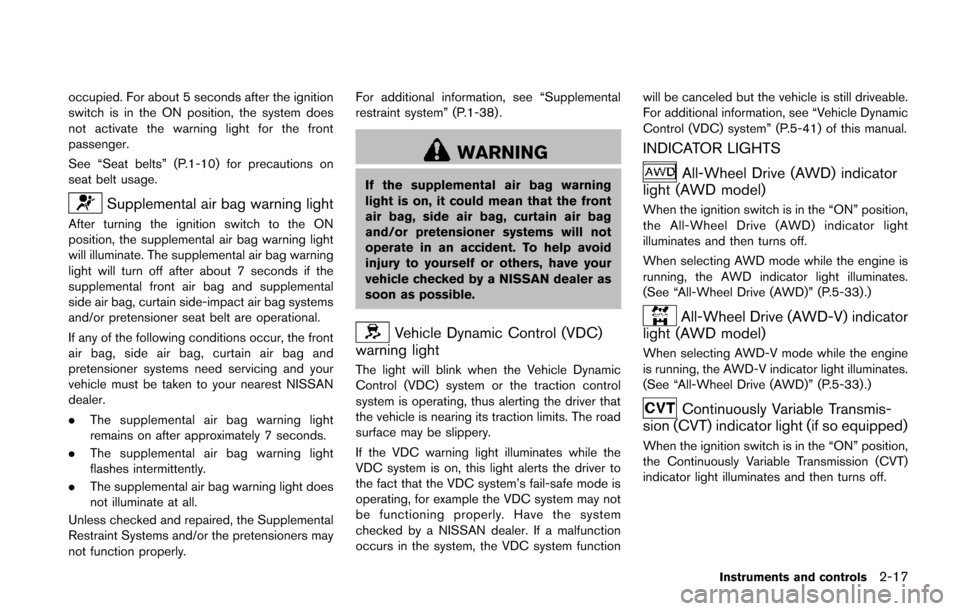
Supplemental air bag warning light
After turning the ignition switch to the ON
position, the supplemental air bag warning light
will illuminate. The supplemental air bag warning
light will turn off after about 7 seconds if the
supplemental front air bag and supplemental
side air bag, curtain side-impact air bag systems
and/or pretensioner seat belt are operational.
If any of the following conditions occur, the front
air bag, side air bag, curtain air bag and
pretensioner systems need servicing and your
vehicle must be taken to your nearest NISSAN
dealer.
.The supplemental air bag warning light
remains on after approximately 7 seconds.
. The supplemental air bag warning light
flashes intermittently.
. The supplemental air bag warning light does
not illuminate at all.
Unless checked and repaired, the Supplemental
Restraint Systems and/or the pretensioners may
not function properly. For additional information, see “Supplemental
restraint system” (P.1-38) .
WARNING
If the supplemental air bag warning
light is on, it could mean that the front
air bag, side air bag, curtain air bag
and/or pretensioner systems will not
operate in an accident. To help avoid
injury to yourself or others, have your
vehicle checked by a NISSAN dealer as
soon as possible.
Vehicle Dynamic Control (VDC)
warning light
The light will blink when the Vehicle Dynamic
Control (VDC) system or the traction control
system is operating, thus alerting the driver that
the vehicle is nearing its traction limits. The road
surface may be slippery.
If the VDC warning light illuminates while the
VDC system is on, this light alerts the driver to
the fact that the VDC system’s fail-safe mode is
operating, for example the VDC system may not
be functioning properly. Have the system
checked by a NISSAN dealer. If a malfunction
occurs in the system, the VDC system function will be canceled but the vehicle is still driveable.
For additional information, see “Vehicle Dynamic
Control (VDC) system” (P.5-41) of this manual.
INDICATOR LIGHTS
All-Wheel Drive (AWD) indicator
light (AWD model)
When the ignition switch is in the “ON” position,
the All-Wheel Drive (AWD) indicator light
illuminates and then turns off.
When selecting AWD mode while the engine is
running, the AWD indicator light illuminates.
(See “All-Wheel Drive (AWD)” (P.5-33) .)
All-Wheel Drive (AWD-V) indicator
light (AWD model)
When selecting AWD-V mode while the engine
is running, the AWD-V indicator light illuminates.
(See “All-Wheel Drive (AWD)” (P.5-33) .)
Continuously Variable Transmis-
sion (CVT) indicator light (if so equipped)
When the ignition switch is in the “ON” position,
the Continuously Variable Transmission (CVT)
indicator light illuminates and then turns off.
Instruments and controls2-17
Page 93 of 402
2-18Instruments and controls
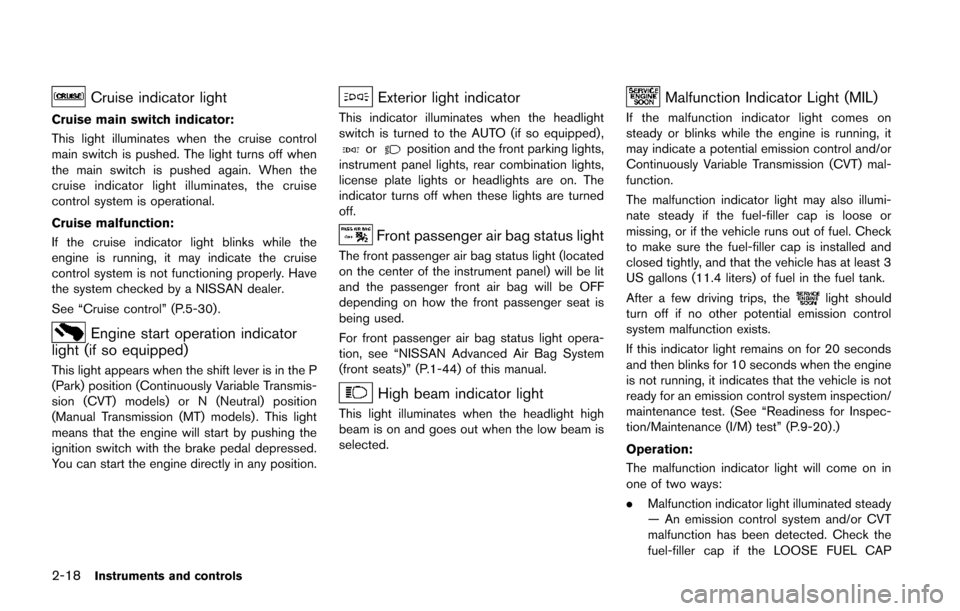
Cruise indicator light
Cruise main switch indicator:
This light illuminates when the cruise control
main switch is pushed. The light turns off when
the main switch is pushed again. When the
cruise indicator light illuminates, the cruise
control system is operational.
Cruise malfunction:
If the cruise indicator light blinks while the
engine is running, it may indicate the cruise
control system is not functioning properly. Have
the system checked by a NISSAN dealer.
See “Cruise control” (P.5-30).
Engine start operation indicator
light (if so equipped)
This light appears when the shift lever is in the P
(Park) position (Continuously Variable Transmis-
sion (CVT) models) or N (Neutral) position
(Manual Transmission (MT) models) . This light
means that the engine will start by pushing the
ignition switch with the brake pedal depressed.
You can start the engine directly in any position.
Exterior light indicator
This indicator illuminates when the headlight
switch is turned to the AUTO (if so equipped) ,
orposition and the front parking lights,
instrument panel lights, rear combination lights,
license plate lights or headlights are on. The
indicator turns off when these lights are turned
off.
Front passenger air bag status light
The front passenger air bag status light (located
on the center of the instrument panel) will be lit
and the passenger front air bag will be OFF
depending on how the front passenger seat is
being used.
For front passenger air bag status light opera-
tion, see “NISSAN Advanced Air Bag System
(front seats)” (P.1-44) of this manual.
High beam indicator light
This light illuminates when the headlight high
beam is on and goes out when the low beam is
selected.
Malfunction Indicator Light (MIL)
If the malfunction indicator light comes on
steady or blinks while the engine is running, it
may indicate a potential emission control and/or
Continuously Variable Transmission (CVT) mal-
function.
The malfunction indicator light may also illumi-
nate steady if the fuel-filler cap is loose or
missing, or if the vehicle runs out of fuel. Check
to make sure the fuel-filler cap is installed and
closed tightly, and that the vehicle has at least 3
US gallons (11.4 liters) of fuel in the fuel tank.
After a few driving trips, the
light should
turn off if no other potential emission control
system malfunction exists.
If this indicator light remains on for 20 seconds
and then blinks for 10 seconds when the engine
is not running, it indicates that the vehicle is not
ready for an emission control system inspection/
maintenance test. (See “Readiness for Inspec-
tion/Maintenance (I/M) test” (P.9-20) .)
Operation:
The malfunction indicator light will come on in
one of two ways:
. Malfunction indicator light illuminated steady
— An emission control system and/or CVT
malfunction has been detected. Check the
fuel-filler cap if the LOOSE FUEL CAP
Page 94 of 402
warning message is displayed on the twin
trip odometer. If the fuel-filler cap is loose or
missing, tighten or install the cap and
continue to drive the vehicle. The
light
should turn off after a few driving trips. If the
light does not turn off after a few driving
trips, have the vehicle inspected by a
NISSAN dealer. You do not need to have
your vehicle towed to the dealer.
. Malfunction indicator light blinking — An
engine misfire has been detected which may
damage the emission control system.
To reduce or avoid emission control system
damage:
1) Do not drive at speeds above 45 MPH
(72 km/h).
2) Avoid hard acceleration or deceleration.
3) Avoid steep uphill grades.
4) If possible, reduce the amount of cargo being hauled or towed.
The malfunction indicator light may stop
blinking and remain on.
Have the vehicle inspected by a NISSAN
dealer. You do not need to have your vehicle
towed to the dealer.
CAUTION
Continued vehicle operation without
having the emission control system
and/or CVT system checked and re-
paired as necessary could lead to poor
driveability, reduced fuel economy, and
possible damage to the emission con-
trol system.
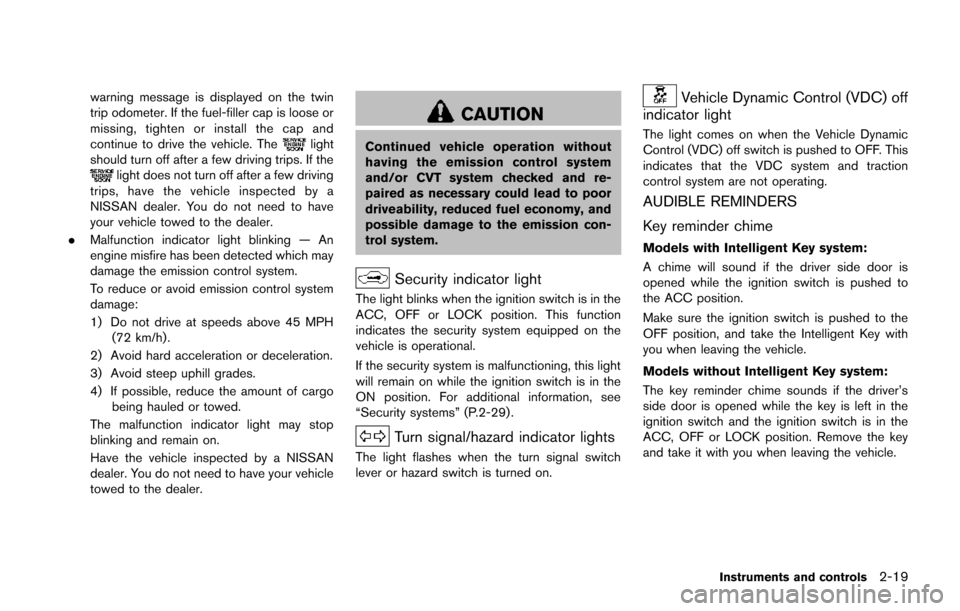
Security indicator light
The light blinks when the ignition switch is in the
ACC, OFF or LOCK position. This function
indicates the security system equipped on the
vehicle is operational.
If the security system is malfunctioning, this light
will remain on while the ignition switch is in the
ON position. For additional information, see
“Security systems” (P.2-29) .
Turn signal/hazard indicator lights
The light flashes when the turn signal switch
lever or hazard switch is turned on.
Vehicle Dynamic Control (VDC) off
indicator light
The light comes on when the Vehicle Dynamic
Control (VDC) off switch is pushed to OFF. This
indicates that the VDC system and traction
control system are not operating.
AUDIBLE REMINDERS
Key reminder chime
Models with Intelligent Key system:
A chime will sound if the driver side door is
opened while the ignition switch is pushed to
the ACC position.
Make sure the ignition switch is pushed to the
OFF position, and take the Intelligent Key with
you when leaving the vehicle.
Models without Intelligent Key system:
The key reminder chime sounds if the driver’s
side door is opened while the key is left in the
ignition switch and the ignition switch is in the
ACC, OFF or LOCK position. Remove the key
and take it with you when leaving the vehicle.
Instruments and controls2-19
Page 96 of 402
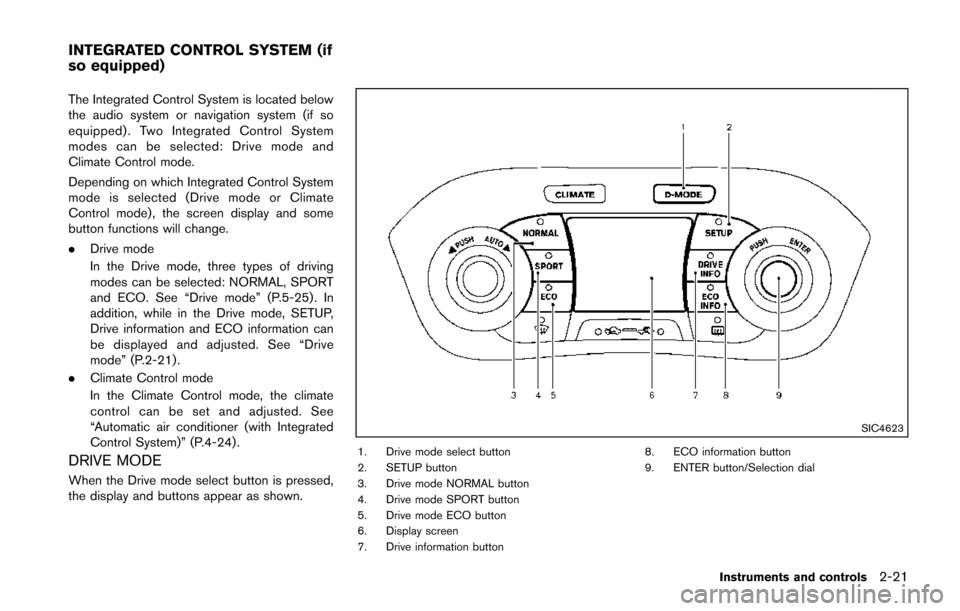
The Integrated Control System is located below
the audio system or navigation system (if so
equipped) . Two Integrated Control System
modes can be selected: Drive mode and
Climate Control mode.
Depending on which Integrated Control System
mode is selected (Drive mode or Climate
Control mode) , the screen display and some
button functions will change.
.Drive mode
In the Drive mode, three types of driving
modes can be selected: NORMAL, SPORT
and ECO. See “Drive mode” (P.5-25). In
addition, while in the Drive mode, SETUP,
Drive information and ECO information can
be displayed and adjusted. See “Drive
mode” (P.2-21) .
. Climate Control mode
In the Climate Control mode, the climate
control can be set and adjusted. See
“Automatic air conditioner (with Integrated
Control System)” (P.4-24) .
DRIVE MODE
When the Drive mode select button is pressed,
the display and buttons appear as shown.
SIC4623
1. Drive mode select button
2. SETUP button
3. Drive mode NORMAL button
4. Drive mode SPORT button
5. Drive mode ECO button
6. Display screen
7. Drive information button 8. ECO information button
9. ENTER button/Selection dial
Instruments and controls2-21
INTEGRATED CONTROL SYSTEM (if
so equipped)