2014 MITSUBISHI OUTLANDER ESP
[x] Cancel search: ESPPage 110 of 451
Door locks 5-32 Features and controls
5
N00509201544
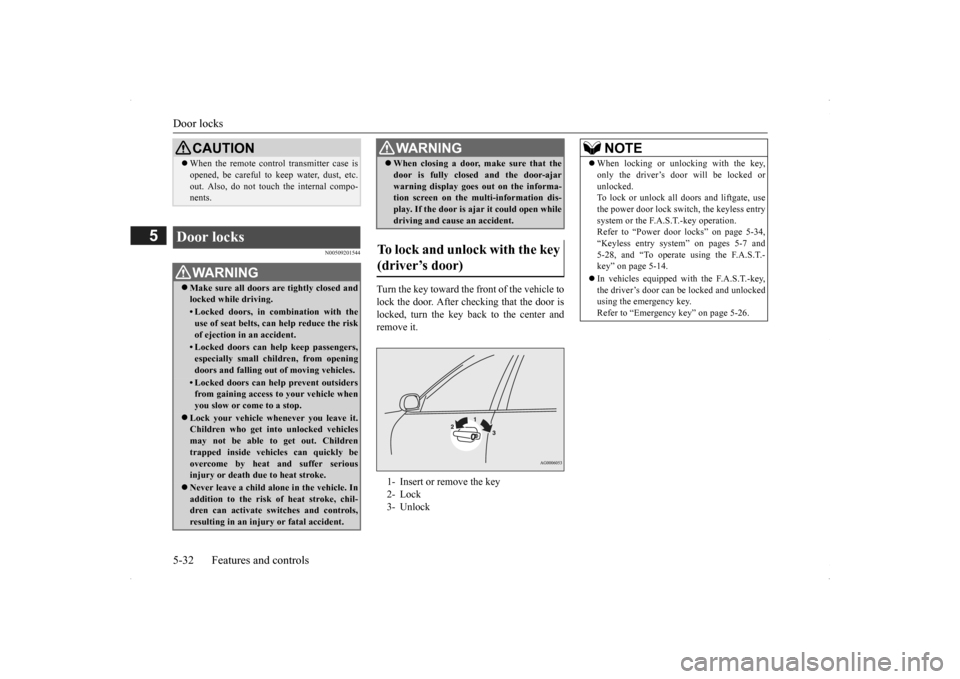
Turn the key toward the front of the vehicle to lock the door. After checking that the door is locked, turn the key back to the center and remove it.
CAUTION When the remote control transmitter case is opened, be careful to
keep water, dust, etc.
out. Also, do not touch the internal compo-nents.
Door locks
WA R N I N G Make sure all doors are tightly closed and locked while driving.• Locked doors, in co
mbination with the
use of seat belts, can help reduce the risk of ejection in an accident.• Locked doors can help keep passengers,especially small children, from openingdoors and falling out
of moving vehicles.
• Locked doors can help prevent outsiders from gaining access
to your vehicle when
you slow or come to a stop.
Lock your vehicle when
ever you leave it.
Children who get into unlocked vehicles may not be able to get out. Childrentrapped inside vehicles can quickly beovercome by heat and suffer serious injury or death due to heat stroke. Never leave a child alon
e in the vehicle. In
addition to the risk
of heat stroke, chil-
dren can activate switches and controls,resulting in an injury
or fatal accident.
When closing a door,
make sure that the
door is fully closed and the door-ajarwarning display goes
out on the informa-
tion screen on the multi-information dis- play. If the door is aj
ar it could open while
driving and cause an accident.
To lock and unlock with the key (driver’s door) 1- Insert or remove the key 2- Lock 3- UnlockWA R N I N G
NOTE
When locking or unlocking with the key, only the driver’s door will be locked orunlocked.To lock or unlock all doors and liftgate, use the power door lock switch, the keyless entry system or the F.A.S.T.-key operation.Refer to “Power door locks” on page 5-34, “Keyless entry system” on pages 5-7 and 5-28, and “To operate using the F.A.S.T.-key” on page 5-14. In vehicles equipped wi
th the F.A.S.T.-key,
the driver’s door can be locked and unlocked using the emergency key. Refer to “Emergency key” on page 5-26.
BK0200500US.book 32 ページ 2013年2月12日 火曜日 午前9時46分
Page 113 of 451
Child safety locks for rear door Features and controls 5-35
5
N00509401298
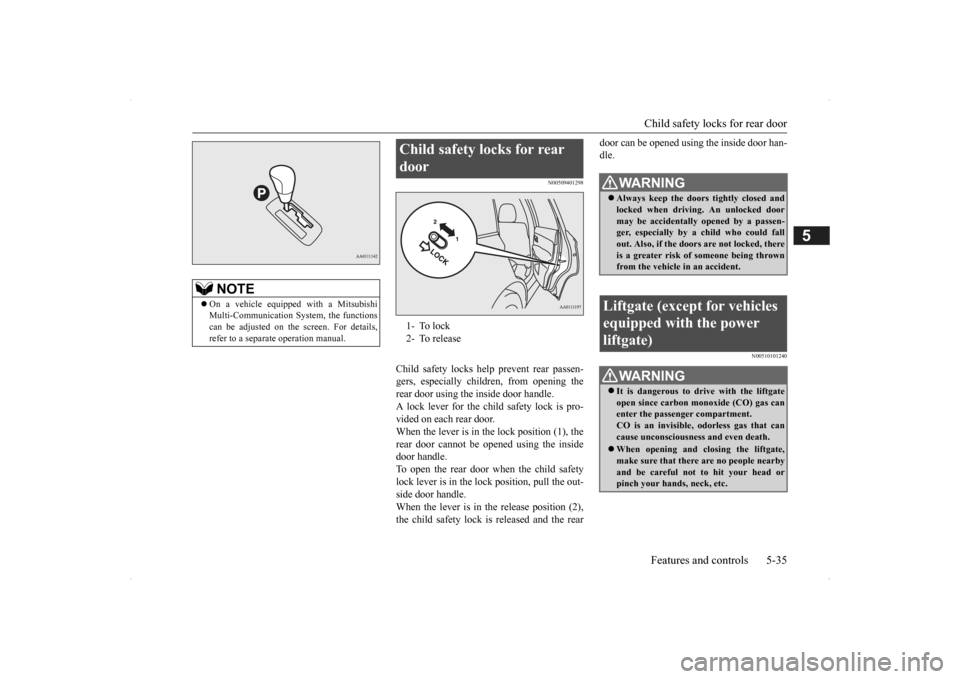
Child safety locks help prevent rear passen- gers, especially children, from opening therear door using the inside door handle. A lock lever for the child safety lock is pro- vided on each rear door.When the lever is in the lock position (1), the rear door cannot be opened using the inside door handle.To open the rear door when the child safety lock lever is in the lock position, pull the out- side door handle.When the lever is in the release position (2), the child safety lock is released and the rear
door can be opened using the inside door han- dle.
N00510101240
NOTE
On a vehicle equippe
d with a Mitsubishi
Multi-Communication System, the functionscan be adjusted on the screen. For details, refer to a separate operation manual.
Child safety locks for rear door 1- To lock 2- To release
WA R N I N G Always keep the door
s tightly closed and
locked when driving. An unlocked door may be accidentally
opened by a passen-
ger, especially by
a child who could fall
out. Also, if the doors are not locked, there is a greater risk of
someone being thrown
from the vehicle
in an accident.
Liftgate (except for vehicles equipped with the power liftgate)
WA R N I N G It is dangerous to drive with the liftgate open since carbon mo
noxide (CO) gas can
enter the passenger compartment. CO is an invisible,
odorless gas that can
cause unconsciousness and even death. When opening and closing the liftgate, make sure that there are no people nearbyand be careful not to hit your head or pinch your hands, neck, etc.
BK0200500US.book 35 ページ 2013年2月12日 火曜日 午前9時46分
Page 115 of 451
Power liftgate (if so equipped) Features and controls 5-37
5
N00575900026
Before operating the pow
er liftgate, unlock
the power liftgate by pushing the power door lock switch or the unlock button on the key- less entry system or F.A.S.T.-key.
Refer to “Keyless entry system”, “Free-hand Advanced Security Transmitter (F.A.S.T.-key)” and “Power door locks” on pages 5-7, 5-12 and 5-34 respectively.
N00576000024
NOTE
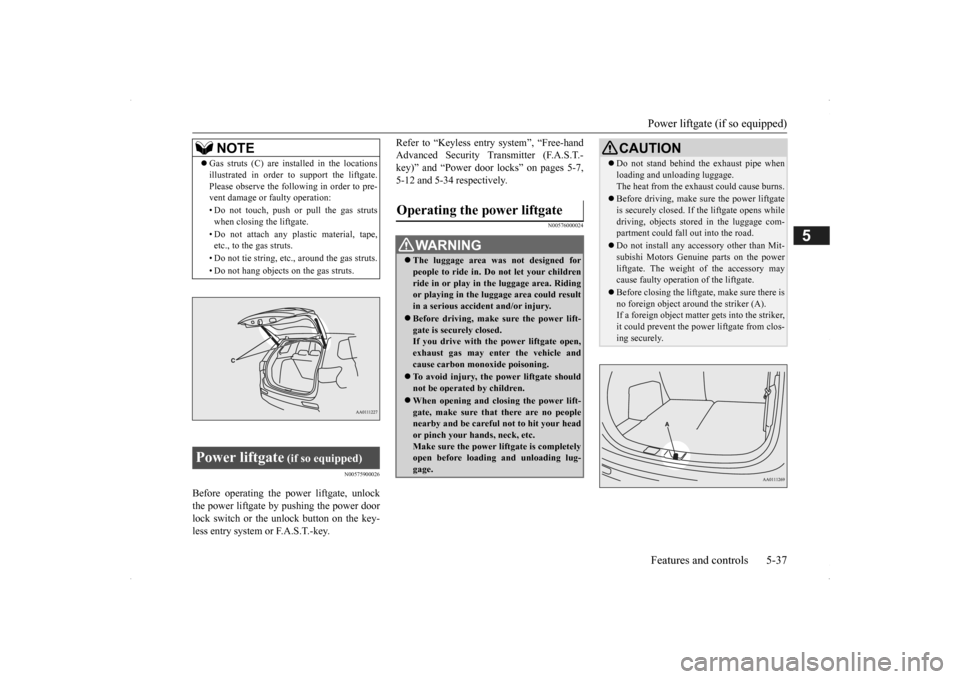
Gas struts (C) are installed in the locations illustrated in order to
support the liftgate.
Please observe the following in order to pre-vent damage or faulty operation: • Do not touch, push or pull the gas struts when closing the liftgate. • Do not attach any pl
astic material, tape,
etc., to the gas struts. • Do not tie string, etc., around the gas struts.• Do not hang objects on the gas struts.
Power liftgate
(if so equipped)
Operating the power liftgate
WA R N I N G The luggage area was
not designed for
people to ride in. Do not let your childrenride in or play in
the luggage area. Riding
or playing in the luggage area could result in a serious accide
nt and/or injury.
Before driving, make sure the power lift- gate is securely closed.If you drive with th
e power liftgate open,
exhaust gas may enter the vehicle and cause carbon monoxide poisoning. To avoid injury, the power liftgate should not be operated by children. When opening and clos
ing the power lift-
gate, make sure that there are no peoplenearby and be carefu
l not to hit your head
or pinch your hands, neck, etc. Make sure the power liftgate is completelyopen before loadin
g and unloading lug-
gage.
CAUTION Do not stand behind th
e exhaust pipe when
loading and unloading luggage.The heat from the exha
ust could cause burns.
Before driving, make
sure the power liftgate
is securely closed. If th
e liftgate opens while
driving, objects stored in the luggage com- partment coul
d fall out into the road.
Do not install any acce
ssory other than Mit-
subishi Motors Genui
ne parts on the power
liftgate. The weight of the accessory maycause faulty operati
on of the liftgate.
Before closing the liftga
te, make sure there is
no foreign object aroun
d the striker (A).
If a foreign object matter
gets into the striker,
it could prevent the power
liftgate from clos-
ing securely.
BK0200500US.book 37 ページ 2013年2月12日 火曜日 午前9時46分
Page 121 of 451
Inside liftgate release
Features and controls 5-43
5
N00576400028
The power liftgate easy closer is designed to help the power liftgate close securely. If the power liftgate
is closed to a position
where it is detected as being ajar, it closes automatically.
N00523101084
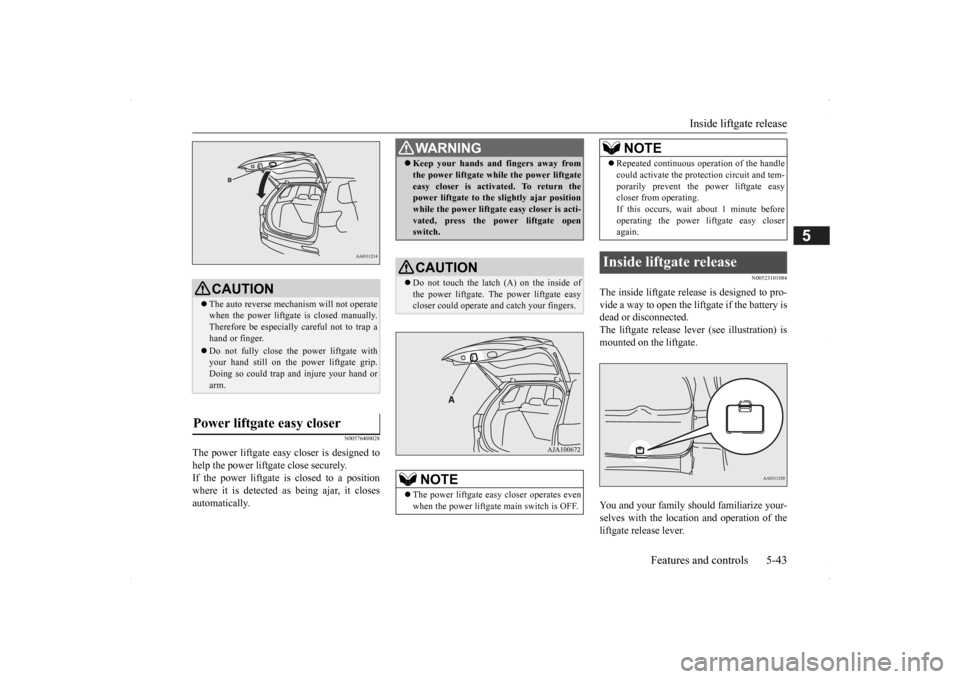
The inside liftgate release is designed to pro- vide a way to open the li
ftgate if the battery is
dead or disconnected. The liftgate release lever (see illustration) is mounted on the liftgate. You and your family should familiarize your- selves with the location and operation of the liftgate release lever.
CAUTION The auto reverse mechanism will not operate when the power liftgate
is closed manually.
Therefore be especially careful not to trap a hand or finger. Do not fully close the power liftgate with your hand still on the pow
er liftgate grip.
Doing so could trap and injure your hand orarm.
Power liftgate easy closer
WA R N I N G Keep your hands an
d fingers away from
the power liftgate while the power liftgateeasy closer is activated. To return thepower liftgate to the slightly ajar position while the power liftgate easy closer is acti- vated, press the power liftgate openswitch.CAUTION Do not touch the latch (A) on the inside of the power liftgate. Th
e power liftgate easy
closer could operate
and catch your fingers.
NOTE
The power liftgate easy closer operates even when the power liftgate main switch is OFF.
Repeated continuous ope
ration of the handle
could activate the prot
ection circuit and tem-
porarily prevent the power liftgate easycloser from operating. If this occurs, wait
about 1 minute before
operating the power li
ftgate easy closer
again.
Inside liftgate release
NOTE
BK0200500US.book 43 ページ 2013年2月12日 火曜日 午前9時46分
Page 126 of 451

Power window control 5-48 Features and controls
5
N00510601144
Use the following proce
dure to test the sys-
tem: 1. Lower the driver’s window. 2. Arm the system as explained in “Armedstage”. 3. Make sure that the theft-alarm indicator comes on and flashes for approximately 20 seconds. 4. Wait a few seconds and then unlock thedriver’s side door by using the inside door lock knob. Open the door. 5. Make sure that the horn (the siren forvehicles equipped with the interior alarm sensor) sounds intermittently and the headlights blink when
a door is opened.
6. Disarm the system
by unlocking all doors
and the liftgate by using the keyless entry system or the F.A.S.T.-key operation.
N00510800383
N00548701137
The main switch located on the driver’s door can be used to operate all the windows.A window can be opened or closed by operat- ing the corresponding switch. Press the switch down to open the window,and pull up the switch to close it. If the driver’s door window switch is fully pressed down/pulled up, the driver’s door
Testing the theft-alarm system
Power window control 1- Open (down)2- Close (up)
NOTE
Never try to operate the main switch and sub-switch in different directions at the same time. This will free
ze the window in posi-
tion. Operating the power
windows repeatedly
with the engine stopped will run down thebattery. Use the window
switches only while
the engine is running.WA R N I N G Before operating the power windows, make sure that nothing can be trapped (head, hands, fingers, etc.) in the window.
Never leave the vehi
cle without carrying
the key. Never leave children
or unreliable adults
unattended inside the vehicle.
Main switch
WA R N I N G
BK0200500US.book 48 ページ 2013年2月12日 火曜日 午前9時46分
Page 128 of 451
Sunroof (if so equipped) 5-50 Features and controls
5
N00528801129
If a hand or head is trapped, for safety the door window is automati
cally lowered a little.
After the obstruction is removed, pull up the switch again to close the door window.
N00551400014
Wind buffeting can be de
scribed as the per-
ception of pressure on the ears or a boomingor rumbling sound. Your
vehicle may exhibit
wind buffeting when driving with one or both rear door windows down or partially opened.This is a normal occurrence that can be mini- mized. If the buffeting
occurs with the rear
door windows open, open the front door win- dows as well as the rear door windows to minimize the condition.
N00511001682
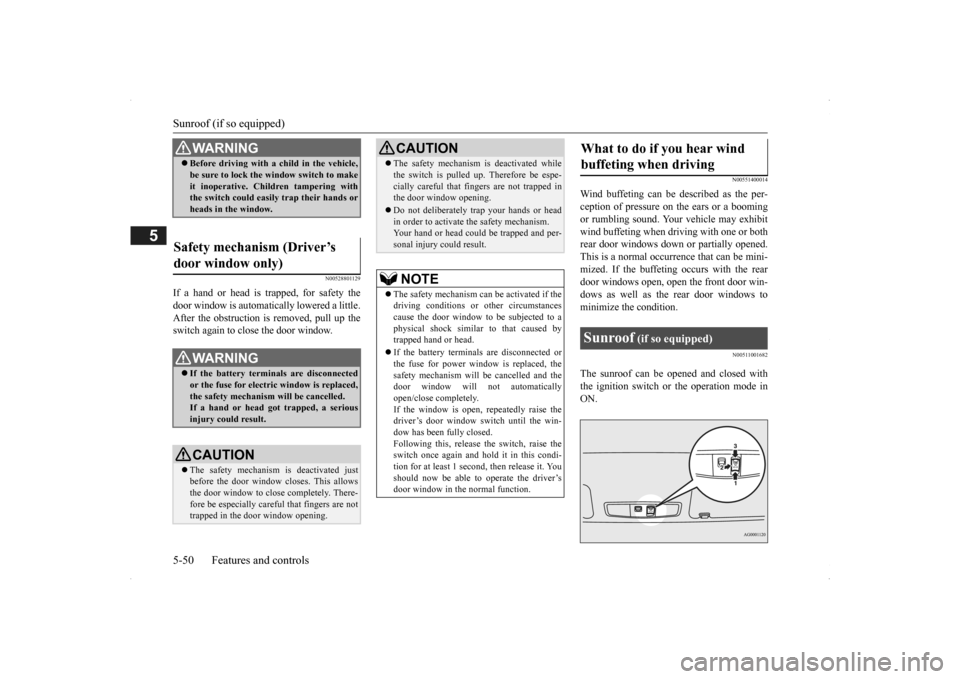
The sunroof can be opened and closed withthe ignition switch or the operation mode in ON.
WA R N I N G Before driving with a child in the vehicle, be sure to lock the window switch to makeit inoperative. Children tampering withthe switch could easily trap their hands or heads in the window.
Safety mechanism (Driver’s door window only)
WA R N I N G If the battery terminals are disconnected or the fuse for electric window is replaced, the safety mechanism will be cancelled.If a hand or head got
trapped, a serious
injury could result.CAUTION The safety mechanism is deactivated just before the door window closes. This allows the door window to close completely. There-fore be especially careful that fingers are not trapped in the door window opening.
The safety mechanism is deactivated while the switch is pulled up.
Therefore be espe-
cially careful that fi
ngers are not trapped in
the door window opening. Do not deliberately tr
ap your hands or head
in order to activate the safety mechanism. Your hand or head coul
d be trapped and per-
sonal injury could result.NOTE
The safety mechanism can be activated if the driving conditions or
other circumstances
cause the door window to be subjected to a physical shock similar to that caused by trapped hand or head. If the battery termin
als are disc
onnected or
the fuse for power window is replaced, thesafety mechanism will be cancelled and the door window will not
automatically
open/close completely.If the window is open,
repeatedly raise the
driver’s door window switch until the win- dow has been fully closed.Following this, release the switch, raise theswitch once again and hol
d it in this condi-
tion for at least 1 second,
then release it. You
should now be able to operate the driver’sdoor window in the normal function.CAUTION
What to do if you hear wind buffeting when driving Sunroof
(if so equipped)
BK0200500US.book 50 ページ 2013年2月12日 火曜日 午前9時46分
Page 129 of 451
Sunroof (if so equipped)
Features and controls 5-51
5
Press the switch (1), the sunroof automati- cally opens. To stop the moving sunroof, press the switch. Press the switch (3), the sunroof automati- cally closes. To stop the moving sunroof, press the switch. When the switch (2) is pressed, the rear of the sunroof raises
for ventilation.
Press the switch (3).
The sunroof can be operated when the igni- tion switch or the operation mode is in ON.The sunroof can be opened or closed for a 30- second period after th
e engine is stopped.
However, when the driver’s door or the frontpassenger door is opened, the sunroof cannot be operated. Turn on the ignition switch again to operate. If a hand or head is trapped in the closing sunroof opening, the safety mechanism willcause the sunroof to
re-open automatically.
The opened sunroof will become operational again after a few seconds. If the safety mechanism is activated 5 or more times consecutiv
ely, normal closing of
the sunroof will be aborted. As an emergency measure, the sunroof can be closed bit by bit until the sunroof is com-pletely closed by repeatedly pressing the switch (2).
After that, the sunroof can be set the initial- ized state in the following procedure. 1. Move the sunroof in slide open position. 2. Press the tilt up switch (2) continually in 10 seconds. 3. The sunroof will be
moved to tilt up posi-
tion automatically bit by bit. 4. The initialize is completed when the sun- roof is stopped at
tilt up position.
If the sunroof does not return to normal, consult an authoriz
ed Mitsubishi Motors
dealer.
To open
NOTE
The sunroof stops just before reaching the fully open position. If
the vehicle is driven
with the sunroof in this position, wind buf- feting is lower than with the sunroof fullyopen.
To close
To tilt up
To tilt down
NOTE
Be sure to tilt down the sunroof before clos- ing the sunshade.
Sunroof timer function
Safety mechanism
NOTE
The safety mechanism can be activated if the driving conditions or
other circumstances
cause the sunroof to be subjected to a physi- cal shock similar to th
at caused by a trapped
hand or head.CAUTION The safety mechanism is deactivated while the switch (2) is presse
d. Therefore be espe-
cially careful that fi
ngers are not trapped in
the sunroof opening. Do not deliberately tr
ap your hands or head
in order to activate the safety mechanism.Personal injury and malfunction of the sun- roof could result.
BK0200500US.book 51 ページ 2013年2月12日 火曜日 午前9時46分
Page 144 of 451
Automatic transaxle (if so equipped) 5-66 Features and controls
5
N00538801180
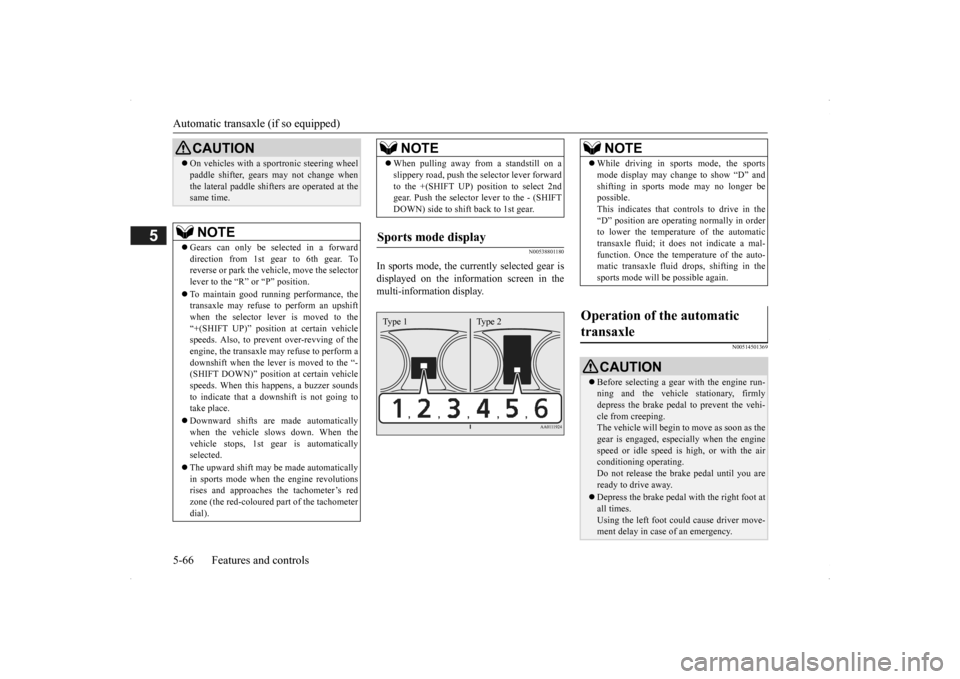
In sports mode, the curre
ntly selected gear is
displayed on the information screen in the multi-information display.
N00514501369
On vehicles with a s
portronic steering wheel
paddle shifter, gears
may not change when
the lateral paddle shifters are operated at thesame time. NOTE
Gears can only be selected in a forward direction from 1st gear to 6th gear. To reverse or park the vehi
cle, move the selector
lever to the “R” or “P” position. To maintain good running performance, the transaxle may refuse to perform an upshiftwhen the selector lever is moved to the “+(SHIFT UP)” positi
on at certain vehicle
speeds. Also, to prevent over-revving of theengine, the transaxle may refuse to perform a downshift when the lever is moved to the “- (SHIFT DOWN)” position
at certain vehicle
speeds. When this happens, a buzzer sounds to indicate that a dow
nshift is not going to
take place. Downward shifts are made automatically when the vehicle slows down. When thevehicle stops, 1st ge
ar is automatically
selected. The upward shift may be
made automatically
in sports mode when the engine revolutions rises and approaches
the tachometer’s red
zone (the red-coloured
part of the tachometer
dial).CAUTION
When pulling away from a standstill on a slippery road, push the
selector lever forward
to the +(SHIFT UP) pos
ition to select 2nd
gear. Push the selector lever to the - (SHIFT DOWN) side to shift back to 1st gear.
Sports mode display
NOTE
Type 1 Type 2
NOTE
While driving in sports mode, the sports mode display may change to show “D” andshifting in sports
mode may no longer be
possible. This indicates that controls to drive in the “D” position are operati
ng normally in order
to lower the temperature of the automatic transaxle fluid; it doe
s not indicate a mal-
function. Once the temperature of the auto-matic transaxle fluid drops, shifting in the sports mode will be possible again.
Operation of the automatic transaxle
CAUTION Before selecting a gear
with the engine run-
ning and the vehicle
stationary, firmly
depress the brake pedal to prevent the vehi-cle from creeping. The vehicle will begin to
move as soon as the
gear is engaged, espe
cially when the engine
speed or idle speed is
high, or with the air
conditioning operating. Do not release the br
ake pedal until you are
ready to drive away. Depress the brake pedal with the right foot at all times.Using the left foot c
ould cause driver move-
ment delay in case of an emergency.
BK0200500US.book 66 ページ 2013年2月12日 火曜日 午前9時46分