Page 269 of 460
Driving safety
4-11
4
Steps for Determining Correct Load Limit
N00630200212
1.
Locate the statement “The combined weight of occu-
pants and cargo should never exceed XXX kg or
XXX lbs.” on your vehicle’s placard.
2. Determine the combined weight of the driver and
passengers that will be riding in your vehicle.
3. Subtract the combined weight of the driver and pas-
sengers from XXX kg or XXX lbs.
4. The resulting figure equals the available amount of
cargo and luggage load capacity. For example, if the
“XXX” amount equals 1400 lbs. and there will be
five 150 lbs. passengers in your vehicle, the amount
of available cargo and luggage load capacity is 650
lbs. (1400 - 750 (5 x 150) = 650 lbs.)
5. Determine the combined weight of luggage and
cargo being loaded on the vehicle. That weight may
not safely exceed the available cargo and luggage
load capacity calculated in Step 4.6. If your vehicle will be towing a trailer, load from
your trailer will be transferred to your vehicle. Con-
sult this manual to determine how this reduces the
available cargo and luggage load capacity of your
vehicle.
NOTE
�The above steps for determining correct load limit
were written in accordance with U.S.A. regulations.
Your vehicle cannot tow a trailer, so step 6 is irrele-
vant.
BK0162600US.book 11 ページ 2013年3月22日 金曜日 午後2時41分
Page 272 of 460
4-14 Driving safety
4Trailer towing
N00629800306
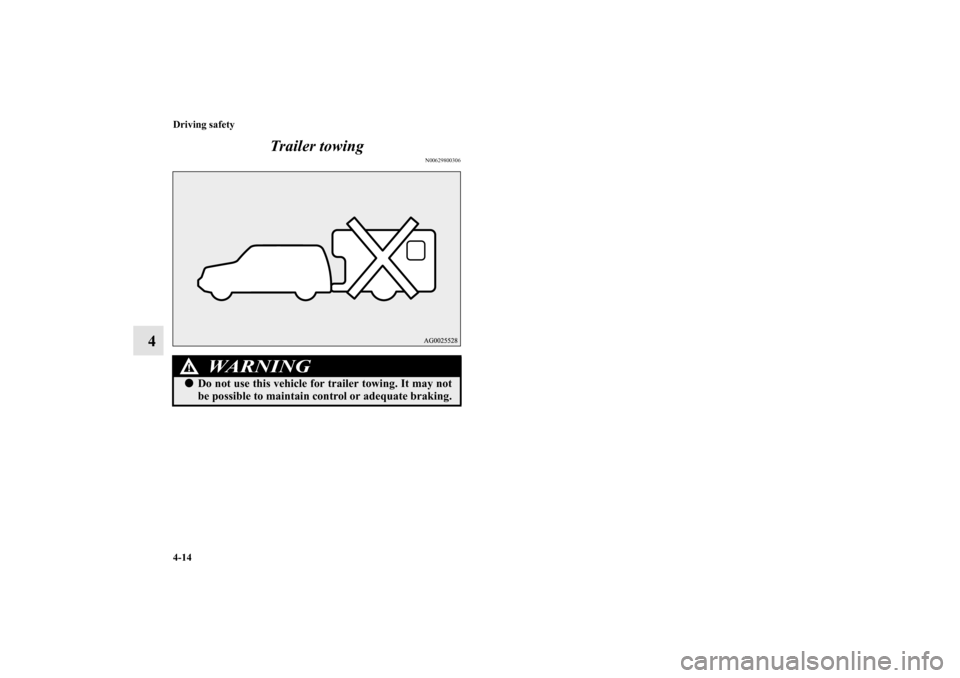
WA R N I N G
!�Do not use this vehicle for trailer towing. It may not
be possible to maintain control or adequate braking.
BK0162600US.book 14 ページ 2013年3月22日 金曜日 午後2時41分
Page 282 of 460
5-10 Comfort controls
5
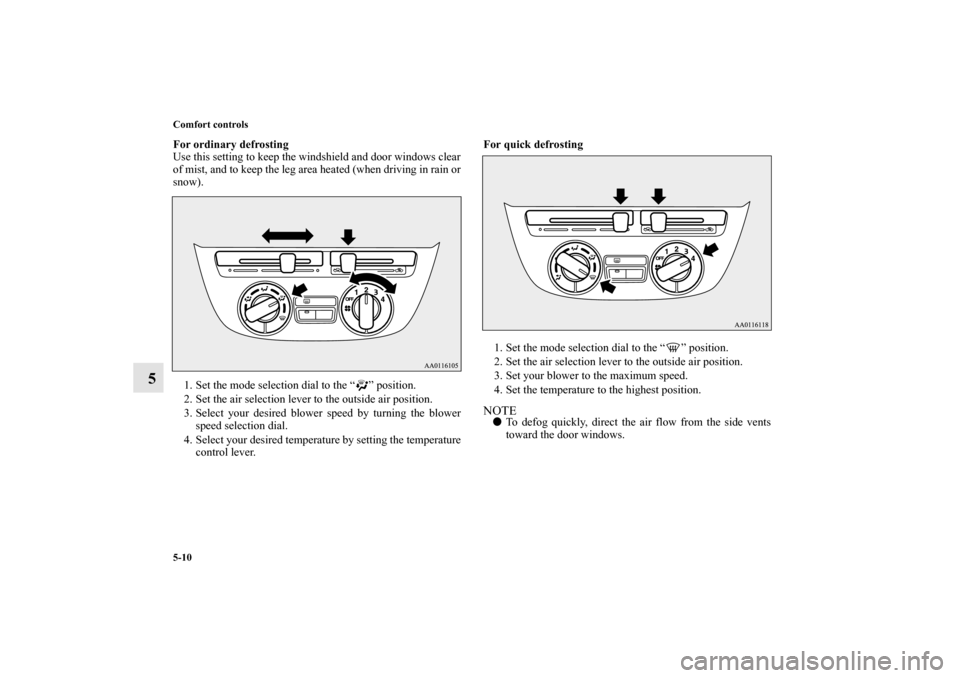
For ordinary defrosting
Use this setting to keep the windshield and door windows clear
of mist, and to keep the leg area heated (when driving in rain or
snow).
1. Set the mode selection dial to the “ ” position.
2. Set the air selection lever to the outside air position.
3. Select your desired blower speed by turning the blower
speed selection dial.
4. Select your desired temperature by setting the temperature
control lever.For quick defrosting
1. Set the mode selection dial to the “ ” position.
2. Set the air selection lever to the outside air position.
3. Set your blower to the maximum speed.
4. Set the temperature to the highest position.
NOTE�To defog quickly, direct the air flow from the side vents
toward the door windows.
BK0162600US.book 10 ページ 2013年3月22日 金曜日 午後2時41分
Page 288 of 460
5-16 Comfort controls
5
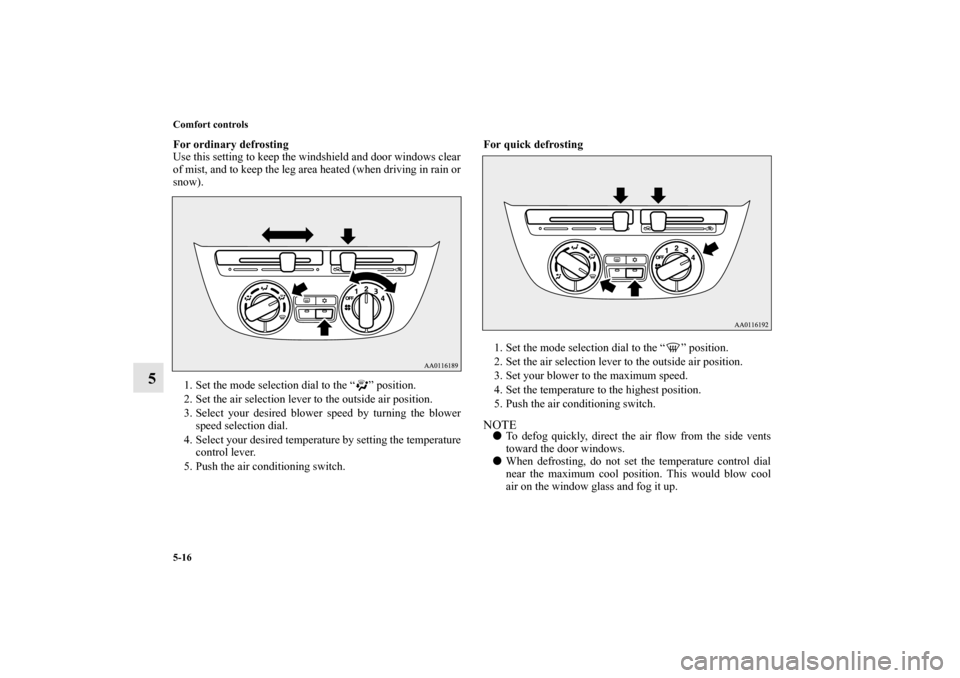
For ordinary defrosting
Use this setting to keep the windshield and door windows clear
of mist, and to keep the leg area heated (when driving in rain or
snow).
1. Set the mode selection dial to the “ ” position.
2. Set the air selection lever to the outside air position.
3. Select your desired blower speed by turning the blower
speed selection dial.
4. Select your desired temperature by setting the temperature
control lever.
5. Push the air conditioning switch.For quick defrosting
1. Set the mode selection dial to the “ ” position.
2. Set the air selection lever to the outside air position.
3. Set your blower to the maximum speed.
4. Set the temperature to the highest position.
5. Push the air conditioning switch.
NOTE�To defog quickly, direct the air flow from the side vents
toward the door windows.
�When defrosting, do not set the temperature control dial
near the maximum cool position. This would blow cool
air on the window glass and fog it up.
BK0162600US.book 16 ページ 2013年3月22日 金曜日 午後2時41分
Page 300 of 460

5-28 Comfort controls
5
NOTE�While the mode selection is set “ ” position, the air con-
ditioning compressor will run automatically. The outside
air position will also be selected automatically.
�If the mode selection is set “ ” position, you cannot turn
the air conditioning off or select the recirculation position.
This prevents the windows from fogging up.
�To defog quickly, direct the air flow from the side vents
toward the door windows.
�When defrosting, do not set the temperature to the maxi-
mum cool position. This will blow cool air on the window
glass and fog it up.
Important air conditioning operating tips
N00733700336
1. Park the vehicle in the shade whenever possible. Parking
in the hot sun makes the vehicle interior extremely hot
which then requires more time to cool. If it is necessary to
park in the sun, open the windows for the first few min-
utes of air conditioning to expel the hot air.
2. Afterwards, keep the windows closed when the air condi-
tioning is in use. The entry of outside air through open
windows will reduce cooling efficiency.
3. When running the air conditioning, make sure the air
intake, which is located in front of the windshield, is free
of obstructions such as leaves. Leaves collected in the air-
intake chamber may reduce air flow and plug the water
drains.Air conditioning system refrigerant and lubri-
cant recommendationsIf the air conditioning seems less effective than usual, the cause
might be a refrigerant leak.
Have the system inspected by your authorized Mitsubishi
Motors dealer or a repair facility of your choice.
BK0162600US.book 28 ページ 2013年3月22日 金曜日 午後2時41分
Page 303 of 460

Comfort controls
5-31
5
To adjust the tone
N00712100685
Press the /MENU button to select BASS → TREBLE →
FA D E R → BALANCE → Sound control mode off.BASS (Bass tone control)Press the sound control button either or to select the
desired bass level.TREBLE (Treble tone control)Press the sound control button either or to select the
desired treble level.FADER (Front/Rear balance control) (if equipped with
rear speakers)Press the sound control button either or to balance the
volume of sound from the front and the rear speakers.BALANCE (Left/Right balance control)Press the sound control button either or to balance the
volume of sound from the left and the right speakers.NOTE�The sound control mode will be canceled when the
another mode is selected or no adjustment is performed
for more than 10 seconds.
�In a two-speakers vehicle, keep the FADER setting in the
middle position. Since no rear speakers are connected,
adjusting the FADER setting toward the “REAR” side
will result in a loss of sound output.
Radio control panel and display
N00734900915
1- RADIO (AM/FM selection) button
2- PWR (On-Off) switch
3- Display
4- Seek (Down-seek) button
5- Seek (Up-seek) button
6- Memory select buttons
BK0162600US.book 31 ページ 2013年3月22日 金曜日 午後2時41分
Page 335 of 460

Comfort controls
5-63
5
�In the following circumstances, moisture can form on
compact discs and inside the audio system, preventing
normal operation.
• When there is high humidity (for example, when it is
raining).
• When the temperature suddenly rises, such as right after
the heater is turned on in cold weather.
In this case, wait until the moisture has had time to dry
out.
�When the CD player is subjected to violent vibrations,
such as during off-road driving, the tracking may not
work.
�When storing compact discs, always store them in their
separate cases. Never place compact discs in direct sun-
light, or in any place where the temperature or humidity is
high.
�Never touch the flat surface of the disc where there isn’t a
label. This will damage the disc surface and could affect
the sound quality. When handling a compact disc, always
hold it by the outer edge and the center hole.
�To clean a disc, use a soft, clean, dry cloth. Wipe directly
from the center hole toward the outer edge. Do not wipe in
a circle. Never use any chemicals such as benzine, paint
thinner, a disc spray cleaner, or an anti-static agent on the
disc.
�Do not use a ball point pen, felt pen, pencil, etc. to write
on the label surface of the disc. �Do not put additional labels or stickers on compact discs.
Also, do not use any compact disc on which a label or
sticker has started to peel off or any compact disc that has
stickiness or other contamination left by a peeled-off label
or sticker. If you use such a compact disc, the CD player
may stop working properly and you may not be able to
eject the compact disc.
BK0162600US.book 63 ページ 2013年3月22日 金曜日 午後2時41分
Page 341 of 460
6
For emergencies
If the vehicle breaks down . . . . . . . . . . . . . . . . . . .6- 2
Jump-starting the engine . . . . . . . . . . . . . . . . . . . .6- 2
Engine overheating . . . . . . . . . . . . . . . . . . . . . . . .6- 5
Jack and tools . . . . . . . . . . . . . . . . . . . . . . . . . . . . .6- 7
Tire repair kit (if so equipped) . . . . . . . . . . . . . . . .6- 9
How to change a tire
(Vehicles equipped with spare tire) . . . . . . . . . .6- 18
Towing . . . . . . . . . . . . . . . . . . . . . . . . . . . . . . . . . .6- 29
Operation under adverse driving conditions . . . . .6- 32
BK0162600US.book 1 ページ 2013年3月22日 金曜日 午後2時41分