2014 KIA Sportage Lock
[x] Cancel search: LockPage 165 of 457
473
Features of your vehicle
4WD LOCK indicator (if equipped)
The 4WD LOCK indicator light is illu-
minated when the 4WD LOCK button
is pushed. The purpose of this 4WD
LOCK mode is to increase the drive
power when driving on wet pave-
ment, snow-covered roads and/or
off-road. The 4WD LOCK indicator
light is turned off by pushing the but-
ton again.
LCD display warning (if equipped)
Key not in vehicle
If the smart key is not in the vehicle
and if any door is opened or closed
with the ENGINE START/STOP but-
ton in the ACC, ON, or START posi-
tion, the warning illuminates on the
LCD display. Also, the chime sounds
for 5 seconds when the smart key is
not in the vehicle and the door is
closed.
Always have the smart key with you.
Key not detected
If the smart key is not in the vehicle
or is not detected and you press the
ENGINE START/STOP button, the
warning illuminates on the LCD dis-
play for 10 seconds. Also, the immo-
bilizer indicator light blinks for 10
seconds. Low key battery
If the ENGINE START/STOP button
turns to the OFF position when the
smart key in the vehicle discharges,
the warning illuminates on the LCD
display for about 10 seconds. Also,
the warning chime sounds once.
Replace the battery with a new one.
Press brake pedal to start engine
If the ENGINE START/STOP button
turns to the ACC position twice by
pressing the button repeatedly with-
out depressing the brake pedal, the
warning illuminates on the LCD dis-
play for about 10 seconds to indicate
that you should depress the brake
pedal to start the engine.
Press cluch pedal to start engine
If the ENGINE START/STOP button
turns to the ACC position twice by
pressing the button repeatedly with-
out depressing the clutch pedal, the
warning illuminates on the LCD dis-
play for about 10 seconds to indicate
that you should depress the clutch
pedal to start the engine.
CAUTION
Do not use 4WD LOCK mode on
dry paved roads or highway, itcan cause noise, vibration ordamage of 4WD related parts.
Page 169 of 457
477
Features of your vehicle
This system will activate when theindicator on the rear parking assist
OFF button is not illuminated. If
you desire to deactivate the Back-
up warning system, press the rear
parking assist OFF button. (The
indicator on the button will illumi-
nate.) To turn the system on, press
the button again. (The indicator on
the button will go off.)
The sensing distance while the Back-up warning system is in oper-
ation is approximately 120 cm (47
in.).
When more than two objects are sensed at the same time, the clos-
est one will be recognized first.Types of warning sound
When an object is 120 cm to 81 cm(47 in. to 32 in.) from the rear
bumper: Buzzer beeps intermit-
tently.
When an object is 80 cm to 41 cm (31 in. to 16 in.) from the rear
bumper: Buzzer beeps more fre-
quently.
When an object is within 40 cm (15 in.) of the rear bumper:
Buzzer sounds continuously.
Non-operational conditions of
Back-up warning system
The Back-up warning system may
not operate properly when:
1.Moisture is frozen to the sensor. (Itwill operate normally when the
moisture has been cleared.)
2.The sensor is covered with foreign matter, such as snow or water, or
the sensor cover is blocked. (It will
operate normally when the materi-
al is removed or the sensor is no
longer blocked.)
3.Driving on uneven road surfaces (unpaved roads, gravel, bumps,
gradient).
4.Objects generating excessive noise (vehicle horns, loud motorcy-
cle engines, or truck air brakes) are
within range of the sensor.
5.Heavy rain or water spray exists.
6.Wireless transmitters or mobile phones are within range of the
sensor.
7.The sensor is covered with snow.
8.Trailer towing
Page 173 of 457
481
Features of your vehicle
D190100APB
Battery saver function
The purpose of this feature is toprevent the battery from being dis-
charged if the lights are left in the
ON position. The system automati-
cally turns off the parking lights
when the driver turns off the
engine and opens the driver-side
door.
With this feature, the parking lights will turn off automatically if the driv-
er parks on the side of the road at
night and opens the driver’s side
door.
If necessary, to keep the parking
lights on when the ignition key is
removed, perform the following:
1) Open the driver-side door.
2) Turn the parking lights OFF and ON again using the light switch
on the steering column.
Headlight escort function
(if equipped)
The headlights (and/or taillights)
remain on for approximately 5 min-
utes after the ignition key is removed
or turned to the ACC or LOCK posi-
tion. However, if the driver’s door
(and tailgate) is opened and closed,
the headlights are turned off after 15
seconds.
The headlights can be turned off by
pressing the lock button on the trans-
mitter (or smart key) twice or turning
off the light switch from the headlight
or Auto light position.
Headlight welcome function
(if equipped)
When the headlight switch is in the
ON or AUTO position and all doors
(and tailgate) are closed and locked,
if you press the door unlock button
on the transmitter (or smart key), the
headlights will come on for about 15
seconds.
If the headlight switch is in the AUTO
position, the function can only oper-
ate at night.
At this time, if you press the door lock
button or unlock button (once or
twice) on the transmitter (or smart
key), the headlights will turn off
immediately.
LIGHTING
CAUTION
If the driver gets out of the vehi-cle through other doors (exceptdriver's door), the battery saverfunction does not operate andthe headlight escort functiondoes not turn off automatically.Therefore, It causes the batteryto be discharged. In this case,make sure to turn off the lampbefore getting out of the vehicle.
Page 182 of 457
Features of your vehicle
90
4
D210000AEN
D210200AAM-EU
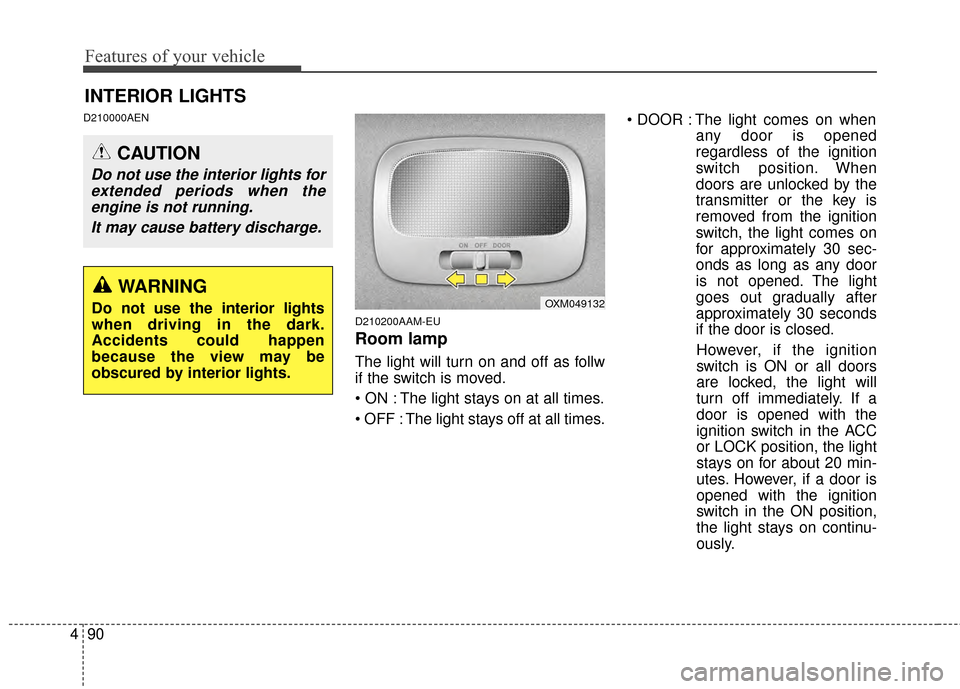
Room lamp
The light will turn on and off as follw
if the switch is moved.
The light stays on at all times.
The light stays off at all times. The light comes on when
any door is opened
regardless of the ignition
switch position. When
doors are unlocked by the
transmitter or the key is
removed from the ignition
switch, the light comes on
for approximately 30 sec-
onds as long as any door
is not opened. The light
goes out gradually after
approximately 30 seconds
if the door is closed.
However, if the ignition
switch is ON or all doors
are locked, the light will
turn off immediately. If a
door is opened with the
ignition switch in the ACC
or LOCK position, the light
stays on for about 20 min-
utes. However, if a door is
opened with the ignition
switch in the ON position,
the light stays on continu-
ously.
INTERIOR LIGHTS
CAUTION
Do not use the interior lights for extended periods when theengine is not running.
It may cause battery discharge.
OXM049132WARNING
Do not use the interior lights
when driving in the dark.
Accidents could happen
because the view may be
obscured by interior lights.
Page 183 of 457
491
Features of your vehicle
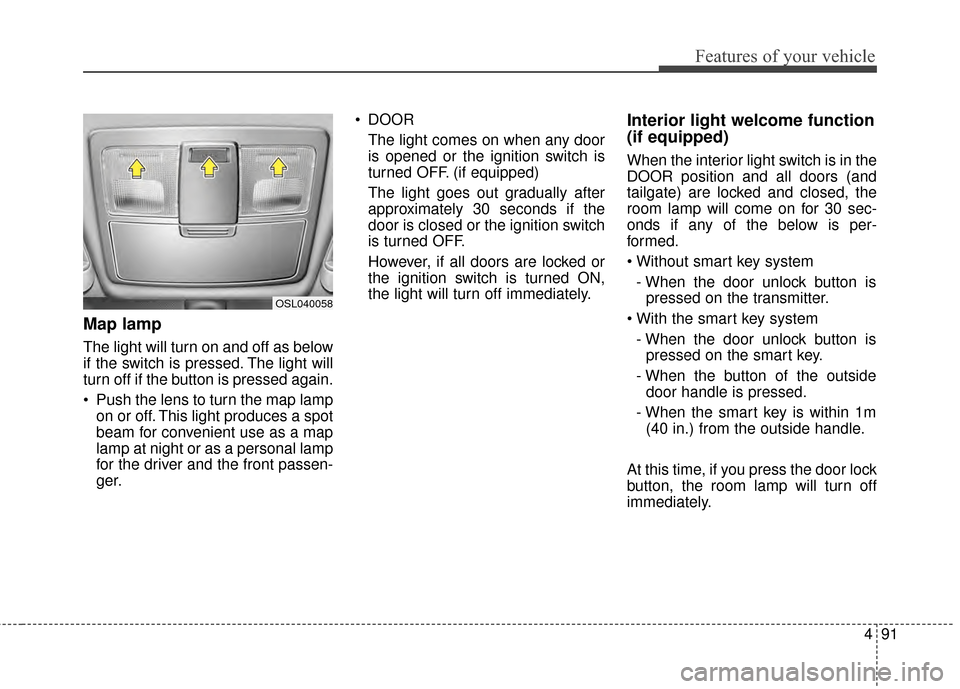
Map lamp
The light will turn on and off as below
if the switch is pressed. The light will
turn off if the button is pressed again.
Push the lens to turn the map lampon or off. This light produces a spot
beam for convenient use as a map
lamp at night or as a personal lamp
for the driver and the front passen-
ger. DOOR
The light comes on when any door
is opened or the ignition switch is
turned OFF. (if equipped)
The light goes out gradually after
approximately 30 seconds if the
door is closed or the ignition switch
is turned OFF.
However, if all doors are locked or
the ignition switch is turned ON,
the light will turn off immediately.
Interior light welcome function
(if equipped)
When the interior light switch is in the
DOOR position and all doors (and
tailgate) are locked and closed, the
room lamp will come on for 30 sec-
onds if any of the below is per-
formed.
- When the door unlock button is pressed on the transmitter.
- When the door unlock button is pressed on the smart key.
- When the button of the outside door handle is pressed.
- When the smart key is within 1m (40 in.) from the outside handle.
At this time, if you press the door lock
button, the room lamp will turn off
immediately.
OSL040058
Page 192 of 457
Features of your vehicle
100
4
Operation Tips
To keep dust or unpleasant fumes
from entering the vehicle through
the ventilation system, temporarily
set the air intake control to the
recirculated air position. Be sure to
return the control to the fresh air
position when the irritation has
passed to keep fresh air in the
vehicle. This will help keep the driv-
er alert and comfortable.
Air for the heating/cooling system is drawn in through the grilles just
ahead of the windshield. Care
should be taken that these are not
blocked by leaves, snow, ice or
other obstructions.
To prevent interior fog on the wind- shield, set the air intake control to
the fresh air position and fan speed
to the desired position, turn on the
air conditioning system, and adjust
the temperature control to desired
temperature.Air conditioning
Kia Air Conditioning Systems are
filled with environmentally friendly
R-134a refrigerant.
1.Start the engine. Press the air con-ditioning button.
2.Set the mode to the position.
3.Set the air intake control to the out- side air or recirculated air position.
4.Adjust the fan speed control and temperature control to maintain
maximum comfort.
When maximum cooling is desired, set the temperature control to the
extreme left position, set the mode
control to the MAX A/C position,
then set the fan speed control to
the highest speed.
✽ ✽ NOTICE
• When using the air conditioning
system, monitor the temperature
gauge closely while driving up
hills or in heavy traffic when out-
side temperatures are high. Air
conditioning system operation
may cause engine overheating.
Continue to use the blower fan but
turn the air conditioning system
off if the temperature gauge indi-
cates engine overheating.
• When opening the windows in humid weather air conditioning
may create water droplets inside
the vehicle. Since excessive water
droplets may cause damage to
electrical equipment, air condi-
tioning should only be used with
the windows closed.
Page 209 of 457
4117
Features of your vehicle
D270500BUN-C1
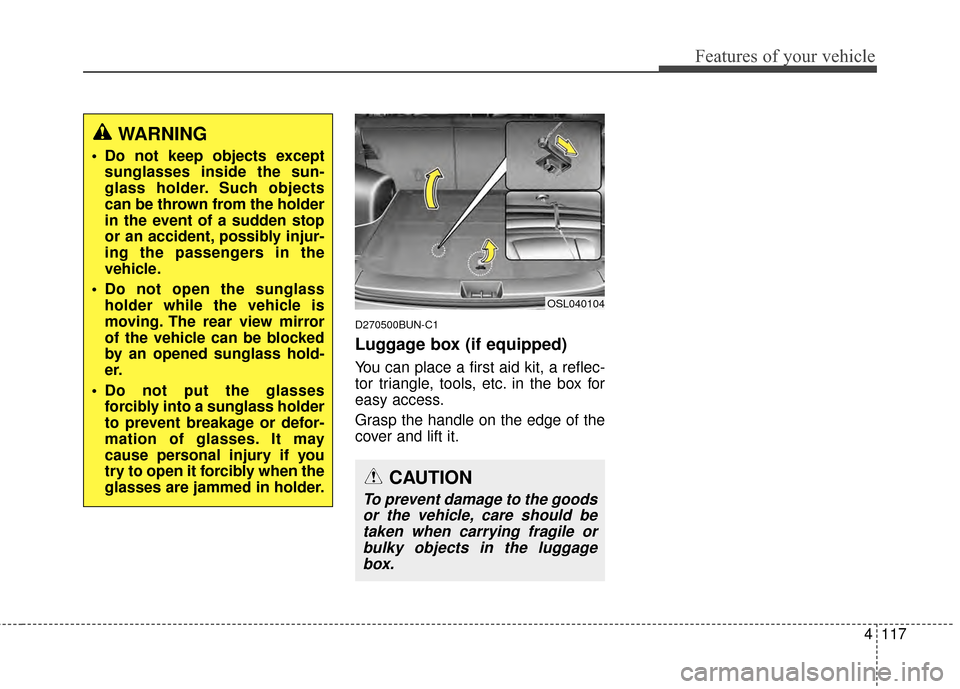
Luggage box (if equipped)
You can place a first aid kit, a reflec-
tor triangle, tools, etc. in the box for
easy access.
Grasp the handle on the edge of the
cover and lift it.
CAUTION
To prevent damage to the goodsor the vehicle, care should betaken when carrying fragile orbulky objects in the luggagebox.
OSL040104
WARNING
Do not keep objects except sunglasses inside the sun-
glass holder. Such objects
can be thrown from the holder
in the event of a sudden stop
or an accident, possibly injur-
ing the passengers in the
vehicle.
Do not open the sunglass holder while the vehicle is
moving. The rear view mirror
of the vehicle can be blocked
by an opened sunglass hold-
er.
Do not put the glasses forcibly into a sunglass holder
to prevent breakage or defor-
mation of glasses. It may
cause personal injury if you
try to open it forcibly when the
glasses are jammed in holder.
Page 212 of 457
Features of your vehicle
120
4
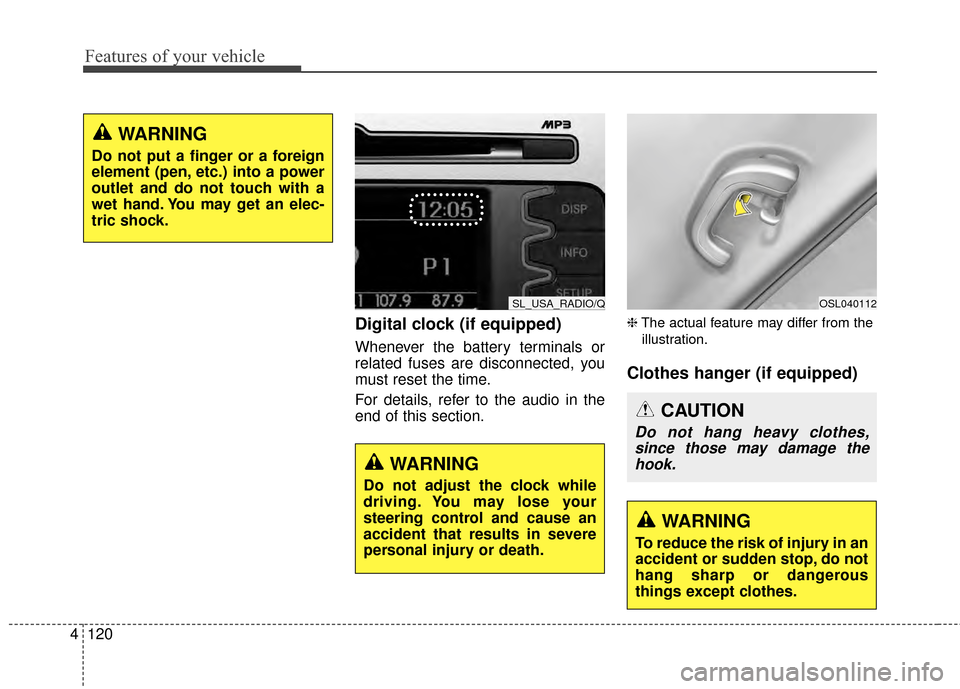
Digital clock (if equipped)
Whenever the battery terminals or
related fuses are disconnected, you
must reset the time.
For details, refer to the audio in the
end of this section.
❈ The actual feature may differ from the
illustration.
Clothes hanger (if equipped)
WARNING
Do not put a finger or a foreign
element (pen, etc.) into a power
outlet and do not touch with a
wet hand. You may get an elec-
tric shock.
SL_USA_RADIO/Q
WARNING
Do not adjust the clock while
driving. You may lose your
steering control and cause an
accident that results in severe
personal injury or death.
OSL040112
CAUTION
Do not hang heavy clothes, since those may damage thehook.
WARNING
To reduce the risk of injury in an
accident or sudden stop, do not
hang sharp or dangerous
things except clothes.