2014 FORD FOCUS ELECTRIC display
[x] Cancel search: displayPage 74 of 403
SECURILOCK® PASSIVE ANTI-THEFT SYSTEM
Note:The system is not compatible with non-Ford aftermarket remote
start systems. Use of these systems may result in vehicle starting
problems and a loss of security protection.
Note:Metallic objects, electronic devices or a second coded key on the
same key chain may cause vehicle starting issues if they are too close to
the key when starting your vehicle. Prevent these objects from touching
the coded key while starting your vehicle. Switch the ignition off, move
all objects on the key chain away from the coded key and restart the
vehicle if a problem occurs.
Note:Do not leave a duplicate coded key in the vehicle. Always take
your keys and lock all doors when leaving the vehicle.
The system helps prevent the vehicle from starting unless you use a
coded key programmed to your vehicle. Using the wrong key may
prevent your vehicle from starting. A message may appear in the
information display.
If you are unable to start your vehicle with a correctly coded key, a
malfunction has happened and a message may appear in the information
display.
Automatic Arming
Your vehicle arms immediately after you switch the ignition off.
Automatic Disarming
Your vehicle disarms when you switch the ignition on with a coded key.
Replacement Keys
Note:Your vehicle comes with two intelligent access keys.
The intelligent access key functions as a programmed key that operates
the driver door lock and activates the intelligent access with push button
start systems, as well as a remote control.
If your intelligent access key is lost or stolen and you do not have
an extra coded key, you will need to have your vehicle towed to an
authorized dealer. The key codes need to be erased from your vehicle
and new coded keys will need to be programmed.
Store an extra programmed key away from your vehicle in a safe place to
help prevent any inconveniences. See an authorized dealer to purchase
additional spare or replacement keys.
Security73
2014 Focus Electric Vehicle(fob)
Owners Guide gf, 1st Printing, May 2013
USA(fus)
Page 78 of 403
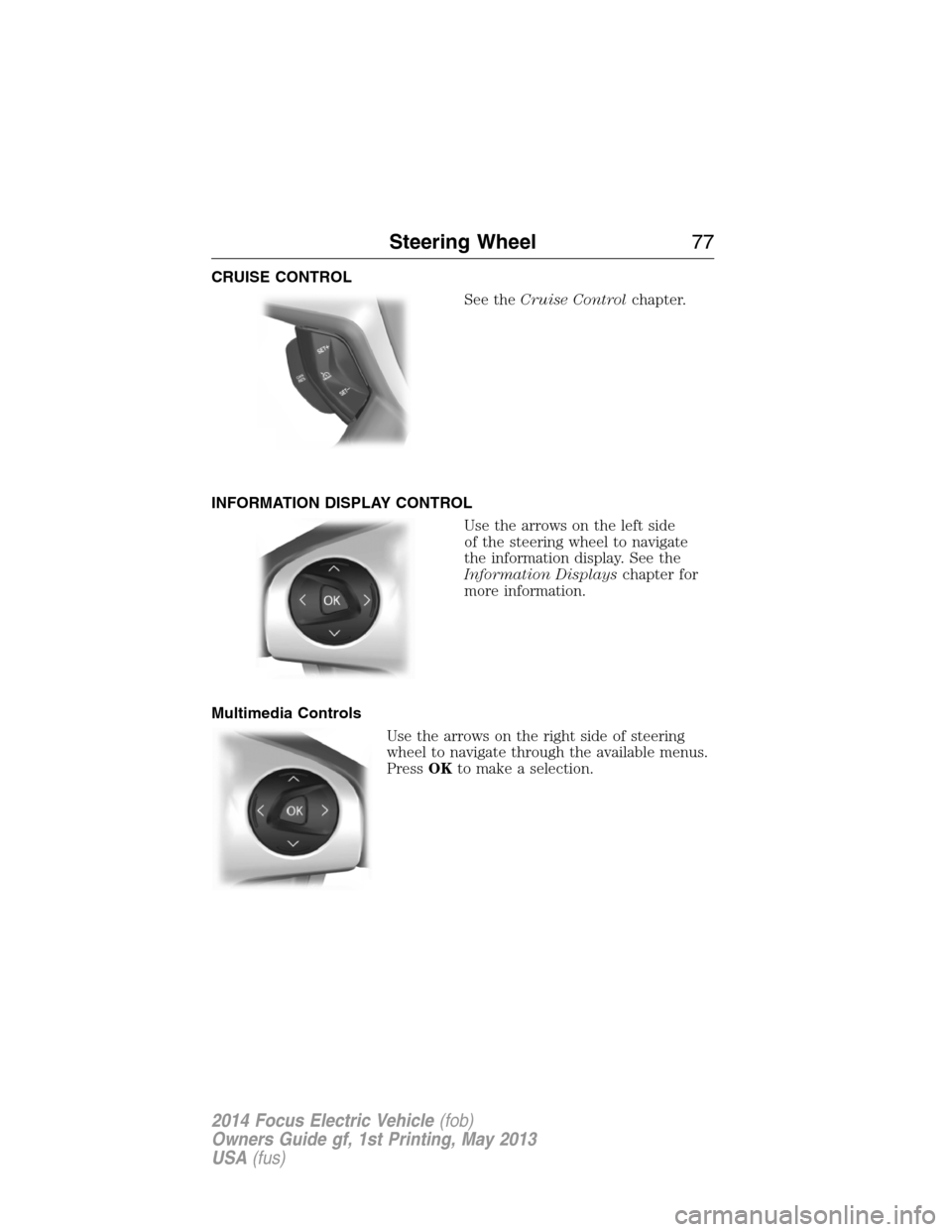
CRUISE CONTROL
See theCruise Controlchapter.
INFORMATION DISPLAY CONTROL
Use the arrows on the left side
of the steering wheel to navigate
the information display. See the
Information Displayschapter for
more information.
Multimedia Controls
Use the arrows on the right side of steering
wheel to navigate through the available menus.
PressOKto make a selection.
Steering Wheel77
2014 Focus Electric Vehicle(fob)
Owners Guide gf, 1st Printing, May 2013
USA(fus)
Page 83 of 403
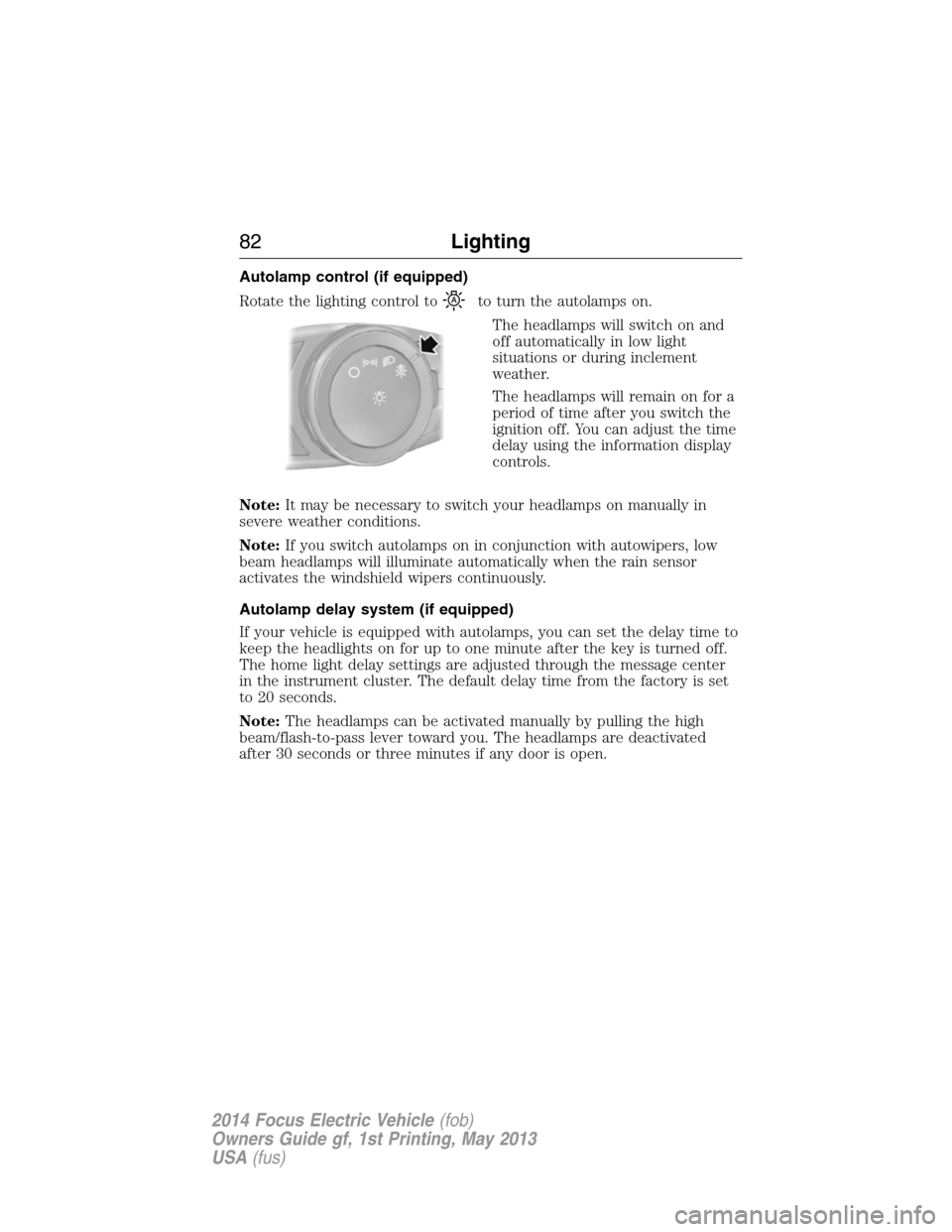
Autolamp control (if equipped)
Rotate the lighting control to
to turn the autolamps on.
The headlamps will switch on and
off automatically in low light
situations or during inclement
weather.
The headlamps will remain on for a
period of time after you switch the
ignition off. You can adjust the time
delay using the information display
controls.
Note:It may be necessary to switch your headlamps on manually in
severe weather conditions.
Note:If you switch autolamps on in conjunction with autowipers, low
beam headlamps will illuminate automatically when the rain sensor
activates the windshield wipers continuously.
Autolamp delay system (if equipped)
If your vehicle is equipped with autolamps, you can set the delay time to
keep the headlights on for up to one minute after the key is turned off.
The home light delay settings are adjusted through the message center
in the instrument cluster. The default delay time from the factory is set
to 20 seconds.
Note:The headlamps can be activated manually by pulling the high
beam/flash-to-pass lever toward you. The headlamps are deactivated
after 30 seconds or three minutes if any door is open.
82Lighting
2014 Focus Electric Vehicle(fob)
Owners Guide gf, 1st Printing, May 2013
USA(fus)
Page 84 of 403
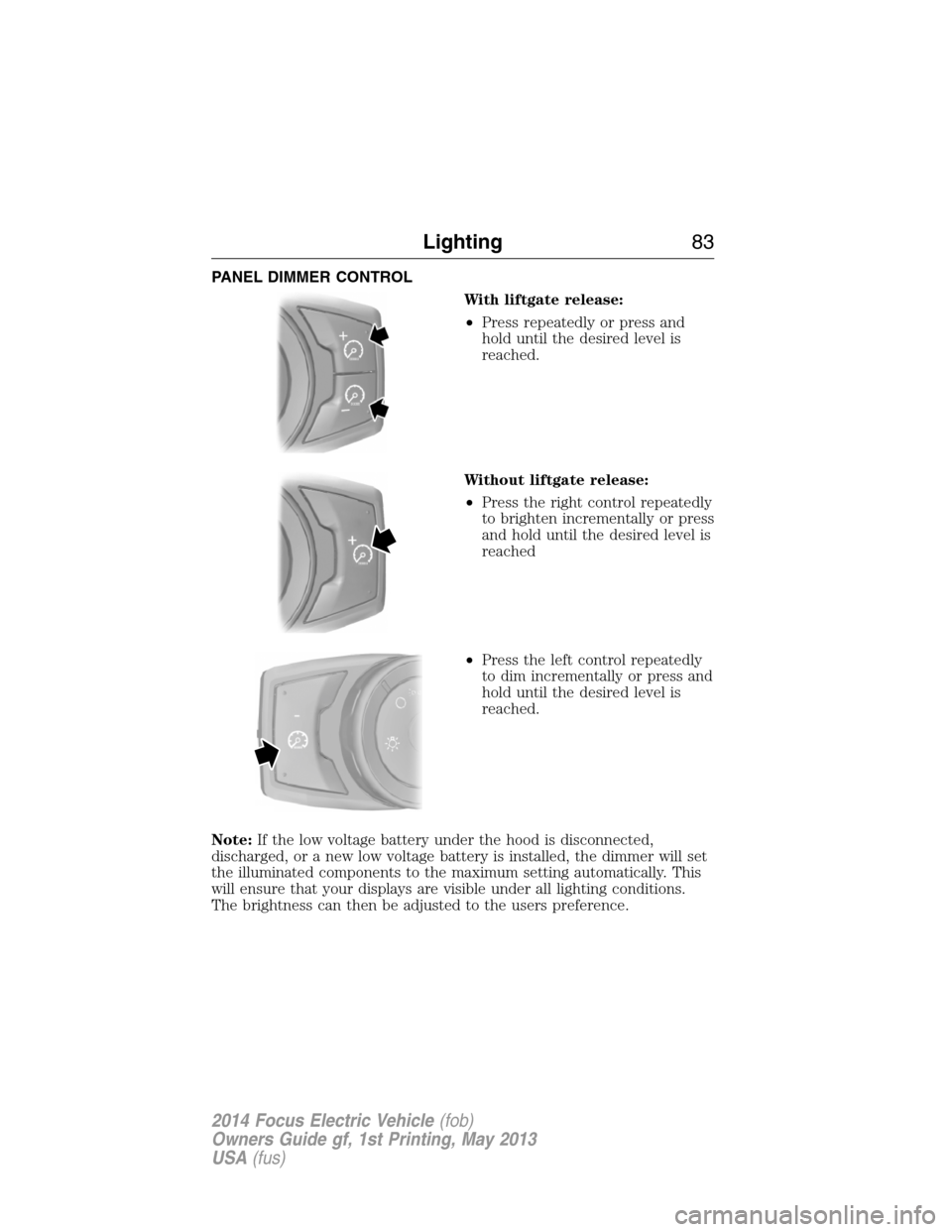
PANEL DIMMER CONTROL
With liftgate release:
•Press repeatedly or press and
hold until the desired level is
reached.
Without liftgate release:
•Press the right control repeatedly
to brighten incrementally or press
and hold until the desired level is
reached
•Press the left control repeatedly
to dim incrementally or press and
hold until the desired level is
reached.
Note:If the low voltage battery under the hood is disconnected,
discharged, or a new low voltage battery is installed, the dimmer will set
the illuminated components to the maximum setting automatically. This
will ensure that your displays are visible under all lighting conditions.
The brightness can then be adjusted to the users preference.
Lighting83
2014 Focus Electric Vehicle(fob)
Owners Guide gf, 1st Printing, May 2013
USA(fus)
Page 96 of 403
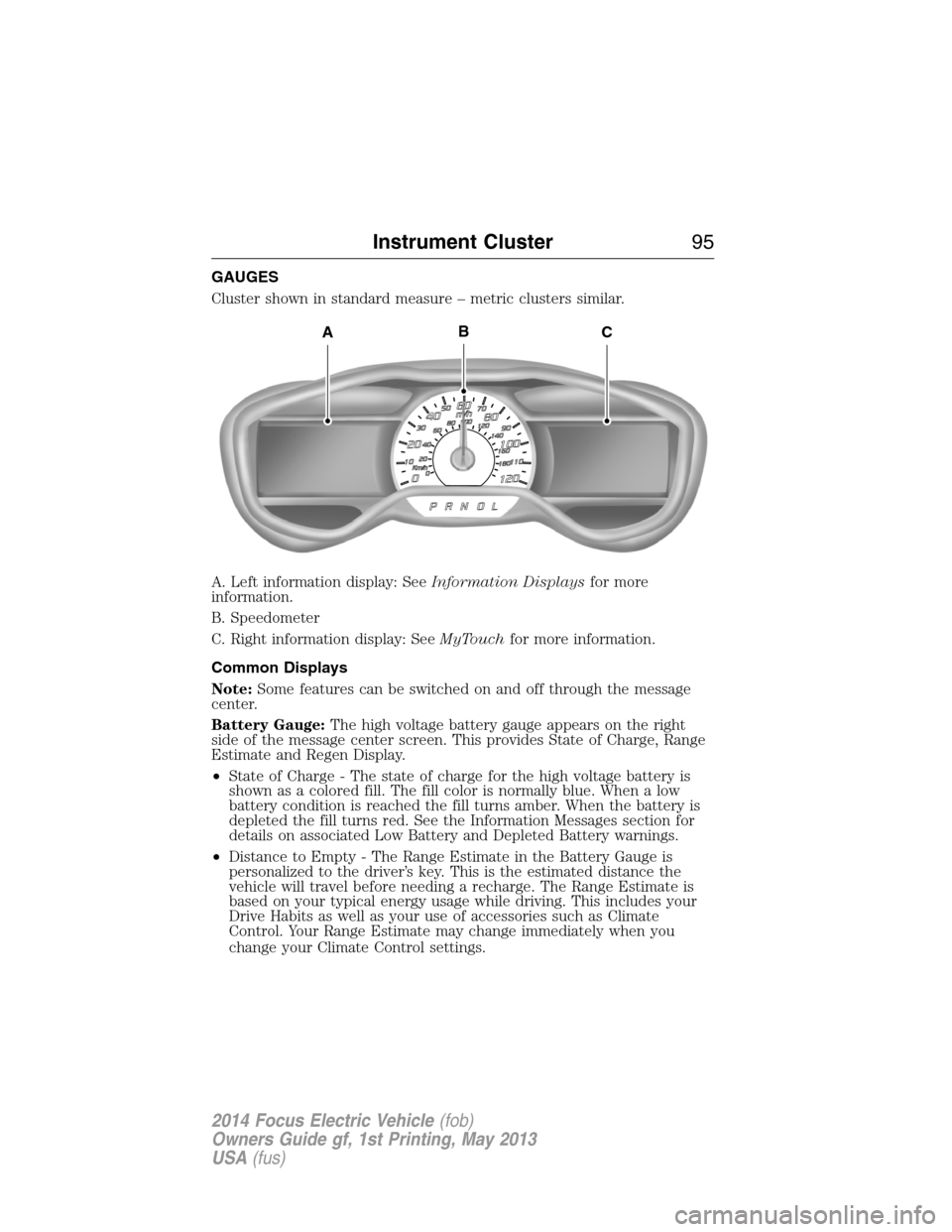
GAUGES
Cluster shown in standard measure – metric clusters similar.
A. Left information display: SeeInformation Displaysfor more
information.
B. Speedometer
C. Right information display: SeeMyTouchfor more information.
Common Displays
Note:Some features can be switched on and off through the message
center.
Battery Gauge:The high voltage battery gauge appears on the right
side of the message center screen. This provides State of Charge, Range
Estimate and Regen Display.
•State of Charge - The state of charge for the high voltage battery is
shown as a colored fill. The fill color is normally blue. When a low
battery condition is reached the fill turns amber. When the battery is
depleted the fill turns red. See the Information Messages section for
details on associated Low Battery and Depleted Battery warnings.
•Distance to Empty - The Range Estimate in the Battery Gauge is
personalized to the driver’s key. This is the estimated distance the
vehicle will travel before needing a recharge. The Range Estimate is
based on your typical energy usage while driving. This includes your
Drive Habits as well as your use of accessories such as Climate
Control. Your Range Estimate may change immediately when you
change your Climate Control settings.
ACB
Instrument Cluster95
2014 Focus Electric Vehicle(fob)
Owners Guide gf, 1st Printing, May 2013
USA(fus)
Page 97 of 403
•Regen Display-Acirculararrowsymbol appears in the center
of the Battery Gauge when energy is being recaptured through the
regenerative braking system.
Brake Coach Display:The Brake Coach appears after the vehicle has
come to a stop. It coaches you to brake in a manner which maximizes
the amount of energy returned through the regenerative braking system.
The percent displayed is an indication of the regenerative braking
efficiency with 100% representing the maximum amount of energy
recovery. If desired, this feature can be disabled in the Display section
of the Settings menu.
Trip Summary and Lifetime Summary:These will be displayed upon
shutting off the vehicle. Trip Summary will appear first, then Lifetime
Summary will be displayed. You can toggle between these displays using
the up and down arrow keys on the left hand steering wheel controls.
Trip Summary data is from the last power cycle, while Lifetime Summary
data is cumulative from the last Lifetime Summary reset done through
the Settings menu in the message center.
Trip Summary:
•Distance - The total distance travelled, and regen distance are
displayed. Regen distance is the estimated range gained from energy
recaptured through regenerative braking.
•Energy Used - The total kilowatt hours and average watt hours per
unit of distance are displayed. The average watt hours per mi (km)
will be shown in blue if less than (better than) the lifetime average
watt hours per mi (km).
•Brake Score - The percentage of braking energy recaptured and
returned to the high voltage battery through regenerative braking.
The brake score will be shown in blue if greater than (better than)
the lifetime brake score.
Lifetime Summary:
•Distance - The total regen distance, which is the estimated range
gained from energy recaptured through regenerative braking.
•Energy Used - The average watt hours per mi (km).
•Brake Score - The average percentage of braking energy recaptured
and returned to the high voltage battery through regenerative braking.
96Instrument Cluster
2014 Focus Electric Vehicle(fob)
Owners Guide gf, 1st Printing, May 2013
USA(fus)
Page 98 of 403

WARNING LAMPS AND INDICATORS
These indicators can alert you to a vehicle condition that may become
serious enough to cause expensive repairs. Many lights will illuminate
when you start your vehicle to make sure they work. If any light remains
on after starting the vehicle, refer to the respective system warning light
for additional information.
Note:Some warning indicators are reconfigurable telltales (RTT). These
indicators appear in the information display and function the same as a
warning light, but do not display on startup.
Airbag readiness
If this light fails to illuminate when the ignition is turned on,
continues to flash or remains on, contact your authorized dealer
as soon as possible. A chime will sound when there is a
malfunction in the indicator light.
Anti-lock brake system
If the ABS light stays illuminated or continues to flash, a
malfunction has been detected. Contact your authorized dealer
as soon as possible. Normal braking is still functional unless the
brake warning light also is illuminated.
Brake system warning light
To confirm the brake system warning light is functional, it will
momentarily illuminate when the vehicle is switched on, to
accessory or Ready to Drive mode.
If it illuminates when you are driving, check that the parking brake is not
engaged. If the parking brake is not engaged, this indicates low brake
fluid level or a brake system malfunction. Have the system checked
immediately by your authorized dealer.
WARNING:Driving a vehicle with the brake system warning
light on is dangerous. A significant decrease in braking
performance may occur. It will take you longer to stop the vehicle.
Have the vehicle checked by your authorized dealer as soon as possible.
Driving extended distances with the parking brake engaged can cause
brake failure and the risk of personal injury.
Instrument Cluster97
2014 Focus Electric Vehicle(fob)
Owners Guide gf, 1st Printing, May 2013
USA(fus)
Page 99 of 403
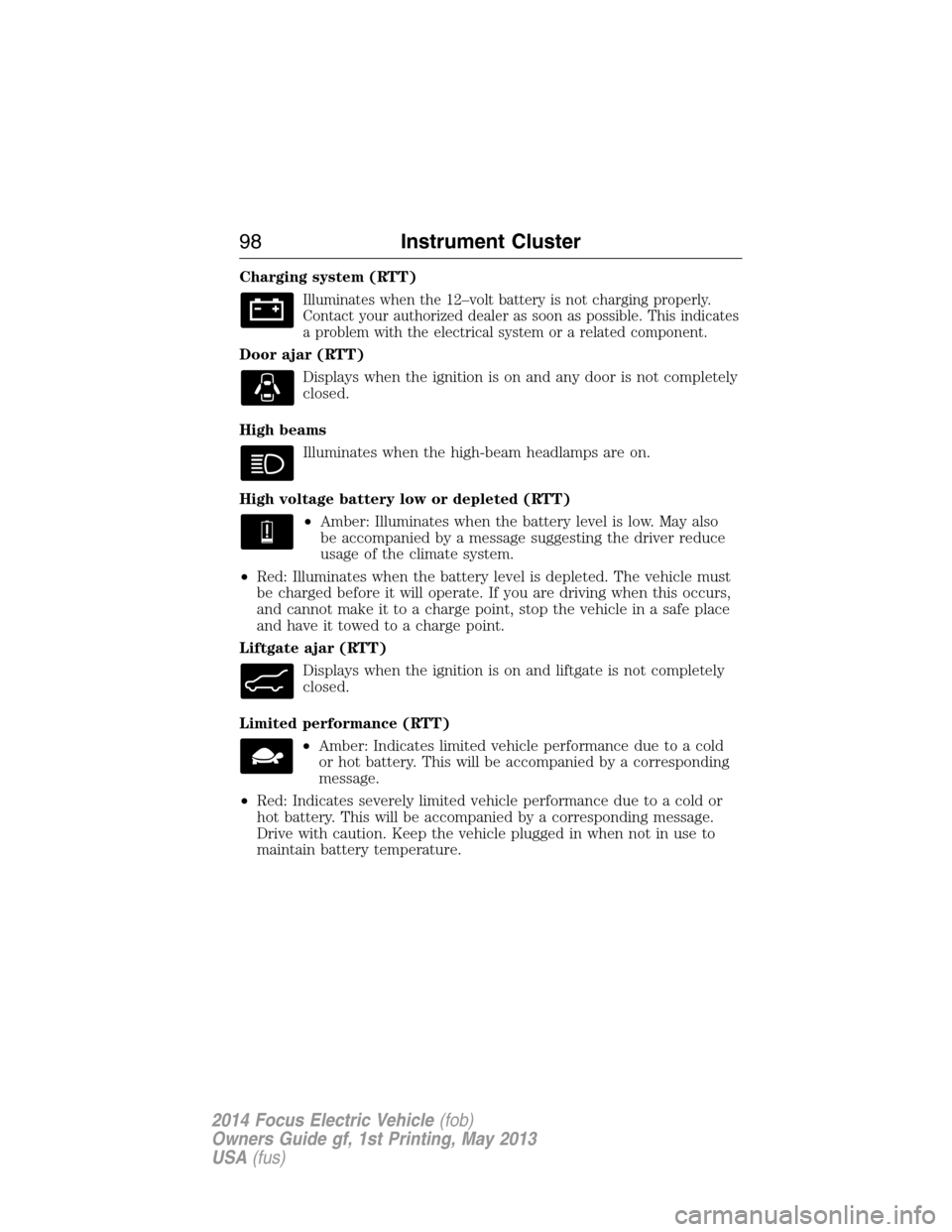
Charging system (RTT)
Illuminates when the 12–volt battery is not charging properly.
Contact your authorized dealer as soon as possible. This indicates
a problem with the electrical system or a related component.
Door ajar (RTT)
Displays when the ignition is on and any door is not completely
closed.
High beams
Illuminates when the high-beam headlamps are on.
High voltage battery low or depleted (RTT)
•Amber: Illuminates when the battery level is low. May also
be accompanied by a message suggesting the driver reduce
usage of the climate system.
•Red: Illuminates when the battery level is depleted. The vehicle must
be charged before it will operate. If you are driving when this occurs,
and cannot make it to a charge point, stop the vehicle in a safe place
and have it towed to a charge point.
Liftgate ajar (RTT)
Displays when the ignition is on and liftgate is not completely
closed.
Limited performance (RTT)
•Amber: Indicates limited vehicle performance due to a cold
or hot battery. This will be accompanied by a corresponding
message.
•Red: Indicates severely limited vehicle performance due to a cold or
hot battery. This will be accompanied by a corresponding message.
Drive with caution. Keep the vehicle plugged in when not in use to
maintain battery temperature.
98Instrument Cluster
2014 Focus Electric Vehicle(fob)
Owners Guide gf, 1st Printing, May 2013
USA(fus)