2014 AUDI RS7 SPORTBACK engine
[x] Cancel search: enginePage 31 of 292

Instrument s and warning /indicator lights 29
.. Turn the menu thumbwheel on the steering
whee l until
Lap time r appears in the instru
ment cluster disp lay .
@ Boost pressure indicator
The current engine load (meaning the current
boost p ressure) is indicated by a bar.
@ Shifting indicator
The shifting i ndicator is only visib le when
shifting gears with the selector lever in tip
tronic mode
c> page 108. Green LEDs turn on
as the engine RPMs increase. The LEDS flash
red at speeds near the RPM lim it.
I n vehicles with a head-up d isplay, the shifting
indicator is shown in the head-up display in
stead of the instr ument cluster. The head-up
display must be switched on in orde r to do
this
c> page 28.
© Engine oil temperature indicator
I f the engine oil temperature is below 60 °(,
the G¥J symbol followed by three hyphens" --
-" and the °C unit is shown.
The engine has reached its operating temper
ature when the engine o il temperature is be
tween 60
· c and 120 °C under normal driv ing
conditions. The eng ine oi l temperature may
be h igher if there is heavy engine load and
high temperatures outside. This is not a cause
for concern as long as the. ~
page 17 or
l!I c> page 17 warning light in the display
does not flash.
Lap timer
Introduction
You can record and eva luate lap times with
the lap timer in the display
c> page 29,
fig. 17 . The time is measured in minutes, sec
onds and 1/10 seconds . The hours are also
shown when the lap time exceeds 60 minutes.
The maximum individual measurement is
99
hours . A maximum of 50 laps may be record
ed .
A WARNING
Please devote your full attention to driv
ing . As the driver, you have complete re
sponsib ility for safety in traffic. Only use
the functions in such a way that you always
maintain complete control over your vehi
cle in all traffic situations.
(D Tips
When the lap timer stopwatch is running,
you can call up the on-board computer in
formation.
Calling up the lap timer and timing
Fig. 17 Display: Lap t imer
Calling up the lap timer
.. Turn the thumbwheel until the lap timer ap-
pears.
Timing laps
.. To start t iming, press the thumbwhee l.
.. To stop t iming for this lap, press the thumb
wheel again . This also starts timing the next
round. The previous timing always moves
one line up. The lap number that corre
sponds to the timing is displayed in front of
the individual tim ings .
Displaying intermediate time and paus ing
timing
.,. To display an intermediate time, press the
thumbwheel. The timing continues to run in
the backg round.
.. To pause timing, press the thumbwheel.
.. To continue timing, press the thumbwheel
again.
Page 32 of 292
30 Instruments and warning/indicator lights
If timing is paused, you can continue it late r
even if you sw itch the ignition off .
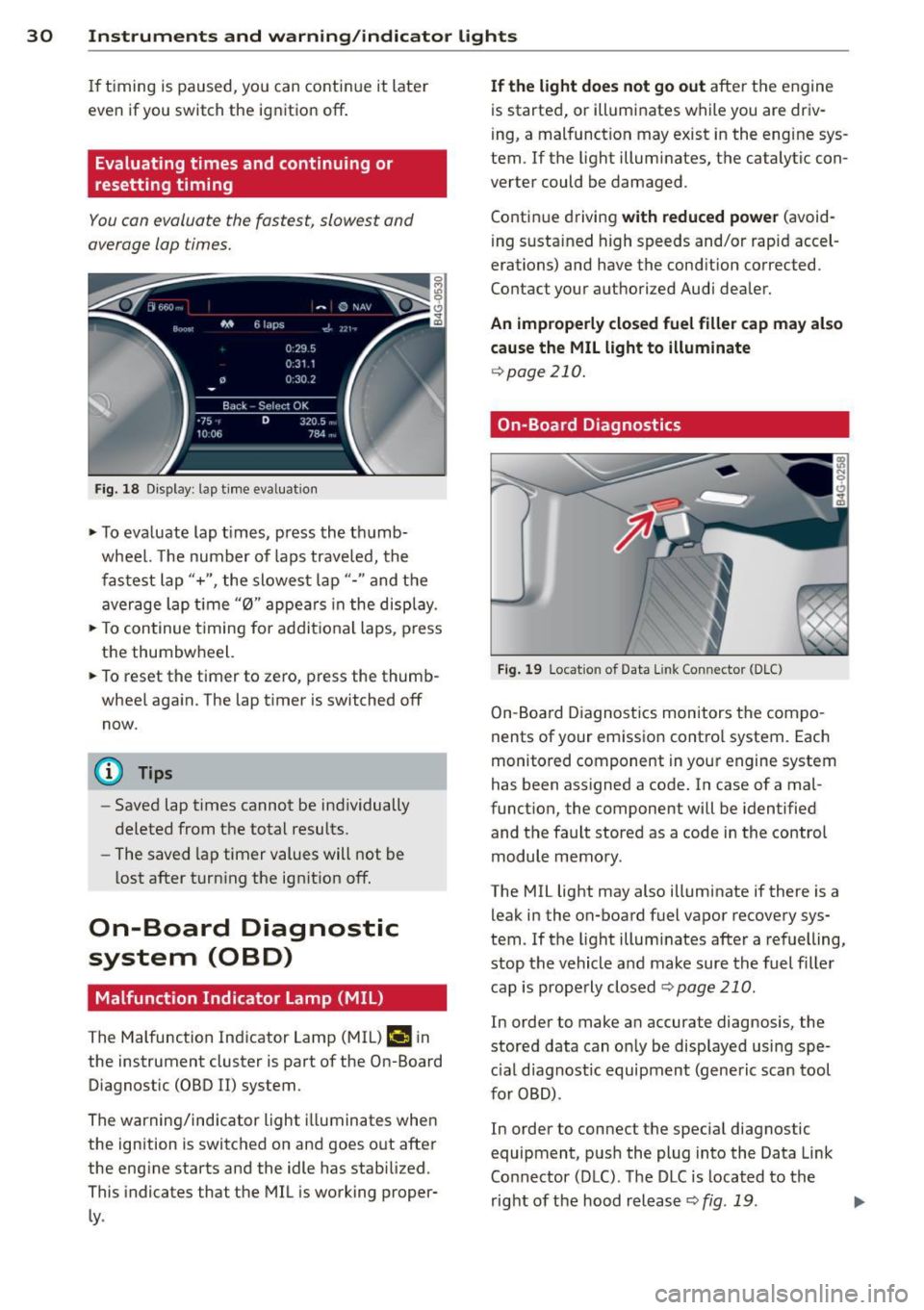
Evaluating times and continuing or
resetting timing
You can evaluate the fastest, slowest and
average lap times.
Fig. 18 Dis play : lap time eva luat ion
.,. To evaluate lap times, press the thumb
wheel. The number of laps traveled, the
fastest lap"+", the slowest lap"- " and the
average lap t ime "0" appears in the display .
.,. To continue t iming for addit ional laps , press
the thumbwheel.
.,. To reset the timer to zero, press the thumb
wheel again. The lap timer is switched off now.
@ Tips
- Saved lap times cannot be individually
deleted from the total results.
- The saved lap timer values will not be
lost after turning the ignit ion off.
On-Board Diagnostic
system (OBD)
Malfunction Indicator Lamp (MIL)
The Malfunction Indicator Lamp (MIL) ¢4 in
the instrument cluster is part of the On-Board Diagnostic (OBD
II) system.
The warning/indicator light illuminates when
the ignition is switched on and goes out after
the engine starts and the idle has stabilized .
This indicates that the MIL is working proper
ly .
If the light does not go out after the engine
is started, or illuminates while you are driv
ing, a malfunction may exist in the eng ine sys
tem . If the light illuminates, the catalytic con
verter could be damaged .
Continue driving
with reduced power (avoid
ing sustained high speeds and/or rapid accel
erations) and have the condition corrected.
Contact your authorized Audi dealer.
An improperly closed fuel filler cap may also
cause the MIL light to illuminate
¢page 210.
On-Board Diagnostics
Fig. 19 Locat io n of Data Link Co nnector (D LC)
On-Board Diagnostics monitors the compo
nents of your emission control system . Each
monitored component in your engine system
has been assigned a code. In case of a mal
function, the component will be identified
and the fault stored as a code in the control
module memory.
The MIL light may also illuminate if there is a leak in the on-board fuel vapor recovery sys
tem. If the light illuminates after a refuelling,
stop the vehicle and make sure the fuel filler
cap is properly closed
Q page 210 .
In order to make an accurate diagnosis, the
stored data can only be displayed using spe
c ial d iagnostic equipment (generic scan tool
for OBD) .
In order to connect the special diagnostic
equipment, push the plug into the Data Link
Connector (DLC). The DLC is located to the
right of the hood release
Q fig . 19 . liJJ,
Page 34 of 292

32 Opening and clo sing
Opening and closing
Keys
Key set
Fig . 20 Key set
@ R emot e con trol k ey w ith m echan ical
ke y
You can centrally lock and unlock your vehicle
and start the engine with the master key with
remote control. A mechanical key is integrat
ed in the remote control key
r:::;, page 33 .
@ Eme rgenc y ke y
The emergency key is not intended for con
stant use.
It should only be used in an emer
gency. Keep it in a safe place and do not carry it on your key ring .
Key replac em ent
If you lose a key, contact your authorized Audi
dealer immediately to have the
lost key disa
bled. Be sure to bring all your keys with you.
P er sonal c omfo rt se ttin gs
If two peop le use one vehicle, it is recom
mended that each person always uses "their
own" master key . When the ignition is switch
ed off or when the vehicle is locked, personal
convenience settings for the follow ing sys
tems are stored and assigned to the remote master key .
- Automatic climate control
- Central locking system
- Amb ience light ing*
- Seat memory*
- Parking system*
- Adaptive cruise control* - Audi active
lane assist *
- Aud i side assist*
- Aud i drive select
- Night vision assistant*
- Heated steering wheel*
The stored settings are automatically recalled
when you unlock the vehicle, when you open
the doors or when you switch the ignition on.
A WARNING
-- Do not leave your vehicle unattended . Al-
ways take your ignit ion key with you and
lock your vehicle . Entry by unauthorized
persons could endanger you or resul t in
theft or damage the vehicle.
- Do not leave children unattended in the veh icle, especially with access to vehicle
keys. Unguarded access to the keys pro
vides children the opportunity to start the engine and/or activate vehicle sys
tems such as the power windows, etc .
Unsupervised operation of any vehicle
system by children can result in serious
injury.
(1) Tips
- The operation of the remote control key
can be temporar ily disrupted by interfer
ence from transm itters in the vic inity of
the vehicle working in the same frequen
cy range (e.g. a cell phone, radio equip
ment).
- For security reasons, rep lacement keys
are only ava ilable from Audi dealers.
- For Declaration of Compliance to United
States FCC and Industry Canada regula
tions
r:::;, page 276.
Page 35 of 292

Removing the mechanical key
Fig. 21 Remote control maste r key : re mov ing the me
c han ical key
• Press the release button @ c:> fig. 21.
• Pull the mechanica l key @ out of the master
key.
Using the mechan ica l key, you can:
- lock and unlock the storage compartment
on the passenger's side
c::> page 61.
- lock and unlock the vehicle manually
c::>page 37 .
-lock the front and rear passenger doors me
chanically
c:> page 38.
Master key battery replacement
Fig . 22 Remote master key : Re mov ing the ba ttery
holde r
Check light in the master key
The check light @ in the master key provides
information about different cond itions .
• The check light comes on briefly once when
a button is pressed, and during an "inquiry"
by the conven ience key system .
• If the check light does not come on, the bat
tery is dead and has to be replaced . In add i
t ion, when the battery is dead the
I!! sym
bol appears in the instrument cluster dis-
Opening and closing 33
play as well as the message : Please change
key battery .
Master key battery replacement
• Pull the mechanical key out of the master
key
c::> page 33.
• Press the release button @ on the battery
holder and at the same time pull the battery
holder out of the master key in the direction
of the arrow.
• Install the new battery CR 2032 with the
"+ " sign facing down.
• Push the battery holder carefully into the
maste r key .
• Install the mechanical key.
@ For the sake of the environment
Dispose of dead batteries properly so as
not to poll ute the environment .
(D Tips
The replacement battery must be the
same specification as the original.
, Electronic immobilizer
The immobilizer helps to prevent unauthor
ized use of your vehicle .
A computer chip inside your key automatically
deactivates the electronic immobilizer when
the key is inside the vehicle. When you remove
the key from the vehicle, the electronic immo
bilizer is automatically activated once again .
A WARNING
-
Always take the key with you when you
leave the vehicle. The key can disarm the
e lectronic engine immobilizer and permit
an unauthorized person to start the engine
and enable operation of the vehicle sys
tems such as power window or power sun
roof leading to serious personal injury.
(D Tips
- Th e veh icle cannot be started if an unau
thorized key is used. The vehicle may not
start if another radio device such as a key .,.
Page 38 of 292
36 Openin g and clo sing
• Press button rfl (@ ) to lock the vehicle¢ &
in General description on page 34.
• Press button c:s (@ ) briefly to un lock the
rear lid.
• Push the red
IPANICI button( @) to activate
the panic function . The horn sounds and the
turn s ignals flash. Push the red
I PANIC I but
ton aga in to deact ivate the panic function.
If the vehicle is unlocked and no door, the rear lid or the hood is opened with in 60 seconds,
the vehicle locks itself again automatically .
This feature prevents the ve hicle from be ing
accidenta lly left unlocked ove r a long period
of time.
It depends on the sett ings in the MMI wheth
e r the enti re veh icle is un locked or on ly cer
tain doors ¢
page 35.
.&_ WARNING
Read and follow a ll WARNINGS¢ &. in
General description on page 34.
{D Tips
- In order to make sure the locking func
tion is working, you shou ld always keep
you r eye on the vehicle to make su re i t is
properly locked.
-
- Do not use the remote control if you are
i nside the car, o therwise you may unin
tentiona lly lock the vehicle, and then you
would set off the anti-theft alarm when
you try to start the engine or open a
door. In case this happens anyhow, push
the un lock button @.
- The vehicle can on ly be locked when the
se lector lever is in the P posit ion.
- Use the panic funct ion only i f you are in
an emergency situation.
Locking and unlocking with convenience
key
Appl ies to vehicles : wi th convenience key
The doors and the rear lid can be unlocked
and locked without operating the master key.
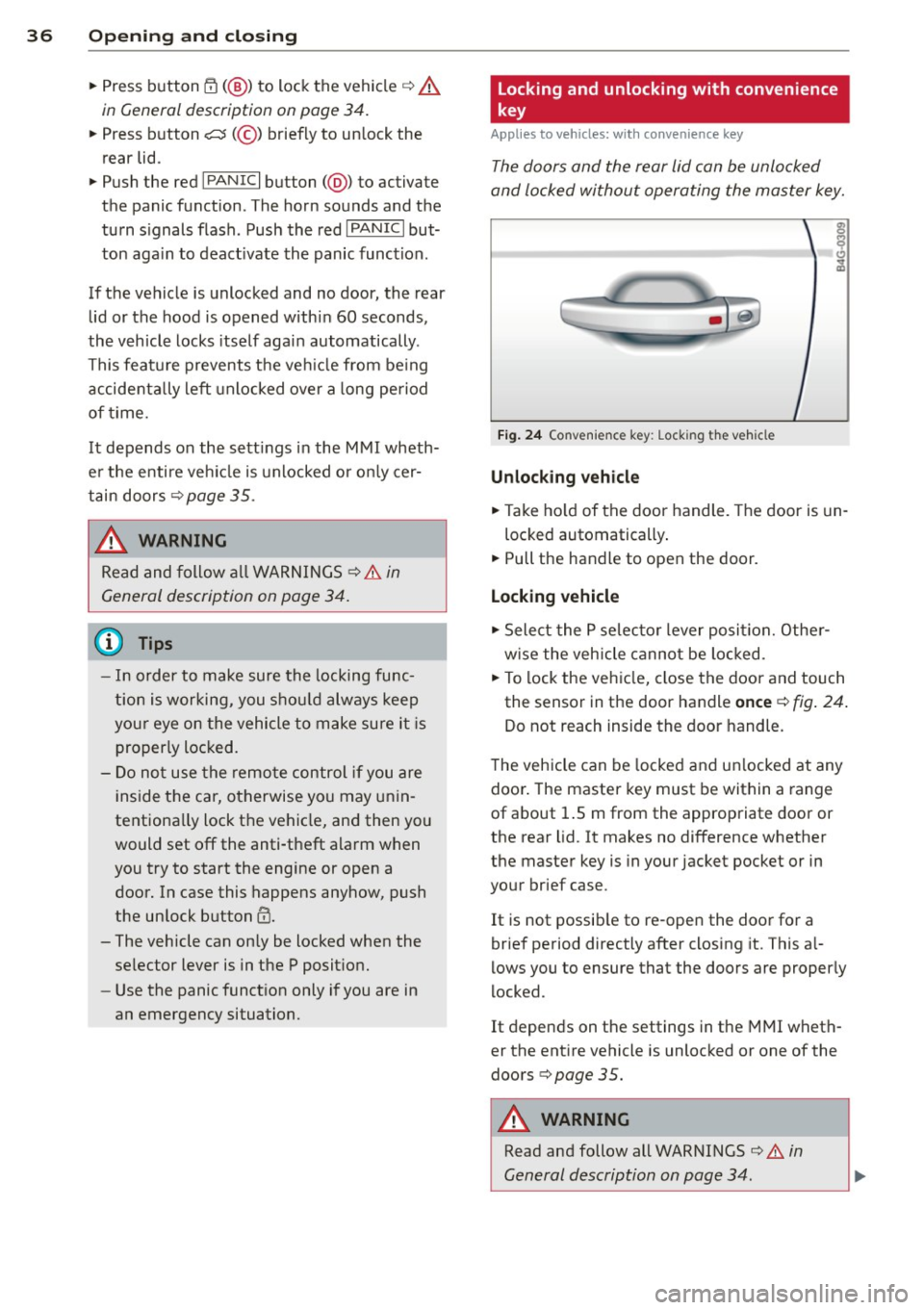
Fi g. 24 Co nve nienc e key: Lock ing the vehicle
Unlocking vehicle
• Take ho ld of the door handle . T he door is un-
locked automatically .
• Pull the handle to open the door.
Locking vehicle
• Select the P se lec to r lever posit ion. Othe r
w ise the vehicle cannot be loc ked.
• To lock the veh icle, close the door and touch
the sensor in the door handle
once ¢ fig. 24 .
Do not reach inside the door handle.
T he vehicle can be locked and un locked at any
door . The master key must be within a range
of about 1.5 m from the appropriate door or
the rear lid. It makes no difference whether
the master key is in your jacket pocket or in
your brief case.
It is not possib le to re-open the door for a
brief period directly after closing it. This a l
l ows you to ensure that the doors are properly
locked.
It depends on the settings in t he MMI wheth
er the ent ire vehicle is unlocked or one of the
doors ¢
page 35 .
.&_ WARNING ~ -
Read and follow all WARNINGS ¢.&. in
General description on page 34 .
Page 43 of 292
![AUDI RS7 SPORTBACK 2014 Owners Manual .. To activate the child safety lock for the left/
right rear door, press the left/right button
Ii]
in the drivers door ¢ fig. 33. The light in the
button w ill turn on.
.. To](/manual-img/6/57649/w960_57649-42.png "AUDI RS7 SPORTBACK 2014 Owners Manual .. To activate the child safety lock for the left/
right rear door, press the left/right button
Ii]
in the drivers door ¢ fig. 33. The light in the
button w ill turn on.
.. To")
.. To activate the child safety lock for the left/
right rear door, press the left/right button
Ii]
in the driver's door ¢ fig. 33. The light in the
button w ill turn on.
.. To deactivate the child safety lock for the
left/right rear door, press the left/r ight but
ton
1±1 in the driver's door. The light in the
button turns off.
The follow ing features are switched off:
- The interior door handles in the rear doors,
- The power windows in the rear doors.
I n order to activate the child safety lock on
the left and the right s ide, press the two safe
ty buttons
Ii] in succession.
Power windows
Controls
The driver can control all power windows.
Fig. 34 Section of the driver 's doo r: Cont rols
l(l 0 0 0
"' m
All power window switches are provided with
a two-position function :
Opening the windows
.. Press the switch to the first stop and hold it
until the window reaches the desired posi
tion.
.,. Press the switch br iefly to the
second stop
to automatically open the window.
Closing the windows
.. Pull the switch to the first stop and hold it
until the window reaches the desired posi
t ion.
.. Pull the switch briefly to the
second stop to
automatically close the window .
Opening and closing 41
Power window switches
@ Driver's door
® Passenger's door
© Left rear door
@ Right rear door
.,&_ WARNING
-When you leave your vehicle - even if on
ly briefly - always take the ignit ion key
with you. This applies particularly when children remain in the vehicle. Otherwise
the children could start the engine or op
erate electrical equipment (e.g. power
windows). The power windows are func
tional until the driver's door or passeng
er's doo r has been opened.
- Be careful when closing the w indows.
Check to see that no one is in the way, or
serio us injury could result!
- When locking the vehicle from outside,
the vehicle must be unoccupied since the
windows can no longer be opened in an
emergency .
{D Tips
-When you open the doors, the windows
automatically lower abo ut 10 mm.
- When the window in the driver's or pas
senger's door is complete ly open, it will
raise approximately 25 mm when the
door is opened. The window will lower
again when you close the door.
- After the ignition has been switched off,
the windows can sti ll be opened or
closed for about 10 minutes. The power
windows are not switched off until the
dr iver's door or passenger's door has
been opened .
What to do after a malfunction
The one-touch open and close function must
be reactivated if the battery has been discon
nected.
.. Pull and ho ld the power window switch until
the window is fully closed. .-
Page 62 of 292
60 Seats and st o rage
12-volt sockets
Appl ies to vehicles: wit h 12-volt sockets
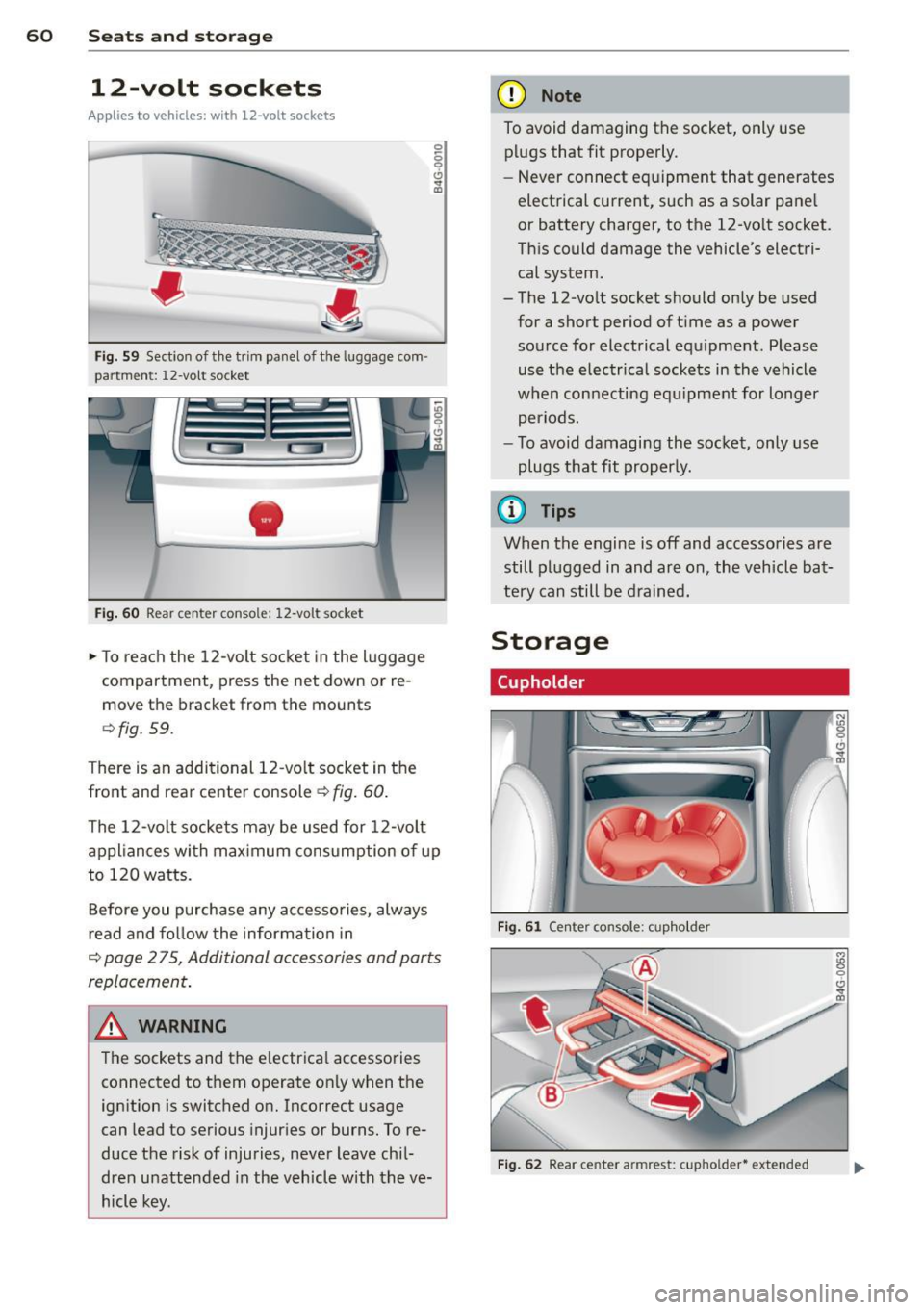
Fig. 59 Sect ion of the trim panel o f th e luggage com ·
par tm ent: 12-vol t so cket
-
Fig. 60 R ear cente r co nso le: 12-vo lt socke t
,. To reach the 12-volt socket in the luggage
compartment, press the net down or re
move the bracket from the mounts
¢ fig . 59.
There is an additional 12-vo lt socket in the
front and rear center console~
fig. 60.
0 5 0 6
~
The 12-volt sockets may be used for 12-volt
appliances with maximum consumption of up
to 120 watts.
Before you purchase any accessories, always
read and fo llow the information in
¢ page 2 75, Additional accessories and parts
replacement .
A WARNING
The sockets and the e lectrical accessories
connected to them operate only when the
ign ition is switched on. Incorrect usage
can lead to serious injur ies or burns. To re·
duce the risk of injuries, never leave chi l
dren unattended in the vehicle w ith the ve
hicle key.
(D Note
To avoid damaging the socket, only use plugs that fit properly.
- Never connect equipment that generates
electrical current, such as a solar pane l
or battery charger, to the 12-vo lt socket.
This could damage the vehicle's electri cal system.
- The 12-vo lt socket should on ly be used
for a short period of ti me as a power
source for electrical equ ipment . Please
use the electrical sockets in the vehicle
when connecting equ ipment for longer
periods.
- To avoid damaging the socket , only use
plugs that fit properly.
(0 Tips
When the engine is off and accessories are
still plugged in and are on , the vehicle bat
tery can still be drained.
Storage
Cupholder
F ig. 6 1 Ce nter co ns ole: c upho lde r
Fig. 62 Rear ce nter a rmrest : cupho ld er* extend ed
Page 71 of 292
Warm and cold Four-zone automatic
climate control
Description
Applies to vehicles: with four-zone automat ic climate co n
tro l
The climate control system warms, cools and
adds humidity to the a ir in the veh icle inter io r.
It is the most effect ive when the windows and
sunroof* are closed.
If the temperature inside
the parked vehicle becomes very warm, open ing the window briefly will speed up the cool
ing process.
I n all heating mode functions except
defrost,
the blower on ly switches to a higher speed
once the engine coolant has reached a certain
temperature.
Condensation from the cooling system can
drip and form a puddle of water under the ve
hicle. This is normal and does not mean there
is a leak.
Pollutant filt er
The po llutant filter removes pollutants such
as dust and pollen from the air.
The air pollutants filter must be changed at
the intervals spec ified in your Wa rranty
&
Maintenance book let, so that the air condi
tioner can properly work.
I f you d rive your vehicle in an area with h igh
air po llution, the fi lter may need to be
changed more frequent ly than specified in
your Audi Warranty
& Maintenance booklet. If
in doubt, ask your authorized Audi Service Ad·
visor for advice.
Key coded setting s
The clima te control sett ings are a utomat ica lly
stored and assigned to the remote contro l key
that is in use .
Warm and c old 69
A WARNING
-
Reduced visibi lity is dangerous and can
cause acc idents .
- For safe driving it is very important that
all windows be free of ice, snow and con
densat ion.
- Comp letely fam il iarize yourse lf with the
proper use and funct ion of the heat ing
a nd ventilation system and especially
how to defog and defrost the w indows.
- Never use the windshield wiper/washer system in freez ing weathe r unt il you
have warmed the windshie ld first, using
the heating and ventilation system. The
washer sol ution may freeze on the wind
shie ld and red uce visibi lity.
CJ) Note
- If you s uspect that the air conditioner
has been damaged, switch the system
off to avoid furt her damage and have it
inspected by a qualified dea lership .
- Repairs to the Audi air conditioner re
quire specia l technical know ledge and
special tools. Contact an authorized Audi
dealer fo r ass istance.
@ For the sake of the envi ronment
By reducing the amount of f uel you use,
you also red uce the amount of pollutants
emitted into the air.
(D Tips
- Keep the air intake s lo ts ( in front of the
w indshield) free from ice, snow and de
bris in order to maintain the proper func
tion of the climate control system.
- The energy ma nagement system may
switch the seat heating* or rear window defroster off temporar ily. These systems
are available again as soon as the energy
balance has been restored .
- Air escapes through vents under the rear window. When plac ing items of cloth ing
on the luggage compartment cover, en
sure that the openings are not covered.