2014 AUDI R8 SPYDER ignition
[x] Cancel search: ignitionPage 49 of 244

shown as active in the driver information
system.
The
coming home function illuminates the
area around the vehicle when the ignition is
switched off and the driver 's door is opened.
The length of time the lights rema in on can be
set in the menu display
(Lights> Exterior
lights> coming home) .
The leaving home function illuminates the
area around the vehicle when unlock ing it.
A WARNING
- Never use daytime running lights to see
where you are going. They are not bright enough and will not let you see far
enough ahead for safety, especially at
dusk or when it is dark . Be aware of
changes in outside light conditions when
you are driving and respond by switching
on your low beams.
- Automatic head- and taillight control is
only intended to assist the driver. This
feature does not relieve the driver of his
responsibility to check the headlights
and to turn them on manually according
to the current light and visibility condi
tions. For example, fog and rain cannot
be detected by the light sensors. Conse
quently, always switch the headlights on
under these weather conditions and
when driving in the dark.
- Crashes can happen when you cannot see
the road ahead and when you cannot be
seen by other motorists .
-Always turn on the headlights so that you can see ahead and so that others can see your car from the back.
- Please observe legal regulations when
using the light ing systems descr ibed .
@ Tips
-Always observe the specific local regula
tions for your area when to use your
lights .
- Turn on low beams as evening ap
proaches or in conditions of poor visibili
ty. Clear vision 4
7
- Do not attach stickers to the windshield
in front of the sensors as this can disable
the automatic head- and taillight control
and the automatic glare-dimming of the
rearview mirror(s)*.
- If you remove the ignition from the igni
tion lock while the headlights are still
on, a buzzer will sound as long as the
driver's door is open to remind you to
turn off the lights .
- In the AUTO mode, the low beams are
turned off when the ignition is turned
off. The remaining lights are turned off
when the key is taken out of the ignition .
- In cool or damp weather conditions the
headlights may fog over temporarily on
the inside.
- The critical factor is the temperature
difference between the interior and the
exterior of the headlight Lens.
- With the main beams switched on, the
light-emitting area will be free of con
densation after a short time, however
the edges of the glass may still be fog
ged .
- This physical phenomenon has no ef
fect on the life of your vehicle's light
ing system .
Turn signals and high beam lever
The lever on the left side of the steering col
umn is used to operate the turn signals and the high beam as well as the headlight flash
er.
t
'
Fig. 53 Turn signal and high b eam lever
The turn signal and high beam lever has the
following functions: ..,.
Page 51 of 244

Interior lights
Interior lights
The interior lights include the reading lights
for the driver and the front passenger .
Fig. 55 Section from headliner : In terior lights
Activating door contact circu it
• Press the button @. The LED in the button
illuminates.
Deactivating do or contact circu it
• Press the button @. The LED in the button
goes out.
Fr ont re ad ing l ight s
~
• Press one of the switches ® to turn the
right or left reading light on/off .
"' l1l 0
With the door contact circuit, the interior
lights turn on as soon as you unlock the vehi
cle or open the doors. The interior lights are
also turned on when the ignition key is re
moved. The lights turn off about 30 seconds
after the doors are closed . When the vehicle is
locked or when the ignit ion is tu rned on, the
inte rior lights are turned off .
When a door is open, the interior lights are
turned off after about 10 m inutes to prevent
battery draining.
The brightness of the lights is controlled au
tomatically by a dimmer when they are
switched on/off.
Clear vi sion 49
Instrument panel illumination
The illumination of the instruments, displays
and the center console can be adjusted .
Fig . 56 Instrumen t pa nel illuminat ion
You regu late the brightness of the instr u
ments with the left thumbwheel
C1 ~ fig . 56 .
Ignition ON, light switch at @
With the ign ition switched ON, the glow of
in
strument needles
can be adjusted to appea r
brighter o r dimmer.
Ignition ON, light switch at
:oo~ or ~D.
With the lights switched on, the brightness of
instrument cluster (i.e. needles, gauges and
displays) and center conso le illuminat ion can
be adjusted .
(D Note
The instrument cluster and center conso le
ill umination (gauges and need les) comes
on when you sw itch on the ignition and the
v eh icle headlight s are off . Be awa re of the
fo llow ing difference be tween models bu ilt
to US or Canadian specifications:
- USA mo dels: illumination o f the i nstr u
ment cl uster (gauges and need les), dash
and center conso le around the gearshift
lever is controlled by a light sensor locat
ed in the instrument pane l. The instru
ment pa nel illuminat ion w ill automati
cally become dimmer as the daylight
fades away and eventually will go out completely when outs ide light is very
low. This is to remind you, the dr iver, to
switch o n the hea dlights before it ge ts
too d ark .
Page 54 of 244

52 Clear vis ion
• Move the interva l set switch @, to change
the interva ls.
Low wiper sp eed
• Move the leve r up to position @.
High wiper speed
• Move the lever up to position @.
One-touch wiping
• Move the lever to position@, when you
want to wipe the windshield briefly.
Automatic wiper /washer
• Pull the lever to position ® (toward the
steering wheel) and ho ld.
• Re lease the lever. The washer stops and the
wipers keep going for about four seconds .
Turning off the wipers
• Move the leve r back to position @.
The windshield wipers and washer only work when the ignition is turned on. If you switch
off the ignit ion w ith the windshield wiper lev
e r still in the interval wipe position and then
come back a while later and drive off, the rain
sensor will reactivate itse lf after the vehicle
speed has exceeded 4 mph (6 km/h).
The rain sensor* is only activated with the
wiper leve r set to posit ion
(D . When it starts
to rain, the rain sensor will automatically acti
vate the intermittent wiping mode.
To reduce the sens it iv ity of the se nsor, move
switch @down. To increase the sens itiv ity,
move the switch up. The highe r you adjust the
sens itivity, the faster the sensor wi ll react
when it se nses moisture on the windshield.
The pauses between w iper turns depend not
only on the sensitivity setting, but on the ve
h icle speed as well.
During brief stops, e .g. at a red light, wiper
motion wi ll automatica lly be reduced to the
next lower speed. Wipers already turning at
low speed change to interm ittent wip ing .
When the ignition is turned on, t he washer
jets are heated.
A WARNING
- W iper blades are crucial for safe driving!
O nly when they are i n good condit io n are
they able to clear the windows properly
to p rov ide uncomprom ising v is ibility.
Wo rn o r damaged wipe r blades are a
safety haz ard
~ page 54, Replacing
windshield wiper blades!
- The light/ rain sensor* is only des igned to
assis t and support the d river. It remains
entire ly the driver's responsibility to
monitor outside weather condit ions and
to manually activate the wipers as soon as rain or dr izzle reduces v is ibility
through the windshield.
- The windsh ield must not be treated w ith
water-repellent materials. They can in
crease glare under poor v is ibility condi
tions such as wetness, darkness, or when
the sun is low on the hor izon. In addi
tion, they can cause the w indshield w ip
ers to chatter.
(D Note
In freezing o r near freezing conditions:
- Always check that the w iper blades are
not frozen to the g lass before you turn
the wipers on. Loosen a wiper blade
w hich is frozen in place before operating
the wipe rs to prevent damage to the
w iper blade or the wiper motor.
- Do not use the w ipers to clear a frosted
w indow. Using the wipers as a conve n
ient ice scr ape r will dest roy the wipe r
blades.
- Before yo u take your ve hicle to a n auto
ma tic ca r w ash, ma ke s ure you have the
w indshield wiper system switched off
(lever in position 0), otherwise the wind
shield wiper system could get damaged
in the car wash i f it should suddenly
come on.
(D Tips
- The windshie ld wipers are switched off
when the ignit ion is turned off. Act ivate
the winds hield wipers after the ignition
Page 55 of 244

is switched back on by moving the wind
shield wiper lever to any position.
- Worn or dirty windshield wiper blades
cause smearing, which can affect the op
eration of the light/rain sensor*. Check
the condition of your windshield wiper
blades regularly.
- The rain sensor is part of the interval
wiping system. Turning off the ignition
will also deactivate the rain sensor. To re
activate the sensor, switch off the inter
val wiping function, then switch it back
on again.
- Applies to vehicles with light/rain sen
sor: When the wipers are switched on
manually and in rain conditions, the au
tomatic headlights* turn on
c;> page 46,
Lights or off during the day when the
wipers are no longer operating. The au
tomatic headlights* function is available
in this case only when the light switch is
in the "AUTO" position
c;> page 46,
fig. 52.
-Make sure the washer fluid reservoir in
the engine compartment is topped off
before going on a long trip. Look up
c;> page 188 for checking and filling the
washer container.
- The wipers only operate with the hood
completely closed.
Service position
It is only possible to change wiper blades if
you move the wiper arms to the service posi
tion.
In order to use the windshield wipers, the
front lid must be completely closed.
Moving wiper blades to the service
position
.,. When there is a risk of frost, make sure that
the wiper blades are not frozen to the wind
shield .
.,. Switch the ignition on .
.,. Move the wiper lever to position
0
c;>page 51, fig. 60 .
Clear vision 53
.,. Press the I RESET ! button until the Display
type
menu appears in the Driver Informa
tion System display.
.,. Using the rocker switch and the
I RESET ! but
ton, select the
Set > Wipers > Front> Serv
ice position on
function. The windshield
wiper arms move to the service position.
Moving wiper blades to park position
.,. Make certain that the wiper arms are lying
against the windshield.
.,. Switch the ignition on and move the wiper
lever from position
O to 4 c;> page 51,
fig . 60. The wiper arms will move back to
the park position.
(D Note
Never drive your vehicle when the wind
shield wiper arms are in the service posi
tion and pulled away from the windshield.
When you drive faster than 4 mph (6 km/
h), the wiper arms automatically return to
the park position and could cause paint
damage to the front lid!
(D Tips
-You can also turn on the service position,
for example, if you want to protect the
windshield from icing by using a cover.
- The service position moves to
off auto
matically when you operate the wind
shield wiper lever, or speed exceeds
4 mph (6 km/h).
Cleaning windshield wiper blades
Clean the windshield wiper blades when they
begin to leave streaks .
.,. Place the windshield wiper arms in the serv
ice position. Refer to
c;> page 53.
.,. Use a soft cloth and glass cleaner to clean
the windshield wiper blades.
A WARNING
Dirty windshield wiper blades can impair
your view. This can lead to accidents.
Page 56 of 244

54 Clear vis ion
Replacing windshield wiper blades
Wiper blades in good condition help keep the
windshield clear .
Fig. 61 Unl atc hing wiper b lades
Fi g. 62 Remov ing wiper blades
Removing the wip er blade
.. Move the wipers to the service position
¢ page 53.
.. Fold the w indshield w iper arm away from
the g lass .
.. On the upper end of the wiper arm at the
corrugation, squeeze the plastic retainer to
gether on both sides in the direction of the
arrow ¢
fig. 61.
.. Rotate the wiper blade in the direction of
the arrow @¢
fig. 62 away from the wiper
arm .
.. Lift the w iper blade off in the direction of
the a rrow @.
Inst alling the wiper bl ade
.. Place the rounded end of the wiper onto the
end of the wiper arm in the
opposit e direc
t ion to the arrow @¢
fig. 62 .
.. Squeeze the corrugation on the w iper until
yo u hear it clic k in the wipe r arm .
.. Fold the w iper arm back onto the wind
shield. ..
Switch the ignition on and move the wipe r
lever down briefly¢
page 51, fig . 60 . The
w iper w ill move back to the park position.
_& WARNING
--
For your safety, you shou ld rep lace the
wiper b lades once or twice a year. See your
authorized Audi dealer for replacement
blades.
(D Note
- The wiper blades may only be changed
¢ page 53 in the service posit ion! Othe r
w ise, you risk damag ing the pa int on the
front lid or the windshield wipe r motor.
- To help prevent damage to the w iper sys
tem, always loosen blades wh ich are fro
zen to the windshi eld before operating
w ipers.
- To help p revent damage to wiper blades,
do not use gaso line, kerosene, paint
t hinne r, or o ther solven ts on o r near the
w iper blades.
- T o help prevent damage to the w iper
arms or other components, do not at
t empt to move the wipers by hand .
(D Tips
- Commercial hot waxes applied by a uto
matic car washes affec t the cleanabili ty
o f the g lass s urface .
- T he front w iper blades are different
lengths; t he b lade on t he drive r's side is
longer .
Page 61 of 244
you will be out of position. Always adjust
the driver's or front passenger seat when
the vehicle is not moving.
- Be careful when adjusting the seat
height. Check to see that no one is in the
way, or serious injury could result!
- Because the seats can be electrically ad justed with the ignition key removed, never leave children unattended in the
vehicle. Unsuperv ised use of the electr ic
seat adjustments may cause serious in
jury.
- To reduce the r isk of injury in the case of
sudden braking or accident, front pas
sengers must neve r ride in a moving ve
hicle wi th the seatback recl ined. Safety
belts and the airbag system offer maxi
mum protection on ly when the seatback
is upright and the safety belts are prop
erly posit ioned on the body. The more
the seatback is reclined, the greater the
risk of personal injury from an incorrect
seating pos ition and improperly posi
tioned safety belts!
- Always make sure the front seatbacks are
in the upright posit ion and securely
locked in place when dr iv ing .
Head restraints
Adjusting head restraints
The head restraints must be adjusted proper
ly to provide protection.
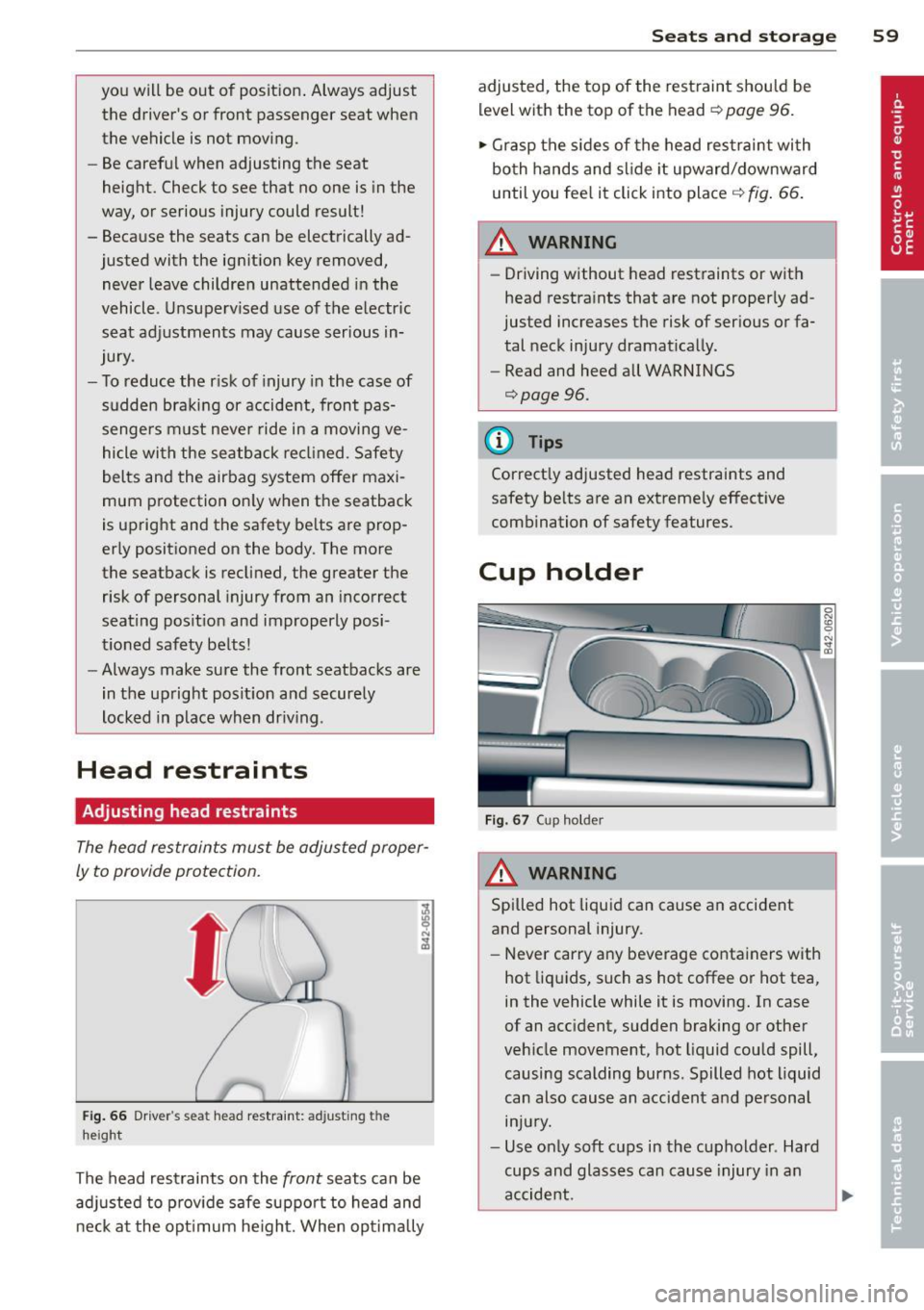
Fig . 66 Drive r's seat head restraint: adjusting the
height
The head restraints on the front seats can be
adj usted to p rov ide safe support to head and
neck at the opt imum he ight. When opt imally
S ea ts a nd s to rage 59
adjusted, the top of the restraint should be
level with the top of the head
c::> page 96.
'" Grasp the s ides of the head restraint with
both hands and slide it upward/downward
until you fee l it click into place
c::> fig . 66.
& WARNING ~ -
- Driving without head restraints or with
head restra ints that are not properly ad
justed increases the risk of serious or fa
tal neck injury dramat ically.
- Read and heed all WARNINGS
<=:>page 96.
@ Tips
Correctly adjusted head restraints and
safety be lts are an extremely effective
combination of safety features.
Cup holder
F ig. 67 Cup holder
A WARNING
Spilled hot liquid can cause an accident
and personal injury.
-
- Never carry any beverage containers with
hot liq uids, such as hot coffee or hot tea,
in the vehicle while it is moving. In case
of an acc ident, sudden braking or other
veh icle movement, hot liquid could spill,
causing scalding burns. Spilled hot liquid
can also cause an accident and personal injury.
- Use only soft cups in the cupholder . Hard
cups and glasses can cause injury in an
accident.
Page 63 of 244

could slide around inside the vehicle
wh ile driving or when accelerating or
when applying the brakes or when driv
ing around a corner .
- When you are driving make sure that
anything you may have placed in the cen
ter console or other storage locations
cannot fa ll out into the footwells . In case
of sudden braking you would not be able
to brake, depress the clutch or acceler
ate.
- Any articles of cloth ing that you have
hung up must not interfere with the driv
er's v iew. The coat hooks are designed
only for lightweight clothing. Never hang
any clothing with hard, pointed or heavy
objects in the pockets on the coat hooks .
During sudden braking or in an accident -
especially if the airbag is deployed -
these objects could injure any passen
gers inside the veh icle .
Glove compartment
The glove compartment is illuminated and
can be locked.
Fig. 69 Glove compar tme nt
To open glove compartment
• Pull the handle ~ fig . 69 in the direction of
the arrow, push down lid to the fully open
pos it ion .
To close glove compartment
• Push the glove compartment lid upward un
t il the lock engages .
The glove compartment light comes on as the parking or driving lights are switched on and
Seats and storage 61
the compartment is opened . You will find a
glasses case in the lid.
T he glove compartment has a standard
12-
volt socket for connecting electrical accesso
ries. The power consumption at the outlet
must not exceed 100 watts. The socket works
only w ith the ignition switched on.
_& WARNING
To reduce the risk of personal injury in an
accident or sudden stop, always keep the
g love compartment closed while driving.
Storage compartment in the front seats
Applies to vehicles: with storage compartment in the
front seats
There is a fold-out storage compartment in
the front of the seats .
Opening
• Lift the handle and pull the drawer out.
Closing
-
• Push the drawer in completely until it latch
es.
(D Tips
The maximum carrying capacity 2.2 lbs.
(1 kg).
Storage compartments between the
, seat backrests
The storage compartments are illuminated
and can be locked with the vehicle key.
F ig . 70 Storage compartments betwee n the seat
back rests
Page 70 of 244

68 On th e road
On the road
Steering
Adjusting the steering wheel column
The steering wheel position can be continu
ously adjusted in height and distance .
Fig. 73 Lever under the steering column
~ Push the lever Q fig. 73 down Q ,&..
~ Move the steer ing whee l to the desired posi
tion.
~ Push the lever against the steering column
until it locks.
There must be at least 10 inches (25 cm) be
tween your chest and the center of the steer ing wheel. If you cannot sit more than 10 in
ches (25 cm) from the steering wheel, see if
adaptive equipment is available to help you
reach the pedals and increase the distance
from the steer ing wheel.
For detai led informat ion on how to adjust the
driver's seat, see
Q page 58.
A WARNING
Improper use of steering wheel adjust
ment and improper seating position can
cause serious personal injury .
- Adjust the steer ing wheel column only
when the veh icle is not moving to pre
vent loss of veh icle cont rol.
-
- Adjust the driver's seat or steering wheel
so that there is a min imum of 10 inches
(25 cm) between your chest and the
steering wheel
Q page 94, fig . 102. If
yo u can not maintain this min imum dis
tance, the airbag system cannot protect
you properly.
- If physical limitations prevent you from
sitt ing 10 inches (25 cm) or more from
the steering wheel, check with your au
thorized Audi dealer to see if adaptive equ ipment is ava ilable .
- If the steering wheel is aligned with your
face, the supplemental driver's airbag cannot provide as much protection in an
accident. Always make sure that the
steer ing whee l is aligned with your
chest.
- Always hold the steering wheel w ith your
hands at the 9 o'clock and 3 o'clock posi
tions to reduce the risk of persona l injury
if the driver's airbag dep loys .
- Never ho ld the steering wheel at the 12
o'clock position or with your hands inside
the steering wheel rim or on the steering
wheel hub . Holding the steering wheel
the wrong way can cause serious injuries
to the hands, arms and head if the driv
er's airbag deploys.
Ignition lock/Ignition
switch
Ignition lock
The ignition key starts or stops the engine.
Fig . 7 4 Ign ition lock positions
Igniti on off @
In position Q fig. 74 @ both the ignition and
engine are off, and the steering is locked .
T o
lo ck th e steering after yo u have removed
the ignition key, turn the steer ing whee l in ei
ther direction unti l you hear it lock into place .
You should always lock the steering whenever
II>