2014 AUDI A5 COUPE instrument cluster
[x] Cancel search: instrument clusterPage 26 of 286

24 Driver information d isplay
Driver information
display
Introduction
The Driver information display inside the in
strument cluster provides you, the driver,
with important information.
Fig. 7 Instrument cluster: ce nter display
Fig. 8 Wiper lever: controls for the menu display
Center display
With the ignition on, the display in the Dr iver
I nformation System shows the following in
formation:
- CD* inserted or Radio* station set
- Outside temperature*: At temperatures be-
low 41 °F (+S °C), a snowflake symbol ap
pears in front of the temperature display
c::> .&_.
-Warning if one of the doors, front lid or en-
gine compartment lid is not closed.
Additional functions
You can open the following functions in the
Driver Information System display by pressing
the
! RESET I button c::> fig. 8 one or more times:
Digital speedometer*
Tire pressure monitoring*
<::>page240
Trip computer <::>page25
Efficiency program* <::> page 27
Service interval display <::> page 29
Speed warning <::> page 78
Gearshift selector positions <::> page 83
Automatic transmission
Adaptive cr uise control*
<::> page 90
Auto Check Control
Some functions and vehicle components are
scanned for their operating status when you
switch the ignition on and whi le you are driv
ing . Malfunctions or required service proce
dures are signaled audibly and indicated by
red and yellow illuminated symbols and re
minders in the d isplay.
A WARNING
--- Never rely exclusively on the outside
temperature display to determine if a
road surface is icy or not . Keep in mind
that road surfaces , espec ially br idges
and overpasses, could be ice covered and
slippery even at an outside temperature
above 41 °F (+S °C).
- Always remember,
even if the "snow
flake" symbol (ice warning) does not ap
pear in the disp lay, black ice cou ld be on
the road.
- Always reduce your speed and drive with
specia l care in cold weather conditions
when the chance of encountering icy
road surfaces increases.
¢j) Tips
If the vehicle is stationary, or if you are
driving at a very low speed, the tempera
ture shown in the display might be slightly
higher than the actual outside tempera
ture. This i.s caused by the heat being radi
ated from the engine .
Page 27 of 286

Trip computer
Introduction
The trip computer gives you information on
current and average fuel mileage, average
speed, fuel range and driving time .
Fig. 9 Trip computer display: Average fuel mileag e
The fo llowing information is continuously
eva luated by the trip computer and can be dis
p layed sequentially in the instrument cluster
display:
Fuel range
The estimated cruising range in miles (km)
appears in the display. This tells you how far
your vehicle wi ll be able to travel on the cur
rent tank of fue l and with the same driving
style. The display changes in increments of
5 miles (10 km).
The cruising range is calcu lated based on the
fuel cons umption for the last 18 mi les
(30 km) . If you drive conservatively, the cruis
ing range will increase.
Average fuel mileage
The average fuel economy in MPG (l/100 km)
since you last cleared the memory appears in
this display. You can use this disp lay to adjust
your driving technique to achieve a desired
mileage .
Current fuel mileage
The instantaneous fuel consumption in miles
per gallon (l/100 km) is shown in this display .
You can use this display to adj ust yo ur driving
technique to ach ieve a desired mileage.
Driver information display 25
Fuel consumption is recalcu lated at intervals
of 33 yards (30 meters). This display switches
to gallons/hour (liters/hour) when the veh icle
is not moving.
Average speed
The average speed in mph (km/h) s ince you
last reset the memory appears in the display.
Elapsed time
The length of time that yo u have been driving
s ince you last reset the memory appears in
th is disp lay.
Distance
The distance that has been covered since the
last time the memory was cleared appears in
the d isplay .
(0 Tips
- Fuel consumptions (average and cur
rent), range and speed are displayed in
metric units on Canadian mode ls.
- All stored values will be lost if the vehi
cle battery is disconnected.
Memories
The trip computer is equipped with two fully
automatic memories as well as an efficiency
program* .
Fig . 10 Tri p computer display: memory leve l 1
You can switch between the trip computer 1
and 2 and the efficiency program* by pressing
the
I RESET I button @r:::> page 26, fig. 11 .
You can tell which memory leve l is currently
active by the number o r the sign in the display
II--
Page 29 of 286

In addition , you can determine what informa
tion from the trip computer should be shown in the instrument cluster display. If one of the
pieces of driver information is turned
O ff , that
driver information will not be shown in the
d isp lay. The information will continue to be
calculated by the trip computer and can be
turned back
On at any time .
(D Tips
-This function is not availab le on all
vehicles .
- The driving information in the efficiency
program is also reset to zero with t he
s ingle-trip memo ry.
Gearshift Indicator
Applies to vehicles: with manual transmission and gear·
shift indica tor
This indica tor can help conserve fuel .
r--....~------------...,,~ ~.,,
~ ~
" ., .,
F ig. 12 D is pl ay : G ea rs hi ft indicator
In order to become familiar with the gearshift
indictor, at firs t just drive the way you a re
used to.
If t he cu rrent gear· and the driving
situation - is not the best one for conserving
fuel, then the indicator will display the recom· mended gear. The d isp lay shows the current
gear and the gear that is recommended
¢fig. 12.
- Up shifti ng The d isplay will lig ht up to the
right of the gear currently selected if it is
recommending a higher gear.
- Dow nshifting: The display will light up to
the
left of the gear current ly selected if it is
recommending a lower gear .
Sometimes the indicator wi ll recommend
skipp ing a gear (3
> 5).
Dri ver inform ation di spl ay 2 7
If there is no gea rshift recommendation, then
just drive in the appropriate gear for conserv· ing fuel.
(D Note
This indicator can help you conserve fuel.
This indicator is not meant to show you
which gear you should a lways be in in all
driving situations. Sometimes, in situa
tions such as passing, dr iving thro ugh
mountains or when towing a trailer, there
won't be any gears hift recommendation .
(D Tips
The display does not light up w hen the
clutch pedal is be ing depressed .
Efficiency program
Description
Applies to vehicles: with trip computer with efficiency
program
F ig. 13 Displ ay : eff icie ncy pro gram
.. Press the I RESET ! button @c;, page 26,
fig .
11 repeatedly unt il the effic iency pro·
gram appears in the display .
T he efficiency program can he lp you to use
less fuel. It evaluates driving information in
reference to fuel consumption and shows oth
er equipment influencing consumption as well
as shift recommendat ions. Fuel economy
messages ¢
page 29 provide tips fo r eff i
c ient driving.
T he efficiency program uses distance and con
sumption data from trip computer
1. If the
data a re de leted in the efficiency p rogram,
those values are also rese t in tr ip comp ute r
1.
Page 32 of 286

30 Driver information display
Resetting the service interval display
Your authorized Audi dealer will reset the cor
responding service schedule after performing
the appropriate service on yo ur vehicle . Yo u
also have the possibility to reset the oil
change schedule after having performed an
oil change according to Audi specifications.
Select
I CAR I function button > Service interval
display > Reset oil change interval
or ICARI
function button> Car systems* control but
ton
> Servicing & checks > Reset oil change
interval.
(D Note
If you disconnect the battery terminals, no
calculations can be made for the serv ice
interval display during this time and no
service rem inder wi ll appear. Remember
that observing the proper service intervals
is vitally important to extend ing the life of
your vehicle, particu larly the eng ine, and
maintaining its value. Even if the mileage
driven is low, the maximum period of one
yea r from one service to the next must not
be exceeded .
@ Tips
-Do not reset the display between oil
changes, otherwise the display will be in
correct.
- The information in the Service Reminder
r ema ins stored even when the vehicle
battery is disconnected.
On-Board Diagnostic
system (OBD)
Malfunction Indicator Lamp (MIL)
The Malfunction Indicator Lamp (MIL) ¢4' i n
the instrument cluster is part of the On-Board
Diagnostic (OBD II) system.
The warning/indicator light illuminates when
the ignition is switched on and goes out after
the engine starts and the idle has stabilized .
This indicates that the MIL is working proper
ly.
If the light does not go out after the engine
is started, or illuminates while you are driv
i ng, a malfunction may exist in the eng ine sys
tem . If the light illuminates, the catalytic con
verter could be damaged .
Continue driving
with reduced power (avoid
ing sustained high speeds and/or rapid accel
erations) and have the cond ition corrected.
Contact your authorized Audi dealer.
If the light il luminates, the electronic speed
limiter may also be malfunct ioning. For more
information
c:> page 31 , Electronic speed
limiter.
An improperly closed fuel filler cap may also
cause the
MIL light to illuminate
c:>page 204.
On-Board Diagnostics
Fig . 18 Locat io n of Data Link Con nector (D LC)
On-Board Diagnostics monitors the compo
nents of your emission control system . Each
monitored component in your engine system
has been assigned a code. In case of a mal
function, the component will be identified
and the fault stored as a code in the control
module memory.
The MIL light may also illuminate if there is a leak in the on-board fuel vapor recovery sys
tem. If the light illuminates after a refueling,
stop the vehicle and make sure the fuel filler
cap is properly closed
c:> page 204.
In order to make an accurate diagnosis, the
stored data can on ly be displayed using spe
c ial diagnostic equipment (generic scan tool
furOBD) .
~
Page 46 of 286

44 Clear vis ion
@ Tips
- The light sensor* for headlight control is
located in the rear view m irror mount.
You should therefore not apply any st ick
ers to the windsh ield in this area in order
to prevent malfunctions or failures.
- Some exterior lighting functions can be
adjusted
c> page 44.
- When you remove your key from the igni
tion while the vehicle's lights are turned
on, a buzzer sounds as long as the driv
er's door is open .
- In cool or damp weather, the ins ide of
the headlights, turn signals and tail lights can fog over due to the tempera
ture difference between the inside and
outside. They will clea r shor tly after
switching them on. This does not affect
the service life of the lighting.
- In the even t of a light sensor malfunc
tion, the driver is no tified in the instru
ment cluster disp lay¢
page 22.
Turn signals and high beam lever
The lever operates the turn signals, the high
beams and the headlight flasher .
Fig. 35 T u rn s ig na l and hig h beam lever
Turn sign als ¢i ¢
The turn signals activate when you move the
l ever into a turn s ignal pos ition when the ign i
tion is switched on.
(D -right turn signal
@-left tur n signa l
The turn s ignal blinks three times if you just
tap the lever .
High be ams and headlight flasher [D
Move the lever to the correspon ding posit io n:
@ -high beams on
@ -high beams off or headlight flasher
The indicator light
ii in the instrument cl us
te r turns on .
Notes on thes e features
-The turn signals on ly wor k w ith the ignition
t ur ned on. The indicator ligh ts
Ct or a in
the instrument cluster also blink.
- After you have turned a co rner, the turn s ig
na l switches off au toma tically .
- The
high beam works on ly w hen the head
lights a re on. The ind icator ligh t
II in the
instrument cluster illuminates when the
high beams are on .
- The
headlight flasher works o nly as long as
you ho ld the lever -even if there a re no
lights switched on . The indicator light
II in
the instrument cluster illuminates when you
use the headlight flasher.
A WARNING
--
Do not use the h igh beam or headlight
flasher if you know that these could blind
oncom ing traffic.
Adjusting exterior lighting
The functions ore selected in the radio or
MMI" .
.,. Select: !CARI function button> Exte rior
light ing .
Or
.,. Select: !CARI function button > Car systems *
control button > Vehicle s etting s> Exterior
lighting .
Coming home (light when leav ing car }*,
Leav ing home (light when unlocking car )*
The coming home function illuminates the
area around the vehicle when the ignition is
switched off and th e dr ive r's door is open ed.
Depend ing on veh icle equ ipment, the function
can be switched on and off or the length of
time the lig hts remain on* can be ad justed . ..,.
Page 79 of 286

Emergency brake fun ction
An emergency brake ensures that the vehicle
can be slowed down even if the
normal b rakes
fail
c::> pag e 78 , Emergency broking .
Indicat or light s
-If the par king b rake is closed w ith the igni
t ion
s wit ched on the . (USA mode ls) /
• (Canada models) indica tor lights come
on in the instrument cluster and the switch .
-If the par king brake is closed w ith the igni
tion
s witched off the . (USA mode ls) /
• (Canada models) indicator lights come
on in the instrument cluster and the switc h
for about 20 seconds.
A WARNING
If a gear or a drive range (automat ic trans
m ission) is engaged with the vehicle s ta
tionary and the engine runn ing, you must
in no instance accelerate or release the
clutch* care lessly. Otherw ise the vehicle
w ill sta rt to move immediately- risk of an
accident.
(D Note
If the . symbol in the display or the.
(USA models) . (Canada mode ls) indica
tor light i n the instrument cluster flashes,
there is a mal function i n the brake system.
By pressing the
I SETI button, you can bring
up a driver message which explains the
malfunction in more detai l. If the driver
message
Park ing brake! appears, there is
an operating malfunct ion in the parking
brake wh ich you shou ld have repa ired im
mediately by an author ized Audi dealer or
qualified workshop
c::> poge 15.
(D} Tips
-You can apply the parking brake at any
time -even w ith the ignition switched
off . The ignit ion must be t urned on and
the brake peda l must be pressed in o rder
to release the pa rking bra ke .
On th e ro ad 77
-Occasional noises when the parking
brake is app lied and released are normal
and are not a cause for concern.
- When the vehicle is pa rked, the park ing
brake goes through a self -test cycle at
regu lar interva ls. Any associated noises
are normal.
Parking
.,. Press the brake pedal to stop the veh icle .
.. Pull the sw itch @
c::> page 76, fig . 78 to set
the parking brake .
.,. Automatic transmission : M ove the selecto r
lever to P.
.. Tu rn the engine off¢,&. .
.. Manual transmission: Shift into 1st gear.
.. When on inclines or declines, turn the steer
ing wheel so that the vehicle will roll into
the curb if i t beg ins to move.
A WARNING
--- When you leave your vehicle -even if on-
ly briefly -always remove the ignition
key . Thi s app lies pa rticula rly whe n chil
dren remain in the vehicle. Ot herwise t he
children could star t the eng ine , release
the par king brake or operate electrical
equipment (e.g. power windows). There
is the risk of an accident.
- When the veh icle is locked, no one -par
ticularly not children should remain in
the vehicle . Locked doors make it more
difficult for emergency workers to get in
to the vehicle -putting lives at risk .
Starting from rest
The starting assist function ensures that the
parking brak e is r ele ased automatically upon
star ting.
Stopping and applying park ing brake
.. Pull the switch @¢ page 76, fig. 78 to ap-
ply th e parking brake. ..,.
Page 81 of 286

vehicle speed excee ds the set speed by about
3 mph (3 km/h). At the same time, a wa rning
symbo l appears in the d isp lay . The symbol's
appearance might be different in some mod
e ls.
The speed warning system has two warning thresholds that function independently of
each other and that have somewhat different
pu rposes:
Speed warning 1
You ca n use speed warnin g 1 to set the maxi
mum s peed w hile you are driv ing. Th is sett ing
will remain in effect until you t urn off the igni
tion, assuming that you have not changed or reset the setting.
The . (USA mo dels) /. (Canada mo dels)
speed warning symbol in the warning 1 dis
p lay appears when you exceed t he maximum
speed. It goes o ut w hen t he speed fa lls below
the s tored max imum speed.
T he speed warning symbo l wi ll also go out i f
the speed
exceeds the stored maximum speed
by more than about 25 mph (40 km/h) for at
least 10 seconds. The stored maxim um speed
i s deleted .
Speed warning 2
Storing warn ing 2 is recommended if you al
ways
want to be reminded of a certa in speed ,
for example when you a re traveling in a coun
try that has a general maximum speed limi t,
or if you do not want to exceed a spec if ied
speed fo r winter tires.
The . (USA models) /. (Canada models)
speed war ning 2 symbo l appears in the d is
p lay w hen you exceed the stored spee d lim it.
Unlike war nin g 1, it will not go out u nti l th e
ve hicl e spee d drops be low the store d spee d
li m it.
Set ting s peed wa rning 2
r::;, page 79 .
@ Tips
Even t hough you r vehicle is equipped with
a speed warning system, yo u should st ill
On the road 79
watch the spee dome ter to ma ke sur e yo u
are not dr iv ing faste r th an the speed limit .
Speed warning 1: setting a speed limit
Warning threshold 1 is set by the !SE TI bu t
ton.
Fig . 79 SE T button in the instr um ent cl uste r
Storing the maximum speed
.. Dr ive at the des ired maximum speed .
.,. Press the
!SE TI button in the instrument
pane l d isp lay
o fig . 79 for 1 second .
Resetting the maximum speed
.. Dr ive the vehicle at a speed of at least
3 mph (5 km/h)
.. Press the
!SE TI button for more than 2 sec-
onds.
T he . (USA models)/ . (Canada models)
speed warning symbo l wi ll appear brief ly in
the d is play when you release the
I SE TI button
to indicate t hat the ma ximum speed has been
stor ed successfully .
The maxim um speed rema ins stored until it is
c h anged by pressing the
!SE TI button aga in
brie fly or until it is deleted by a lengthy push
o n the butto n.
Speed warning 2: setting a speed limit
The radio or MMI* control unit is us ed to set,
change or delete warning th reshold 2 .
.. Select: I CAR I function button > Instrument
cluster > Speed warning .
Or
.. Select: !CAR ! function button> Car systems*
contro l butto n > Driver assist > Speed warn-
ing .
II>
Page 85 of 286
Selector lever positions
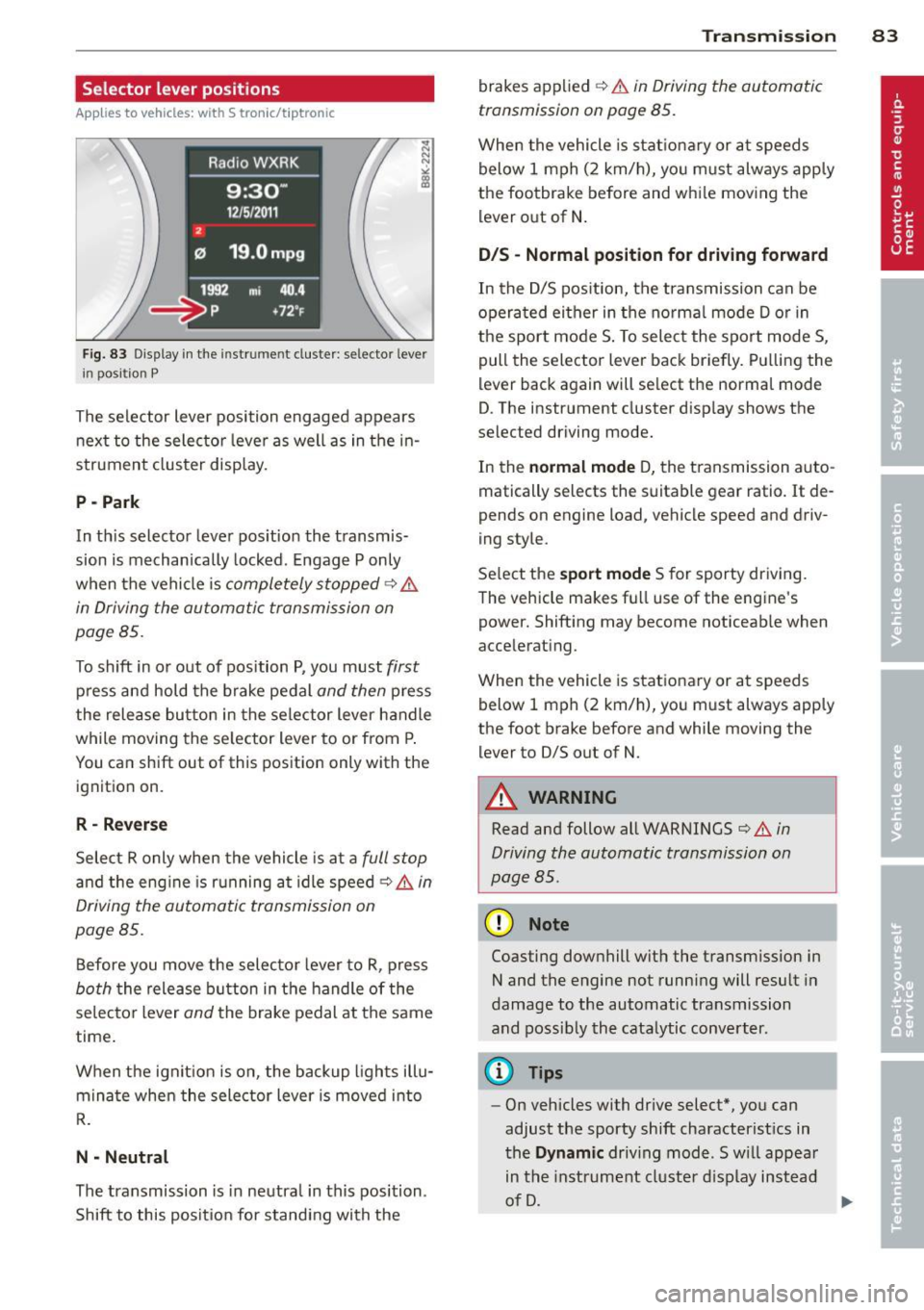
Applies to vehicles: with S tronic/t ipt ronic
Fig. 83 Display in th e in str um en t cluste r: selecto r leve r
i n posit ion P
The selector lever position engaged appears
next to the selector lever as well as in the in
strument cluster display.
P -Park
In th is selector lever position the transmis
sion is mechanically locked. Engage P only
when the vehicle is
completely stopped¢ &
in Driving the automatic transmission on
page 85 .
To shift in or out of position P, you must first
press and hold the brake pedal and then press
the release button in the selector lever handle
while moving the selector lever to or from P.
You can shift out of this position only with the ignition on.
R - Reverse
Select R only when the vehicle is at a full stop
and the eng ine is running at idle speed ¢ & in
Driving the automatic transmission on
page 85.
Before you move the selector lever to R, press
both the release button in the handle of the
selector lever
and the brake pedal at the same
time .
When the ignit ion is on, the backup l ights illu
minate when the selector lever is moved into
R.
N -Neutral
The transmission is in neutra l in this position .
Shift to this position for standing with the
Transmission 83
brakes applied ¢ & in Driving the automatic
transmission on page 85.
When the vehicle is stationary or at speeds
below 1 mph (2 km/h), you m ust always apply
the footbrake before and whi le moving the
lever out of N .
DIS -Normal position for driving forward
In the D/S pos ition, the transmission can be
operated either in the norma l mode D or in
the sport mode S . To select the sport mode S ,
pull the selector lever back briefly. Pulling the
lever back again will se lect the normal mode
D . The inst rument cluster display shows the
selected driving mode.
In the
normal mode D, the transmission auto
matically selects the suitabl e gear ratio.
It de
pends on engine load, vehicle speed and driv
ing style.
Select the
sport mode S for sporty driving.
The vehicle makes fu ll use of the engine's
powe r. Shifting may become noticeab le when
a ccelerating.
When the veh icle is stationary or at speeds
below
1 mph (2 km/h), you must always apply
the foot brake before and while mov ing the
lever to 0/S out of N.
A WARNING
Read and follow all WARNINGS ¢ & in
Driving the automatic transmission on
page BS.
(D Note
-
Coasting downhill with the transm ission in
N and the engine not running will result in
damage to the automatic transmission
and possibly the catalytic converter.
(D Tips
- On vehicles with drive select*, you can
adjust the sporty shift characteristics in
the
Dynamic driv ing mode .Swill appear
in the instrument cluster display instead
of D.