Page 63 of 402
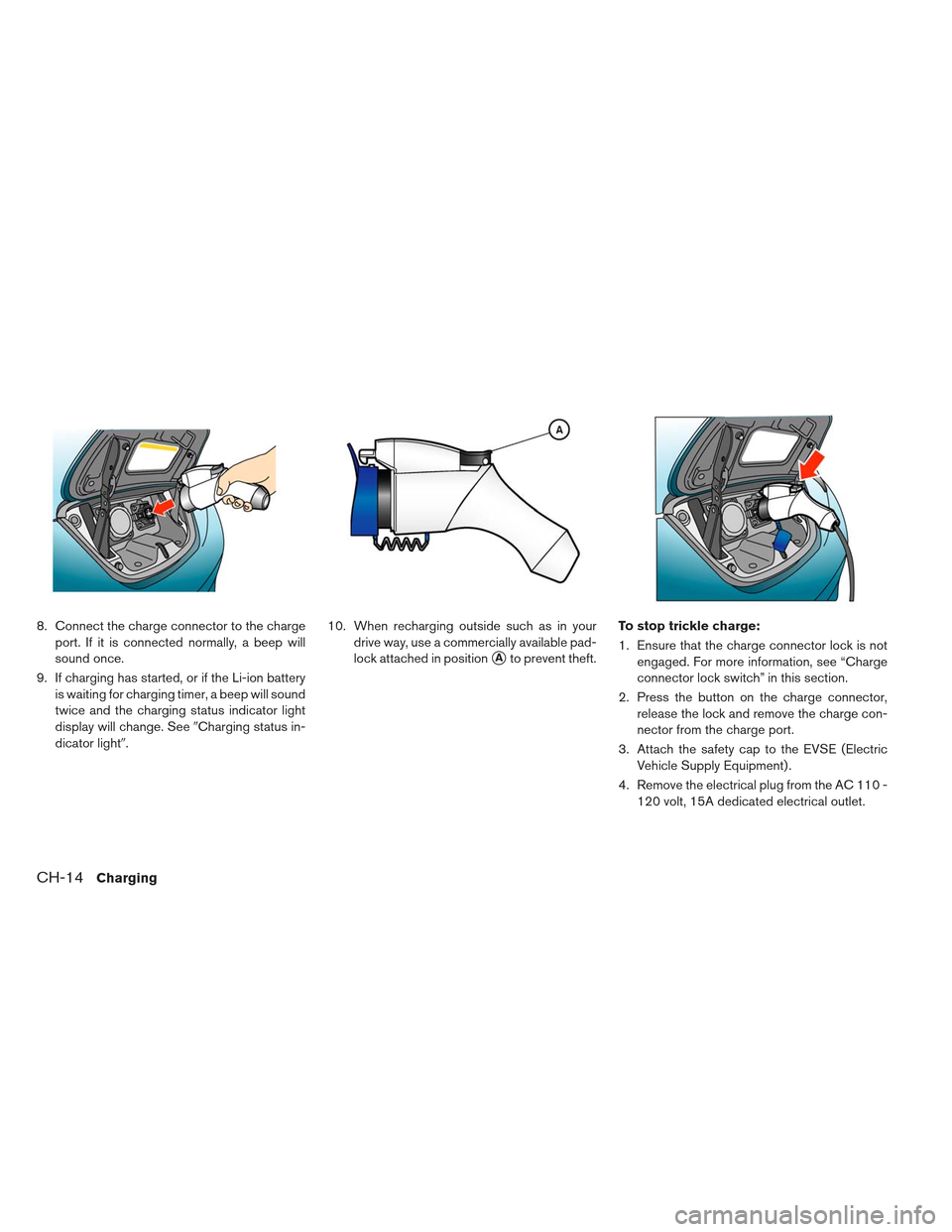
8. Connect the charge connector to the chargeport. If it is connected normally, a beep will
sound once.
9. If charging has started, or if the Li-ion battery is waiting for charging timer, a beep will sound
twice and the charging status indicator light
display will change. See �Charging status in-
dicator light�. 10. When recharging outside such as in your
drive way, use a commercially available pad-
lock attached in position
�Ato prevent theft. To stop trickle charge:
1. Ensure that the charge connector lock is not
engaged. For more information, see “Charge
connector lock switch” in this section.
2. Press the button on the charge connector, release the lock and remove the charge con-
nector from the charge port.
3. Attach the safety cap to the EVSE (Electric Vehicle Supply Equipment) .
4. Remove the electrical plug from the AC 110 - 120 volt, 15A dedicated electrical outlet.
CH-14Charging
Page 66 of 402
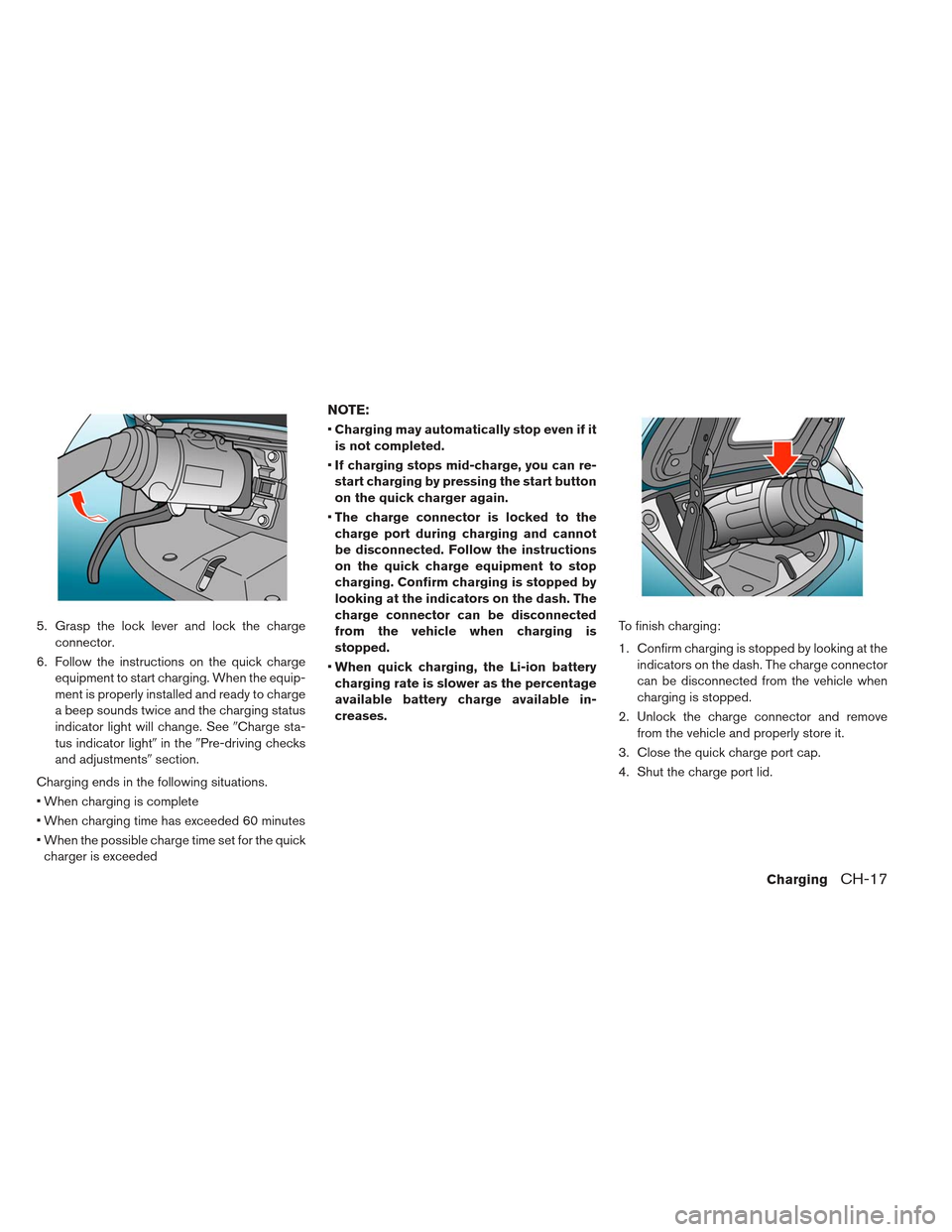
5. Grasp the lock lever and lock the chargeconnector.
6. Follow the instructions on the quick charge equipment to start charging. When the equip-
ment is properly installed and ready to charge
a beep sounds twice and the charging status
indicator light will change. See �Charge sta-
tus indicator light� in the�Pre-driving checks
and adjustments� section.
Charging ends in the following situations.
When charging is complete
When charging time has exceeded 60 minutes
When the possible charge time set for the quick charger is exceeded
NOTE:
Charging may automatically stop even if it
is not completed.
If charging stops mid-charge, you can re-
start charging by pressing the start button
on the quick charger again.
The charge connector is locked to the
charge port during charging and cannot
be disconnected. Follow the instructions
on the quick charge equipment to stop
charging. Confirm charging is stopped by
looking at the indicators on the dash. The
charge connector can be disconnected
from the vehicle when charging is
stopped.
When quick charging, the Li-ion battery
charging rate is slower as the percentage
available battery charge available in-
creases. To finish charging:
1. Confirm charging is stopped by looking at the
indicators on the dash. The charge connector
can be disconnected from the vehicle when
charging is stopped.
2. Unlock the charge connector and remove from the vehicle and properly store it.
3. Close the quick charge port cap.
4. Shut the charge port lid.
ChargingCH-17
Page 68 of 402
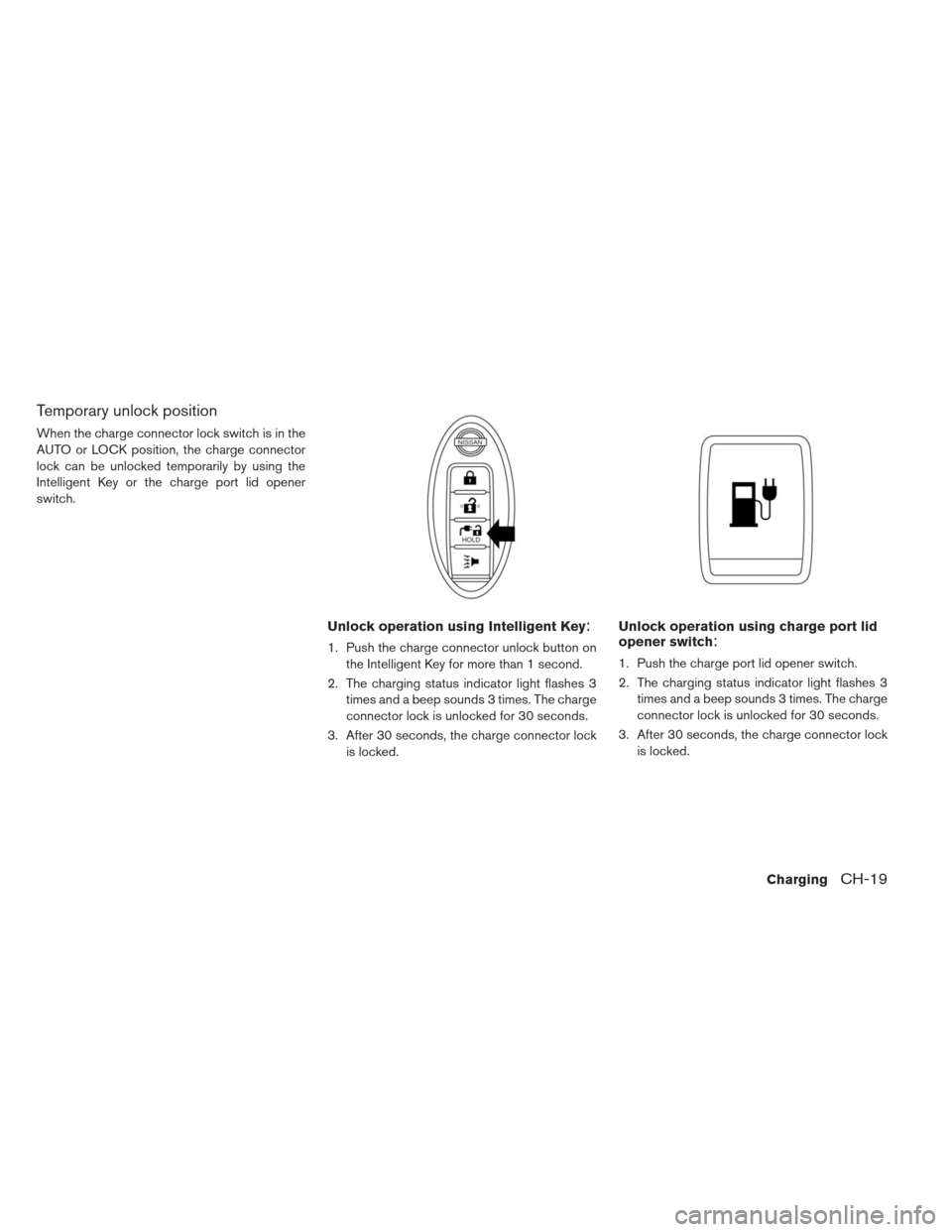
Temporary unlock position
When the charge connector lock switch is in the
AUTO or LOCK position, the charge connector
lock can be unlocked temporarily by using the
Intelligent Key or the charge port lid opener
switch.
Unlock operation using Intelligent Key:
1. Push the charge connector unlock button onthe Intelligent Key for more than 1 second.
2. The charging status indicator light flashes 3 times and a beep sounds 3 times. The charge
connector lock is unlocked for 30 seconds.
3. After 30 seconds, the charge connector lock is locked.
Unlock operation using charge port lid
opener switch:
1. Push the charge port lid opener switch.
2. The charging status indicator light flashes 3times and a beep sounds 3 times. The charge
connector lock is unlocked for 30 seconds.
3. After 30 seconds, the charge connector lock is locked.
ChargingCH-19
Page 82 of 402
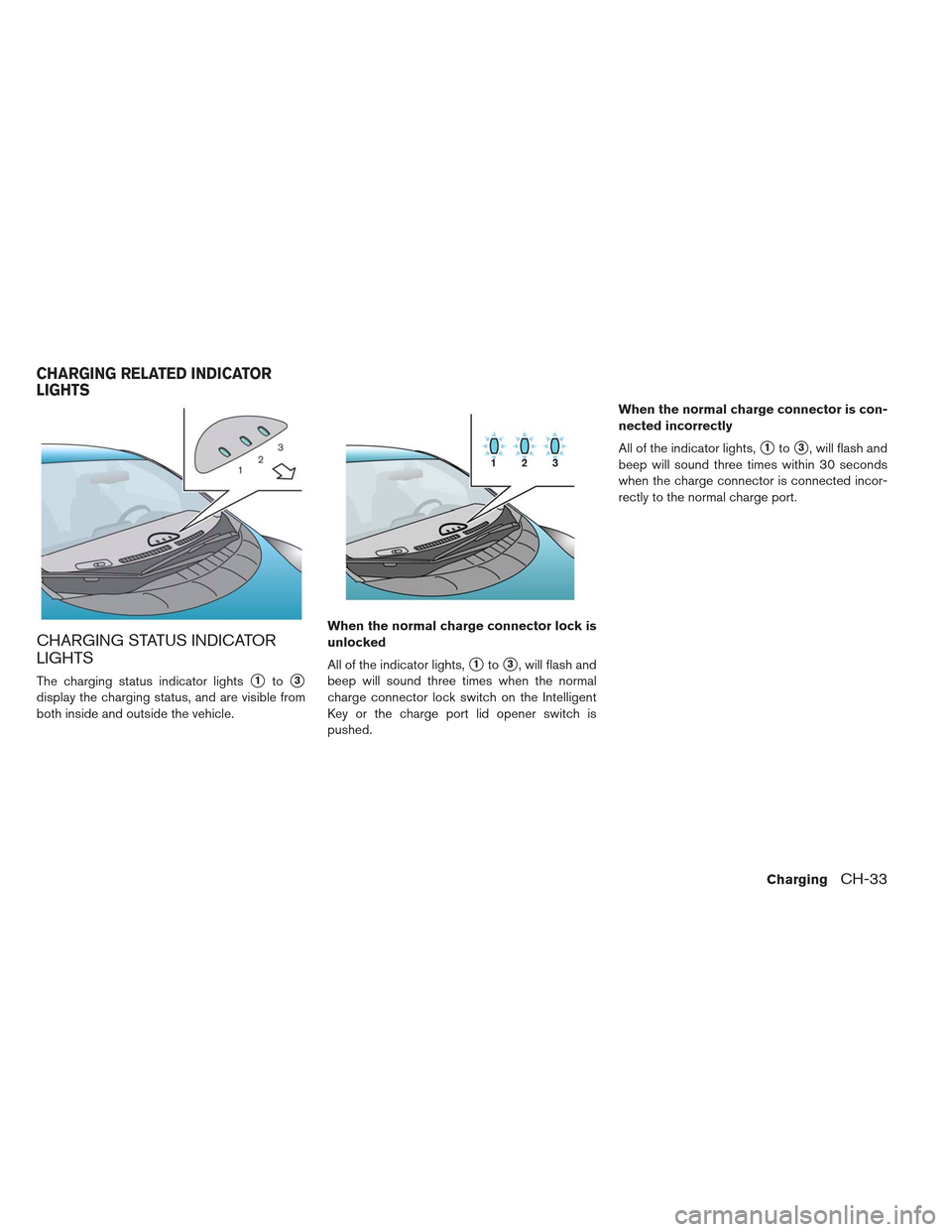
CHARGING STATUS INDICATOR
LIGHTS
The charging status indicator lights�1to�3
display the charging status, and are visible from
both inside and outside the vehicle.When the normal charge connector lock is
unlocked
All of the indicator lights,
�1to�3, will flash and
beep will sound three times when the normal
charge connector lock switch on the Intelligent
Key or the charge port lid opener switch is
pushed. When the normal charge connector is con-
nected incorrectly
All of the indicator lights,
�1to�3, will flash and
beep will sound three times within 30 seconds
when the charge connector is connected incor-
rectly to the normal charge port.
CHARGING RELATED INDICATOR
LIGHTS
ChargingCH-33
Page 84 of 402
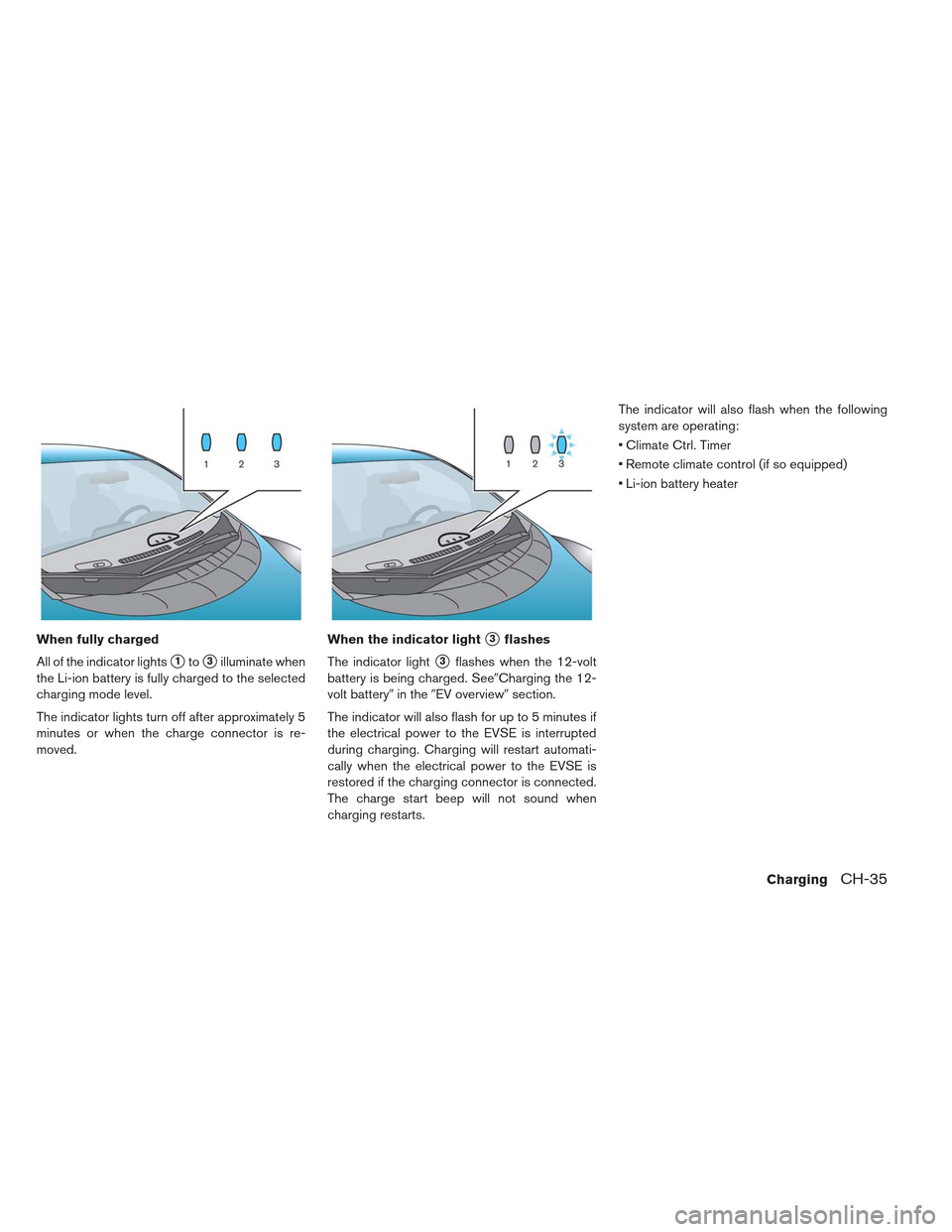
When fully charged
All of the indicator lights
�1to�3illuminate when
the Li-ion battery is fully charged to the selected
charging mode level.
The indicator lights turn off after approximately 5
minutes or when the charge connector is re-
moved. When the indicator light
�3flashes
The indicator light
�3flashes when the 12-volt
battery is being charged. See�Charging the 12-
volt battery� in the�EV overview� section.
The indicator will also flash for up to 5 minutes if
the electrical power to the EVSE is interrupted
during charging. Charging will restart automati-
cally when the electrical power to the EVSE is
restored if the charging connector is connected.
The charge start beep will not sound when
charging restarts. The indicator will also flash when the following
system are operating:
Climate Ctrl. Timer
Remote climate control (if so equipped)
Li-ion battery heater
ChargingCH-35
Page 143 of 402
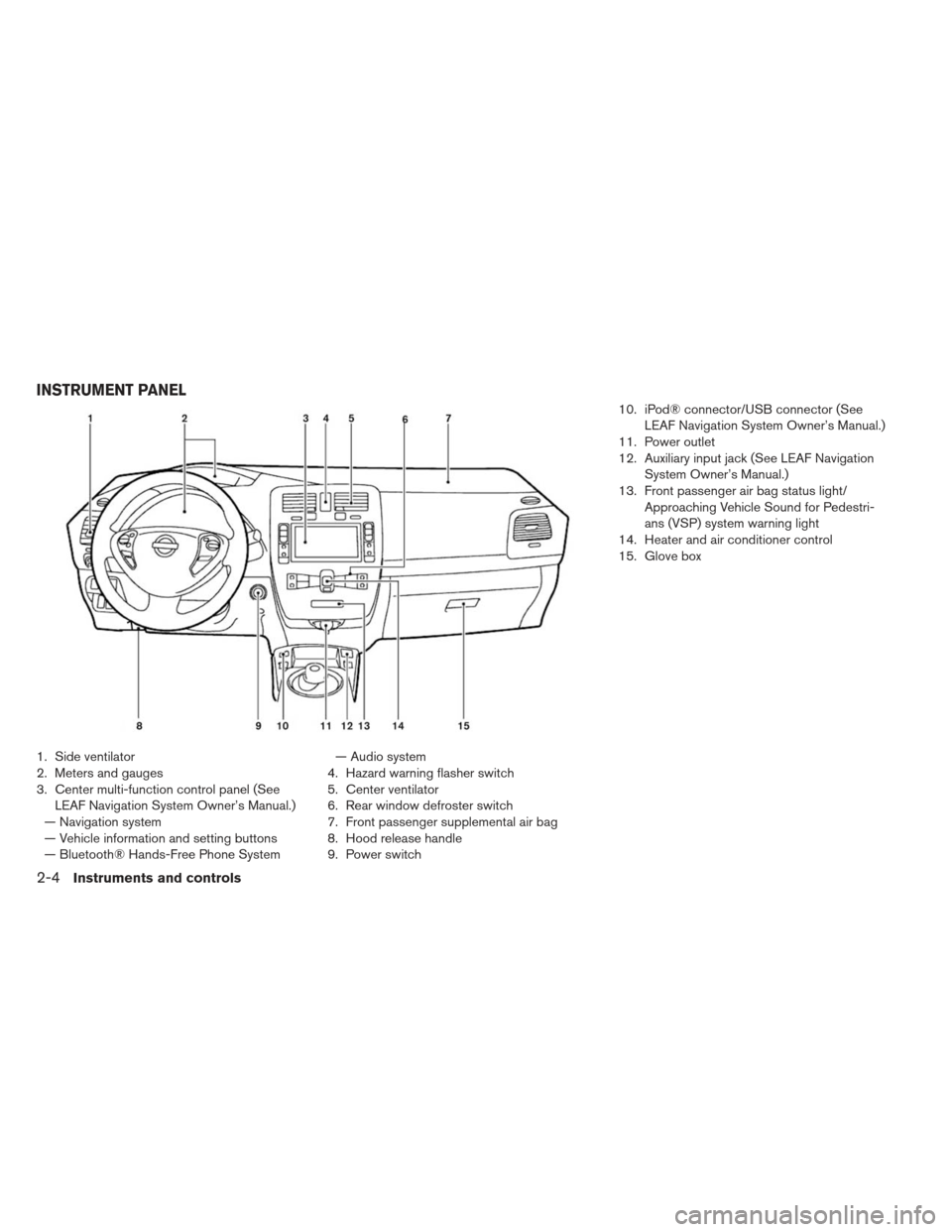
1. Side ventilator
2. Meters and gauges
3. Center multi-function control panel (SeeLEAF Navigation System Owner’s Manual.)
— Navigation system
— Vehicle information and setting buttons
— Bluetooth® Hands-Free Phone System — Audio system
4. Hazard warning flasher switch
5. Center ventilator
6. Rear window defroster switch
7. Front passenger supplemental air bag
8. Hood release handle
9. Power switch 10. iPod® connector/USB connector (See
LEAF Navigation System Owner’s Manual.)
11. Power outlet
12. Auxiliary input jack (See LEAF Navigation System Owner’s Manual.)
13. Front passenger air bag status light/ Approaching Vehicle Sound for Pedestri-
ans (VSP) system warning light
14. Heater and air conditioner control
15. Glove box
INSTRUMENT PANEL
2-4Instruments and controls
Page 151 of 402
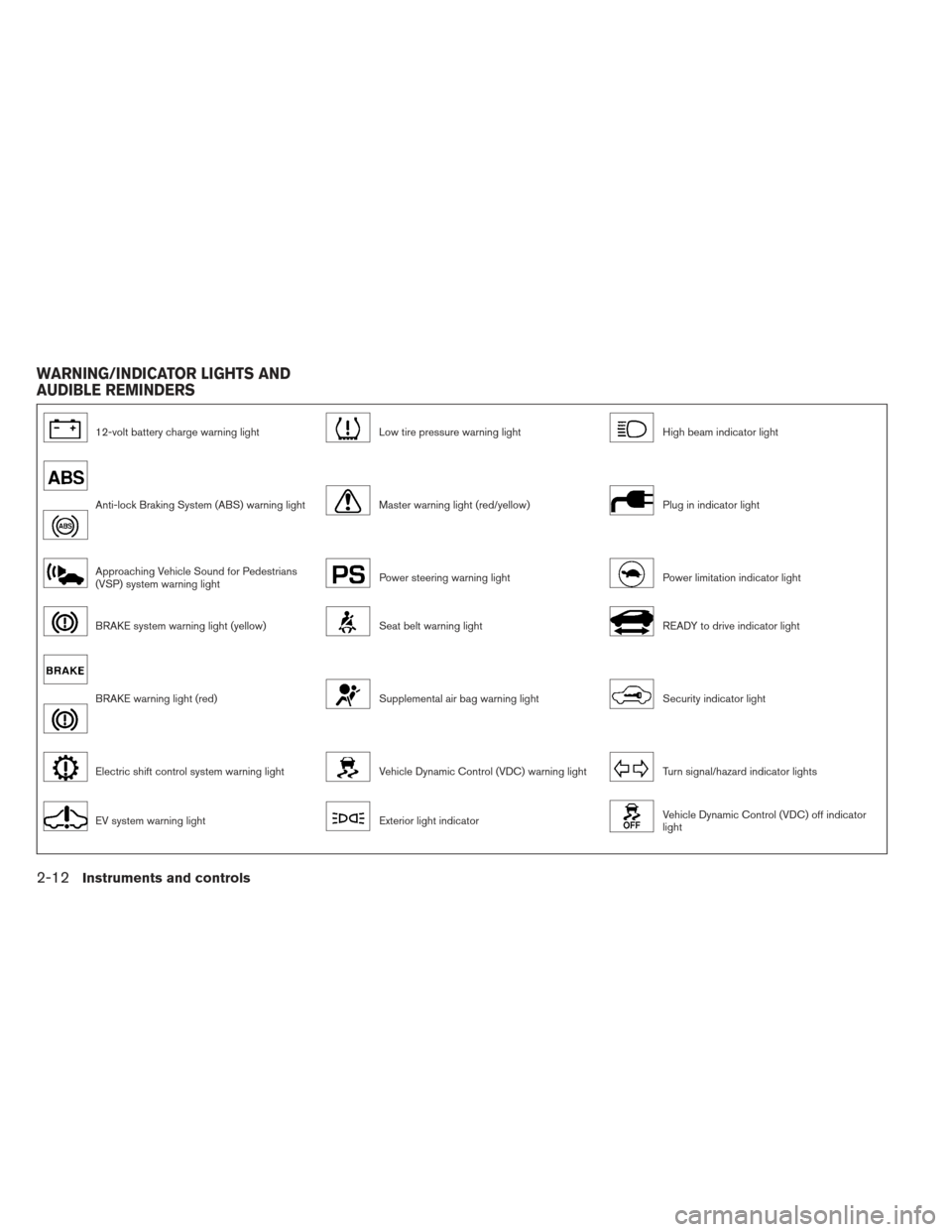
12-volt battery charge warning lightLow tire pressure warning lightHigh beam indicator light
Anti-lock Braking System (ABS) warning lightMaster warning light (red/yellow)Plug in indicator light
Approaching Vehicle Sound for Pedestrians
(VSP) system warning lightPower steering warning lightPower limitation indicator light
BRAKE system warning light (yellow)Seat belt warning lightREADY to drive indicator light
BRAKE warning light (red)Supplemental air bag warning lightSecurity indicator light
Electric shift control system warning lightVehicle Dynamic Control (VDC) warning lightTurn signal/hazard indicator lights
EV system warning lightExterior light indicatorVehicle Dynamic Control (VDC) off indicator
light
WARNING/INDICATOR LIGHTS AND
AUDIBLE REMINDERS
2-12Instruments and controls
Page 152 of 402
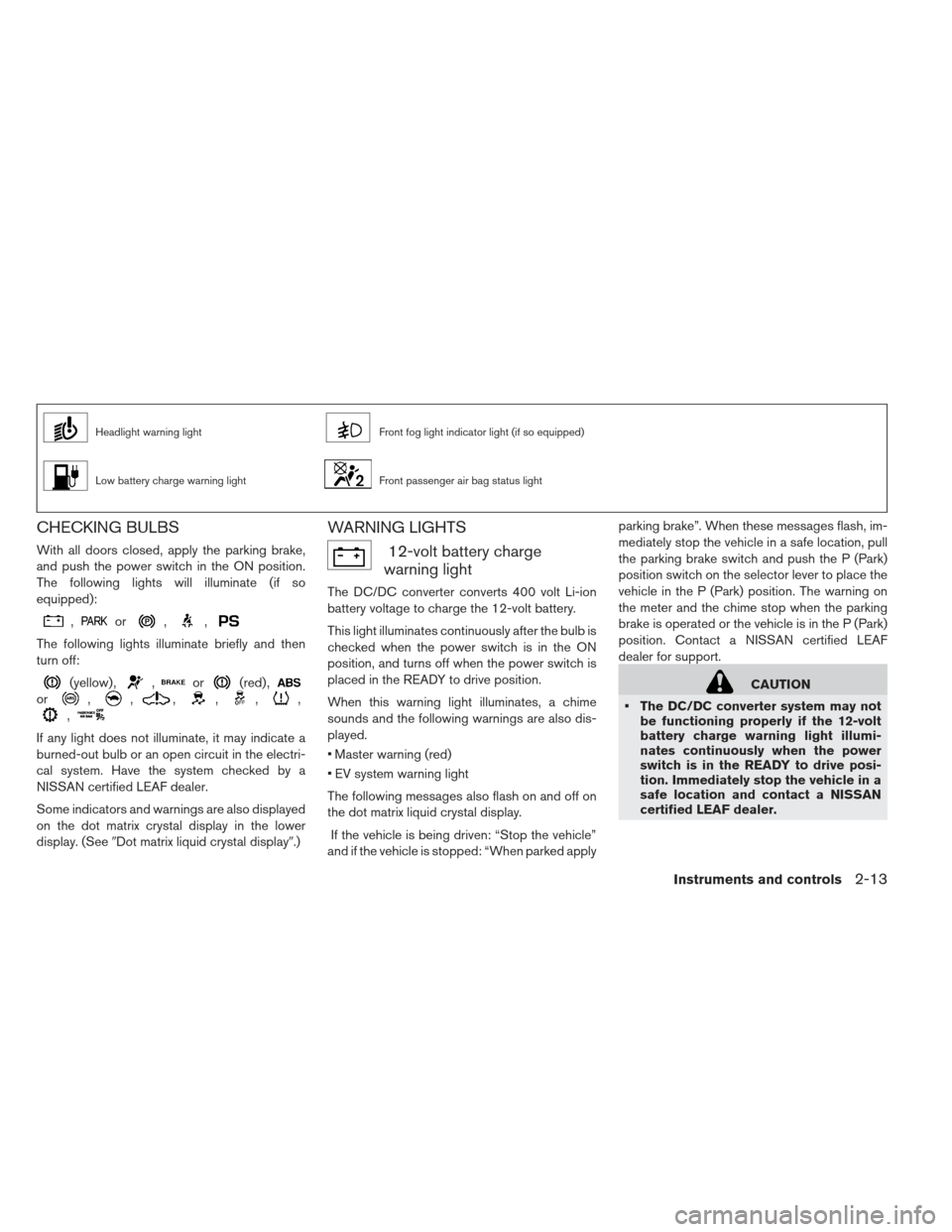
Headlight warning lightFront fog light indicator light (if so equipped)
Low battery charge warning lightFront passenger air bag status light
CHECKING BULBS
With all doors closed, apply the parking brake,
and push the power switch in the ON position.
The following lights will illuminate (if so
equipped):
,or,,
The following lights illuminate briefly and then
turn off:
(yellow) ,,or(red) ,
or,,,,,,
,
If any light does not illuminate, it may indicate a
burned-out bulb or an open circuit in the electri-
cal system. Have the system checked by a
NISSAN certified LEAF dealer.
Some indicators and warnings are also displayed
on the dot matrix crystal display in the lower
display. (See�Dot matrix liquid crystal display�.)
WARNING LIGHTS
12-volt battery charge
warning light
The DC/DC converter converts 400 volt Li-ion
battery voltage to charge the 12-volt battery.
This light illuminates continuously after the bulb is
checked when the power switch is in the ON
position, and turns off when the power switch is
placed in the READY to drive position.
When this warning light illuminates, a chime
sounds and the following warnings are also dis-
played.
Master warning (red)
EV system warning light
The following messages also flash on and off on
the dot matrix liquid crystal display.
If the vehicle is being driven: “Stop the vehicle”
and if the vehicle is stopped: “When parked apply parking brake”. When these messages flash, im-
mediately stop the vehicle in a safe location, pull
the parking brake switch and push the P (Park)
position switch on the selector lever to place the
vehicle in the P (Park) position. The warning on
the meter and the chime stop when the parking
brake is operated or the vehicle is in the P (Park)
position. Contact a NISSAN certified LEAF
dealer for support.
CAUTION
The DC/DC converter system may not be functioning properly if the 12-volt
battery charge warning light illumi-
nates continuously when the power
switch is in the READY to drive posi-
tion. Immediately stop the vehicle in a
safe location and contact a NISSAN
certified LEAF dealer.
Instruments and controls2-13