Page 134 of 655

NOTE:
• You may not hear all of the tones due to mobile phone
network configurations. This is normal.
• Some paging and voice mail systems have system time
out settings that are too short and may not allow the
use of this feature.
Barge In - Overriding Prompts
The “Voice Command” button can be used when you
wish to skip part of a prompt and issue your voice
command immediately. For example, if a prompt is
asking “Would you like to pair a phone, clear a...,” you
could press the button and say, “Pair a Phone” to
select that option without having to listen to the rest of
the voice prompt. Turning Confirmation Prompts On/Off
Turning confirmation prompts off will stop the system
from confirming your choices (e.g., the Uconnect™
Phone will not repeat a phone number before you dial it).
• Press the button to begin.
• After the “Ready” prompt and the following beep, say:
– “Setup Confirmations Prompts On”
– “Setup Confirmations Prompts Off”
Phone and Network Status Indicators
If available on the radio and/or on a premium display
such as the instrument panel cluster, and supported by
your mobile phone, the Uconnect™ Phone will provide
notification to inform you of your phone and network
status when you are attempting to make a phone call
using Uconnect™ Phone. The status is given for roaming,
network signal strength, phone battery strength, etc.132 UNDERSTANDING THE FEATURES OF YOUR VEHICLE
Page 175 of 655
When a door is open and the interior lights are on,
rotating the dimmer control to the extreme bottom posi-
tion will cause all the interior lights to turn off. This is
also known as the “Party” mode because it allows the
doors to stay open for extended periods of time without
discharging the vehicle’s battery. WINDSHIELD WIPERS AND WASHERS
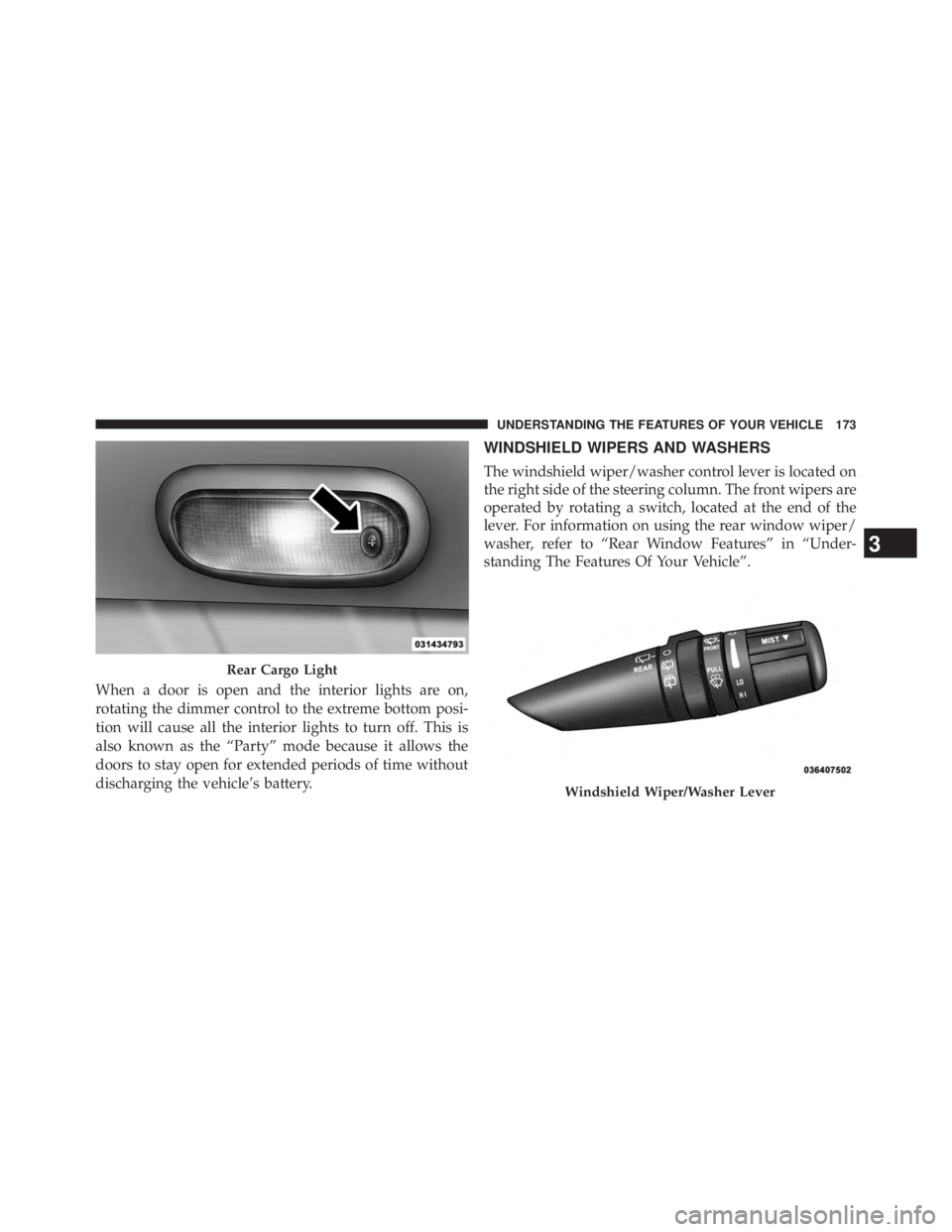
The windshield wiper/washer control lever is located on
the right side of the steering column. The front wipers are
operated by rotating a switch, located at the end of the
lever. For information on using the rear window wiper/
washer, refer to “Rear Window Features” in “Under-
standing The Features Of Your Vehicle”.
Rear Cargo Light
Windshield Wiper/Washer Lever3 UNDERSTANDING THE FEATURES OF YOUR VEHICLE 173
Page 185 of 655
A second power outlet is located inside the center console
and is powered directly from the vehicle battery.
CAUTION!• Do not exceed the maximum power of 160 Watts
(13 Amps) at 12 Volts. If the 160 Watt (13 Amp)
power rating is exceeded the fuse protecting the
system will need to be replaced.
• Power outlets are designed for accessory plugs
only. Do not insert any other object in the power
outlets as this will damage the outlet and blow the
fuse. Improper use of the power outlet can cause
damage not covered by your New Vehicle Limited
Warranty. On vehicles equipped with a rear subwoofer, there is a
third power outlet located in the right rear cargo area.
Rear Power Outlet — If Equipped
3 UNDERSTANDING THE FEATURES OF YOUR VEHICLE 183
Page 187 of 655
CAUTION!• Many accessories that can be plugged in draw
power from the vehicle’s battery, even when not in
use (i.e., mobile phones, etc.). Eventually, if
plugged in long enough, the vehicle’s battery will
discharge sufficiently to degrade battery life and/or
prevent the engine from starting.
• Accessories that draw higher power (i.e., coolers,
vacuum cleaners, lights, etc.), will degrade the
battery even more quickly. Only use these intermit-
tently and with greater caution. (Continued) CAUTION! (Continued)• After the use of high-power draw accessories, or
long periods of the vehicle not being started (with
accessories still plugged in), the vehicle must be
driven a sufficient length of time to allow the
alternator to recharge the vehicle’s battery.
• Power outlets are designed for accessory plugs
only. Do not hang any type of accessory or acces-
sory bracket from the plug.
3 UNDERSTANDING THE FEATURES OF YOUR VEHICLE 185
Page 292 of 655
WARNING!You or others could be injured if you carry the side
bars loose in your vehicle. Remove the side bars from
the vehicle or securely store them as described or
they may cause personal injury if an accident occurs.
See your authorized dealer for the cinch straps.
10. Remove the windshield wiper arms by first pulling
the wiper away from the windshield and out to the
“lock” position. Unsnap the wiper arm nut caps, and
remove the retaining nuts. Lift the wiper arms off and
store them in the center console or securely behind
the rear seat.
NOTE: It may be necessary to use a battery terminal
puller tool in order to separate the wiper arms from the
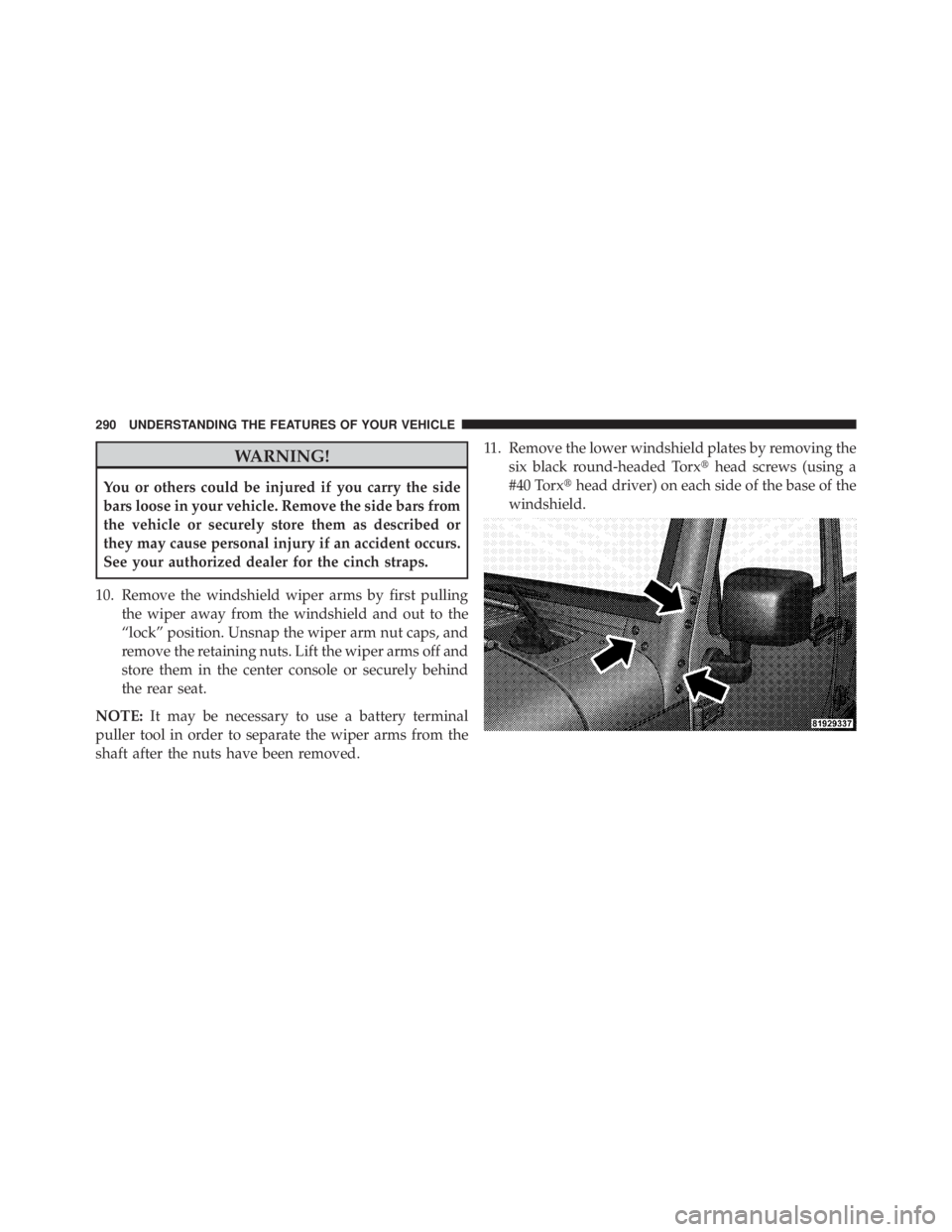
shaft after the nuts have been removed. 11. Remove the lower windshield plates by removing the
six black round-headed Torx � head screws (using a
#40 Torx � head driver) on each side of the base of the
windshield.290 UNDERSTANDING THE FEATURES OF YOUR VEHICLE
Page 296 of 655

Rear Window Defroster — If Equipped
The rear window defroster button is located on
the bottom right-side of the blower control knob.
Press this button to turn on the rear window defroster.
An indicator in the button will illuminate when the rear
window defroster is on. The rear window defroster
automatically turns off after approximately 10 minutes.
For an additional five minutes of operation, press the
button a second time.
NOTE: To prevent excessive battery drain, use the rear
window defroster only when the engine is operating. CAUTION!Failure to follow these cautions can cause damage to
the heating elements:
• Use care when washing the inside of the rear
window. Do not use abrasive window cleaners on
the interior surface of the window. Use a soft cloth
and a mild washing solution, wiping parallel to the
heating elements. Labels can be peeled off after
soaking with warm water.
• Do not use scrapers, sharp instruments, or abrasive
window cleaners on the interior surface of the
window.
• Keep all objects a safe distance from the window.294 UNDERSTANDING THE FEATURES OF YOUR VEHICLE
Page 326 of 655

Electronic Vehicle Information Center (EVIC)
Displays
When the appropriate conditions exist, the EVIC displays
the following messages:
• Low Tire Pressure
• Service TPM System (refer to � Tire Pressure Monitor-
ing System � in � Starting and Operating � )
• Premium TPM System Graphic Display
• Damaged Key
• Key in Ignition
• Turn Signal On (with a continuous warning chime)
• Left Front Turn Signal Lamp Out (with a single chime)
• Left Rear Turn Signal Lamp Out (with a single chime) • Right Front Turn Signal Lamp Out (with a single
chime)
• Right Rear Turn Signal Lamp Out (with a single chime)
• Key Fob Battery Low (with a single chime)
• Personal Settings Not Avail. – Vehicle Not in Park —
automatic transmission
• Personal Settings Not Avail. – Vehicle in Motion —
manual transmission
• Door Ajar (with vehicle graphic showing which door is
open. A single chime sounds if the vehicle is in
motion).
• Gate Ajar (with vehicle graphic showing the Liftgate/
back door open and A single chime )324 UNDERSTANDING YOUR INSTRUMENT PANEL
Page 385 of 655

Once the audio device is connected and synchronized to
the vehicle’s iPod � /USB/MP3 control system (iPod � or
external USB device may take a few minutes to connect),
the audio device starts charging and is ready for use by
pressing radio switches, as described below. NOTE: If the audio device battery is completely dis-
charged, it may not communicate with the iPod � /USB/
MP3 control system until a minimum charge is attained.
Leaving the audio device connected to the iPod � /USB/
MP3 control system may charge it to the required level.
Using This Feature
By using iPod cable or external USB device to connect to
USB port:
• The audio device can be played on the vehicle’s sound
system, providing metadata (artist, track title, album,
etc.) information on the radio display.
• The audio device can be controlled using the radio
buttons to Play, Browse, and List the iPod � contents.
• The audio device battery charges when plugged into
the USB/AUX connector (if supported by the specific
audio device)Center Console USB/AUX Connector Port
4 UNDERSTANDING YOUR INSTRUMENT PANEL 383