Page 91 of 325
uuGauges and Multi-Information DisplayuMulti-Information Display
90
Instrument Panel
Use the multi-information display to customize certain features. ■ How to customize
Select the CUSTOMIZE SETTINGS screen by pressing the button while the
ignition switch is in ON
(w , the vehicle is at a complete stop, and the shift lever is in
(P (CVT), and the parking brake is set (manual transmission). Press the SEL/RESET
button to select CHG SETTING screen.
■Customized Features1Customized Features
To select customizing items, press the button.
2 List of customizable options P. 92
2 Example of customizing settings P. 94
When you customize settings:
Shift to
(P .
Set the parking brake.
Automatic transmission (CVT) models
Manual transmission models
Button
Press to change the cu stomize menus and items.
SEL/RESET Button
Press to set your selection.
Main MenuTable of Contents
Page 104 of 325
103
uuLocking and Unlocking the DoorsuAuto Door Locking/Unlocking
Controls
Auto Door Locking/Unlocking
Your vehicle locks all doors and unlocks the driver’s door automatically when a
certain condition is met. ■Drive lock mode
The auto door lock function automatically locks all the doors and hatch when the
vehicle reaches about 10 mph (15 km/h). ■ Park unlock mode
The driver’s door unlocks when the shift lever is moved into
(P with the brake pedal
depressed. The settings can be changed to unlock all doors.
■ Ignition switch unlock mode
The driver’s door unlocks when the igni tion switch is moved out of ON
(w. The
settings can be changed to unlock all doors.
■Auto Door Locking
■Auto Door Unlocking
1Auto Door Locking/Unlocking
You can turn off or change to another auto door
locking/unlocking setting using the multi-information
display. 2 Customized Features P. 90
Automatic transmission (CVT) models
Manual transmission models
Main MenuTable of Contents
Page 114 of 325
113
uuOperating the Switches Around the Steering WheeluFog Lights*
Controls
Fog Lights *
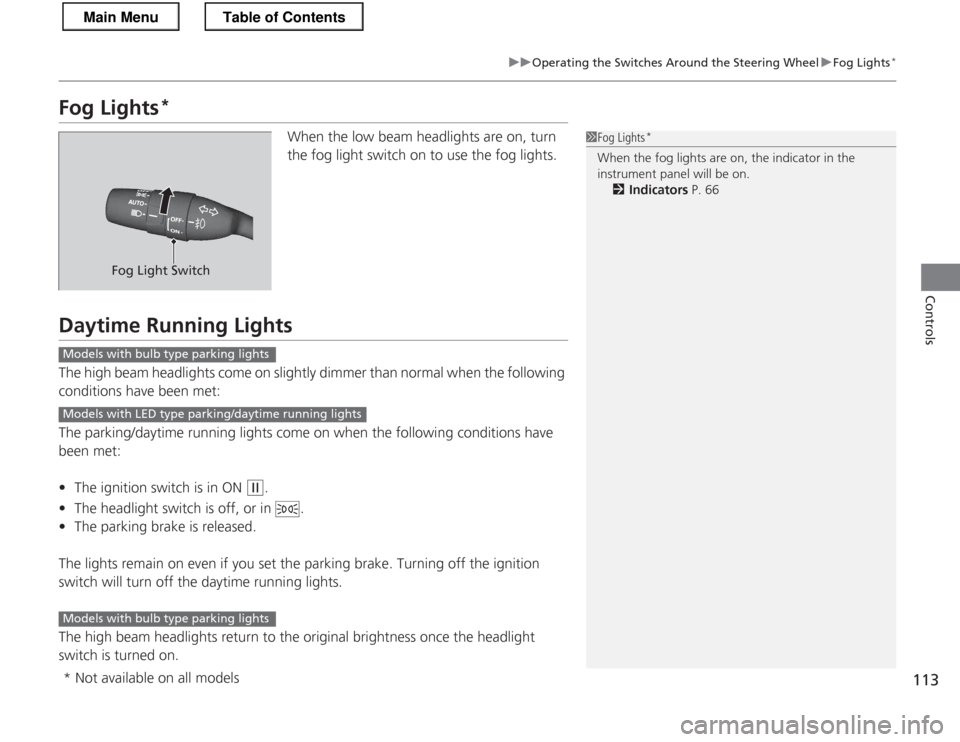
When the low beam headlights are on, turn
the fog light switch on to use the fog lights.
Daytime Running Lights
The high beam headlights come on slightly dimmer than normal when the following
conditions have been met:
The parking/daytime running lights come on when the following conditions have
been met: •The ignition switch is in ON
(w .
• The headlight switch is off, or in .
• The parking brake is released.
The lights remain on even if you set the parking brake. Turning off the ignition
switch will turn off the daytime running lights.
The high beam headlights return to the original brightness once the headlight
switch is turned on.
1Fog Lights *
When the fog lights are on, the indicator in the
instrument panel will be on. 2 Indicators P. 66
Fog Light Switch
Models with bulb type parking lights
Models with LED type parking/daytime running lights
Models with bulb type parking lights
* Not available on all models
Main MenuTable of Contents
Page 131 of 325

uuInterior Lights/Interior Convenience ItemsuInterior Convenience Items
130
Controls
Rear trays to store small items are located on
the rear cargo console.
To access the rear cargo console, open the
door, slide the seat by pulling up on the bar, then pull up on the seat-back adjustment lever. ■ Separator
Folding down the separator will create more cargo area. 1. Remove any items from the rear trays.
2. Pull up the release handle on the top of the
separator.
■Rear Cargo Console1Rear Cargo Console
Make sure all items on the rear trays are secured.
They could be thrown around and cause injury during a crash.
To return the sepa rator upright, push it backwards
until it locks.
Make sure that the fol ded separator does not press
against the passenger seat, as this could cause the
weight sensors to work improperly.
2 Side Airbag Off Indicator P. 48
Make sure all items in the cargo area are
secured. Loose items can fly forward if you have
to brake hard.
3WARNING
This vehicle is not equipped with rear seats
or seatbelts.
Sitting in this area may result in injury or
death, and may violate state laws.
Only the driver and one front seat
passenger may be safely seated in this vehicle.
Trays
Bar
Seat-back Adjustment
Lever
Release Handle
Separator
Main MenuTable of Contents
Page 132 of 325
Continued131
uuInterior Lights/Interior Convenience ItemsuInterior Convenience Items
Controls
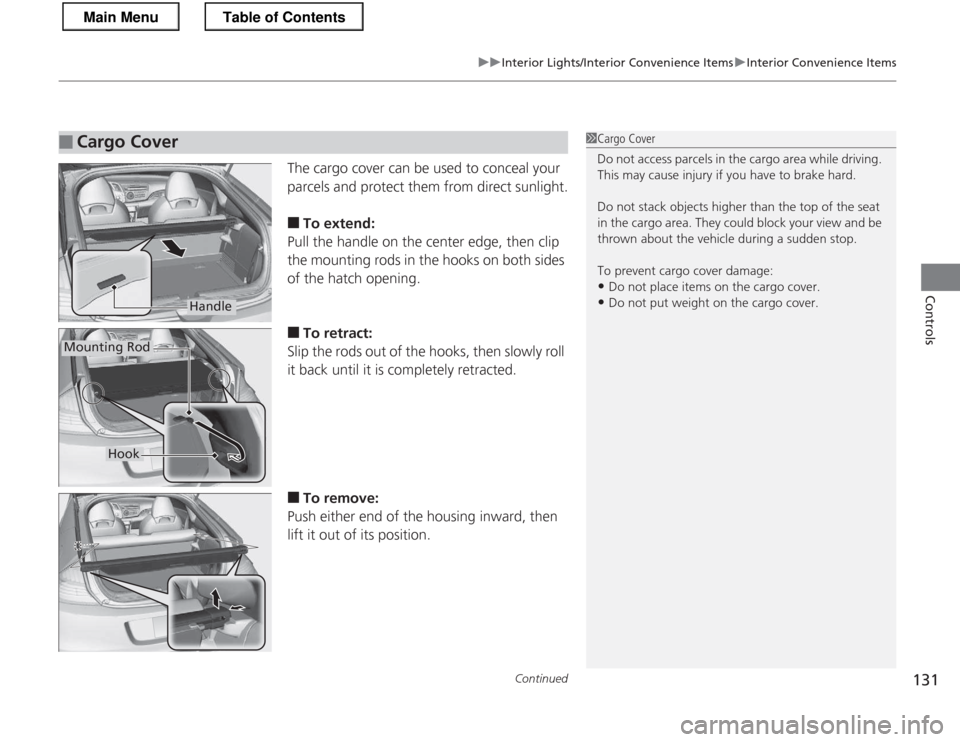
The cargo cover can be used to conceal your
parcels and protect them from direct sunlight. ■To extend:
Pull the handle on the center edge, then clip
the mounting rods in the hooks on both sides
of the hatch opening. ■ To retract:
Slip the rods out of the hooks, then slowly roll
it back until it is completely retracted. ■ To remove:
Push either end of the housing inward, then
lift it out of its position.
■Cargo Cover1Cargo Cover
Do not access parcels in the cargo area while driving.
This may cause injury if you have to brake hard.
Do not stack objects higher than the top of the seat
in the cargo area. They could block your view and be
thrown about the vehicle during a sudden stop.
To prevent cargo cover damage: • Do not place items on the cargo cover.
• Do not put weight on the cargo cover.
Handle
Mounting Rod
Hook
Main MenuTable of Contents
Page 172 of 325
171
Driving
This chapter discusses driving, refueling, and information on items such as accessories.
Before Driving Driving Preparation .............................. 172
Maximum Load Limit............................ 175
Towing a Trailer Towing Your Vehicle ............................ 177
When Driving Starting the Engine .............................. 178
Precautions While Driving..................... 181
Automatic Transmission (CVT) .............. 182
Shifting ................................................ 183
Shifting ................................................ 188
Automatic transmission (CVT) models
Manual transmission models
Auto Idle Stop ..................................... 191
Auto Idle Stop ..................................... 194
3-Mode Drive System........................... 197
Plus Sport System ................................ 198
Cruise Control ..................................... 200
VSA ® (Vehicle Stability Assist), aka ESC
(Electronic Stability Control), System .. 203
TPMS (Tire Pressure Monitoring System) ........ 205
Tire Pressure Monitoring System (TPMS) -
Required Federal Explanation ............. 206
Braking
Brake System ....................................... 208
Automatic transmission (CVT) models
Manual transmission models
ABS (Anti-lock Brake System) ................ 210
Brake Assist System .............................. 211
Parking Your Vehicle When Stopped ..................................... 212
Multi-View Rear Camera .................. 213
Rearview Camera ............................. 214
Refueling Fuel Information ................................... 216
How to Refuel ...................................... 217
Fuel Economy
Improving Fuel Economy....................... 219
Accessories and Modifications
Accessories ........................................... 220
Modifications ....................................... 220
Main Menu
Page 174 of 325
Continued173
uuBefore DrivinguDriving Preparation
Driving
•Store or secure all items on board properly.
uCarrying too much cargo, or improperly storing it, can affect your vehicle's
handling, stability, stopping distance, and tires, and make it unsafe.
2 Maximum Load Limit P. 175
• Do not pile items higher than the seat height.
uThey can block your view and may be thrown forward in the event of sudden
braking.
• Do not place anything in the seat footwells. Make sure to secure the floor mats.
uAn object or unsecured floor mat can interfere with your brake and accelerator
pedal operation while driving.
• If you have any animals on board, do not let them move around in the vehicle.
uThey may interfere with driving and a crash could occur.
• Securely close and lock both doors and the hatch.
2 Locking/Unlocking the Doors from the Inside P. 102
• Adjust your seating position properly.
2 Adjusting the Seats P. 121
• Adjust the mirrors and steering wheel properly for your driving.
uAdjust them while sitting in the proper driving position.
2 Adjusting the Mirrors P. 119
2 Adjusting the Steering Wheel P. 118
■Interior Checks1Interior Checks
The headlight aim is set by the factory, and does not
need to be adjusted. However, if you regularly carry
heavy items in the cargo area, have the aiming
readjusted at a dealer or by a qualified technician.
Main MenuTable of Contents
Page 179 of 325

178
Driving
When Driving
Starting the Engine1.Make sure the parking brake is applied.
2. Check that the shift lever is in
(P , then
depress the brake pedal.
uAlthough it is possible to start the vehicle in
(N , it is safer to start it in (P.
2. Check that the shift lever is in
(N . Then
depress the brake pedal with your right
foot, and the clutch pedal with your left foot.
uThe clutch pedal must be fully depressed
to start the engine.
1Starting the Engine
Keep your foot firmly on the brake pedal when starting the engine.
The engine is harder to start in cold weather and in
thinner air found at altitudes above 8,000 feet (2,400 meters).
When starting the engine in cold weather, turn off all
electrical accessories such as the lights, climate
control system, and rear defogger in order to reduce
battery drain.
If the exhaust system sounds abnormal or you can
smell exhaust gas inside the vehicle, have your vehicle
checked by a dealer. There may be a problem with
the engine or exhaust system.
If you live in a region where winter is extremely cold,
an engine block heater will improve starting and
warming of the engine. If temperatures consistently
below -22°F (-30°C) are expected, the coolant
mixture should be charged to a higher concentration
to prevent freezing. Consult a dealer for details.
Brake PedalAutomatic transmiss ion (CVT) models
Clutch Pedal
Brake PedalManual transmission models
Main MenuTable of Contents