2013 FORD SUPER DUTY USB
[x] Cancel search: USBPage 4 of 563
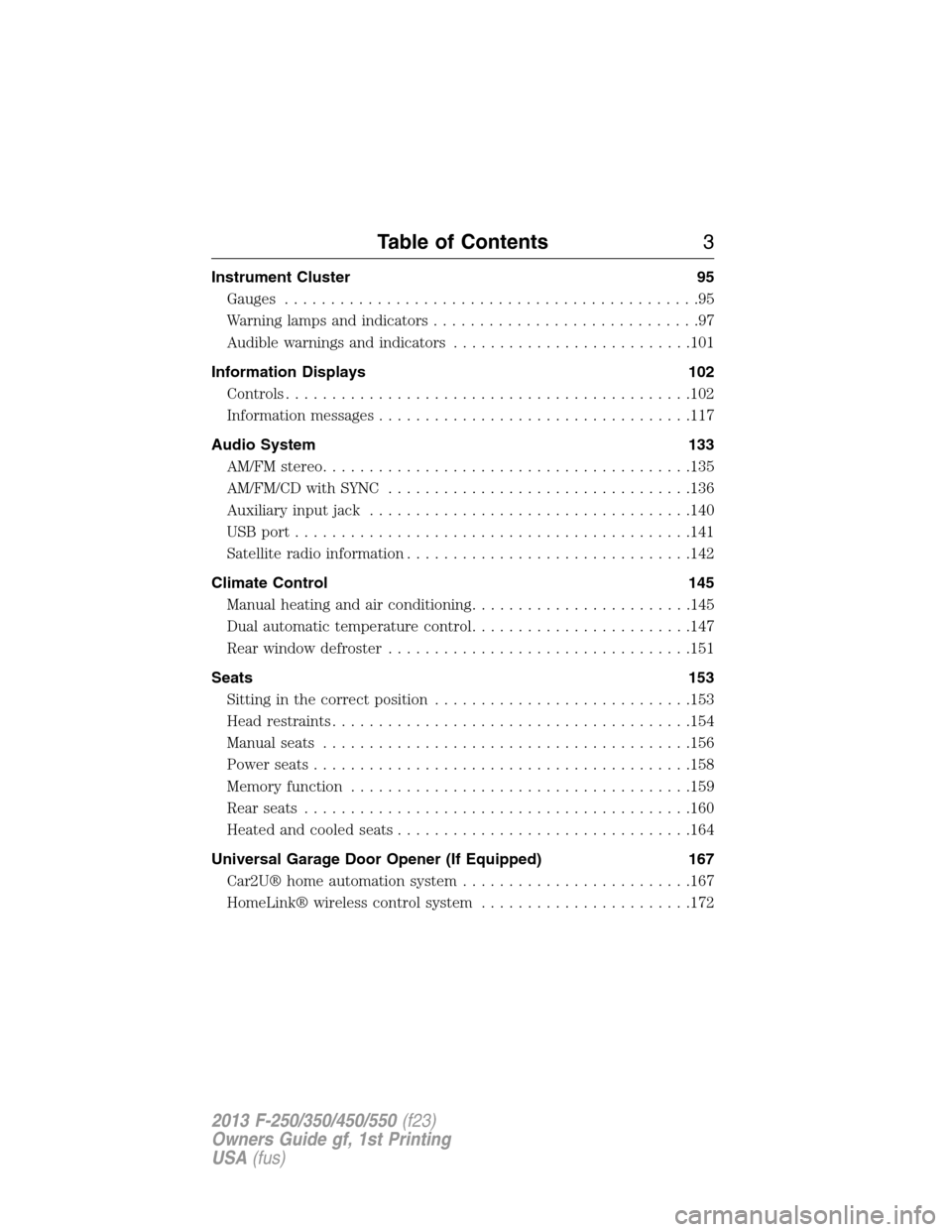
Instrument Cluster 95
Gauges.............................................95
Warning lamps and indicators.............................97
Audible warnings and indicators..........................101
Information Displays 102
Controls............................................102
Information messages..................................117
Audio System 133
AM/FMstereo........................................135
AM/FM/CD with SYNC.................................136
Auxiliary input jack...................................140
USBport...........................................141
Satellite radio information...............................142
Climate Control 145
Manual heating and air conditioning........................145
Dual automatic temperature control........................147
Rear window defroster.................................151
Seats 153
Sitting in the correct position............................153
Head restraints.......................................154
Manual seats........................................156
Power seats.........................................158
Memory function.....................................159
Rear seats..........................................160
Heated and cooled seats................................164
Universal Garage Door Opener (If Equipped) 167
Car2U® home automation system.........................167
HomeLink® wireless control system.......................172
Table of Contents3
2013 F-250/350/450/550(f23)
Owners Guide gf, 1st Printing
USA(fus)
Page 142 of 563
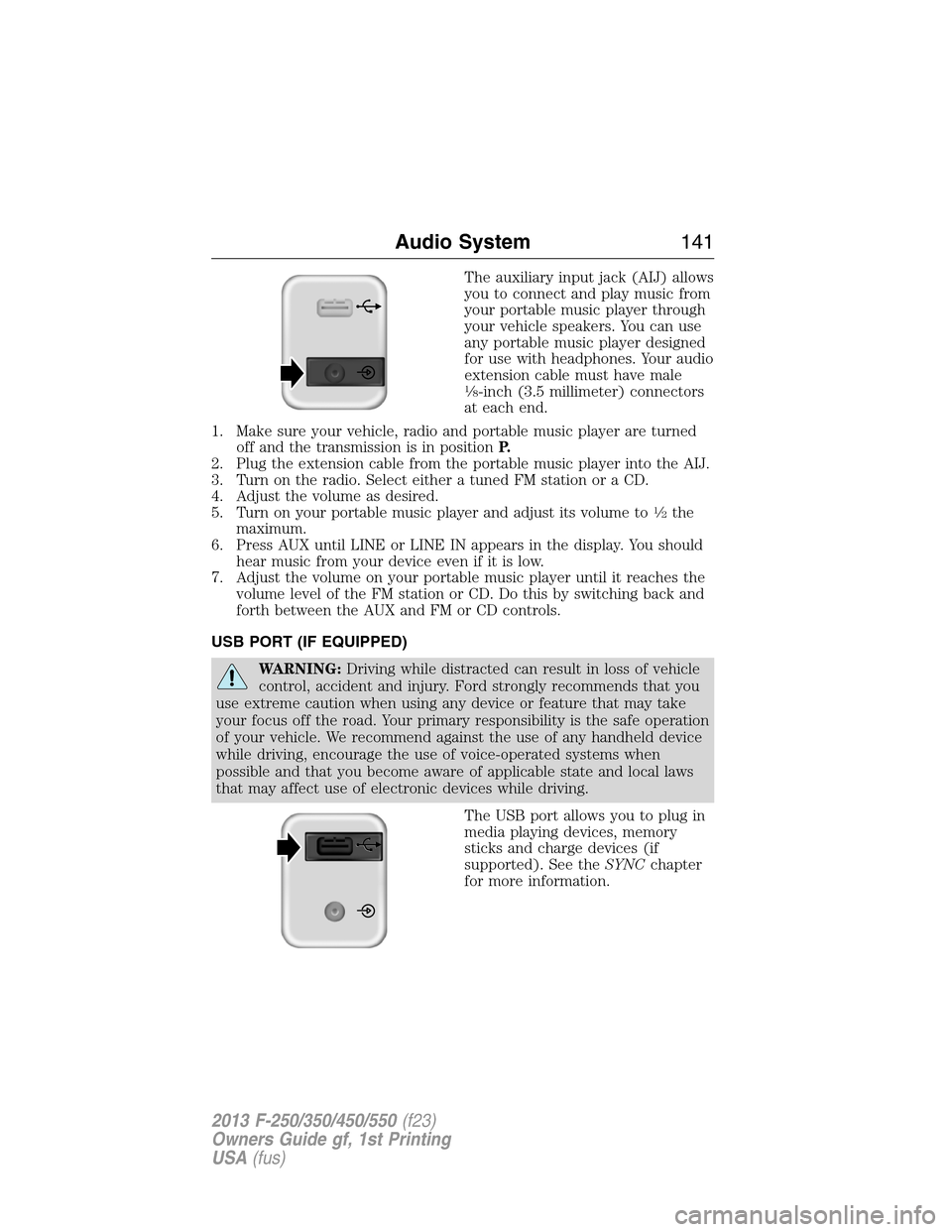
The auxiliary input jack (AIJ) allows
you to connect and play music from
your portable music player through
your vehicle speakers. You can use
any portable music player designed
for use with headphones. Your audio
extension cable must have male
18-inch (3.5 millimeter) connectors
at each end.
1. Make sure your vehicle, radio and portable music player are turned
off and the transmission is in positionP.
2. Plug the extension cable from the portable music player into the AIJ.
3. Turn on the radio. Select either a tuned FM station or a CD.
4. Adjust the volume as desired.
5. Turn on your portable music player and adjust its volume to
12the
maximum.
6. Press AUX until LINE or LINE IN appears in the display. You should
hear music from your device even if it is low.
7. Adjust the volume on your portable music player until it reaches the
volume level of the FM station or CD. Do this by switching back and
forth between the AUX and FM or CD controls.
USB PORT (IF EQUIPPED)
WARNING:Driving while distracted can result in loss of vehicle
control, accident and injury. Ford strongly recommends that you
use extreme caution when using any device or feature that may take
your focus off the road. Your primary responsibility is the safe operation
of your vehicle. We recommend against the use of any handheld device
while driving, encourage the use of voice-operated systems when
possible and that you become aware of applicable state and local laws
that may affect use of electronic devices while driving.
The USB port allows you to plug in
media playing devices, memory
sticks and charge devices (if
supported). See theSYNCchapter
for more information.
Audio System141
2013 F-250/350/450/550(f23)
Owners Guide gf, 1st Printing
USA(fus)
Page 143 of 563
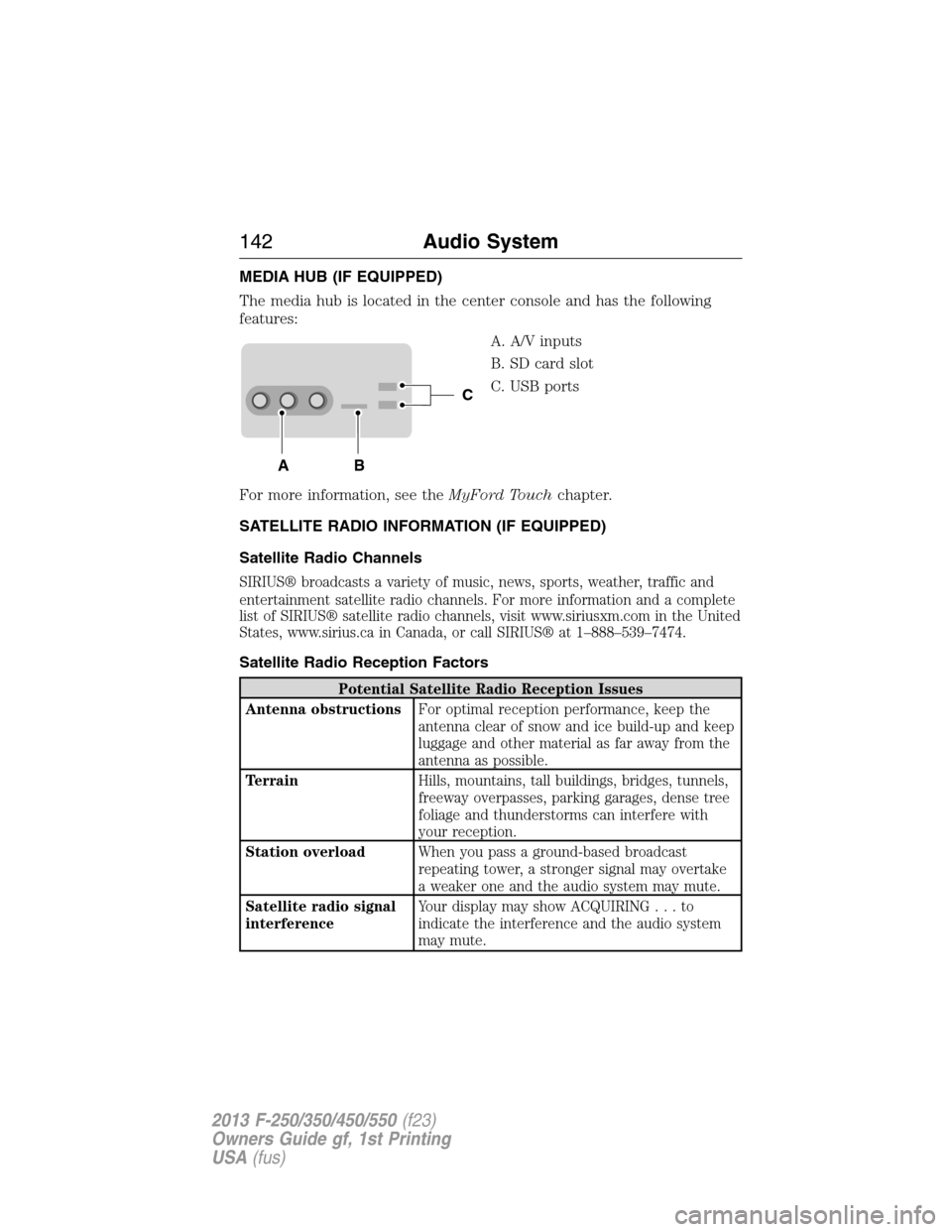
MEDIA HUB (IF EQUIPPED)
The media hub is located in the center console and has the following
features:
A. A/V inputs
B. SD card slot
C. USB ports
For more information, see theMyFord Touchchapter.
SATELLITE RADIO INFORMATION (IF EQUIPPED)
Satellite Radio Channels
SIRIUS® broadcasts a variety of music, news, sports, weather, traffic and
entertainment satellite radio channels. For more information and a complete
list of SIRIUS® satellite radio channels, visit www.siriusxm.com in the United
States, www.sirius.ca in Canada, or call SIRIUS® at 1–888–539–7474.
Satellite Radio Reception Factors
Potential Satellite Radio Reception Issues
Antenna obstructionsFor optimal reception performance, keep the
antenna clear of snow and ice build-up and keep
luggage and other material as far away from the
antenna as possible.
TerrainHills, mountains, tall buildings, bridges, tunnels,
freeway overpasses, parking garages, dense tree
foliage and thunderstorms can interfere with
your reception.
Station overloadWhen you pass a ground-based broadcast
repeating tower, a stronger signal may overtake
a weaker one and the audio system may mute.
Satellite radio signal
interferenceYour display may show ACQUIRING...to
indicate the interference and the audio system
may mute.
C
BA
142Audio System
2013 F-250/350/450/550(f23)
Owners Guide gf, 1st Printing
USA(fus)
Page 414 of 563

SYNC is an in-vehicle communications system that works with your
Bluetooth-enabled cellular phone and portable media player. This allows
you to:
•Make and receive calls.
•Access and play music from your portable music player.
•Use 911 Assist®, Vehicle Health Report and SYNC Services (Traffic,
Directions & Information) (if equipped).
•Use applications, such as Pandora and Stitcher, via SYNC AppLink™
(if applicable).
•Access phonebook contacts and music via voice commands.
•Stream music from your connected phone.
•Text message.
•Use the advanced voice recognition system.
•USB device charging (if your device supports this).
SYNC®413
2013 F-250/350/450/550(f23)
Owners Guide gf, 1st Printing
USA(fus)
Page 417 of 563

USING VOICE RECOGNITION
This system helps you control many features using voice commands. This
allows you to keep your hands on the wheel and focus on what is in
front of you.
Initiating a Voice Session
Push the voice icon; a tone sounds and Listening appears in the
display. Say any of the following:
Say: If you want to:
“Phone” Make calls.
“USB” Access the device connected to your USB
port.
“Bluetooth Audio” Stream audio from your phone.
“Line in” Access the device connected to the auxiliary
input jack.
“Cancel” Cancel the requested action.
“SYNC” Return to the main menu.
“Voice settings” Adjust the level of voice interaction and
feedback.
“Vehicle Health Report” Run a vehicle health report.
*
“Services” Access the SYNC Services portal.*
“Mobile apps” Access mobile applications.*
“Help” Hear a list of voice commands available in the
current mode.
*If equipped, U.S. only.
System Interaction and Feedback
The system provides feedback through audible tones, prompts, questions
and spoken confirmations depending on the situation and the chosen
level of interaction (voice settings). You can customize the voice
recognition system to provide more or less instruction and feedback.
The default setting is to a higher level of interaction in order to help you
learn to use the system. You can change these settings at any time.
416SYNC®
2013 F-250/350/450/550(f23)
Owners Guide gf, 1st Printing
USA(fus)
Page 441 of 563
SYNC AppLink™
Note:Your smartphone must be paired and connected to SYNC to access
AppLink.
Note:iPhone® users need to connect the phone to the USB port in
order to start the application. It is recommended to lock your iPhone®
after starting an application.
Note:The AppLink feature is not available if your vehicle is equipped
with the MyFord Touch® or MyLincoln Touch™ system.
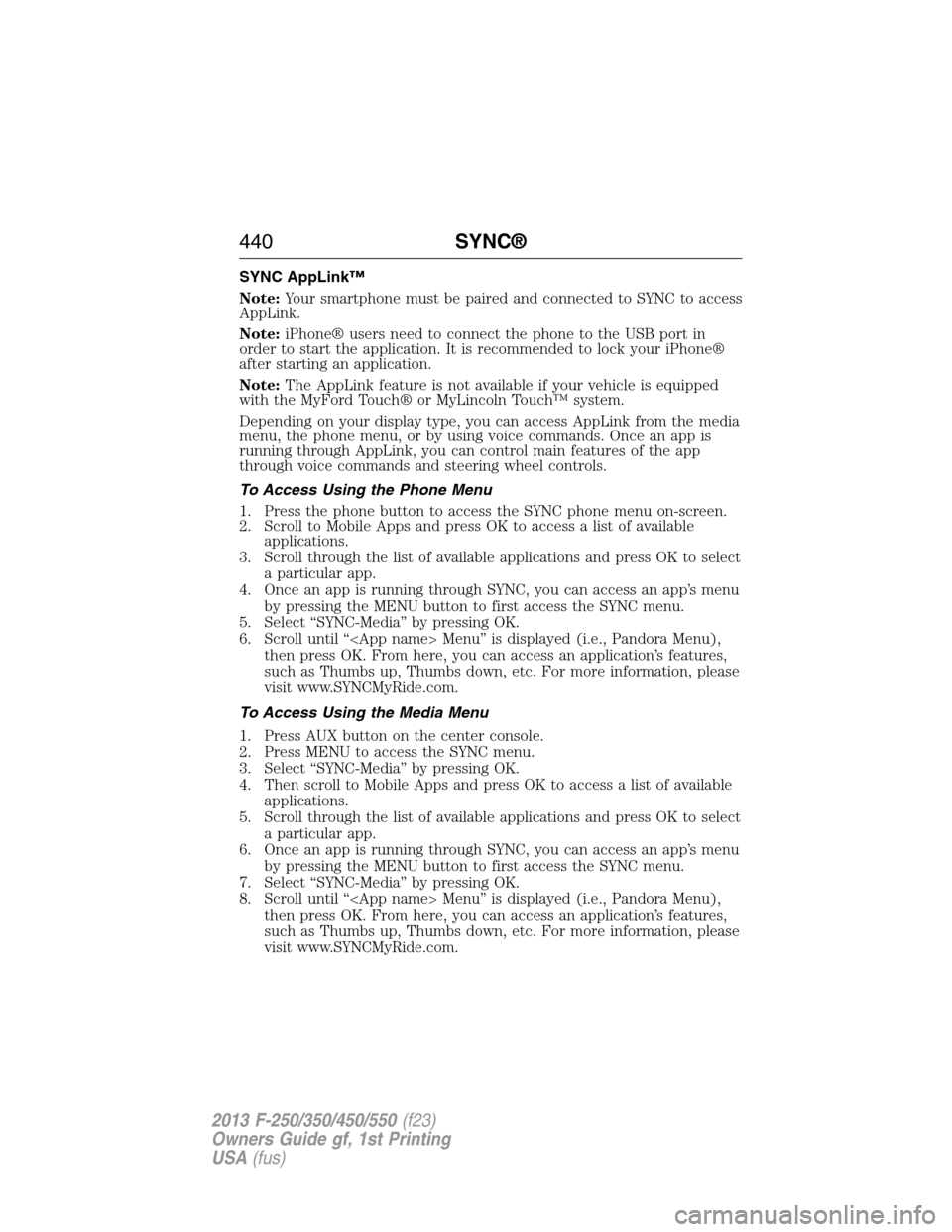
Depending on your display type, you can access AppLink from the media
menu, the phone menu, or by using voice commands. Once an app is
running through AppLink, you can control main features of the app
through voice commands and steering wheel controls.
To Access Using the Phone Menu
1. Press the phone button to access the SYNC phone menu on-screen.
2. Scroll to Mobile Apps and press OK to access a list of available
applications.
3. Scroll through the list of available applications and press OK to select
a particular app.
4. Once an app is running through SYNC, you can access an app’s menu
by pressing the MENU button to first access the SYNC menu.
5. Select “SYNC-Media” by pressing OK.
6. Scroll until “
then press OK. From here, you can access an application’s features,
such as Thumbs up, Thumbs down, etc. For more information, please
visit www.SYNCMyRide.com.
To Access Using the Media Menu
1. Press AUX button on the center console.
2. Press MENU to access the SYNC menu.
3. Select “SYNC-Media” by pressing OK.
4. Then scroll to Mobile Apps and press OK to access a list of available
applications.
5. Scroll through the list of available applications and press OK to select
a particular app.
6. Once an app is running through SYNC, you can access an app’s menu
by pressing the MENU button to first access the SYNC menu.
7. Select “SYNC-Media” by pressing OK.
8. Scroll until “
then press OK. From here, you can access an application’s features,
such as Thumbs up, Thumbs down, etc. For more information, please
visit www.SYNCMyRide.com.
440SYNC®
2013 F-250/350/450/550(f23)
Owners Guide gf, 1st Printing
USA(fus)
Page 442 of 563
To Access Using Voice Commands
1. Press the voice icon.
2. When prompted, say “Mobile Apps”.
3. Say the name of the application after the tone.
4. The app should start. While an app is running through SYNC, you can
press the voice button and speak commands specific to the app, such
as “Play Station Quickmix”. Say “Help” to discover available voice
commands.
USING SYNC WITH YOUR MEDIA PLAYER
You can access and play music from your digital music player over the
vehicle’s speaker system using the system’s media menu or voice
commands. You can also sort and play your music by specific categories,
such as artists, albums, etc.
SYNC is capable of hosting nearly any digital media player including:
iPod®, Zune™, Plays from device players, and most USB drives. SYNC
also supports audio formats such as MP3, WMA, WAV and ACC.
Connecting Your Digital Media Player via the USB Port
Note:If your digital media player has a power switch, ensure that the
device is turned on.
To connect using voice commands:
1. Plug the device into the vehicle’s USB port.
2. Press the voice icon and when prompted, say “USB”.
3. You can now play music by saying any of the appropriate voice
commands. See the media voice commands.
To connect using the system menu:
1. Plug the device into the vehicle’s USB port.
2. Press AUX and then MENU to enter the Media Menu.
3. Scroll until Select Source appears and press OK.
4. Scroll to select USB and press OK.
5. Depending on how many digital media files are on your connected
device, Indexing may appear in the radio display. When indexing is
complete, the screen returns to the Play Menu.
SYNC®441
2013 F-250/350/450/550(f23)
Owners Guide gf, 1st Printing
USA(fus)
Page 443 of 563
6. Press OK and scroll through selections of:
•Play All
•Artists
•Albums
•Genres
•Playlists
•Tracks
•Explore USB
•Similar Music
•Return
When the desired selection appears in the display, press OK to build
your desired music selection.
What’s Playing?
At any time when a track is playing, you can press the voice
icon and ask the system, “What’s playing?”. The system reads
the metadata tags (if populated) of the playing track to you.
Media Voice Commands
Press the voice icon and, when prompted, say “USB” then any
of the following:
“USB”
“Autoplay off”
“Autoplay on”
“(Phone) (Media) (Bluetooth) Connections”
“Pause”
“Play”
“Play album
1,3
“Play all”
“Play artist
“Play genre
“Play next folder”2
“Play next track”
“Play playlist
“Play previous folder”2
“Play previous track”
442SYNC®
2013 F-250/350/450/550(f23)
Owners Guide gf, 1st Printing
USA(fus)