2013 FORD FOCUS ELECTRIC battery
[x] Cancel search: batteryPage 142 of 386
AUXILIARY POWER POINTS
WARNING:Do not plug optional electrical accessories into the
cigarette lighter socket (if equipped). Improper use of the lighter
can cause damage not covered by your warranty, and can result in fire
or serious injury.
Note:If used when the engine is not running, the battery will discharge.
There may be insufficient power to restart your engine.
Note:Do not insert objects other than an accessory plug into the power
point. This will damage the outlet and blow the fuse.
Note:Do not hang any type of accessory or accessory bracket from the
plug.
Note:Do not use the power point over the vehicle capacity of 12 volts
DC 180 watts or a fuse may blow.
Note:Do not use the power point for operating a cigarette lighter
element.
Note:Improper use of the power point can cause damage not covered
by your warranty.
Note:Always keep the power point caps closed when not in use.
Run the engine for full capacity use of the power point. To prevent the
battery from being discharged:
•Do not use the power point longer than necessary when the engine is
not running.
•Do not leave devices plugged in overnight or when the vehicle is
parked for extended periods.
Locations
Power points may be found:
•on the center console
•on the rear of the center console.
POWER WINDOWS
WARNING:Do not leave children unattended in the vehicle and
do not let children play with the power windows. They may
seriously injure themselves.
142Driver Controls
2013 Focus Electric Vehicle(fob)
Owners Guide gf, 1st Printing
USA(fus)
Page 144 of 386
3. If the window does not close after the third attempt, contact your
authorized dealer as soon as possible.
Resetting the bounce-back feature
WARNING:The bounce-back function is deactivated until you
have reset the memory.
After the battery has been disconnected from the vehicle you must reset
the bounce-back memory separately for each window:
1. Lift and hold the switch until the window is fully closed, then release
the switch.
2. Lift the switch again for one more second.
3. Press and hold the switch until the window is fully open, then release
the switch.
4. Lift and hold the switch until the window is fully closed.
5. Open the window and try to close it automatically.
6. Reset and repeat procedure if the window does not close
automatically.
Window lock
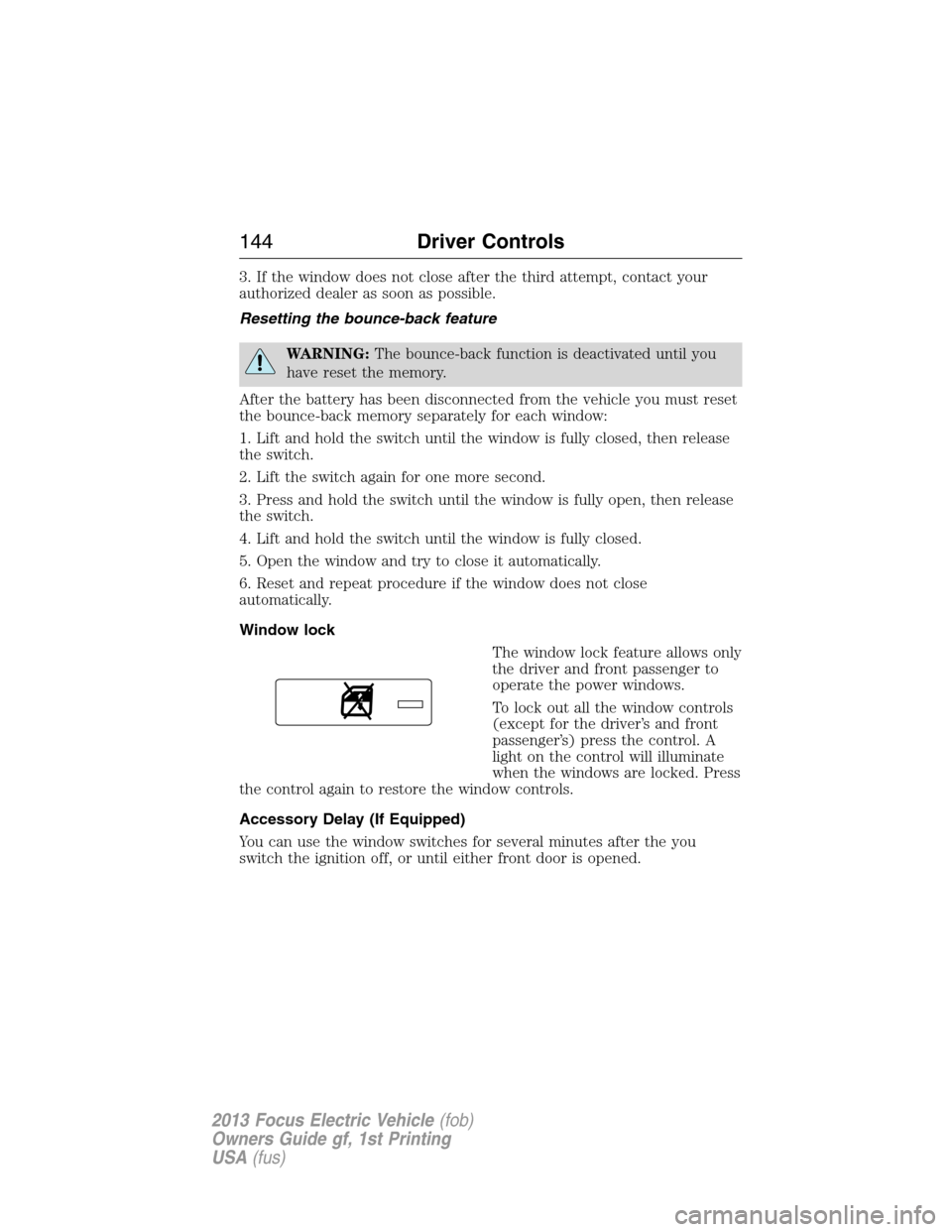
The window lock feature allows only
the driver and front passenger to
operate the power windows.
To lock out all the window controls
(except for the driver’s and front
passenger’s) press the control. A
light on the control will illuminate
when the windows are locked. Press
the control again to restore the window controls.
Accessory Delay (If Equipped)
You can use the window switches for several minutes after the you
switch the ignition off, or until either front door is opened.
144Driver Controls
2013 Focus Electric Vehicle(fob)
Owners Guide gf, 1st Printing
USA(fus)
Page 162 of 386
•arm and disarm the perimeter anti-theft system.
•activate the panic alarm.
•operate the illuminated entry feature.
•remotely start the vehicle.
The remote entry lock/unlock feature operates in any power mode
except when the vehicle is running and vehicle speed is more than
4 mph (7 km/h).
If there are problems with the remote entry system, make sure to take
ALL intelligent access keyswith you to the authorized dealer in order
to aid in troubleshooting the problem.
Intelligent access
The intelligent access system uses a radio frequency (RF) signal to
communicate with your vehicle and authorize your vehicle to unlock
when commanded (either by touching the inside of any exterior door
handle, the luggage compartment handle, or a button on the transmitter
itself). If excessive RF interference is present in the area, or if your
vehicle battery is low, it may be necessary to mechanically unlock your
door. The mechanical key blade in your IA key can be used to open the
driver’s door in this situation (refer toIntelligent access keyin this
chapter for more information on the location and use of the mechanical
key blade).
Your vehicle will allow you to unlock and enter your vehicle without
actively using a key or transmitter. You can use the intelligent access
feature at any door or at the liftgate. You can activate the intelligent
access feature as long as you have one of your IA keys within range of
the front doors or the liftgate.
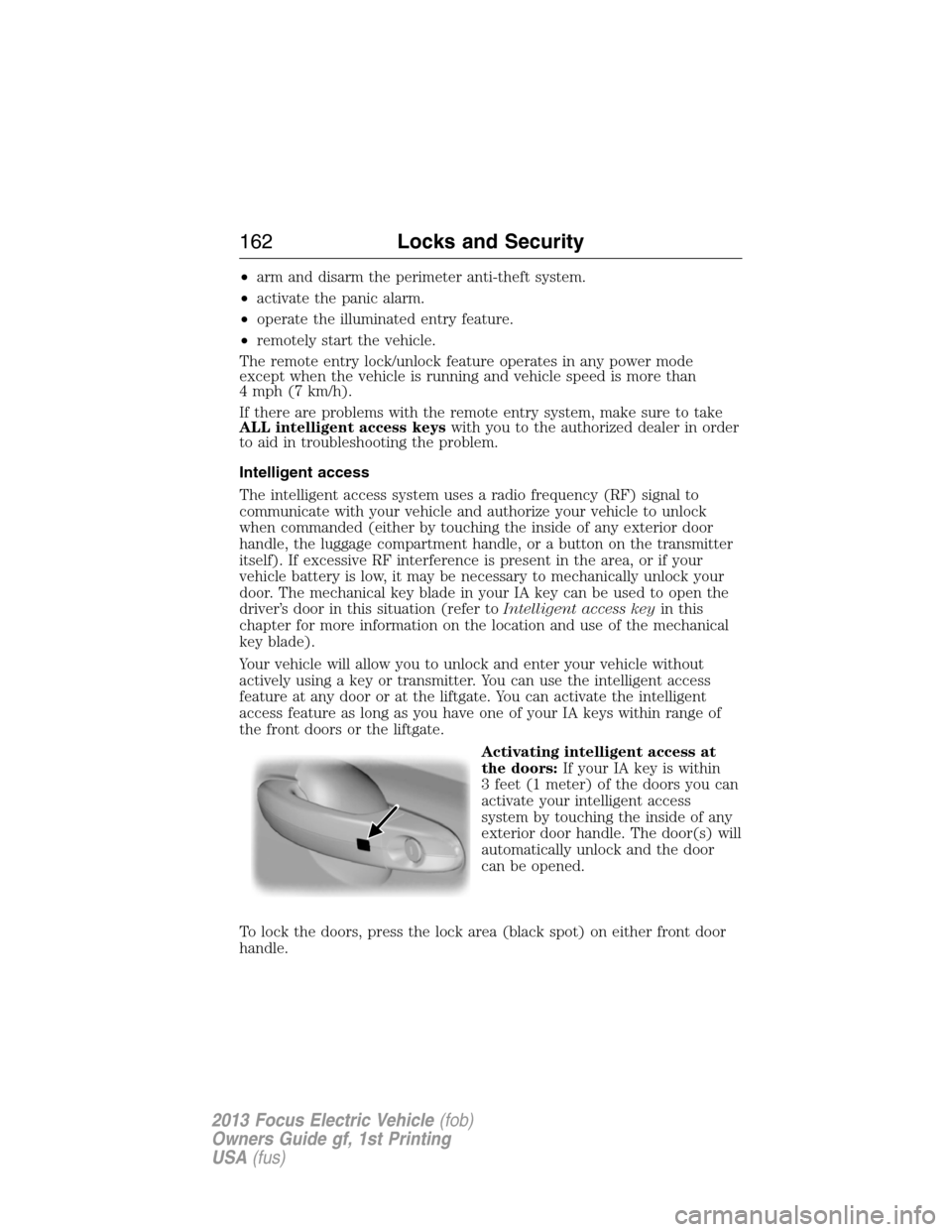
Activating intelligent access at
the doors:If your IA key is within
3 feet (1 meter) of the doors you can
activate your intelligent access
system by touching the inside of any
exterior door handle. The door(s) will
automatically unlock and the door
can be opened.
To lock the doors, press the lock area (black spot) on either front door
handle.
162Locks and Security
2013 Focus Electric Vehicle(fob)
Owners Guide gf, 1st Printing
USA(fus)
Page 163 of 386
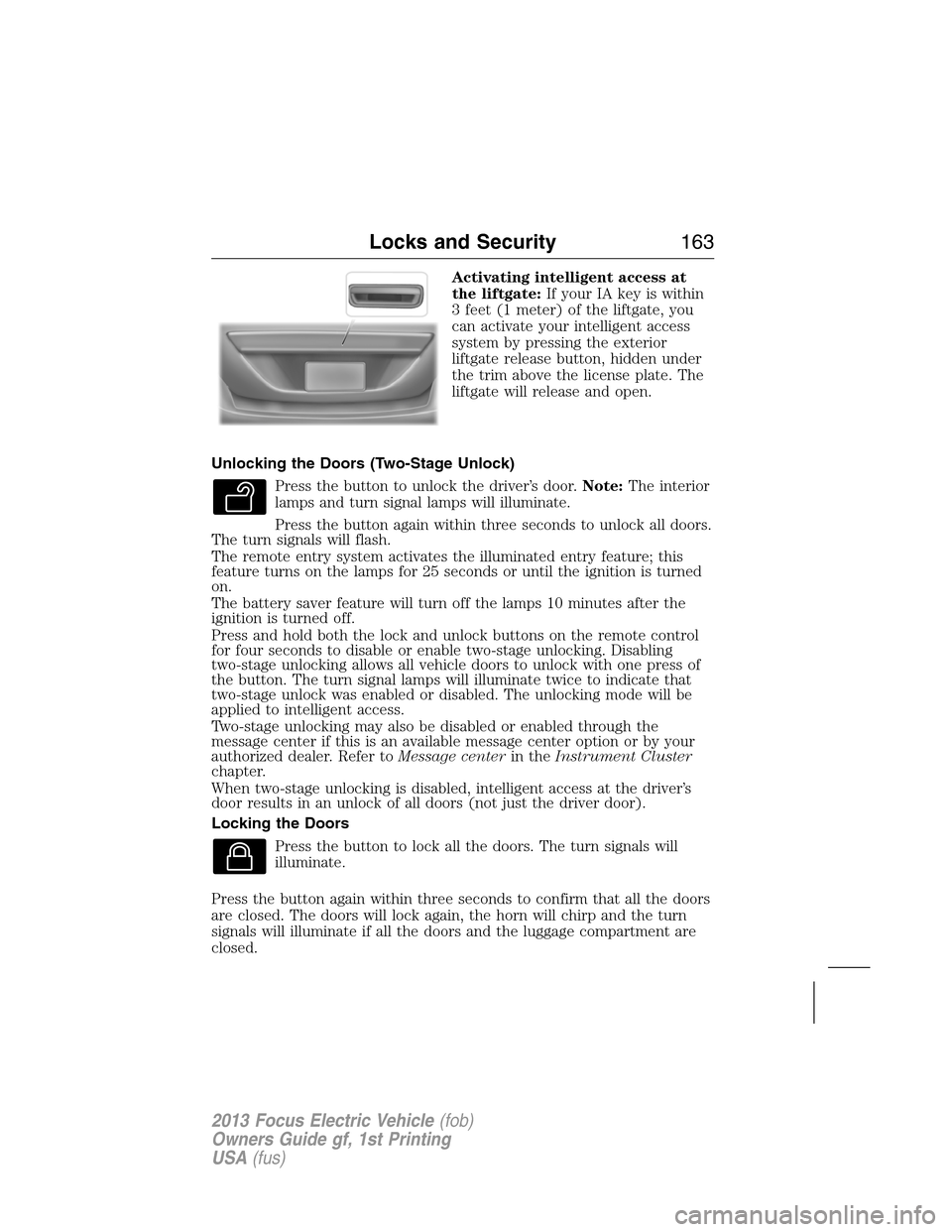
Activating intelligent access at
the liftgate:If your IA key is within
3 feet (1 meter) of the liftgate, you
can activate your intelligent access
system by pressing the exterior
liftgate release button, hidden under
the trim above the license plate. The
liftgate will release and open.
Unlocking the Doors (Two-Stage Unlock)
Press the button to unlock the driver’s door.Note:The interior
lamps and turn signal lamps will illuminate.
Press the button again within three seconds to unlock all doors.
The turn signals will flash.
The remote entry system activates the illuminated entry feature; this
feature turns on the lamps for 25 seconds or until the ignition is turned
on.
The battery saver feature will turn off the lamps 10 minutes after the
ignition is turned off.
Press and hold both the lock and unlock buttons on the remote control
for four seconds to disable or enable two-stage unlocking. Disabling
two-stage unlocking allows all vehicle doors to unlock with one press of
the button. The turn signal lamps will illuminate twice to indicate that
two-stage unlock was enabled or disabled. The unlocking mode will be
applied to intelligent access.
Two-stage unlocking may also be disabled or enabled through the
message center if this is an available message center option or by your
authorized dealer. Refer toMessage centerin theInstrument Cluster
chapter.
When two-stage unlocking is disabled, intelligent access at the driver’s
door results in an unlock of all doors (not just the driver door).
Locking the Doors
Press the button to lock all the doors. The turn signals will
illuminate.
Press the button again within three seconds to confirm that all the doors
are closed. The doors will lock again, the horn will chirp and the turn
signals will illuminate if all the doors and the luggage compartment are
closed.
Locks and Security163
2013 Focus Electric Vehicle(fob)
Owners Guide gf, 1st Printing
USA(fus)
Page 164 of 386
Note:If any door or the luggage compartment is not closed, or if the
hood is not closed on vehicles equipped with a perimeter alarm or
remote start, the horn will chirp twice and the lamps will not flash.
Car Finder
Press the button twice within three seconds. The horn will
chirp and the turn signals will flash. It is recommended that
this method be used to locate your vehicle, rather than using
the panic alarm.
Sounding a Panic Alarm (If Equipped)
Note:The panic alarm will only operate when the ignition is off.
Press the button to activate the alarm. Press the button again
or turn the ignition on to deactivate.
Opening the luggage compartment
Press twice to open the luggage compartment.
Ensure that the trunk is closed and latched before driving your vehicle.
Failure to properly latch the trunk may cause objects to fall out or block
the driver’s rear view.
Replacing the Battery
Note:Refer to local regulations when disposing of transmitter batteries.
Note:Do not wipe off any grease on the battery terminals or on the
back surface of the circuit board.
Note:Replacing the battery will not delete the transmitter from the
vehicle. The transmitter should operate normally.
The remote control uses one coin-type three-volt lithium battery CR2032
or equivalent.
164Locks and Security
2013 Focus Electric Vehicle(fob)
Owners Guide gf, 1st Printing
USA(fus)
Page 165 of 386
Intelligent Access Transmitter
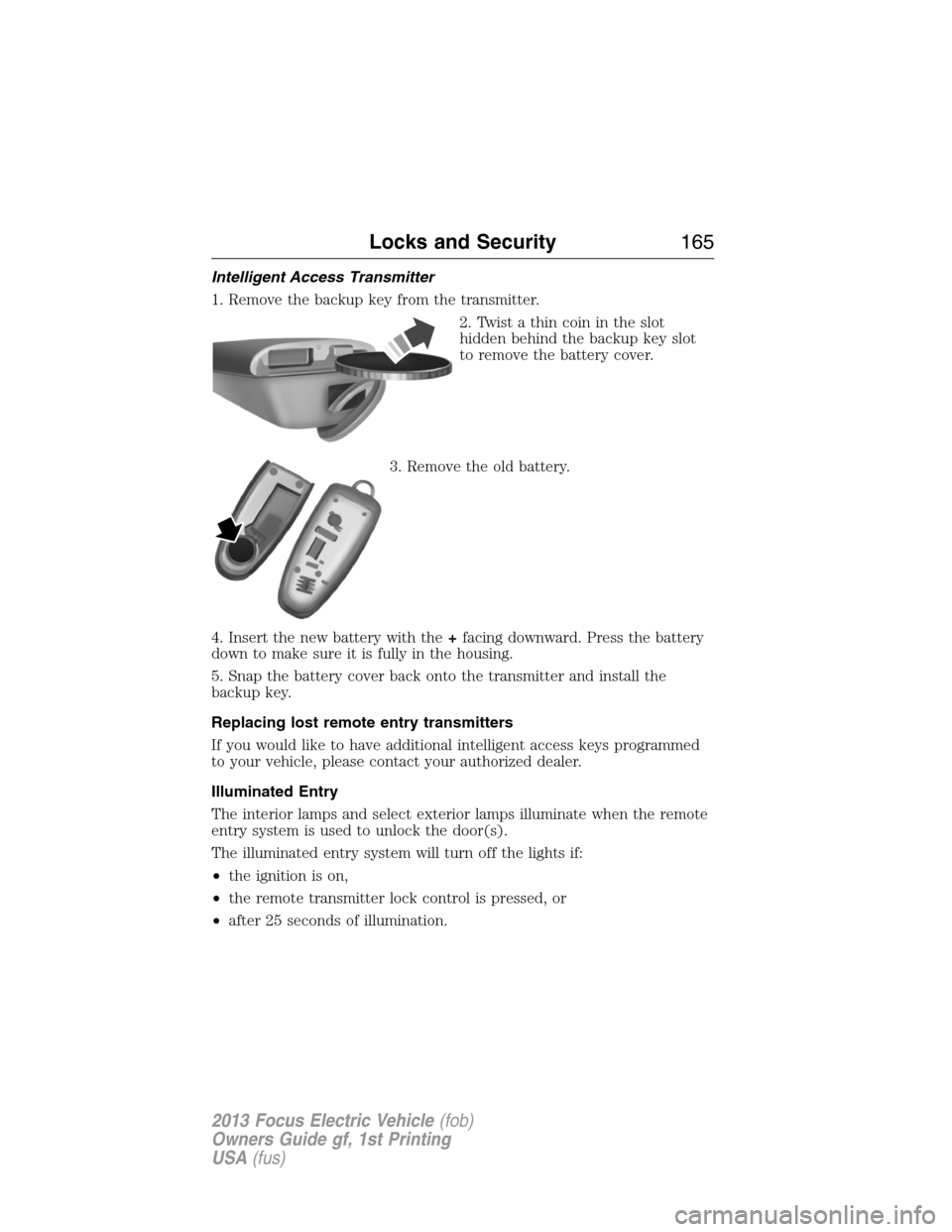
1. Remove the backup key from the transmitter.
2. Twist a thin coin in the slot
hidden behind the backup key slot
to remove the battery cover.
3. Remove the old battery.
4. Insert the new battery with the+facing downward. Press the battery
down to make sure it is fully in the housing.
5. Snap the battery cover back onto the transmitter and install the
backup key.
Replacing lost remote entry transmitters
If you would like to have additional intelligent access keys programmed
to your vehicle, please contact your authorized dealer.
Illuminated Entry
The interior lamps and select exterior lamps illuminate when the remote
entry system is used to unlock the door(s).
The illuminated entry system will turn off the lights if:
•the ignition is on,
•the remote transmitter lock control is pressed, or
•after 25 seconds of illumination.
Locks and Security165
2013 Focus Electric Vehicle(fob)
Owners Guide gf, 1st Printing
USA(fus)
Page 166 of 386
The lights will not turn off if:
•they have been turned on with the dimmer control, or
•any door is open.
Illuminated exit
The interior dome lamps and parking lamps will illuminate when all
doors are closed and the vehicle is turned off.
The lamps will turn off if all the doors remain closed and:
•25 seconds elapse
•the POWER button is pressed.
Battery saver
The battery saver will shut off the lamps 10 minutes after the vehicle has
been turned off.
•If the dome lamps were turned on using the panel dimmer control, the
battery saver will shut them off 10 minutes after the vehicle has been
turned off.
•If the courtesy lamps were turned on because one of the vehicle doors
or the trunk was opened, the battery saver will shut them off
10 minutes after the vehicle has been turned off.
•The battery saver will shut off the headlamps 10 minutes after the
vehicle has been turned off.
Accessory mode battery saver
Accessory mode will shut off after 30 minutes.
Remote Start
Your vehicle has remote start if the transmitter has this button.
The remote start feature allows you to start the vehicle from outside the
vehicle. The transmitter has an extended operating range.
Vehicles with automatic climate control can be configured to operate
when the vehicle is remote started. Refer to theClimate Control
chapter for more information.
Many states and provinces have restrictions for the use of remote start.
Check your local and state or provincial laws for specific requirements
regarding remote start systems.
166Locks and Security
2013 Focus Electric Vehicle(fob)
Owners Guide gf, 1st Printing
USA(fus)
Page 167 of 386
The remote start system will not work if:
•the vehicle is on
•the alarm system is triggered
•the feature has been disabled
•the hood is not closed
•two remote vehicle starts have already been attempted within the last
hour
•the vehicle is not in P (Park)
•the vehicle battery voltage is too low
•the powertrain malfunction/reduced power indicator was on the last
time the vehicle was driven.
Remote Starting the Vehicle
Note:Each button press must be done within three seconds of each
other. The vehicle will not remote start if this sequence is not followed
and the horn will not chirp.
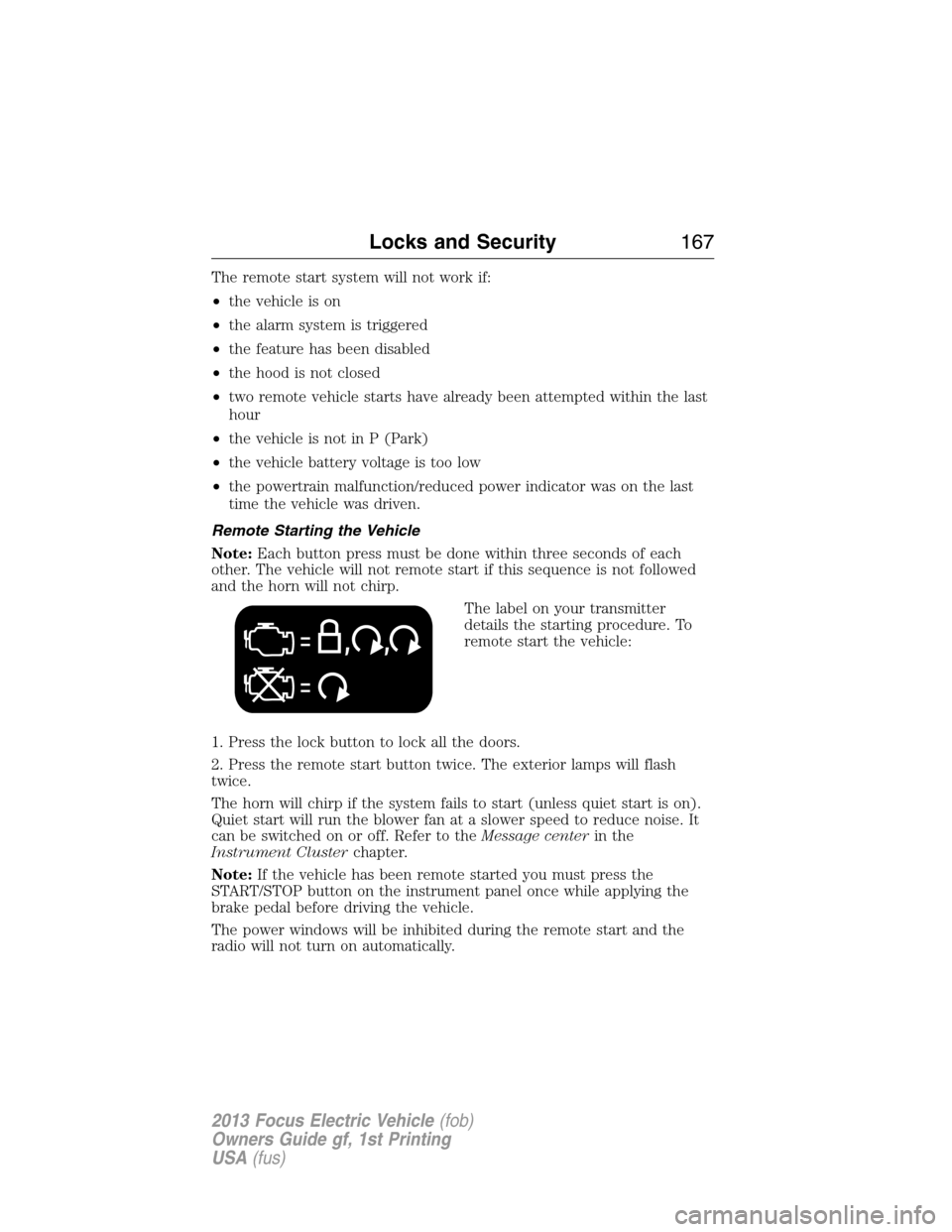
The label on your transmitter
details the starting procedure. To
remote start the vehicle:
1. Press the lock button to lock all the doors.
2. Press the remote start button twice. The exterior lamps will flash
twice.
The horn will chirp if the system fails to start (unless quiet start is on).
Quiet start will run the blower fan at a slower speed to reduce noise. It
can be switched on or off. Refer to theMessage centerin the
Instrument Clusterchapter.
Note:If the vehicle has been remote started you must press the
START/STOP button on the instrument panel once while applying the
brake pedal before driving the vehicle.
The power windows will be inhibited during the remote start and the
radio will not turn on automatically.
Locks and Security167
2013 Focus Electric Vehicle(fob)
Owners Guide gf, 1st Printing
USA(fus)