2013 FORD ESCAPE door lock
[x] Cancel search: door lockPage 73 of 423

Door function switch.
A
All lamps on and off switch.
B
Individual lamp on and off
switch.
C
Rear Interior Lamp (If Equipped)
You can switch individual map lamps on
independently by pressing switch A.
AMBIENT LIGHTING (IF EQUIPPED)
The ambient lighting system illuminates
the interior with a choice of several colors.
The ambient lighting control is located in
the overhead console.
Color palette
A
Control knob
B
Search mode
C
Rotate B past the first detent to switch on
and adjust to the desired brightness.
Press A to cycle through the color choices.
Press C to switch on all interior lamps and
the ambient lighting. Press C again to
switch off the interior lamps and return the
ambient lighting to the previously selected
color.
The ambient lighting will switch on when
the following conditions have been met:
• you switch the ignition on
• you switch the headlamps on
• the outside ambient light level is low.
The ambient lighting will remain on until
you switch the ignition off and one of the
following conditions have been met:
• you lock your vehicle
• the accessory delay timer expires.
73
Lighting
B
C
A
E142454
A
E142455
ABC
E142456
Page 80 of 423

Odometer
Located in the bottom of the information
display Registers the accumulated
distance your vehicle has traveled.
Outside Air Temperature
Shows the outside air temperature.
Trip Computer
See Trip Computer (page 86).
Vehicle Settings and Personalization
See General Information (page 84).
Engine Coolant Temperature
Gauge
WARNING
Never remove the coolant reservoir
cap while the engine is running or hot.
At normal operating temperature, the
needle will remain in the center section.
Note:Do not restart the engine until the
cause of overheating has been resolved.
If the needle enters the red section, the
engine is overheating. Stop the engine,
switch the ignition off and determine the
cause once the engine has cooled down.
See Engine Coolant Check (page 222). Fuel Gauge
Switch the ignition on. The fuel gauge will
indicate approximately how much fuel is
left in the fuel tank. The fuel gauge may
vary slightly when your vehicle is moving
or on a gradient. The arrow adjacent to the
fuel pump symbol indicates on which side
of the vehicle the fuel filler door is located.
WARNING LAMPS AND
INDICATORS
The following warning lamps and
indicators will alert you to a vehicle
condition that may become serious. Some
lamps will illuminate when you start your
vehicle to make sure they work. If any
lamps remain on after starting your vehicle,
refer to the respective system warning
lamp for further information.
Note:
Some warning indicators appear in
the information display and function the
same as a warning lamp but do not display
when you start your vehicle.
Airbag - Front
If it fails to illuminate when you
start your vehicle, continues to
flash or remains on, it indicates
a malfunction. Have the system checked
by your authorized dealer.
Anti-Lock Braking System
If it illuminates when you are
driving, this indicates a
malfunction. You will continue
to have the normal braking system
(without ABS) unless the brake system
warning lamp is also illuminated. Have the
system checked by your authorized dealer.
80
Instrument Cluster
123
4
5
6 7 8 9 1011 12 13 14 15
E142800
Page 89 of 423

Action
Message
Indicator
Message
Displayed when the blind spot information
system and cross traffic alert system sensors are blocked. See Blind Spot Monitor (page 171).
Amber
Cross Traffic Sensor
blocked See manual
Displays when the system requires service dueto a malfunction. Contact your authorized dealer.
Amber
Cross Traffic fault
Service required
Displayed when the system is not available dueto trailer use. See Blind Spot Monitor (page 171).
-
Cross Traffic disabled
Trailer attached
Doors
Action
Message
Indicator
Message
Displays when the door(s) listed is not
completely closed and the vehicle is moving.
Red
X door open
Displays when the door(s) listed is notcompletely closed.
-
Displays when the luggage compartment is notcompletely closed and the vehicle is moving.
Red
trunk ajar
Displays when the luggage compartment is notcompletely closed.
-
Displays when the hood is not completelyclosed and the vehicle is moving.
Red
Hood open
Displays when the hood is not completelyclosed.
-
89
Information Displays
Page 126 of 423

Saving a Pre-Set Position
1. Switch the ignition on.
2. Adjust the seat and exterior mirrors toyour desired position.
3. Press and hold the desired pre-set button until you hear a single chime.
Recalling a Pre-Set Position
Press the pre-set button associated with
your desired driving position. The seat and
mirrors will move to the position stored for
that pre-set.
Saving a Passive Setting
The vehicle stores the seating and mirror
positions for up to three remote controls
or passive keys. Next time the vehicle is
unlocked, the position of the seat and
mirrors will adjust to the last used position.
Each time you turn the ignition off, the
current seat and mirror settings are stored
on the remote control or passive key used.
Recalling a Stored Seat Position
Note: Press any driver seat adjustment
control, any of the memory buttons or any
mirror control switch, to stop seat
movement during a recall. Seat movement
will also stop if you move the vehicle. Passive Recall
Note:
If more than one passive key is in
range, the memory function will move to the
settings of the first key stored.
When you unlock the vehicle with the
remote control or pull the driver door
handle with a passive key in range, the seat
and mirrors will move to the position stored
on that remote control or passive key.
REAR SEATS
Recline Adjustment (If Equipped)
With the seat occupied, pull the lever up
to recline the seatback.
Folding the Seatback
With the seat empty, pull the lever up to
fold the seatback forward. You may need
to fold the outboard head restraints and
lower the center head restraint first.
Unfolding the Seatback
Pull the lever up and pull the seatback
upward.
126
Seats
E142554
E138650
Page 128 of 423
Homelink® Wireless Control
System (If Equipped)
WARNINGS
Make sure that the garage door and
security device are free from
obstruction when you are
programming. Do not program the system
with the vehicle in the garage.
Do not use the system with any
garage door opener that does not
have the safety stop and reverse
feature as required by U.S. Federal Safety
Standards (this includes any garage door
opener manufactured before April 1, 1982).
Note: Make sure you keep the original
remote control transmitter for use in other
vehicles as well as for future system
programming.
Note: We recommend that upon the sale
or lease termination of your vehicle, you
erase the programmed function buttons for
security reasons. See Erasing the function
button codes later in this section.
Note: You can program a maximum of
three devices. To change or replace any of
the three devices after it has been initially
programmed, you must first erase the
current settings. See Erasing the function
button codes later in this section.
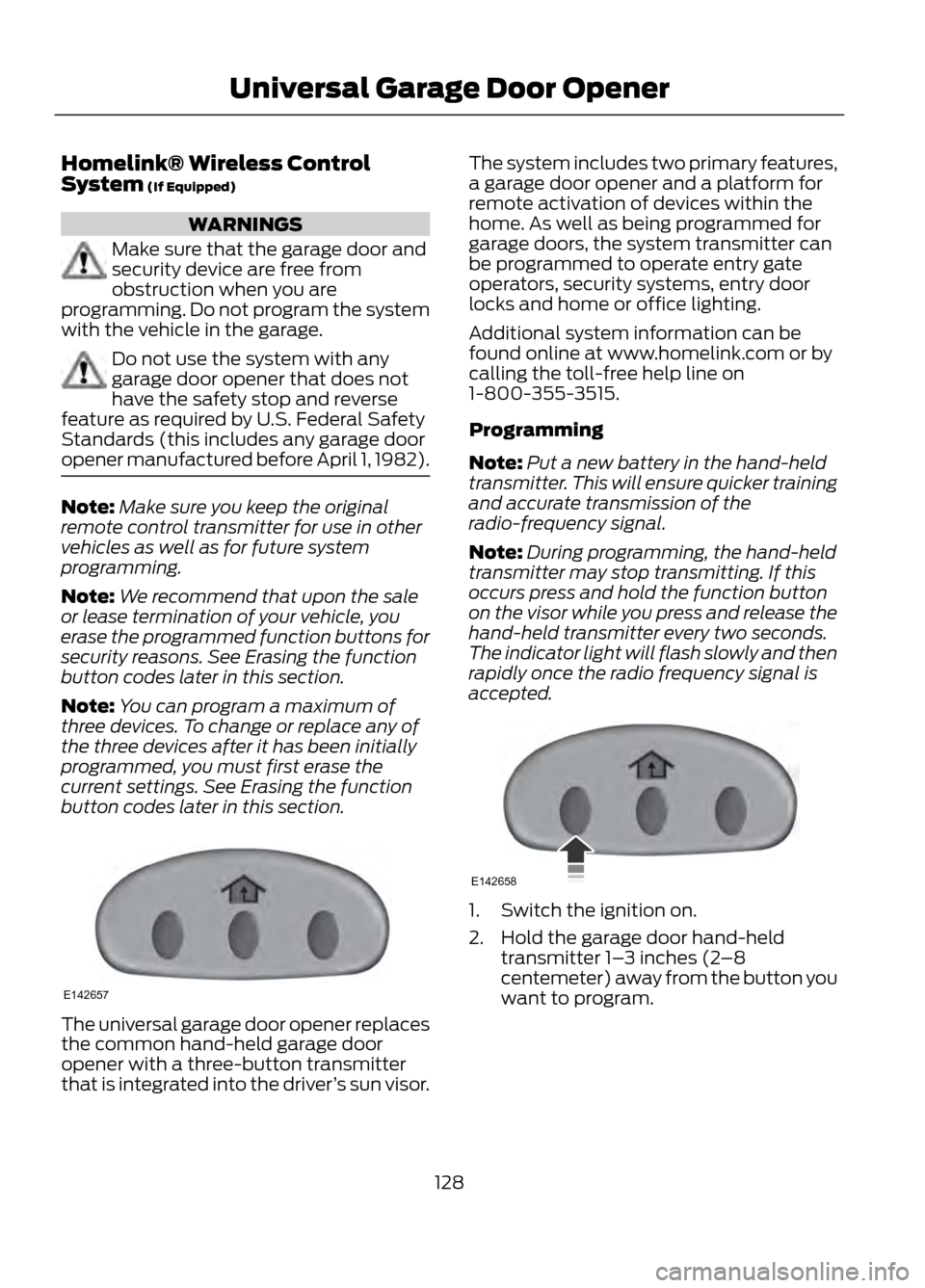
The universal garage door opener replaces
the common hand-held garage door
opener with a three-button transmitter
that is integrated into the driver ’s sun visor. The system includes two primary features,
a garage door opener and a platform for
remote activation of devices within the
home. As well as being programmed for
garage doors, the system transmitter can
be programmed to operate entry gate
operators, security systems, entry door
locks and home or office lighting.
Additional system information can be
found online at www.homelink.com or by
calling the toll-free help line on
1-800-355-3515.
Programming
Note:
Put a new battery in the hand-held
transmitter. This will ensure quicker training
and accurate transmission of the
radio-frequency signal.
Note: During programming, the hand-held
transmitter may stop transmitting. If this
occurs press and hold the function button
on the visor while you press and release the
hand-held transmitter every two seconds.
The indicator light will flash slowly and then
rapidly once the radio frequency signal is
accepted.
1. Switch the ignition on.
2. Hold the garage door hand-held transmitter 1– 3 inches (2–8
centemeter) away from the button you
want to program.
128
Universal Garage Door Opener
E142657
E142658
Page 137 of 423

Stopping the Engine When Your
Vehicle is Moving
1. Press and hold the START button fora moment, or press it three times within
two seconds.
2. Move the transmission selector lever to position N and use the brakes to
bring your vehicle to a safe stop.
3. When your vehicle has stopped, move the transmission selector lever to
position P and switch the ignition off.
WARNING
Switching off the engine when the
vehicle is still moving will result in a
loss of brake and steering assistance.
The steering will not lock, but higher effort
will be required. When the ignition is
switched off, some electrical circuits,
warning lamps and indicators may also be
off.
Fast Restart
The fast restart feature allows you to
restart your vehicle within 20 seconds of
switching it off, even if a valid key is not
present.
Within 20 seconds of switching your
vehicle off, press the brake pedal and press
the start button. After 20 seconds have
expired, you can no longer start your
vehicle without the key present inside the
vehicle.
Once your vehicle has started, it remains
running until you press the start button,
even if a valid key has not been detected.
If you open and close a door while your
vehicle is running, the system searches for
a valid key. You cannot start your vehicle
if a valid key is not detected within 20
seconds. STARTING A GASOLINE
ENGINE
When you start the engine the idle speed
will be increased to warm up the engine. If
the engine idle speed does not slow down
automatically, have your vehicle checked
by your authorized dealer.
Before starting the engine check the
following:
•
Make sure all occupants have fastened
their safety belts.
• Make sure the headlamps and
electrical accessories are off.
• Make sure the parking brake is on.
• Move the transmission selector lever
to position P.
• Turn the ignition key to position II.
Note: Do not touch the accelerator pedal.
1. Move the transmission selector lever to position P or N.
2. Fully press the brake pedal.
3. Start the engine. The engine may continue cranking for up to 15 seconds
or until it starts.
Note: If you cannot start the engine on the
first try, wait for a short period of time and
try again.
If you have difficulty starting the engine
when the temperature is below -13°F
(-25°C), press the accelerator pedal
slightly and try again.
If you cannot start the engine after three
attempts, wait 10 seconds and follow this
procedure.
1. Move the transmission selector lever to position P.
2. Fully press the accelerator pedal and hold it there.
3. Fully press the brake pedal.
4. Start the engine.
137
Starting and Stopping the Engine
Page 138 of 423

Guarding Against Exhaust Fumes
WARNING
If you smell exhaust fumes inside
your vehicle, have your vehicle
checked by your authorized dealer
immediately. Do not drive your vehicle if
you smell exhaust fumes. Carbon
monoxide is present in exhaust fumes.
Take precautions to avoid its dangerous
effects.
Important Ventilating Information
If you stop your vehicle and the leave the
engine idling for long periods of time, we
recommend that you do one of the
following:
• Open the windows at least 1 inch (2.5
centimeters)
• Set your climate control to outside air.
ENGINE BLOCK HEATER (IF
EQUIPPED)
WARNINGS
Failure to follow engine block heater
instructions could result in property
damage or serious personal injury.
Do not use your heater with
ungrounded electrical systems or
two-pronged adapters. There is a risk
of electrical shock.
Note: The heater is most effective when
outdoor temperatures are below 0°F
(-18°C). The heater acts as a starting aid by
warming the engine coolant. This allows
the climate control system to respond
quickly. The equipment includes a heater
element (installed in the engine block) and
a wire harness. You can connect the
system to a grounded 120 volt AC electrical
source.
We recommend that you do the following
for a safe and correct operation:
•
Use a 16-gauge outdoor extension cord
that is product certified by
Underwriter ’s Laboratory (UL) or
Canadian Standards Association
(CSA). This extension cord must be
able to be used outdoors, in cold
temperatures, and be clearly marked
Suitable for Use with Outdoor
Appliances. Do not use an indoor
extension cord outdoors. This could
result in an electric shock or become a
fire hazard.
• Use as short an extension cord as
possible.
• Do not use multiple extension cords.
• Make sure that when in operation, the
extension cord plug and heater cord
plug connections are free and clear of
water. This could cause an electric
shock or fire.
• Make sure the vehicle is parked in a
clean area, clear of combustibles.
• Make sure the heater, heater cord and
extension cord are firmly connected.
• Check for heat anywhere in the
electrical hookup once the system has
been operating for approximately 30
minutes.
138
Starting and Stopping the Engine
Page 209 of 423

Protected Components
Fuse Amp Rating
Fuse/Relay Number
Not used
-
F1
Not used
-
F2
Not used
-
F3
Not used
-
F4
Not used
-
F5
Not used
-
F6
Anti-lock brake system / Electronic stability
program pump
40A**
F7
Electronic stability program valve
30A**
F8
Not used
-
F9
Heater blower motor
40A**
F10
Not used
-
F11
Powertrain control module relay fuse
30A**
F12
Starter relay
30A**
F13
Rear power window (without door control
unit)
25A**
F14
Front cigar lighter / Power outlet
20A**
F15
Front power window (without door control
unit)
25A**
F16
Rear power outlet
20A**
F17
Center power outlet
20A**
F18
Anti-lock brake system / Electronic stability
program 15 feed
5A*
F19
Horn
15A*
F20
Stop light switch
5A*
F21
Battery monitor system
15A*
F22
Relay coils
5A*
F23
Light switch module
5A*
F24
209
Fuses