398
3-1. Using the air conditioning system and defogger
SIENNA_U (OM45477U)
Rear manual air conditioning system
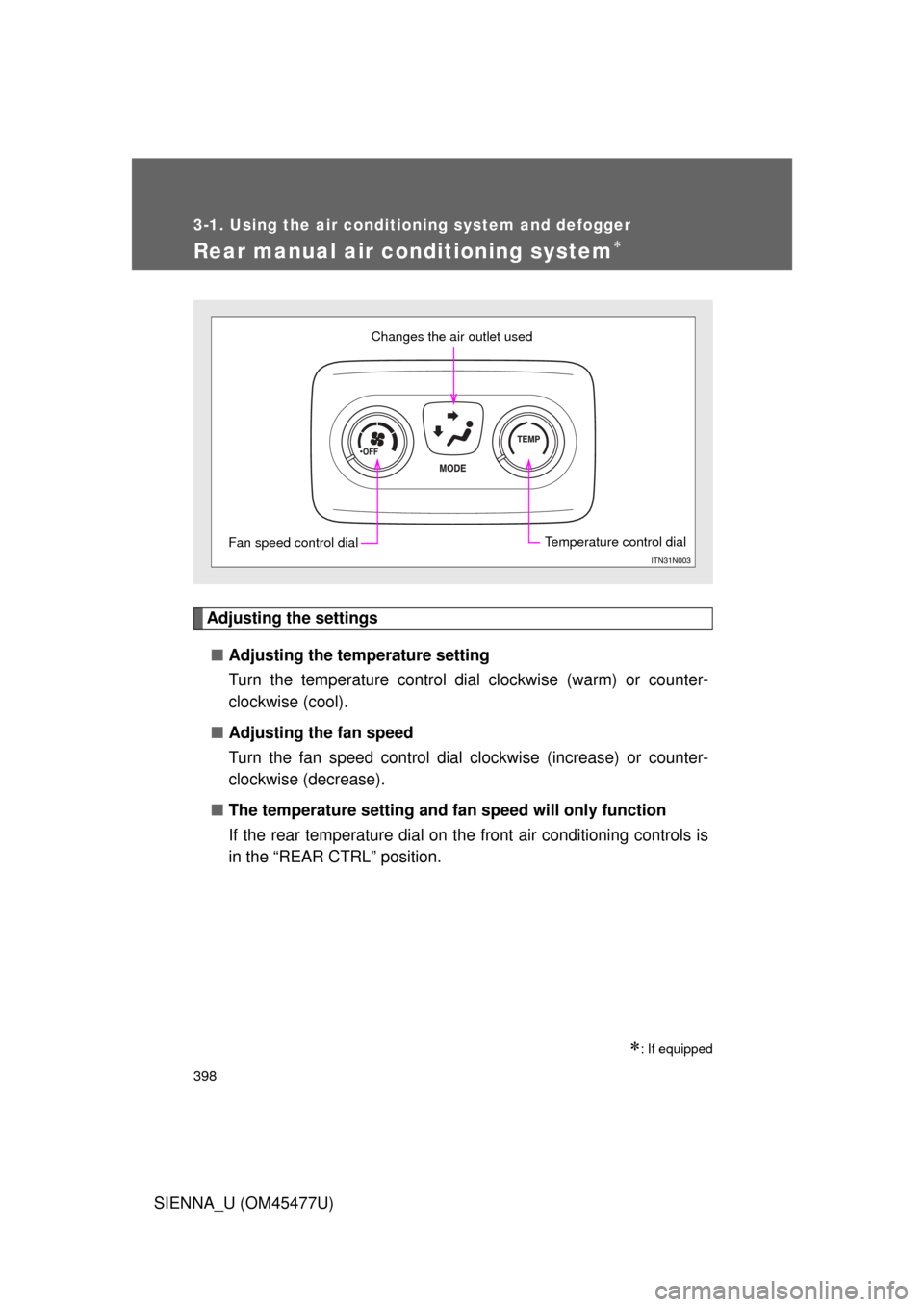
Adjusting the settings■ Adjusting the temperature setting
Turn the temperature control dial clockwise (warm) or counter-
clockwise (cool).
■ Adjusting the fan speed
Turn the fan speed control dial clockwise (increase) or counter-
clockwise (decrease).
■ The temperature setting and fa n speed will only function
If the rear temperature dial on the front air conditioning controls is
in the “REAR CTRL” position.
: If equipped
Changes the air outlet used
Fan speed control dialTemperature control dial
555
3-5. Using the hand
s-free phone system (for cellular phone)
3
Interior features
SIENNA_U (OM45477U)
Locking or unlocking the phone book
Select “Phonebook Lock (Phb k Lock)” or “Phonebook unlock
(Phbk Unlock)” using a voice command or .
Input the PIN by either of the following methods and select
“Confirm” using a voice command or :
a. Press the talk switch and say the registered PIN.
b. Input a registered PIN using .
Setting voice guidance volume
Select “Guidance Volume” using .
Change the voice guidance volume.
To decrease the volume: Turn counterclockwise.
To increase the volume: Turn clockwise.
STEP1
STEP2
STEP1
STEP2