Page 5 of 860
1
2
3
4
5
6
7
5
SIENNA_U (OM45477U)
3-5. Using the hands-free phone system (for cellular phone)
Hands-free phone system (for cellular phone)
features ............................. 529
Using the hands-free phone system
(for cellular phone) ............ 534
Making a phone call ............ 543
Setting a cellular phone ...... 548
Security and system setup ................................. 553
Using the phone book ......... 558
3-6. Using the interior lights Interior lights list .................. 566
• Personal/interior light main switch ....................... 567
• Personal/interior lights ...... 568
• Personal lights .................. 570
• Rear ceiling lights ............. 570 3-7. Using the storage features
List of storage features ....... 572
• Glove boxes ..................... 573
• Console box ..................... 575
• Overhead console ............ 578
• Cup holders ...................... 579
• Bottle holders ................... 582
• Door pockets .................... 584
• Auxiliary boxes ................. 585
3-8. Other interior features Sun visors........................... 590
Vanity mirrors ..................... 591
Clock .................................. 592
Conversation mirror ............ 593
Power outlets...................... 594
Seat heaters ....................... 598
Armrests ............................. 600
Rear side sunshades.......... 602
Grocery bag hooks ............. 603
Floor mat ............................ 605
Luggage compartment features ............................ 607
Garage door opener ........... 609
Compass ............................ 617
Safety Connect ................... 622
Page 255 of 860
255
2-2. Instrument cluster and information display
2
When driving
SIENNA_U (OM45477U)
■
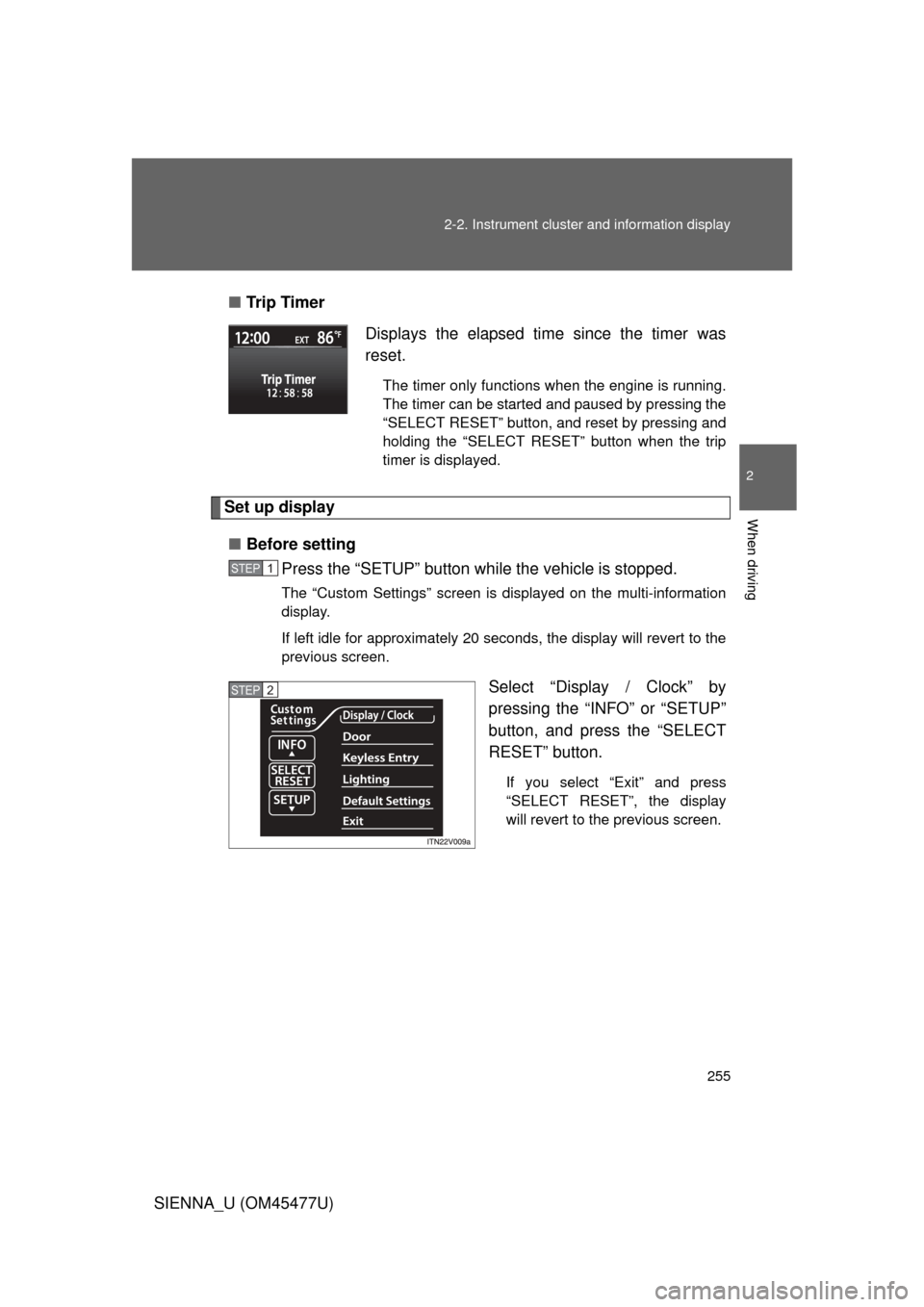
Tr i p Ti m e r
Set up display
■ Before setting
Press the “SETUP” button wh ile the vehicle is stopped.
The “Custom Settings” screen is displayed on the multi-information
display.
If left idle for approximately 20 seconds, the display will revert to the
previous screen.
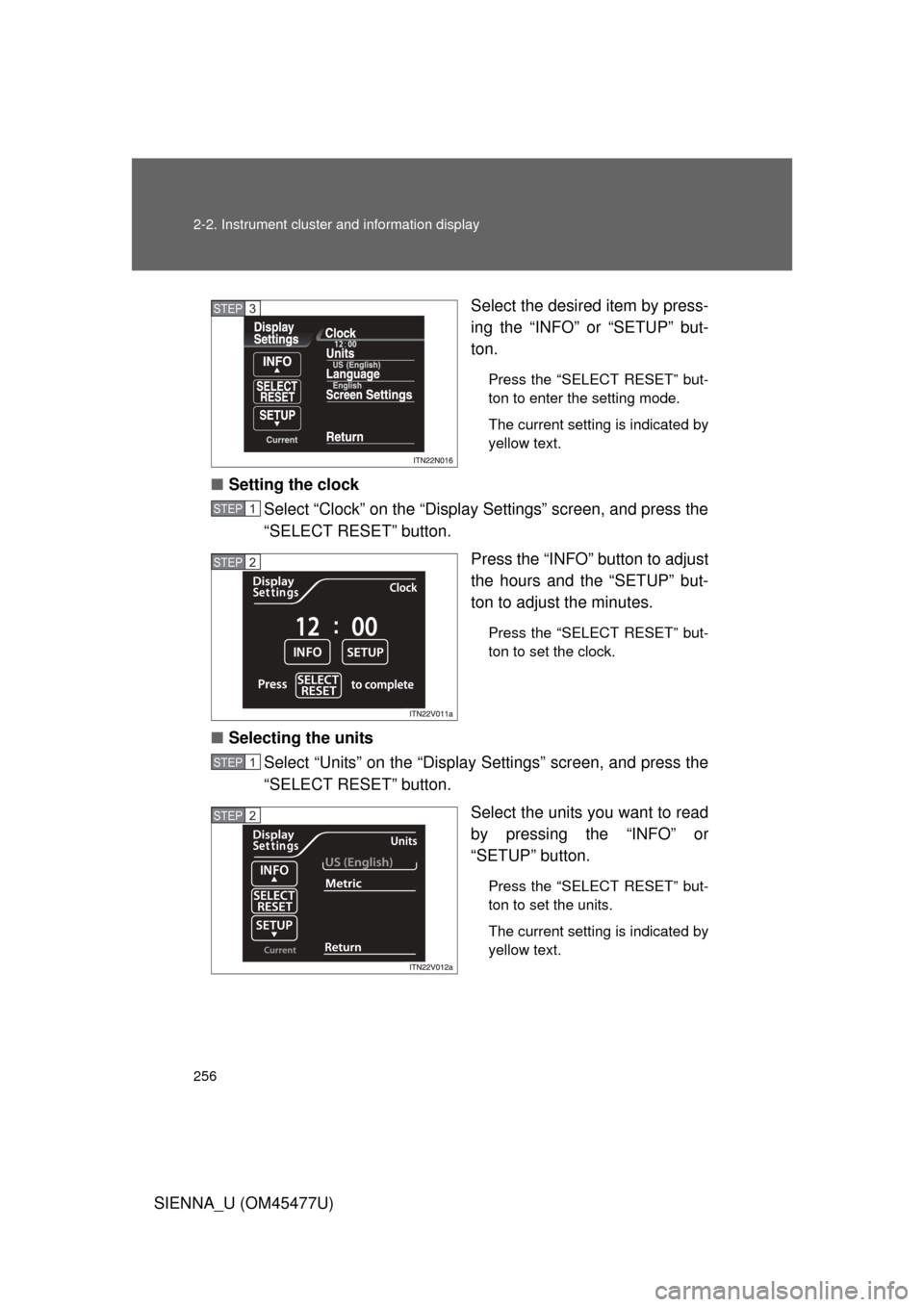
Select “Display / Clock” by
pressing the “INFO” or “SETUP”
button, and press the “SELECT
RESET” button.
If you select “Exit” and press
“SELECT RESET”, the display
will revert to the previous screen.
Displays the elapsed time since the timer was
reset.
The timer only functions when the engine is running.
The timer can be started and paused by pressing the
“SELECT RESET” button, and reset by pressing and
holding the “SELECT RESET” button when the trip
timer is displayed.
STEP1
STEP2
Page 256 of 860
256 2-2. Instrument cluster and information display
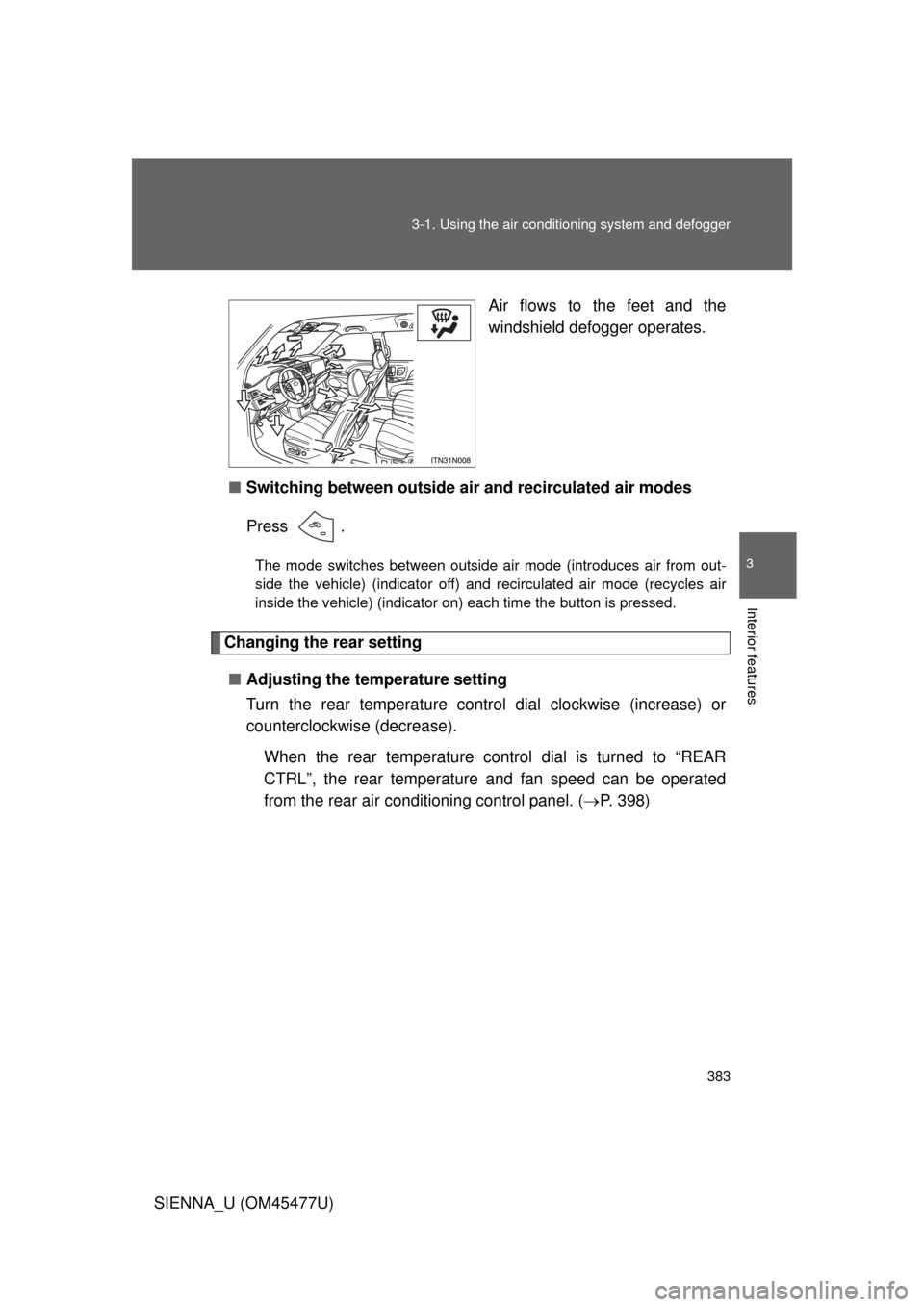
SIENNA_U (OM45477U)Select the desired item by press-
ing the “INFO” or “SETUP” but-
ton.
Press the “SELECT RESET” but-
ton to enter the setting mode.
The current setting is indicated by
yellow text.
■
Setting the clock
Select “Clock” on the “Display Settings” screen, and press the
“SELECT RESET” button.
Press the “INFO” button to adjust
the hours and the “SETUP” but-
ton to adjust the minutes.
Press the “SELECT RESET” but-
ton to set the clock.
■Selecting the units
Select “Units” on the “Display Settings” screen, and press the
“SELECT RESET” button.
Select the units you want to read
by pressing the “INFO” or
“SETUP” button.
Press the “SELECT RESET” but-
ton to set the units.
The current setting is indicated by
yellow text.
STEP3
STEP1
STEP2
STEP1
STEP2
Page 379 of 860
Interior features3
379
SIENNA_U (OM45477U)
3-5. Using the hands-free phonesystem (for cellula r phone)
Hands-free phone system (for cellular phone)
features .......................... 529
Using the hands-free phone system
(for cellular phone) ......... 534
Making a phone call ......... 543
Setting a cellular phone ... 548
Security and system setup .............................. 553
Using the phone book ...... 558
3-6. Using the interior lights Interior lights list ............... 566
• Personal/interior light
main swi tch .................... 567
• Personal/interior lights ... 568
• Personal lights ............... 570
• Rear ceiling lights .......... 570 3-7. Using the storage features
List of storage features .... 572
• Glove boxes ................... 573
• Console box ................... 575
• Overhead console .......... 578
• Cup holders ................... 579
• Bottle holders ................. 582
• Door pockets .................. 584
• Auxiliary boxes ............... 585
3-8. Other interior features Sun visors ........................ 590
Vanity mirrors ................... 591
Clock ................................ 592
Conversation mirror ......... 593
Power outlets ................... 594
Seat heaters..................... 598
Armrests........................... 600
Rear side sunshades ....... 602
Grocery bag hooks........... 603
Floor mat .......................... 605
Luggage compartment features .......................... 607
Garage door opener......... 609
Compass .......................... 617
Safety Connect ................ 622
Page 383 of 860
383
3-1. Using the air conditioning system
and defogger
3
Interior features
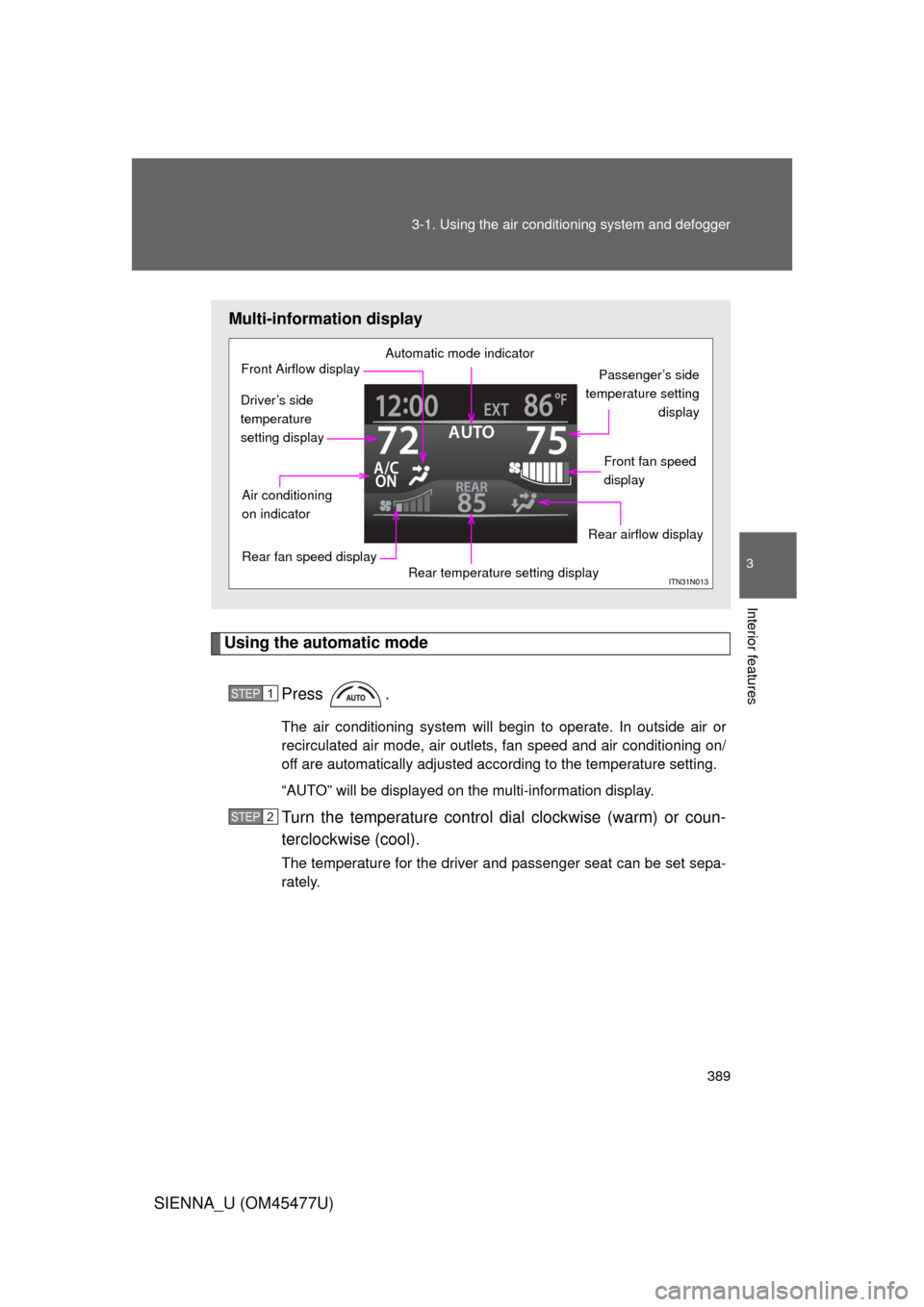
SIENNA_U (OM45477U) Air flows to the feet and the
windshield defogger operates.
■ Switching between outside air and recirculated air modes
Press .
The mode switches between outside air mode (introduces air from out-
side the vehicle) (indicator off) and recirculated air mode (recycles air
inside the vehicle) (indicator on) each time the button is pressed.
Changing the rear setting
■ Adjusting the temperature setting
Turn the rear temperature control dial clockwise (increase) or
counterclockwise (decrease).
When the rear temperature control dial is turned to “REAR
CTRL”, the rear temperature and fan speed can be operated
from the rear air conditioning control panel. ( P. 398)
Page 389 of 860
389
3-1. Using the air conditioning system
and defogger
3
Interior features
SIENNA_U (OM45477U)
Using the automatic mode
Press .
The air conditioning system will begin to operate. In outside air or
recirculated air mode, air outlets, fan speed and air conditioning on/
off are automatically adjusted according to the temperature setting.
“AUTO” will be displayed on the multi-information display.
Turn the temperature control dial clockwise (warm) or coun-
terclockwise (cool).
The temperature for the driver and passenger seat can be set sepa-
rately.
Multi-information display
Automatic mode indicator
Passenger’s side
temperature setting display
Front fan speed
display
Rear airflow display
Rear temperature setting display
Rear fan speed display
Air conditioning
on indicator
Front Airflow display
Driver’s side
temperature
setting display
STEP1
STEP2
Page 390 of 860
390 3-1. Using the air conditioning system and defogger
SIENNA_U (OM45477U)
Adjusting the settings
■ Adjusting the temperature setting
Turn the temperature control dial clockwise (warm) or counter-
clockwise (cool).
The air conditioning system switch es between individual and simulta-
neous modes each time is pressed.
Individual mode: The temperature for the driver’s, passenger’s and rear seats can be set separately. Operating the passenger’s
side or rear temperature control will enter individual
mode.
Simultaneous mode: Only the temperature control dial (driver’s side) can be used to adjust the temperature for all seats.
■Adjusting the fan speed
Press “ ” (increase) or “ ” (decrease) on .
The fan speed is shown on the display. (7 levels)
Press to turn the fan off.
Page 391 of 860
391
3-1. Using the air conditioning system
and defogger
3
Interior features
SIENNA_U (OM45477U)
Adjusting the settings manually
■ Basic setting
To turn on the air conditioning system and adjust the fan
speed, press “ ” on to increase the fan speed and “ ” to
decrease the fan speed.
Press to turn the fan off.
To adjust the temperature setting, turn the temperature control
dial (driver’s side) clockwise to increase the temperature and
turn the temperature control dial (driver’s side) counterclock-
wise to decrease the temperature.
When is pressed or the passenger’s side temperature
control is pressed, the temper ature for the driver and passen-
ger seats can be adjusted separately.
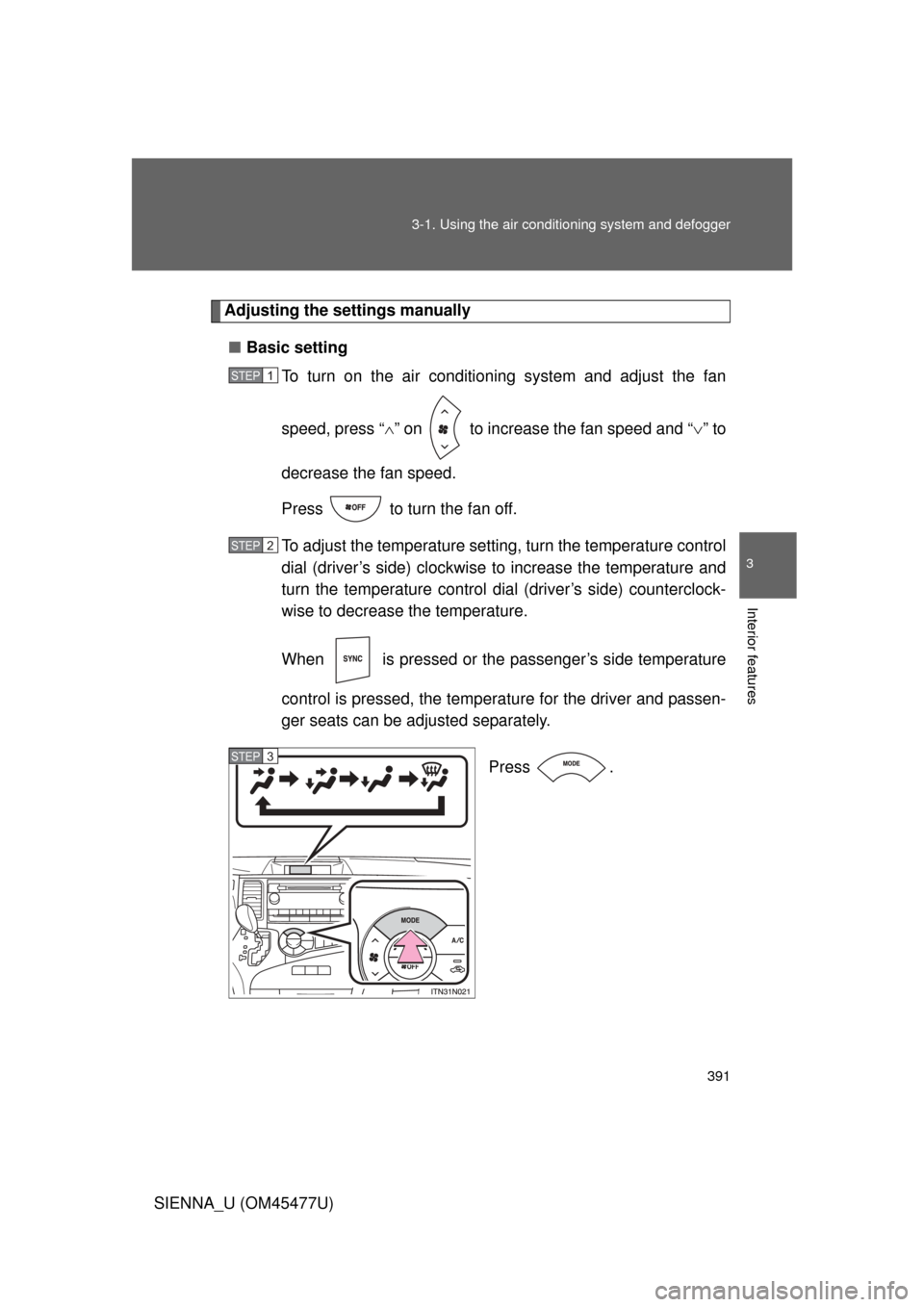
Press .
STEP1
STEP2
STEP3