Page 27 of 692
27
L/C200_EE (OM60G38E)
B
: If equipped
*: Refer to “Navigation System Owner’s Manual”.
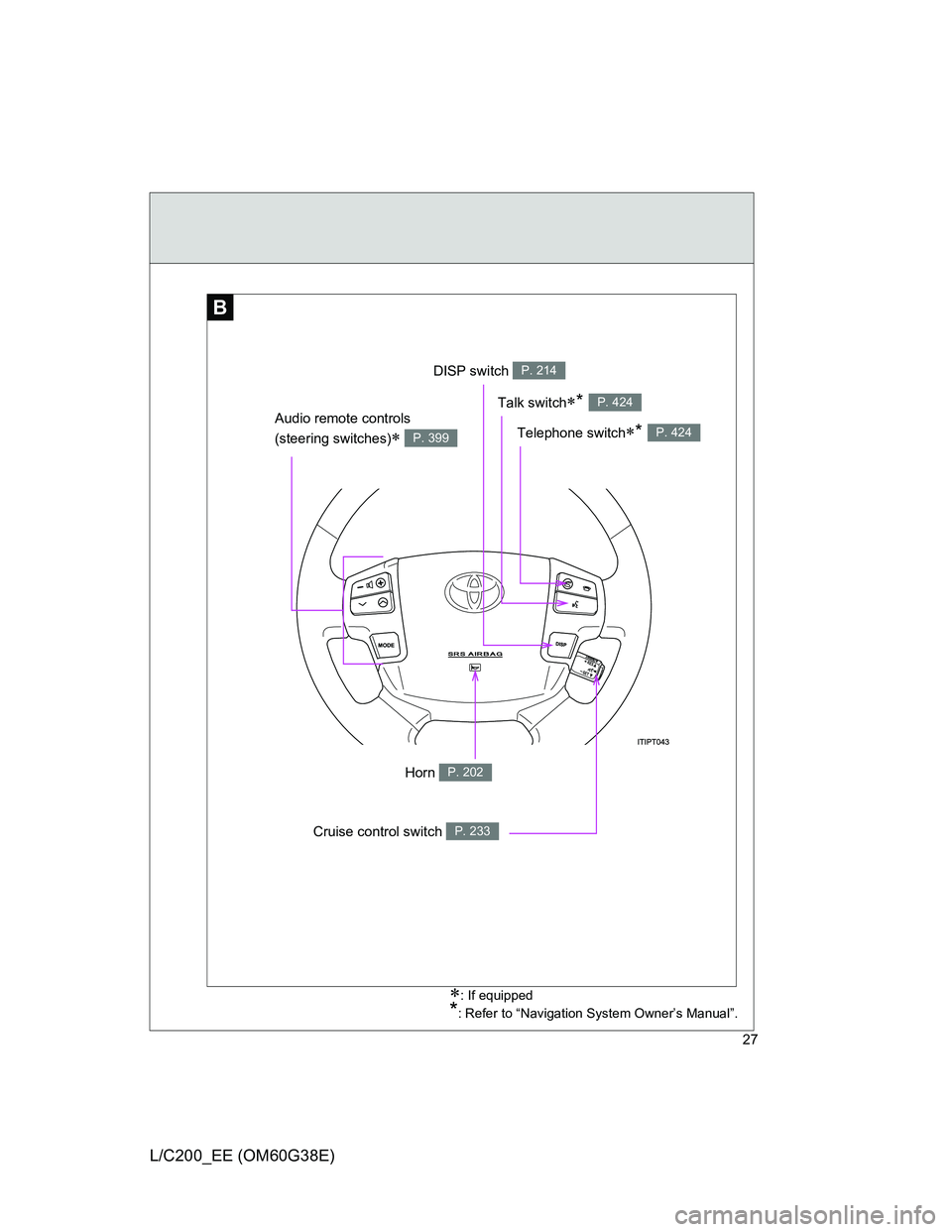
DISP switch P. 214
Telephone switch* P. 424
Talk switch* P. 424
Audio remote controls
(steering switches)
P. 399
Cruise control switch P. 233
Horn P. 202
Page 120 of 692
120
L/C200_EE (OM60G38E)
1-6. Theft deterrent system
Engine immobilizer system
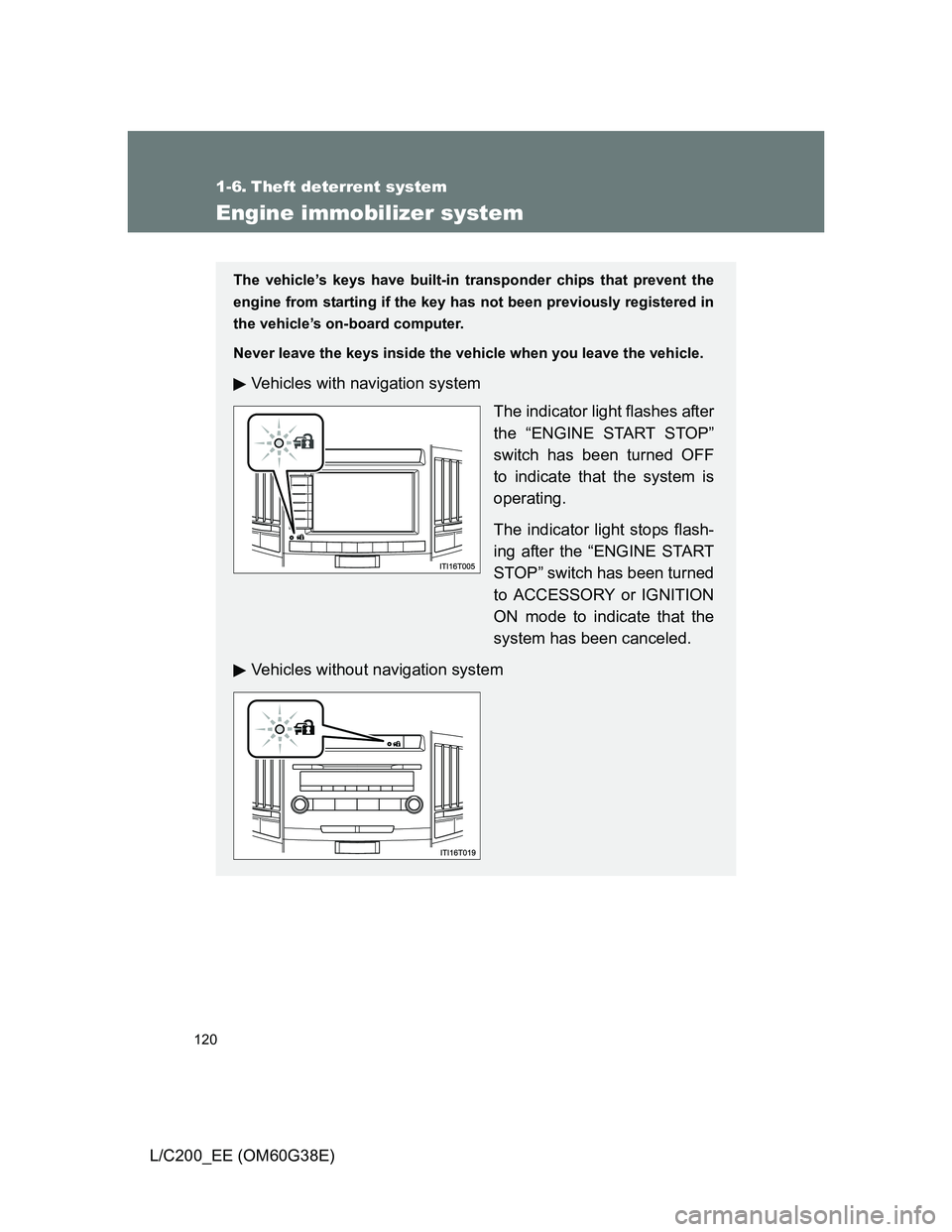
The vehicle’s keys have built-in transponder chips that prevent the
engine from starting if the key has not been previously registered in
the vehicle’s on-board computer.
Never leave the keys inside the vehicle when you leave the vehicle.
Vehicles with navigation system
The indicator light flashes after
the “ENGINE START STOP”
switch has been turned OFF
to indicate that the system is
operating.
The indicator light stops flash-
ing after the “ENGINE START
STOP” switch has been turned
to ACCESSORY or IGNITION
ON mode to indicate that the
system has been canceled.
Vehicles without navigation system
Page 128 of 692
128 1-6. Theft deterrent system
L/C200_EE (OM60G38E)
Setting the alarm system
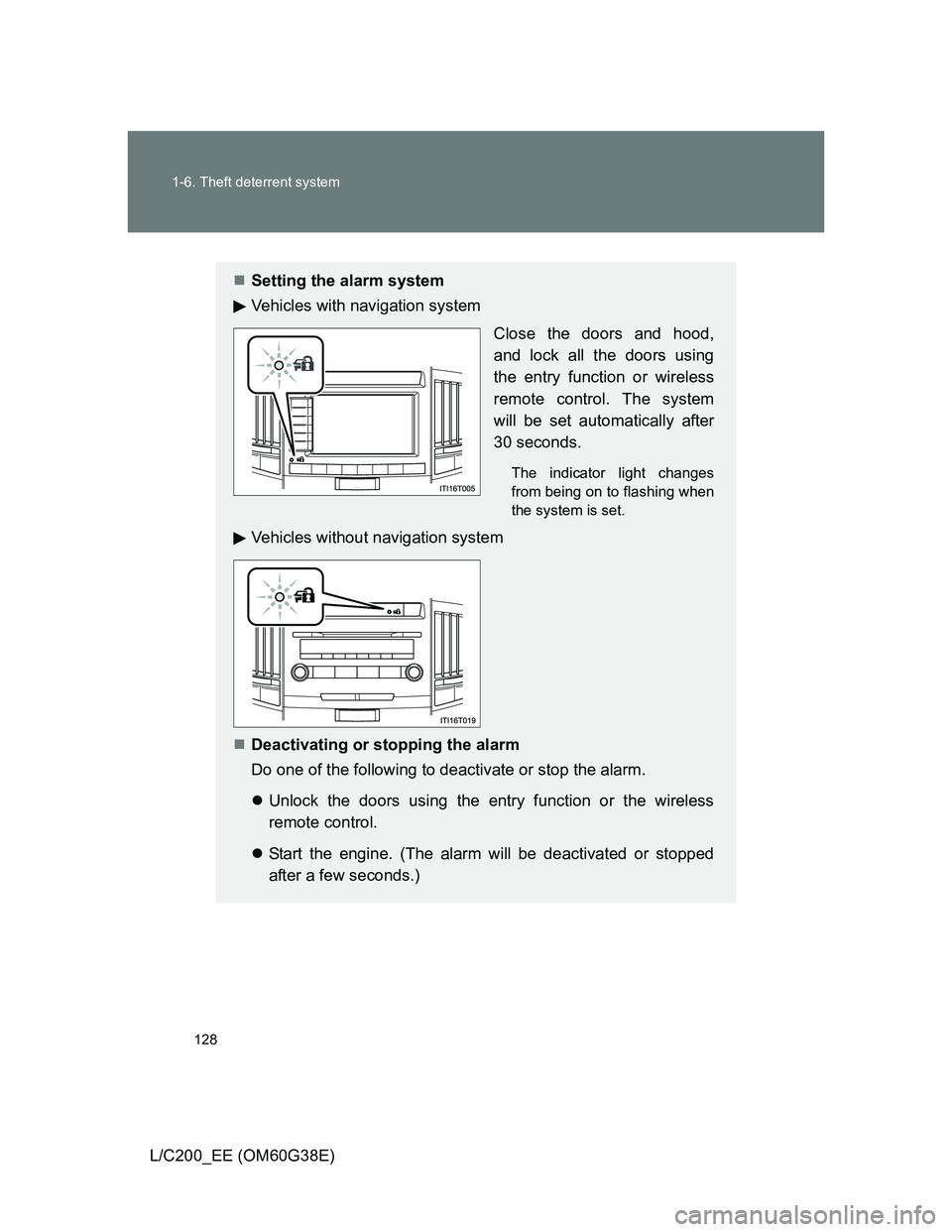
Vehicles with navigation system
Close the doors and hood,
and lock all the doors using
the entry function or wireless
remote control. The system
will be set automatically after
30 seconds.
The indicator light changes
from being on to flashing when
the system is set.
Vehicles without navigation system
Deactivating or stopping the alarm
Do one of the following to deactivate or stop the alarm.
Unlock the doors using the entry function or the wireless
remote control.
Start the engine. (The alarm will be deactivated or stopped
after a few seconds.)
Page 208 of 692
208 2-2. Instrument cluster
L/C200_EE (OM60G38E)
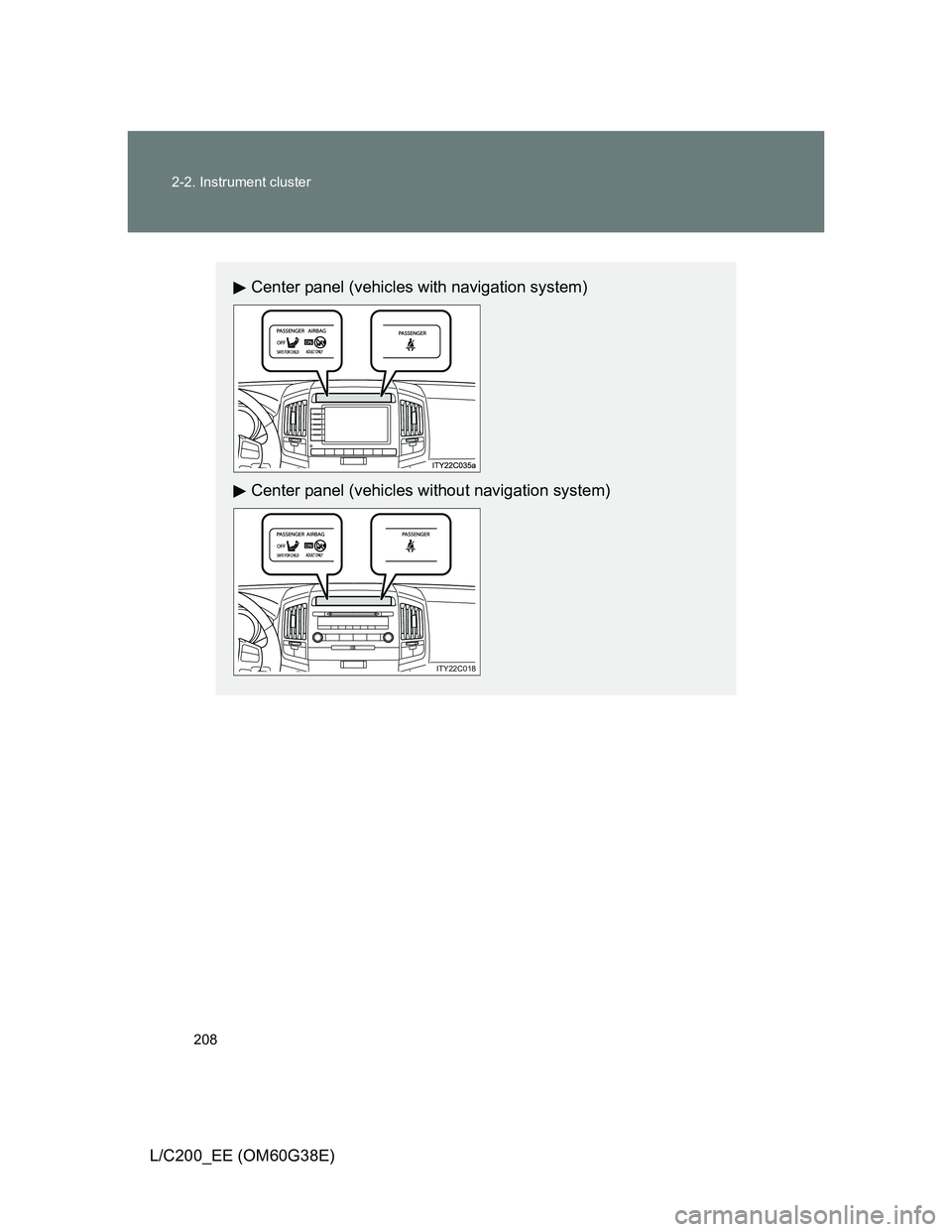
Center panel (vehicles with navigation system)
Center panel (vehicles without navigation system)
ITY22C018
Page 212 of 692
212
2-2. Instrument cluster
L/C200_EE (OM60G38E)
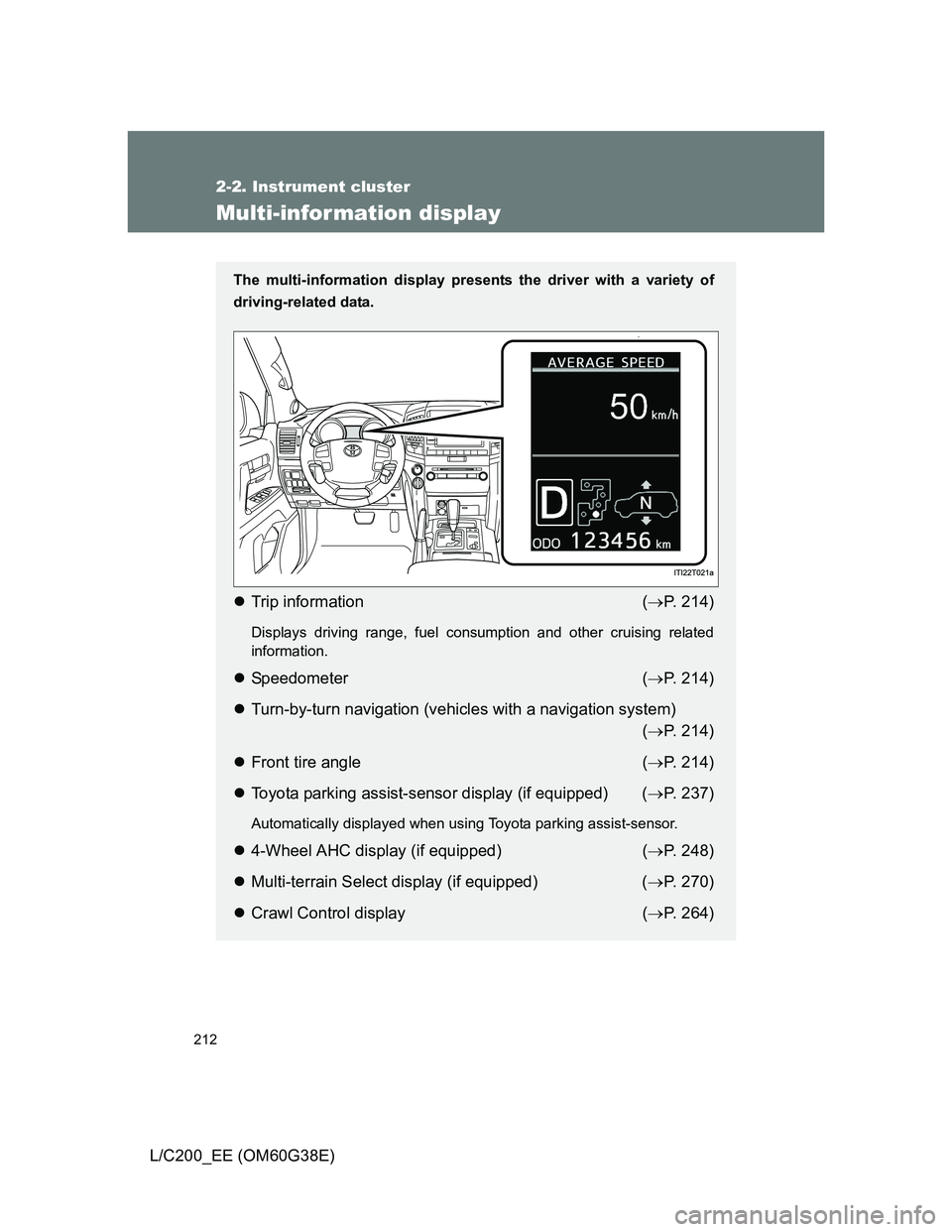
Multi-infor mation display
The multi-information display presents the driver with a variety of
driving-related data.
Trip information (P. 214)
Displays driving range, fuel consumption and other cruising related
information.
Speedometer (P. 214)
Turn-by-turn navigation (vehicles with a navigation system)
(P. 214)
Front tire angle (P. 214)
Toyota parking assist-sensor display (if equipped) (P. 237)
Automatically displayed when using Toyota parking assist-sensor.
4-Wheel AHC display (if equipped) (P. 248)
Multi-terrain Select display (if equipped) (P. 270)
Crawl Control display (P. 264)
Page 216 of 692
216 2-2. Instrument cluster
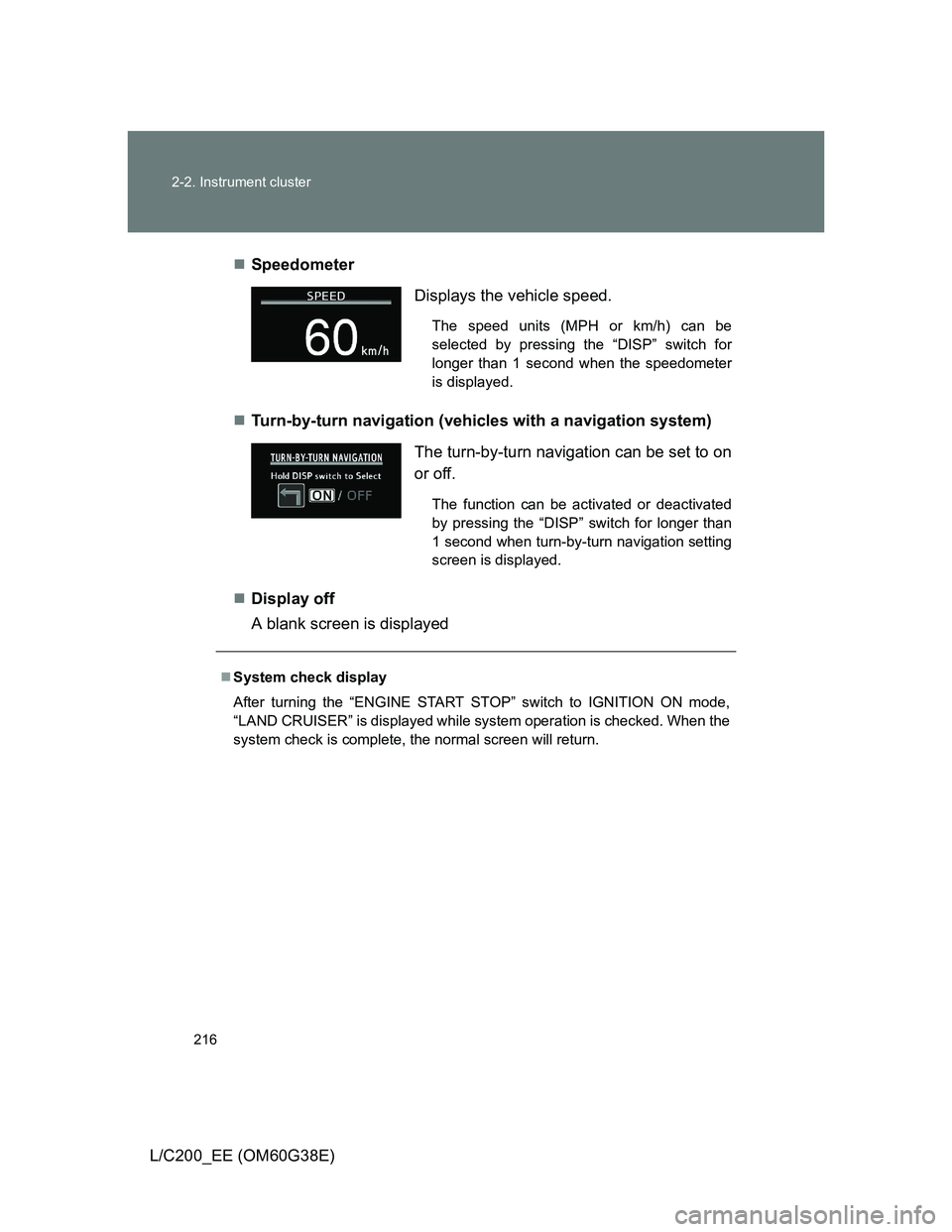
L/C200_EE (OM60G38E)Speedometer
Turn-by-turn navigation (vehicles with a navigation system)
Display off
A blank screen is displayed
Displays the vehicle speed.
The speed units (MPH or km/h) can be
selected by pressing the “DISP” switch for
longer than 1 second when the speedometer
is displayed.
The turn-by-turn navigation can be set to on
or off.
The function can be activated or deactivated
by pressing the “DISP” switch for longer than
1 second when turn-by-turn navigation setting
screen is displayed.
System check display
After turning the “ENGINE START STOP” switch to IGNITION ON mode,
“LAND CRUISER” is displayed while system operation is checked. When the
system check is complete, the normal screen will return.
Page 217 of 692
217 2-2. Instrument cluster
2
When driving
L/C200_EE (OM60G38E)
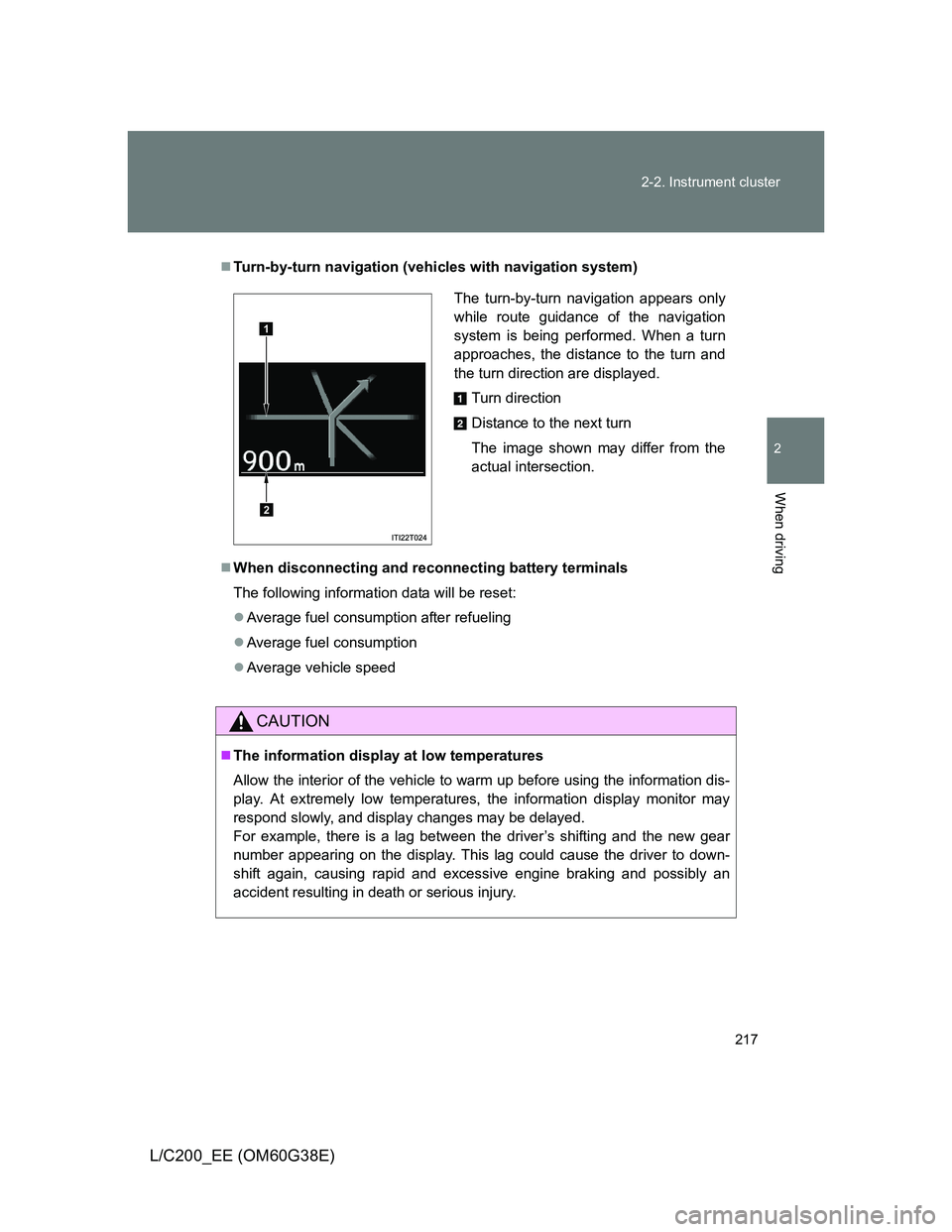
Turn-by-turn navigation (vehicles with navigation system)
When disconnecting and reconnecting battery terminals
The following information data will be reset:
Average fuel consumption after refueling
Average fuel consumption
Average vehicle speed
CAUTION
The information display at low temperatures
Allow the interior of the vehicle to warm up before using the information dis-
play. At extremely low temperatures, the information display monitor may
respond slowly, and display changes may be delayed.
For example, there is a lag between the driver’s shifting and the new gear
number appearing on the display. This lag could cause the driver to down-
shift again, causing rapid and excessive engine braking and possibly an
accident resulting in death or serious injury.
The turn-by-turn navigation appears only
while route guidance of the navigation
system is being performed. When a turn
approaches, the distance to the turn and
the turn direction are displayed.
Turn direction
Distance to the next turn
The image shown may differ from the
actual intersection.
1
2
Page 238 of 692
238 2-4. Using other driving systems
L/C200_EE (OM60G38E)
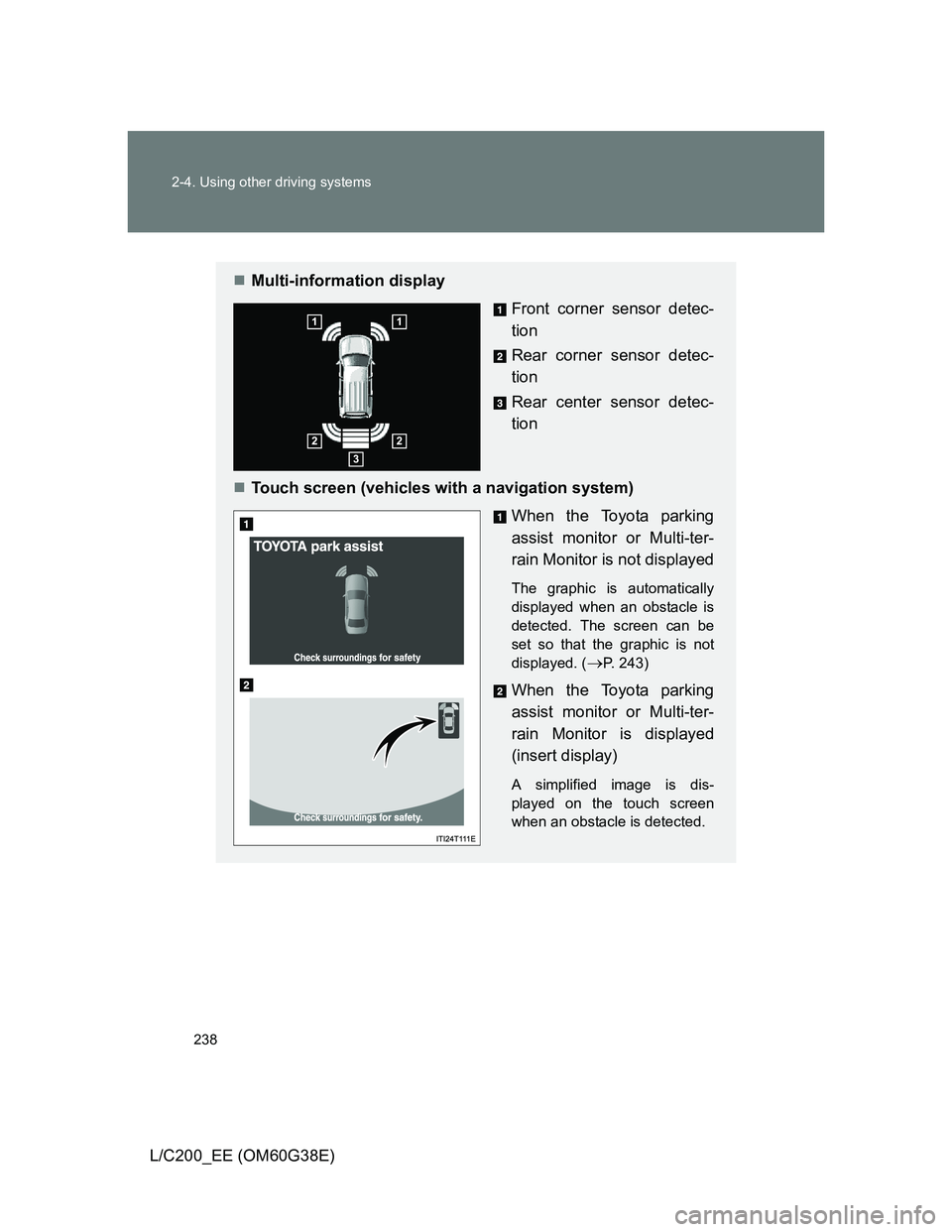
Multi-information display
Front corner sensor detec-
tion
Rear corner sensor detec-
tion
Rear center sensor detec-
tion
Touch screen (vehicles with a navigation system)
When the Toyota parking
assist monitor or Multi-ter-
rain Monitor is not displayed
The graphic is automatically
displayed when an obstacle is
detected. The screen can be
set so that the graphic is not
displayed. (
P. 243)
When the Toyota parking
assist monitor or Multi-ter-
rain Monitor is displayed
(insert display)
A simplified image is dis-
played on the touch screen
when an obstacle is detected.