Page 286 of 692
286 2-4. Using other driving systems
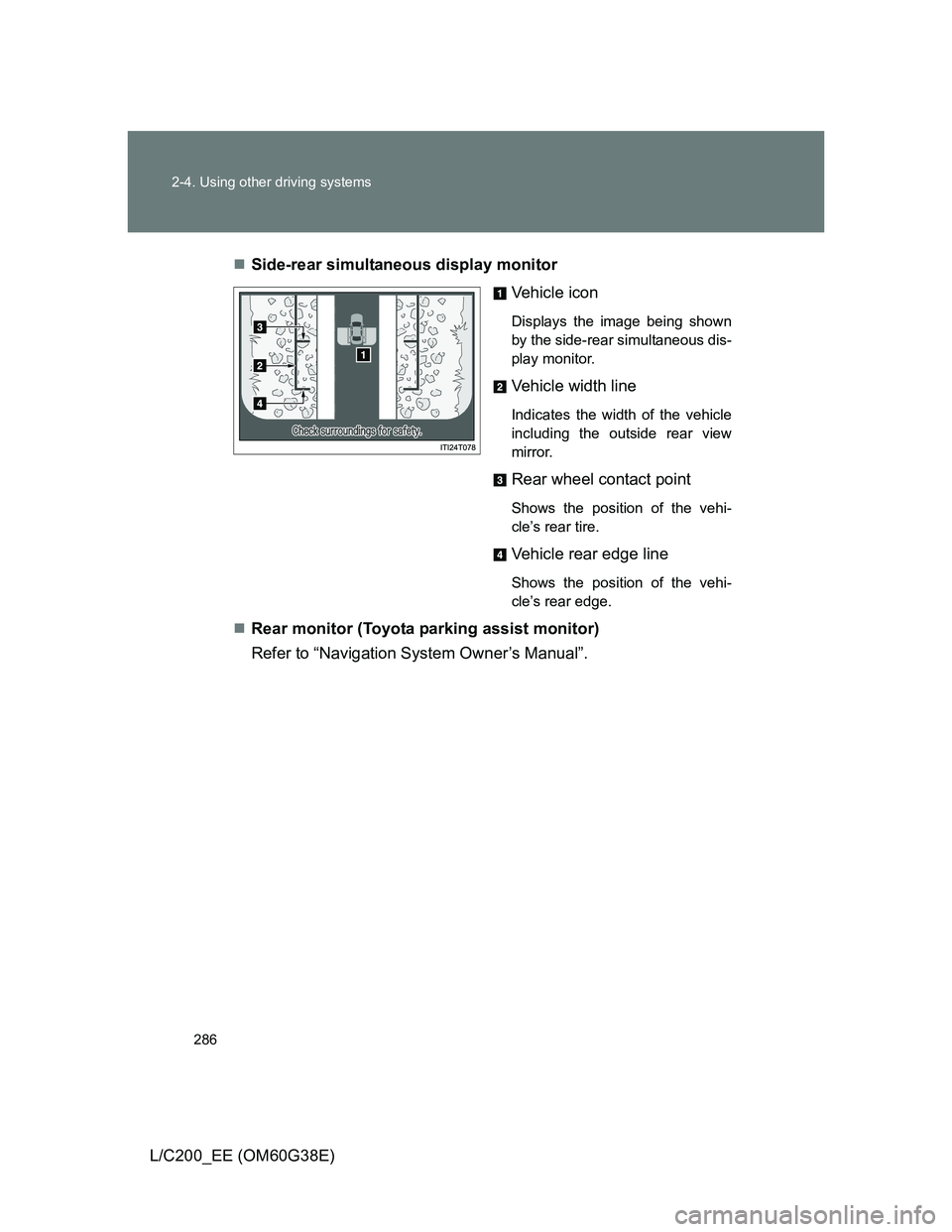
L/C200_EE (OM60G38E)Side-rear simultaneous display monitor
Vehicle icon
Displays the image being shown
by the side-rear simultaneous dis-
play monitor.
Vehicle width line
Indicates the width of the vehicle
including the outside rear view
mirror.
Rear wheel contact point
Shows the position of the vehi-
cle’s rear tire.
Vehicle rear edge line
Shows the position of the vehi-
cle’s rear edge.
Rear monitor (Toyota parking assist monitor)
Refer to “Navigation System Owner’s Manual”.
Page 295 of 692
295 2-4. Using other driving systems
2
When driving
L/C200_EE (OM60G38E)
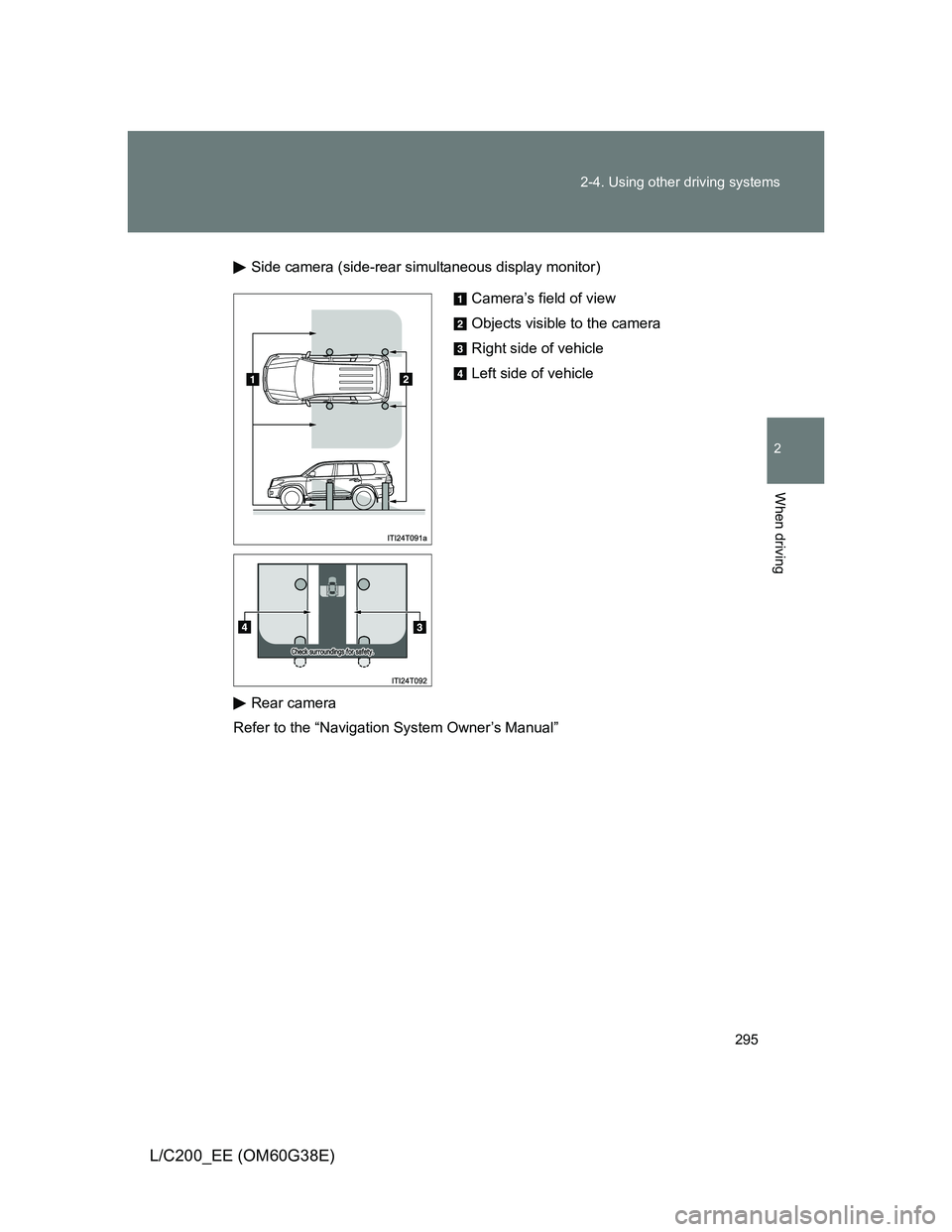
Side camera (side-rear simultaneous display monitor)
Rear camera
Refer to the “Navigation System Owner’s Manual”
Camera’s field of view
Objects visible to the camera
Right side of vehicle
Left side of vehicle
Page 297 of 692
297 2-4. Using other driving systems
2
When driving
L/C200_EE (OM60G38E)
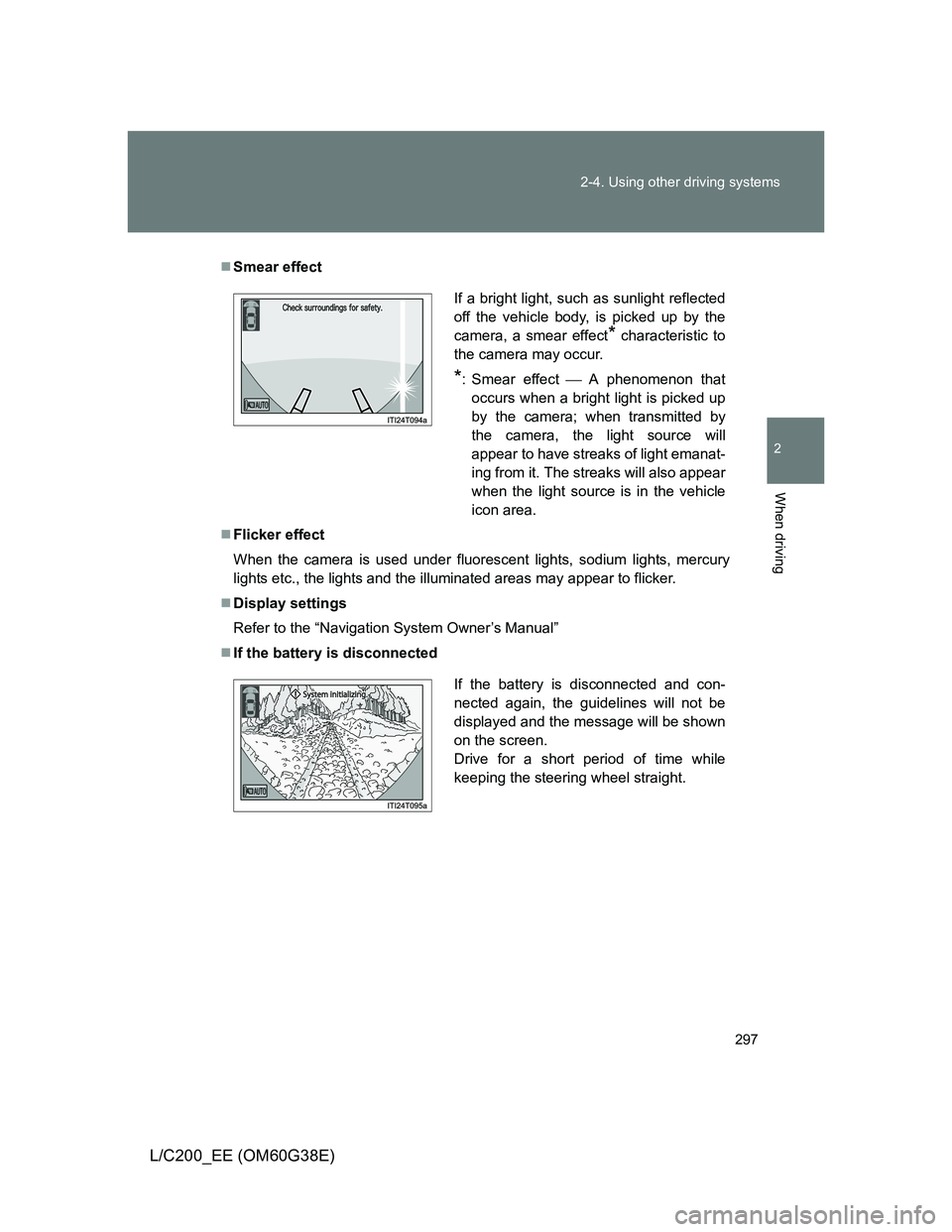
Smear effect
Flicker effect
When the camera is used under fluorescent lights, sodium lights, mercury
lights etc., the lights and the illuminated areas may appear to flicker.
Display settings
Refer to the “Navigation System Owner’s Manual”
If the battery is disconnected
If a bright light, such as sunlight reflected
off the vehicle body, is picked up by the
camera, a smear effect
* characteristic to
the camera may occur.
*: Smear effectA phenomenon that
occurs when a bright light is picked up
by the camera; when transmitted by
the camera, the light source will
appear to have streaks of light emanat-
ing from it. The streaks will also appear
when the light source is in the vehicle
icon area.
If the battery is disconnected and con-
nected again, the guidelines will not be
displayed and the message will be shown
on the screen.
Drive for a short period of time while
keeping the steering wheel straight.
Page 336 of 692
336
L/C200_EE (OM60G38E)
3-1. Using the air conditioning system and defogger
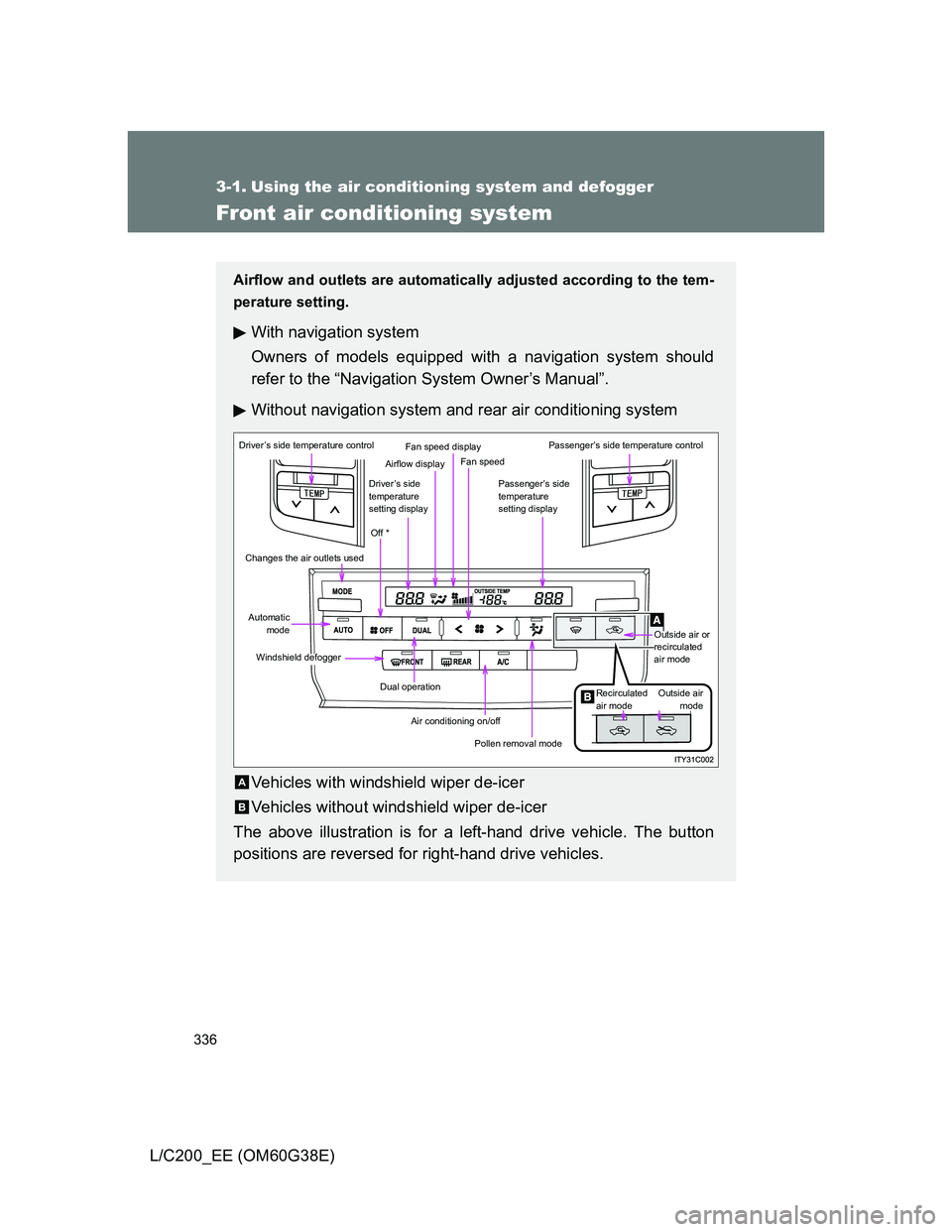
Front air conditioning system
Airflow and outlets are automatically adjusted according to the tem-
perature setting.
With navigation system
Owners of models equipped with a navigation system should
refer to the “Navigation System Owner’s Manual”.
Without navigation system and rear air conditioning system
Vehicles with windshield wiper de-icer
Vehicles without windshield wiper de-icer
The above illustration is for a left-hand drive vehicle. The button
positions are reversed for right-hand drive vehicles.
Driver’s side temperature control
Changes the air outlets used
Automatic
mode
Windshield defogger
Dual operation
Air conditioning on/off
Pollen removal mode
Off *
Driver’s side
temperature
setting display
Airflow display
Fan speed display
Fan speed
Passenger’s side
temperature
setting display
Passenger’s side temperature control
Outside air or
recirculated
air mode
Outside air
mode Recirculated
air mode
A
B
Page 356 of 692
356
3-1. Using the air conditioning system and defogger
L/C200_EE (OM60G38E)
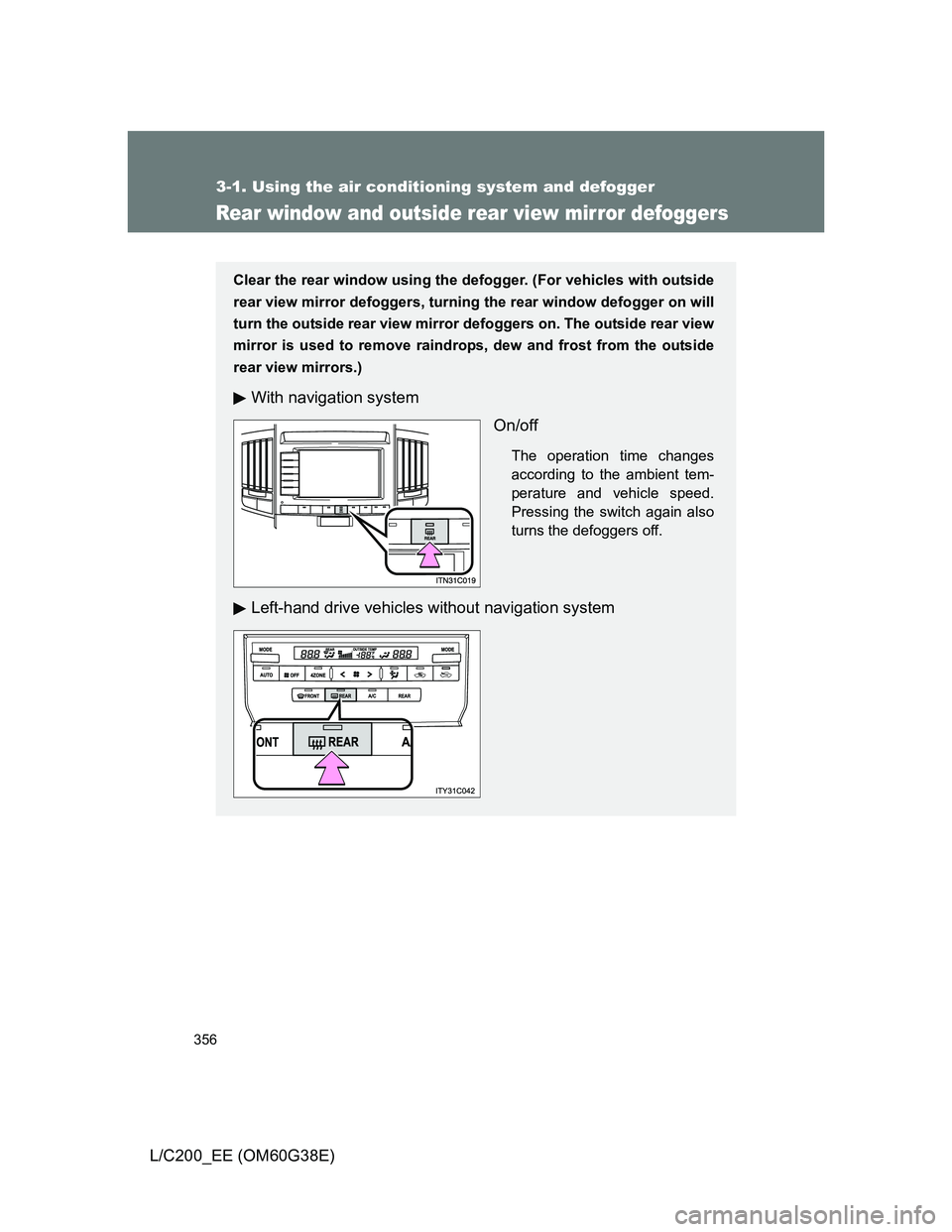
Rear window and outside rear view mirror defoggers
Clear the rear window using the defogger. (For vehicles with outside
rear view mirror defoggers, turning the rear window defogger on will
turn the outside rear view mirror defoggers on. The outside rear view
mirror is used to remove raindrops, dew and frost from the outside
rear view mirrors.)
With navigation system
On/off
The operation time changes
according to the ambient tem-
perature and vehicle speed.
Pressing the switch again also
turns the defoggers off.
Left-hand drive vehicles without navigation system
Page 357 of 692
357 3-1. Using the air conditioning system and defogger
3
Interior features
L/C200_EE (OM60G38E)
The rear window and outside rear view mirror defoggers can be oper-
ated when
The “ENGINE START STOP” switch is in IGNITION ON mode.
CAUTION
When the outside rear view mirror defoggers are on
Do not touch the rear view mirror surfaces, as they can become very hot and
burn you.
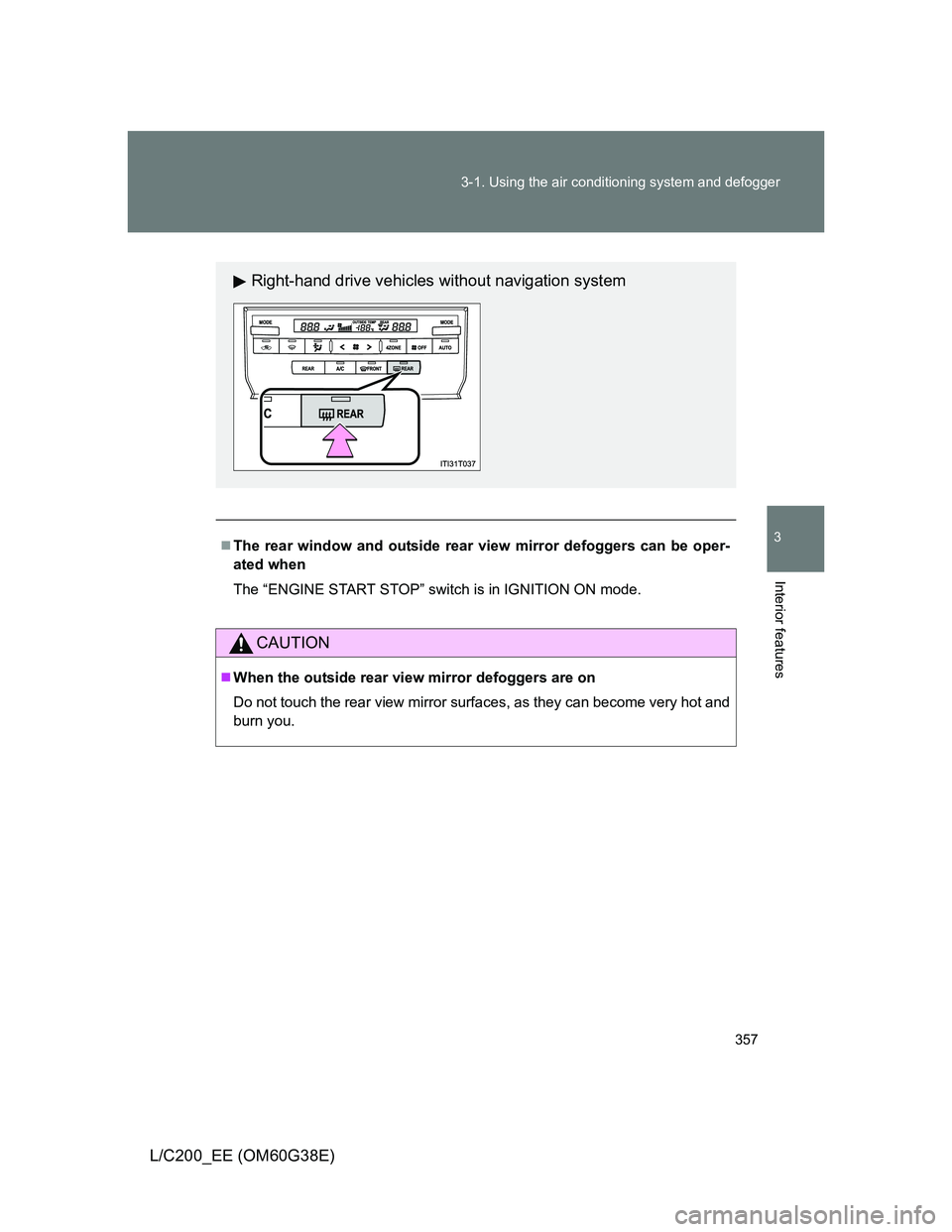
Right-hand drive vehicles without navigation system
Page 358 of 692
358
3-1. Using the air conditioning system and defogger
L/C200_EE (OM60G38E)
Windshield wiper de-icer
: If equipped
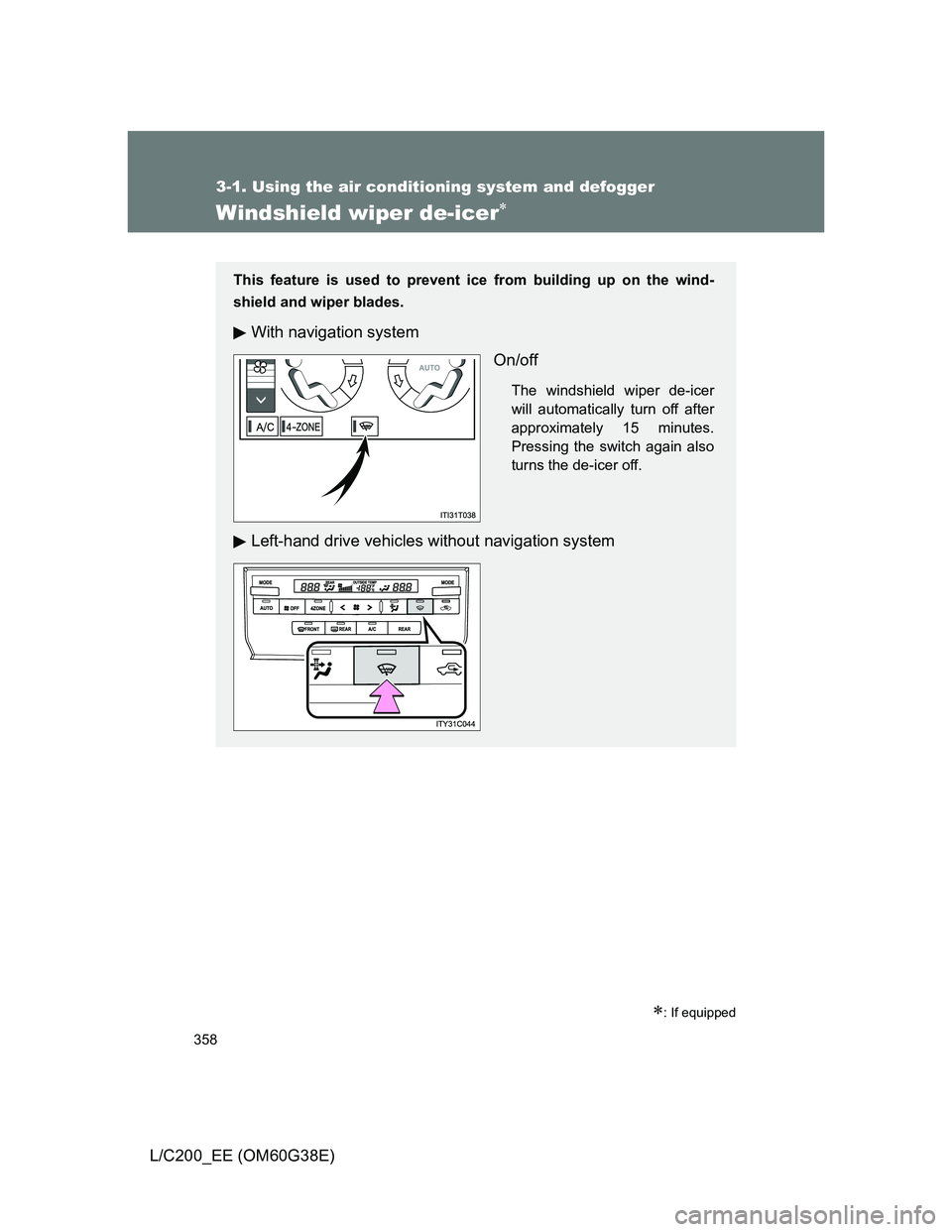
This feature is used to prevent ice from building up on the wind-
shield and wiper blades.
With navigation system
On/off
The windshield wiper de-icer
will automatically turn off after
approximately 15 minutes.
Pressing the switch again also
turns the de-icer off.
Left-hand drive vehicles without navigation system
Page 359 of 692
359 3-1. Using the air conditioning system and defogger
3
Interior features
L/C200_EE (OM60G38E)
The windshield wiper de-icer can be operated when
The “ENGINE START STOP” switch is in IGNITION ON mode.
CAUTION
When the windshield wiper de-icer is on
Do not touch the glass at the lower part of the windshield or to the side of the
front pillars as the surfaces can become very hot and burn you.
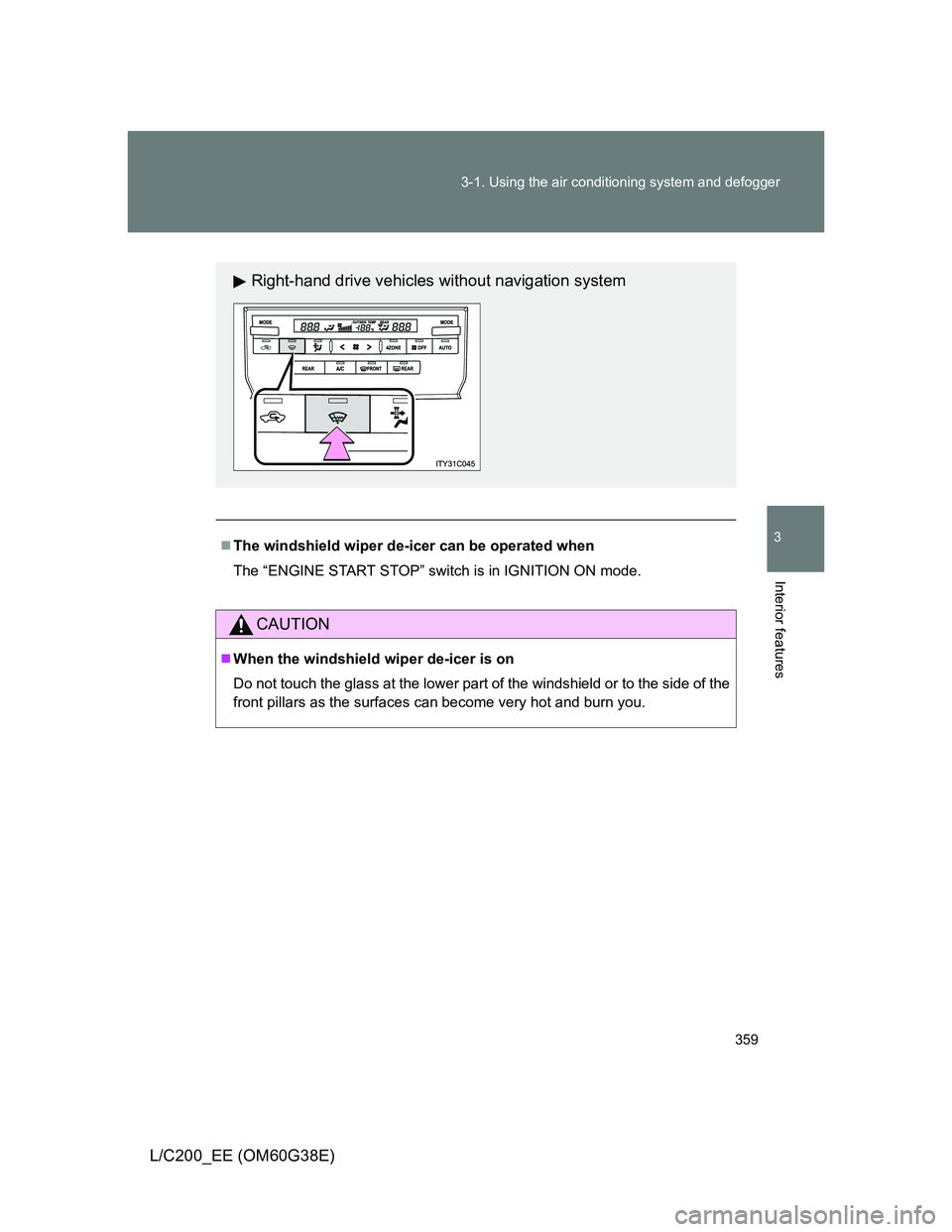
Right-hand drive vehicles without navigation system