362
3-2. Using the audio system
L/C200_EE (OM60G38E)
Using the radio
Setting station presets
Manually
In AF-ON mode the radio changes frequency to the strongest sig-
nal of the selected station.
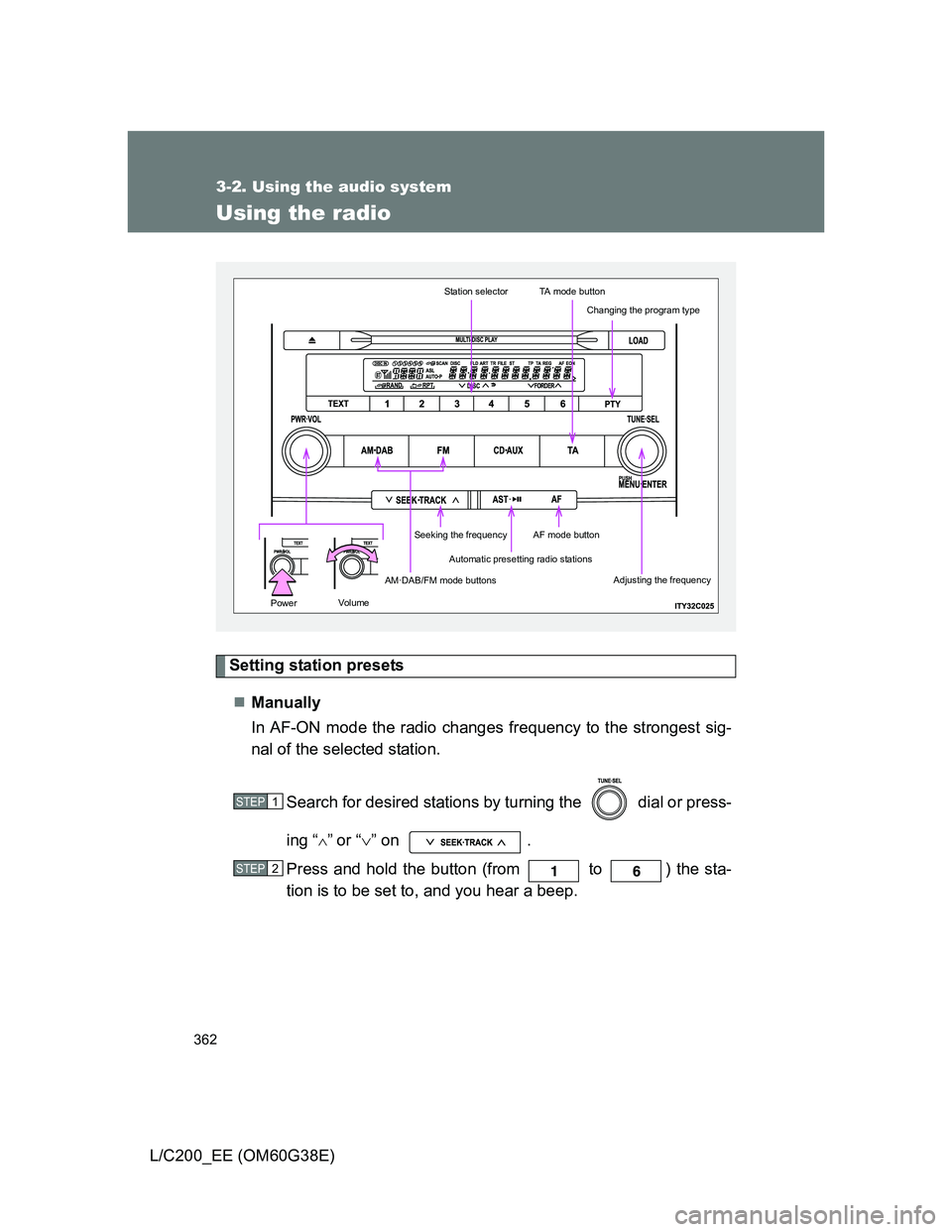
Search for desired stations by turning the dial or press-
ing “
”or “” on .
Press and hold the button (from to ) the sta-
tion is to be set to, and you hear a beep.
Automatic presetting radio stations
Station selectorTA mode button
AM·DAB/FM mode buttons
Seeking the frequencyAF mode button
Changing the program type
Adjusting the frequency
Volu mePower
STEP1
STEP2