Page 208 of 476
208 2-2. Instrument cluster
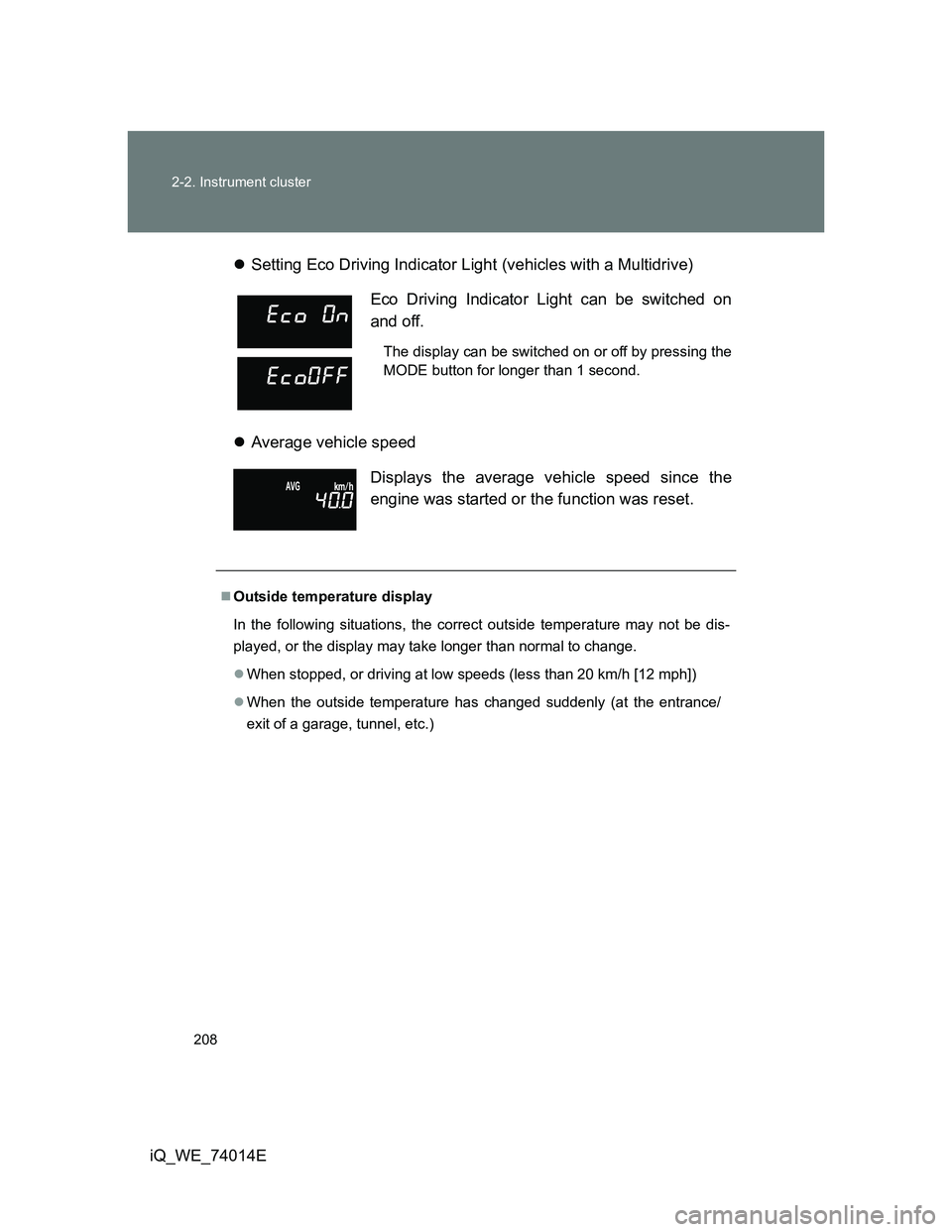
iQ_WE_74014ESetting Eco Driving Indicator Light (vehicles with a Multidrive)
Average vehicle speed
Eco Driving Indicator Light can be switched on
and off.
The display can be switched on or off by pressing the
MODE button for longer than 1 second.
Displays the average vehicle speed since the
engine was started or the function was reset.
Outside temperature display
In the following situations, the correct outside temperature may not be dis-
played, or the display may take longer than normal to change.
When stopped, or driving at low speeds (less than 20 km/h [12 mph])
When the outside temperature has changed suddenly (at the entrance/
exit of a garage, tunnel, etc.)
Page 209 of 476
209 2-2. Instrument cluster
2
When driving
iQ_WE_74014E
Setting the clock
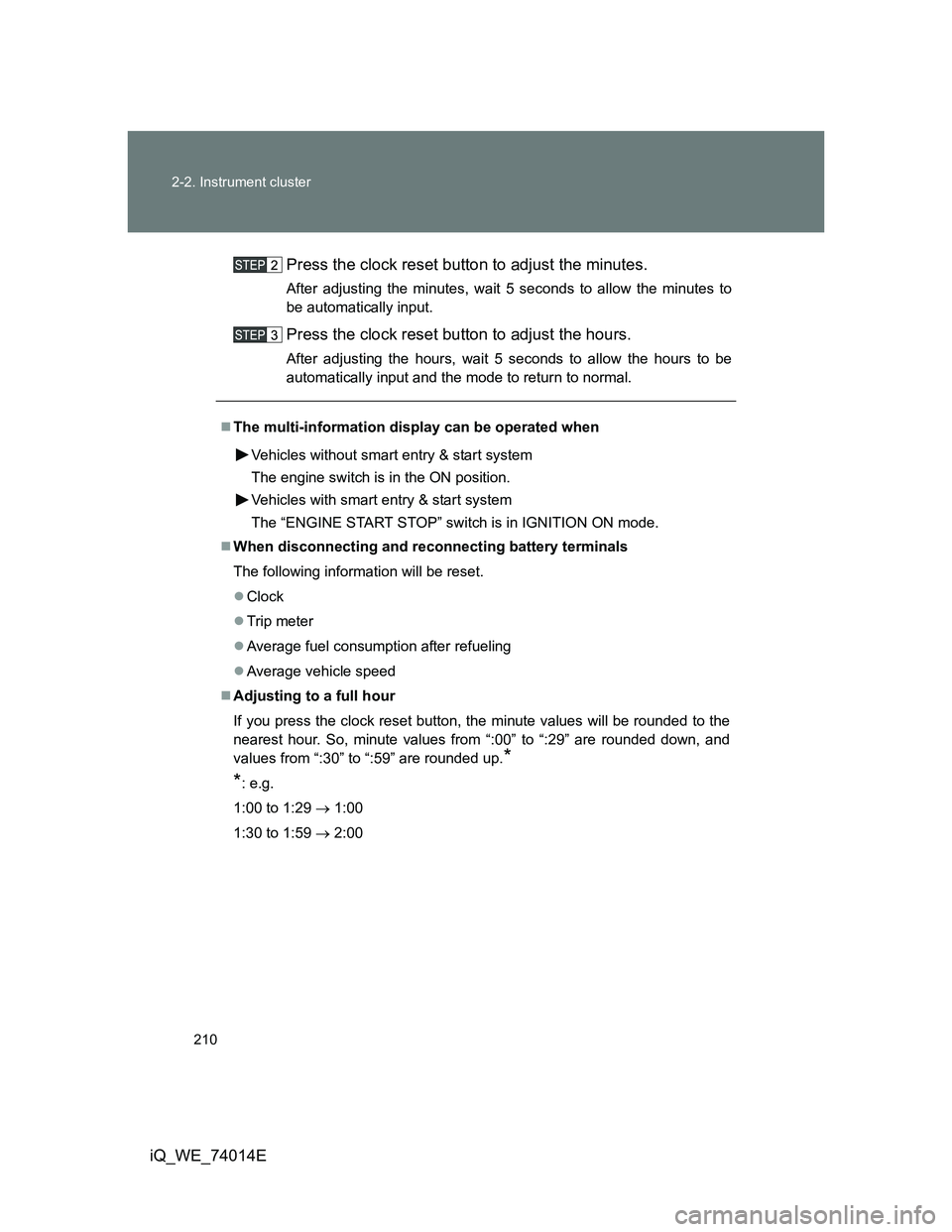
Press and hold the clock reset button to enter the adjustment
mode for the clock.
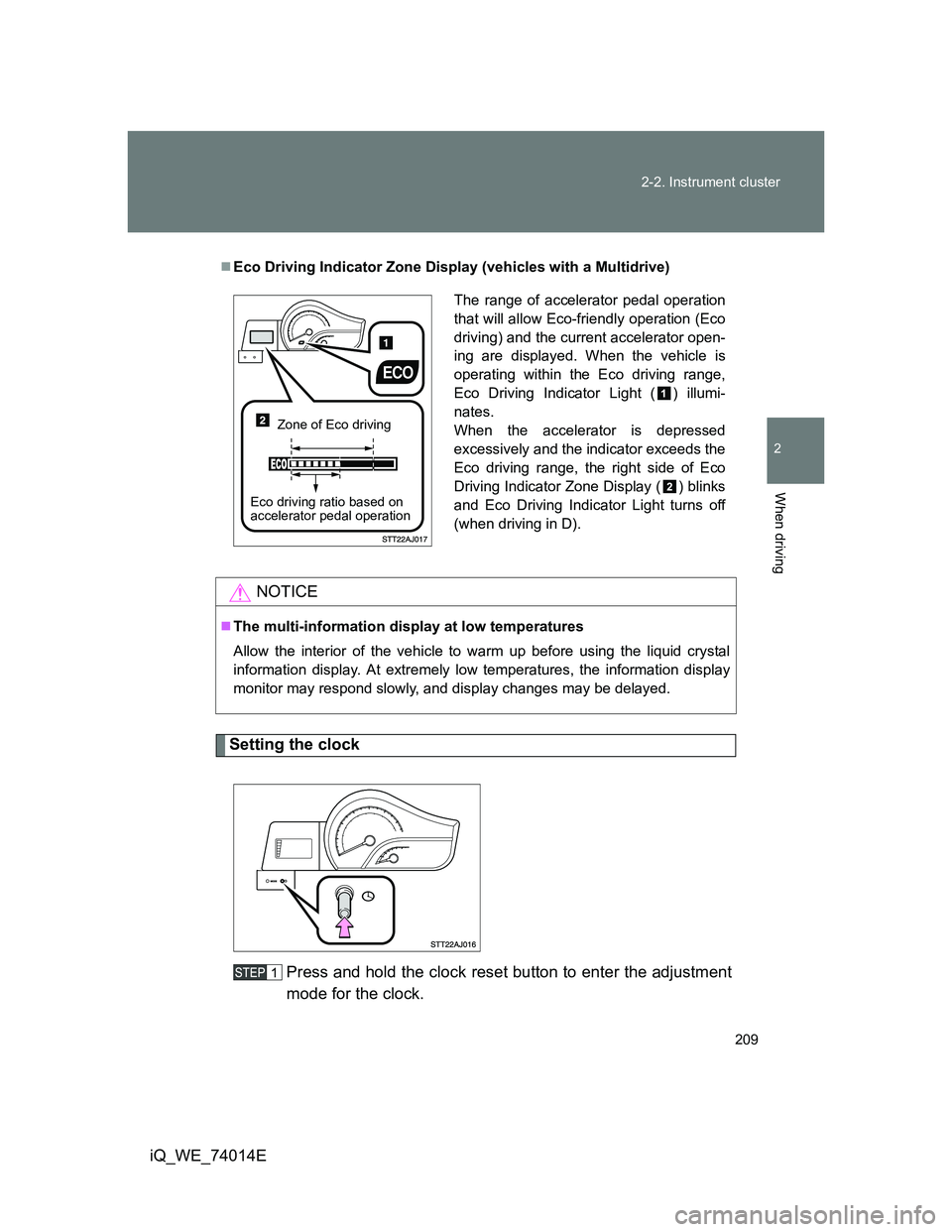
Eco Driving Indicator Zone Display (vehicles with a Multidrive)
NOTICE
The multi-information display at low temperatures
Allow the interior of the vehicle to warm up before using the liquid crystal
information display. At extremely low temperatures, the information display
monitor may respond slowly, and display changes may be delayed.
The range of accelerator pedal operation
that will allow Eco-friendly operation (Eco
driving) and the current accelerator open-
ing are displayed. When the vehicle is
operating within the Eco driving range,
Eco Driving Indicator Light ( ) illumi-
nates.
When the accelerator is depressed
excessively and the indicator exceeds the
Eco driving range, the right side of Eco
Driving Indicator Zone Display ( ) blinks
and Eco Driving Indicator Light turns off
(when driving in D).
Zone of Eco driving
Eco driving ratio based on
accelerator pedal operation
Page 210 of 476
210 2-2. Instrument cluster
iQ_WE_74014EPress the clock reset button to adjust the minutes.
After adjusting the minutes, wait 5 seconds to allow the minutes to
be automatically input.
Press the clock reset button to adjust the hours.
After adjusting the hours, wait 5 seconds to allow the hours to be
automatically input and the mode to return to normal.
The multi-information display can be operated when
Vehicles without smart entry & start system
The engine switch is in the ON position.
Vehicles with smart entry & start system
The “ENGINE START STOP” switch is in IGNITION ON mode.
When disconnecting and reconnecting battery terminals
The following information will be reset.
Clock
Trip meter
Average fuel consumption after refueling
Average vehicle speed
Adjusting to a full hour
If you press the clock reset button, the minute values will be rounded to the
nearest hour. So, minute values from “:00” to “:29” are rounded down, and
values from “:30” to “:59” are rounded up.
*
*
: e.g.
1:00 to 1:29 1:00
1:30 to 1:59 2:00
Page 244 of 476
244
3-1. Using the air conditioning system and defogger
iQ_WE_74014E
Automatic air conditioning system
Using the automatic mode
Press .
The air conditioning system will begin to operate. Air outlets and fan
speed are automatically adjusted according to the temperature set-
ting.
Press .
The button lights up.
Turn the control dial clockwise (warm) or counterclockwise
(cool).
: If equipped
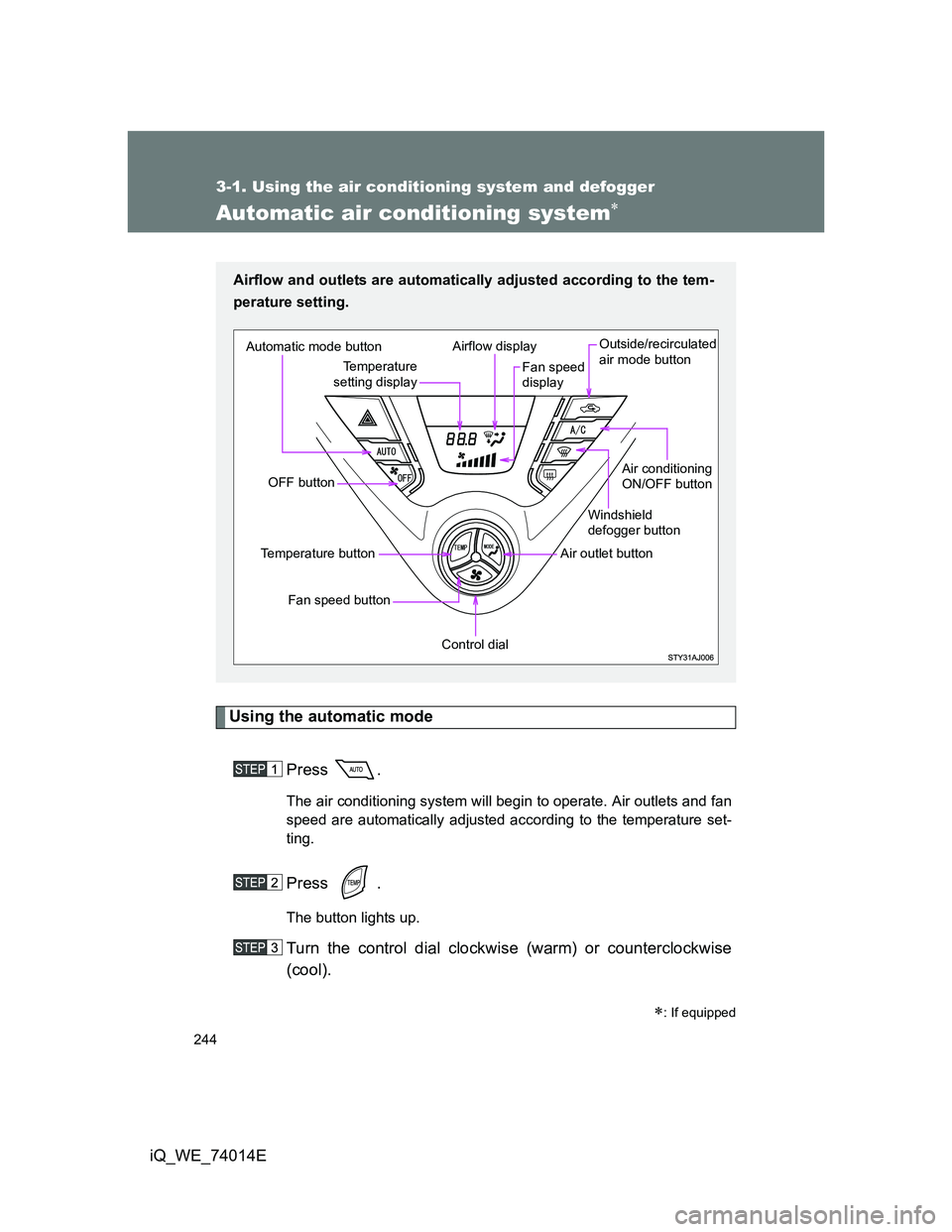
Airflow and outlets are automatically adjusted according to the tem-
perature setting.
Automatic mode button
OFF button
Fan speed button
Temperature button
Control dial
Air outlet buttonWindshield
defogger button
Air conditioning
ON/OFF button Outside/recirculated
air mode button
Fan speed
display Airflow display
Temperature
setting display
Page 245 of 476
245 3-1. Using the air conditioning system and defogger
3
Interior features
iQ_WE_74014E
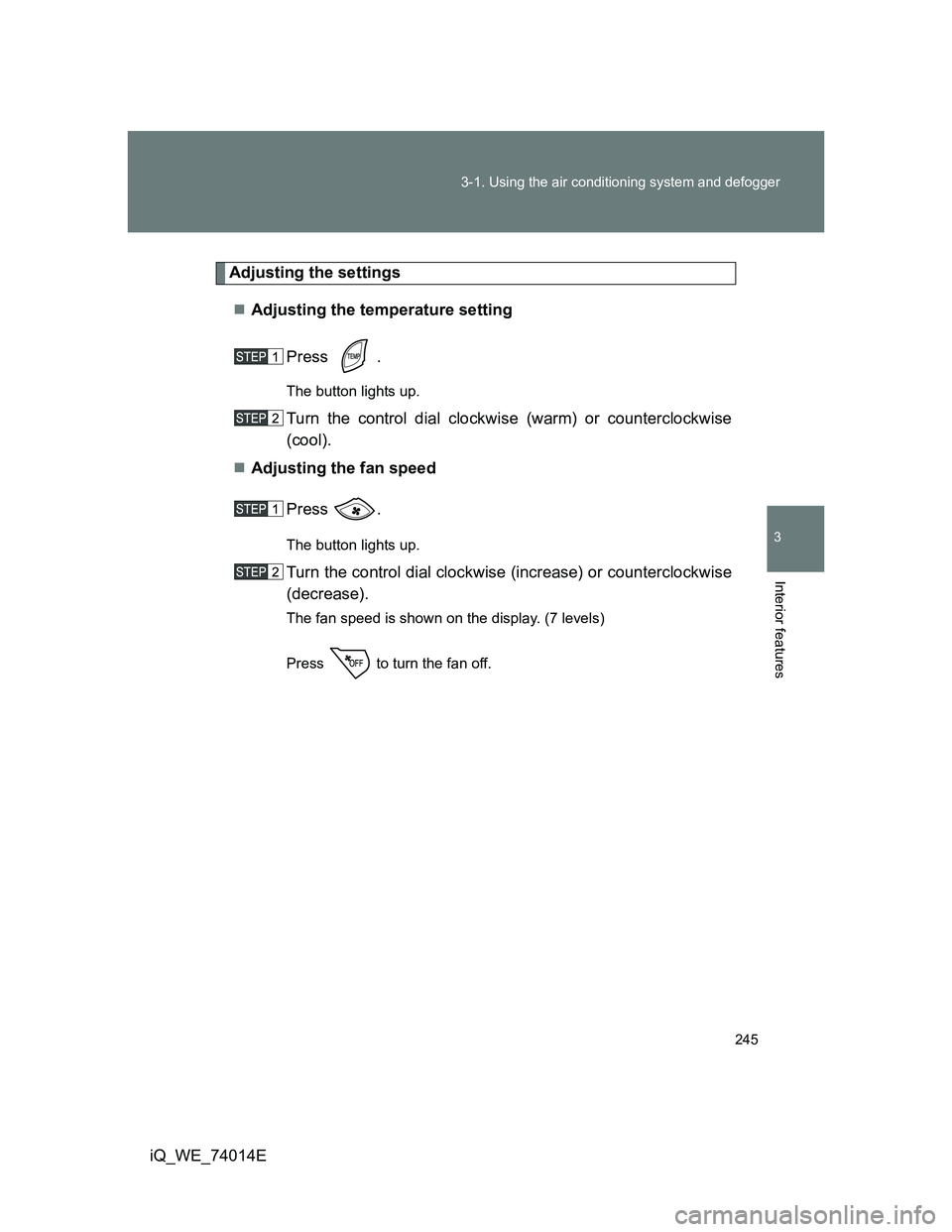
Adjusting the settings
Adjusting the temperature setting
Press .
The button lights up.
Turn the control dial clockwise (warm) or counterclockwise
(cool).
Adjusting the fan speed
Press .
The button lights up.
Turn the control dial clockwise (increase) or counterclockwise
(decrease).
The fan speed is shown on the display. (7 levels)
Press to turn the fan off.
Page 246 of 476
246 3-1. Using the air conditioning system and defogger
iQ_WE_74014EChanging the air outlets
Press .
The button lights up.
Turn the control dial.
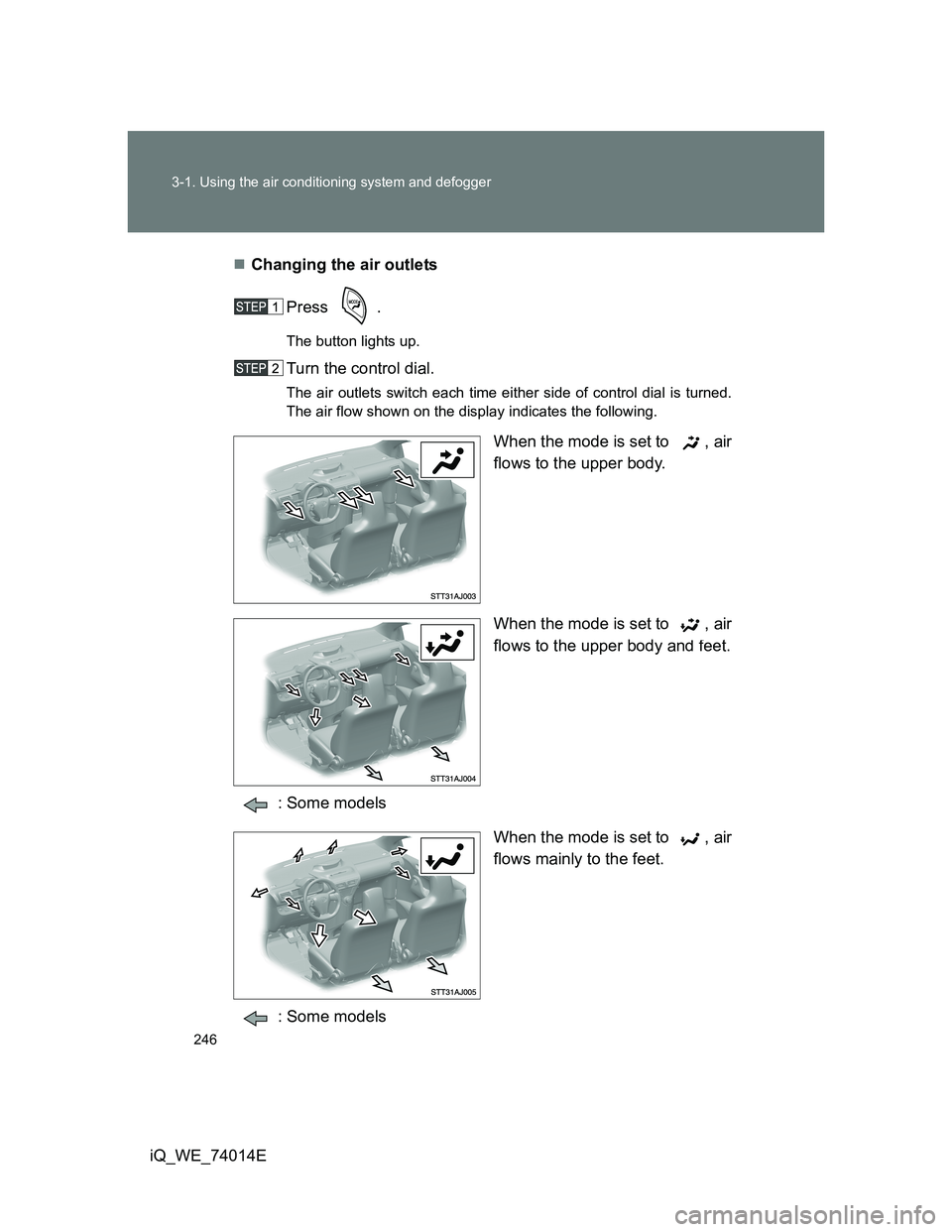
The air outlets switch each time either side of control dial is turned.
The air flow shown on the display indicates the following.
When the mode is set to , air
flows to the upper body.
When the mode is set to , air
flows to the upper body and feet.
: Some models
When the mode is set to , air
flows mainly to the feet.
: Some models
Page 257 of 476
257
3
Interior features
iQ_WE_74014E
3-2. Using the audio system
Audio system type
: If equipped
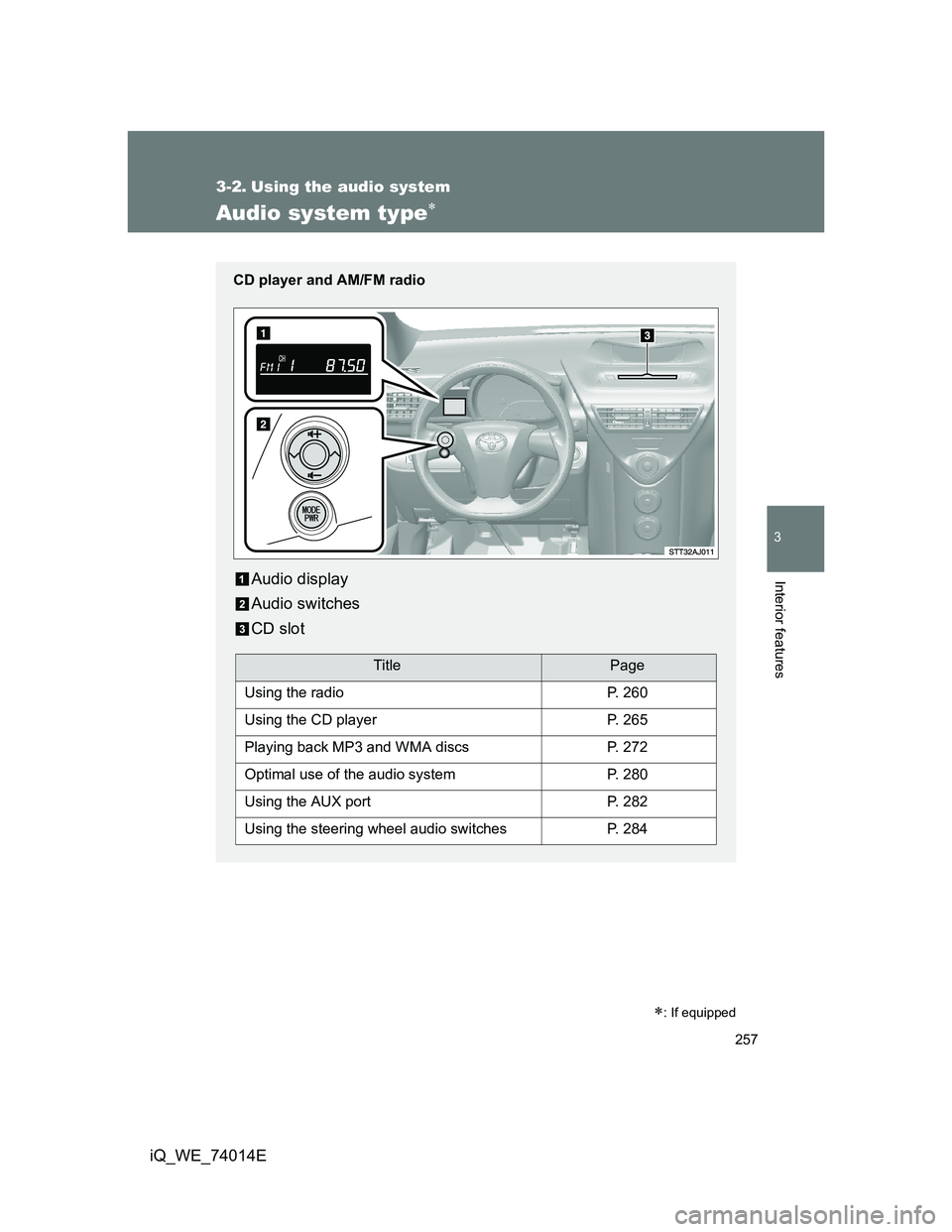
CD player and AM/FM radio
Audio display
Audio switches
CD slot
TitlePage
Using the radioP. 260
Using the CD playerP. 265
Playing back MP3 and WMA discsP. 272
Optimal use of the audio systemP. 280
Using the AUX portP. 282
Using the steering wheel audio switchesP. 284
Page 260 of 476
260
3-2. Using the audio system
iQ_WE_74014E
Using the radio
: If equipped
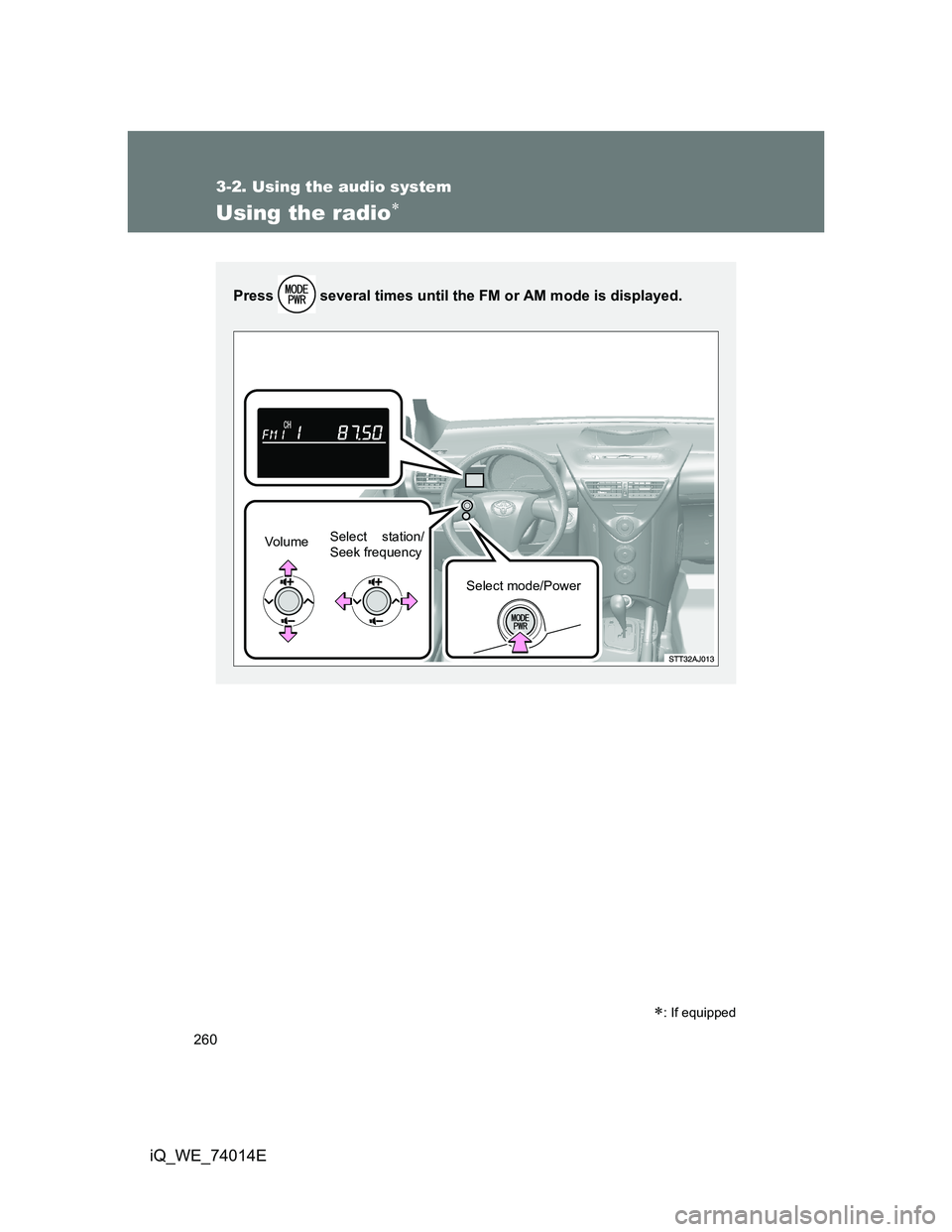
Press several times until the FM or AM mode is displayed.
Vo l u m eSelect station/
Seek frequency
Select mode/Power