Page 190 of 476
190 2-1. Driving procedures
iQ_WE_74014E
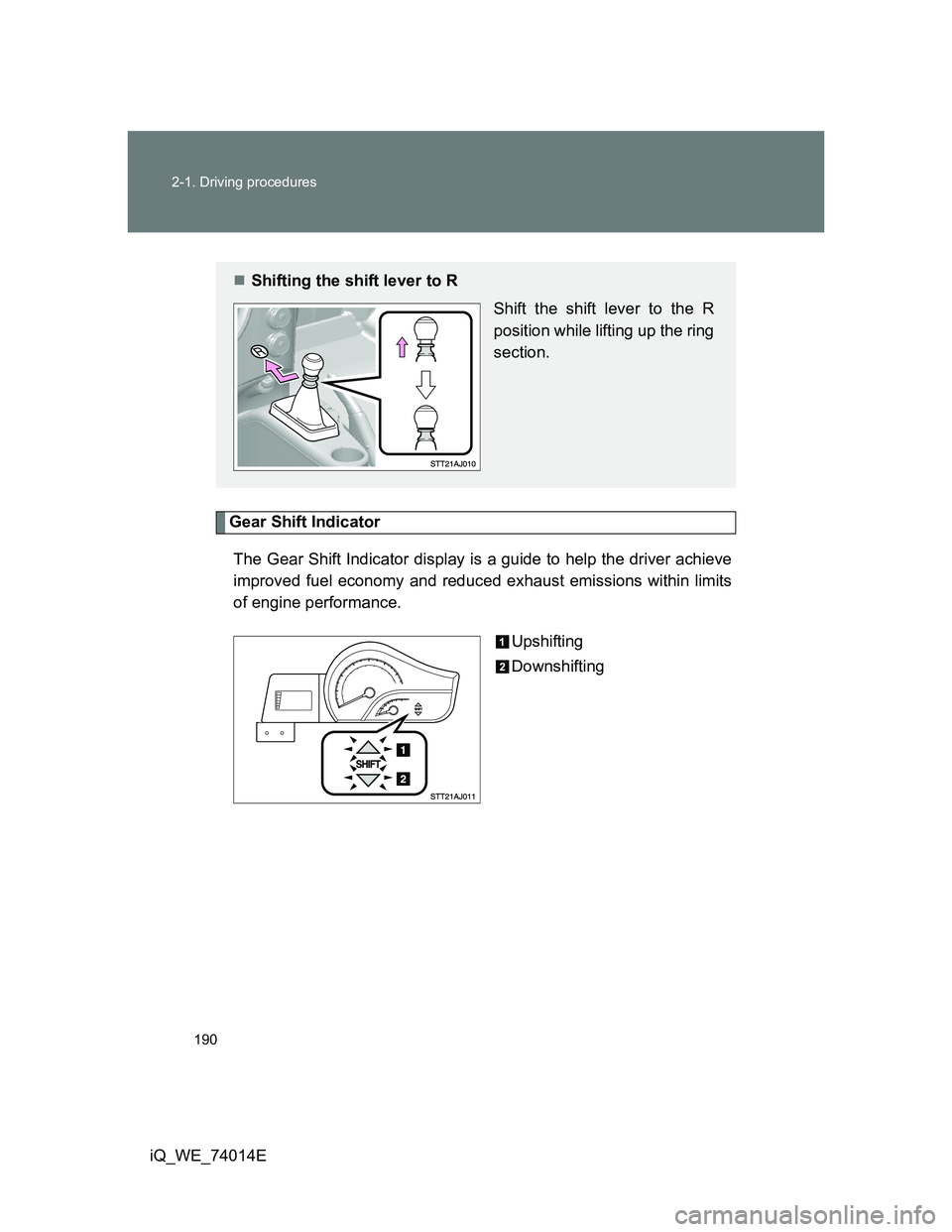
Gear Shift Indicator
The Gear Shift Indicator display is a guide to help the driver achieve
improved fuel economy and reduced exhaust emissions within limits
of engine performance.
Upshifting
Downshifting
Shifting the shift lever to R
Shift the shift lever to the R
position while lifting up the ring
section.
Page 191 of 476
191 2-1. Driving procedures
2
When driving
iQ_WE_74014E
Gear Shift Indicator display
The Gear Shift Indicator may not be displayed when your foot is placed on
the clutch pedal.
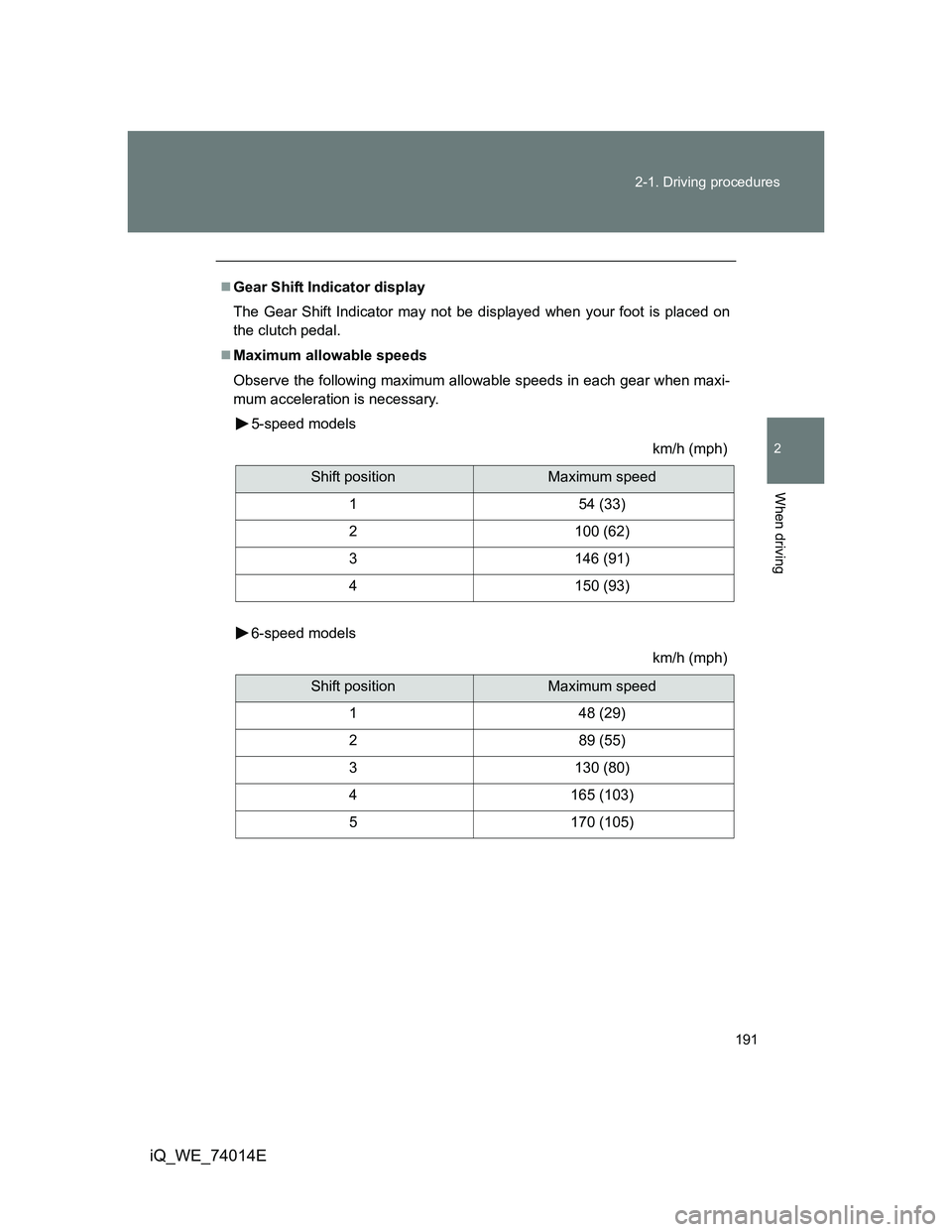
Maximum allowable speeds
Observe the following maximum allowable speeds in each gear when maxi-
mum acceleration is necessary.
5-speed models
km/h (mph)
6-speed models
km/h (mph)
Shift positionMaximum speed
1 54 (33)
2 100 (62)
3 146 (91)
4 150 (93)
Shift positionMaximum speed
1 48 (29)
2 89 (55)
3 130 (80)
4 165 (103)
5 170 (105)
Page 192 of 476
192 2-1. Driving procedures
iQ_WE_74014E
CAUTION
Gear Shift Indicator display
Refer to the display while considering actual traffic and road conditions. Fail-
ure to exercise judgment may lead to an accident.
NOTICE
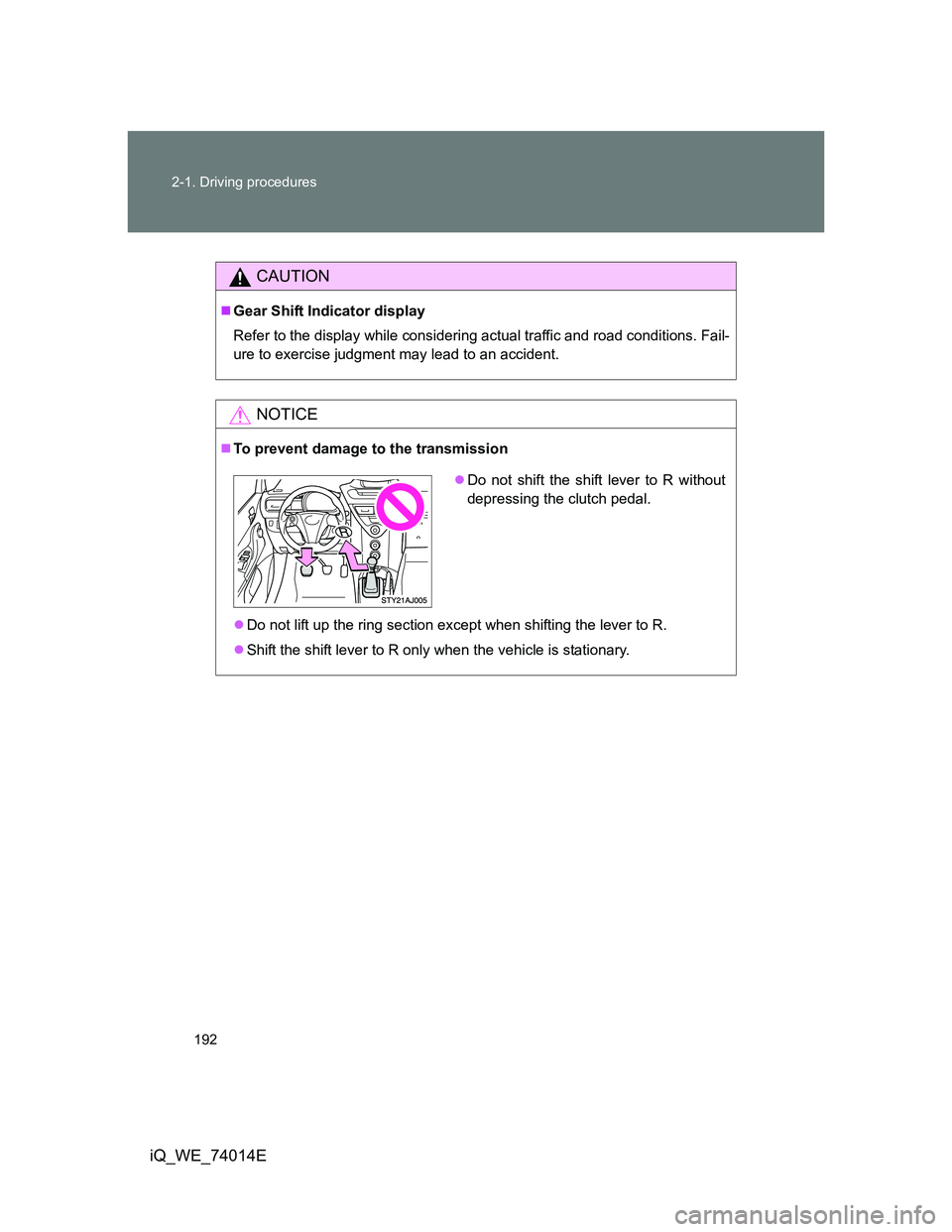
To prevent damage to the transmission
Do not lift up the ring section except when shifting the lever to R.
Shift the shift lever to R only when the vehicle is stationary.
Do not shift the shift lever to R without
depressing the clutch pedal.
Page 197 of 476
197
2
When driving
iQ_WE_74014E
2-2. Instrument cluster
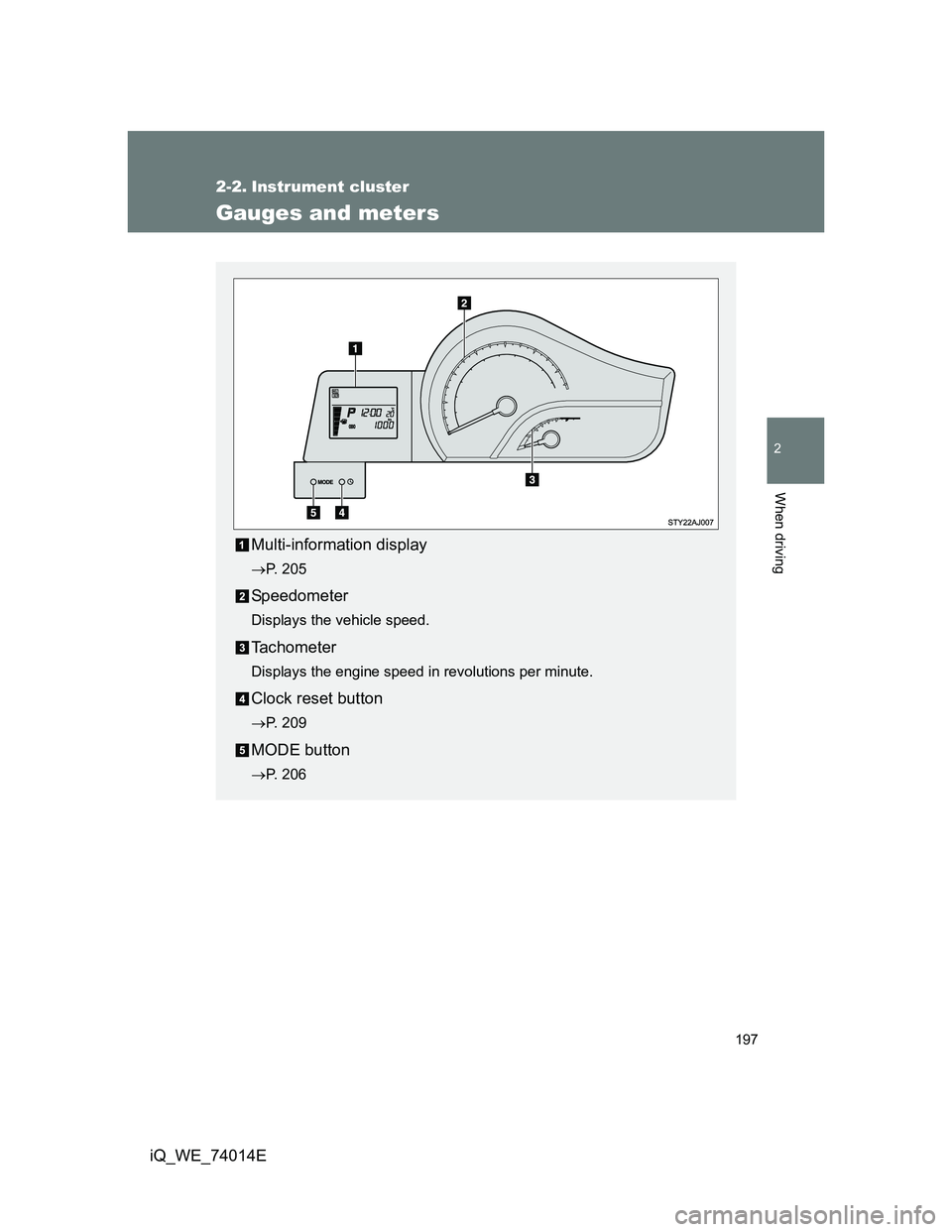
Gauges and meters
Multi-information display
P. 205
Speedometer
Displays the vehicle speed.
Tachometer
Displays the engine speed in revolutions per minute.
Clock reset button
P. 209
MODE button
P. 206
Page 203 of 476

203 2-2. Instrument cluster
2
When driving
iQ_WE_74014E
Warning lights
Warning lights inform the driver of malfunctions in any of the
vehicle’s systems. (P. 397)
*1: These lights turn on when the engine switch is turned to the ON
position (vehicles without smart entry & start system) or the
“ENGINE START STOP” switch is turned to IGNITION ON mode
(vehicles with smart entry & start system) to indicate that a system
check is being performed. They will turn off after the engine is
started, or after a few seconds. There may be a malfunction in a sys-
tem if a light does not come on, or if the lights do not turn off. Have
the vehicle inspected by any authorized Toyota dealer or repairer, or
another duly qualified and equipped professional for details.
*2: Vehicles without audio system
*3: When filled with less than 10 L per refueling, the fuel gauge may not
display accurately.
*4: Left-hand drive vehicles with audio system
*5: Right-hand drive vehicles with audio system
(if equipped)
(if equipped)
*1*1*1*1*1*1*1*1
*1*3*4*5*2
*4*5*2
Page 205 of 476
205
2-2. Instrument cluster
2
When driving
iQ_WE_74014E
Multi-infor mation display
The multi-information display presents the driver with a variety of
driving-related information, including the current outside tempera-
ture and time.
Fuel gauge
Displays the quantity of fuel
remaining in the tank.
Shift position and shift
range/gear display (vehicles
with a Multidrive) (P. 185)
Displays the shift position
along with the currently
selected shift range or gear.
Clock (P. 209)
Displays the time and sets the
clock.
Outside temperature dis-
play
Displays the outside air tem-
perature.
The temperature range that
can be displayed is from -40°C
(-40°F) to 50°C (122°F).
Trip information (P. 206)
Displays odometer, trip meter,
fuel consumption and other
cruising-related information.
Page 206 of 476
206 2-2. Instrument cluster
iQ_WE_74014E
Switch the display
Display items can be switched
by pressing the MODE button.
Odometer
Trip meter A
*1
Trip meter B*1
*1: Trip meters A and B can be used to record and display different distances
independently.
Displays the total distance the vehicle has been
driven.
Displays the distance the vehicle has been driven
since the meter was last reset.
The function can be reset by pressing the MODE but-
ton for longer than 1 second when the trip meter A is
displayed.
Displays the distance the vehicle has been driven
since the meter was last reset.
The function can be reset by pressing the MODE but-
ton for longer than 1 second when the trip meter B is
displayed.
Page 207 of 476
207 2-2. Instrument cluster
2
When driving
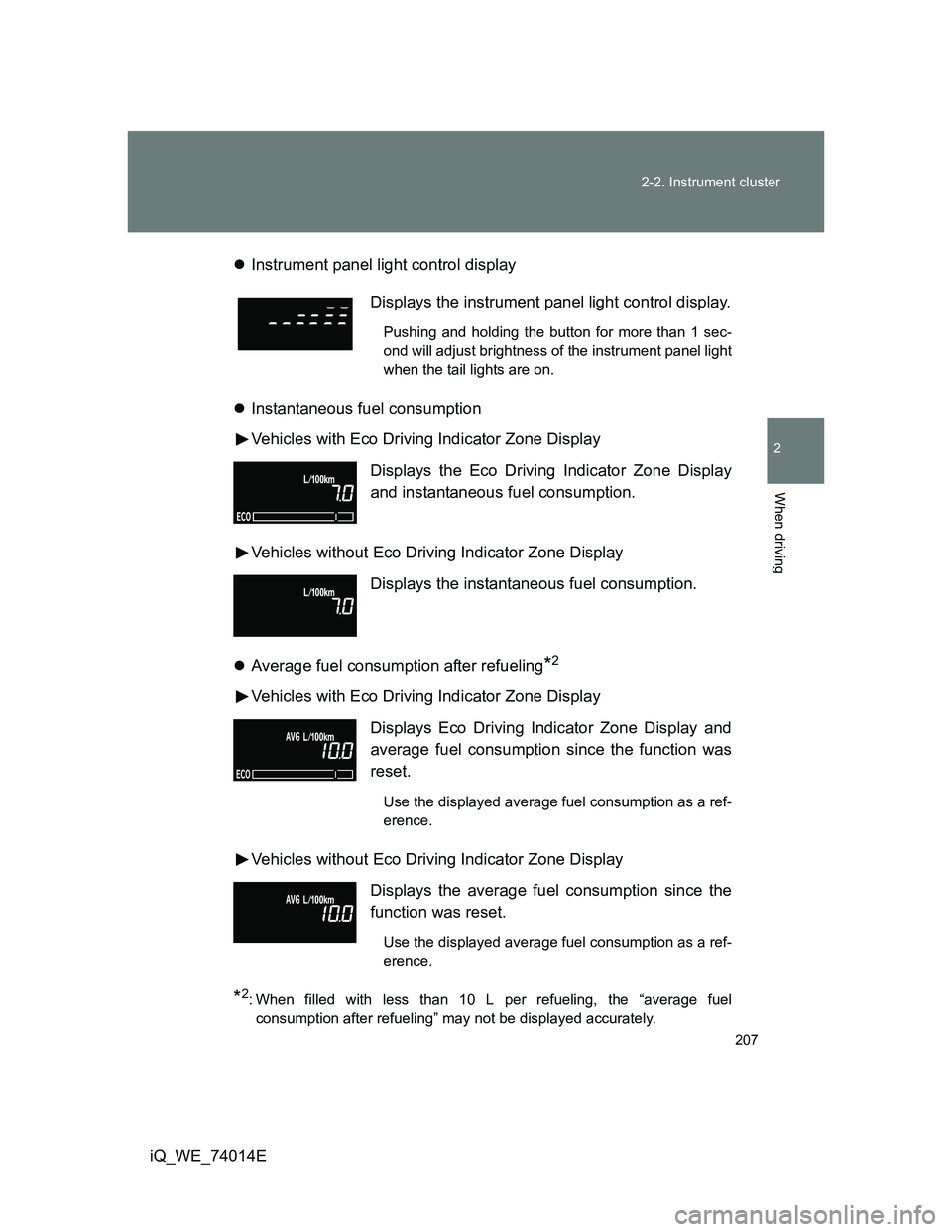
iQ_WE_74014EInstrument panel light control display
Instantaneous fuel consumption
Vehicles with Eco Driving Indicator Zone Display
Vehicles without Eco Driving Indicator Zone Display
Average fuel consumption after refueling
*2
Vehicles with Eco Driving Indicator Zone Display
Vehicles without Eco Driving Indicator Zone Display
*2: When filled with less than 10 L per refueling, the “average fuel
consumption after refueling” may not be displayed accurately.
Displays the instrument panel light control display.
Pushing and holding the button for more than 1 sec-
ond will adjust brightness of the instrument panel light
when the tail lights are on.
Displays the Eco Driving Indicator Zone Display
and instantaneous fuel consumption.
Displays the instantaneous fuel consumption.
Displays Eco Driving Indicator Zone Display and
average fuel consumption since the function was
reset.
Use the displayed average fuel consumption as a ref-
erence.
Displays the average fuel consumption since the
function was reset.
Use the displayed average fuel consumption as a ref-
erence.