Page 261 of 476
261 3-2. Using the audio system
3
Interior features
iQ_WE_74014E
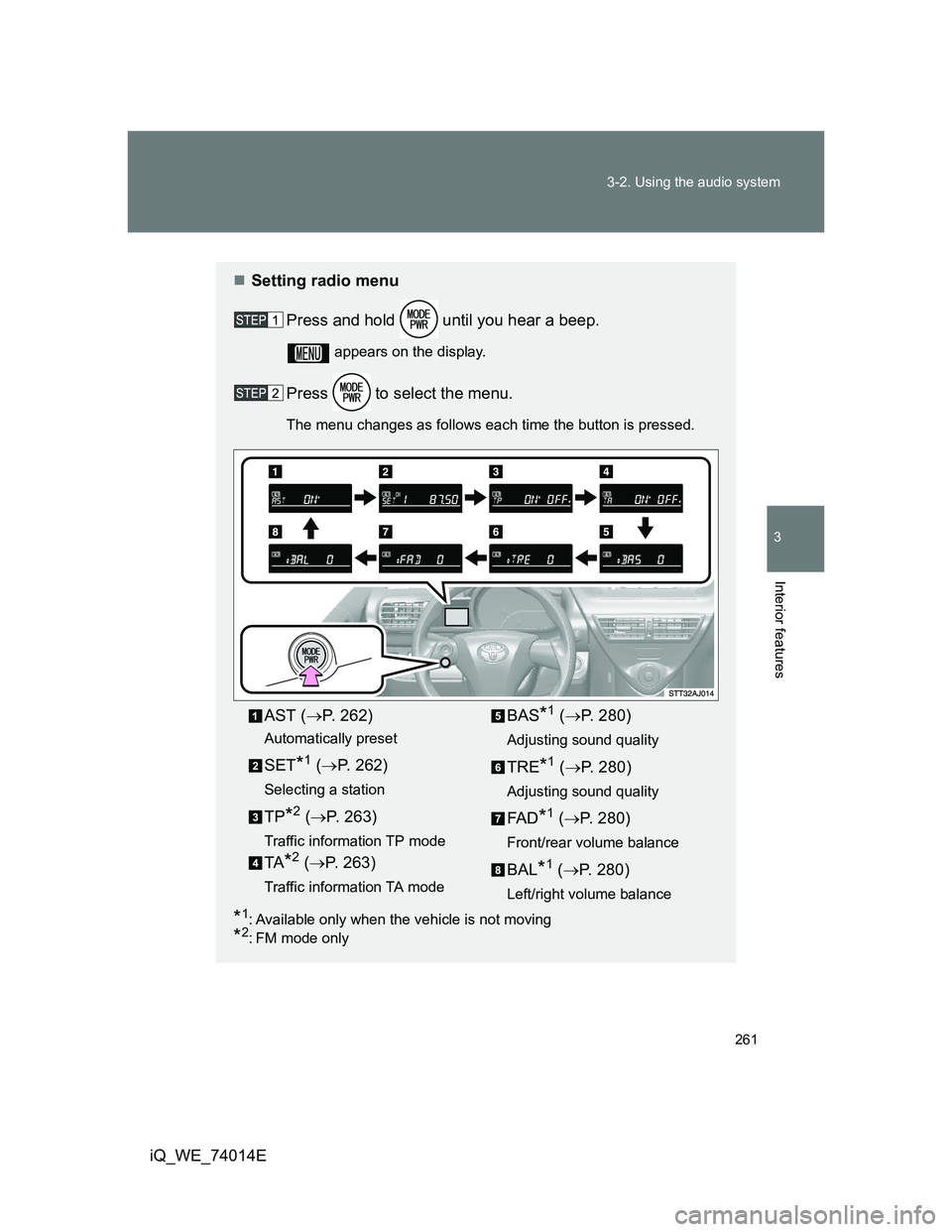
Setting radio menu
Press and hold until you hear a beep.
appears on the display.
Press to select the menu.
The menu changes as follows each time the button is pressed.
*1: Available only when the vehicle is not moving
*2: FM mode only
AST (P. 262)
Automatically preset
SET*1 (P. 262)
Selecting a station
TP*2 (P. 263)
Traffic information TP mode
TA*2 (P. 263)
Traffic information TA mode
BAS*1 (P. 280)
Adjusting sound quality
TRE*1 (P. 280)
Adjusting sound quality
FA D*1 (P. 280)
Front/rear volume balance
BAL*1 (P. 280)
Left/right volume balance
Page 262 of 476
262 3-2. Using the audio system
iQ_WE_74014E
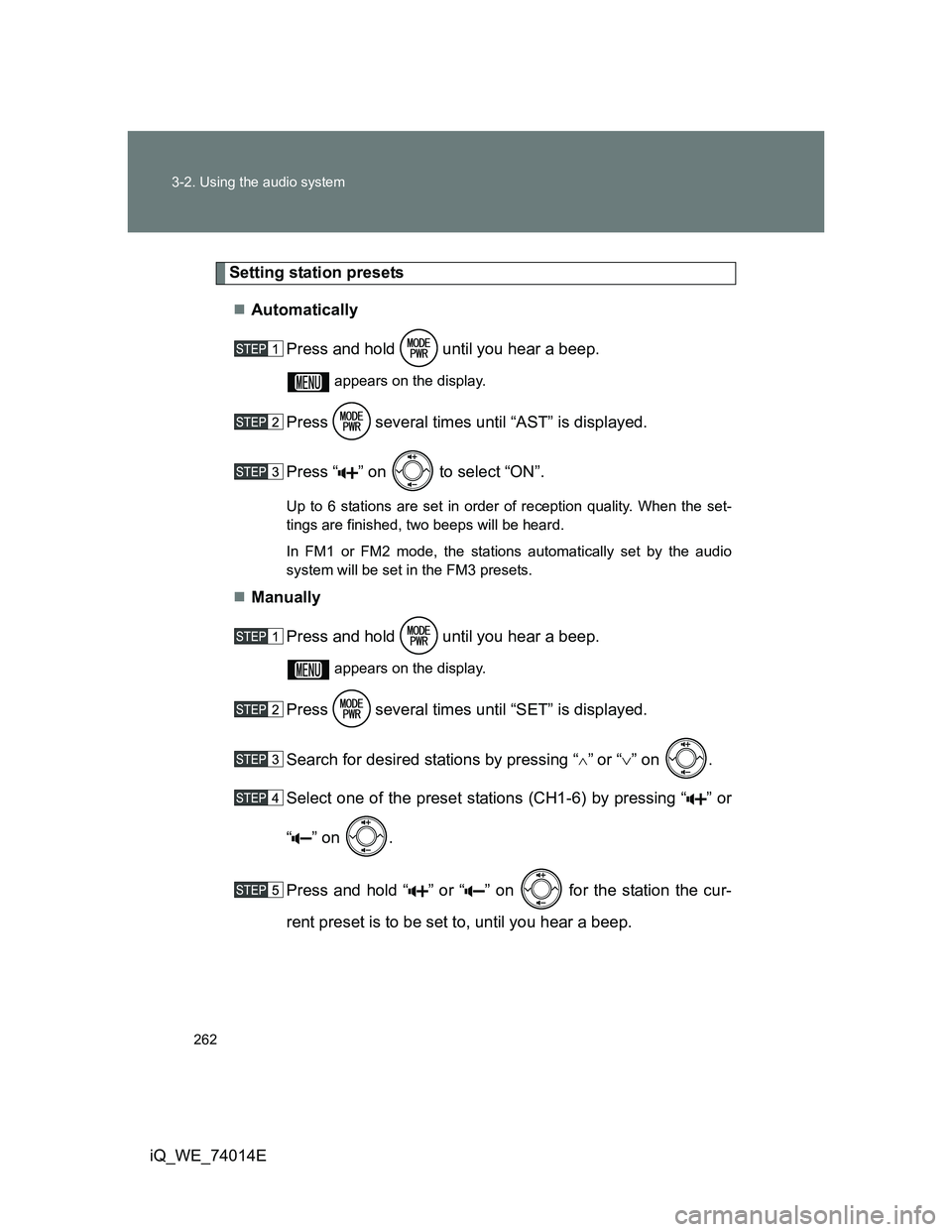
Setting station presets
Automatically
Press and hold until you hear a beep.
appears on the display.
Press several times until “AST” is displayed.
Press “ ” on to select “ON”.
Up to 6 stations are set in order of reception quality. When the set-
tings are finished, two beeps will be heard.
In FM1 or FM2 mode, the stations automatically set by the audio
system will be set in the FM3 presets.
Manually
Press and hold until you hear a beep.
appears on the display.
Press several times until “SET” is displayed.
Search for desired stations by pressing “
”or “” on .
Select one of the preset stations (CH1-6) by pressing “ ” or
“ ” on .
Press and hold “ ” or “ ” on for the station the cur-
rent preset is to be set to, until you hear a beep.
Page 263 of 476
263 3-2. Using the audio system
3
Interior features
iQ_WE_74014E
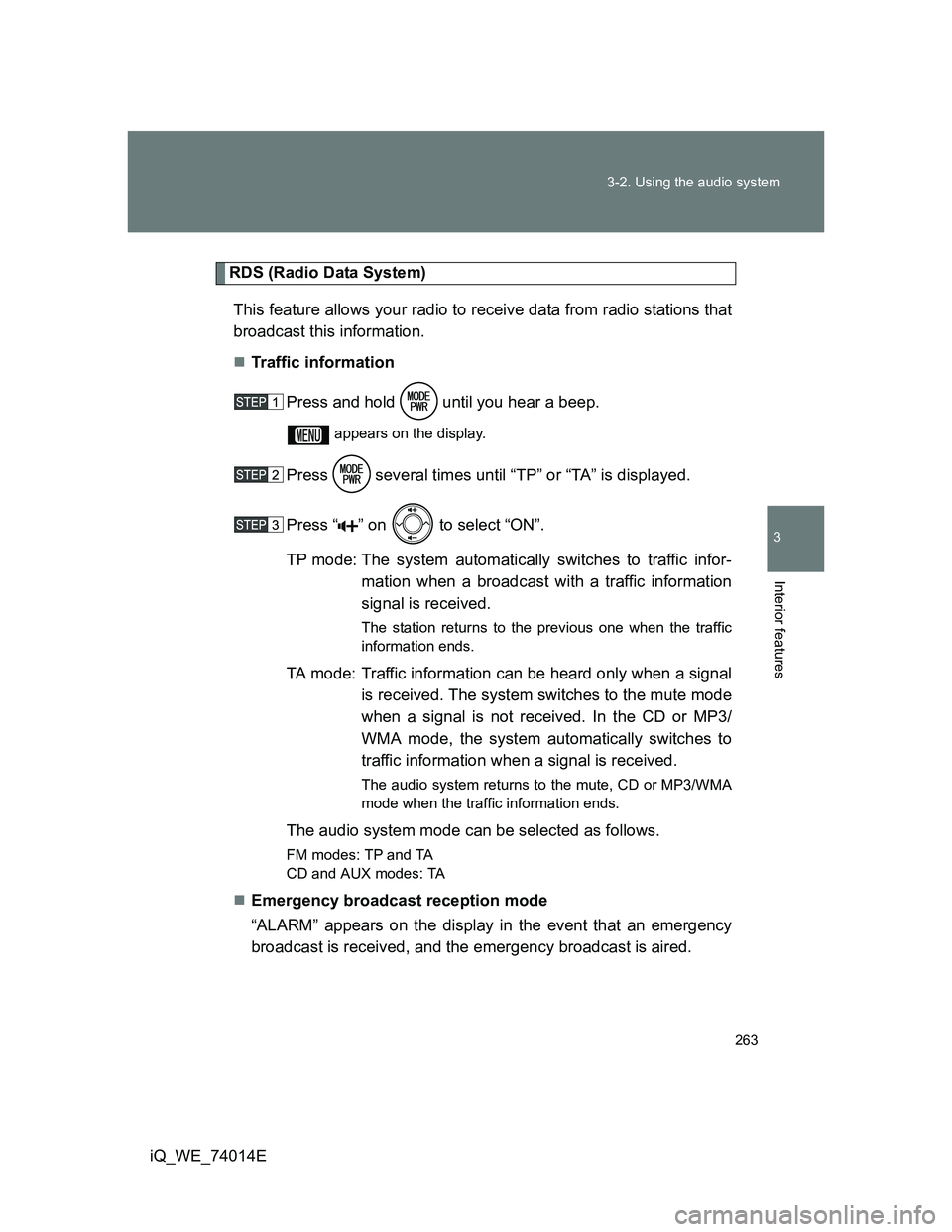
RDS (Radio Data System)
This feature allows your radio to receive data from radio stations that
broadcast this information.
Traffic information
Press and hold until you hear a beep.
appears on the display.
Press several times until “TP” or “TA” is displayed.
Press “ ” on to select “ON”.
TP mode: The system automatically switches to traffic infor-
mation when a broadcast with a traffic information
signal is received.
The station returns to the previous one when the traffic
information ends.
TA mode: Traffic information can be heard only when a signal
is received. The system switches to the mute mode
when a signal is not received. In the CD or MP3/
WMA mode, the system automatically switches to
traffic information when a signal is received.
The audio system returns to the mute, CD or MP3/WMA
mode when the traffic information ends.
The audio system mode can be selected as follows.
FM modes: TPand TA
CD and AUX modes: TA
Emergency broadcast reception mode
“ALARM” appears on the display in the event that an emergency
broadcast is received, and the emergency broadcast is aired.
Page 265 of 476
265
3-2. Using the audio system
3
Interior features
iQ_WE_74014E
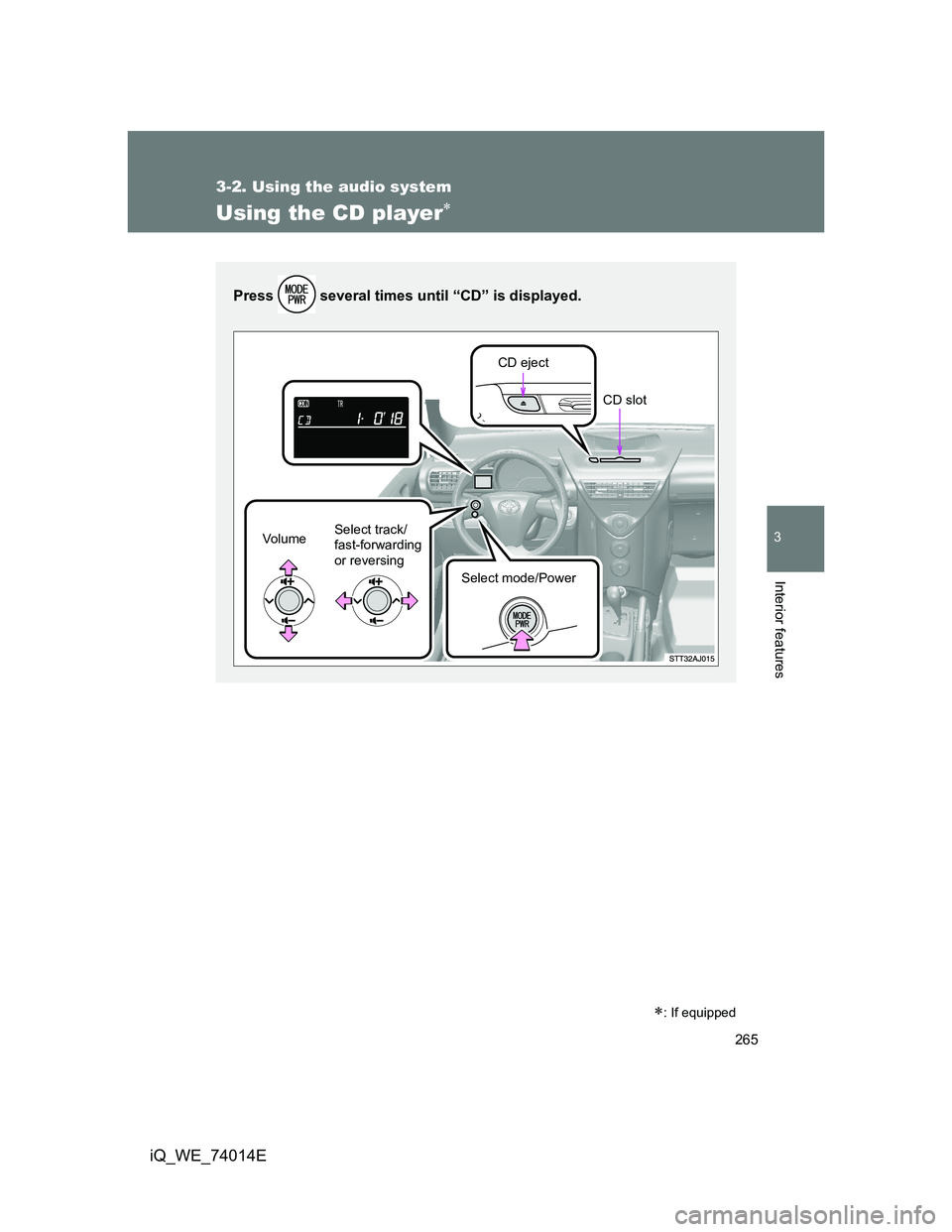
Using the CD player
: If equipped
Press several times until “CD” is displayed.
Vo lu m eSelect track/
fast-forwarding
or reversing
Select mode/PowerCD eject
CD slot
Page 266 of 476
266 3-2. Using the audio system
iQ_WE_74014E
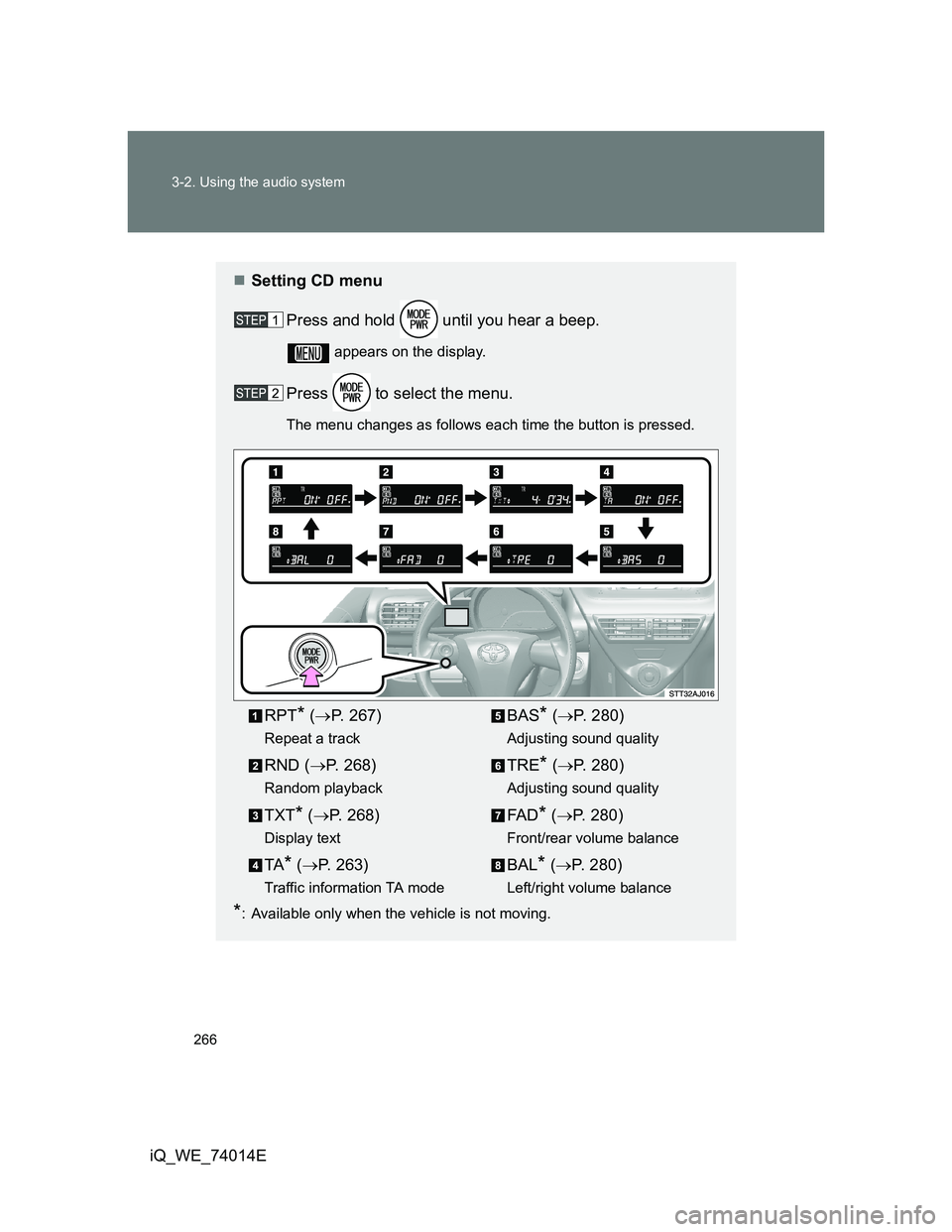
Setting CD menu
Press and hold until you hear a beep.
appears on the display.
Press to select the menu.
The menu changes as follows each time the button is pressed.
*: Available only when the vehicle is not moving.
RPT* (P. 267)
Repeat a track
RND (P. 268)
Random playback
TXT* (P. 268)
Display text
TA* (P. 263)
Traffic information TA mode
BAS* (P. 280)
Adjusting sound quality
TRE* (P. 280)
Adjusting sound quality
FA D* (P. 280)
Front/rear volume balance
BAL* (P. 280)
Left/right volume balance
Page 267 of 476
267 3-2. Using the audio system
3
Interior features
iQ_WE_74014E
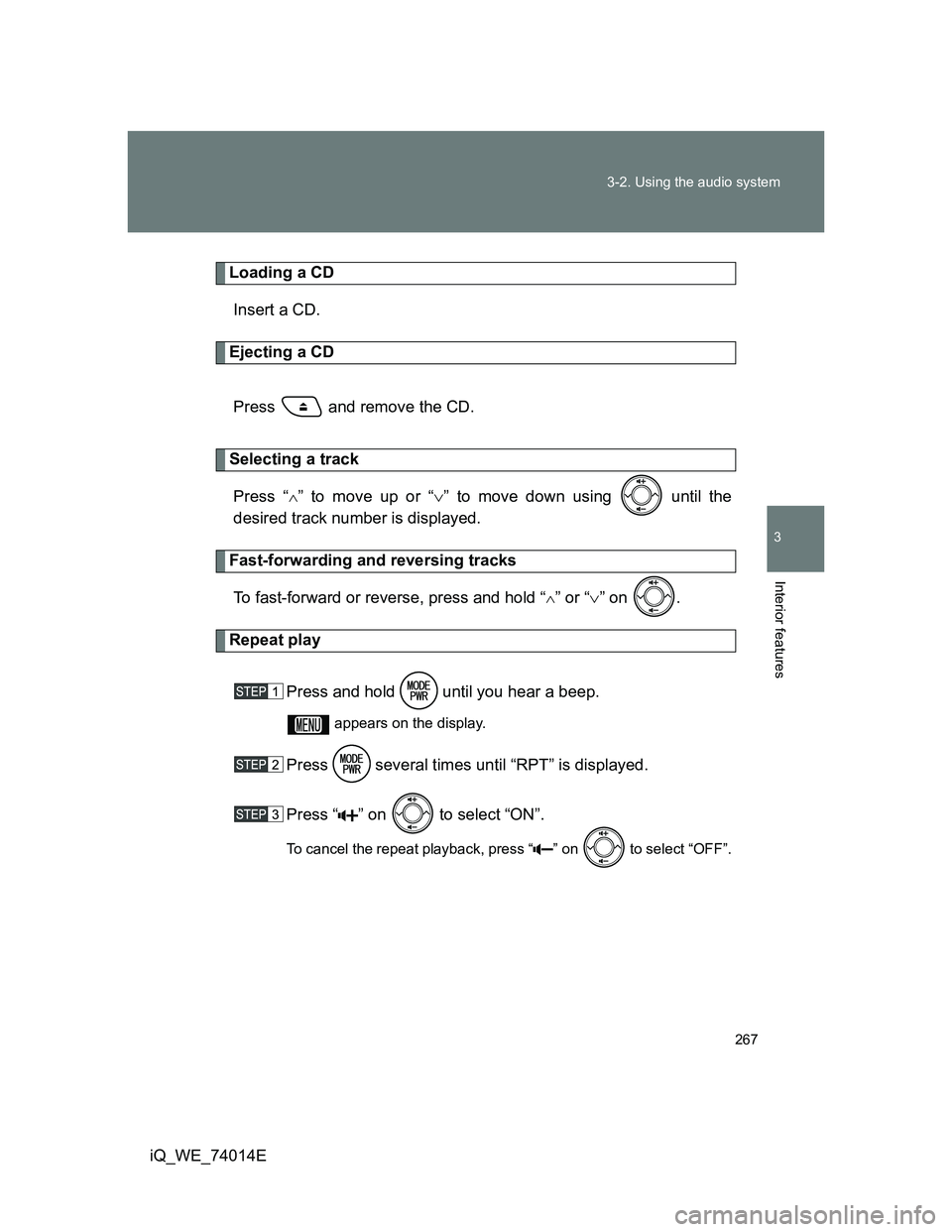
Loading a CD
Insert a CD.
Ejecting a CD
Press and remove the CD.
Selecting a track
Press “
” to move up or “” to move down using until the
desired track number is displayed.
Fast-forwarding and reversing tracks
To fast-forward or reverse, press and hold “
” or “” on .
Repeat play
Press and hold until you hear a beep.
appears on the display.
Press several times until “RPT” is displayed.
Press “ ” on to select “ON”.
To cancel the repeat playback, press “ ” on to select “OFF”.
Page 268 of 476
268 3-2. Using the audio system
iQ_WE_74014E
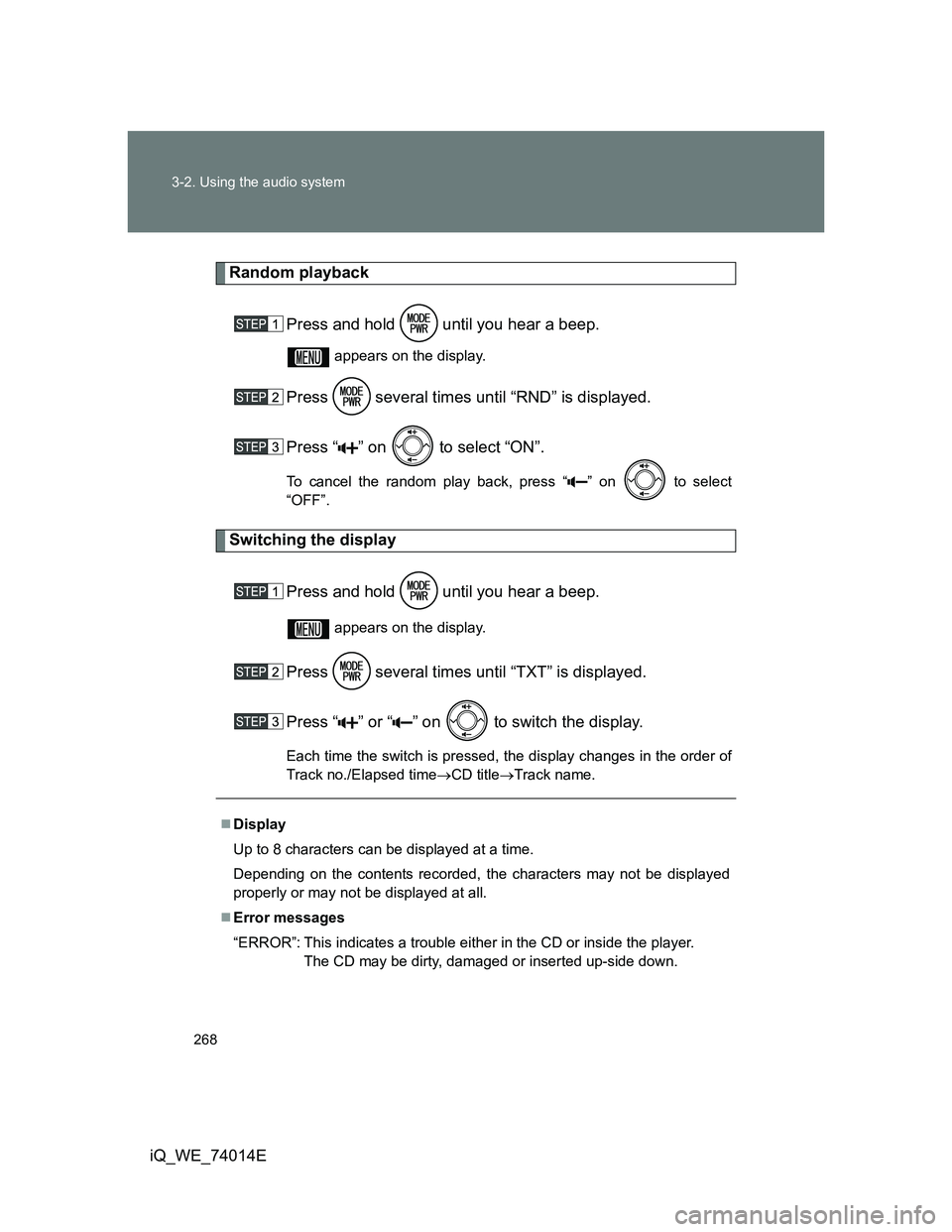
Random playback
Press and hold until you hear a beep.
appears on the display.
Press several times until “RND” is displayed.
Press “ ” on to select “ON”.
To cancel the random play back, press “ ” on to select
“OFF”.
Switching the display
Press and hold until you hear a beep.
appears on the display.
Press several times until “TXT” is displayed.
Press “ ” or “ ” on to switch the display.
Each time the switch is pressed, the display changes in the order of
Track no./Elapsed timeCD titleTrack name.
Display
Up to 8 characters can be displayed at a time.
Depending on the contents recorded, the characters may not be displayed
properly or may not be displayed at all.
Error messages
“ERROR”: This indicates a trouble either in the CD or inside the player.
The CD may be dirty, damaged or inserted up-side down.
Page 272 of 476
272
3-2. Using the audio system
iQ_WE_74014E
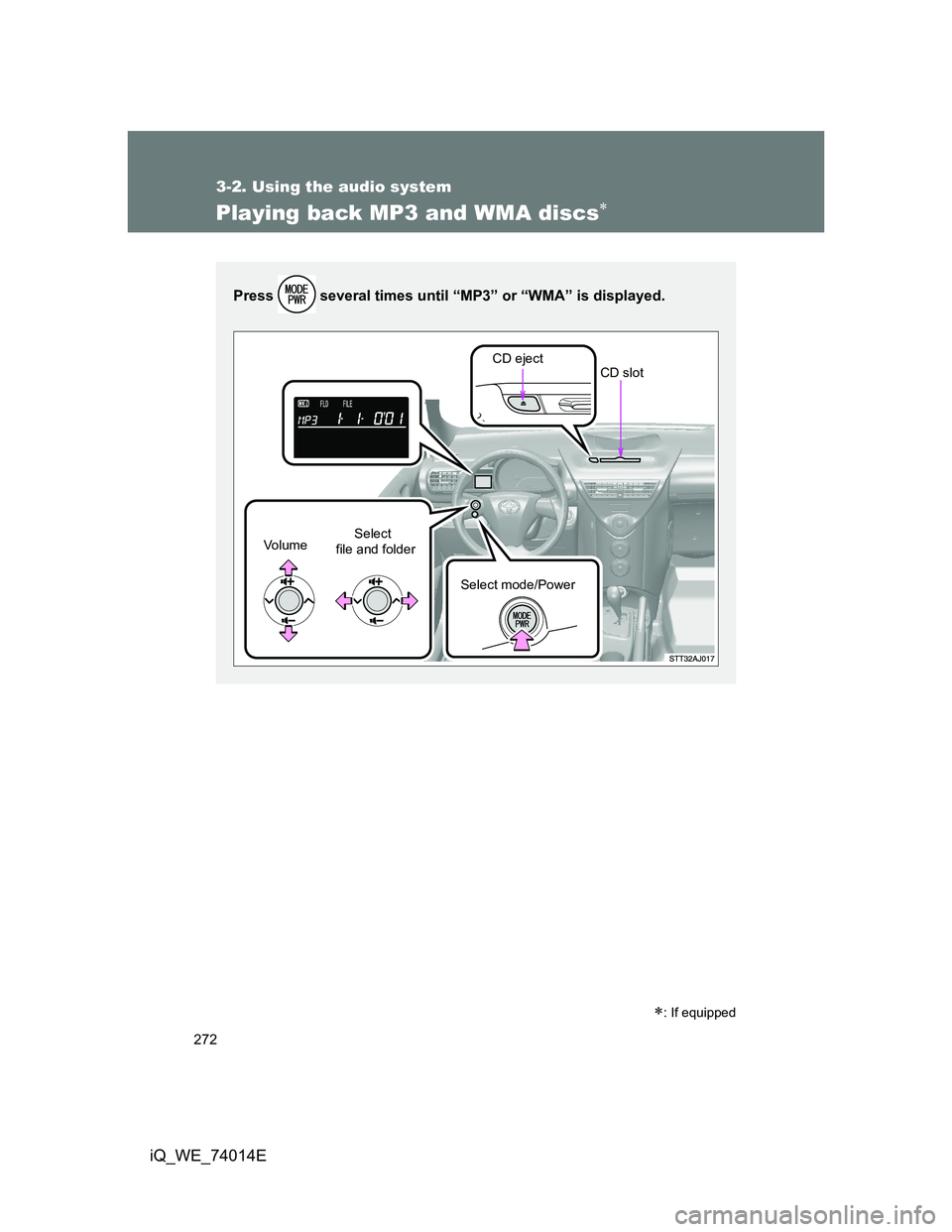
Playing back MP3 and WMA discs
: If equipped
Press several times until “MP3” or “WMA” is displayed.
CD eject
Select
file and folder Vo l u m e
Select mode/PowerCD slot