Page 267 of 636

Interior features3
267
3-4. Using the hands-free phone system
(for cellular phone)
Hands-free phone system (for cellular phone)
features .......................... 363
Using the hands-free phone system ................ 367
Making a phone call ......... 376
Setting a cellular phone ............................. 380
Security and system setup .............................. 385
Using the phone book ...... 389
3-5. Using the interior lights Interior lights list ............... 396
• Personal/interior light main switch .................... 397
• Personal/interior lights .............................. 397
• Interior light .................... 398 3-6. Using the storage
features
List of storage features .... 399
• Glove box....................... 400
• Console box ................... 401
• Overhead console .......... 402
• Cup holders ................... 403
• Bottle holders ................. 407
• Auxiliary boxes ............... 408
• Side table ....................... 410
3-7. Other interior features Sun visors ........................ 412
Vanity mirrors ................... 413
Clock ................................ 414
Conversation mirror ......... 415
Power outlets ................... 416
Seat heaters..................... 420
Armrests........................... 422
Floor mat .......................... 423
Luggage compartment features .......................... 424
Garage door opener......... 429
Compass .......................... 435
Page 396 of 636
396
3-5. Using the interior lights
Interior lights list
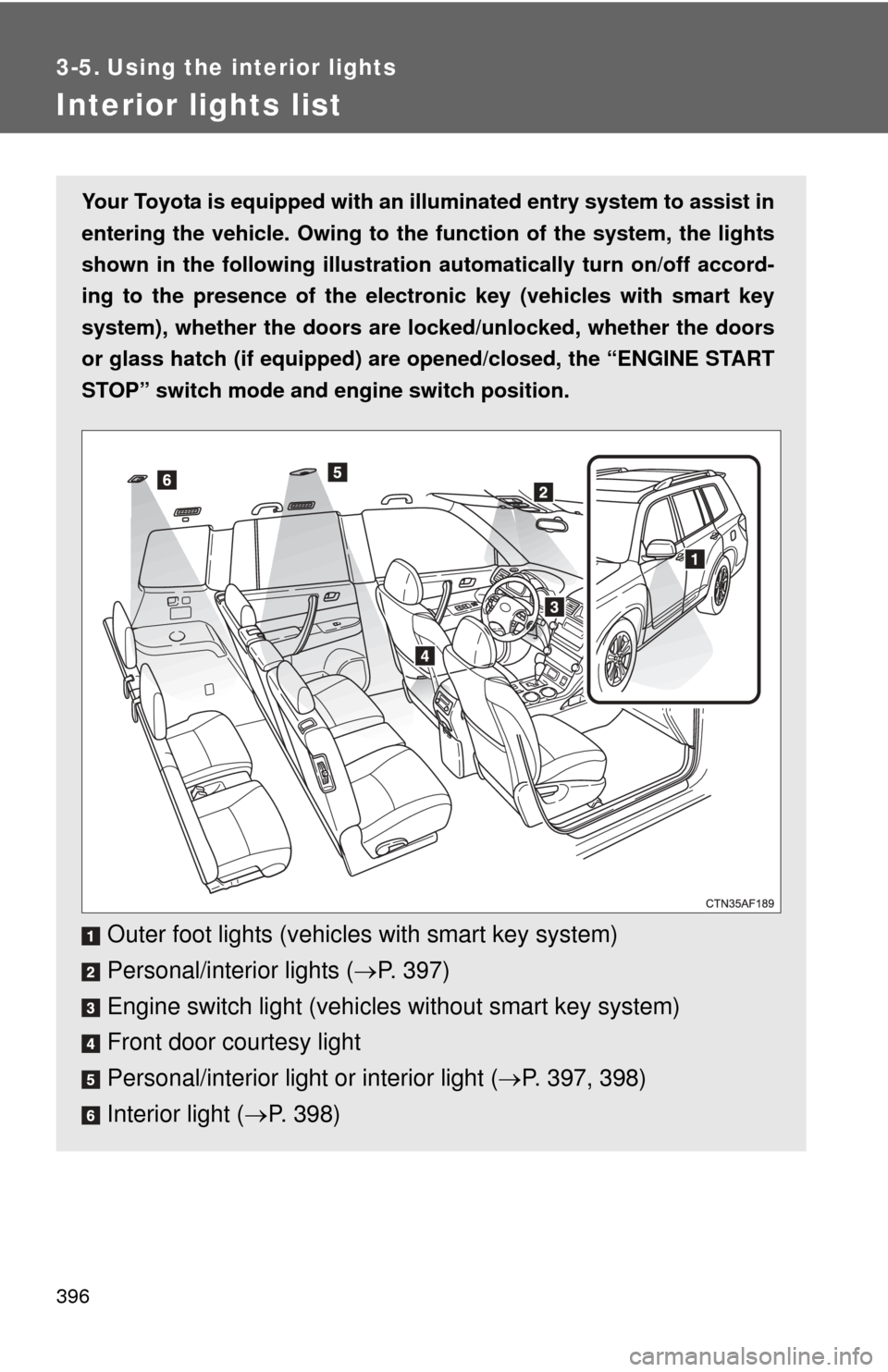
Your Toyota is equipped with an illuminated entry system to assist in
entering the vehicle. Owing to the fu nction of the system, the lights
shown in the following illustration automatically turn on/off accord-
ing to the presence of the electro nic key (vehicles with smart key
system), whether the doors are lo cked/unlocked, whether the doors
or glass hatch (if equipped) are opened/closed, the “ENGINE START
STOP” switch mode and en gine switch position.
Outer foot lights (vehicles with smart key system)
Personal/interior lights (P. 397)
Engine switch light (vehicle s without smart key system)
Front door courtesy light
Personal/interior light or interior light ( P. 397, 398)
Interior light ( P. 398)
Page 400 of 636
400 3-6. Using the storage features
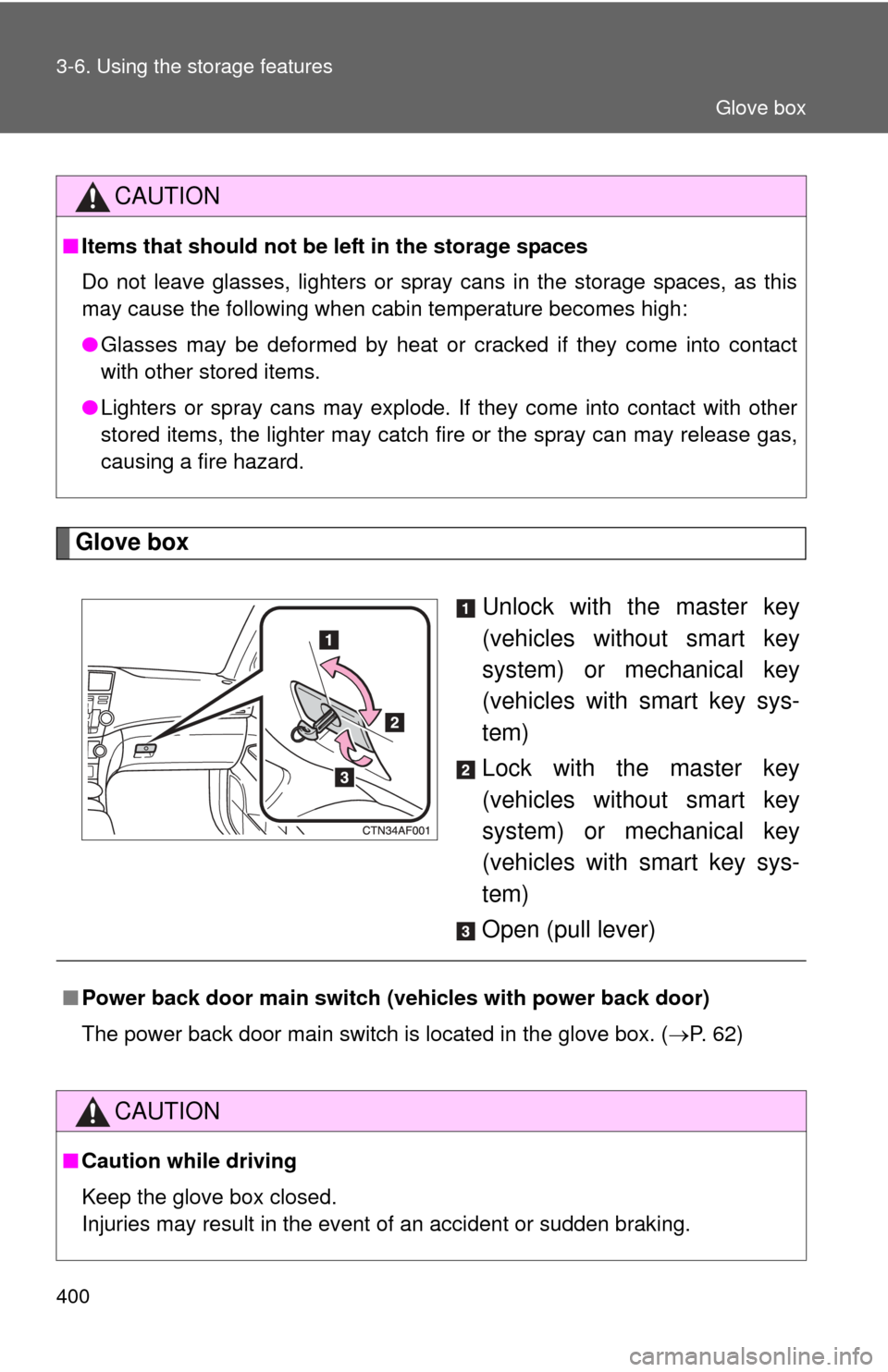
Glove boxUnlock with the master key
(vehicles without smart key
system) or mechanical key
(vehicles with smart key sys-
tem)
Lock with the master key
(vehicles without smart key
system) or mechanical key
(vehicles with smart key sys-
tem)
Open (pull lever)
CAUTION
■ Items that should not be left in the storage spaces
Do not leave glasses, lighters or spray cans in the storage spaces, as this
may cause the following when cabin temperature becomes high:
● Glasses may be deformed by heat or cracked if they come into contact
with other stored items.
● Lighters or spray cans may explode. If they come into contact with other
stored items, the lighter may catch fire or the spray can may release gas,
causing a fire hazard.
■Power back door main switch ( vehicles with power back door)
The power back door main switch is located in the glove box. ( P. 62)
CAUTION
■Caution while driving
Keep the glove box closed.
Injuries may result in the event of an accident or sudden braking.
Glove box
Page 411 of 636
411
3-6. Using the
storage features
3
Interior features
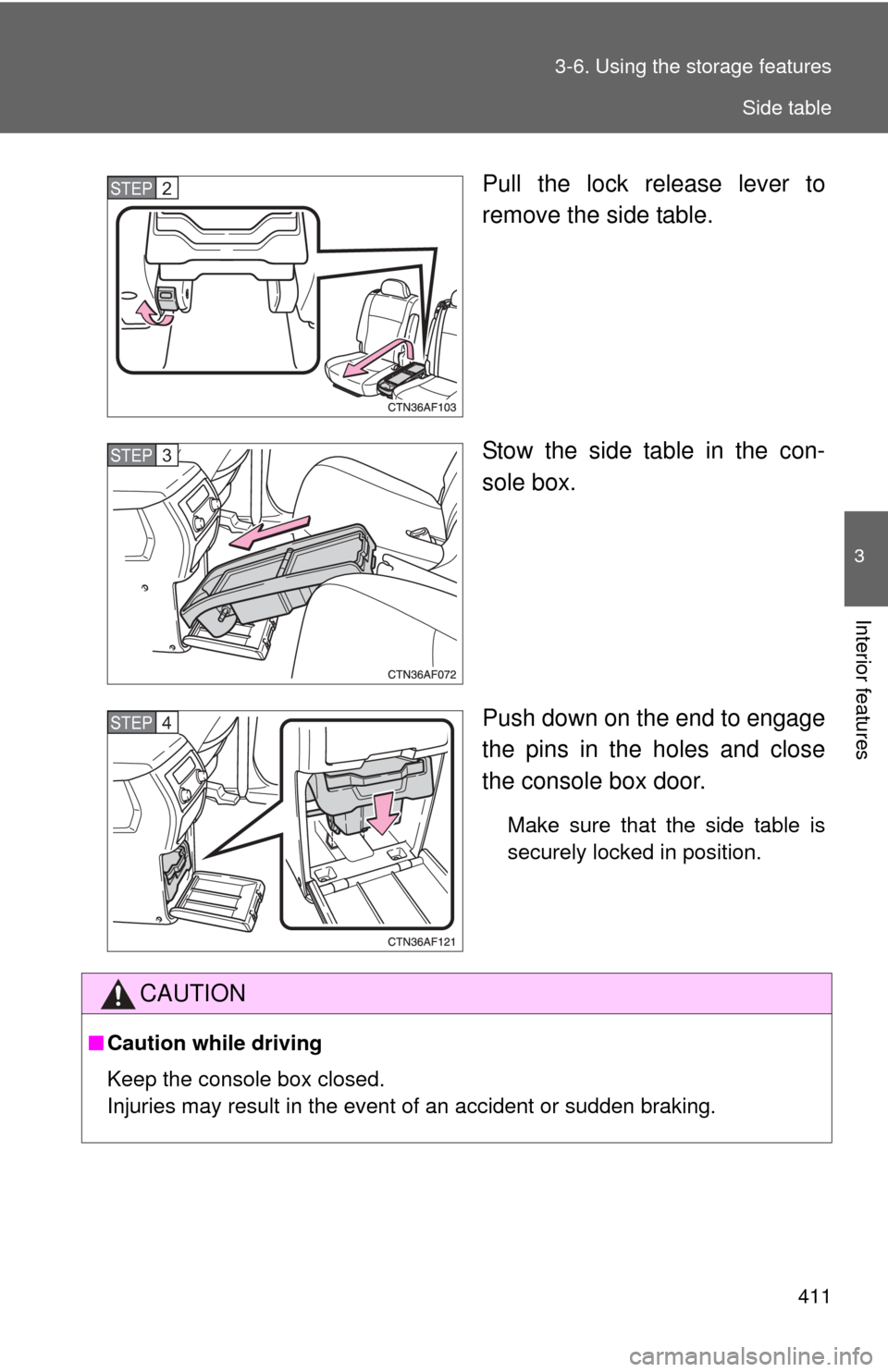
Pull the lock release lever to
remove the side table.
Stow the side table in the con-
sole box.
Push down on the end to engage
the pins in the holes and close
the console box door.
Make sure that the side table is
securely locked in position.
STEP2
STEP3
STEP4
CAUTION
■Caution while driving
Keep the console box closed.
Injuries may result in the event of an accident or sudden braking.
Side table
Page 429 of 636
429
3-7. Other interior features
3
Interior features
Garage door opener
The garage door opener (HomeLink Universal Transceiver) is manufac-
tured under license from HomeLink.
Programming the HomeLink (for U.S.A. owners)
The HomeLink
compatible transceiver in your vehicle has 3 buttons
which can be programmed to operate 3 different devices. Refer to the
programming method below appropriate for the device.
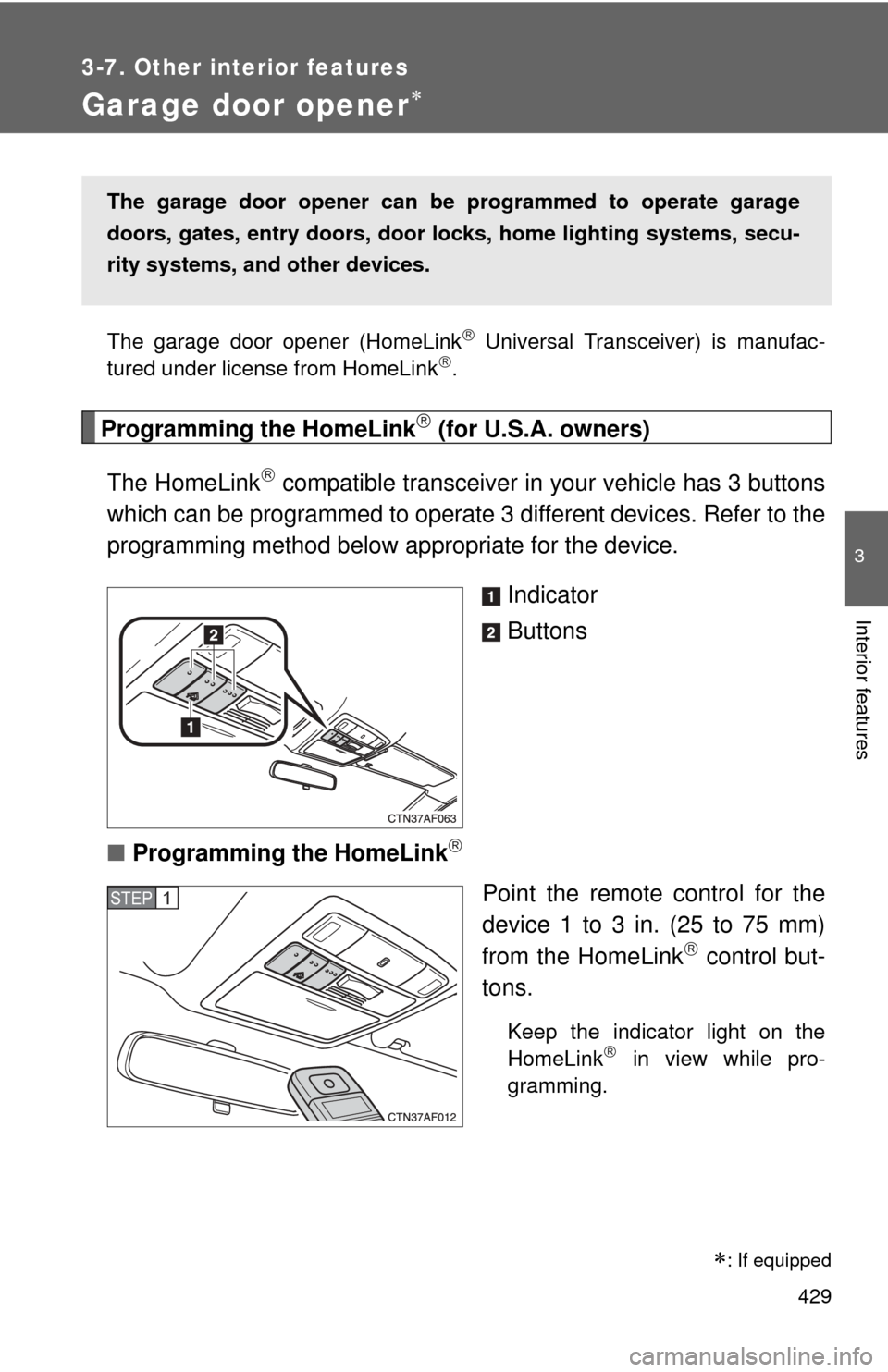
Indicator
Buttons
■ Programming the HomeLink
Point the remote control for the
device 1 to 3 in. (25 to 75 mm)
from the HomeLink
control but-
tons.
Keep the indicator light on the
HomeLink in view while pro-
gramming.
The garage door opener can be programmed to operate garage
doors, gates, entry do ors, door locks, home lighting systems, secu-
rity systems, and other devices.
STEP1
: If equipped
Page 432 of 636
432 3-7. Other interior features
Test the operation of the HomeLink by pressing the newly
programmed button. Check to se e if the gate/device operates
correctly.
Repeat the steps above to program another device for each of
the remaining HomeLink
buttons.
■ Programming other devices
To program other devices such as home security systems, home
door locks or lighting, contact your authorized Toyota dealer for
assistance.
■ Reprogramming a button
The individual HomeLink
buttons cannot be erased but can be
reprogrammed. To reprogram a button, follow the programming
instructions.
Operating the HomeLink
Press the appropriate HomeLink button. The HomeLink indicator
light on the HomeLink transceiver should turn on.
The HomeLink continues to send a signal for up to 20 seconds as long
as the button is pressed.
Erasing the entire HomeLink memory (all three programs)
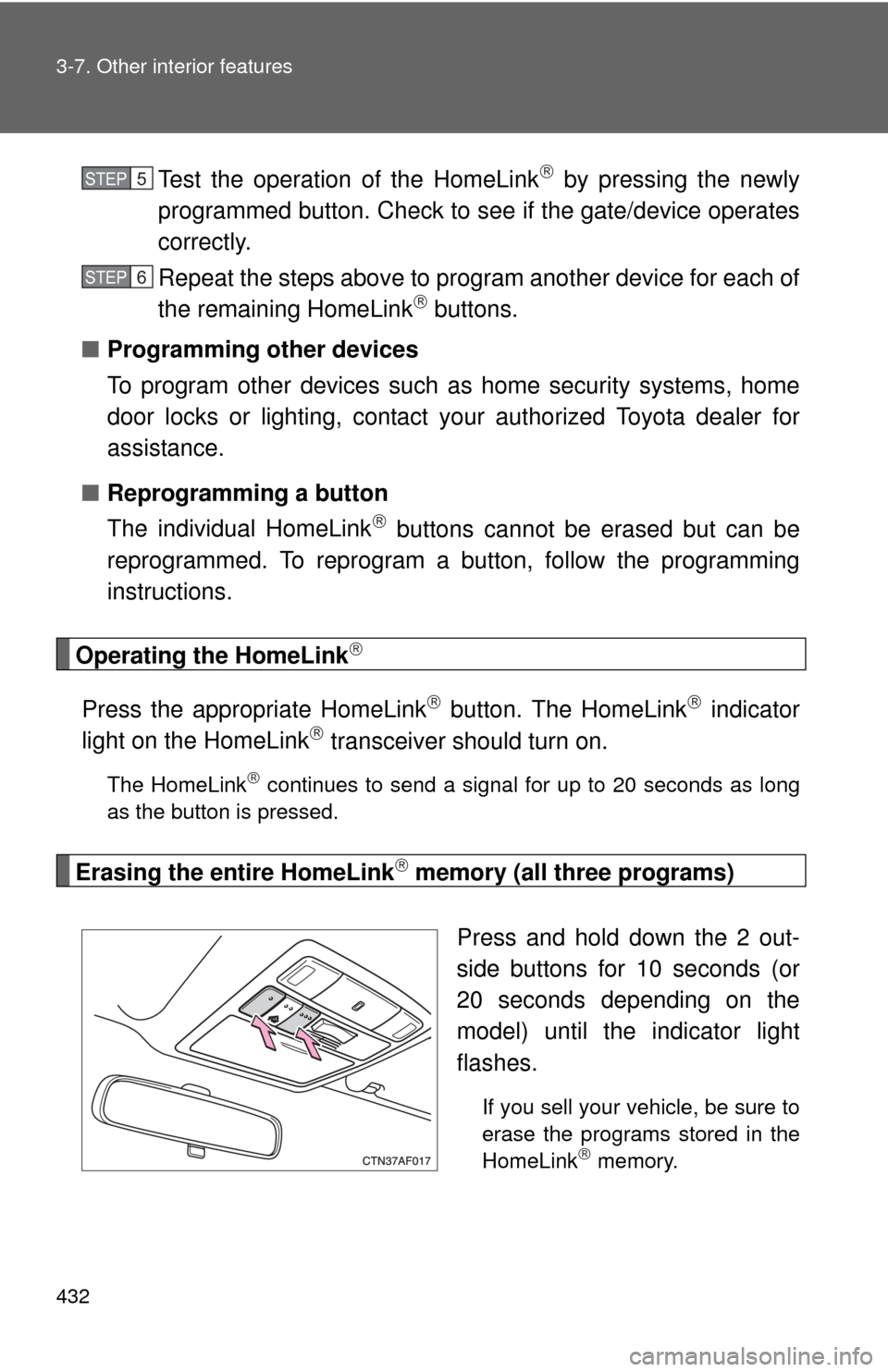
Press and hold down the 2 out-
side buttons for 10 seconds (or
20 seconds depending on the
model) until the indicator light
flashes.
If you sell your vehicle, be sure to
erase the programs stored in the
HomeLink
memory.
STEP5
STEP6
Page 437 of 636
437
3-7. Other interior features
3
Interior features
■
Circling calibration
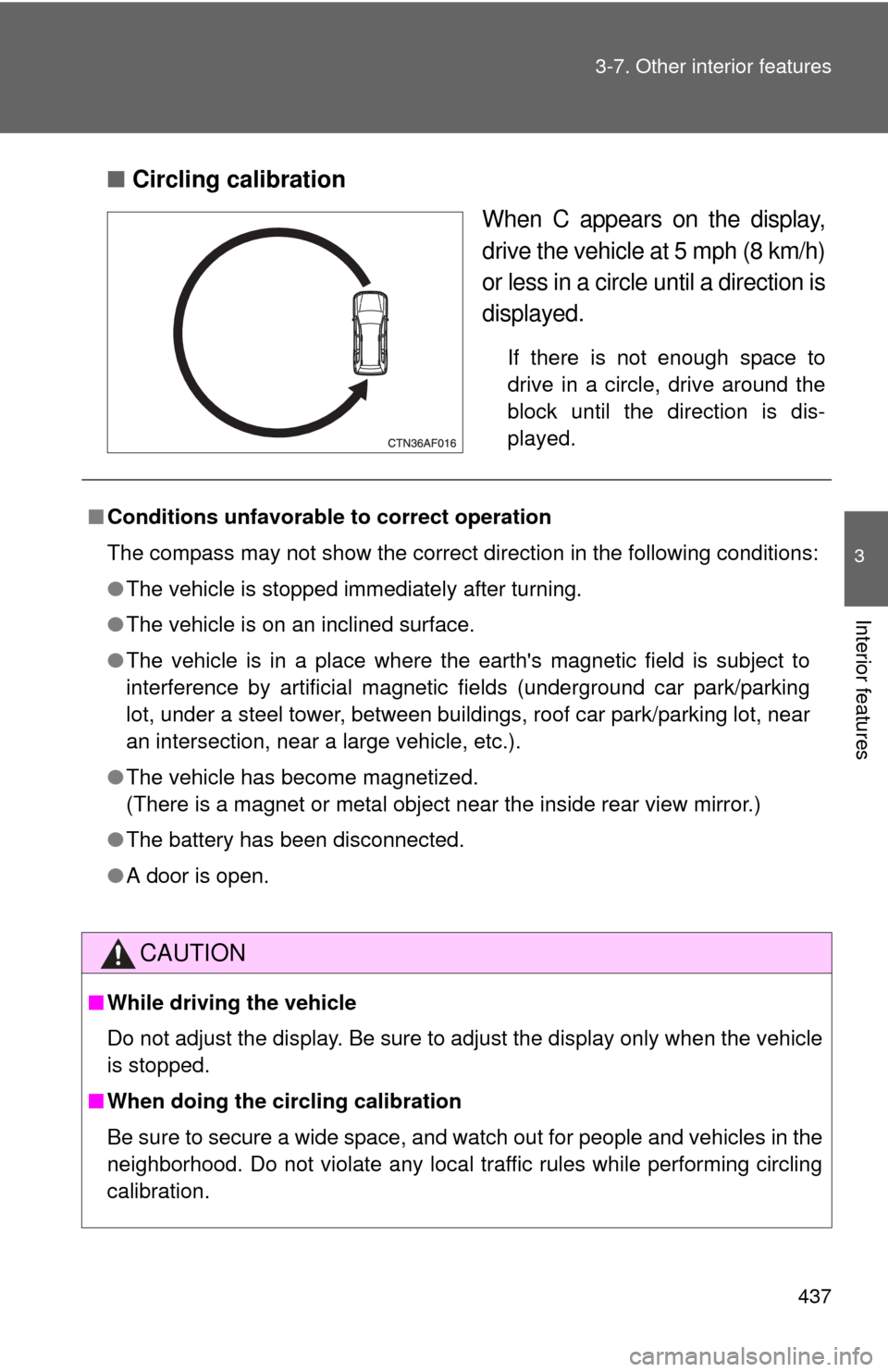
When C appears on the display,
drive the vehicle at 5 mph (8 km/h)
or less in a circle until a direction is
displayed.
If there is not enough space to
drive in a circle, drive around the
block until the direction is dis-
played.
■Conditions unfavorable to correct operation
The compass may not show the correct direction in the following conditions:
●The vehicle is stopped immediately after turning.
● The vehicle is on an inclined surface.
● The vehicle is in a place where the earth's magnetic field is subject to
interference by artificial magnetic fields (underground car park/parking
lot, under a steel tower, between buildings, roof car park/parking lot, near
an intersection, near a large vehicle, etc.).
● The vehicle has become magnetized.
(There is a magnet or metal object near the inside rear view mirror.)
● The battery has been disconnected.
● A door is open.
CAUTION
■While driving the vehicle
Do not adjust the display. Be sure to adjust the display only when the vehicle
is stopped.
■ When doing the circling calibration
Be sure to secure a wide space, and watch out for people and vehicles in the
neighborhood. Do not violate any local traffic rules while performing circling
calibration.
Page 451 of 636
451
4-2. Maintenance
4
Maintenance and care
Vehicle exterior
ItemsCheck points
Door • Operate smoothly?
Engine hood • The lock system works properly?
Fluid leaks • Is there any leakage after park-
ing?
Tire • Inflation pressure is correct?
• Tire surfaces not worn or dam-
aged?
• Tires rotated according to the maintenance schedule?
• Wheel nuts are not loose?
CAUTION
■ If the engine is running
Turn the engine off and ensure that there is adequate ventilation before per-
forming maintenance checks.