Page 105 of 636

105
1-4. Opening and closing the windows and moon roof
1
Before driving
■
The moon roof can be operated when
Vehicles without smart key system
The engine switch is in the “ON” position.
Vehicles with smart key system
The “ENGINE START STOP” switch is in IGNITION ON mode.
■ Operating the moon roof af ter turning the engine off
Vehicles without smart key system
The moon roof can be operated for approximately 45 seconds after the
engine switch is turned to the “ACC” or “LOCK” position. It cannot, however,
be operated once either front door is opened.
Vehicles with smart key system
The moon roof can be operated for approximately 45 seconds after the
“ENGINE START STOP” switch is turned to ACCESSORY mode or turned
OFF. They cannot, however, be operated once either front door is opened.
■ Jam protection function
If an object is detected between the moon roof and the frame while closing
or tilting down, travel is stopped and the moon roof opens slightly.
■ To reduce wind noise
Drive with the moon roof opened to slightly before the fully open position as
driving with the moon roof opened fully will cause wind noise.
Page 116 of 636
116
1-6. Theft deterrent system
Alarm
: If equipped
The system sounds the alarm and flashes the lights when forcible
entry is detected.
■Triggering of the alarm
The alarm is triggered in the fo llowing situations when the alarm
is set.
● A locked door is unlocked or opened in any way other than
using the entry function (vehic les with smart key system) or
wireless remote control or mechanical key. (The doors will
lock again automatically.)
● The hood is opened.
● The locked glass hatch is opened in any way other than using
the wireless remote control door lock function or entry function
(vehicles with smart key system).
● The battery is reconnected.
■ Setting the alarm system
Vehicles without navigation system
Close the doors, glass hatch
and hood, and lock all the
doors. The system will be set
automatically after 30 sec-
onds.
The indicator light changes
from being on to flashing when
the system is set.
Page 117 of 636

117
1-6. Theft deterrent system
1
Before driving
■
System maintenance
The vehicle has a maintenance-free type alarm system.
■ Items to check before locking the vehicle
To prevent unexpected triggering of the alarm and vehicle theft, make sure
of the following.
●Nobody is in the vehicle.
● The windows and moon roof are closed before the alarm is set.
● No valuables or other personal items are left in the vehicle.
Vehicles with navigation system
Close the doors, glass hatch
and hood, and lock all the
doors. The system will be set
automatically after 30 sec-
onds.
The indicator light changes
from being on to flashing when
the system is set.
■ Deactivating or stopping the alarm
●Unlock the doors.
● Vehicles without smart key system: Turn the engine switch to
the “ON” position, or start t he engine. (The alarm will be deac-
tivated or stopped after a few seconds.)
● Vehicles with smart key system: Turn the “ENGINE START
STOP” switch to IGNITION ON mode, or start the engine.
(The alarm will be deactivated or stopped after a few sec-
onds.)
● Open the glass hatch using the entry function (vehicles with
smart key system) or wireless remote control (vehicles with-
out smart key system).
Page 118 of 636
118 1-6. Theft deterrent system
■Triggering of the alarm
The alarm may be triggered in the following situations. (Stopping the alarm
deactivates the alarm system.)
■ Panic mode
P. 5 0
■ When the battery is disconnected
Be sure to cancel the alarm system.
If the battery is disconnected before canceling the alarm, the system may be
triggered when the battery is reconnected.
■ Alarm-operated door lock
●When the alarm is operating, the door s are locked automatically to pre-
vent intruders.
● Do not leave the key inside the vehicle when the alarm is operating, and
make sure the key is not inside the vehicle when recharging or replacing
the battery.
■ When using the key to unlock the doors
Deactivate the alarm.
●A person inside the vehicle opens a
door or the hood when the vehicle is
locked.
● The battery is recharged or replaced
when the vehicle is locked.
Page 160 of 636
160
2-1. Driving procedures
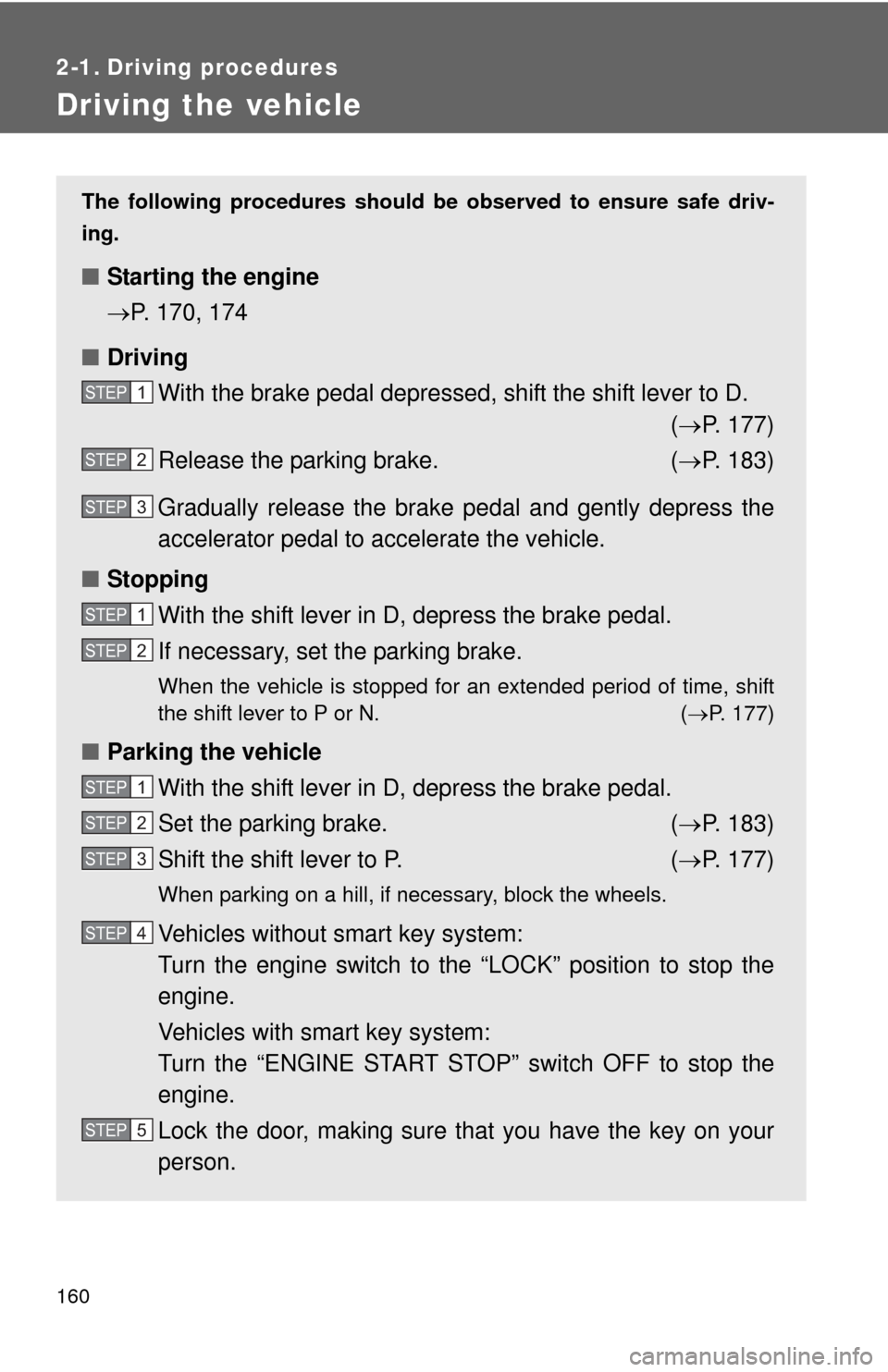
Driving the vehicle
The following procedures should be observed to ensure safe driv-
ing.
■ Starting the engine
P. 170, 174
■ Driving
With the brake pedal depressed, shift the shift lever to D. ( P. 177)
Release the parking brake. ( P. 183)
Gradually release the brake pedal and gently depress the
accelerator pedal to accelerate the vehicle.
■ Stopping
With the shift lever in D, depress the brake pedal.
If necessary, set the parking brake.
When the vehicle is stopped for an extended period of time, shift
the shift lever to P or N. ( P. 177)
■Parking the vehicle
With the shift lever in D, depress the brake pedal.
Set the parking brake. ( P. 183)
Shift the shift lever to P. ( P. 177)
When parking on a hill, if necessary, block the wheels.
Vehicles without smart key system:
Turn the engine switch to the “LOCK” position to stop the
engine.
Vehicles with smart key system:
Turn the “ENGINE START STOP” switch OFF to stop the
engine.
Lock the door, making sure that you have the key on your
person.
STEP1
STEP2
STEP3
STEP1
STEP2
STEP1
STEP2
STEP3
STEP4
STEP5
Page 173 of 636

173
2-1. Driving procedures
2
When driving
CAUTION
■
When starting the engine
Always start the engine while sitting in the driver's seat. Do not depress the
accelerator pedal while starting the engine under any circumstances.
Doing so may cause an accident resulting in death or serious injury.
■ Caution while driving
If the vehicle begins to slide due to engine failure or other circumstances, do
not lock or open the doors until the vehicle reaches a safe and complete
stop. Activation of the steering lock in this circumstance may lead to an acci-
dent, resulting in death or serious injury.
■ Stopping the engine in an emergency
If you want to stop the engine in an emergency while driving the vehicle,
press and hold the “ENGINE START STOP” switch for more than 3 seconds.
However, do not touch the “ENGINE START STOP” switch while driving
except in an emergency. Turning the engine off while driving will not cause
loss of steering or braking control, but the power assist to these systems will
be lost. This will make it more difficult to steer and brake, so you should pull
over and stop the vehicle as soon as it is safe to do so.
NOTICE
■To prevent battery discharge
Do not leave the “ENGINE START STOP” switch in ACCESSORY or IGNI-
TION ON mode for long periods without the engine running.
■ When starting the engine
●Do not race a cold engine.
● If the engine becomes difficult to start or stalls frequently, have the engine
checked immediately.
Page 175 of 636
175
2-1. Driving procedures
2
When driving
■
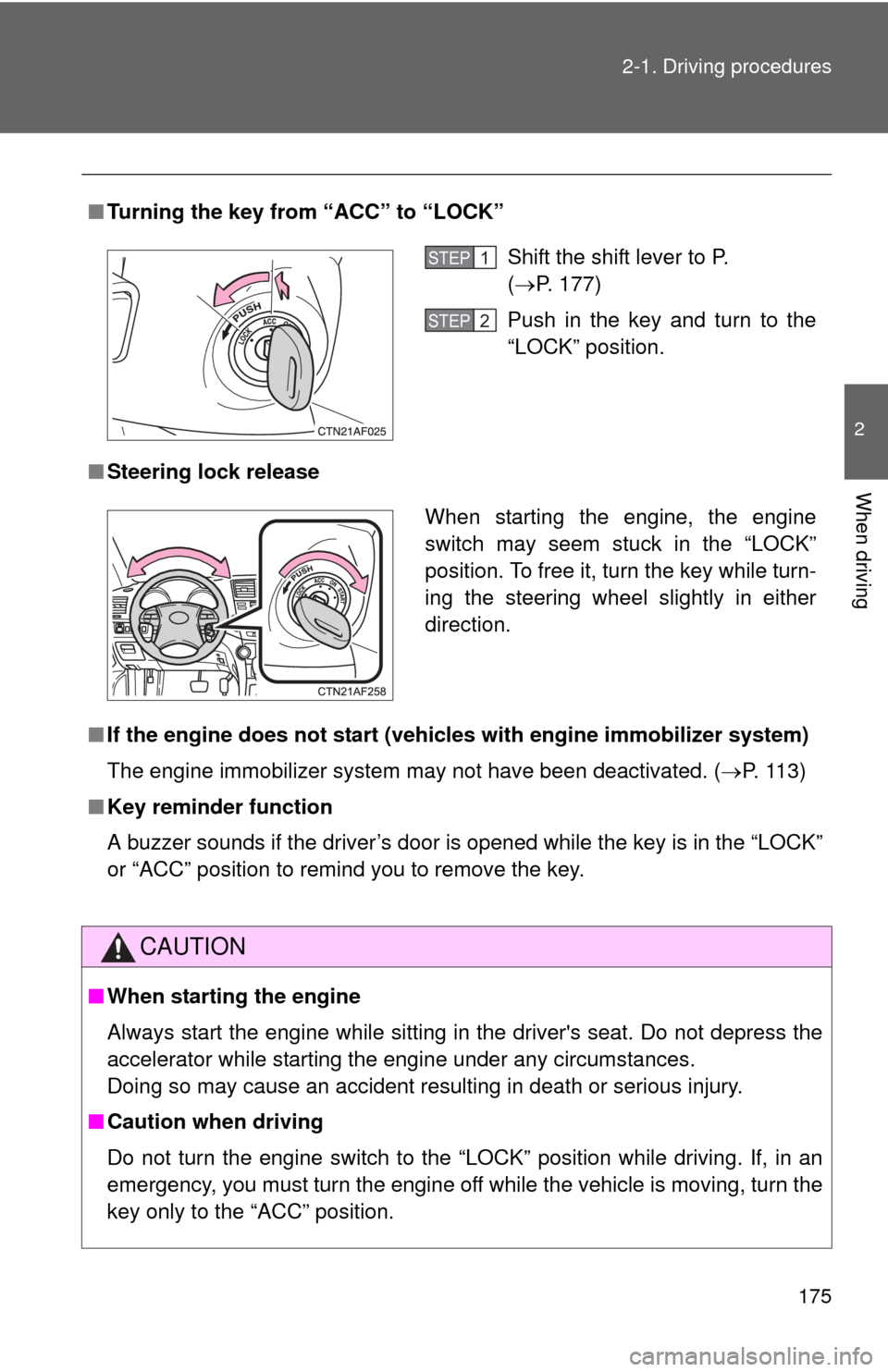
Turning the key from “ACC” to “LOCK”
■ Steering lock release
■ If the engine does not start (vehic les with engine immobilizer system)
The engine immobilizer system may not have been deactivated. ( P. 113)
■ Key reminder function
A buzzer sounds if the driver’s door is opened while the key is in the “LOCK”
or “ACC” position to remind you to remove the key.
CAUTION
■When starting the engine
Always start the engine while sitting in the driver's seat. Do not depress the
accelerator while starting the engine under any circumstances.
Doing so may cause an accident resulting in death or serious injury.
■ Caution when driving
Do not turn the engine switch to the “LOCK” position while driving. If, in an
emergency, you must turn the engine off while the vehicle is moving, turn the
key only to the “ACC” position.
Shift the shift lever to P.
(P. 177)
Push in the key and turn to the
“LOCK” position.STEP1
STEP2
When starting the engine, the engine
switch may seem stuck in the “LOCK”
position. To free it, turn the key while turn-
ing the steering wheel slightly in either
direction.
Page 205 of 636

205
2-3. Operating the lights and wipers
2
When driving
■
Automatic light off system
Vehicles without smart key system
● When the headlights come on: The headlights and tail lights turn off 30
seconds after a door is opened and closed if the engine switch is turned
to the “ACC” or “LOCK” position. (The lights turn off immediately if
on the wireless remote control is pressed after all the doors are
locked.)
● When only the tail lights come on: The tail lights turn off automatically if
the engine switch is turned to the “ACC” or “LOCK” position and the
driver’s door is opened.
To turn the lights on again, turn the engine switch to the “ON” position, or
turn the light switch off and then back to or .
Vehicles with smart key system
● When the headlights come on: The headlights and tail lights turn off 30
seconds after a door is opened and closed if the “ENGINE START
STOP” switch is turned to ACCESSORY mode or turned off. (The lights
turn off immediately if on the key is pressed after all the doors are
locked.)
● When only the tail lights come on: The tail lights turn off automatically if
the “ENGINE START STOP” switch is turned to ACCESSORY mode or
turned off and the driver’s door is opened.
To turn the lights on again, turn the “ENGINE START STOP” switch to IGNI-
TION ON mode, or turn the light switch off and then back to or
.
■ Customization that can be co nfigured at Toyota dealer
Settings (e.g. daytime running light system) can be changed.
(Customizable features P. 602)
NOTICE
■To prevent battery discharge
Do not leave the lights on longer than necessary when the engine is not run-
ning.

