2012 RENAULT MEGANE RS lock
[x] Cancel search: lockPage 43 of 239

child restraint/seat ................................ (up to the end of the DU)
child restraint/seat ................................ (up to the end of the DU)
child restraint/seat ................................ (up to the end of the DU)
child safety ............................................ (up to the end of the DU)
child seats ............................................. (up to the end of the DU)
transporting children ............................. (up to the end of the DU)
1.37
ENG_UD18892_5
Sécurité enfants : installation du siège enfant (X95 - B95 - D\
95 - Renault)
ENG_NU_837-6_BDK95_Renault_1
Some seats are not suitable for fitting
child seats. The diagram on the follow -
ing page shows you how to attach a
child seat.
The types of child seats indicated may
not be available. Before using a differ-
ent child seat, check with the manufac-
turer that it can be fitted.
fitting a child seat
cHILd sAfETY : fitting a child seat (1/6)
In the rear side seat
A carrycot can be installed across the
vehicle and will take up at least two
seats. Position the child with his or her
feet nearest the door.
Move the front seat as far forward as
possible to install a rear-facing child
seat, then move back the seat or seats
in front in accordance with the child
seat instructions.
For the safety of the child in the for -
ward-facing seat, do not move the seat
in front back past the middle of the
runner, do not tilt the seatback too far
(maximum of 25°) and raise the seat as
much as possible.
Check that the forward-facing child seat
is resting against the back of the vehi-
cle seat and that the headrest of the ve-
hicle is not obstructing its use.
In the front seat
The laws concerning children travel
-
ling in the front passenger seat differ in
every country. Consult the legislation in
force and follow the indications on the
diagram on the following page.
Before fitting a child seat in this seat (if
authorised):
– lower the seat belt as far as possible;
– move the seat as far back as possi-
ble;
– gently tilt the seatback away from
vertical (approximately 25°);
– on equipped vehicles, raise the seat
base as far as possible.
Do not change these settings after the
child seat is installed.
R I sK O f dE AT H O R
s ERIOU s INJURY: before
fitting a rear-facing child
seat in this position, check
that the air bag has been deacti -
vated (refer to the information on
“Child safety: deactivating/activat -
ing the front passenger air bag” in
Section 1).
Fit the child seat in a rear
seat wherever possible.
Check that when installing
the child seat in the vehicle
it is not at risk of coming loose from
its base.
If you have to remove the headrest,
check that it is correctly stored so
that it does not come loose under
harsh braking or impact.
Always attach the child seat to the
vehicle even if it is not in use so that
it does not come loose under harsh
braking or impact.
Ensure that the child seat
or the child’s feet do not
prevent the front seat from
locking correctly. Refer to
the information on the “Front seat”
in Section 1.
Page 49 of 239

air bagdeactivating the front passenger air bags ........ (current page)
front passenger air bag deactivation ..................... (current page)
child restraint/seat ................................ (up to the end of the DU)
child safety ............................................ (up to the end of the DU)
child restraint/seat ................................ (up to the end of the DU)
transporting children ............................. (up to the end of the DU)
1.43
ENG_UD18912_4
Sécurité enfants : désactivation/activation airbag passager ava\
nt (X95 - B95 - D95 - Renault)
ENG_NU_837-6_BDK95_Renault_1
deactivating/activating the front passenger air bag
2
deactivating the front
passenger air bags
(on equipped vehicles)
You must deactivate certain devices
in addition to the front passenger seat
belt before fitting a child seat in the front
passenger seat. To deactivate the air bags: with the
vehicle stationary
, push and turn
lock 1 to the OFF position.
With the ignition on, it is essential to
check that warning light 2
¹ is lit
on the central display and, depend -
ing on the vehicle, that the message
“Passenger airbag off” is displayed.
This light remains permanently lit to
let you know that you can fit a child
seat.
The passenger air bag must
only be deactivated or acti-
vated with the ignition off.
If it is interfered with when
the vehicle is being driven, indicator
lights
å and © will come
on.
Switch the ignition off then on again
to reset the air bag in accordance
with the lock.
cHILd sAfETY : deactivating/activating the front passenger air bag (1/3)
1dANgER
Since operation of the front
passenger air bag is not
compatible with the position
of a rear-facing child seat, NEvER
fit a rear-facing child seat on a front
passenger seat with an active front
air bag. The child may suffer very
serious injuries if the air bag is trig-
gered.
Page 51 of 239

Jaune NoirNoir texte
1.45
ENG_UD18912_4
Sécurité enfants : désactivation/activation airbag passager ava\
nt (X95 - B95 -")
air bagactivating the front passenger air bags ............ (current page)
Jaune NoirNoir texte
1.45
ENG_UD18912_4
Sécurité enfants : désactivation/activation airbag passager ava\
nt (X95 - B95 - D95 - Renault)
ENG_NU_837-6_BDK95_Renault_1
cHILd sAfETY : deactivating/activating the front passenger air bag (3/3)
4
Operating faults
It is forbidden to fit a rear-facing child
seat to the front passenger seat if the
air bag activation/deactivation system
is faulty.
Allowing any other passenger to sit in
that seat is not recommended.
If warning lights
› and ¹ are
lit at the same time.
Contact your approved dealer as soon
as possible.
Activating the front
passenger air bags
You should reactivate the air bag as
soon as you remove the child seat from
the front passenger seat to ensure the
protection of the front passenger in the
event of an impact.
To reactivate the air bags: when the
vehicle is stationary , push and turn
lock 1 to the ON position.
With the ignition on, it is essential to
check that warning light 4
› is lit
on the central display, and that it goes
out after a few seconds .
1
The passenger air bag must
only be deactivated or acti-
vated with the ignition off.
If it is interfered with when
the vehicle is being driven, indicator
lights
å and © will come
on.
Switch the ignition off then on again
to reset the air bag in accordance
with the lock.
Page 53 of 239
JauneNoirNoir texte
1.47
ENG_UD6281_1
Poste de conduite direction à gauche (X95 - B95 - D95 - Renault)
ENG_NU_837-6_BDK95_Renault_1
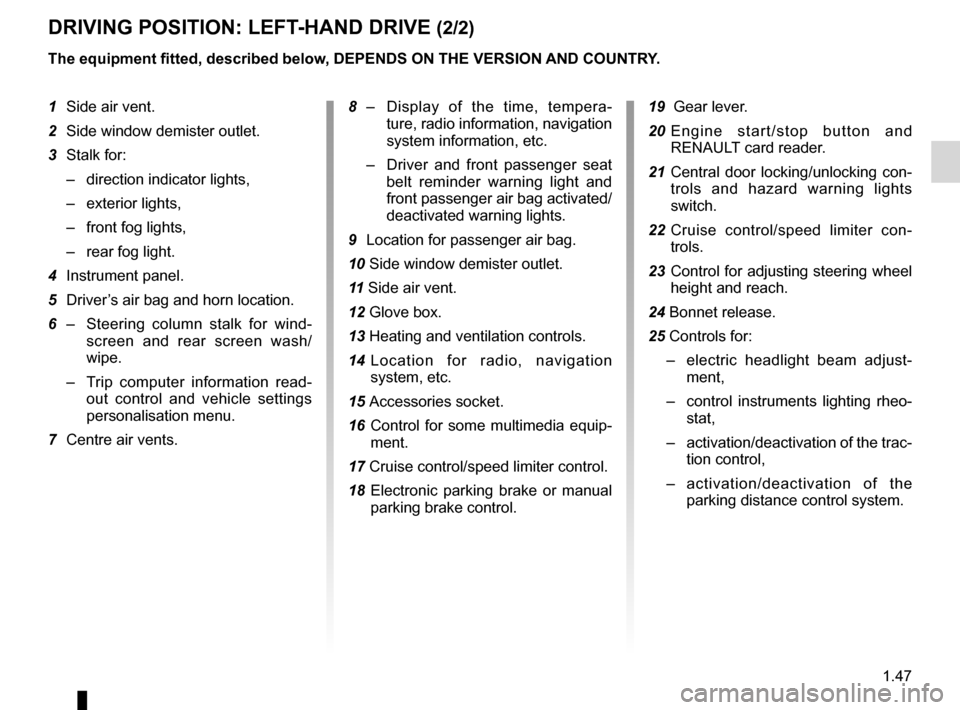
dRIvINg pOsITION: LEfT -HANd dRIvE (2/2)
1 Side air vent.
2 Side window demister outlet.
3 Stalk for:
– direction indicator lights,
– exterior lights,
– front fog lights,
– rear fog light.
4 Instrument panel.
5 Driver’s air bag and horn location.
6 – Steering column stalk for wind -
screen and rear screen wash/
wipe.
– Trip computer information read -
out control and vehicle settings
personalisation menu.
7 Centre air vents.
The equipment fitted, described below, dEpENds ON THE vERsION ANd cOUNTRY.
19 Gear lever.
20 E n g i n e s t a r t / s t o p b u t t o n a n d
RENAULT card reader.
21 Central door locking/unlocking con-
trols and hazard warning lights
switch.
22 Cruise control/speed limiter con -
trols.
23 Control for adjusting steering wheel
height and reach.
24 Bonnet release.
25 Controls for:
– electric headlight beam adjust -
ment,
– control instruments lighting rheo -
stat,
– activation/deactivation of the trac-
tion control,
– activation/deactivation of the
parking distance control system.
8
– Display of the time, tempera -
ture, radio information, navigation
system information, etc.
– Driver and front passenger seat
belt reminder warning light and
front passenger air bag activated/
deactivated warning lights.
9 Location for passenger air bag.
10 Side window demister outlet.
11 Side air vent.
12 Glove box.
13 Heating and ventilation controls.
14 Location for radio, navigation
system, etc.
15 Accessories socket.
16 Control for some multimedia equip -
ment.
17 Cruise control/speed limiter control.
18 Electronic parking brake or manual
parking brake control.
Page 55 of 239

JauneNoirNoir texte
1.49
ENG_UD6282_1
Poste de conduite direction à droite (X95 - B95 - D95 - Renault)
ENG_NU_837-6_BDK95_Renault_1
dRIvINg pOsITION: RIgHT -HANd dRIvE (2/2)
The equipment fitted, described below, dEpENds ON THE vERsION ANd cOUNTRY.
1 Side air vent.
2 Side window demister outlet.
3 Location for passenger air bag.
4 – Display (depending on the vehi -
cle) for time, temperature, radio
information, navigation system in-
formation, etc.
– Driver and front passenger seat
belt unfastened and passenger
air bag deactivated warning lights
5 Centre air vents.
6 Stalk for:
– direction indicator lights,
– exterior lights,
– front fog lights,
– rear fog light.
7 Location for driver ’s air bag and
horn.
8 Instrument panel.
9 – Steering column stalk for wind -
screen and rear screen wash/
wipe,
– Trip computer information read -
out control and vehicle settings
customisation menu.
10 Side window demister outlet.
11 Side air vent.
12 Controls for:
– headlight beam height remote ad-
justment;
– lighting rheostat for control instru-
ments;
– activation/deactivation of the trac-
tion control;
– activation/deactivation of the
parking distance control system.
13 Cruise control/speed limiter controls
14 Control for adjusting steering wheel
height and reach. 15
Central door locking/unlocking con-
trols and hazard warning lights
switch.
16 Heating and ventilation controls.
17 Control for some multimedia equip -
ment.
18 Cruise control/speed limiter control.
19 Electronic parking brake or manual
parking brake control.
20 Gear lever.
21 Accessories socket.
22 E n g i n e s t a r t / s t o p c o n t r o l a n d
RENAULT card reader.
23 Location for radio, navigation
system, etc.
24 Glove box.
25 Bonnet release.
Page 57 of 239

ABS ....................................................................... (current page)
air bag .................................................................... (current page)
variable power-assisted steering ........................... (current page)
filter particle filter ..................................................... (current page)
speed limiter .......................................................... (current page)
cruise control ......................................................... (current page)
JauneNoirNoir texte
1.51
ENG_UD18927_5
Tableau de bord : témoins lumineux (X95 - B95 - D95 - Renault)
ENG_NU_837-6_BDK95_Renault_1
WARNINg LIgHTs (2/4)
A
xAnti-lock braking warning
light
This lights up when the ignition is
switched on and goes out after a few
seconds.
If it does not go out after the ignition is
switched on, or lights up when driving,
there is a fault with the ABS. Braking
will then be as normal, without the ABS.
Contact an approved Dealer as soon as
possible.
ÄToxic fume filter system
Warning Light
This lights up when the ignition is
switched on and goes out when the
engine is started.
– If it lights up continuously, consult
your approved Dealer as soon as
possible;
– if it flashes, reduce the engine speed
until the light stops flashing. Contact
your approved Dealer as soon as
possible.
R e f e r t o t h e i n f o r m a t i o n o n
“Antipollution, fuel economy and driv -
ing” in Section 2.
©Warning light
This lights up when the ignition
is switched on and goes out as soon as
the engine is started. It can light up in
conjunction with other indicator lights
and/or messages on the instrument
panel.
It means you should drive very care-
fully to an approved Dealer as soon as
possible. If you fail to follow this recom-
mendation, you risk damaging your ve-
hicle.
åAir bag warning light
This comes on when the igni -
tion is switched on and goes out after a
few seconds.
If it does not light up when the ignition
is switched on, or comes on when the
engine is running, there is a fault in the
system.
Contact your approved Dealer as soon
as possible.
Ép reheating warning light
(diesel version)
This should come on when the igni -
tion is switched on. It indicates that the
heater plugs are in operation. This goes
out as soon as the engine starts.
Îs peed limiter and cruise
control warning light
See the information on the “Speed lim-
iter” and “Cruise control” in Section 2.
\[f uel economy indica -
tor light
This lights up to advise you to change
to a higher gear (up arrow) or lower
gear (down arrow). The presence and operation of the warning lights dEpENd ON THE EQUIpmENT ANd cOUNTRY.
Page 69 of 239

JauneNoirNoir texte
1.63
ENG_UD18879_3
Ordinateur de bord (X95 - B95 - D95 - Renault)
ENG_NU_837-6_BDK95_Renault_1
TRIp cOmpUTER ANd WARNINg sYsTEm (8/10)
Examples of messages Interpreting the display selected
“Battery low start engine” Indicates that the vehicle must be started to recharge the battery (eg. after the engine has been
switched off for some time whilst listening to the radio).
“please remove keycard ”Request to remove the RENAULT card from the reader when you leave the vehicle.
“checking control functions ” Displayed with the ignition on when the vehicle is running self-diagnost\
ics.
“Traction control off ”Indicates that you have deactivated the ASR function.
“Turn steering
wheel + sTART” Turn the steering wheel slightly whilst pressing the vehicle start button to unlock the steering
column.
“No message available” No warning is stored.
“steering wheel not locked ”Indicates that the steering column has not been locked.
“stop vehicle” Indicates an electronic parking brake fault. Apply the electronic parking brake manually and
ensure that the vehicle is immobilised using a chock.
Information messagesThese can help in the vehicle starting phase, or give information about \
a selection or a driving status.
Examples of information messages are given in the following pages.
Page 71 of 239

JauneNoirNoir texte
1.65
ENG_UD18879_3
Ordinateur de bord (X95 - B95 - D95 - Renault)
ENG_NU_837-6_BDK95_Renault_1
TRIp cOmpUTER ANd WARNINg sYsTEm (10/10)
Warning messages
These appear with the ® warning light and require you to stop immediately, for your own safety, as soon as traffic
conditions allow. stop your engine and do not restart it. contact an approved dealer.
Examples of warning messages are given in the following pages. Note: the messages appear on the display either individually or
alternately (when there are several messages to be displayed), and may\
be accompanied by a warning light and/or a beep.
Examples of messages Interpreting the display selected
“Engine failure hazard ”
Indicates engine overheating, or an injection or engine oil pressure fau\
lt.
“ p ower steering fault ” or
“Risk of steering locking ”Indicates a fault in the steering.
“parking brake fault” Indicates an electronic parking brake fault. Apply the electronic parking brake manually and
ensure that the vehicle is immobilised using a chock.
“Battery charging fault” Indicates a fault in the vehicle battery charging circuit (alternator e\
tc.).
“puncture” Indicates a puncture on the tyre displayed on the instrument panel.