2012 MERCEDES-BENZ CLS COUPE steering
[x] Cancel search: steeringPage 111 of 373
rest, contour of the backrest, dynamic
function level
R driver's side :steering whee lposit ion
R driver's side :position of the exterior mir-
rors on the driver's and front-passenger
sides X
Adjust the seat (Y page 98).
X On the driver's side, adjust the steering
wheel (Y page 103) and the exterior mirrors
(Y page 105).
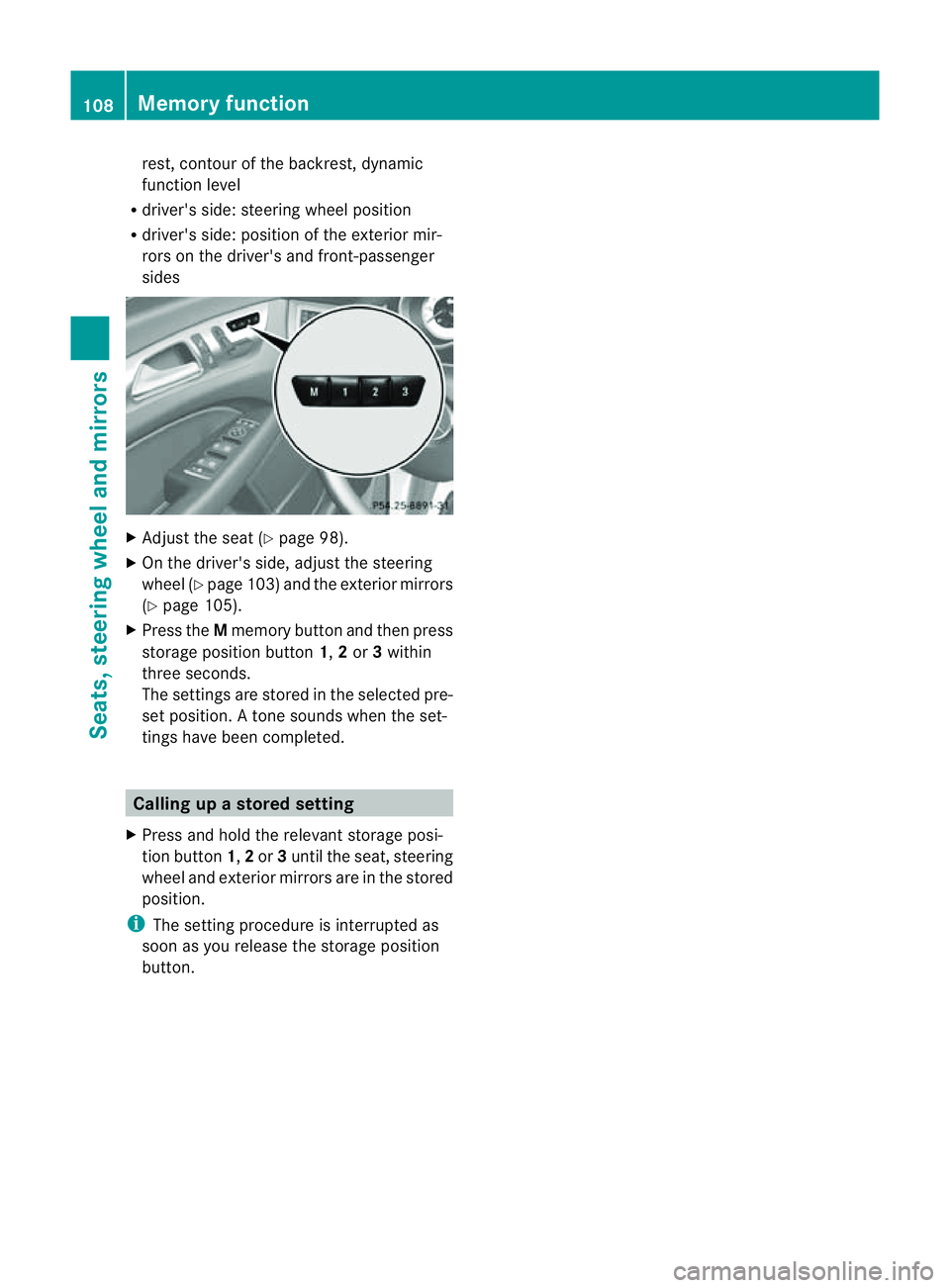
X Press the Mmemory button and then press
storage position button 1,2or 3within
three seconds.
The settings are stored in the selected pre-
set position. Atone sounds when the set-
tings have been completed. Calling up
astore dsetting
X Pres sand hold th erelevant storage posi-
tio nb utton 1,2or 3until th eseat ,steering
wheel and exterio rmirrors are in the stored
position.
i The settin gprocedure is interrupted as
soon as you release the storage position
button. 108
Memory functionSeats, steering wheel and mirrors
Page 119 of 373
Active:
if you are driving at aspeed above
110 km/ hand do not make any large steering
movements for at leas t1000 morify ouare
drivin gatas peedabove 130 km/h.
Not active: if you are driving at speed sbelow
80 km/ hfollowing activation.
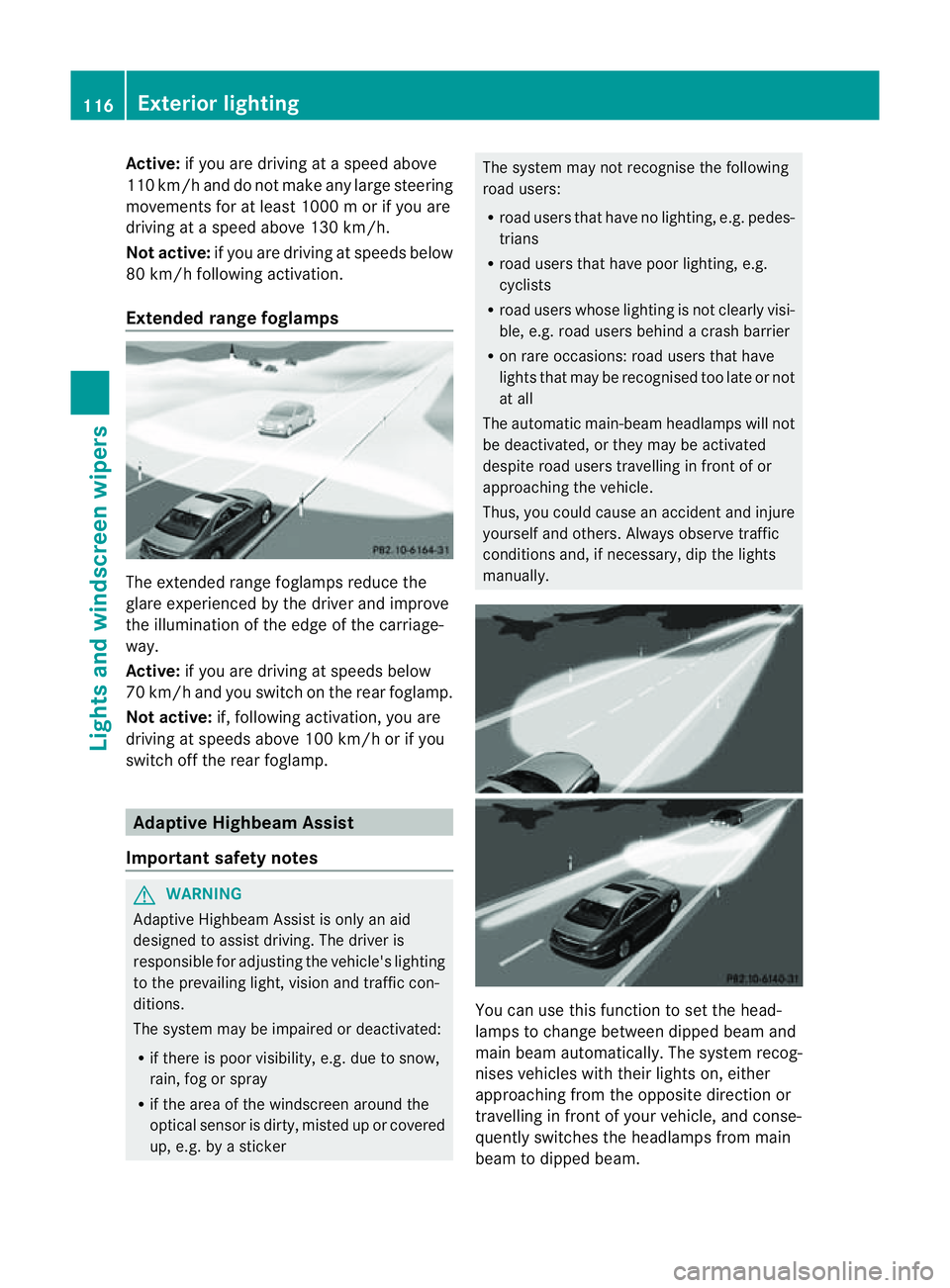
Extended range foglamps The extended range foglamps reduce the
glare experienced by the driver and improve
the illumination of the edge of the carriage-
way.
Active: if you are driving at speeds below
70 km/ hand yo uswitch on the rea rfoglamp.
Not active: if, following activation ,you are
driving at speeds above 100 km/ho rifyou
switch off the rear foglamp. Adaptive Highbeam Assist
Important safety notes G
WARNING
Adaptive Highbeam Assist is only an aid
designed to assist driving. The driver is
responsible for adjusting the vehicle's lighting
to the prevailing light, vision and traffic con-
ditions.
The system may be impaired or deactivated:
R if there is poor visibility, e.g. due to snow,
rain, fog or spray
R if the area of the windscreen around the
optical sensor is dirty, misted up or covered
up, e.g. by asticker The system may not recognise the following
road users:
R
road users that have no lighting, e.g. pedes-
trians
R road users that have poor lighting, e.g.
cyclists
R road users whose lighting is not clearly visi-
ble, e.g. road users behind acrash barrier
R on rare occasions: road users that have
lights that may be recognised too late or not
at all
The automatic main-beam headlamps will not
be deactivated, or they may be activated
despite road users travelling in front of or
approaching the vehicle.
Thus, you could cause an accident and injure
yourself and others. Always observe traffic
conditions and, if necessary, dip the lights
manually. You can use this function to set the head-
lamps to change between dipped beam and
main beam automatically. The system recog-
nises vehicles with their lights on, either
approaching from the opposite direction or
travelling in front of your vehicle, and conse-
quently switches the headlamps from main
beam to dipped beam.116
Exterior lightingLights and windscreen wipers
Page 152 of 373
Transmission position and driv
epro-
gram display !
If the transmission positio ndisplay in the
multifunction display is not working, you
should pull away carefully to chec kwhether
the desired transmission position is
engaged. Ideally,y ou should select trans-
mission position Dand drive program C.Do
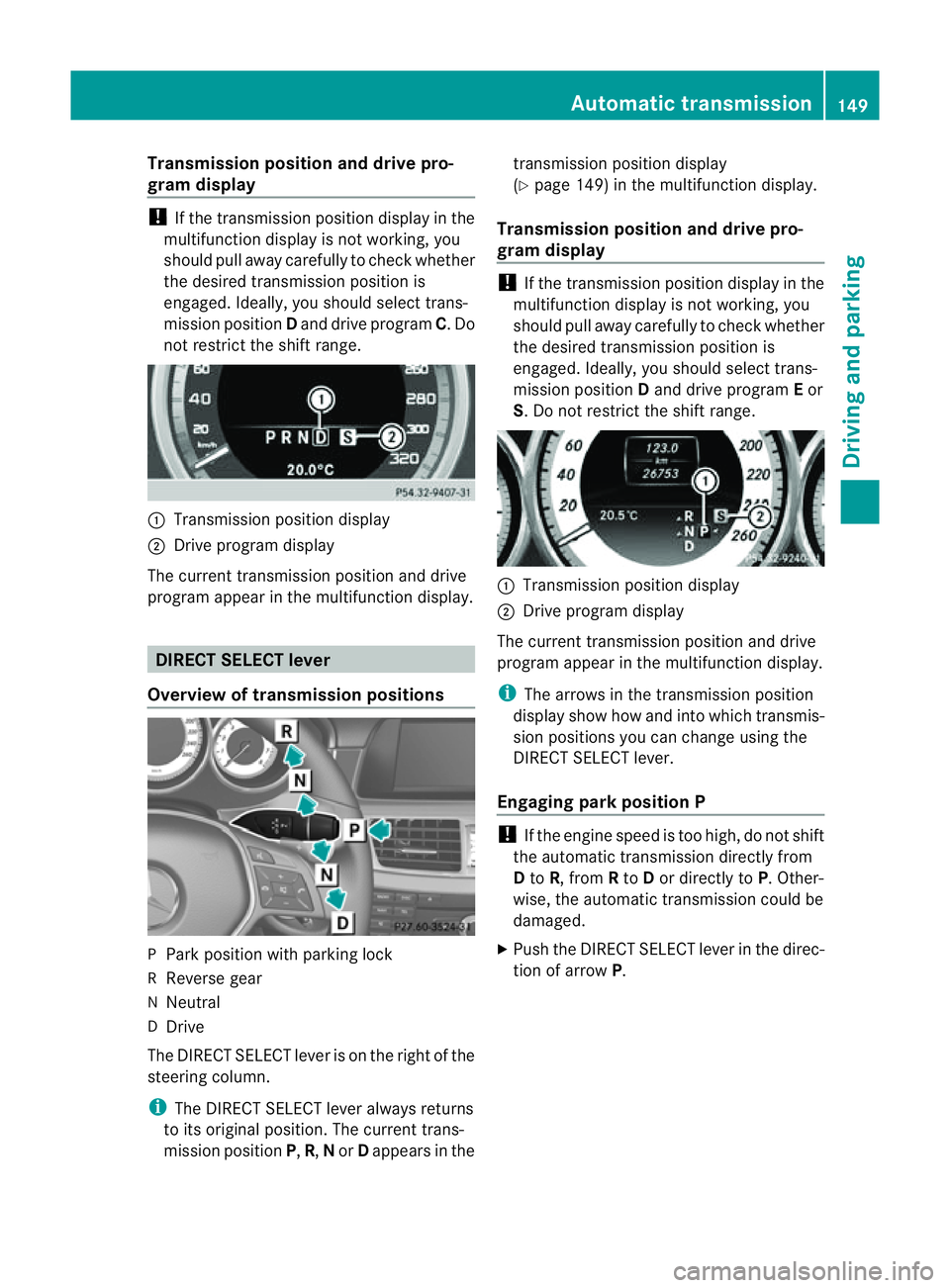
not restrict the shift range. :
Transmission position display
; Drive program display
The current transmission position and drive
program appearint he multifunction display. DIRECTS
ELECT lever
Overview of transmission positions P
Park position with parking lock
R Reverse gear
N Neutral
D Drive
The DIRECT SELECT leve risonthe right of the
steering column.
i The DIRECT SELECT lever always returns
to its original position. The current trans-
mission position P,R, Nor Dappears in the transmission position display
(Y
page 149) in the multifunction display.
Transmission position and drive pro-
gram display !
If the transmission position displayint he
multifunction displayisn ot working, you
should pull awayc arefully to check whether
the desired transmission position is
engaged. Ideally, you should select trans-
mission position Dand drive program Eor
S.Don ot restrict the shift range. :
Transmission position display
; Drive program display
The current transmission position and drive
program appearint he multifunction display.
i The arrows in the transmission position
displays how how and into which transmis-
sion positions you can change using the
DIRECT SELECT lever.
Engaging parkp osition P !
If th eengine speed is to ohigh, do no tshift
the automatic transmission directly from
D to R,f rom Rto Dor directly to P.Other-
wise, the automatic transmission could be
damaged.
X Push the DIRECT SELECT lever in the direc-
tion of arrow P. Automatic transmission
149Driving and parking Z
Page 155 of 373
E
Economy Comfortable, economical
driving S
Sport Sporty driving style
M
Manual Manua
lgears hifting i
For furthe rinformation on the automatic
drive program, se e(Ypage 152).
i Thea utomatic transmission switches to
automatic drive program Eeach tim ethe
engine is started.
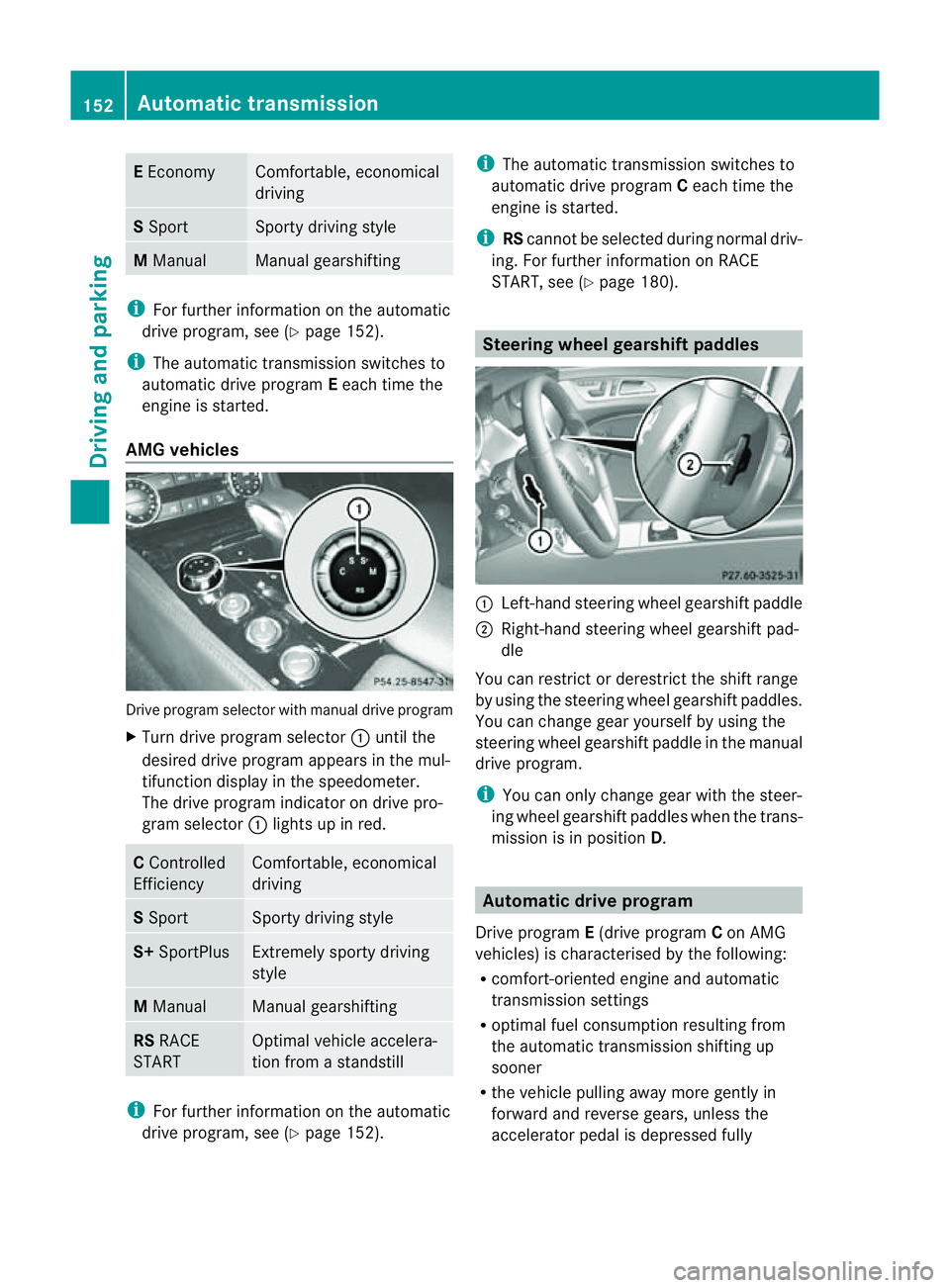
AM Gvehicles Drive program selecto
rwith manual drive program
X Turn drive program selector :until the
desired drive program appears in the mul-
tifunction display in the speedometer.
The drive program indicator on drive pro-
gram selector :light supinr ed. C
Controlled
Efficiency Comfortable, economical
driving
S
Sport Sporty drivin
gstyle S+
SportPlus Extremely sport
ydriving
style M
Manual Manual gearshifting
RS
RACE
START Optimal vehicle accelera-
tion from
astandstill i
For further information on the automatic
drive program, see (Y page 152). i
The automatic transmission switches to
automatic drive program Ceach tim ethe
engin eisstarted.
i RScannot be selected during normal driv-
ing. For further information on RACE
START, see (Y page 180). Steering wheel gearshift paddles
:
Left-han dsteerin gwheel gearshif tpaddle
; Right-hand steering wheel gearshif tpad-
dle
You can restrict or derestric tthe shif trange
by usin gthe steering wheel gearshif tpaddles.
You can chang egear yourself by usin gthe
steering wheel gearshif tpaddle in th emanual
driv eprogram.
i You can only chang egear wit hthe steer-
ing wheel gearshif tpaddles when th etrans-
mission is in position D. Automatic drive program
Drive program E(drive program Con AMG
vehicles) is characterised by th efollowing:
R comfort-oriente denginea nd automatic
transmission settings
R optimal fuel consumption resulting from
th ea utomatic transmission shiftin gup
sooner
R thev ehicle pullin gaway mor egently in
forward and revers egears, unless the
accelerator pedal is depressed fully 152
Automatic transmissionDriving and parking
Page 156 of 373
R
increased sensitivity. This improves driving
stability on slipper yroad surfaces, for
example
R the automatic transmission shifting up
sooner. This result sinthe vehicle being
drive natl ower engine speeds and the
wheels being less likely to spin
Drive program S(or, in the case of AMG vehi-
cles, drive programs Sand S+)isc haracter-
ised by the following:
R sporty engine and automatic transmission
settings
R the vehicle pulling away in first gear
R the automatic transmission shiftin gup
later
R as aresult of the later automatic transmis-
sion shift points, the fuel consumption pos-
sibly being higher. Shift ranges
Introduction i
OnAMG vehicles andvehicles with
steering wheel gearshift paddles,y ou
can restrict or derestric tthe shift range
using the steerin gwheel gearshift paddles.
When the automatic transmission is in posi-
tion D,itisp ossible to restrict or derestrict
the shift range (Y page 153).
The shift range selected is shown in the mul-
tifunction display .The automatic transmis-
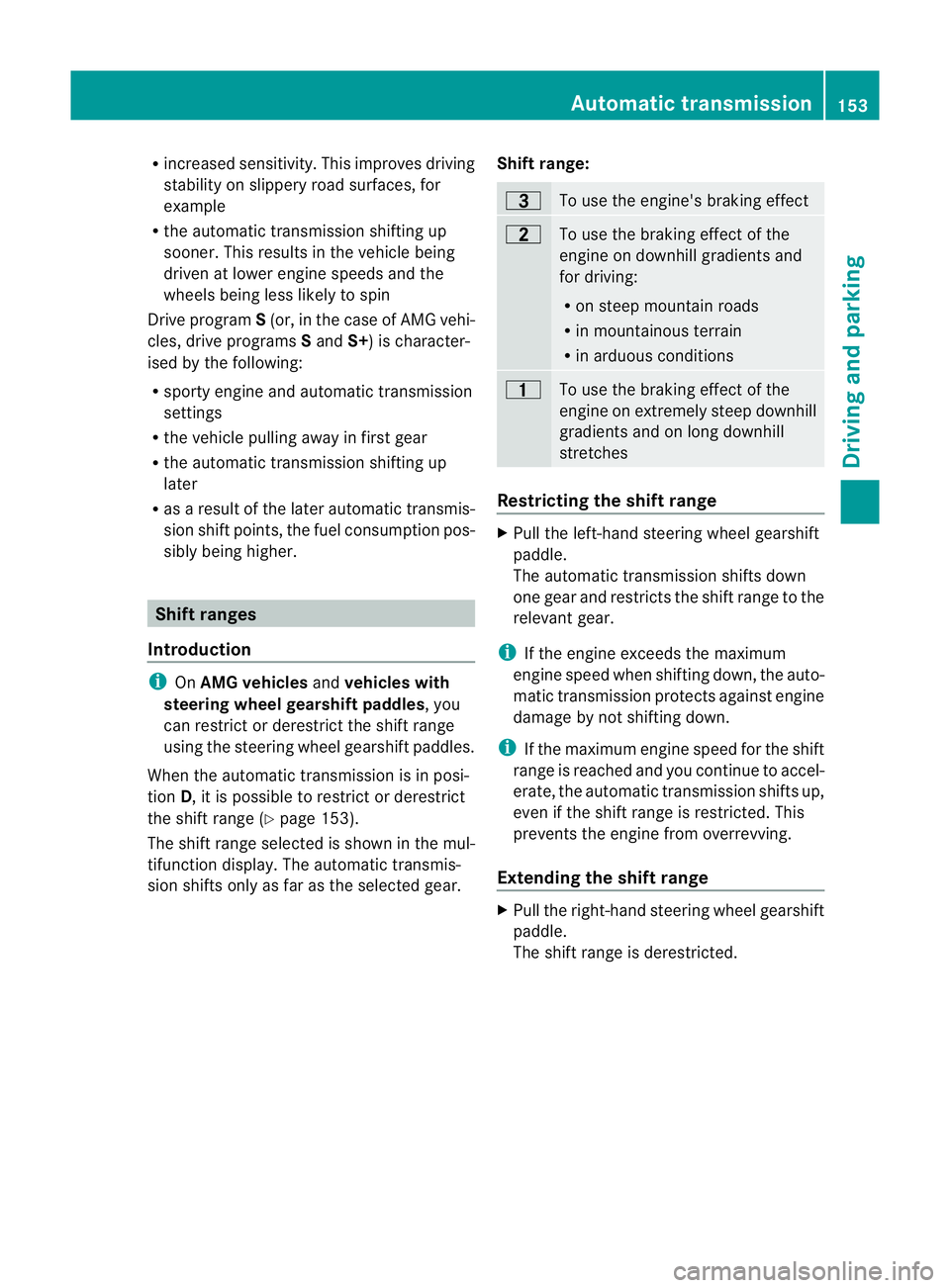
sion shifts only as far as the selected gear. Shift range: =
To use the engine's braking effect
5
To use the braking effect of the
engine on downhill gradients and
for driving:
R
on steep mountain roads
R in mountainous terrain
R in arduousc onditions 4
To use the braking effect of the
engine on extremely steep downhill
gradients and on long downhill
stretches
Restricting the shift range
X
Pull the left-hand steering wheel gearshift
paddle.
The automatic transmission shifts down
one gear and restrictst he shift range to the
relevant gear.
i If the engine exceeds the maximum
engine speed when shifting down, the auto-
matic transmission protectsa gainst engine
damage by not shifting down.
i If the maximum engine speed for the shift
range is reached and you continue to accel-
erate, the automatic transmission shifts up,
even if the shift range is restricted. This
prevents the engine from overrevving.
Extending the shift range X
Pull the right-hand steering wheel gearshift
paddle.
The shift range is derestricted. Automatic transmission
153Driving and parking Z
Page 157 of 373
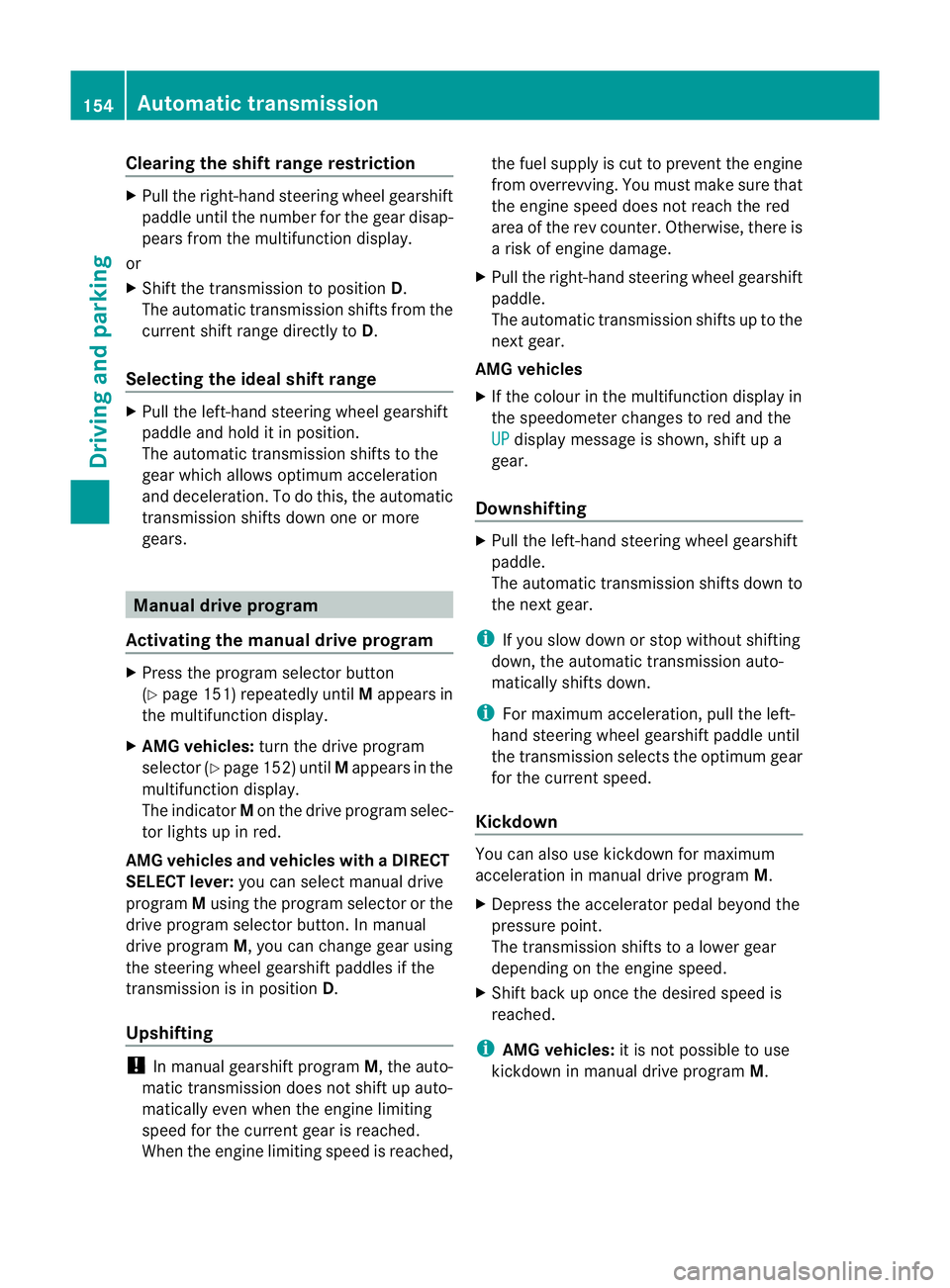
Clearing th
eshiftrange restriction X
Pul lthe right-hand steering wheel gearshift
paddle until the numbe rfor the gear disap-
pears from the multifunction display.
or
X Shift the transmission to position D.
The automatic transmission shifts from the
current shift range directly to D.
Selecting the ideal shift range X
Pull the left-hand steerin gwheel gearshift
paddle and hold it in position.
The automatic transmission shifts to the
gear which allowso ptimum acceleration
and deceleration. To do this, the automatic
transmission shifts down one or more
gears. Manual drive program
Activating the manuald rive programX
Press the program selector button
(Y page 151) repeatedly until Mappears in
the multifunction display.
X AMG vehicles: turn the drive program
selector (Y page 152) until Mappears in the
multifunction display.
The indicator Mon the drive program selec-
tor lights up in red.
AMG vehiclesa nd vehicleswithaDIRECT
SELECT lever: you can select manual drive
program Musin gthe program selector or the
driv eprogram selector button. In manual
driv eprogram M,you can chang egear using
th es teering wheel gearshif tpaddles if the
transmission is in position D.
Upshifting !
In manual gearshif tprogram M,the auto-
matic transmission does not shift up auto-
matically even when the engine limiting
spee dfor the current gearisr eached.
When the engine limiting speed is reached, the fuel supplyisc
ut to prevent the engine
from overrevving. You must make sure that
the engine speed does not reach the red
area of the rev counter. Otherwise, there is
ar isk of engine damage.
X Pull the right-hand steering wheel gearshift
paddle.
The automatic transmission shifts up to the
next gear.
AMG vehicles
X If the colour in the multifunction displayin
the speedometer changes to red and the
UP displaym
essage is shown, shift up a
gear.
Downshifting X
Pull the left-hand steering wheel gearshift
paddle.
The automatic transmission shifts down to
the next gear.
i If you slow down or stop without shifting
down, the automatic transmission auto-
matically shifts down.
i For maximum acceleration, pull the left-
hand steering wheel gearshift paddleu ntil
the transmission selects the optimum gear
for the current speed.
Kickdown You can also use kickdown for maximum
acceleration in manual drive program
M.
X Depress the accelerator pedal beyond the
pressure point.
The transmission shifts to alower gear
depending on the engine speed.
X Shift back up once the desired speed is
reached.
i AMG vehicles: it is not possible to use
kickdown in manual drive program M.154
Automatic transmissionDriving and parking
Page 162 of 373
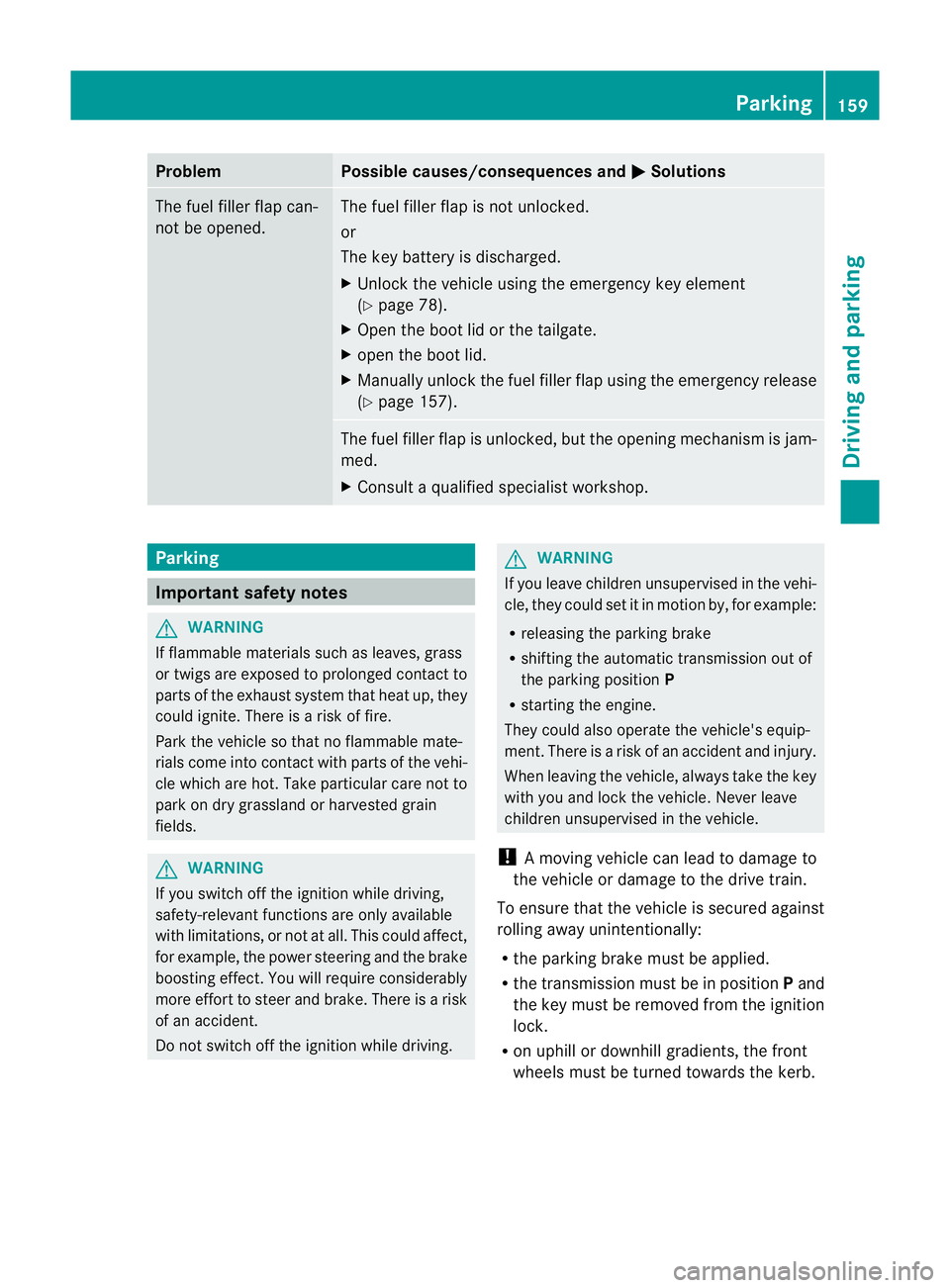
Problem Possible causes/consequences and
M Solutions
The fuel filler flap can-
not be opened. The fuel filler flap is not unlocked.
or
The key battery is discharged.
X
Unlock the vehicle using the emergency key element
(Y page 78).
X Open the boot lid or the tailgate.
X open the boot lid.
X Manuallyu nlock the fuel filler flap using the emergency release
(Y page 157). The fuel filler flap is unlocked, but the opening mechanism is jam-
med.
X
Consult aqualified specialist workshop. Parking
Important safety notes
G
WARNING
If flammable materials such as leaves, grass
or twigs are exposed to prolonged contact to
parts of the exhaust system that heat up, they
could ignite. There is arisk of fire.
Park the vehicle so that no flammable mate-
rials come into contact with parts of the vehi-
cle which are hot. Take particular care not to
park on dry grassland or harvested grain
fields. G
WARNING
If you switch off the ignition while driving,
safety-relevant functions are only available
with limitations, or not at all. This could affect,
for example, the power steering and the brake
boosting effect.Y ou will require considerably
more effort to steer and brake. There is arisk
of an accident.
Do not switch off the ignition while driving. G
WARNING
If you leave children unsupervised in the vehi-
cle, they could set it in motion by, for example:
R releasing the parking brake
R shifting the automatic transmission out of
the parking position P
R starting the engine.
They could also operate the vehicle's equip-
ment.T here isarisk of an accident and injury.
When leaving the vehicle, always take the key
with you and lock the vehicle. Never leave
children unsupervised in the vehicle.
! Am oving vehicle can lead to damage to
the vehicle or damage to the drive train.
To ensure that the vehicle is secured against
rolling away unintentionally:
R the parking brake must be applied.
R the transmission must be in position Pand
the key must be removed from the ignition
lock.
R on uphill or downhill gradients, the front
wheels must be turned towards the kerb. Parking
159Driving and parking Z
Page 168 of 373
Slippery road surfaces
G
WARNING
If you shift down on aslippery road surface in
an attempt to increase the engine's braking
effect,t he drive wheels could lose their grip.
This increases the risk of skidding and having
an accident.
Do not shift down for additional engine brak-
ing on aslippery road surface.
If the vehicle threaten stoskid or cannot be
stopped when moving at low speed:
X Move the transmission to position N.
X Try to bring the vehicle under control by
using corrective steering.
You should drive particularly carefully on slip-
pery road surfaces. Avoid sudden accelera-
tion, steering and braking manoeuvres.
i For more information on driving with
snow chains, see (Y page 331). Driving systems
Cruise control
Important safety notes G
WARNING
Do not change down for additional engine
braking on aslippery road surface. This could
cause the drive wheels to lose their grip and
the vehicle could skid. G
WARNING
Cruise control cannot take account of road
and traffic conditions.
Always pay attention to traffic conditions
even when cruise control is activated.
Cruise control is only an aid designed to assist
driving. You are responsible for the vehicle's
speed and for braking in good time. G
WARNING
Do not use cruise control
R in traffic condition sthat do not allow you to
drive at aconstant speed (e.g. heavy traffic
or winding roads). You may otherwise
cause an accident.
R on slippery roads. The drive wheels may
lose their grip when braking or accelerating
and the vehicle may skid.
R when there is low visibility, e.g. due to fog,
heavy rain or snow.
General notes Cruise control maintains
aconstant road
speed for you. It brakes automatically in order
to avoid exceeding the set speed. On long and
steep downhill gradients, especially if the
vehicle is laden, you must select shift range
1, 2or 3in good time. By doing so, you will
make use of the braking effect of the engine.
This relieves the load on the brake system and
preventst he brakes from overheating and
wearing too quickly.
Use cruise control only if road and traffic con-
ditions make it appropriate to maintain a
steady speed for aprolonged period. You can
store any road speed above 30 km/h.
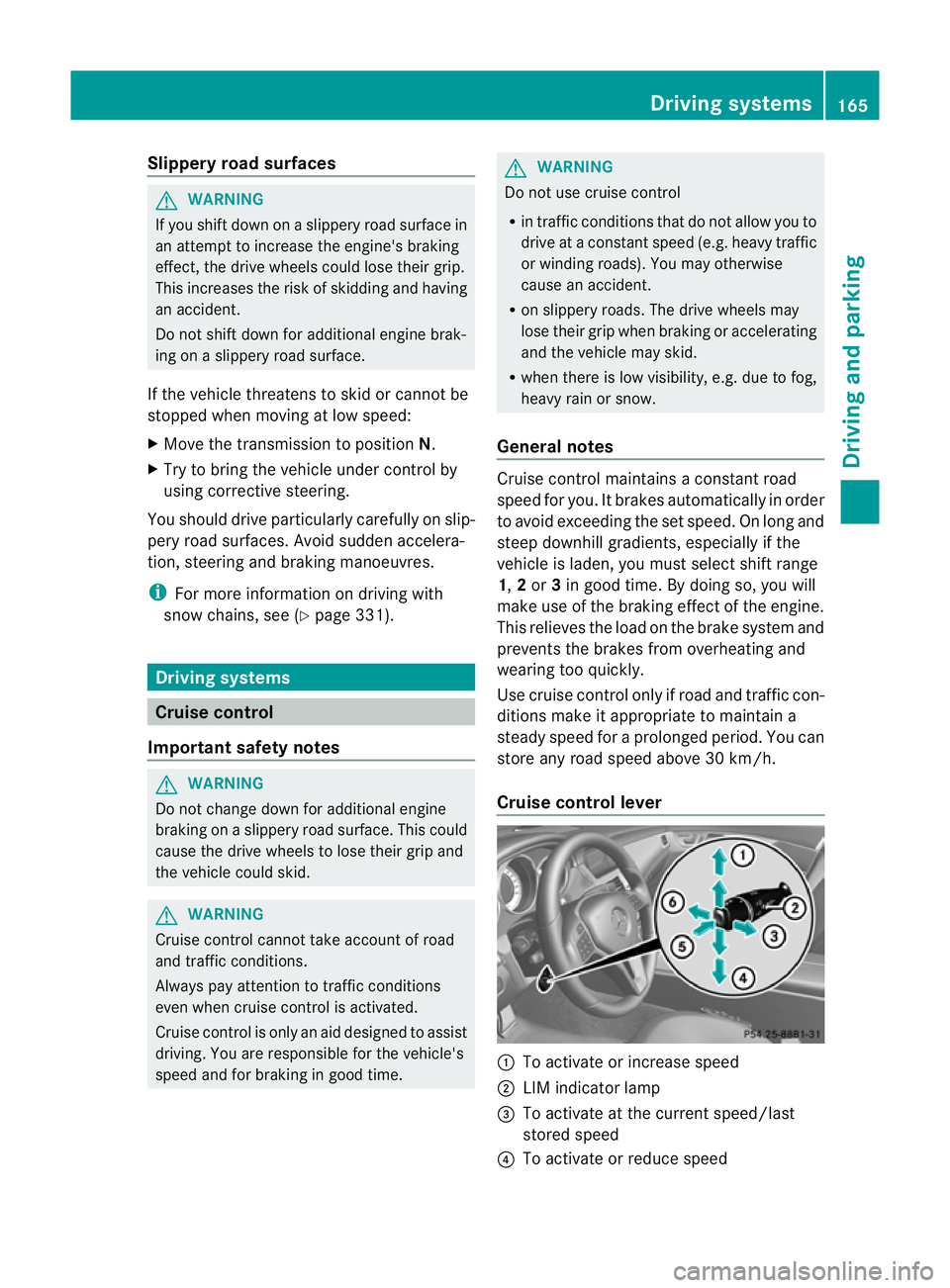
Cruise control lever :
To activate or increase speed
; LIM indicator lamp
= To activate at the current speed/last
stored speed
? To activate or reduce speed Driving systems
165Driving and parking Z